

Most students and working professionals want a thin and light laptop that’s easy to carry and powerful enough for everyday tasks. If it weighs around 2 pounds, has an OLED display, and can handle school or office work, it’s worth a look.
That’s where the Acer Swift Lite comes in. Priced at around $650, it promises great portability and performance. But is it really worth it? What are the pros and cons, and how does it compare to the ASUS VivoBook, MotoBook 60, and Acer Swift Neo?
Let’s take a closer look.
Build & design
Inside the box, you get:
- Acer Swift Lite laptop
- 65W Type-C charger
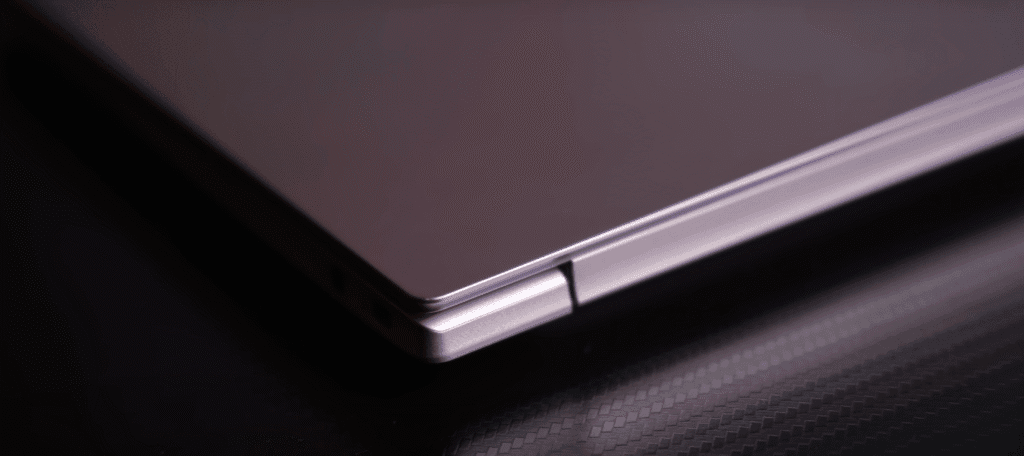
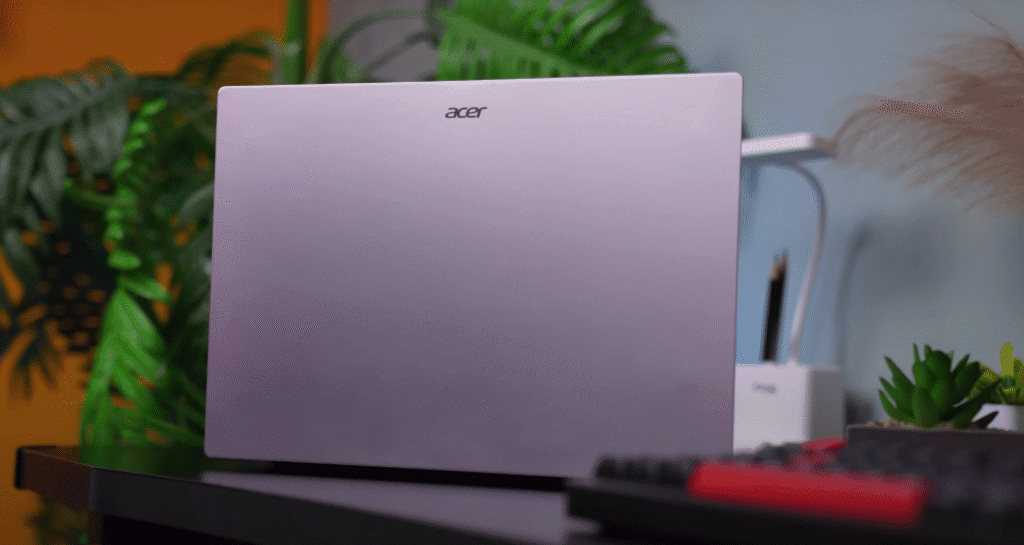
The Acer Swift Lite is a thin and light laptop that immediately stands out for its design. The rose gold colour gives it a premium, MacBook-like look, with Acer branding on the top.
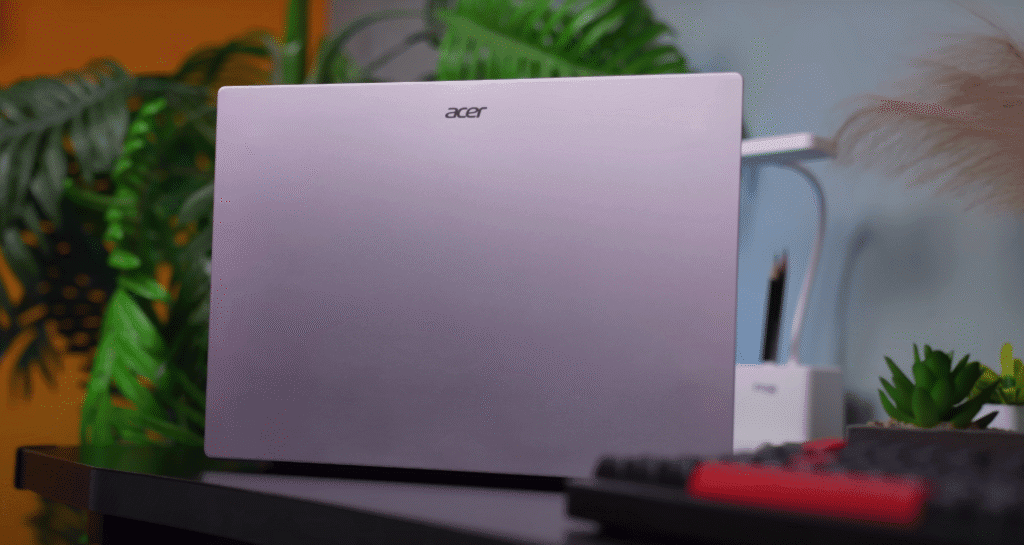
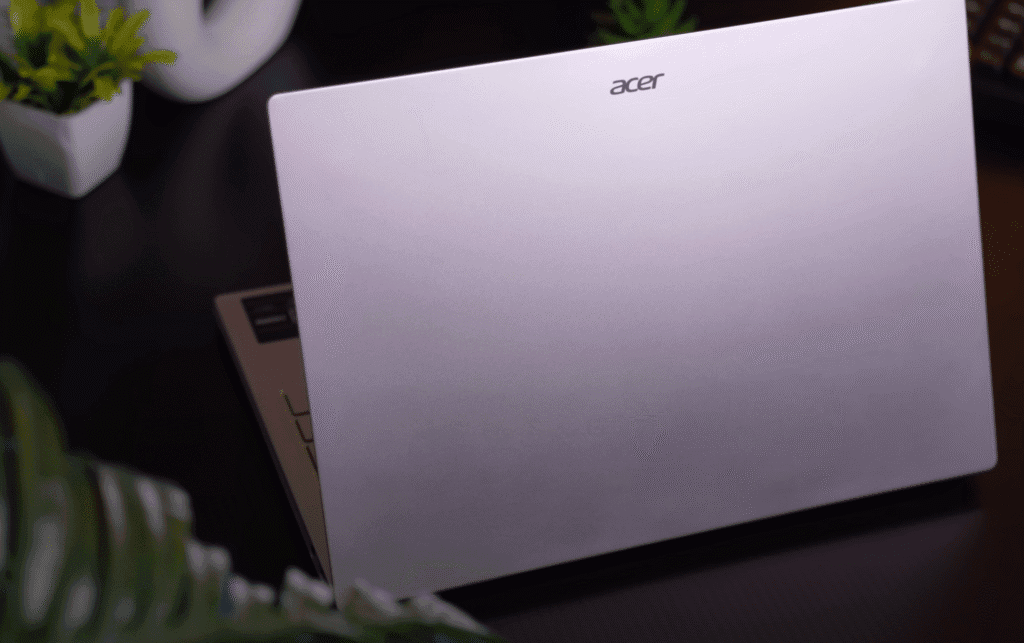
The build feels solid — the entire body is made of metal, including the lid, bottom panel, and keyboard deck.
Key design highlights:
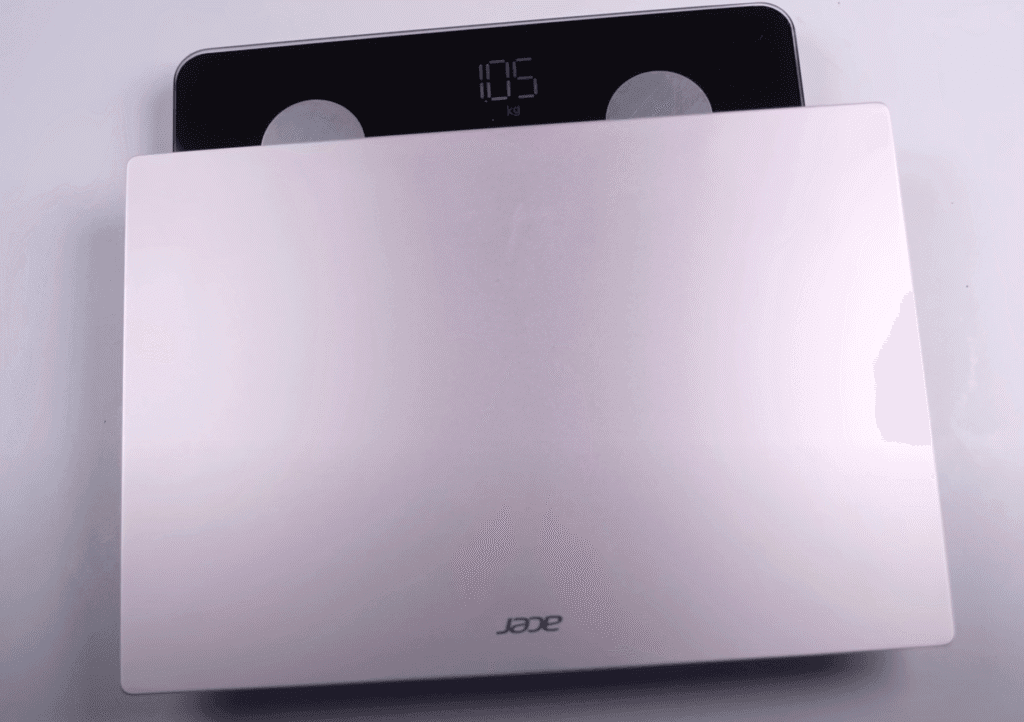
- Weight: 1.05 kg (about 1.3 kg including the charger)
- Thickness: 15.9 mm
- Can be easily lifted with one hand
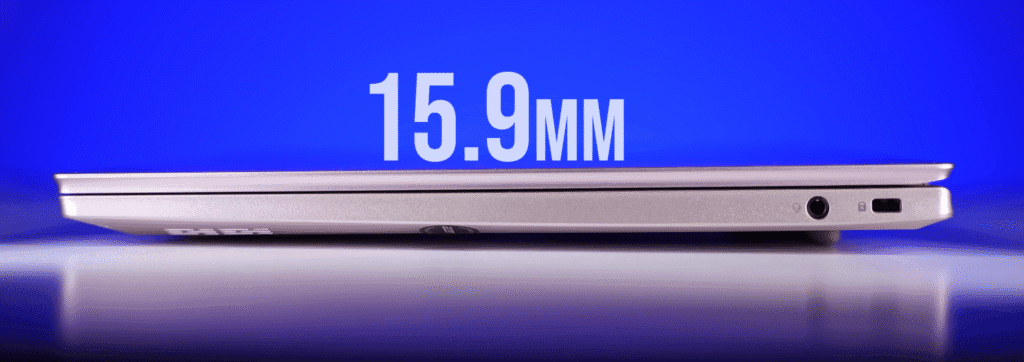
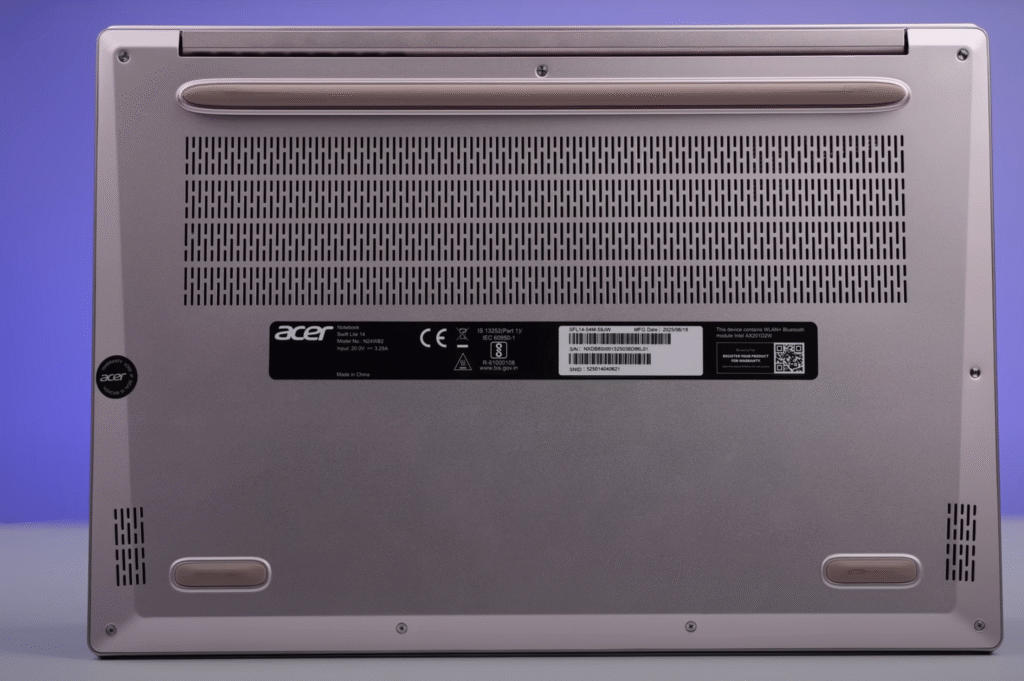
- Air intake vents at the bottom with rubber grips for stability
- Exhaust vent positioned below the screen
- Ports on both sides for better convenience
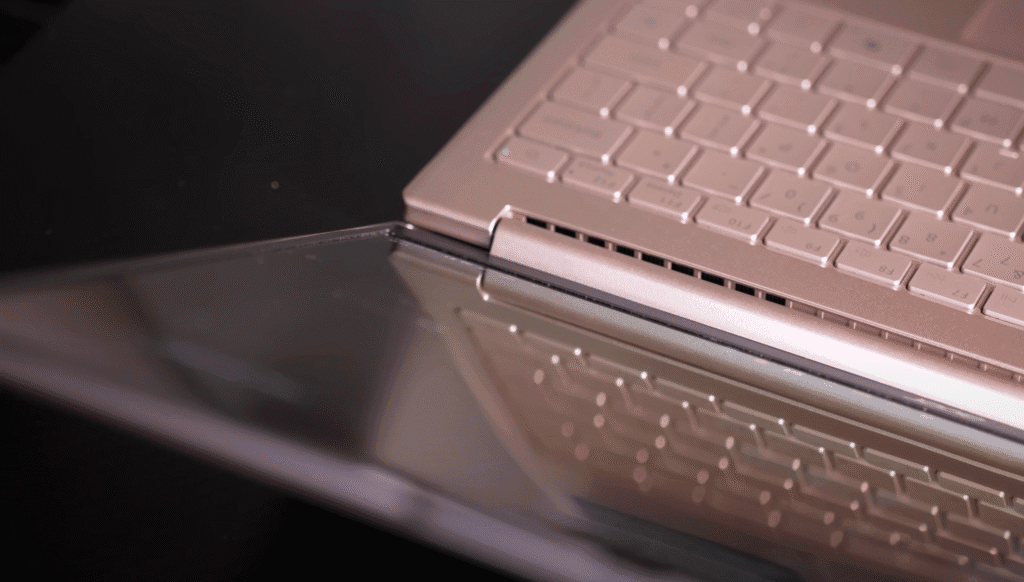
There’s minimal lid and keyboard flex, and you can open the lid with one hand without any struggle. The hinge opens up to 180 degrees, which is great for sharing the screen, though there’s a bit of screen wobble when you adjust it.
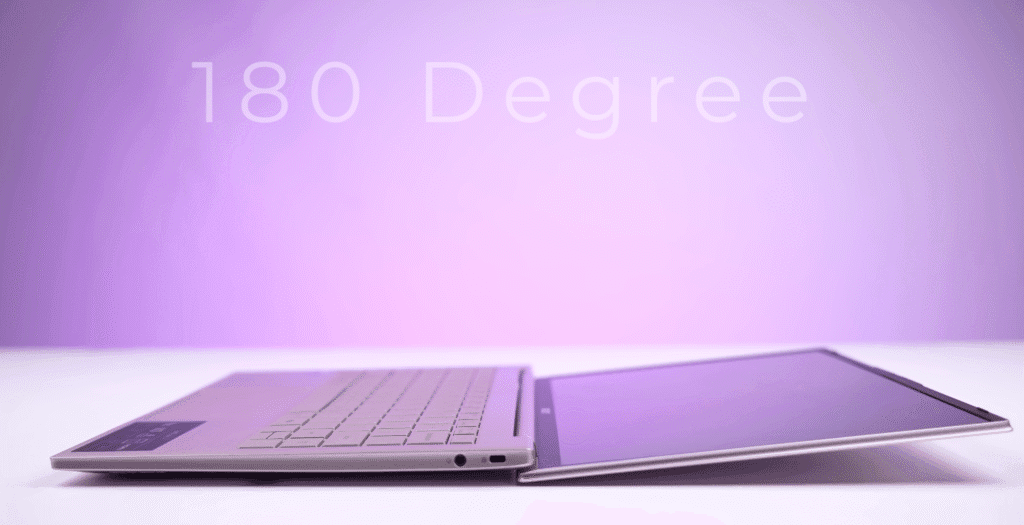
Overall, the build quality is impressive for its price — sturdy, lightweight, and elegant.
Display Quality
The display is one of the main highlights of the Acer Swift Lite. It features a 14-inch OLED panel with a 16:10 aspect ratio and a 1200p resolution.
However, the refresh rate is limited to 60Hz, which feels a bit dated in 2025. A 90Hz or 120Hz option would’ve made the experience smoother, especially for scrolling and light creative work.
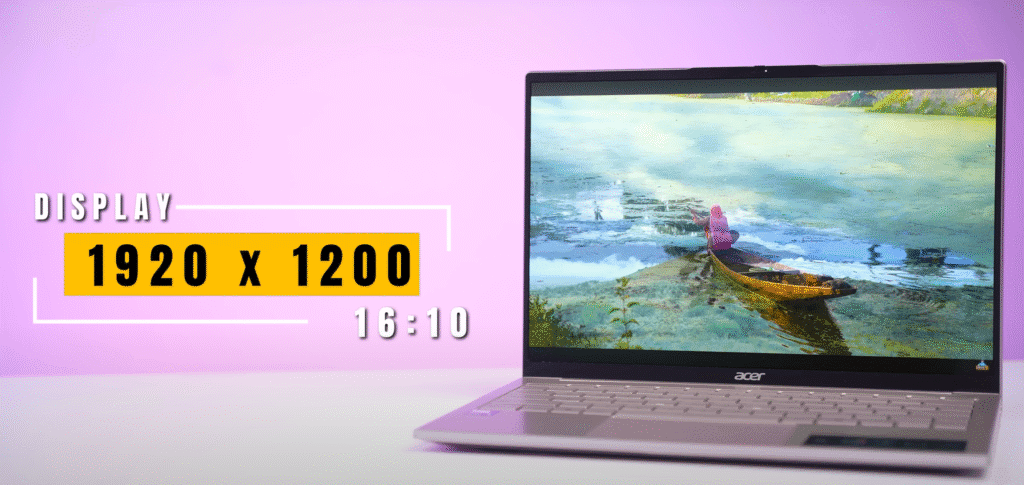
During testing, the brightness peaked at around 315 nits, though Acer claims up to 400 nits. In HDR content, certain scenes do appear brighter due to localised pixel boosting.
Display highlights:
- 14-inch OLED panel
- 1200p resolution with 16:10 aspect ratio
- 60Hz refresh rate
- 315 nits brightness (tested)
- 100% DCI-P3 and 100% sRGB colour gamut
- HDR supported
- Glossy finish, so expect some reflections
Colour accuracy and vibrancy are excellent — perfect for students, professionals, or anyone who enjoys streaming movies or editing photos. Text looks crisp, and videos pop with rich contrast and deep blacks.
One thing to note: since it’s an OLED panel, screen burn-in is always a minor risk. Acer hasn’t added any built-in protection features, but you can follow these tips to prevent it:
- Enable a screensaver when idle
- Auto-hide or make the taskbar transparent
These steps help refresh pixels and reduce static image retention over time.
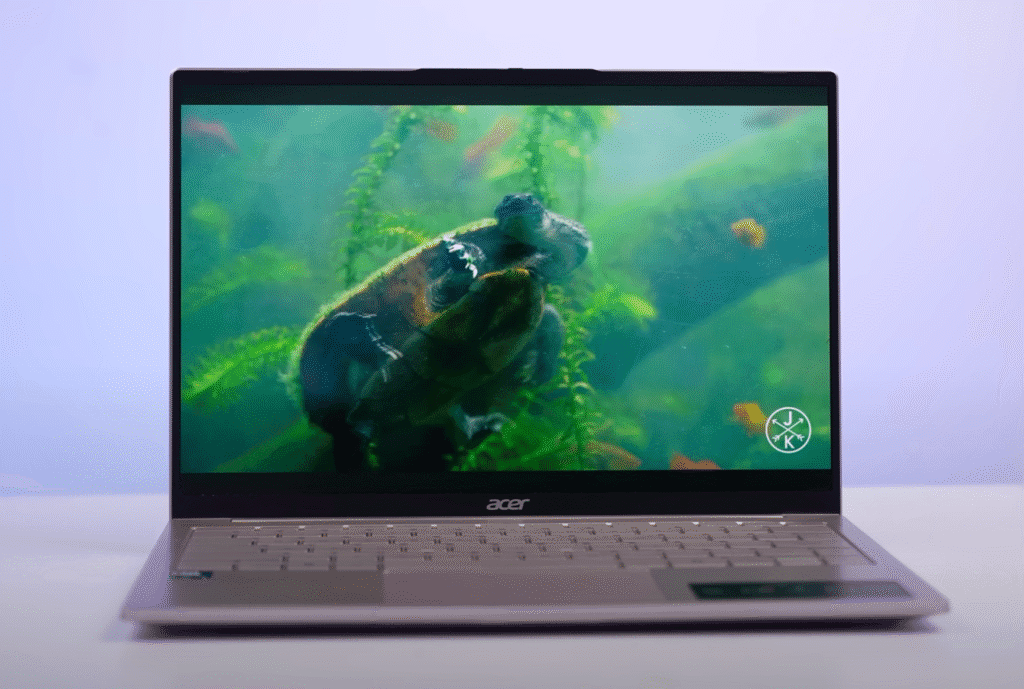
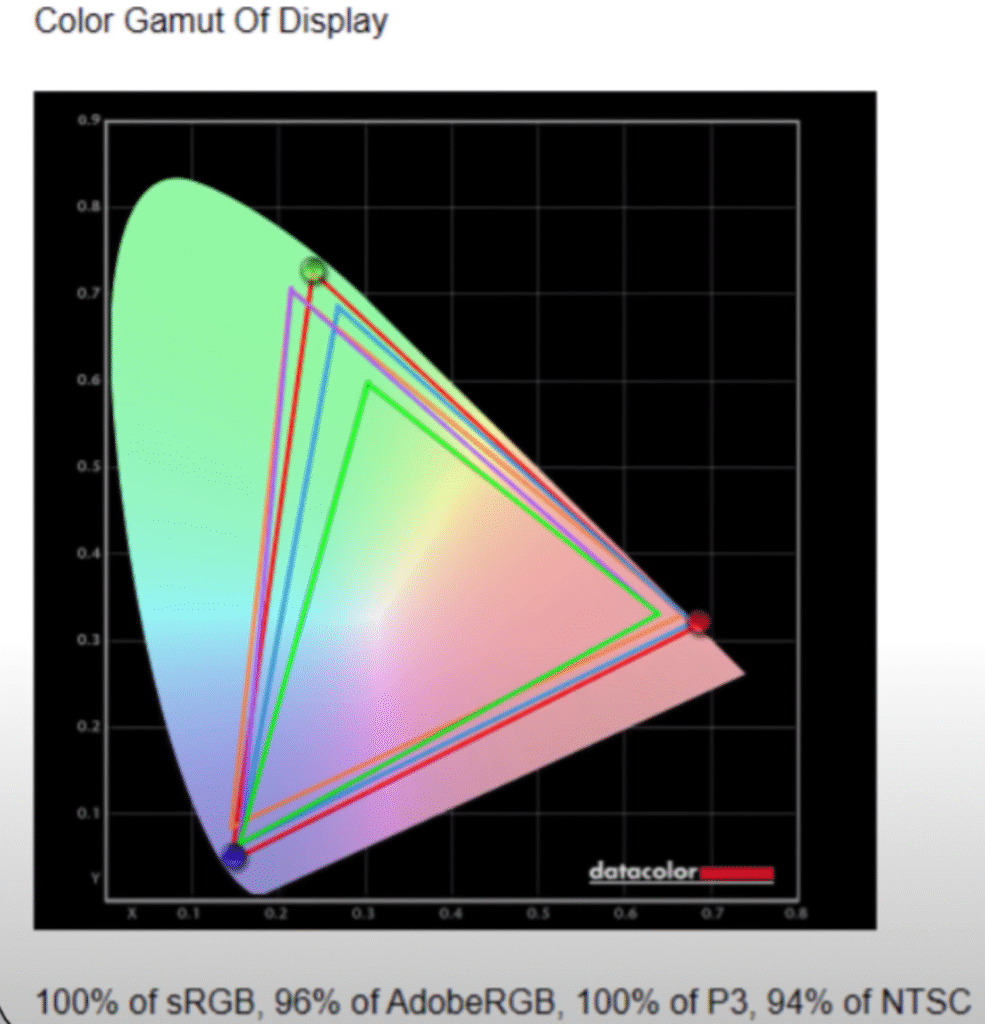
Overall, the display is bright, sharp, and colour-accurate, making it one of the best in this price range.
Ports and Connectivity
Despite its slim design, Acer has done a great job with port selection.
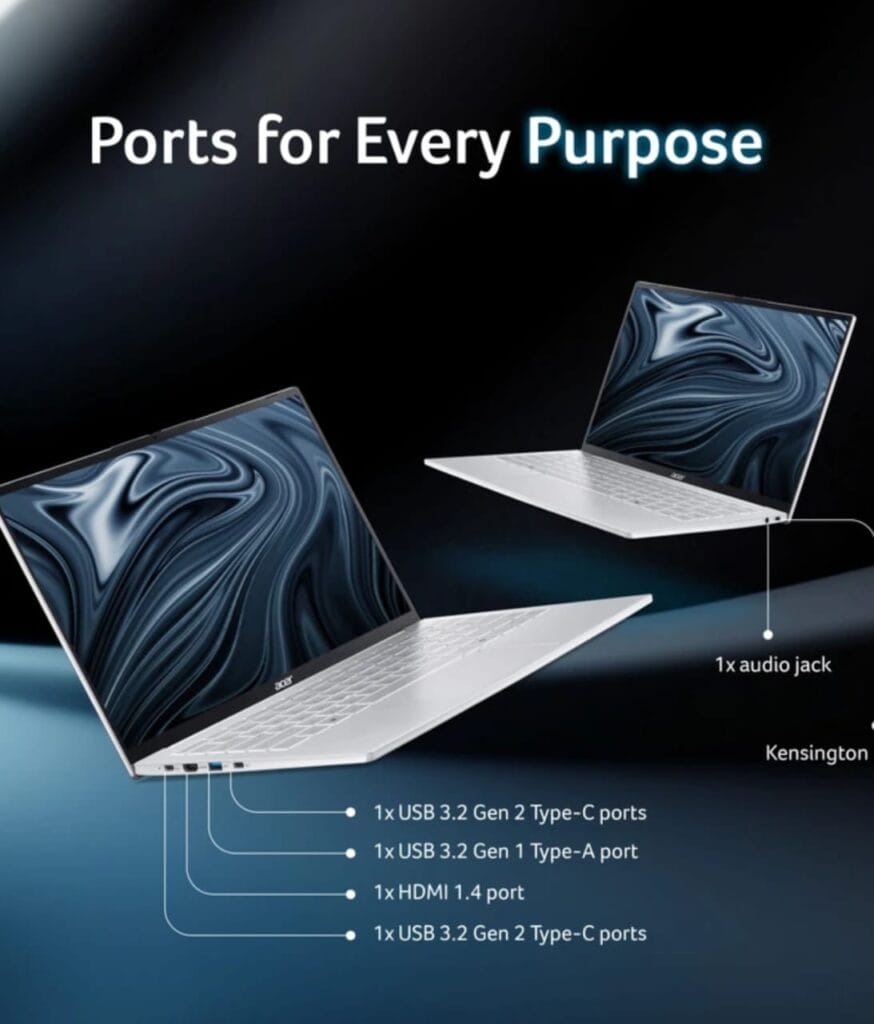
On the left side:
- 2 × USB 3.2 Gen 2 Type-C (supports 65W Power Delivery and Display Output up to 4K 240Hz)
- 1 × USB 3.2 Gen 1 Type-A
- 1 × HDMI 1.4 (supports up to 4K 60Hz output)
On the right side:
- 1 × 3.5mm audio jack
- 1 × Kensington lock slot
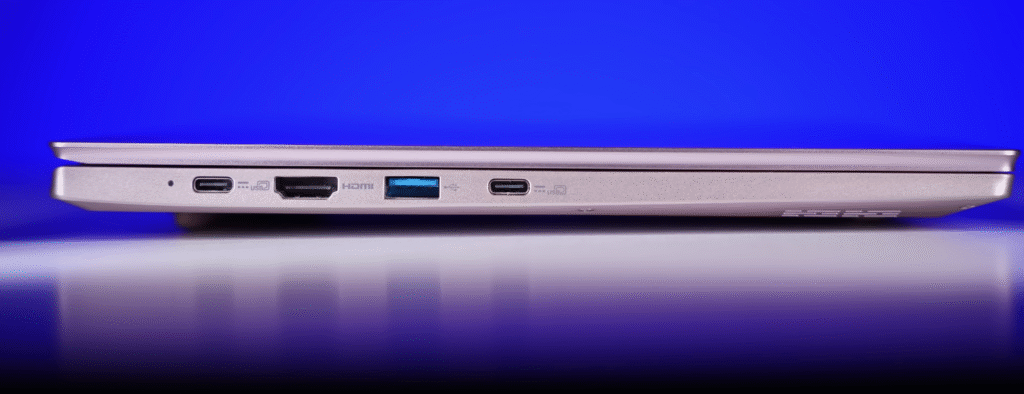
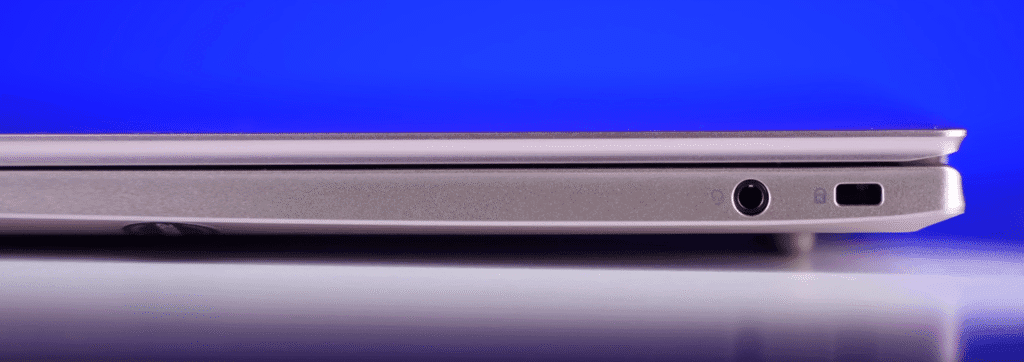
For a laptop this thin and light, the port variety is impressive. You can charge it from either Type-C port, connect an external display, and still have room for accessories — without needing extra dongles.
Keyboard and Trackpad
The Acer Swift Lite 14 offers a compact keyboard layout, which is expected from a 14-inch laptop. Despite the smaller frame, the keys are large, well-spaced, and comfortable for long typing sessions. The typing experience feels solid, with good travel and minimal deck flex.
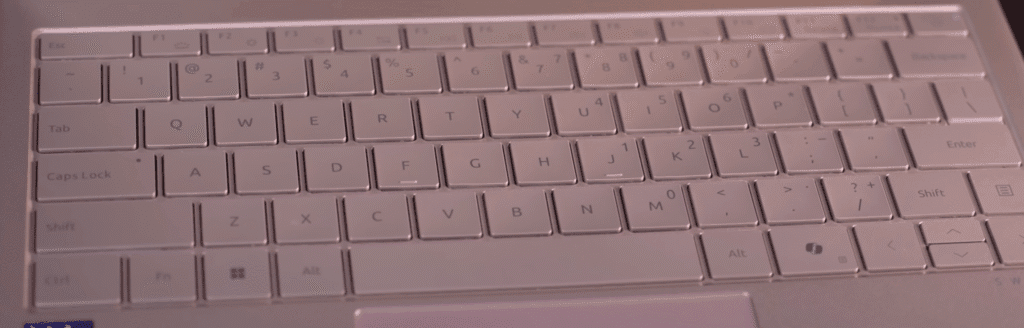
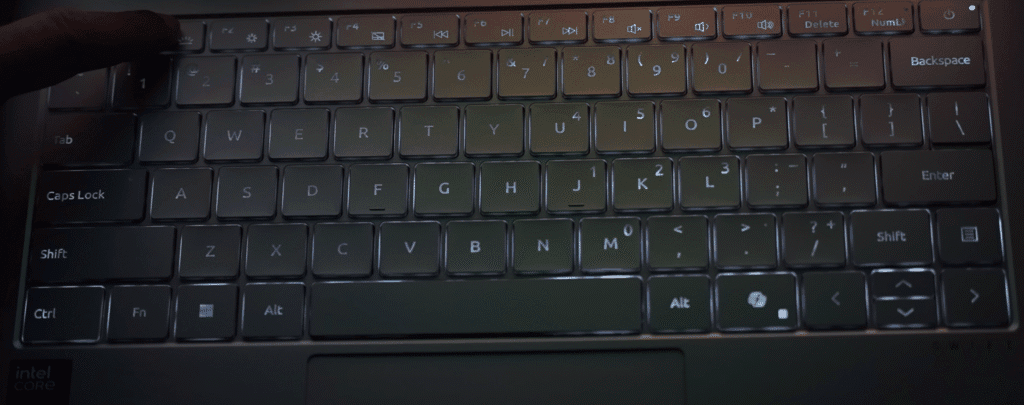
However, the keyboard backlight is a bit underwhelming. It’s a single-colour backlight with two brightness levels (low and high), but the visibility is only noticeable in dark environments. In bright lighting, it’s hard to tell whether the backlight is on or off.
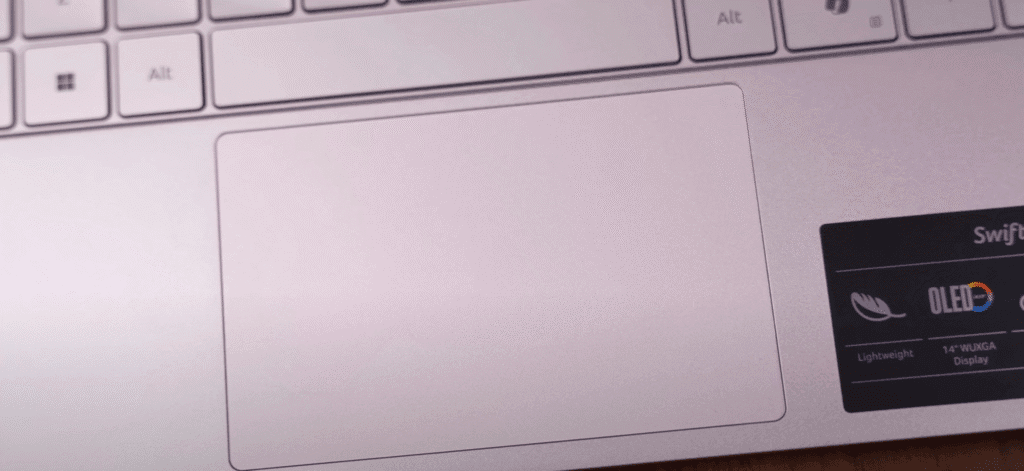
Key highlights:
- Layout: Compact keyboard, no number pad
- Typing feel: Soft, tactile, and accurate
- Backlight: Two brightness levels, limited visibility in bright light
- Dedicated key: Built-in Copilot key for quick access to Microsoft’s AI assistant
- Trackpad: Small but precise and fully clickable
- Gestures: Supports all multi-touch gestures in Windows
Overall, the keyboard is comfortable, and the trackpad performs reliably for everyday use. Acer could improve the backlight brightness and trackpad size, but the experience remains smooth for typing, browsing, and office work.
Webcam and Microphone
The Acer Swift Lite 14 comes with a 1080p webcam that records at 30 FPS on paper, but in reality, it performs closer to 15–20 FPS. The video quality is decent for online classes or video calls, especially when viewed on its OLED display, though the motion smoothness isn’t perfect.
Audio is captured through the built-in microphone, which delivers clear sound for general use, though it’s not meant for professional recording.
Webcam highlights:
- Resolution: 1080p Full HD
- Frame rate: Around 15–20 FPS in real-world use
- Video quality: Clear enough for meetings and virtual sessions
- Privacy shutter: Physical slider to close or open the webcam for privacy
- Windows Studio Effects:
- Automatic framing – keeps your face centred
- Eye contact correction – maintains a natural look even if you’re glancing away
- Background blur options – standard and portrait blur modes for cleaner visuals
The webcam and mic setup is solid for everyday communication. Features like the physical shutter and AI-based Windows effects are a plus, though smoother frame rates would’ve made the experience better.
Speakers and Audio
The speakers on the Acer Swift Lite 14 are just average. They’re not too loud or too quiet, but the sound feels flat overall. There’s no noticeable bass or treble detail, so the audio lacks depth and punch.
If you’re watching YouTube videos, attending online meetings, or listening to podcasts, they’ll do the job. But for movies, music, or gaming, you’ll definitely want to use headphones or external speakers.
Audio highlights:
- Volume: Moderate, suitable for indoor use
- Sound profile: Flat with minimal bass and weak treble
- Certifications: None — no Dolby Audio, DTS, or other tuning support
- Audio control: Only through the Windows sound settings
The speakers are fine for casual use, but don’t expect immersive sound quality. This is one of those areas where Acer clearly prioritised portability over audio performance.
Battery and Charging
The Acer Swift Lite 14 comes with a 50Wh battery, which delivers a decent backup for everyday tasks. During our test, we set the screen brightness to 50%, kept the speakers at 100% volume, and used the Best Power Efficiency mode. While working on Word, Excel, and light browsing, the laptop lasted about 5 hours and 45 minutes on a single charge.
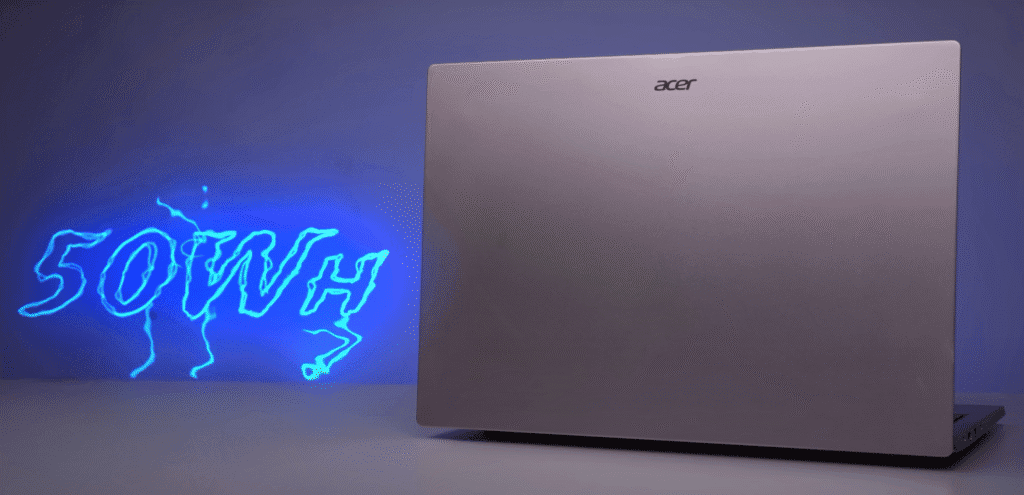
That’s pretty solid considering this laptop runs on a U-series processor, which focuses more on power efficiency than raw performance.
Battery performance summary:
- Battery capacity: 50Wh
- Backup time: ~5 hours 45 minutes (Office tasks + browsing)
- Charging time: ~2 hours 20 minutes for a full charge
- Charger: 65W USB-C
- Charging flexibility: Supports charging via GaN or PD chargers — even phone chargers in some cases
Battery life is reliable for office work and casual use. The USB-C charging support is a nice bonus, making it more convenient to travel with fewer adapters.
Performance and Hardware
The Acer Swift Lite 14 runs on the Intel Core Ultra 5 115U processor, which is built for efficiency rather than raw power. It’s an 8-core, 10-thread CPU with a mix of:
- 2 Performance Cores (P-cores)
- 4 Efficient Cores (E-cores)
- 2 Low-Power Efficient Cores (LPE-cores)
This setup focuses on low power consumption, which explains the solid battery backup.
The laptop includes a 13 TOPS NPU (Neural Processing Unit) from Intel’s Core Ultra Series 1, which can handle basic AI features and Windows tasks. However, it’s not Co-Pilot certified, unlike laptops powered by the newer Series 2 chips that come with over 45 TOPS.
For graphics, it relies on Intel integrated graphics, which is fine for office work, browsing, and media consumption—but not built for heavy gaming or creative workloads.
Memory and Storage:
- RAM: 16GB LPDDR5 (6400 MT/s, onboard – non-upgradable)
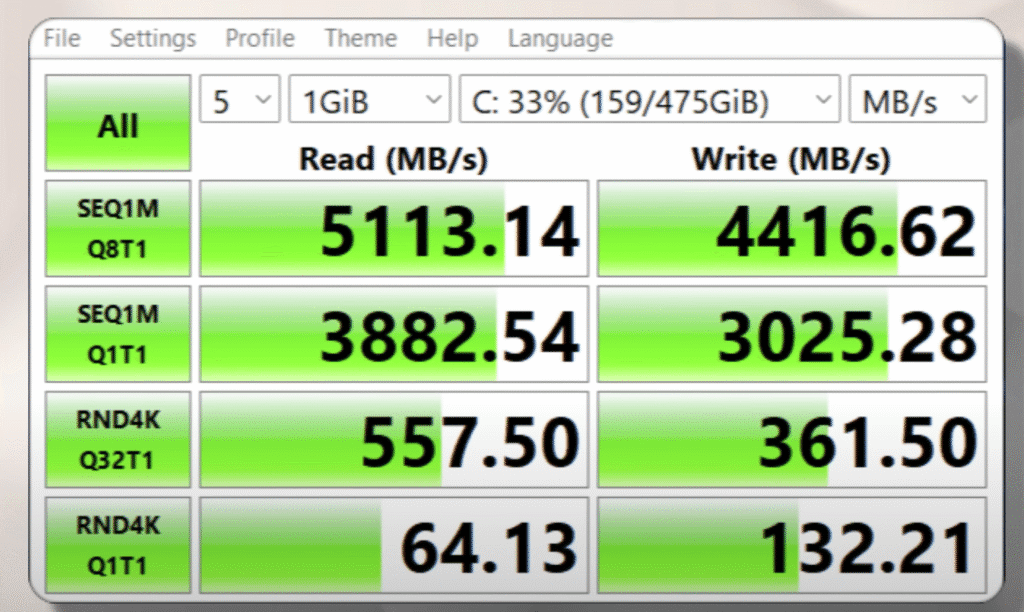
- Storage: 512GB Gen 4 SSD
- Read/write speeds are typical for thin-and-light laptops
- Two SSD slots (one occupied, one available for upgrade)
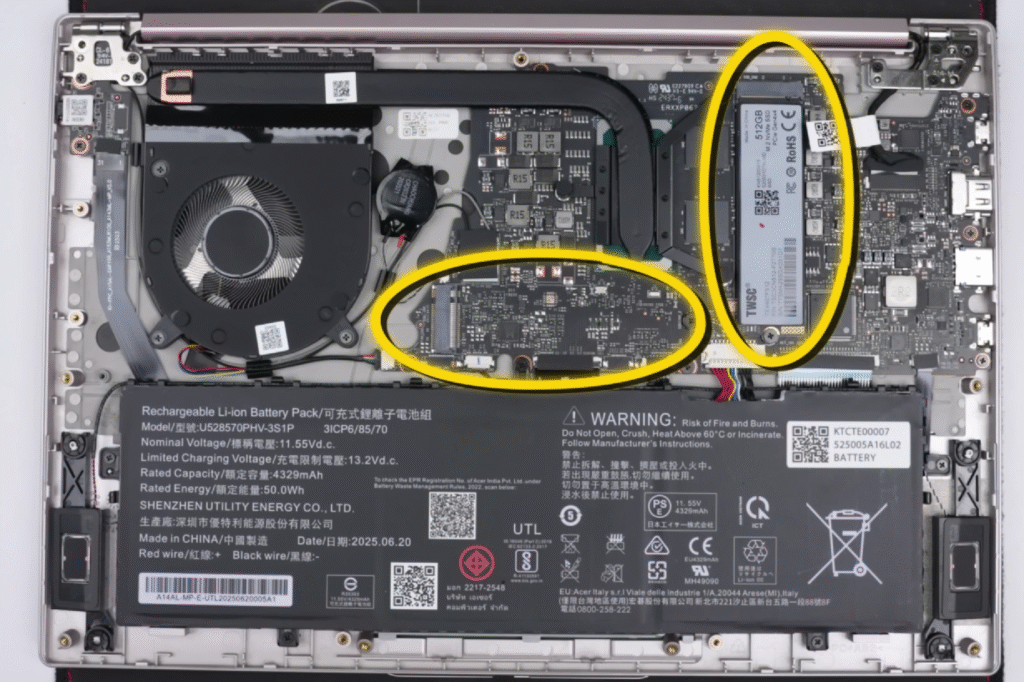
Connectivity and Extras:
- Wi-Fi 6 and Bluetooth 5.1
- 1-year subscription to Microsoft Office
- 3-month Xbox Game Pass trial (works best if you have another system for gaming)
This configuration is ideal for students, professionals, or light users who want a slim, efficient laptop for everyday productivity and multitasking.
Benchmark & Real-World Performance
When it comes to benchmarks, the Acer Swift Lite 14 performs about where you’d expect for a U-series processor. It’s not built for power users, but it handles productivity tasks without breaking a sweat.
Benchmark Results:
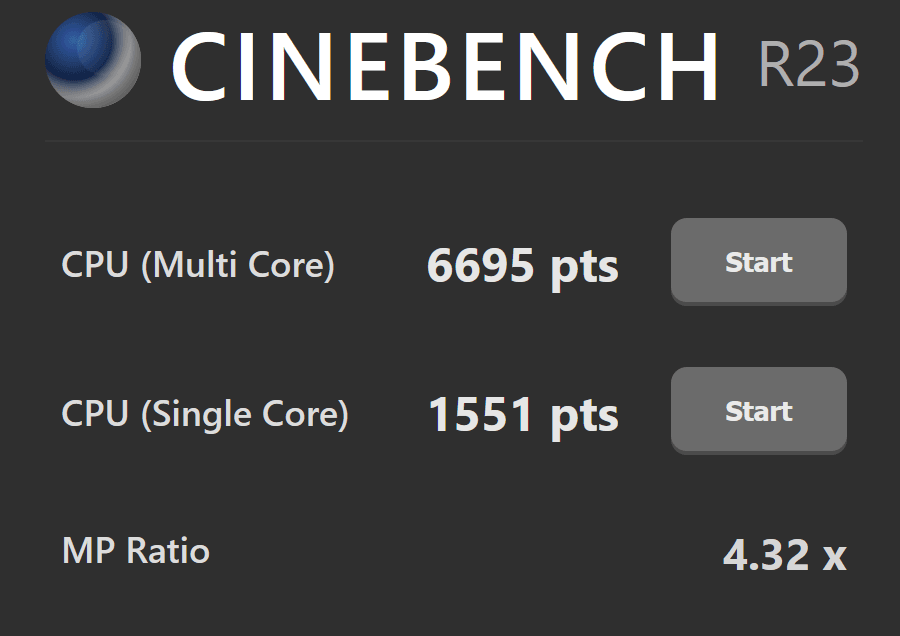
- Cinebench R23: Average scores for this processor; trails behind some competing CPUs.
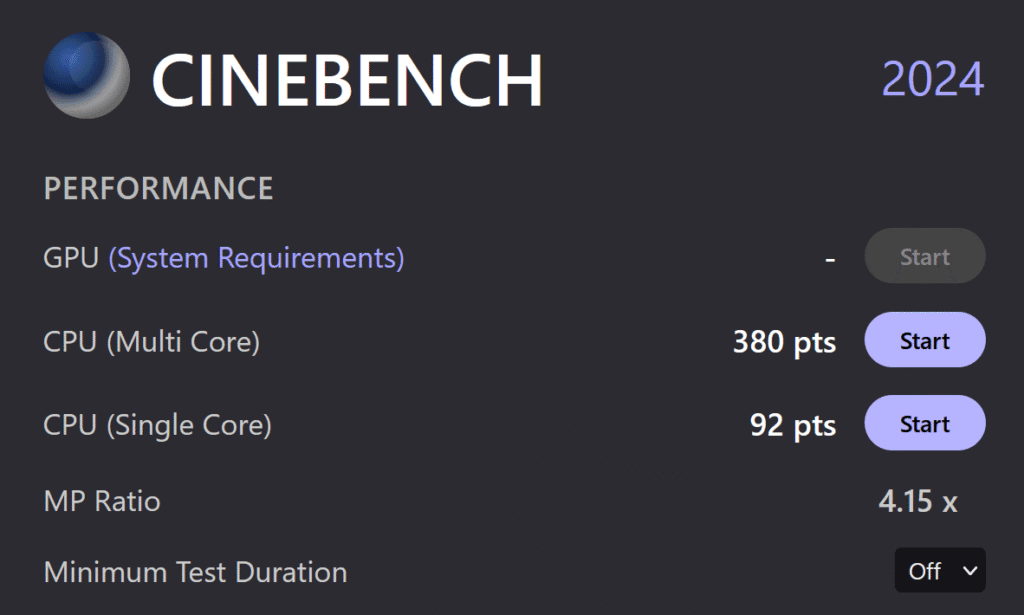
- Cinebench 2024: Consistent with the R23 results.
- Geekbench 6 (CPU):
- Single-core and multi-core performance are both modest.
- GPU score: Around 9700, typical for integrated graphics.
Acer Swift SFL14-54M
- Geekbench 6 (AI): Average, given it’s not a high-performance chip.
Geekbench AI Score
- Cross-Mark: Overall productivity score is decent.
- PC-Mark 10: Scored around 4400, showing reliable day-to-day performance.
- Photoshop Benchmark: About 3600 points.
Editing Performance:
Photoshop runs fine for light editing—you can work with 2–3 layers comfortably.
However, expect noticeable lag with:
- Heavy transitions or text layers
- Complex compositions
- 4K editing or GPU-intensive effects
This is expected since the laptop only has integrated graphics and a power-efficient CPU.
Everyday Use:
- Excellent for multitasking, web browsing, office work, and meetings.
- Handles dozens of browser tabs and multiple applications without freezing.
- Performance stays smooth as long as you manage storage well.
Who It’s For:
- Office users, students, and frequent travellers.
- People who stream content, work on documents, and want a light, portable laptop.
- Not suitable for gamers or professionals doing heavy video editing or 3D work.
Gaming Performance
Even though the Acer Swift Lite 14 isn’t a gaming laptop, I still tested a few titles to see what it can handle.
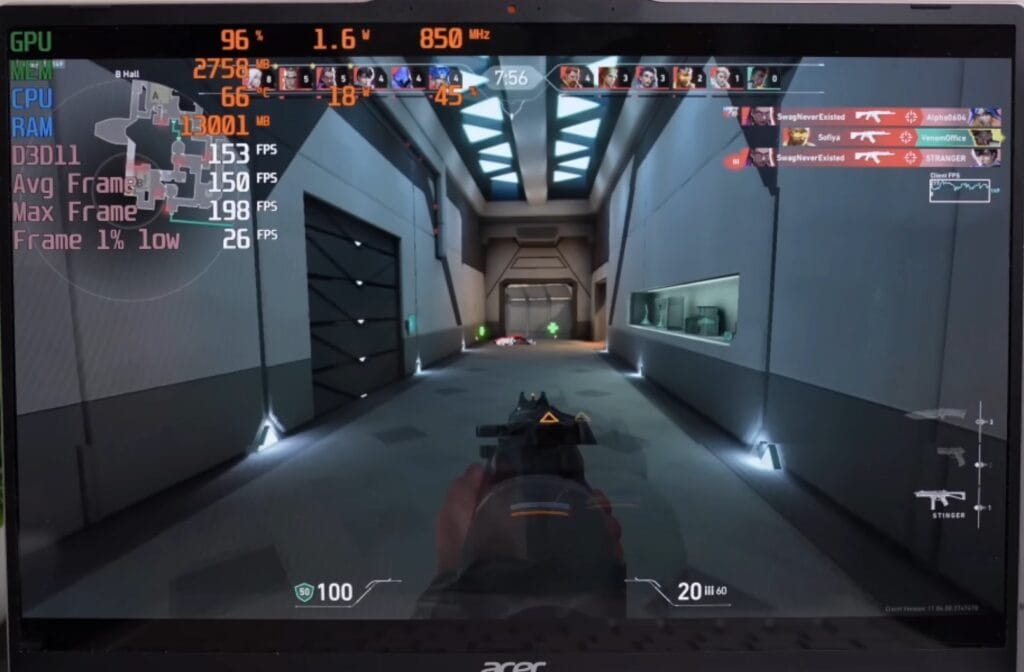
- Valorant (1200p, Low Settings):
- Achieved 120–130 FPS.
- The laptop’s 60Hz display limits visible smoothness, but if you connect an external high-refresh-rate monitor, you can take full advantage of those frames.
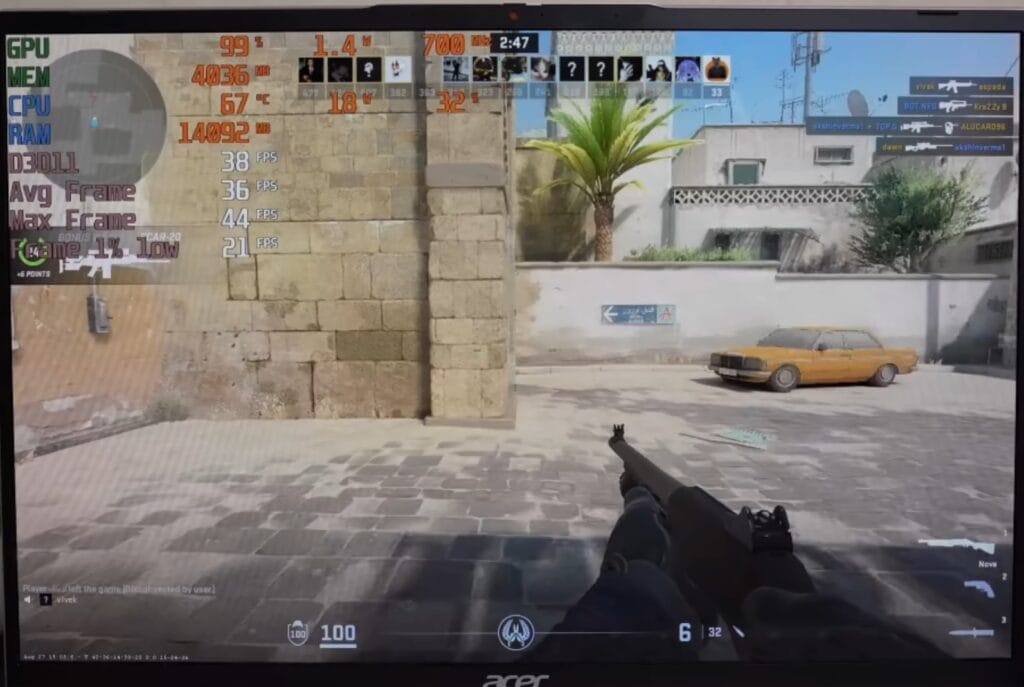
- Counter-Strike 2 (Low Settings):
- Averaged 30–35 FPS.
- The CPU draws only around 15–18W, which limits performance.
- GTA V Enhanced Edition (1200p, Normal Settings):
- Struggled to deliver smooth gameplay.
- Clearly not designed for demanding or GPU-heavy titles.
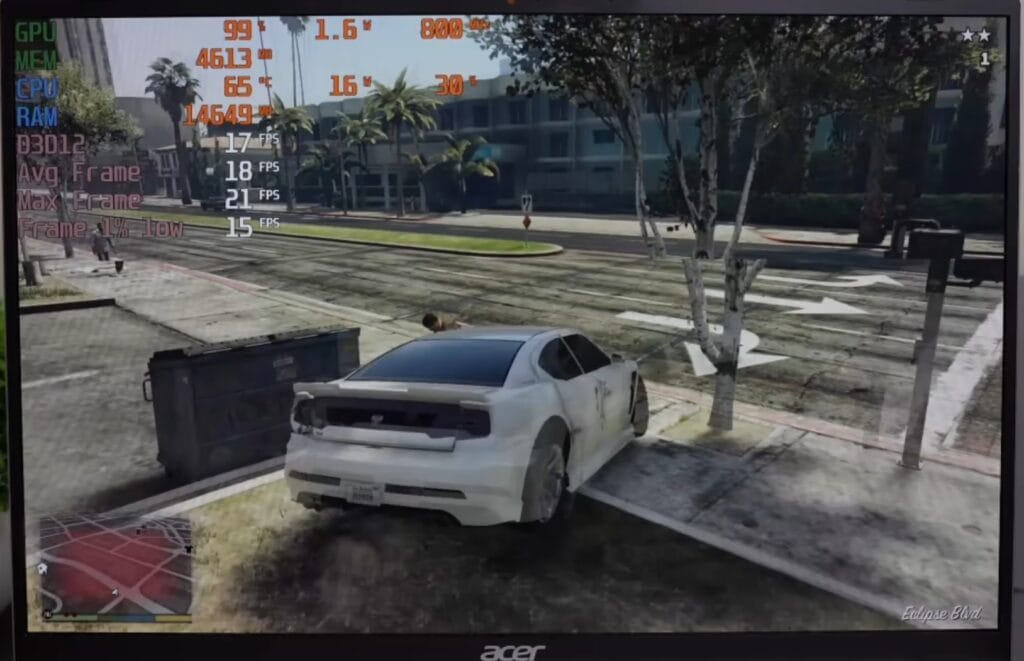
You can enjoy light esports games like Valorant at lower resolutions, but don’t expect solid performance in AAA or graphically intensive games. This laptop focuses on efficiency and portability, not gaming power.
Acer Swift Lite 14 vs MotoBook 60
At this price range, the MotoBook 60 (around ~$640) is one of the main competitors to the Acer Swift Lite 14. Here’s how they compare:
Processor:
- Acer Swift Lite 14: Intel Core Ultra 5 115U (power-efficient, lower performance)
- MotoBook 60: Intel Core i5-210H (high-performance “H” series processor)
- The MotoBook delivers about 66% better multi-core performance than the Swift Lite.
- The “U” series in the Swift Lite focuses more on battery life, while the “H” series in the MotoBook targets raw power.
Display:
- Both feature OLED panels, but:
- MotoBook 60: 120Hz refresh rate, ~500 nits brightness, and additional display certifications.
- Swift Lite 14: 60Hz refresh rate, ~315–400 nits brightness.
Battery and Build:
- MotoBook 60: 60Wh battery
- Swift Lite 14: 50Wh battery
- Weight: Swift Lite wins here — just 1.05kg, making it much lighter.
Upgradability:
- MotoBook 60: RAM is upgradable
- Swift Lite 14: Soldered 16GB LPDDR5 RAM (non-upgradable)
Verdict:
The MotoBook 60 is clearly better in terms of performance and display quality, while the Acer Swift Lite 14 stands out for its lightweight build and portability. If Acer reduces the price slightly, it would be a more balanced choice for students and frequent travellers.
Competitor Comparison
The Acer Swift Lite 14 faces tough competition from other thin-and-light laptops in the same price range. Let’s break down how it compares to the Acer Swift Neo and ASUS VivoBook 16.
Acer Swift Neo:
- Similar design and specs — both feature OLED displays and Intel Core Ultra 5 processors.
- Weight: Swift Lite is 1.05kg, while the Neo weighs about 1.3kg.
- Extras: The Neo includes a fingerprint sensor, which the Lite model lacks.
- Verdict: Practically identical in performance and display quality, with weight being the key difference.
ASUS VivoBook 16 (around ~$660):
- Processor: Intel Core i5-13420H, which performs noticeably better than the Swift Lite’s Ultra 5 115U, both in single-core and multi-core tasks.
- Display: 16-inch 1200p OLED panel at 60Hz — similar resolution and refresh rate as the Swift Lite.
- Storage: Same configuration (512GB SSD).
- Weight: VivoBook is 1.8kg, much heavier than the 1.05kg Swift Lite.
Verdict:
- If you want better performance and don’t mind the extra weight, go for the ASUS VivoBook 16.
- If portability and light travel matter more, the Acer Swift Lite 14 remains a better choice.
Pricing
| Model | Processor | Display | Price (USD) | Buy Now |
|---|---|---|---|---|
| Acer Swift Lite 14 | Intel Core Ultra 5-115U | 14-inch OLED, 1200p, 60Hz | $599 | 🛒 Amazon |
| Motorola MotoBook 60 Pro | Intel Core i5-12450H | 15.6-inch OLED, 120Hz | $579 | 🛒 Amazon |
| ASUS VivoBook 16 | AMD Ryzen AI 5 340 | 16-inch OLED, 60Hz | $699 | 🛒 Asus |
Final Verdict
If you can find the Acer Swift Lite 14 priced under (around $600) during sales or with bank offers, it’s definitely worth considering. With festive deals like New Year sales, it could become an even better value option.
At its current price of $600, it feels slightly overpriced for what it offers. The real highlight of this laptop is its form factor and weight — achieving a 1.05kg metal build with solid performance and an OLED display is impressive and requires serious R&D investment.
Who should buy it:
- Students and professionals who prioritise portability and design.
- Users who mainly do office work, browsing, streaming, and light editing.
If performance is your top priority, you might find better options like the MotoBook 60 or the ASUS VivoBook 16. But if you want a premium-looking, ultra-light machine for everyday use, the Acer Swift Lite 14 is a strong pick.
If you’re looking for more real-world reviews, don’t miss our latest Xiaomi 17 Pro — we’ve tested it for gaming, camera, and daily use.
For gamers, check out the Lenovo Legion 2025 to see which one offers better performance for the price.
And if you’re planning to buy a Mac, our MacBook Air M4 Review covers everything from battery life to real-world performance.
We test every device hands-on, so you can make smarter choices before buying your next laptop or phone.

