

Alright guys, we finally have the thin-and-light Samsung Galaxy Book 5 AI in the studio. Last year, I reviewed the Galaxy Book 4, and it was honestly one of the best laptops you could buy in its price range. It offered solid performance whether you picked the i3, i5, or i7 model.
The Galaxy Book 4 series sold extremely well during major sales events, and now it’s time to see what the new Galaxy Book 5 brings to the table. We’ll take a look at the major changes, check whether Samsung improved performance and efficiency, and see if the build quality has taken a step forw
Samsung Galaxy Book 5 Technical Specifications
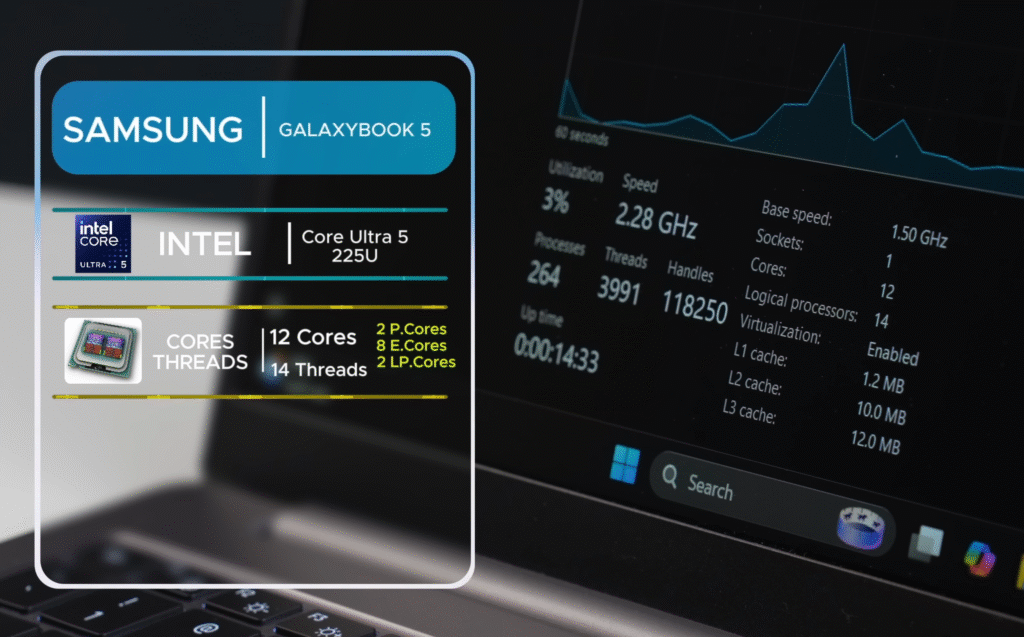
This is the Samsung Galaxy Book 5 AI, and since it’s the latest model in the lineup, let’s start with the hardware. It runs on Intel’s new Core Ultra 5 225U processor. This chip belongs to Intel’s Series, which helps with power efficiency.
| Component | Specification |
|---|---|
| Processor | Intel Core Ultra 5 125U (Series 2, Arrow Lake) |
| Process Node | 3 nm (3‑nanometer) |
| CPU Configuration | 12 cores / 14 threads (2 Performance cores + 8 Efficient cores + 2 Low‑power Efficient cores) |
| Base TDP / Sustained | 15 W (base U‑series). Sustained in our tests: ~40 W (manufacturer limit up to 57 W) |
| Typical Turbo Frequency | Observed ~4.5 GHz under load |
| Memory (RAM) | 16 GB LPDDR5 (soldered) @ 7467 MT/s |
| Storage | 512 GB PCIe Gen 4 SSD (upgradeable). 2x SSD slots supported; max supported ~2 TB |
| Neural Processing | Integrated NPU (Neural Processing Unit) for on‑device AI acceleration |
| Graphics | Intel integrated GPU with up to 8.8 GB shared memory, max boost ~2.0 GHz |
| Connectivity | Wi‑Fi 6, Bluetooth 5.2 |
| Included Software | Microsoft Office 2024 Home & Student (lifetime license) |
| Other Notes | USB‑C DisplayPort & Power Delivery support; two SSD slots; soldered RAM (non‑upgradable) |
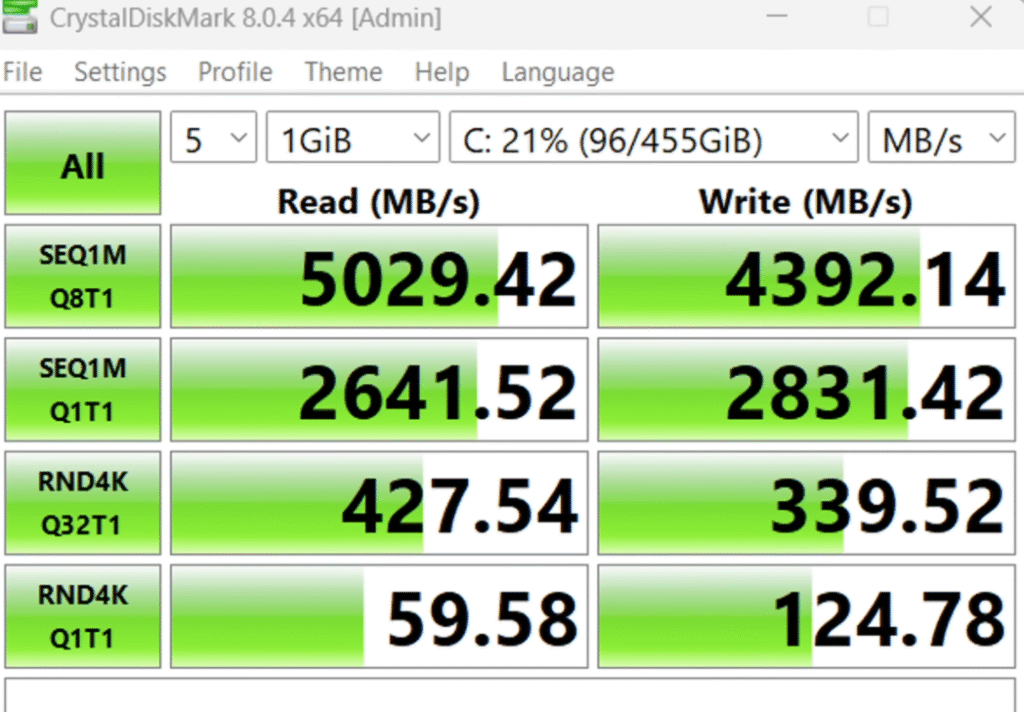
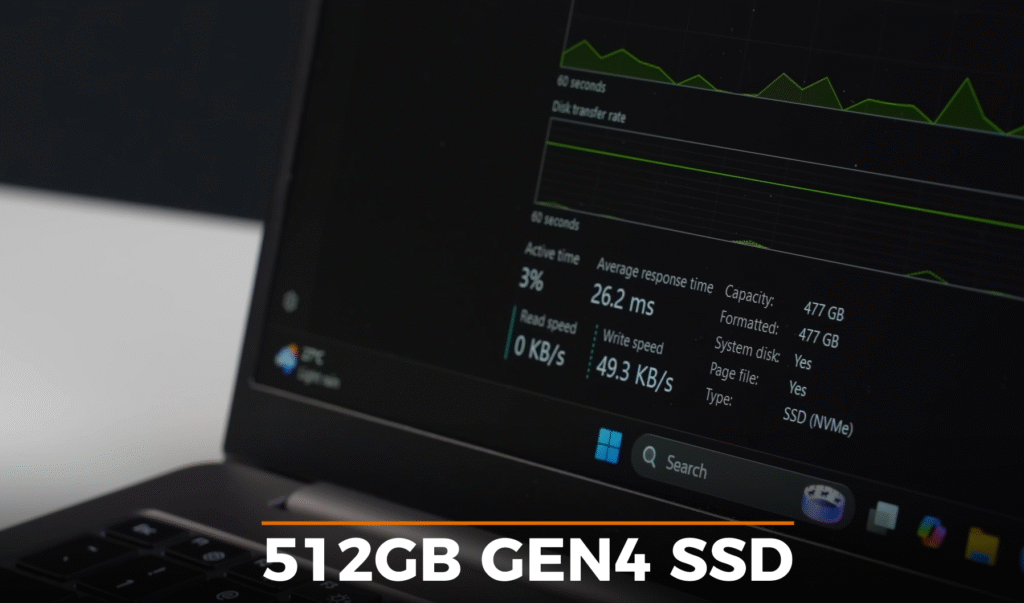
Last year’s Samsung Galaxy Book 4 models topped out at 4267 MB/s, so this is a big jump. The RAM is soldered, so you can’t upgrade it, but LPDDR memory usually performs well in real-world use.
For connectivity, the laptop supports Wi-Fi 6 and Bluetooth 5.2. Students and working professionals will appreciate that it comes with Microsoft Office 2024 Home & Student with a lifetime license.
Samsung Galaxy Book 5 Build & Design
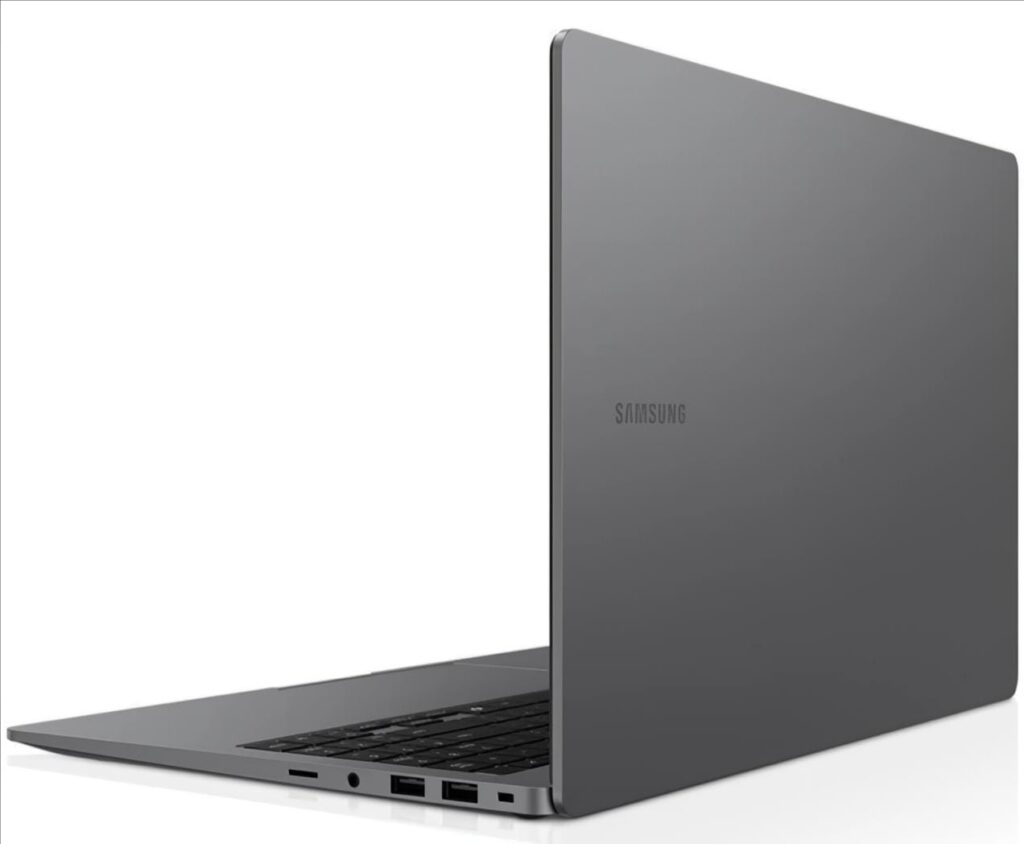
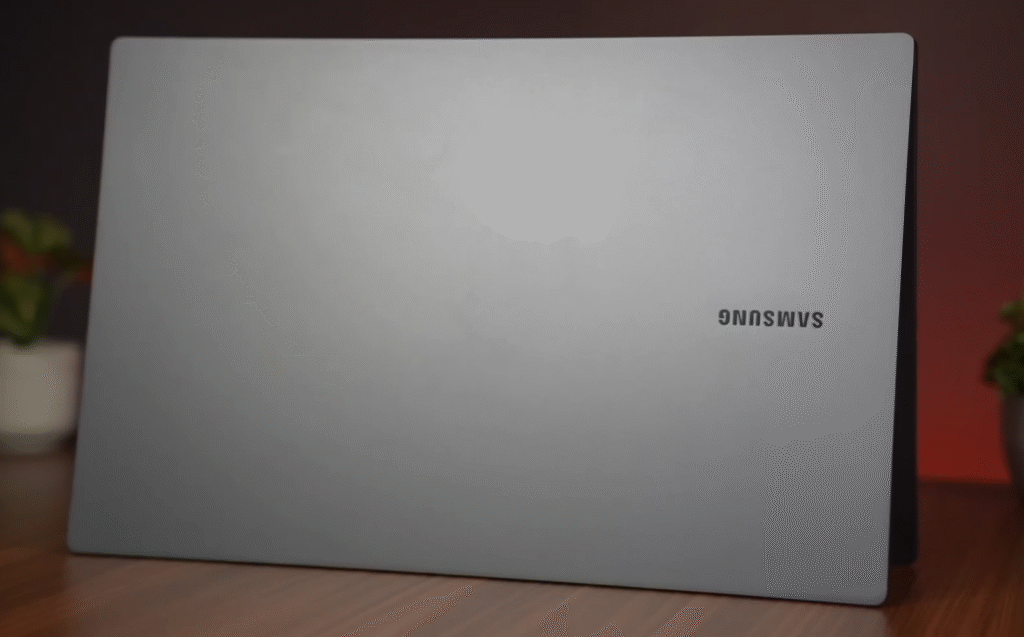
The Samsung Galaxy Book 5 AI features a full-aluminium body, encompassing the lid, base, and palm rest. It feels solid and premium in hand. The top lid has a matte Samsung logo, which looks cleaner than last year’s shinier design.
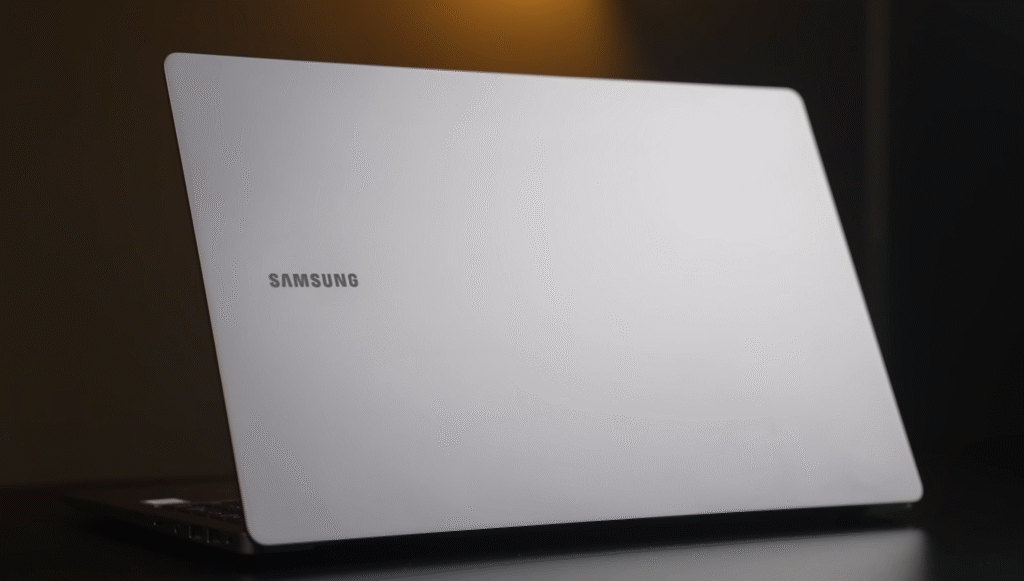
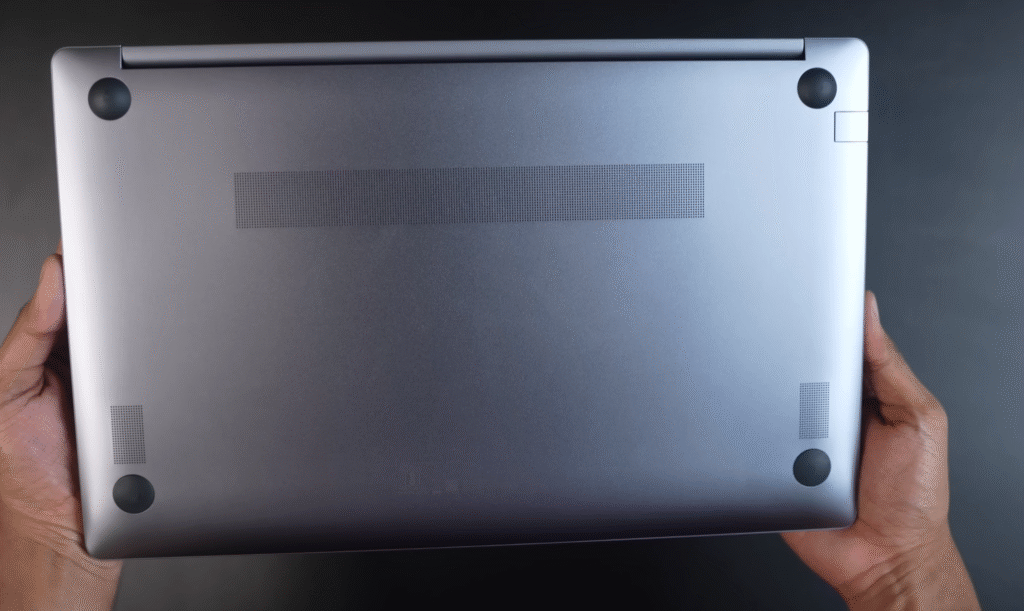
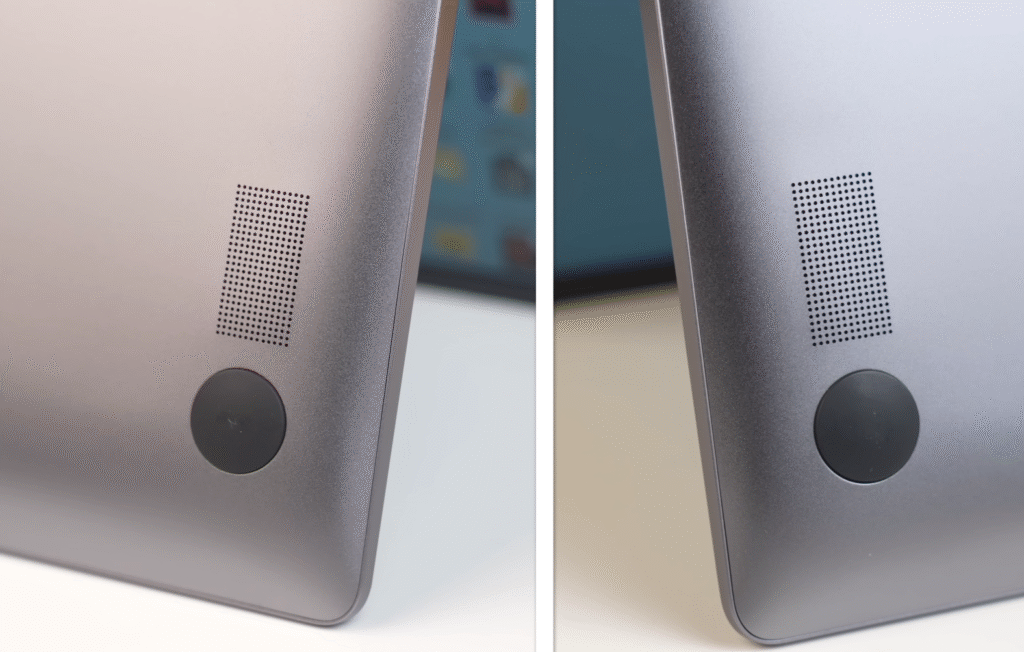
The edges are smooth, and the bottom panel has air vents, rubber padding and dual 2-watt speakers with Dolby Atmos.
Lid, Flex and Cooling
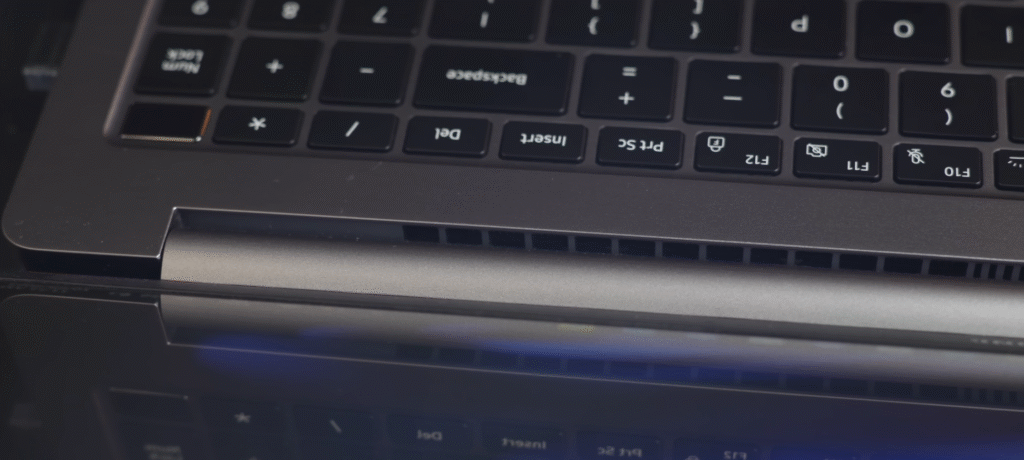
There’s an exhaust vent below the display where the heat exits. The aluminum lid barely flexes. The keyboard has a small amount of flex, but nothing serious.


Weight and Hinges
The Samsung Galaxy 5 AI weighs 1.55 kg. It doesn’t open easily with one hand because the new hinges feel a bit tighter. You can tilt the display up to 180° for flexible use.
Samsung also added a small cutout at the front to help open the lid without stressing the hinges.

Slimmer Profile
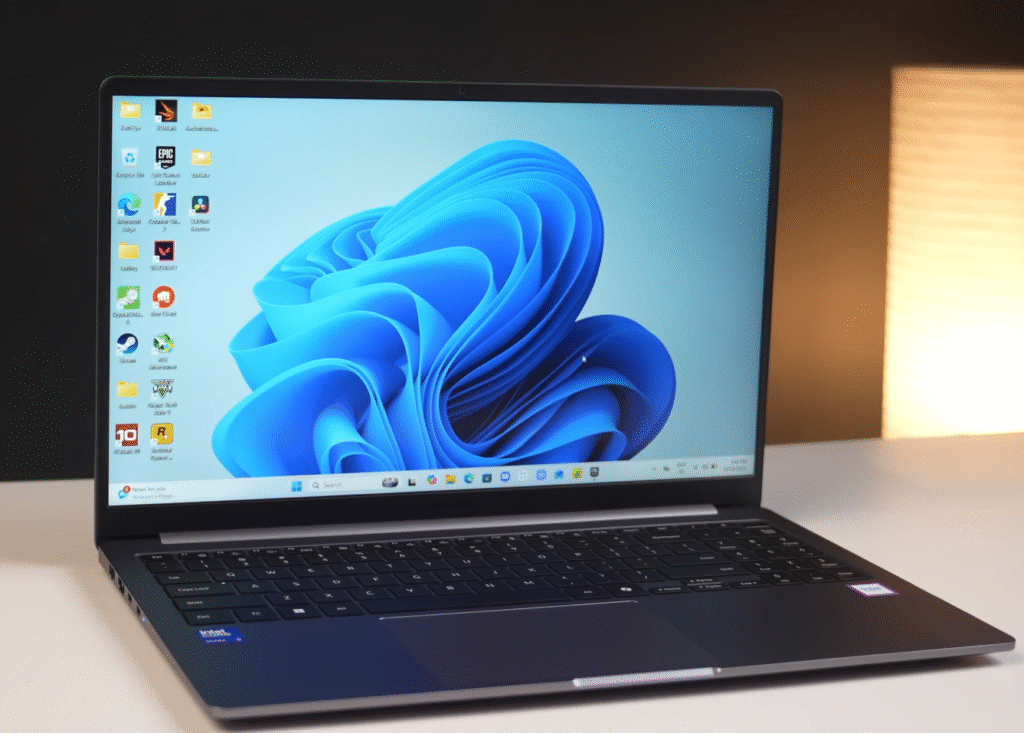
Samsung reduced the thickness from 15.4 mm on the Galaxy Book 4 to 15.1 mm on the Book 5. It’s a small change, but the laptop looks a bit sleeker. Screen wobble is very minimal.
Interior
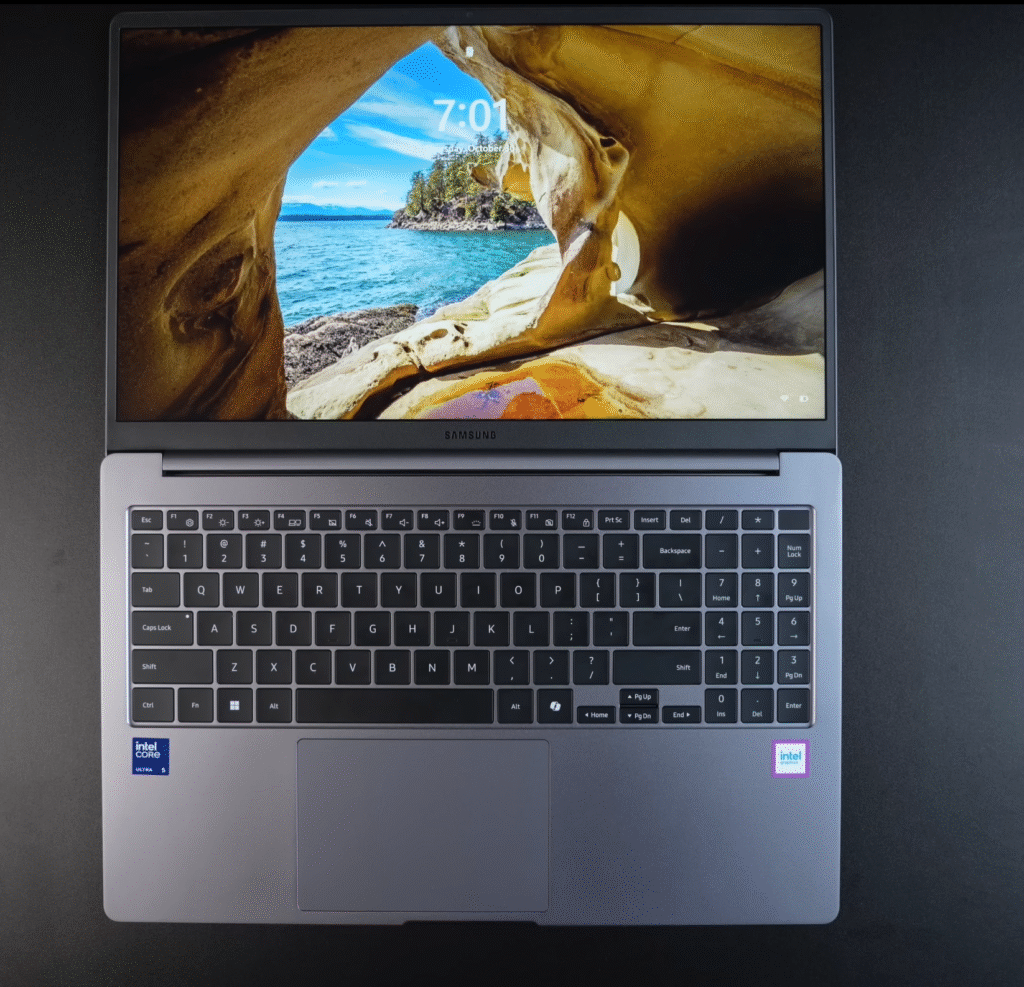
The inside layout is clean. The bezels are slim, similar to last year. You get a Samsung logo on the bottom bezel and neatly placed Intel Core Ultra 5 and Intel Graphics stickers on the palm rest.
Samsung Galaxy Book 5 Keyboard, Fingerprint Sensor and Trac-kpad
Keyboard
The Samsung Galaxy Book 5 AI gives a MacBook-like typing feel thanks to its premium build. The full-size scissor-switch keyboard has comfortable travel and solid feedback. If you’ve used the Galaxy Book 4, the layout will feel the same. The power button includes a fingerprint sensor. It unlocks the laptop quickly and works consistently.
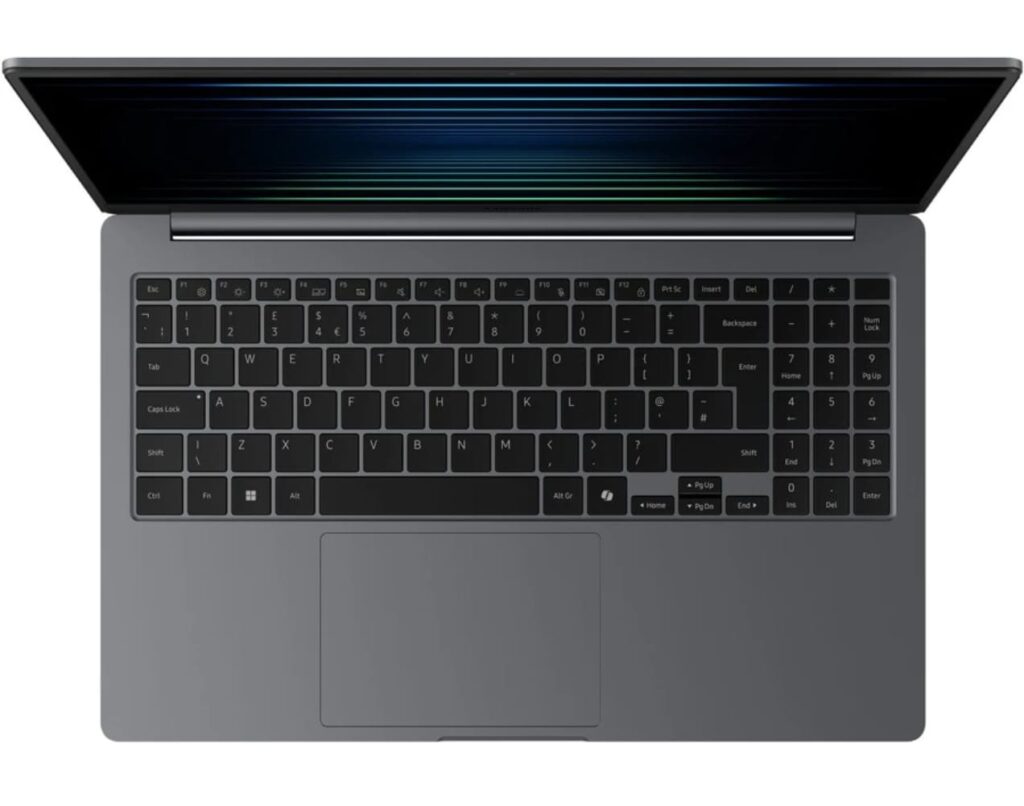
You can control the backlight using the Function + F9 shortcut, and there are three brightness levels. Samsung removed the old Function + F1 shortcut for switching performance modes.
Copilot Key

Samsung added a dedicated Copilot button this year. It instantly opens Microsoft’s AI assistant, allowing you to use tools like Windows Studio Effects, live translation, and AI features in Paint. With the built-in NPU, these tasks run without issues.
Track-pad
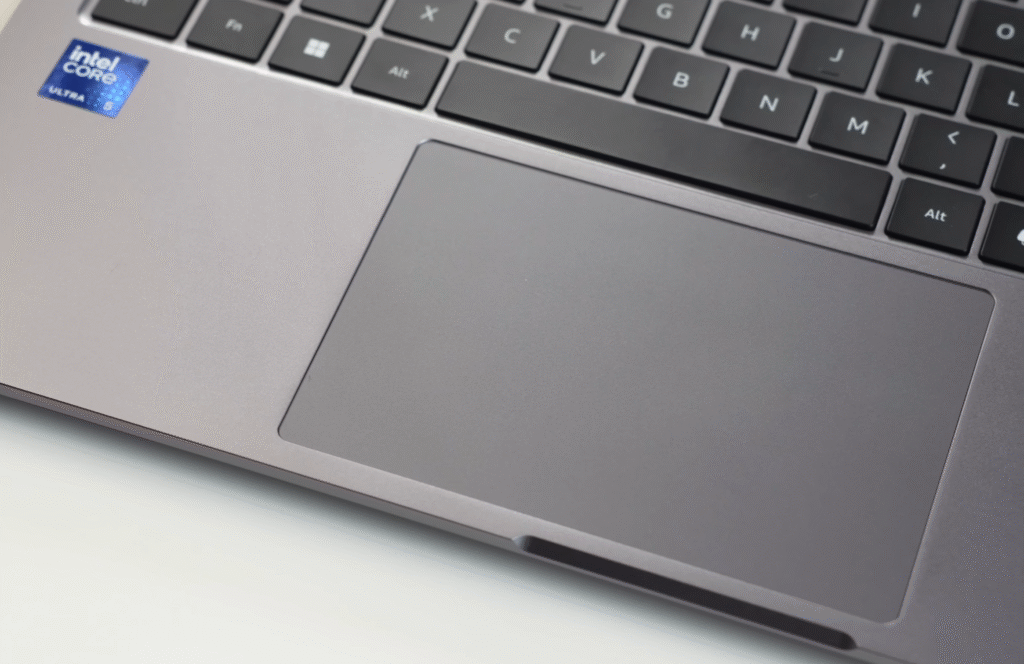
The track-pad hasn’t changed. It’s a glass-finish, fully clickable design that feels smooth and responsive. Gestures, scrolling and multitasking work nicely, and the premium surface adds to the overall experience.
Samsung Galaxy Book 5 Webcam
- Full HD webcam delivers noticeably clearer video quality for online meetings and remote work.
- Dual-array microphones reduce background noise, giving you cleaner and more professional audio on calls.
- No physical privacy shutter, but Fn + F1 lets you disable the camera instantly for better privacy control.
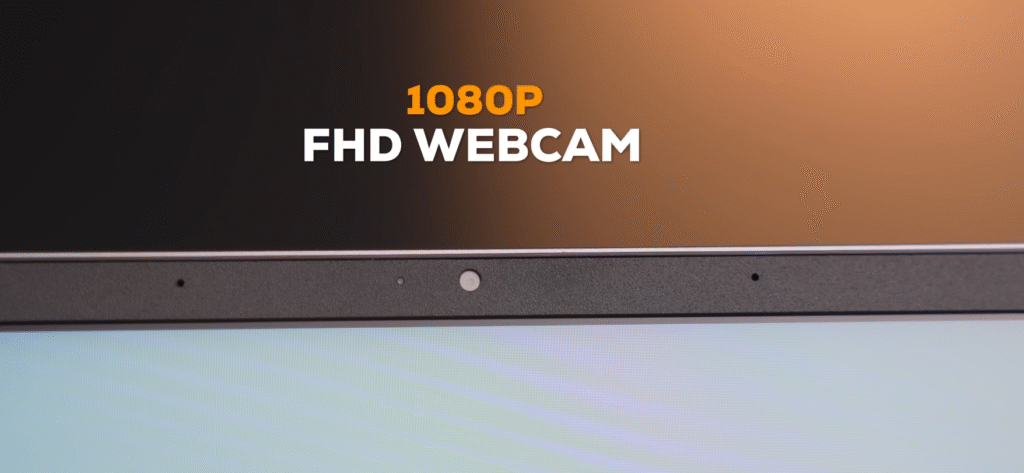
- Windows Studio Effects adds auto-framing, eye-contact correction and background blur to enhance video call quality.
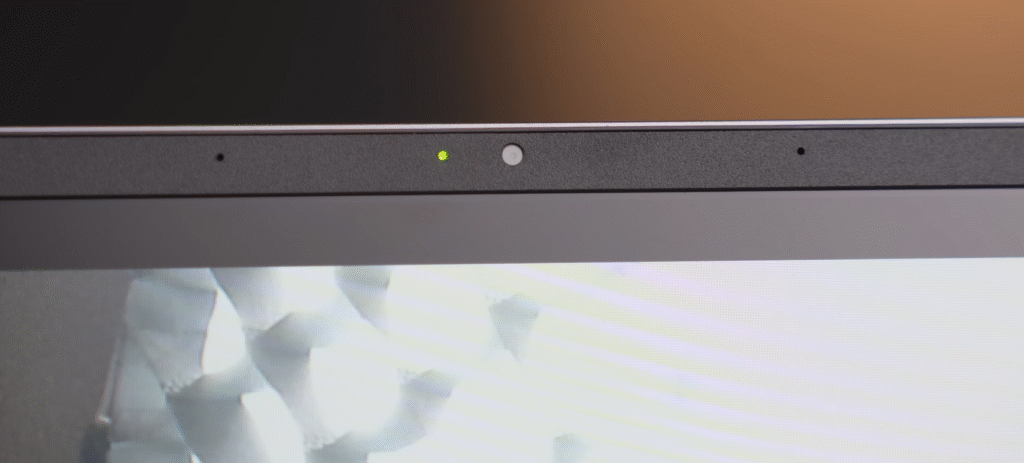
- Yellow LED indicator lights up whenever the webcam is active, helping you monitor camera usage.
- Overall webcam and mic performance feels more polished and reliable compared to the Galaxy Book 4, making it better for Zoom, Google Meet and Teams calls.
Samsung Galaxy Book 5 Display
Samsung maintains its strong display reputation with the Samsung Galaxy Book 5 AI. It comes with a 15.6-inch Full HD IPS panel and an anti-glare coating that helps when you’re working near bright lights. Samsung doesn’t list the brightness, but a third-party website rates it at 330 nits, which works well indoors.
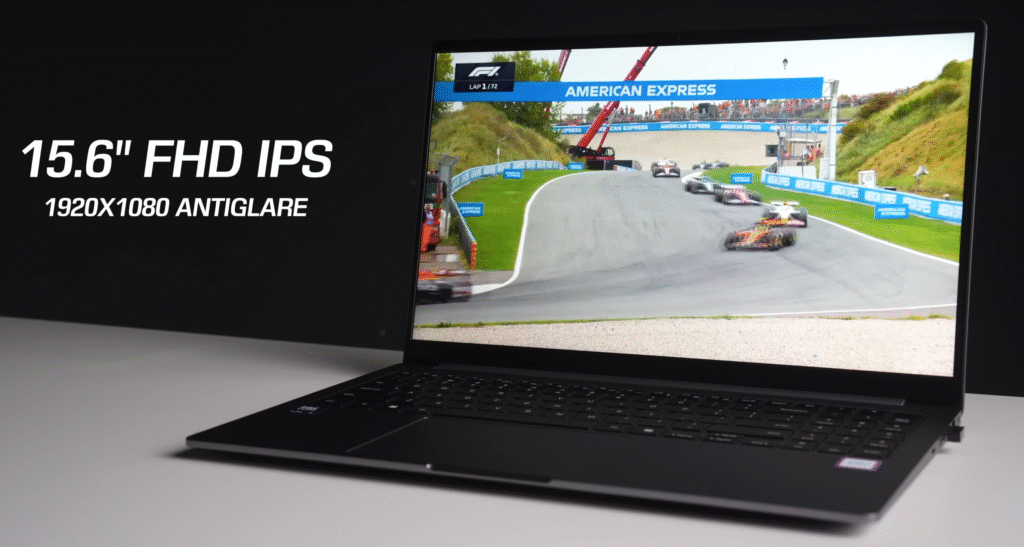
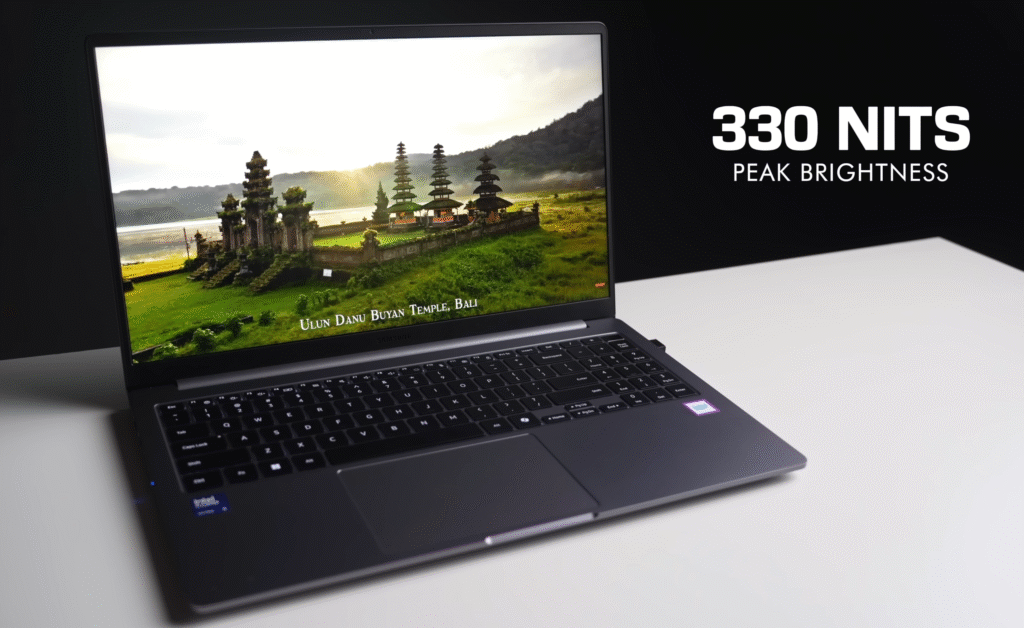
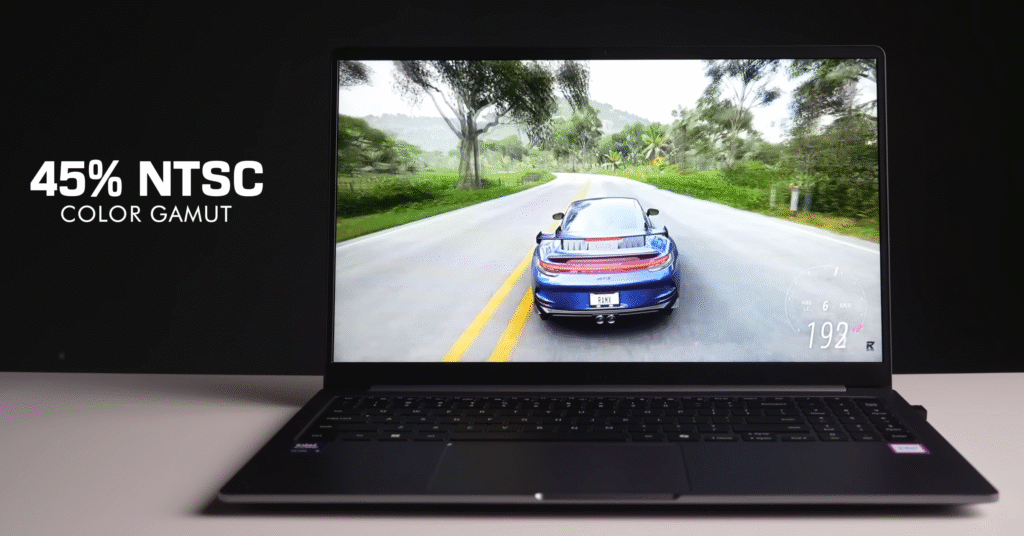
The panel covers 45% NTSC (around 62.5% SRGB). It’s good enough for everyday use, streaming and general content. Colours look lively for an IPS screen, and viewing angles stay stable without noticeable shifts. The display runs at 60 Hz and uses an 8-bit panel, which is typical for this range.
Samsung Galaxy Book 5 Speakers and Audio
Speaker Performance
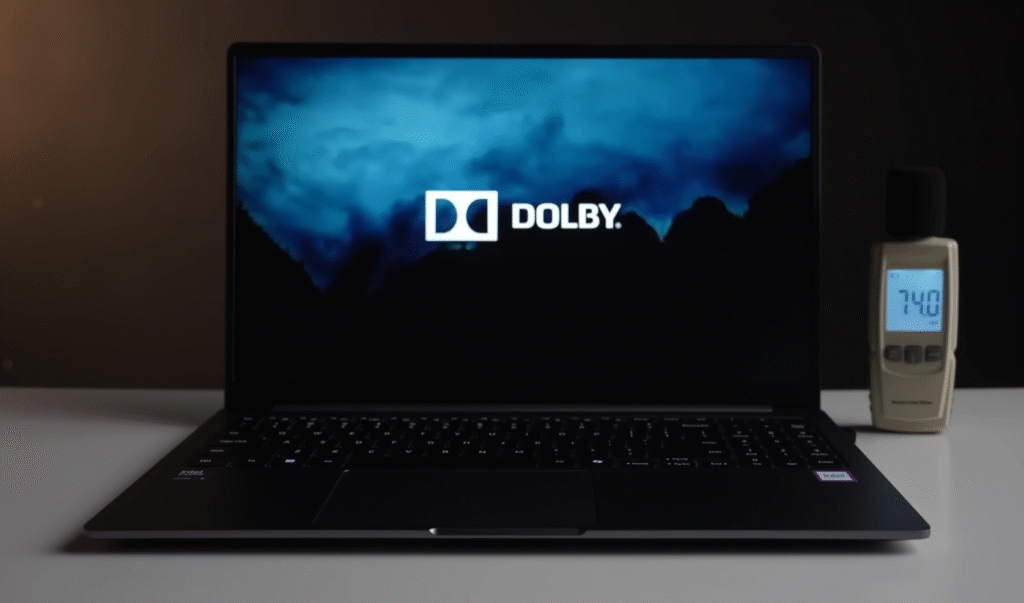
The speakers sound fuller than what you normally get in this price range. There’s decent depth in the mids, and the highs stay controlled even at higher volumes. It won’t replace a soundbar, but for everyday use the audio feels comfortable and easy to listen to.
Dolby Audio Features
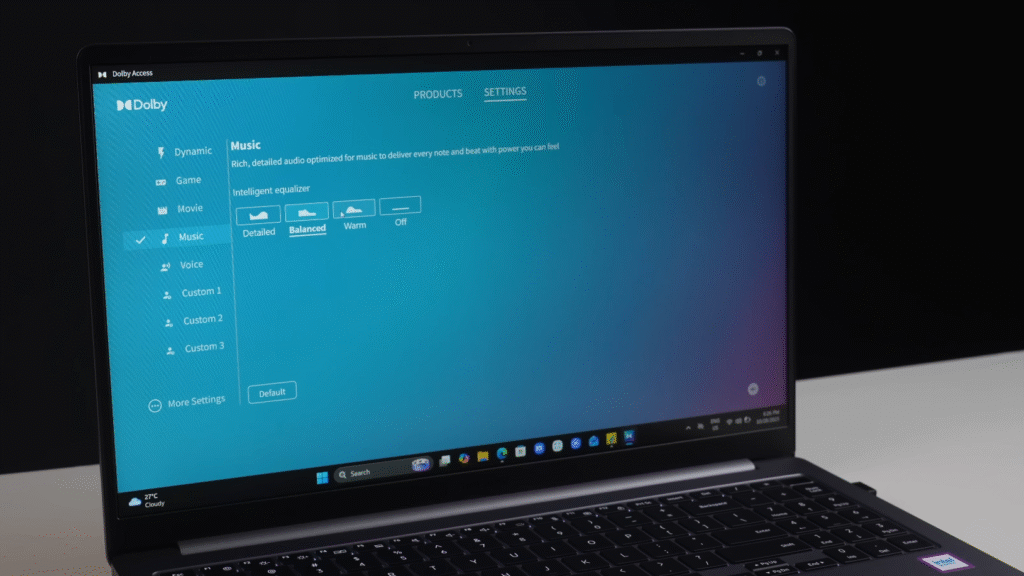
You can use the Dolby Audio app to switch between different presets. The available modes include Movie, Music, Game and Dynamic. Each one changes the sound slightly. Movie mode improves dialogue clarity, while Dynamic adjusts automatically based on what you’re doing. If you connect an external soundbar, Dolby support carries over for a more immersive feel.

Everyday Use
For streaming, casual music and video calls, the overall audio setup performs well. With the Dolby presets, tuning the sound to your liking becomes much easier.
Ports
The Samsung Galaxy Book 5 AI comes well-equipped with all the ports you need for everyday use.
- Left side:
- One RJ45 Ethernet port
- One HDMI port
- Two USB 3.2 Type-C ports with 5 Gbps speeds, DisplayPort support, and Power Delivery (PD) for charging
- You can even use Type-C for display sharing, and it worked flawlessly in our tests
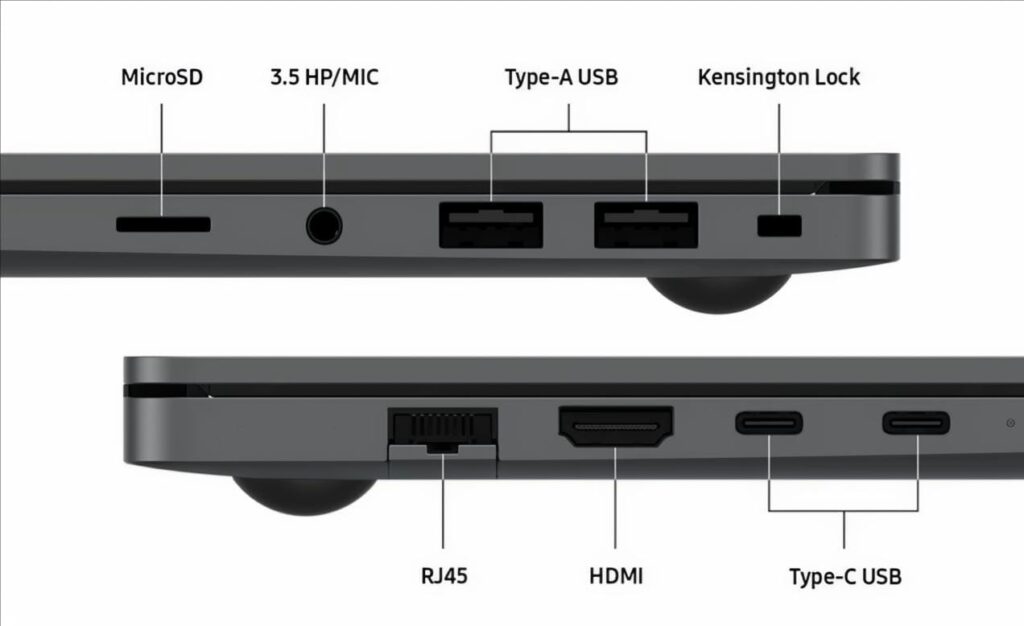
- Right side:
- Nano Kensington security slot
- Two USB 3.2 Type-A ports (5 Gbps)
- MicroSD card slot
- 3.5mm audio jack
The laptop charges completely via USB-C, which is why Power Delivery support is included. Overall, Samsung provides all the essential ports for both productivity and daily convenience.
Benchmark Performance of Samsung Galaxy Book 5 AI
CPU Performance
On Cinebench R23, the Samsung Galaxy Book 5 scored:
- Single-core: 1,720 points
- Multi-core: 8,632 points
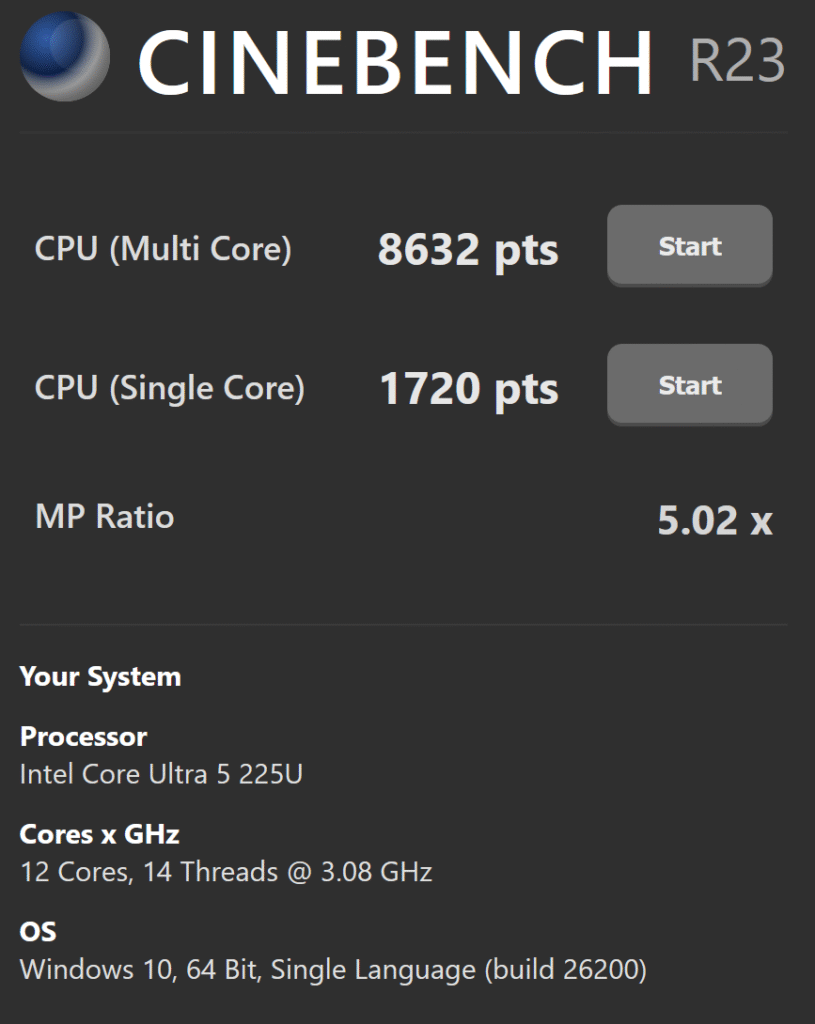
Cinebench R23 Benchmark
Compared to last year’s Galaxy Book 4 with an i7 processor (around 8,000 multi-core points), the Samsung Galaxy Book 5 AI shows noticeable improvement.
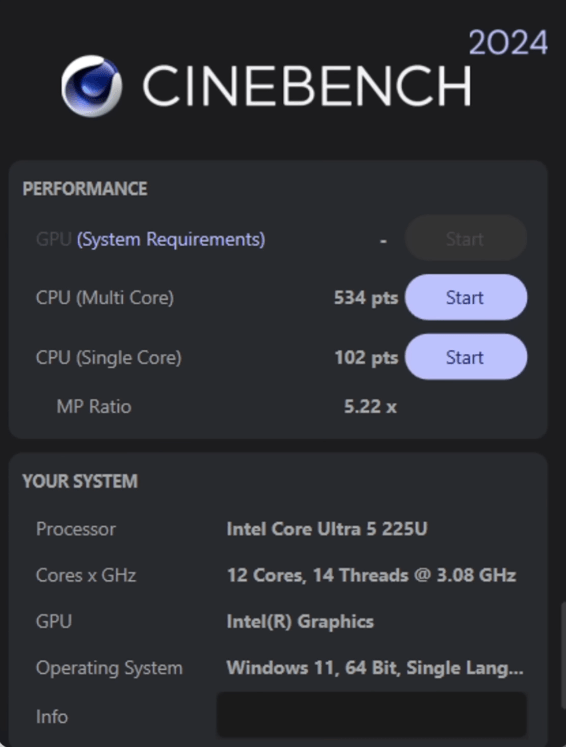
The Intel Core Ultra 5 processor delivers stronger performance for both single-threaded and multi-threaded tasks.
Geekbench Scores
- Geekbench 6: 19,480 overall
This is a significant jump over the previous generation, reflecting faster performance in day-to-day productivity and computational tasks.
SAMSUNG ELECTRONICS CO., LTD. 750XHD
SAMSUNG ELECTRONICS CO., LTD. 750XHD
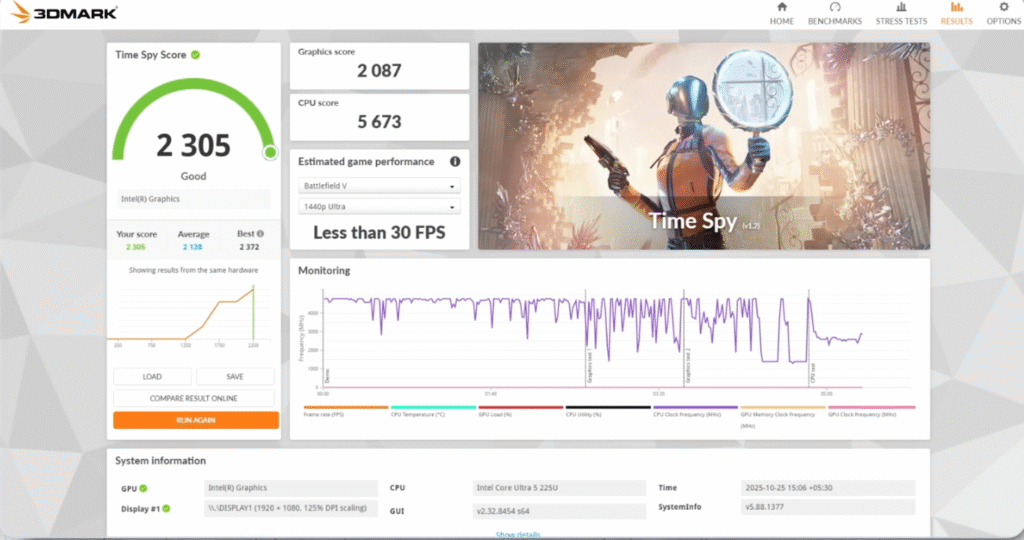
GPU Performance
- 3DMark Time Spy: 2,305 points
GPU performance has improved by roughly 30% compared to last year’s sumsung Galaxy Book 4 i7 model, making the laptop better suited for light gaming, creative apps, and graphics-intensive tasks.
PCMark & CrossMark
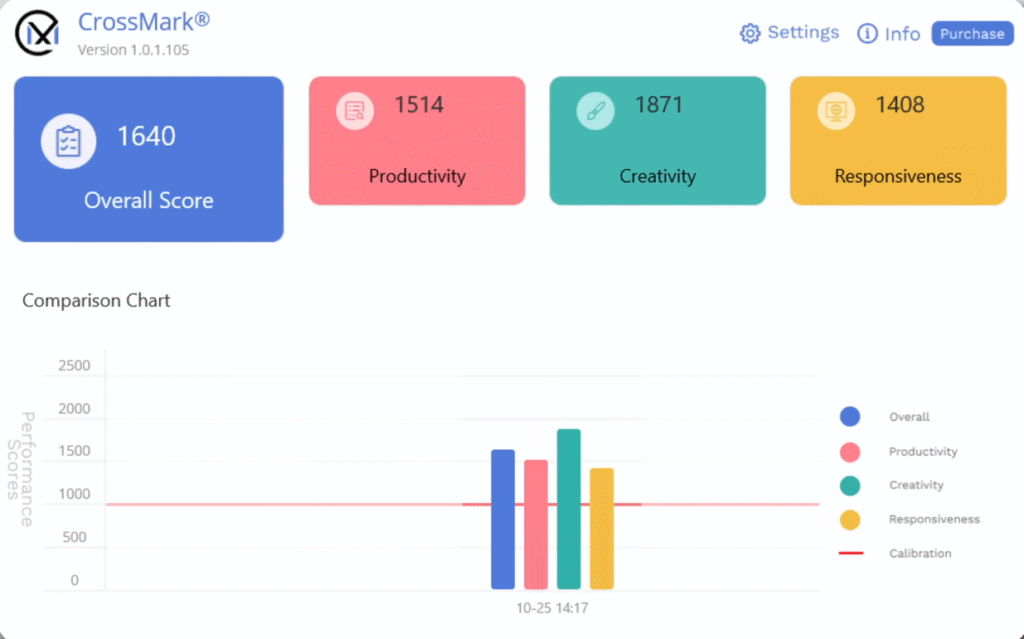
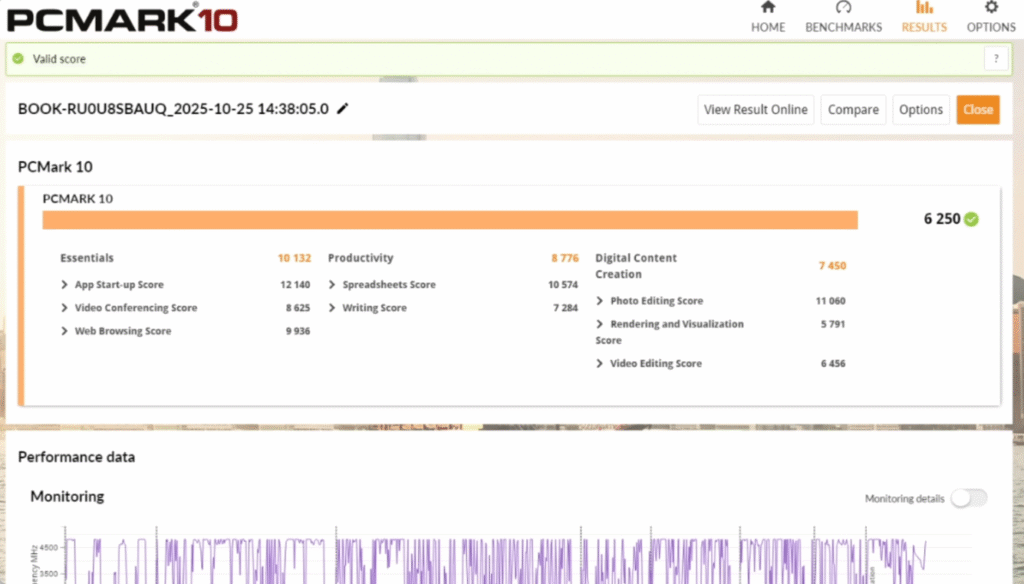
- PCMark 10: 6,250 points
- CrossMark Overall: 1,640 points
These scores indicate strong productivity performance, with reliable results for office, multitasking, and content creation workloads.
Samsung Galaxy Book 5 Stress Test & TDP Performance
| Test / Metric | Result |
|---|---|
| CPU Model | Intel Core Ultra 5 225U |
| Base TDP | 15W |
| Sustained Power under Prime95 | ~40W |
| Max Frequency Observed | ~4.5 GHz |
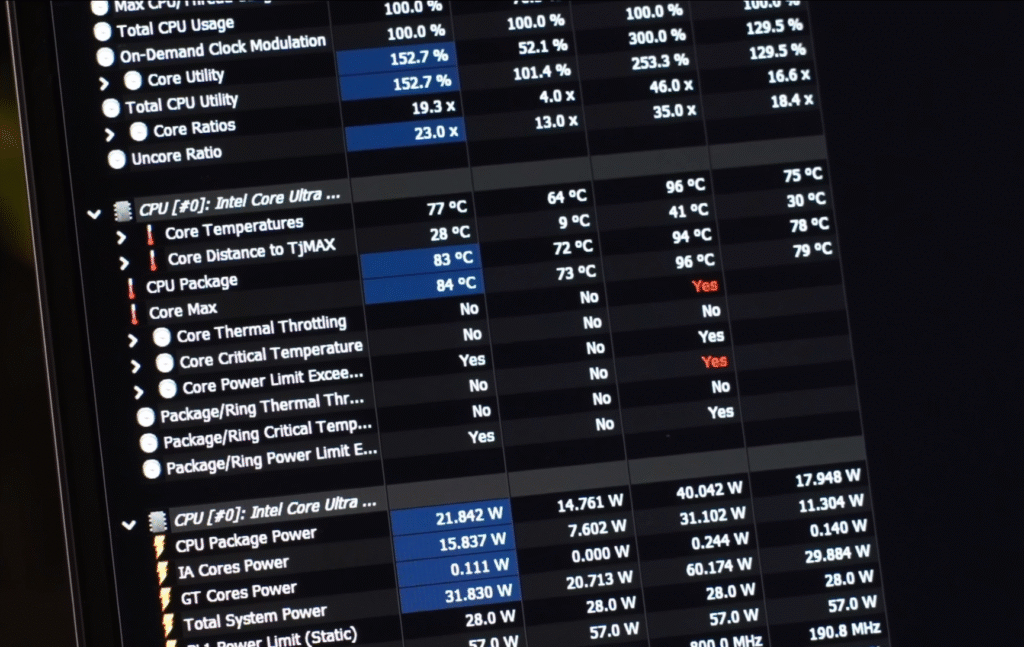
| Thermal Behavior | Average ~76°C, Max ~96°C |
CPU Power & TDP
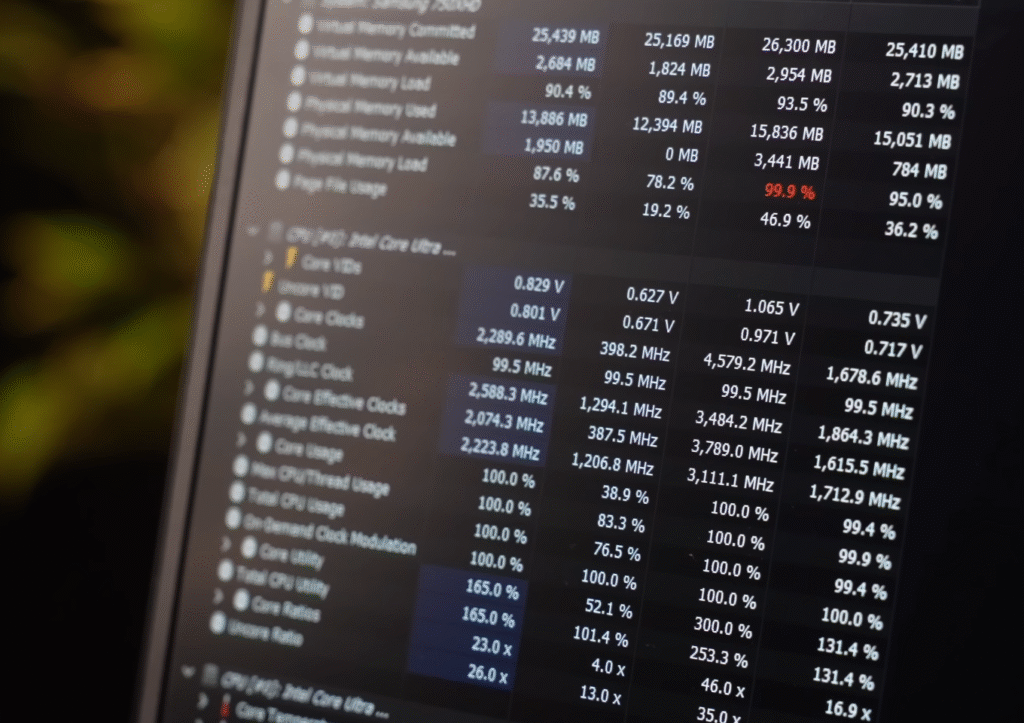
We ran Prime95 stress tests to see how much power the Samsung Galaxy Book 5 AI’s CPU can handle. The Intel Core Ultra 5 processor has a base TDP of 15W, but under load, we observed it reaching around 40W. For a thin-and-light laptop, that’s impressive and shows the chip can sustain heavy workloads.
Performance & Frequencies
During the stress test, the CPU maintained frequencies around 4.5 GHz, which is excellent for a laptop of this size. This means you can expect consistent performance during intensive tasks like video editing, compiling code, or multitasking with multiple apps.
Thermals
The maximum temperature recorded was around 96°C, but the average temperature stayed stable at 76°C. Overall, the thermal management is solid, keeping the Samsung Galaxy Book 5 laptop stable without excessive heat buildup.
Samsung Galaxy Book 5 Video Editing Performance
Full HD Editing
I tested the Samsung Galaxy Book 5 AI in DaVinci Resolve, and it handled Full HD video editing smoothly. Adding transitions, color corrections, and other basic edits worked without any lag, making it a solid choice for YouTube or Instagram-level content creation.
4K Editing
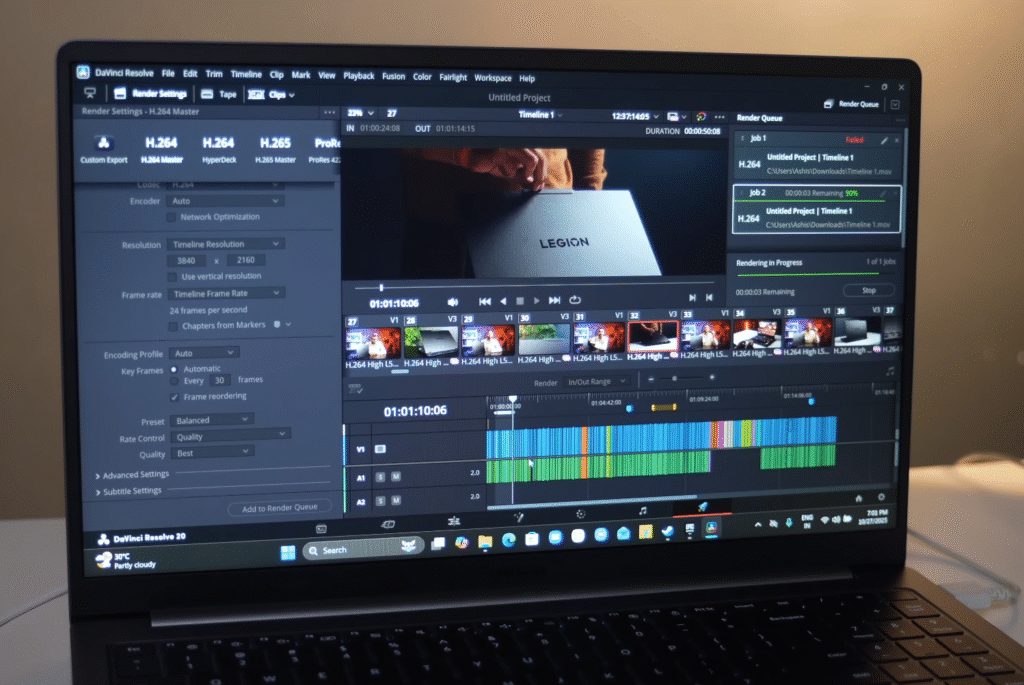
You can attempt 4K video editing, but expect some slowdowns with heavier timelines. Basic 4K edits are possible, but for professional-level 4K editing, a more powerful or gaming-focused laptop would be better.
Graphic Design
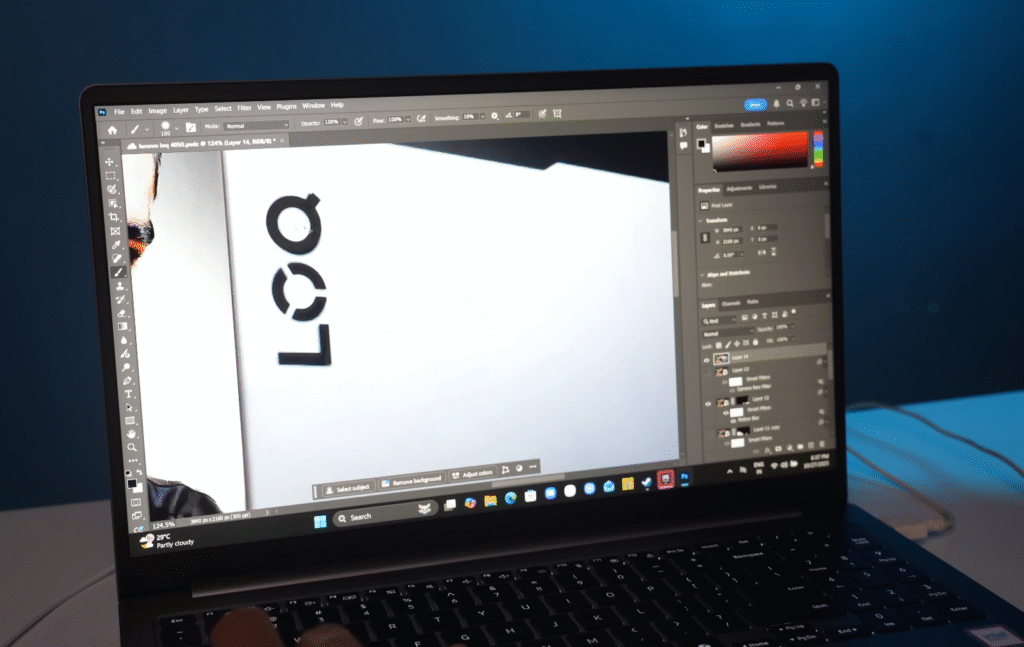
For graphic design tasks, the Samsung Galaxy Book 5 AI performs well. Tools like Photoshop, Illustrator, or Canva run smoothly, making it a reliable laptop for students, content creators, and casual designers.
Samsung Galaxy Book 5 Photoshop & Graphics
Photoshop and Illustrator
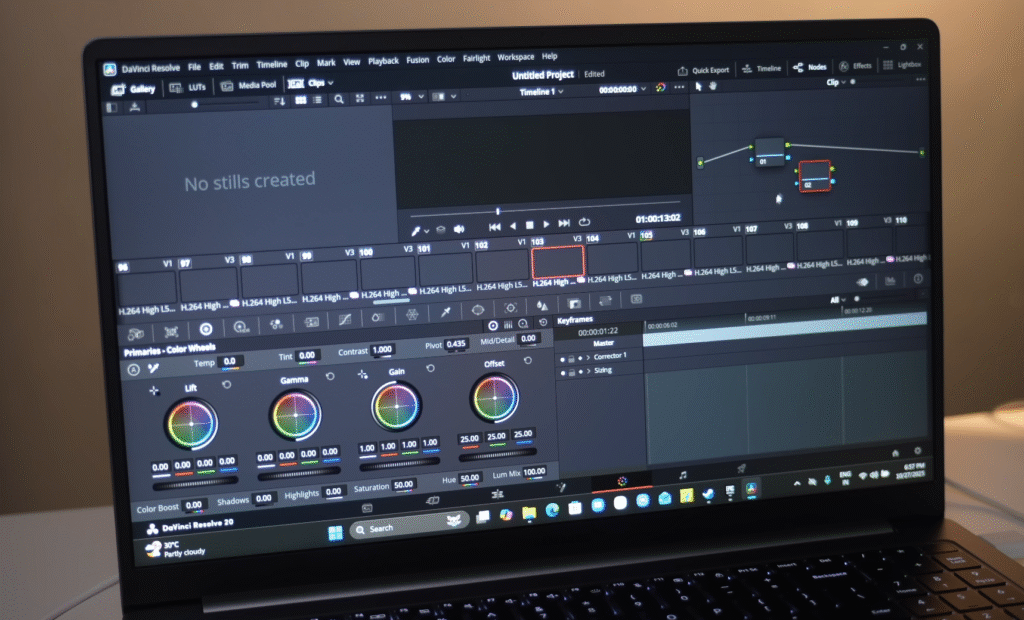
I tested the Samsung Galaxy Book 5 AI with Photoshop, and there was no noticeable lag. Opening Camera RAW filters and applying colour corrections worked smoothly. This laptop handles graphic design software like Photoshop and Illustrator with ease, making it a solid choice for students, content creators, and casual designers.

Coding & Machine Learning
Some users asked about coding and machine learning performance. Thanks to the strong benchmark scores, the Samsung Galaxy Book 5 AI can handle heavy coding tasks and basic machine learning workflows without issues. It’s reliable for developers who need a portable yet capable machine for software development or data analysis.
Samsung Galaxy Book 5 Coding & Development
Android & Web Development
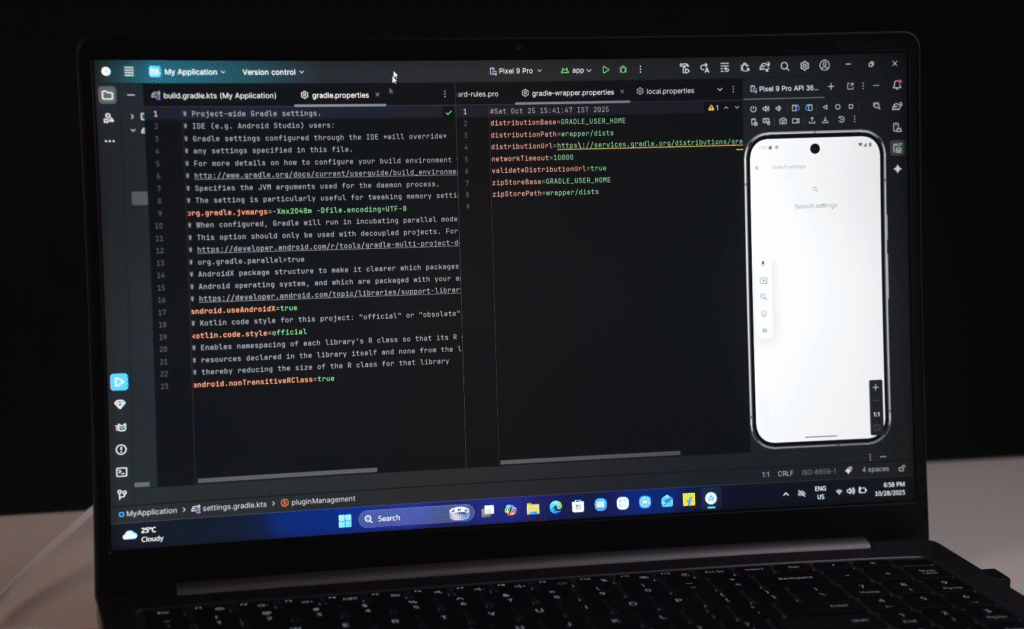
I tested the Samsung Galaxy Book 5 AI using Android Studio with a Google Pixel 9 emulator, and it ran smoothly without any lag. This makes the laptop capable of handling Android development, web development, and other programming tasks efficiently. The strong Geekbench scores also support reliable performance for these workflows.
High-Level Development
If you plan to do heavy or high-level development, keep in mind that the Samsung Galaxy Book 5 is still a thin-and-light laptop. For tasks that require sustained high power, a gaming laptop with a dedicated high-class processor and more power headroom would be a better choice.
3D Modeling & CAD
For software like Autodesk Auto-CAD or 3D modelling, I recommend a laptop with dedicated graphics, such as an RTX 3050 or higher, especially if you work on complex models. While the Galaxy Book 5 can handle lighter design tasks, professional 3D workflows are better suited for gaming or workstation laptops.
Gaming Performance on Samsung Galaxy Book 5
The Samsung Galaxy Book 5 AI isn’t a dedicated gaming laptop, but its Intel Core Ultra 5 125U processor delivers surprisingly solid performance for casual gaming. Here’s a breakdown of my testing across popular titles:
GTA 5
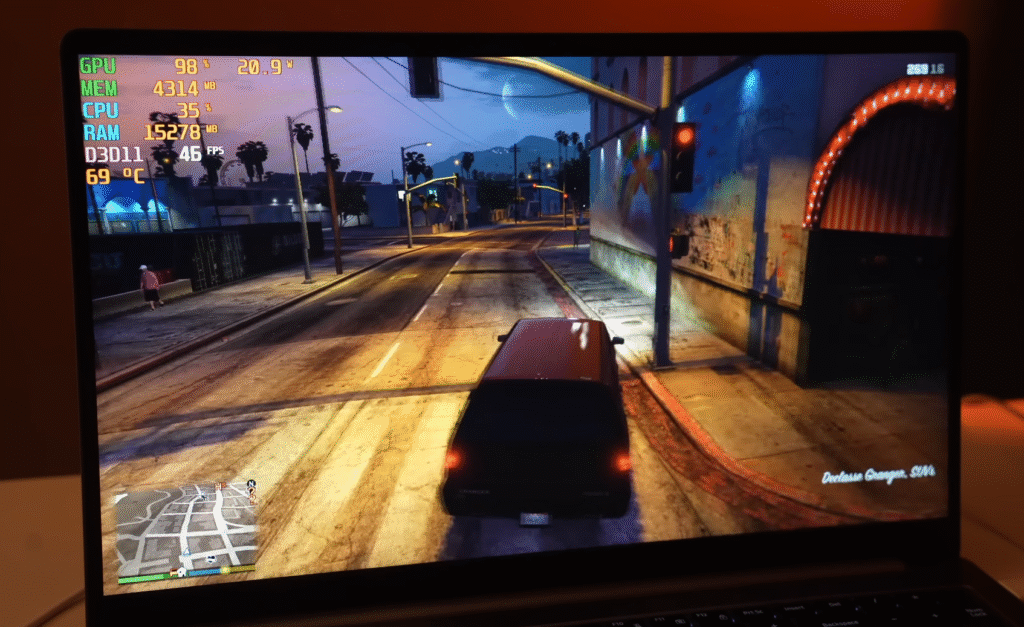
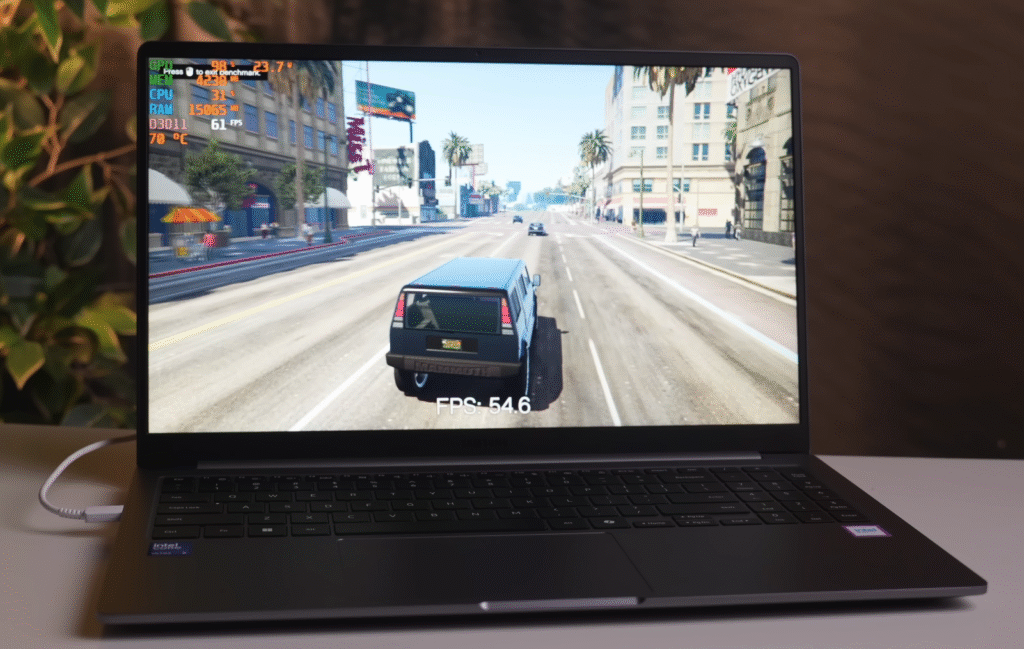
- Resolution: Full HD
- Settings: Very High + High combination
- Average FPS: 40
- Maximum FPS: 68
- TDP: ~26W
- Temperature: Average ~75°C
- Smooth gameplay without noticeable lag. Switching to Medium or Normal settings easily pushes FPS to around 60.
Valorant
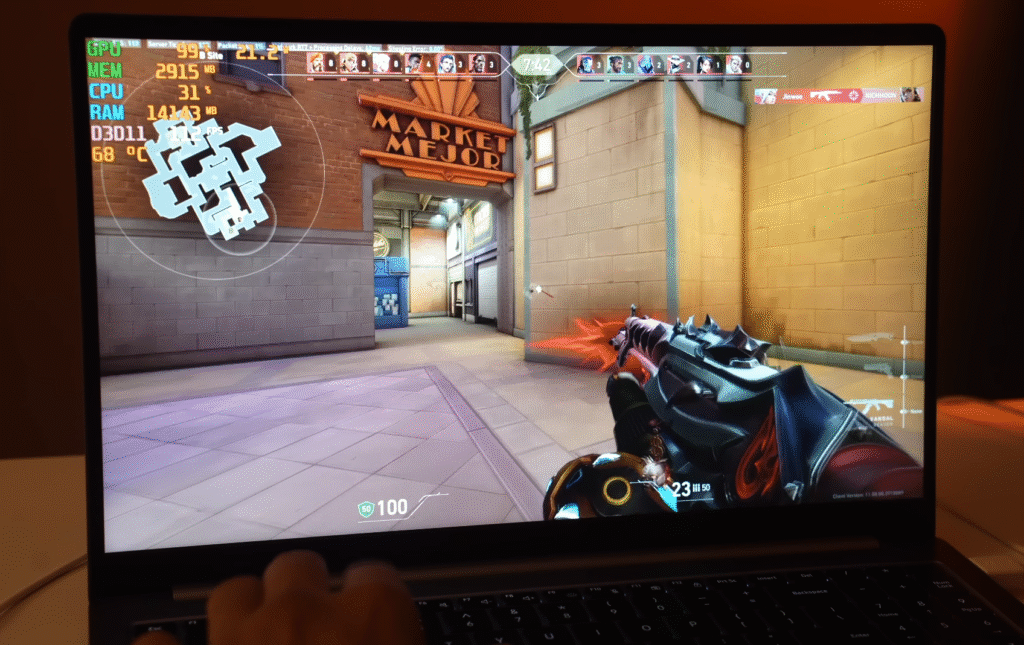
- Resolution: Full HD
- Settings: High
- Average FPS: 80
- TDP: 20–25W
- Temperature: ~67°C
- Gameplay feels smooth and stable, perfect for competitive casual sessions.
CS2 (Counter-Strike 2)
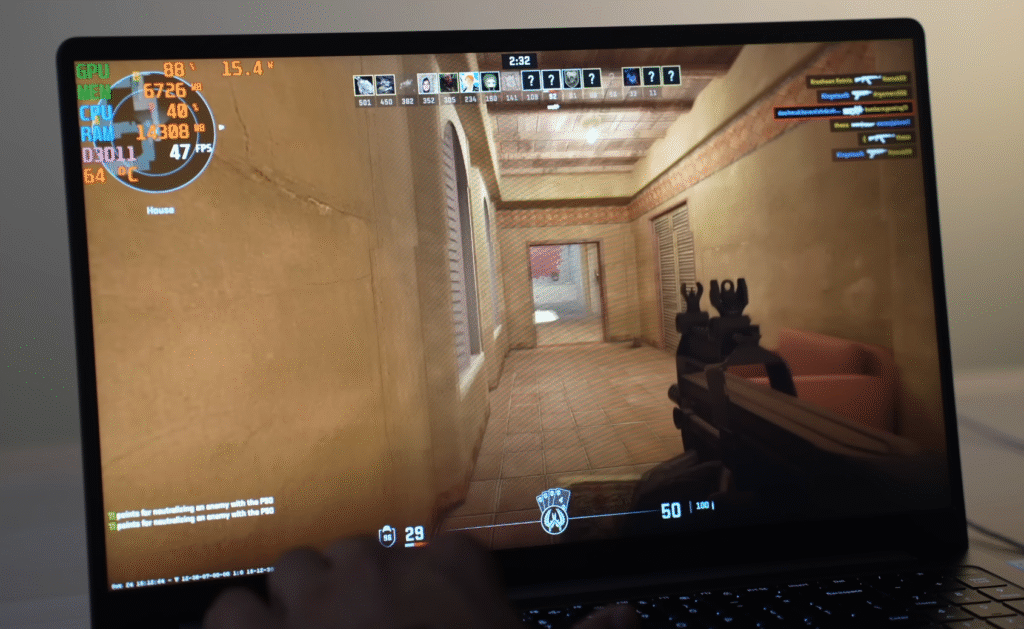
- Resolution: Full HD
- Settings: High
- Average FPS: 45
- TDP: 20–21W
- Temperature: ~62°C
- Thermals remain well-controlled even during extended sessions.
Overall Gaming Notes
- Casual games like GTA 5, Valorant, and CS2 run smoothly with stable frame rates.
- High-graphics, AAA titles like Red Dead Redemption 2 or Cyberpunk 2077 are not recommended; a dedicated gaming laptop with an RTX-class GPU is better suited.
- The laptop handles 1–2 hour gaming sessions without throttling, maintaining smooth performance and stable thermals.
Samsung Galaxy Book 5 AI Features & Samsung Ecosystem
The Samsung Galaxy Book 5 AI integrates several AI-powered features that enhance productivity and creativity.
AI Select
- Works like the mobile “Circle to Search” feature.
- Allows you to select and search text or images directly on your laptop.
- Makes content capture and research much faster and intuitive.

Samsung Ecosystem Integration
- Works seamlessly with Samsung devices like the Galaxy S24.
- Use your phone’s camera as a high-quality webcam for video calls.
- Smart Clipboard: Copy content from your phone and paste it directly on your laptop.
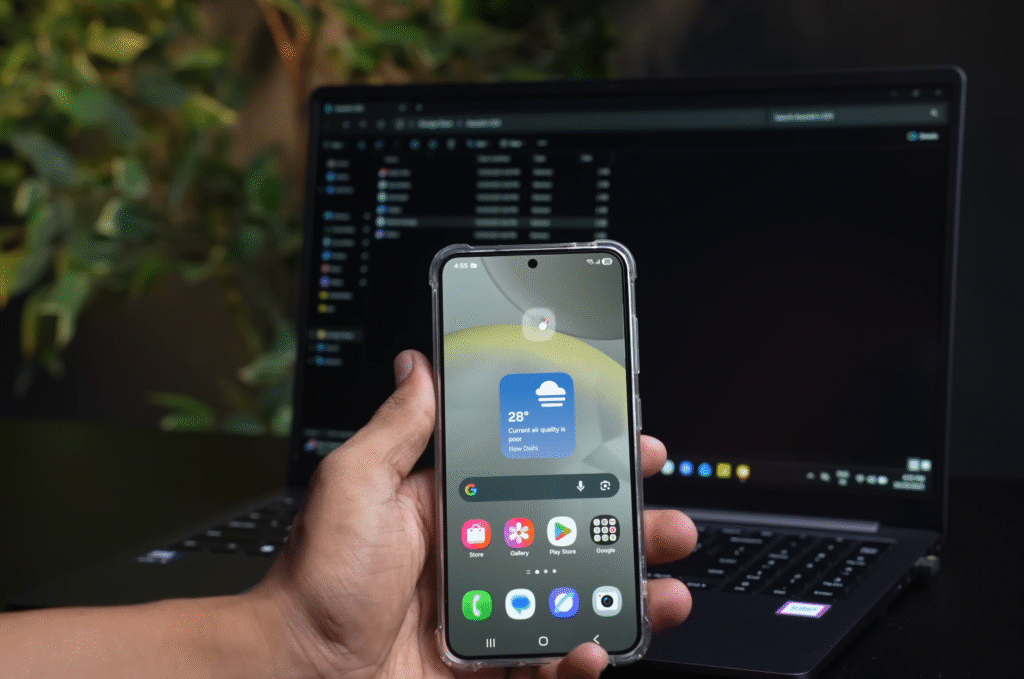
- Galaxy Connected Experience: Control your phone via your laptop’s trackpad using Smart Cursor.
- Additional features include storage sharing, nearby device access, quick search, and Samsung Notes synchronization.

Overall, these AI and ecosystem features make the Samsung Galaxy Book 5 AI more than just a laptop—it’s a productivity hub that works seamlessly with your Samsung devices.
Samsung Galaxy Book 5 Battery Life & Charging
The Samsung Galaxy Book 5 AI offers noticeable improvements in battery performance compared to its predecessor.
Battery Capacity & Backup
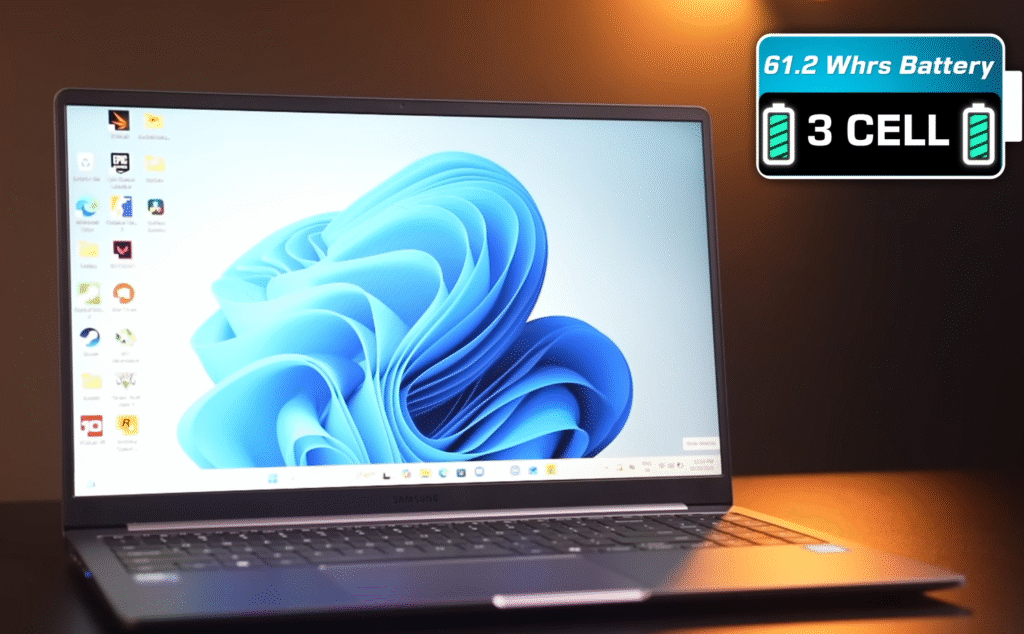
- 61.2Wh battery, up from 54Wh in the Galaxy Book 4.
- During 4K content playback, only about 10% battery drain in 1 hour.
- Expect around 8 hours of casual usage like streaming or web browsing.
- For intensive tasks like video editing or Photoshop, expect 4–5 hours of battery life.
Charging & Power Adapter
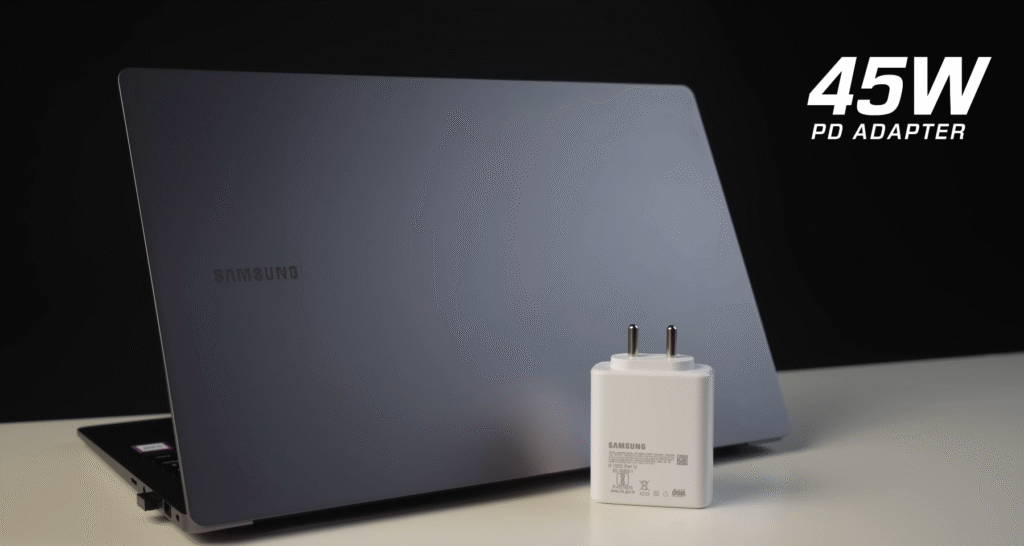
- Includes a 45W power adapter.
- Supports rapid fast charging, reaching full charge in 60–70 minutes.
- The USB-C PD charger can also power your smartphone, TWS earbuds, smartwatch, or other electronic peripherals.
- The laptop performs well even without the power adapter due to the energy-efficient 3nm Intel Core Ultra 525 processor, but for maximum performance, it’s recommended to use the adapter.
Samsung Galaxy Book 5 Pricing
| Variant | Processor | RAM | Storage | Price | |
|---|---|---|---|---|---|
| Base Model | Intel Core Ultra 5 | 8GB | 256GB SSD | $799 | Buy Now |
| Mid Model | Intel Core Ultra 5 | 16GB | 512GB SSD | $899 | Buy Now |
| Top Model | Intel Core Ultra 7 | 16GB | 1TB SSD | $1099 | Buy Now |
Samsung Galaxy Book 5 Conclusion
If your budget is around $700 and you want a thin and light laptop with a metal body, IPS display, backlit keyboard, and the latest Core Ultra processor, the Samsung Galaxy Book 5 AI is a solid pick. Performance is smooth, the battery backup is better than last year, and fast charging helps when you’re on the move.
The AI tools and Samsung ecosystem features also add good value, especially if you use a Samsung phone. The only downsides are the missing 120 Hz refresh rate and no privacy shutter.
You can also look at the Moto-Book 60, which offers strong performance with a 2.8K OLED display in a similar price range. Overall, the Galaxy Book 5 AI delivers good value for everyday work and light creative tasks.

