

When people ask for more RTX 50-series laptops, they’re usually pointing at the new RTX 5050 models — the ones that reviewers often call a “50/50” match with the older RTX 4060 because real-world performance sits very close to it. Reviews and early benchmarks show the 5050 often ends up in the same ballpark as the 4060, so buyers expect budget-friendly options that still handle modern games well.
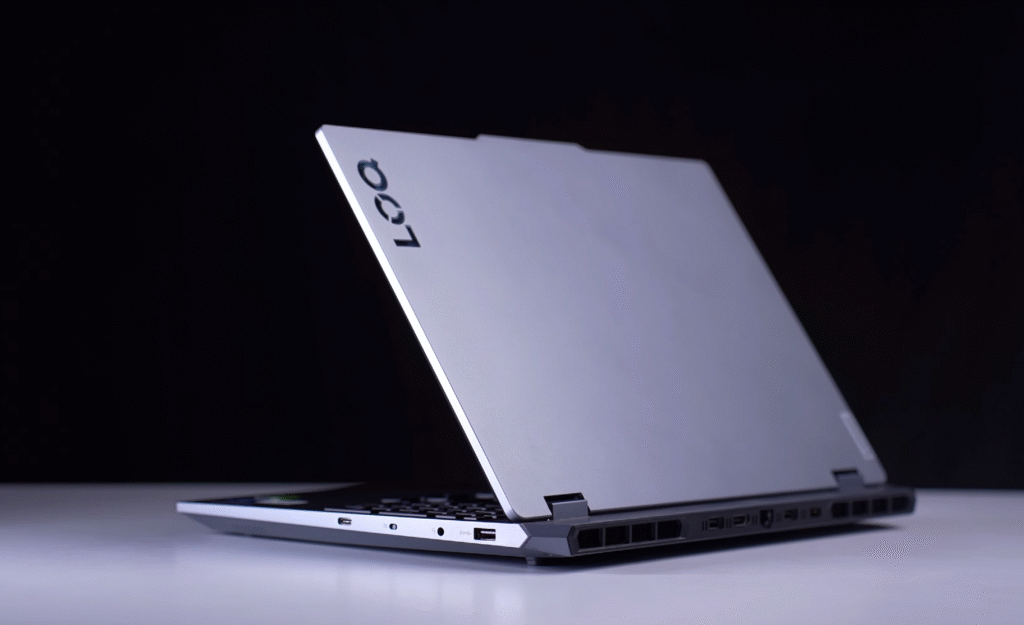
We already covered the Lenovo LOQ 5060 on our website, including full customisation options, so this article will focus on specs and performance only. I’ll walk through the hardware breakdown, summarise our benchmark results, and run the same game tests so you can see frame rates, thermals, and power behaviour side-by-side. Then I’ll give a straight answer on how the LOQ stacks up: what’s good, what isn’t, and who should buy it.
Highlights you’ll see in the article:
- Detailed spec table (CPU, GPU, RAM, cooling, display, storage).
- Synthetic and gaming benchmarks with direct comparisons to the previous-gen 4060.
- Real-world game tests and thermal/power notes.
- Final verdict: value, performance, and target buyer.
Best Lenovo LOQ pricing
Lenovo LOQ — Price & Buying Options
| Base | RTX 5050, Intel i5, 16 GB RAM, 512 GB SSD, 1080p | $1,165 | Best for budget gamers and students | Buy $1,165 |
| Mid (Test Unit) | RTX 5050/5060, Intel i7, 16–32 GB RAM, 1 TB SSD, 1080p/WQHD | $1,465 | Balanced power for gaming and content work | Buy $1,465 |
| Top (5060) | RTX 5060, Intel i7 (HX), 32 GB RAM, 1–2 TB SSD, WQHD | $1,630 | For high settings, streaming and creative work | Buy $1,630 |
| i7 Variant | RTX 5050 with 13th-gen i7 | $1,345 | Good CPU upgrade without max GPU cost | Buy $1,345 |
Lenovo LOQ Specifications
Lenovo LOQ Specifications
| Component | Details |
|---|---|
| Processor | Intel Core i7-14700HX, 20 cores (8P + 12E), 28 threads |
| Architecture | Hybrid (Performance + Efficiency cores) |
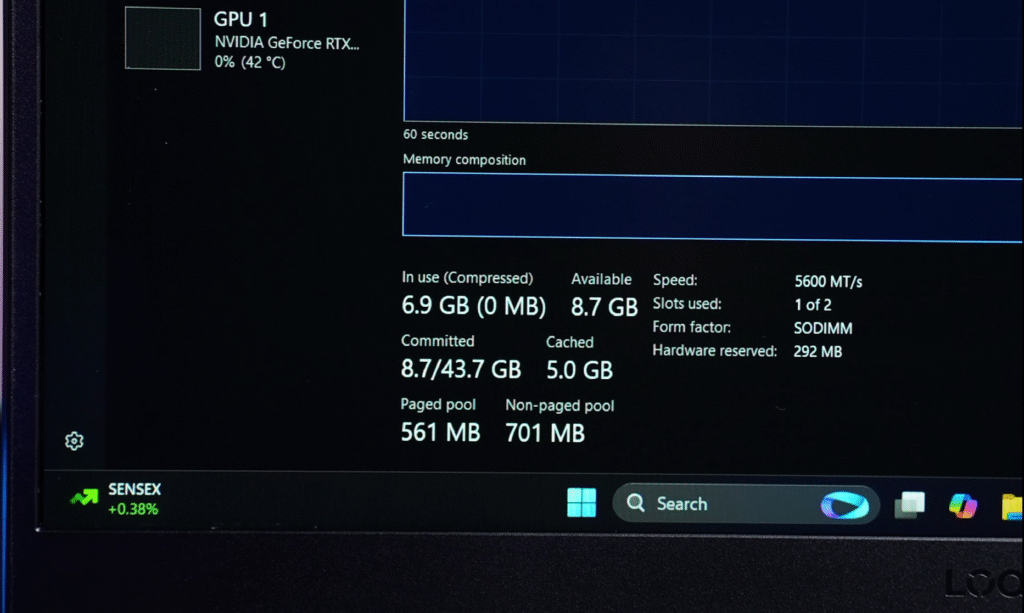
| RAM | 16 GB DDR5-5600 (single stick, upgradeable to 32 GB) |
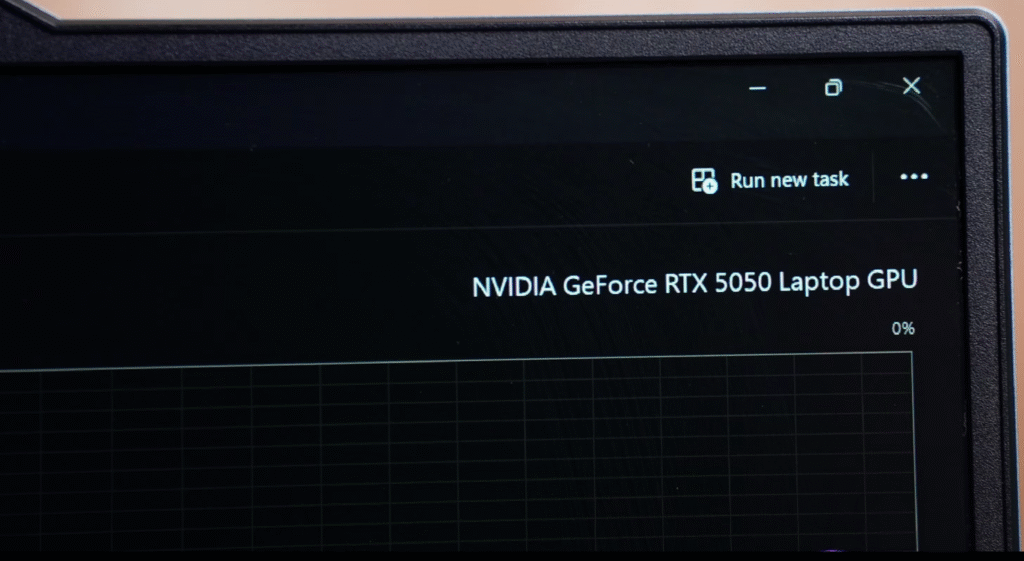
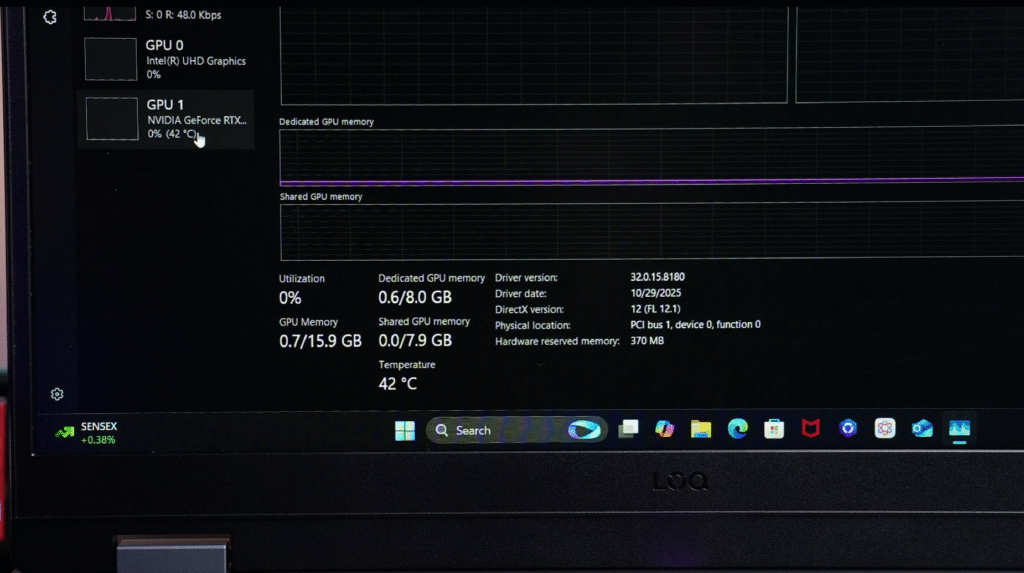
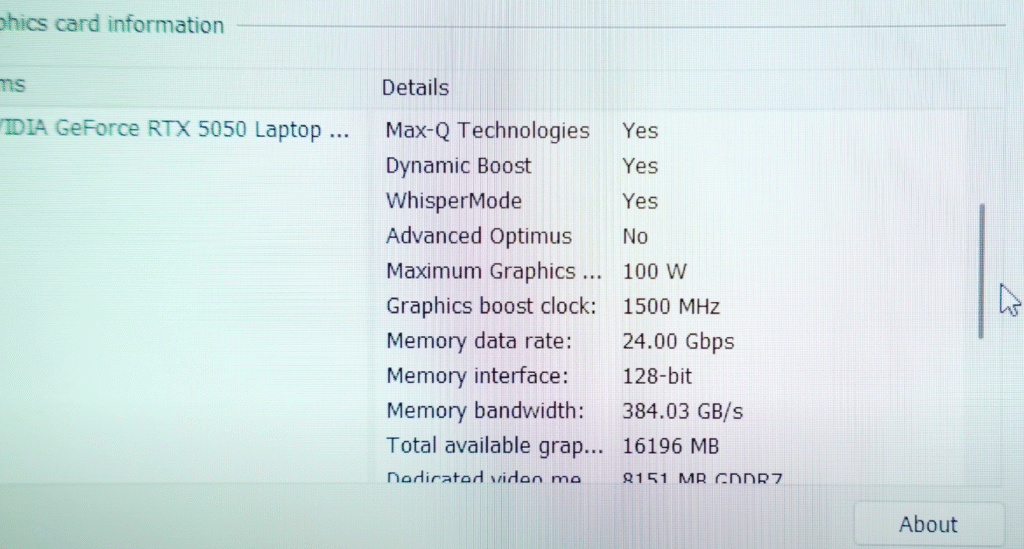
| GPU | NVIDIA RTX 5050, 8 GB VRAM |
| Battery | 100 Wh |
| Storage | 1 TB Gen4 SSD, Dual slots (2280MB/S + 2242MB/S) |
| Connectivity | Wi-Fi 6, Bluetooth 5.2 |
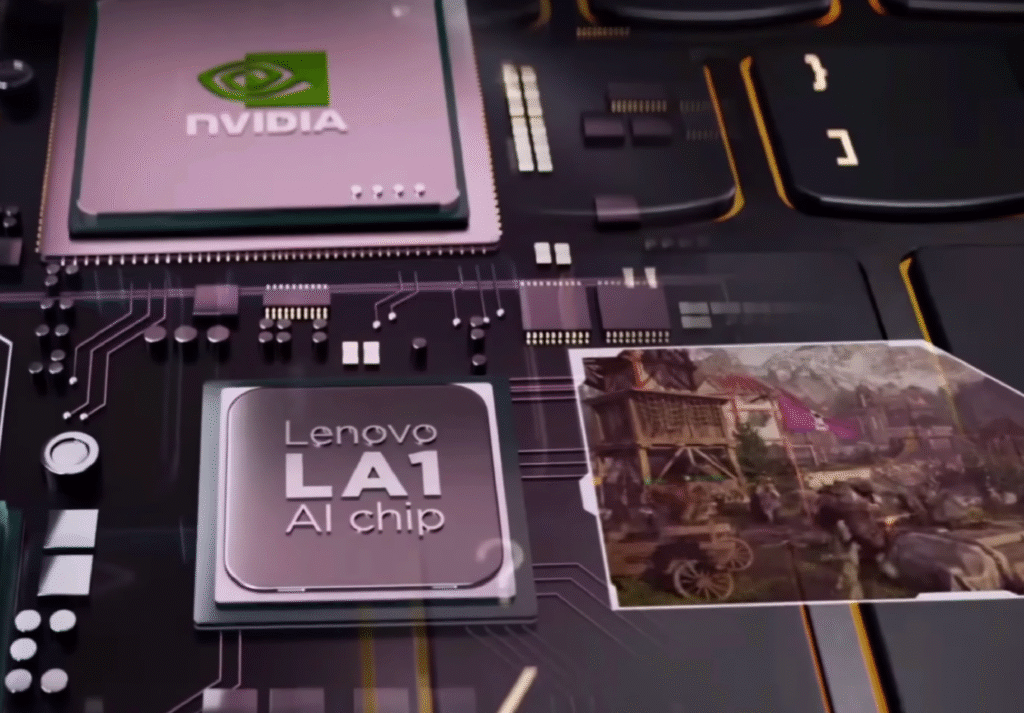
| AI Engine | Lenovo LA1 AI Engine (learns and optimizes usage patterns) |
| Extras | Microsoft Office optional (~$24), 3 months Xbox Game Pass Ultimate |
Our model includes 16 GB of DDR5-5600 RAM in a single stick. You can upgrade to 32 GB later without swapping anything out. The GPU is an RTX 5050 with 8 GB of VRAM, backed by a 100 Wh battery.
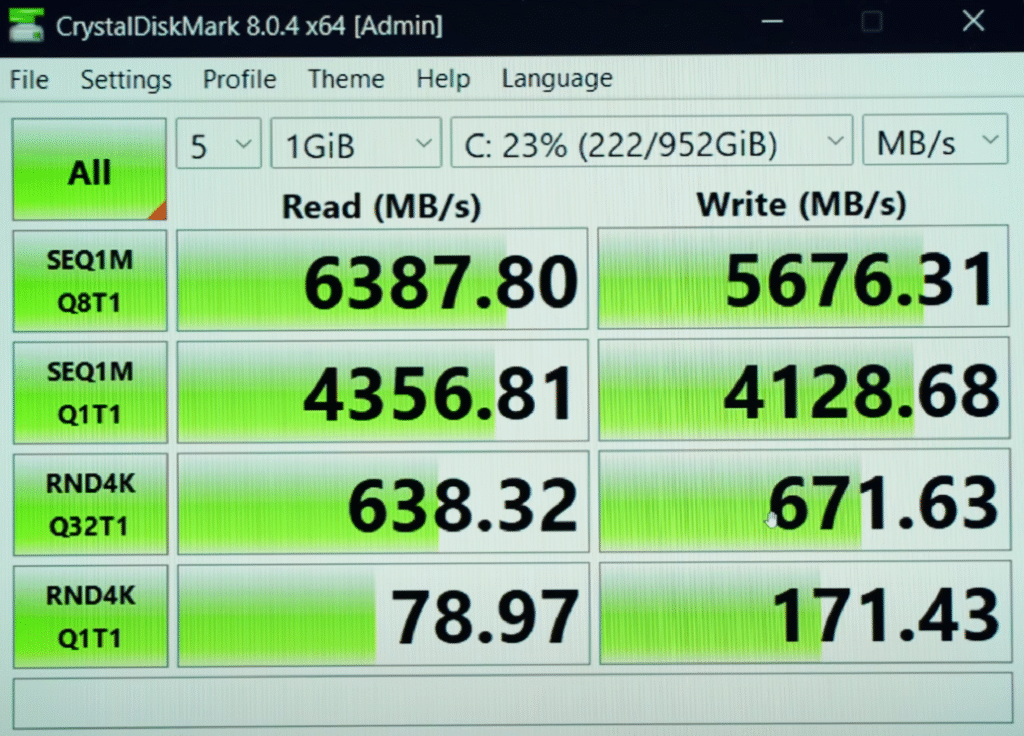
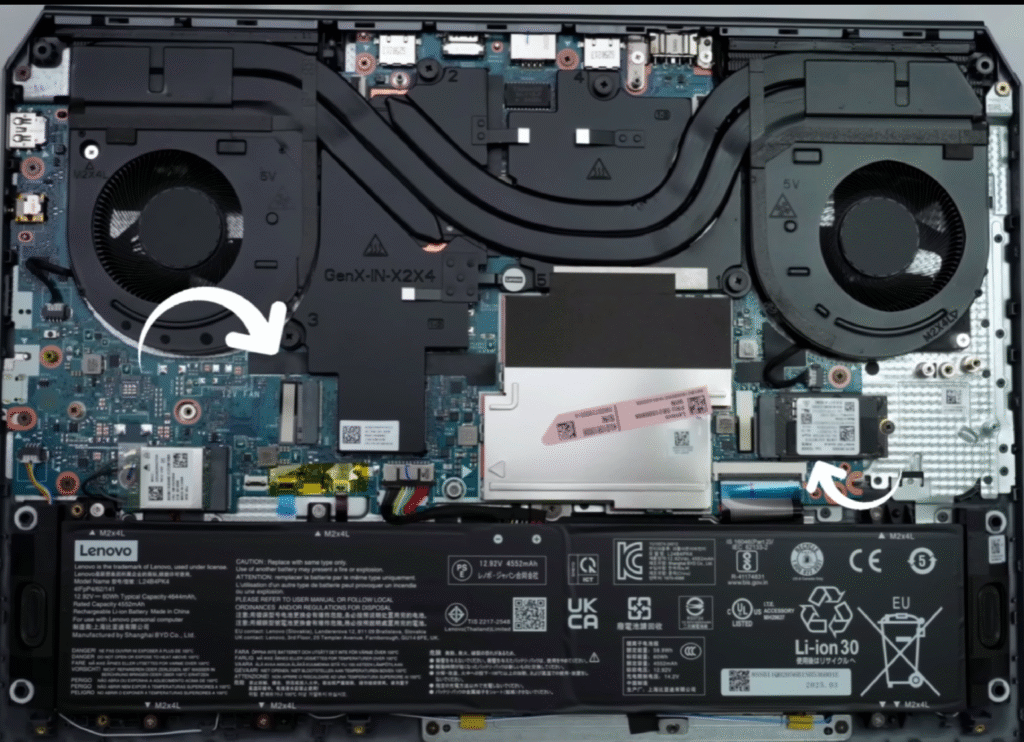
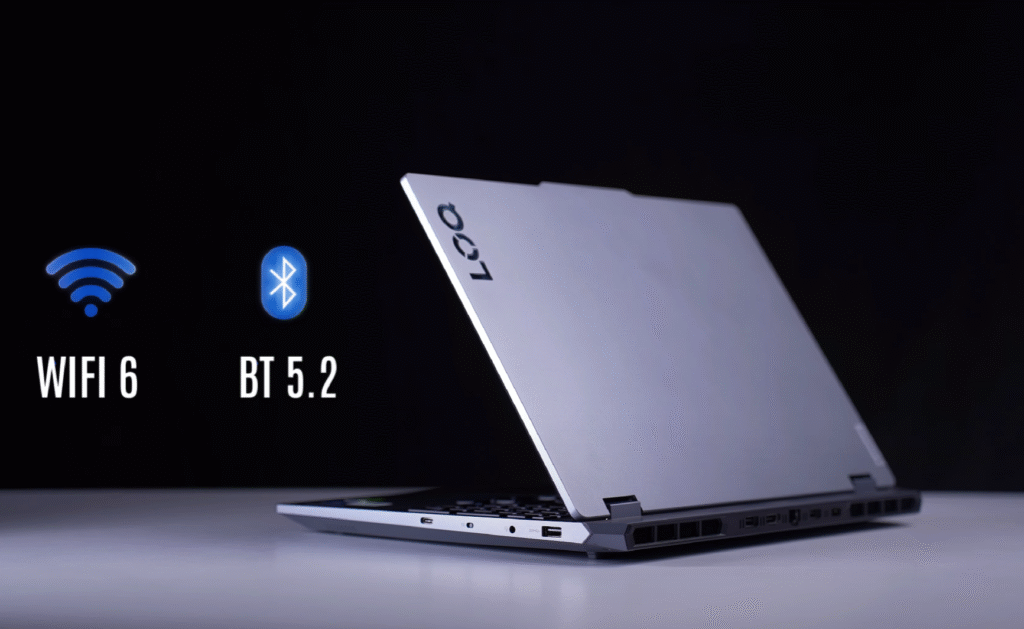
Storage is a fast 1 TB Gen4 SSD. The laptop also has two SSD slots: a full-size 2280 and a smaller 2242, so expanding storage is easy. For connectivity, you get Wi-Fi 6 and Bluetooth 5.2. By 2025 standards, Wi-Fi 6E and Bluetooth 5.3 would have been better, but Lenovo stayed with the older hardware.
Lenovo also added its LA1 AI Engine, which learns your usage patterns over time. It shifts performance depending on whether you’re gaming or doing everyday work. Lenovo says it boosts efficiency, though most users don’t really notice it.
You can add Microsoft Office for about $24. The laptop also includes a 3-month Xbox Game Pass Ultimate trial, so you can start gaming or streaming right away.
Lenovo LOQ Performance Overview
Performance Overview
The Core i7-14700HX performs well for this price range. It delivers strong results across CPU, GPU, and productivity tests, making it suitable for gaming, content creation and demanding multitasking.
CPU Benchmarks
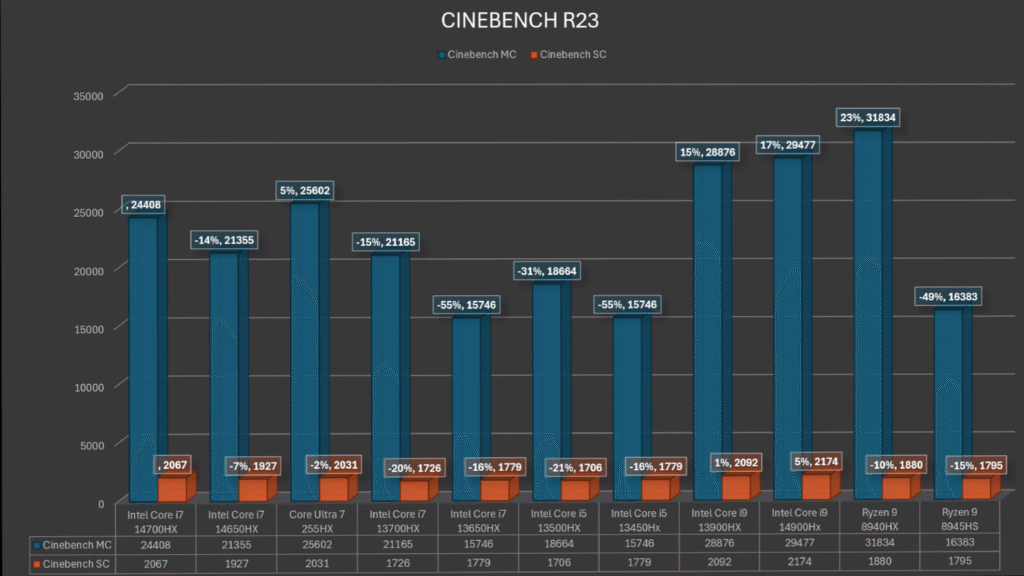
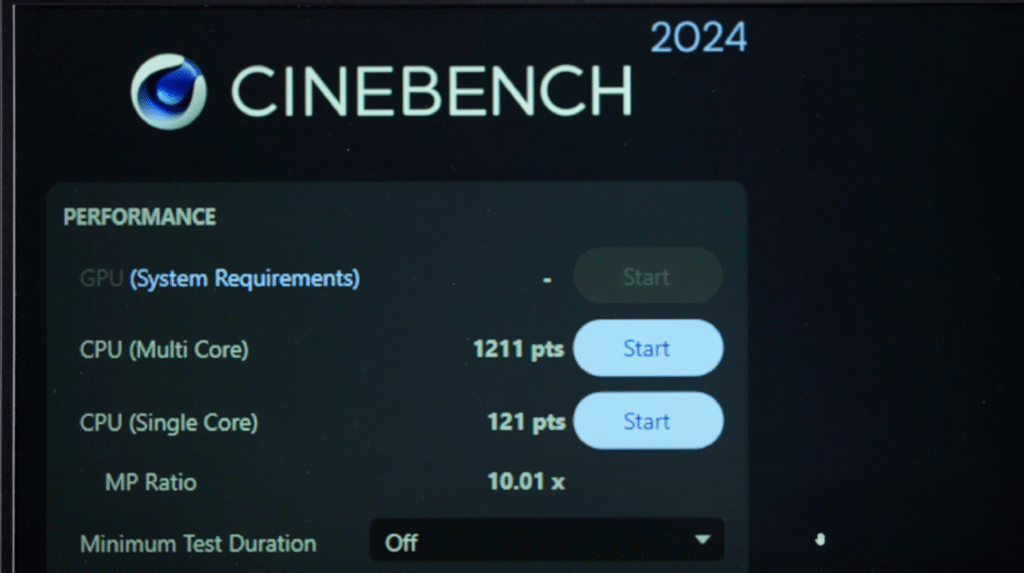
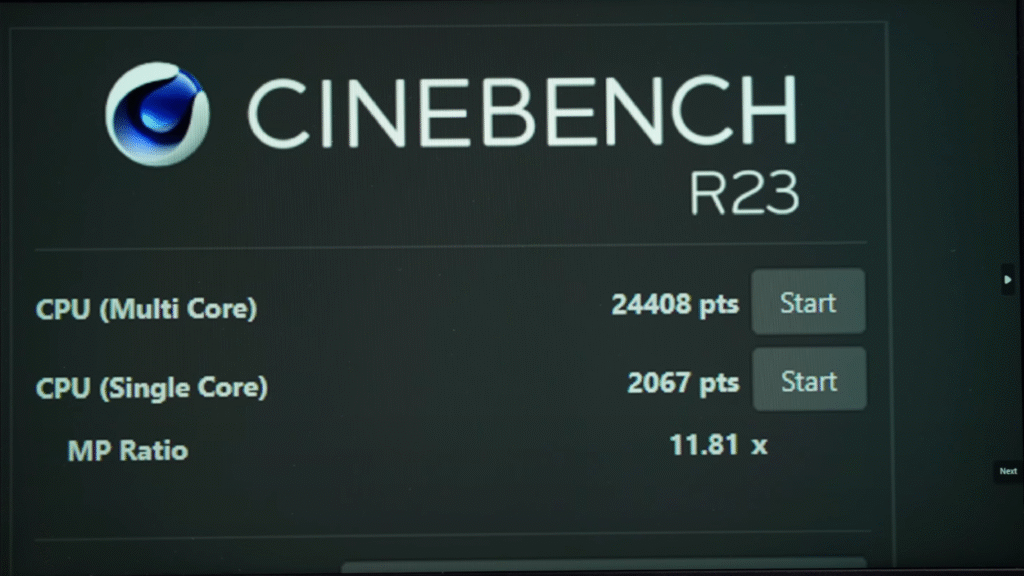
In Cinebench R23, the laptop scores 24,000+ multi-core and 2,000+ single-core, which puts it close to other laptops in the 1,000 to 1,250-dollar range. Geekbench 6 CPU numbers also align well with competing processors.
LENOVO 83JE
Geekbench AI Score
Result Information
AI Performance
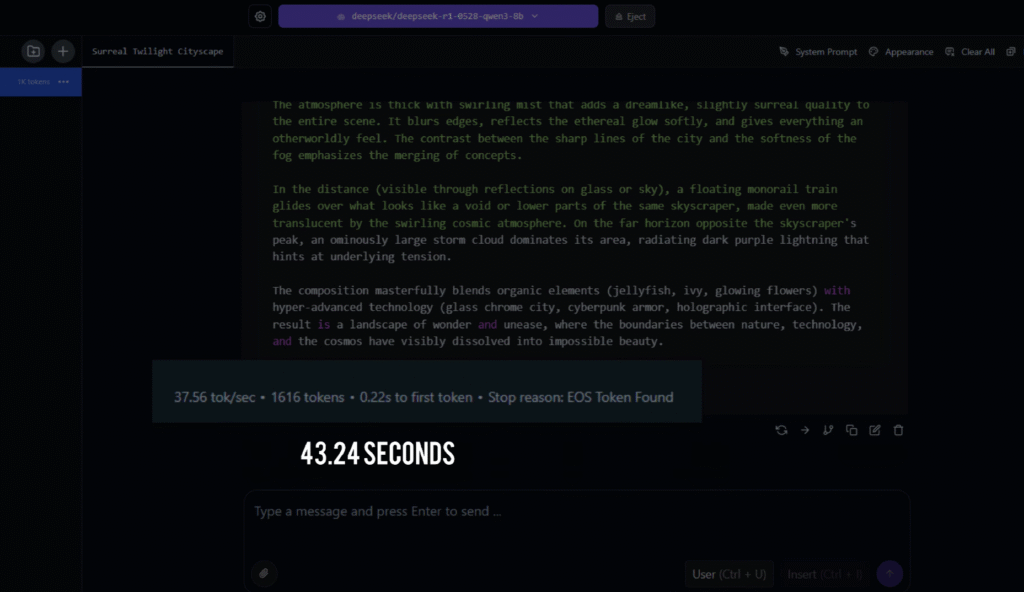
For AI testing, we ran an 8B model in LM Studio, and it produced output in 43 seconds. The 32B model didn’t load due to the 16 GB RAM limit, which is expected.
This CPU-GPU combo is strong enough for data science workflows and general AI experimentation.
3D & Rendering Performance
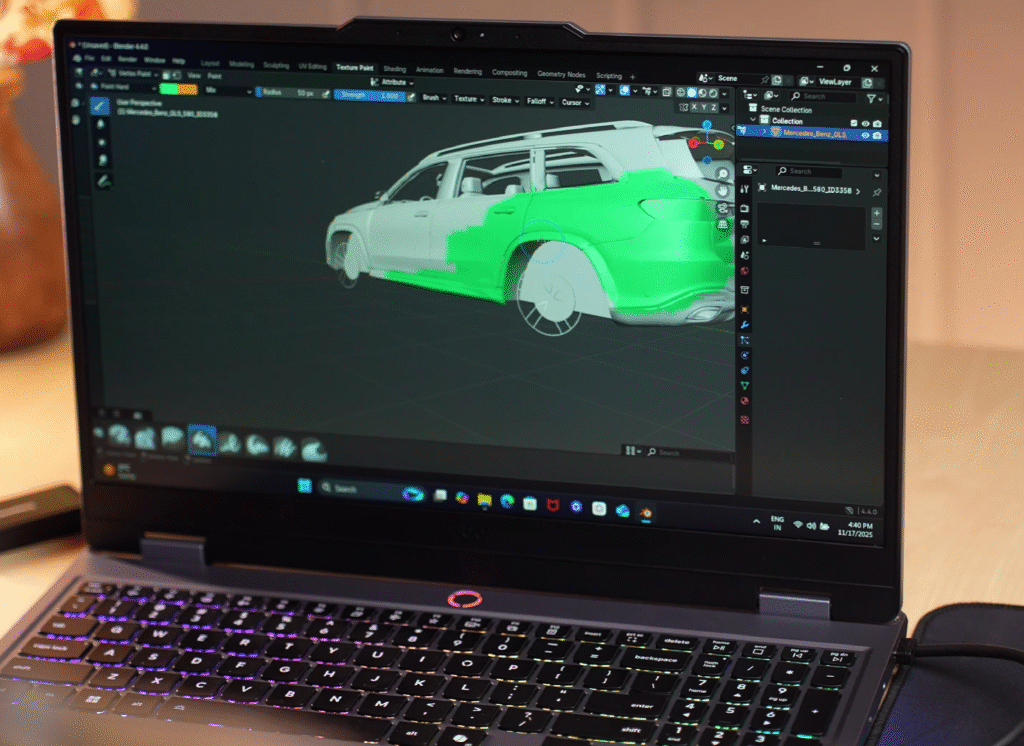
In Blender, the laptop scores 2,800+, which is close to what RTX 4060 laptops deliver.
For game development, it’s capable for beginner to intermediate-level projects based on what developers typically recommend.
Content Creation Benchmarks
PugetBench scores are solid:
Benchmark Results Dashboard
PugetBench for Photoshop 1.0.0-1.0.5
Premiere Pro 23.0-25.0 | PB for Pr 1.0.0-1.1.1
DaVinci Resolve 18.6-19.1 | PB for DR 1.0.0-1.2.1
After Effects couldn’t be benchmarked due to RAM requirements, but regular work still runs fine. The system can handle 4K 60fps editing, color grading and graphic design without issues.
GPU & Gaming Performance
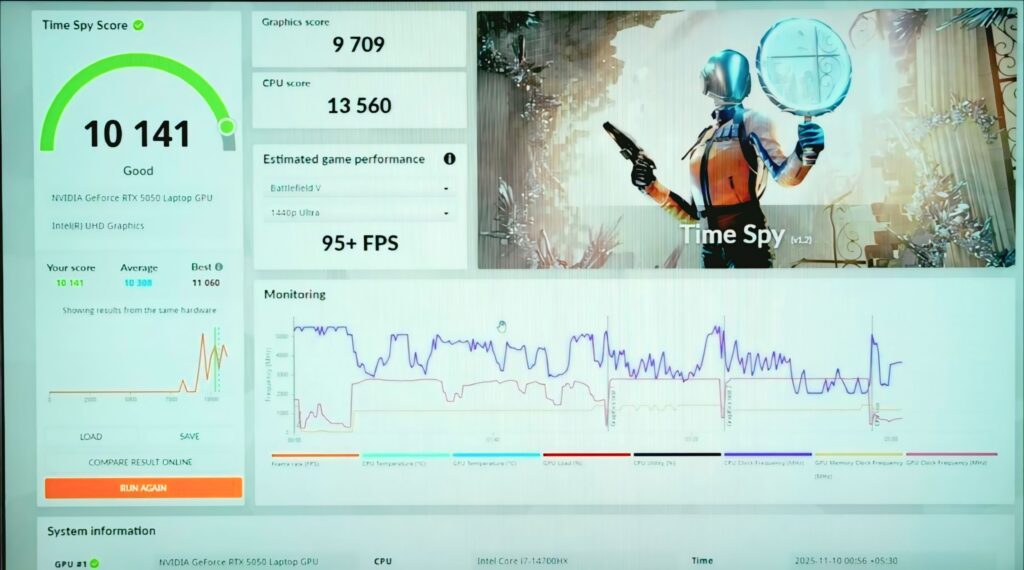
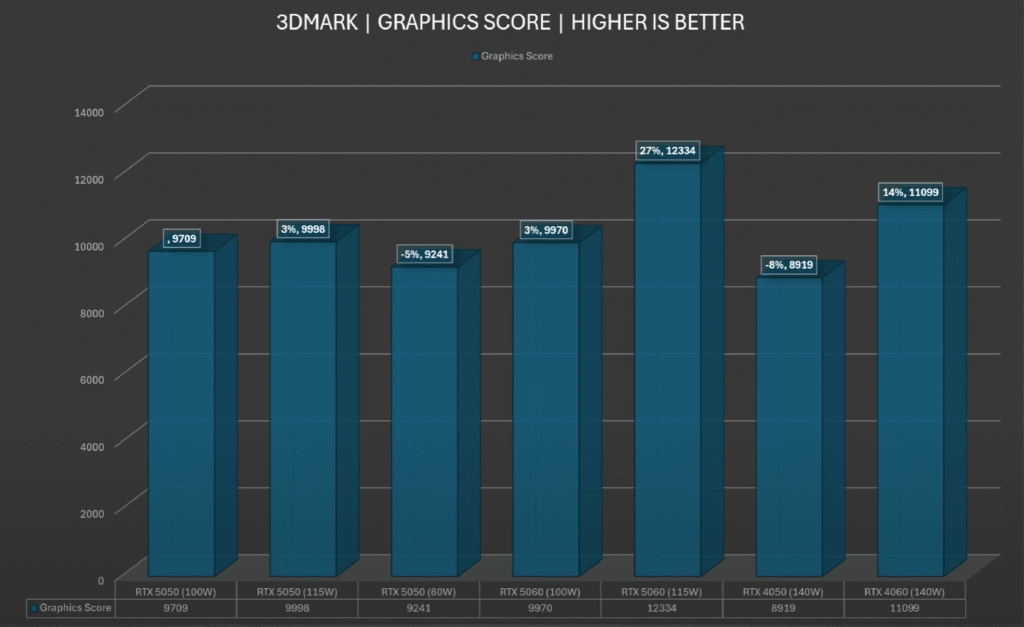
3DMark Time Spy and Geekbench 6 OpenCL place the RTX 5050 roughly around RTX 4060-level performance. This includes support for NVIDIA’s latest 50-series features like Multi-Frame Generation.
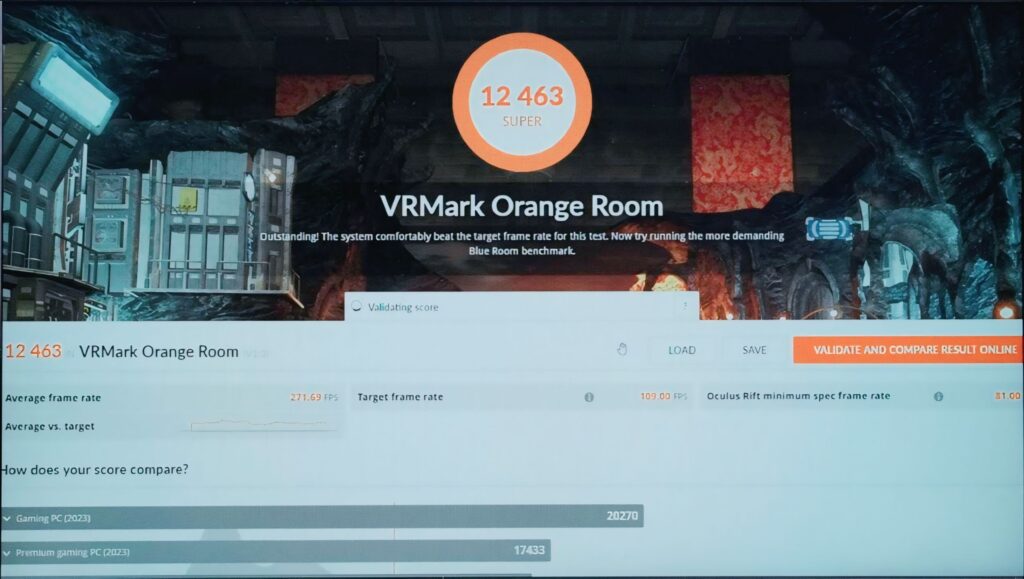
VR Capability
The laptop scores 12,400 in VRMark, which means it can run VR games comfortably.
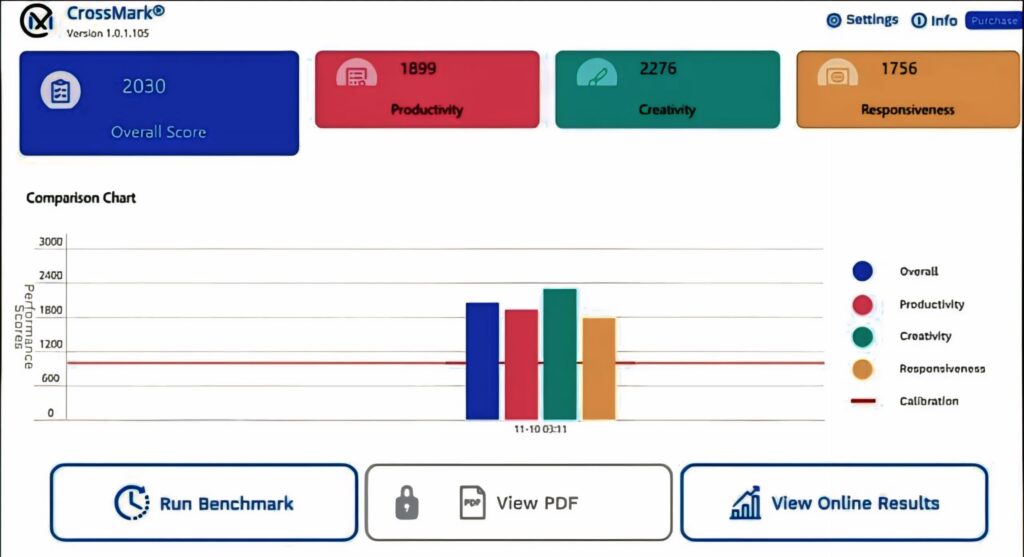
Productivity Benchmarks
CrossMark numbers show strong general productivity performance.
PCMark didn’t run due to known compatibility issues on this series, which affects several other laptops too.
Thermal Performance
| CPU Stress Test (1 Hour, 100% Load) | |
|---|---|
| CPU Metrics | |
| Peak Temperature | 92°C |
| Peak CPU Power | 157W |
| Average Power | 80W |
| Sustained Clocks | 5.4 GHz (P-cores), 2.4 GHz (E-cores) |
| GPU Stress Test (Full Load) | |
| GPU Metrics | |
| Peak Temperature | 82°C |
| Average GPU Power | 98W |
The system remained stable throughout the entire stress test with no throttling or crashes.
Lenovo LOQ Game test
Here’s a clean and short US-audience friendly version of your gaming performance section, with clear subheadings and natural flow.
Gaming Performance Overview
The RTX 5050 delivers strong 1080p performance. Most esports titles run at very high frame rates, and AAA games stay smooth with DLSS or Frame Generation.
Esports Titles
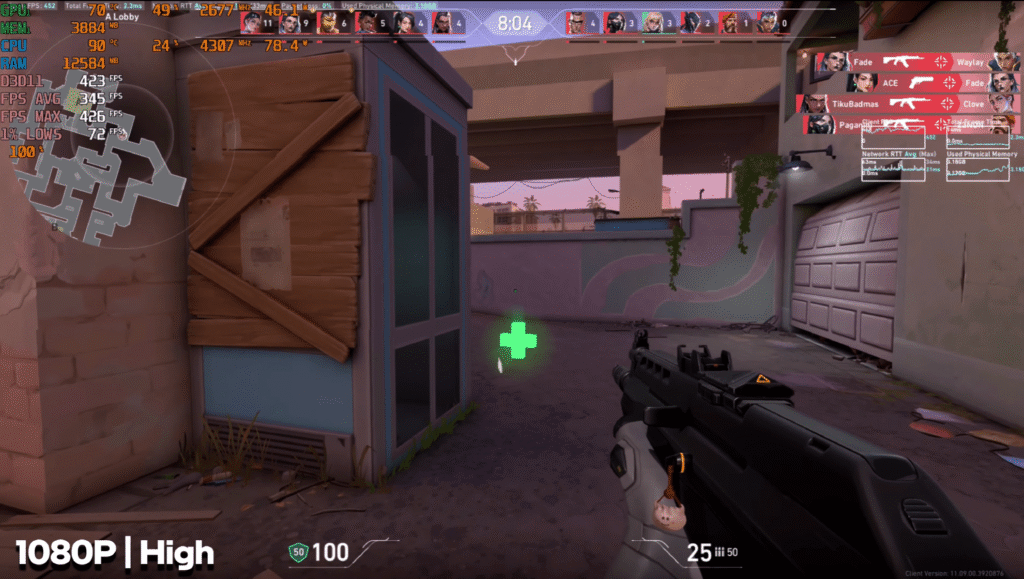
Valorant (1080p, High): 350–400 FPS. Perfectly smooth, especially with the 144 Hz display.
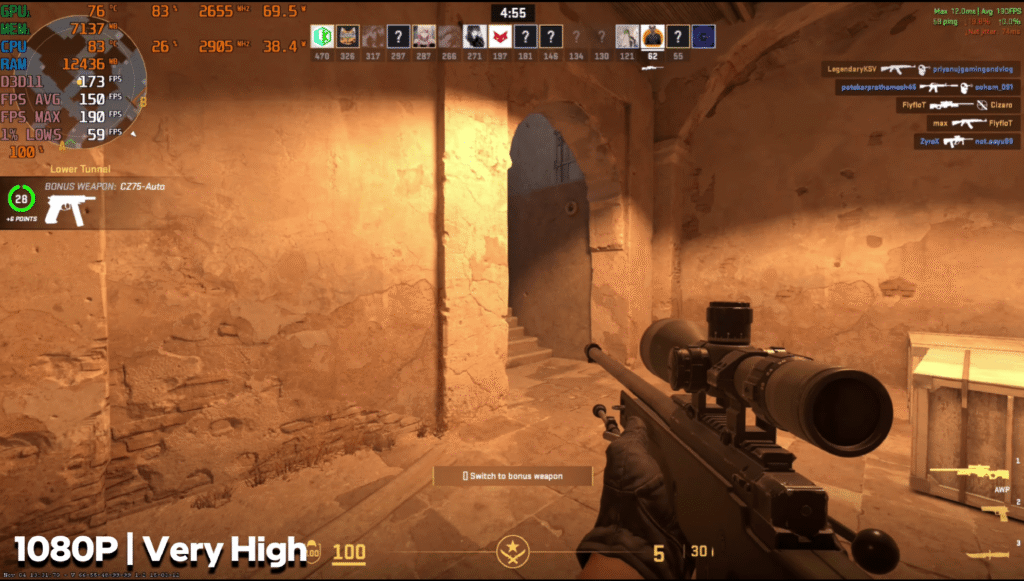
CS2 (1080p, Very High): Around 150 FPS with no stability issues.
Action & Open-World Games
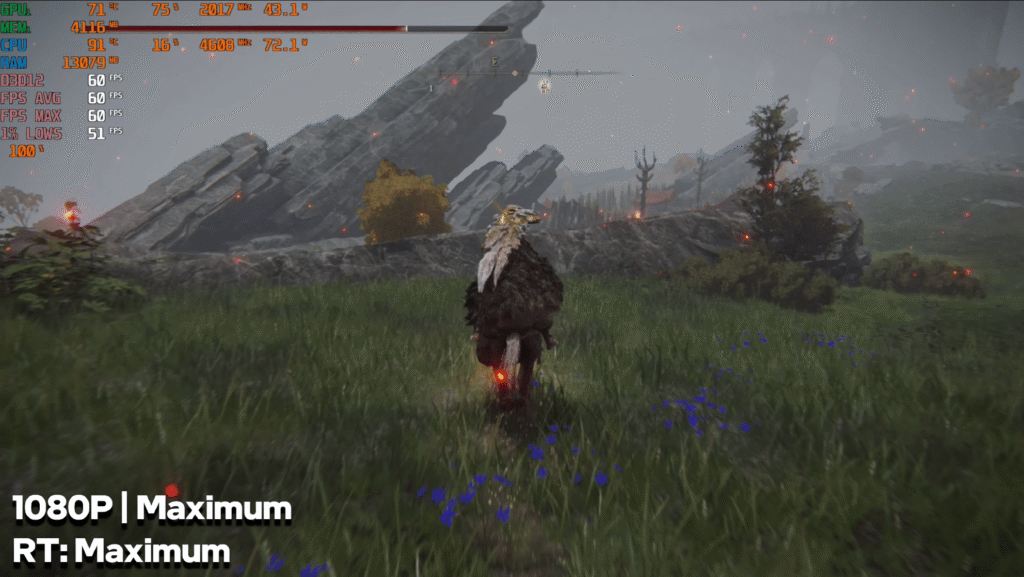
Elden Ring (1080p, Max + Ray Tracing): Locked 60 FPS. Minor dips in 1% lows but overall stable.
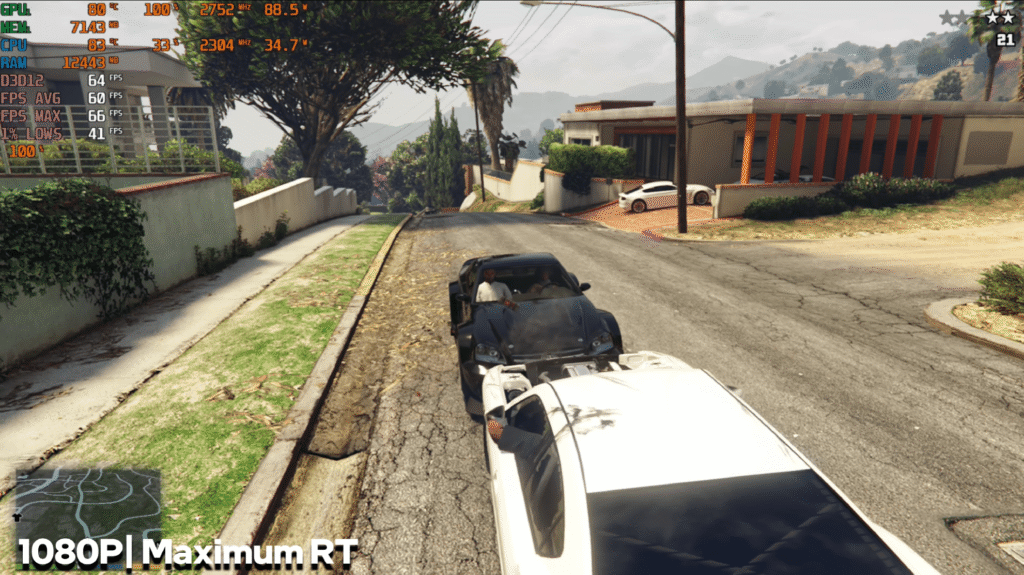
GTA V Enhanced (1080p, Max RT): Around 60 FPS on average.
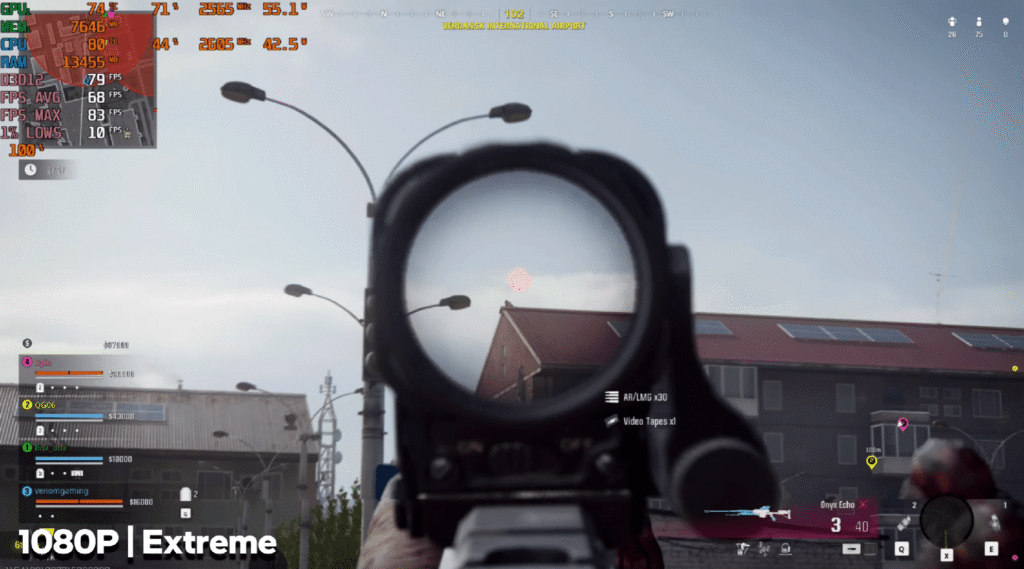
COD: Reborn (1080p, Extreme): 65–70 FPS. Lowering settings gives higher FPS for competitive play.
Demanding Story Games
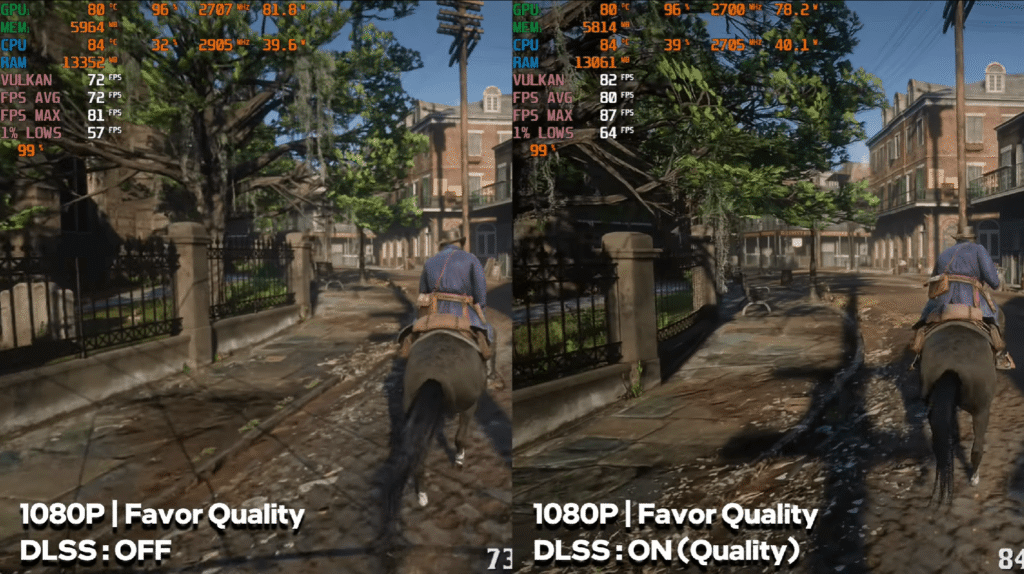
RDR2 (1080p, Max): 75–80 FPS with DLSS Quality.
Cyberpunk 2077 (1080p, Ultra, DLSS Off): 70–75 FPS.
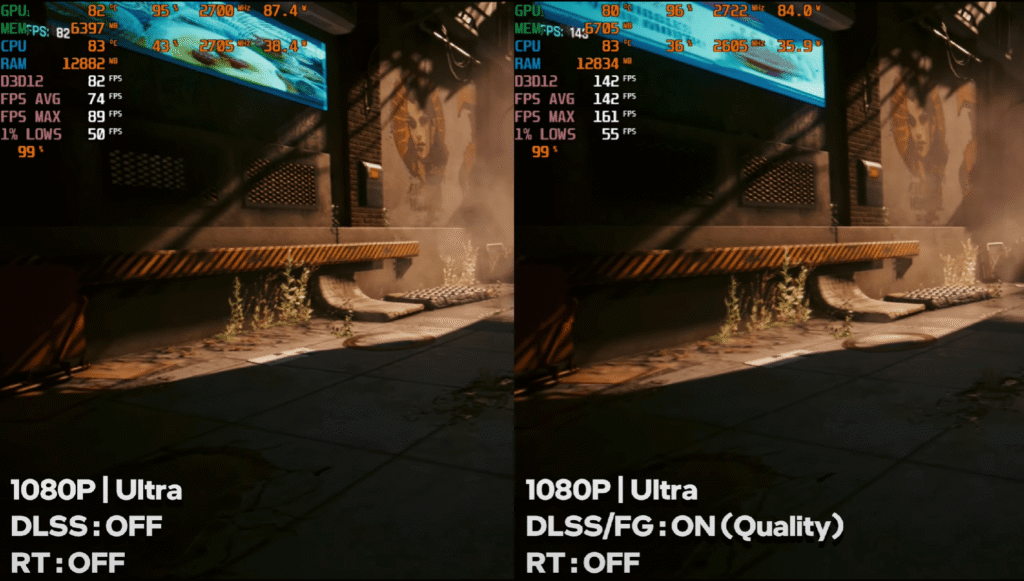
With Frame Generation, FPS jumps to around 130–140 FPS.
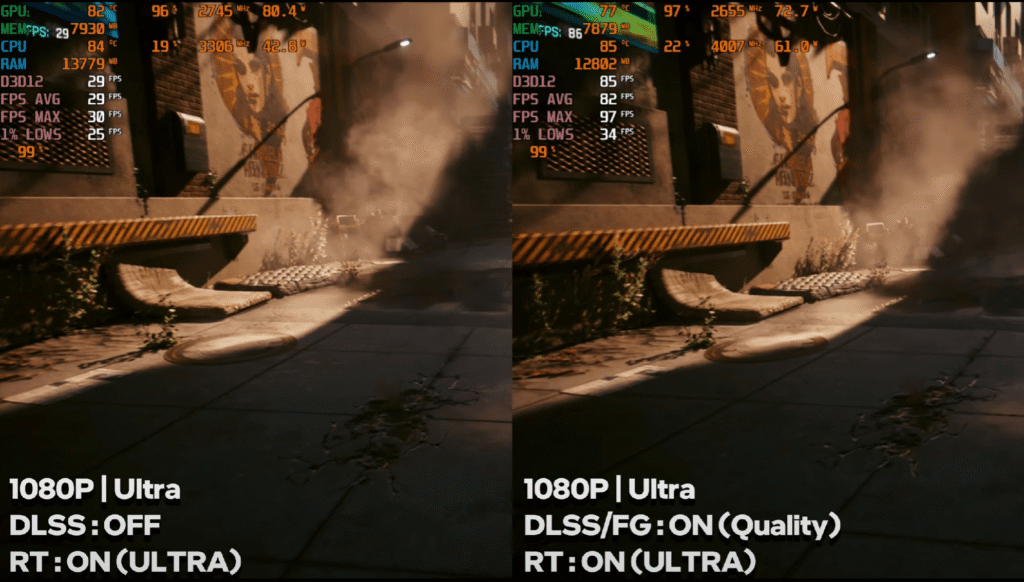
With Ultra Ray Tracing: Raw FPS drops to 25–30, but FG brings it up to 80–85 FPS.
Hogwarts Legacy
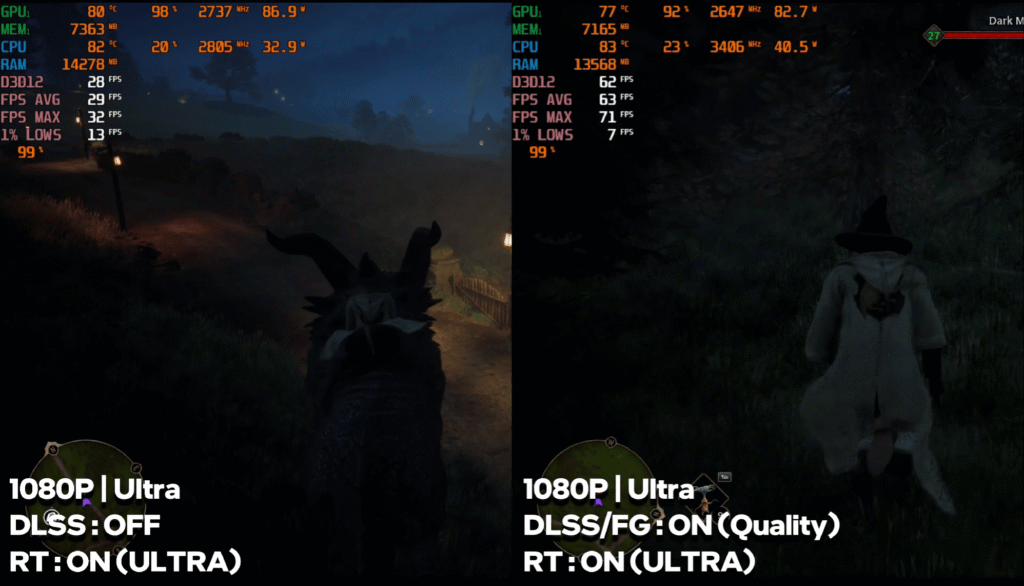
1080p, Ultra + RT: Raw performance is around 25–30 FPS, but reaches 65 FPS with Frame Generation.
Assassin’s Creed Shadows
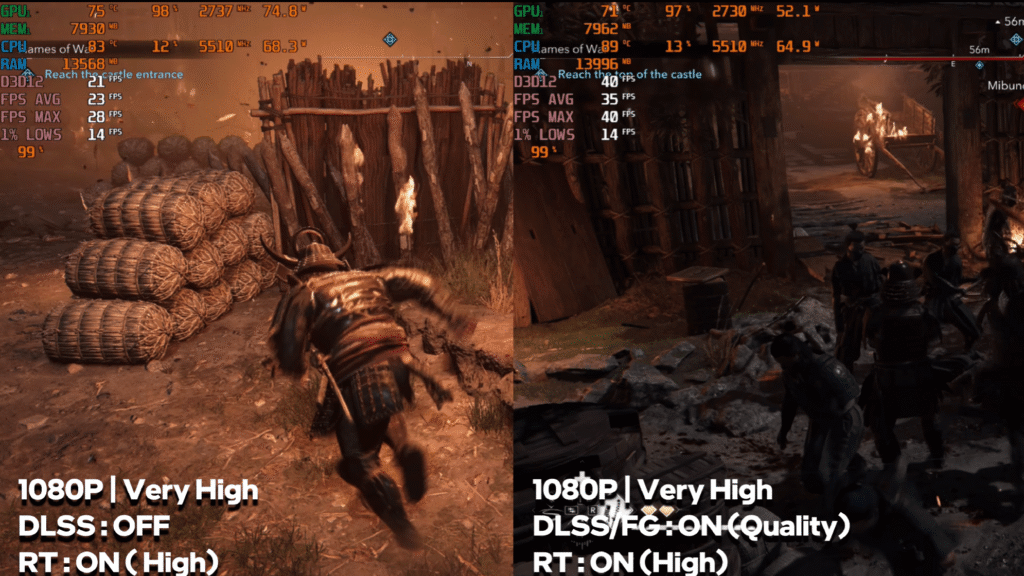
1080p, Very High: 25–30 FPS raw.
With DLSS + tuning, it becomes 50–60 FPS and fully playable.
The Last of Us Part II
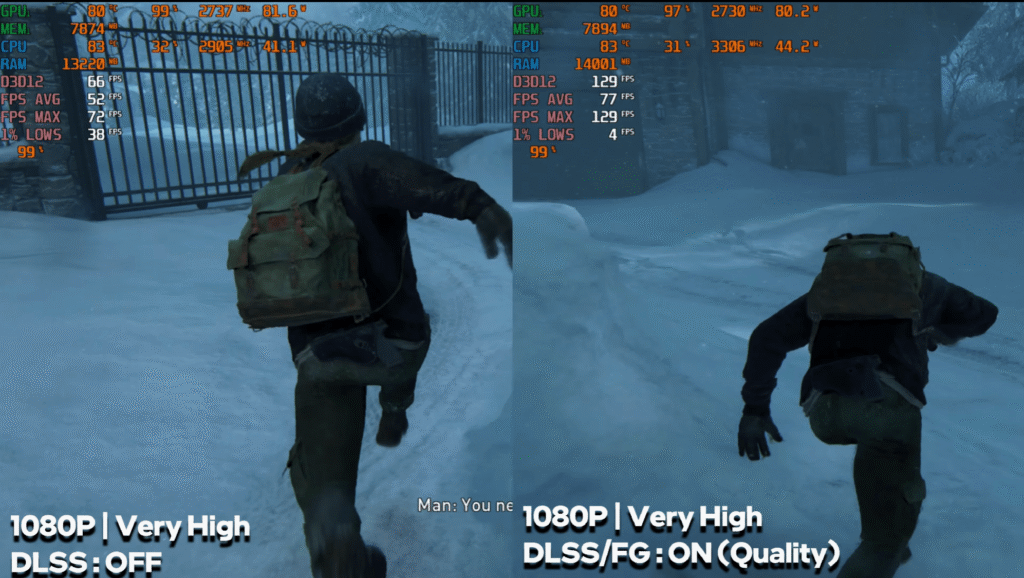
1080p, Very High: Around 50 FPS raw.
With Frame Generation, performance doubles to ~100 FPS.
Ghost of T-sushima
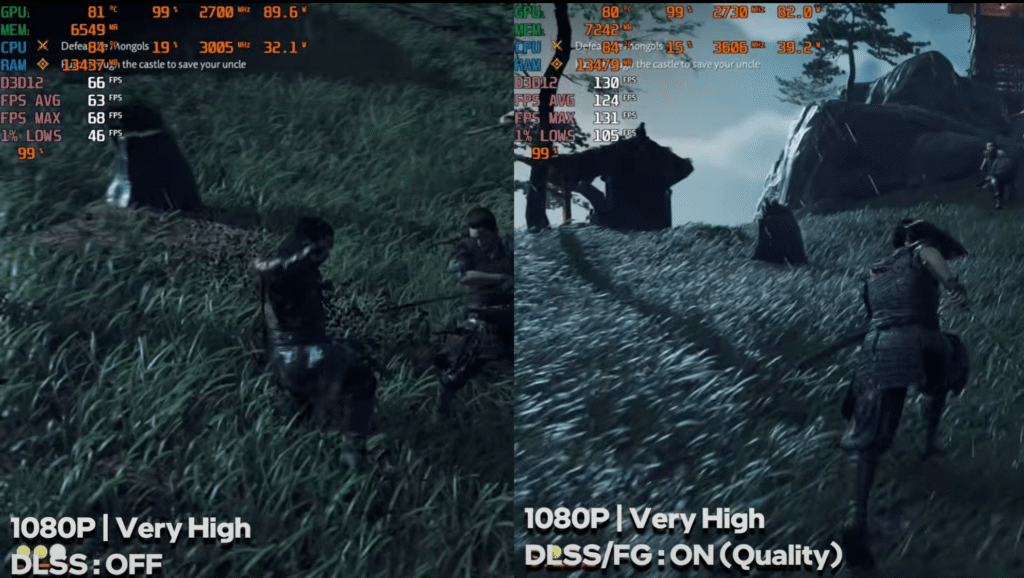
1080p, Very High: 65–70 FPS without DLSS.
With Frame Generation, 130+ FPS.
Horizon Forbidden West
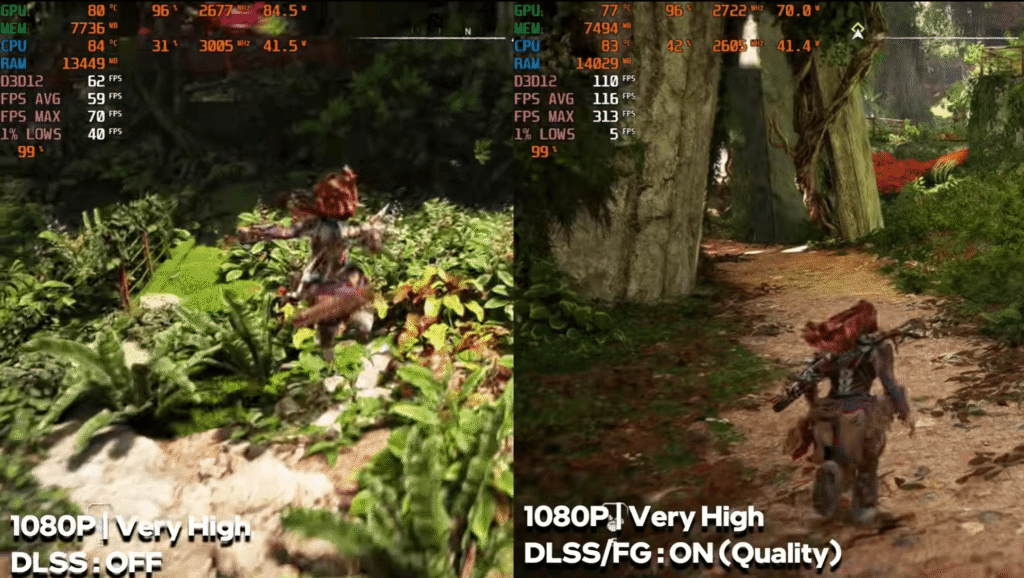
1080p, Very High: A stable 60–65 FPS.
Frame Generation pushes it to around 110–120 FPS.
Spider-Man 2
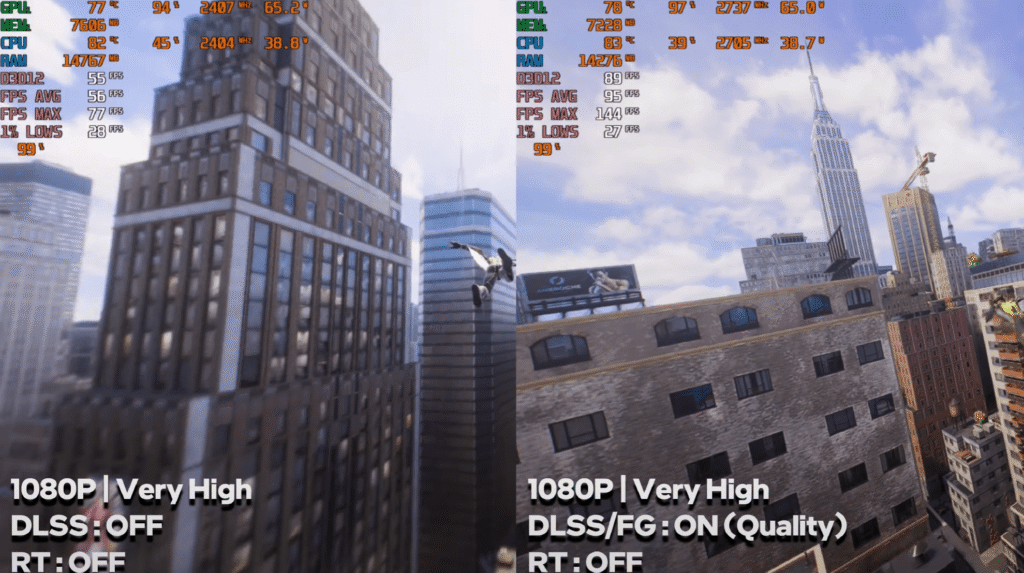
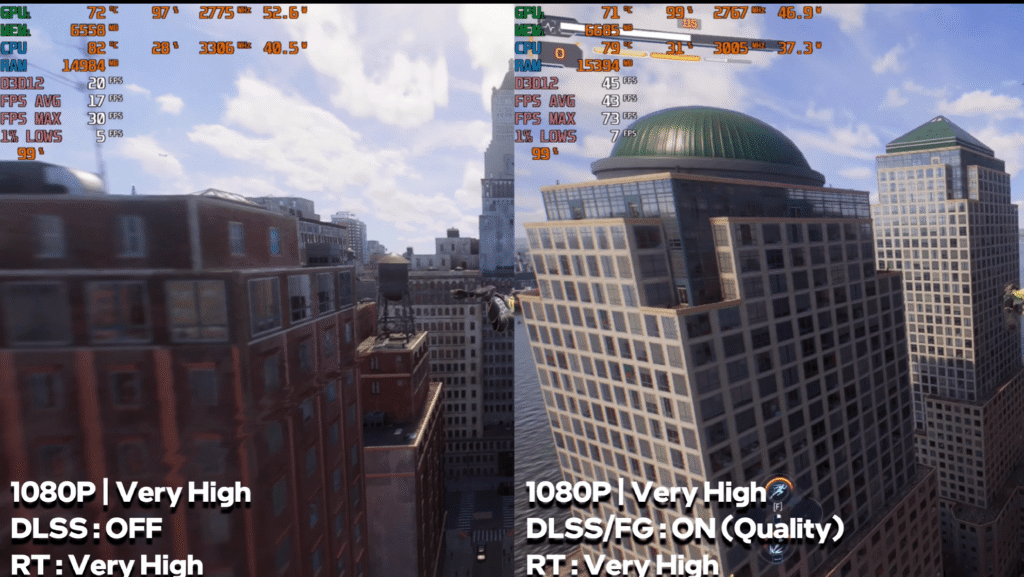
1080p, High: 55–60 FPS raw.
With Frame Generation: 85–90 FPS.
At Very High + Ray Tracing, FPS becomes unstable (30–40 FPS), even with FG.
Hellblade II
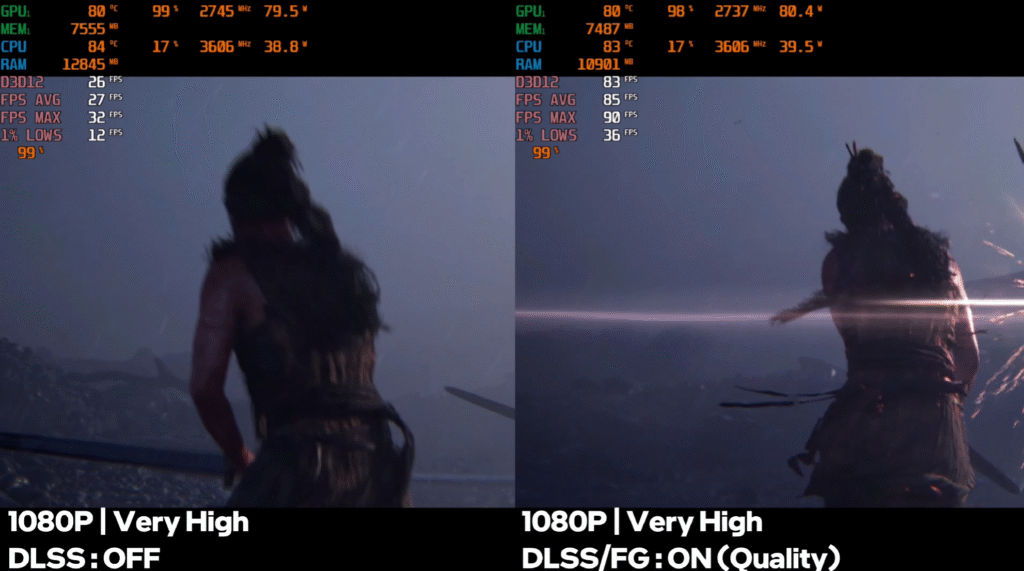
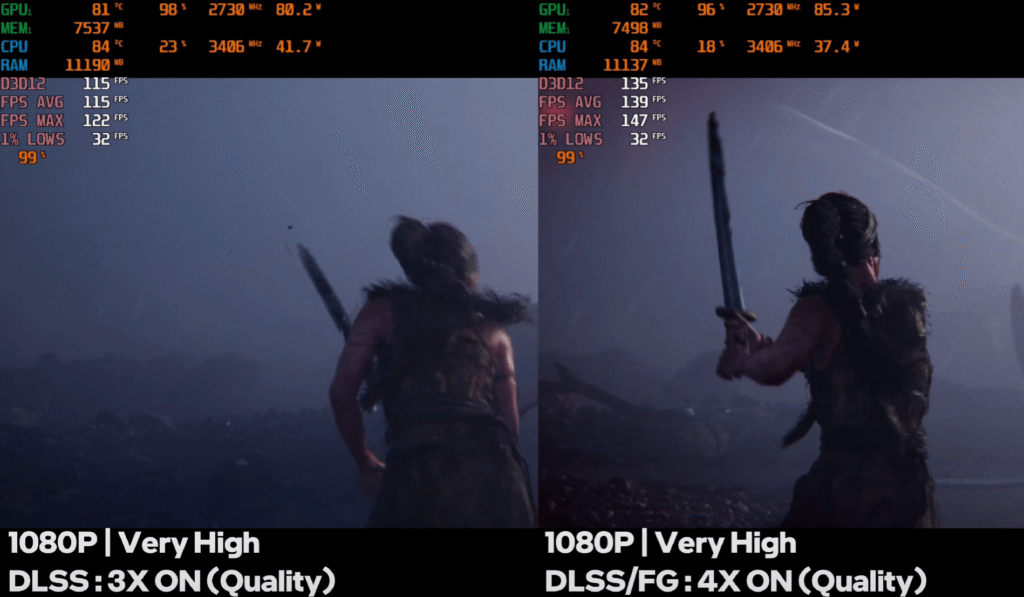
1080p, Very High: Playable raw performance.
With Frame Generation: around 80 FPS.
Black Myth: Wukong
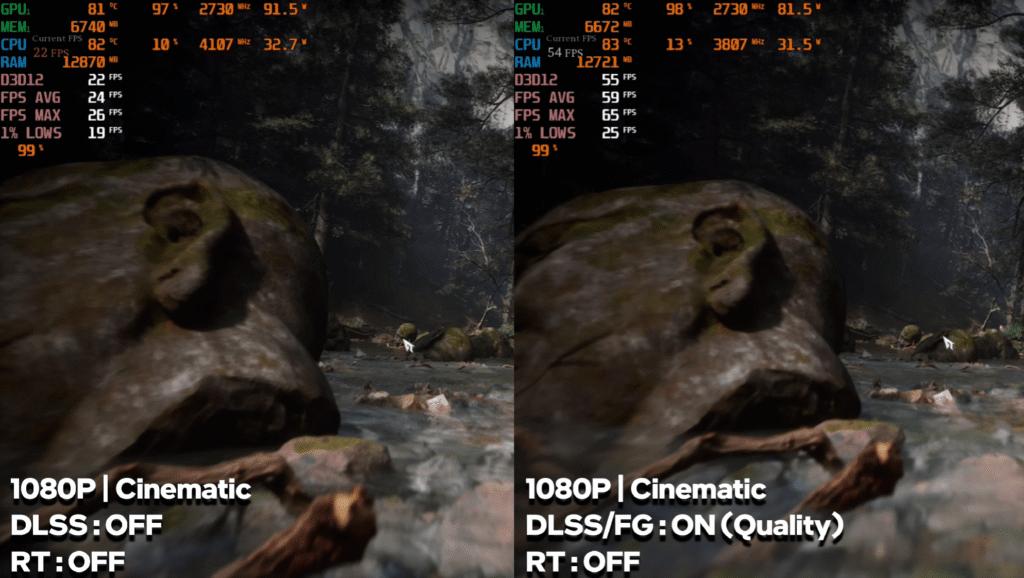
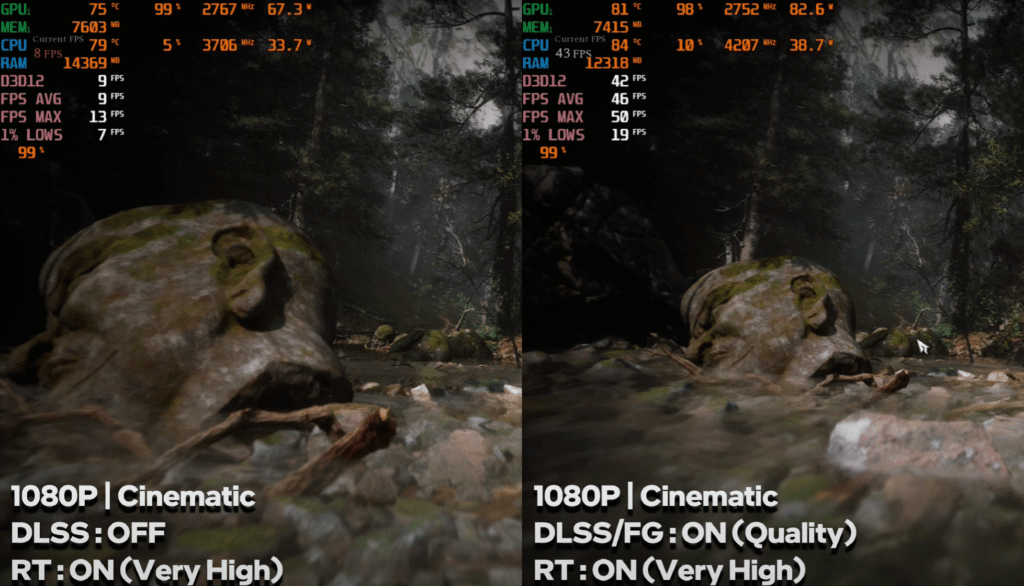
1080p, Cinematic settings: 20 FPS raw.
With FG: 45–50 FPS.
At Very High + RT, raw FPS is low, but FG delivers around 40 FPS.
Alan Wake 2
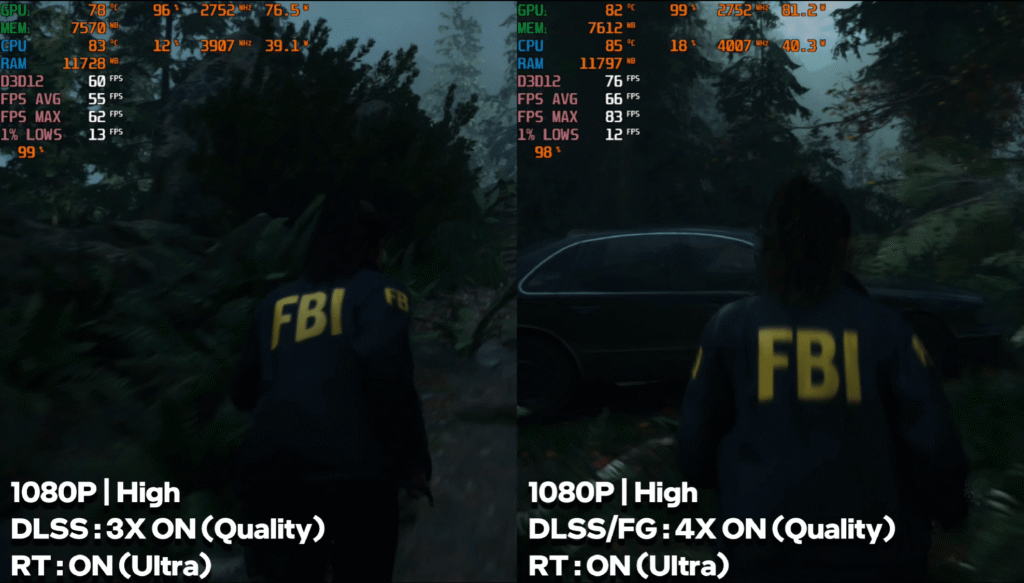
1080p, High: Strong performance with FG enabled.
Ray Tracing tanks raw FPS, but FG keeps it in the 35–40 FPS range.
Multi-Frame Generation (exclusive to 50-series) boosts FPS further, though it adds input lag.
Temperature During Gameplay
After long gaming sessions:
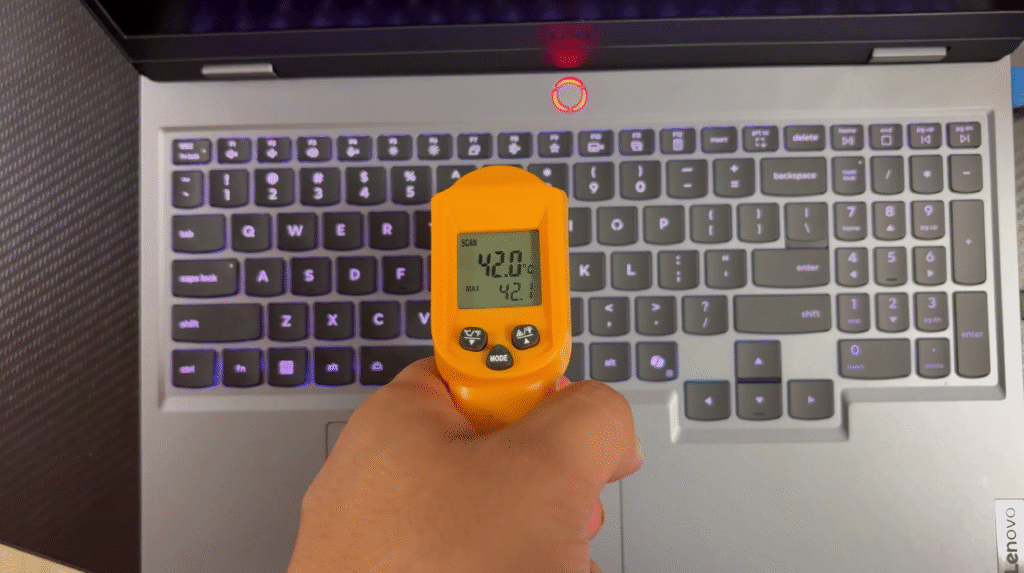
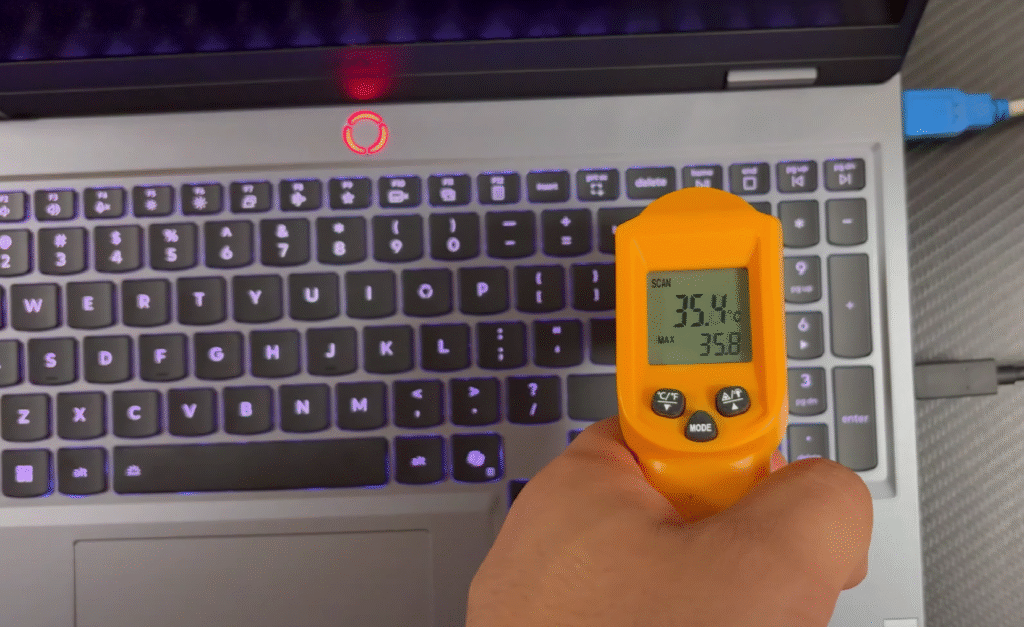
- Center of keyboard: 40–42°C
- WASD area: 35–37°C
- Palm rest: ~31°C
The laptop doesn’t feel uncomfortably hot during gaming, except near the central heat zone.
At 1080p, the RTX 5050 performs extremely well. For esports, you can push very high FPS. For AAA games, DLSS and Frame Generation make modern titles smooth and playable.
You can switch to QHD if the FPS headroom is high, but 1080p remains the ideal resolution for this GPU.
Lenovo LOQ Software Experience
A quick look at the built-in tools that help you customize performance and gaming.
The laptop comes with Lenovo’s Legion Space software. It gives you easy access to different performance modes, system tuning options and a clean, gaming-focused interface. Your entire game library stays in one place, and there’s a separate gaming zone that shows new titles and recommendations.
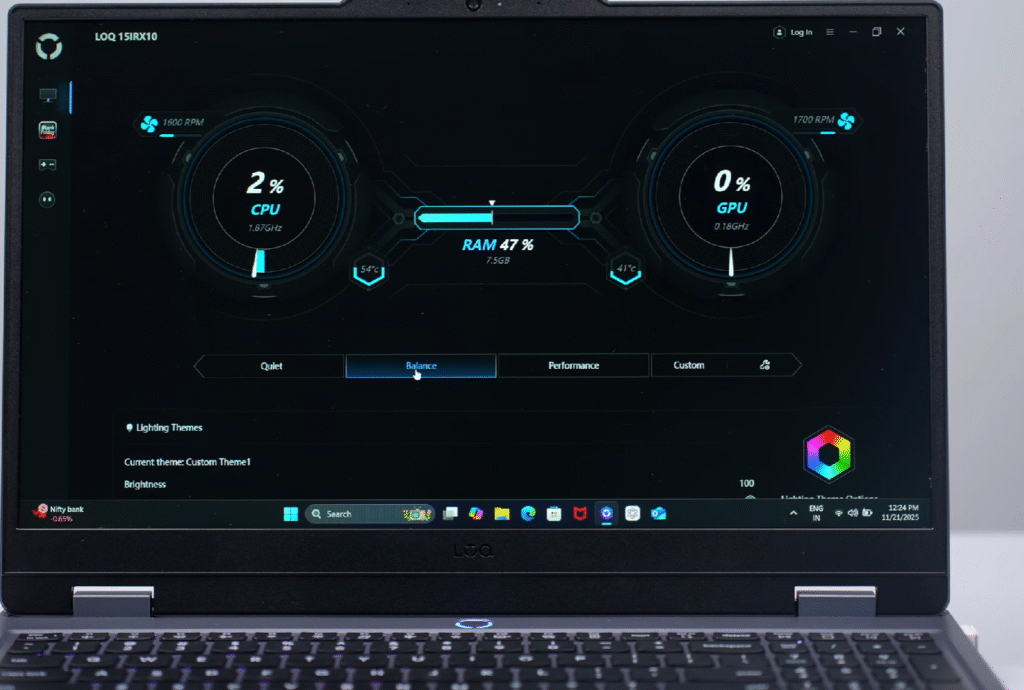
You also get the MUX switch inside the software, so you can change between hybrid and dedicated GPU modes whenever you want. RGB customization for the keyboard is available as well, which lets you tweak lighting to match your setup.
Here’s a clean, short, US-audience version with a proper subheading:
Lenovo LOQ Webcam Test & Battery
Quick look at video quality and what you can expect during calls.
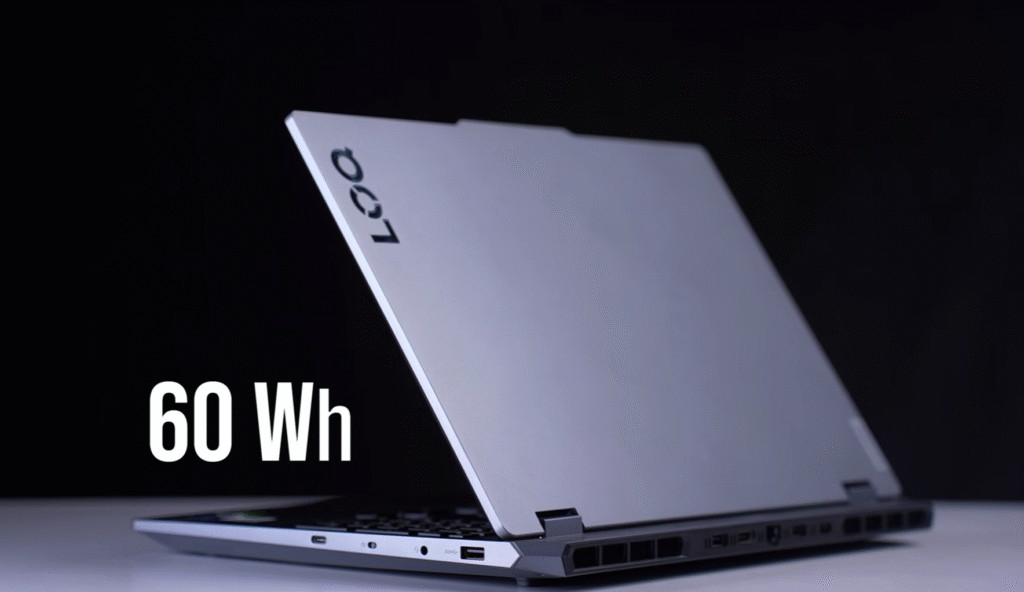
The laptop uses its built-in mic and a 1440p 30 fps webcam. The frame rate stays stable without noticeable jitter, and the exposure control handles lighting well. Most gaming laptops in this price range still ship with 1080p webcams, so getting a 1440p unit here is a nice upgrade. The only weak point is the 60 Wh battery. For a 2025 gaming laptop, an 80 or 90 Wh pack would’ve been better.
Lenovo LOQ Conclusion
This Lenovo LC delivers solid value for its price. Other than the 60 Wh battery, there’s nothing here that feels like a real drawback. If you want detailed battery results, check the LOQ 5060 review, where I covered that separately.
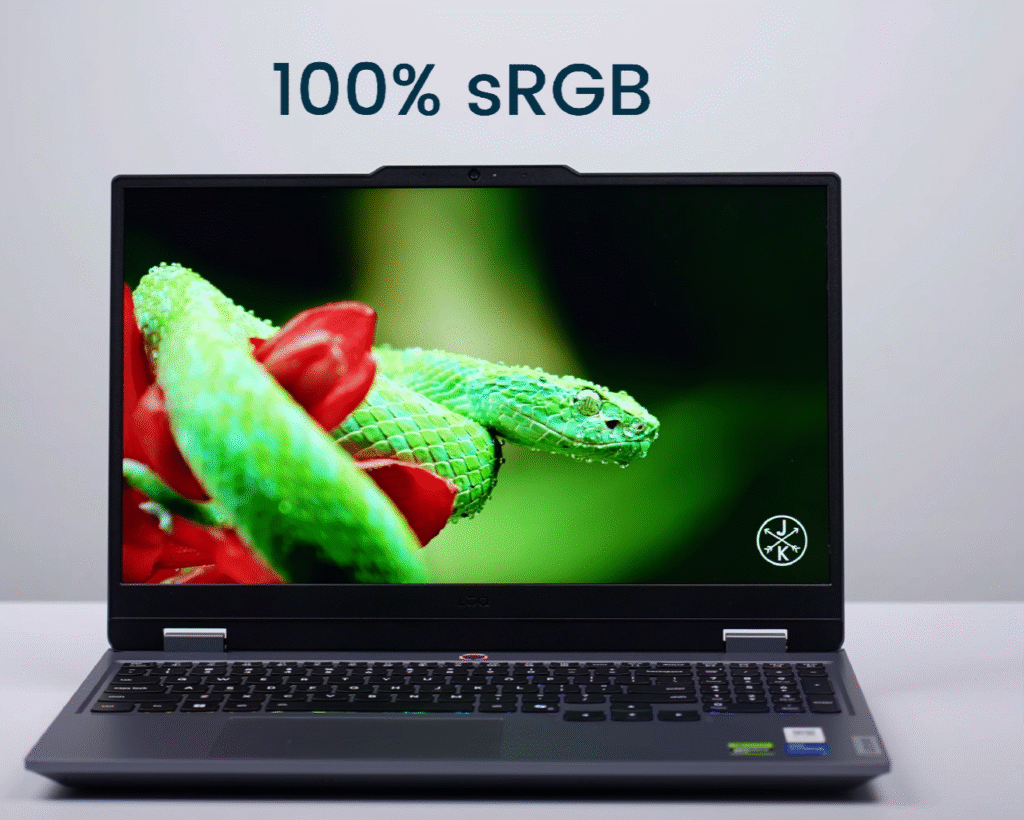
The RTX 5050 lineup starts around $1,165 for the i5 variant, and you can go up to about $1,465 for the more powerful i7 13th or 14th Gen HX models. You also get a 100% sRGB display, two SSD slots and flexible memory options. The 16 GB model ships in single-channel, so you still have an open slot. The 32 GB model comes in dual-channel out of the box.
If you want this compared with any other laptop, just say the word. I’m already planning more comparison tests, so your ideas help.
Thanks for reading. See you in the next one.

