

The new Asus ROG Zephyrus G14 is a strong contender in the 14-inch category. It runs on AMD’s Ryzen 9 AI HX processor and an RTX 5070 Ti laptop GPU, and despite weighing only about 1.6 kg, it still delivers a full 120-w GPU.
The Zephyrus G14 is priced around $3,250, which puts it in the same range as a configured 14-inch MacBook Pro with the M4 Pro chip. If you’re deciding between the two, it really comes down to whether you prefer the macOS workflow or want a high-performance Windows laptop with stronger GPU options.
Asus ROG Zephyrus G14 Build & Design
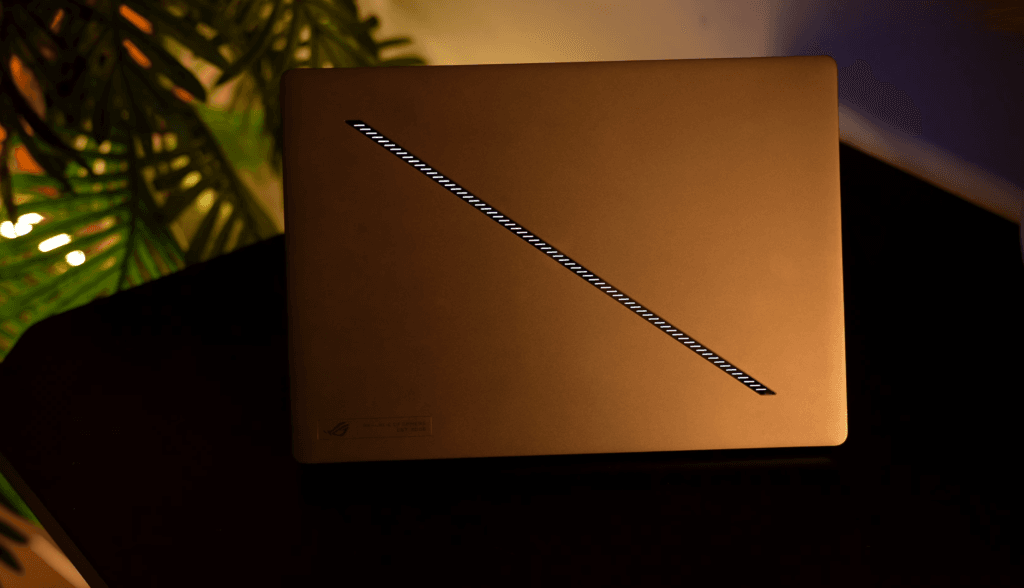
The new Zephyrus G14 makes a strong first impression. The lid stays clean except for a slash-style lighting strip that you can customize with different effects and animations. I still prefer the older dot-matrix display from previous models, but this new approach looks modern.
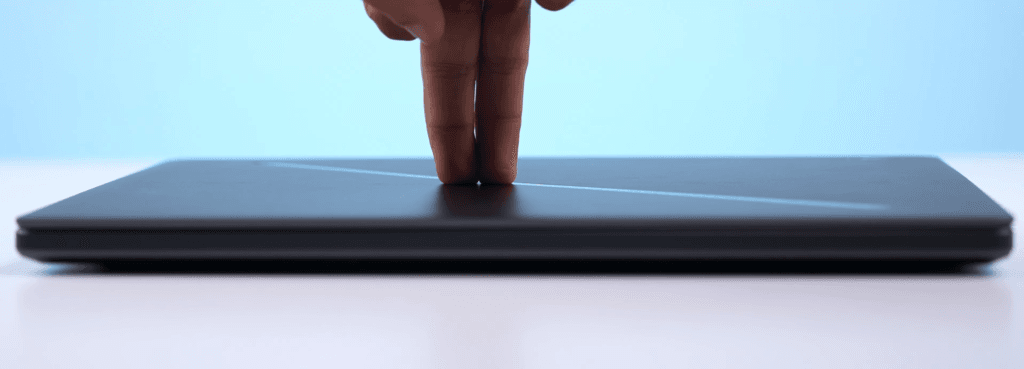
- Thin metal lid that opens easily with one hand
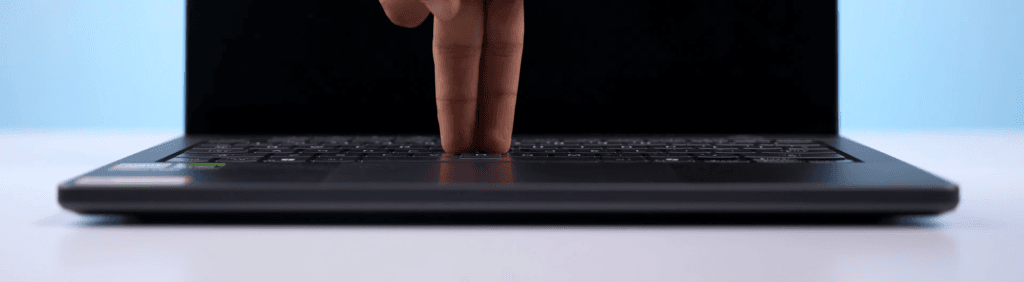
- Almost no flex on the lid or keyboard
- Minimal screen wobble
- Clean lighting strip on top with multiple animation options
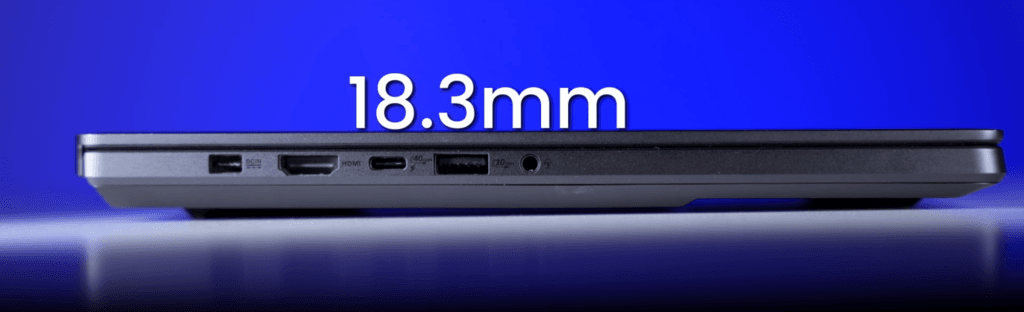
- Slim profile at about 18.3 mm


Weight and portability
- Laptop weight: 1.6 kg
- 14-inch MacBook Pro (M4 Pro) weight: 1.55 kg
- With the 200-watt charger included: 2.1 to 2.2 kg total
- Comparable to many thin-and-light 16-inch Windows laptops
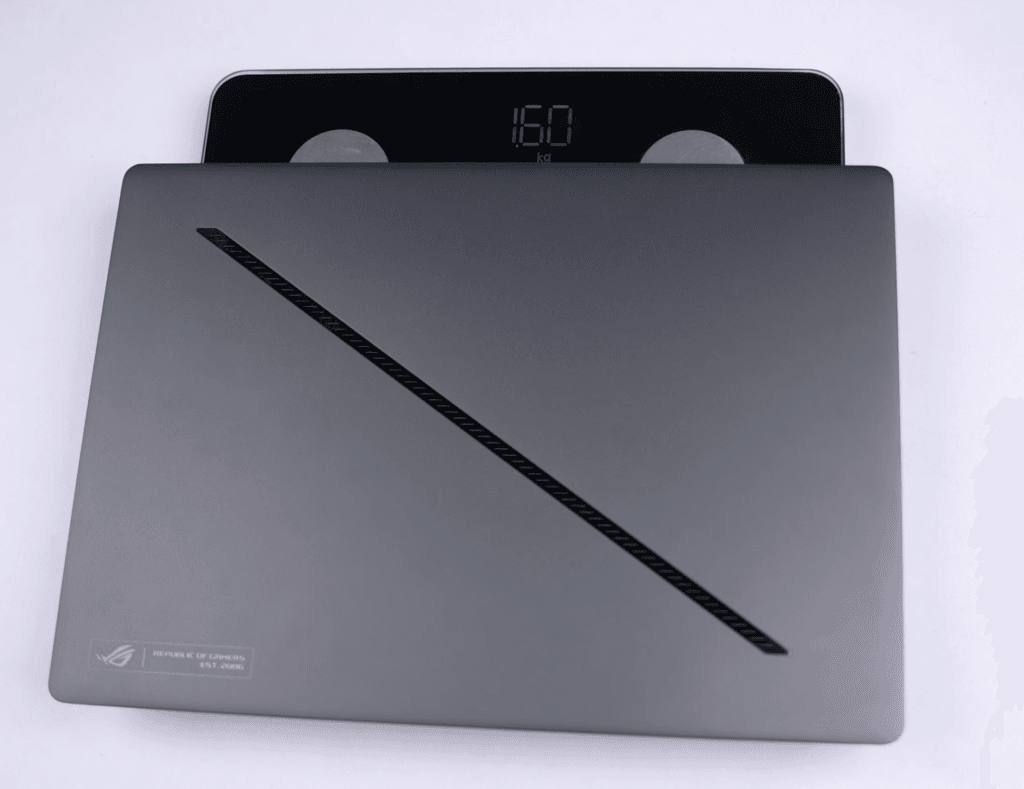
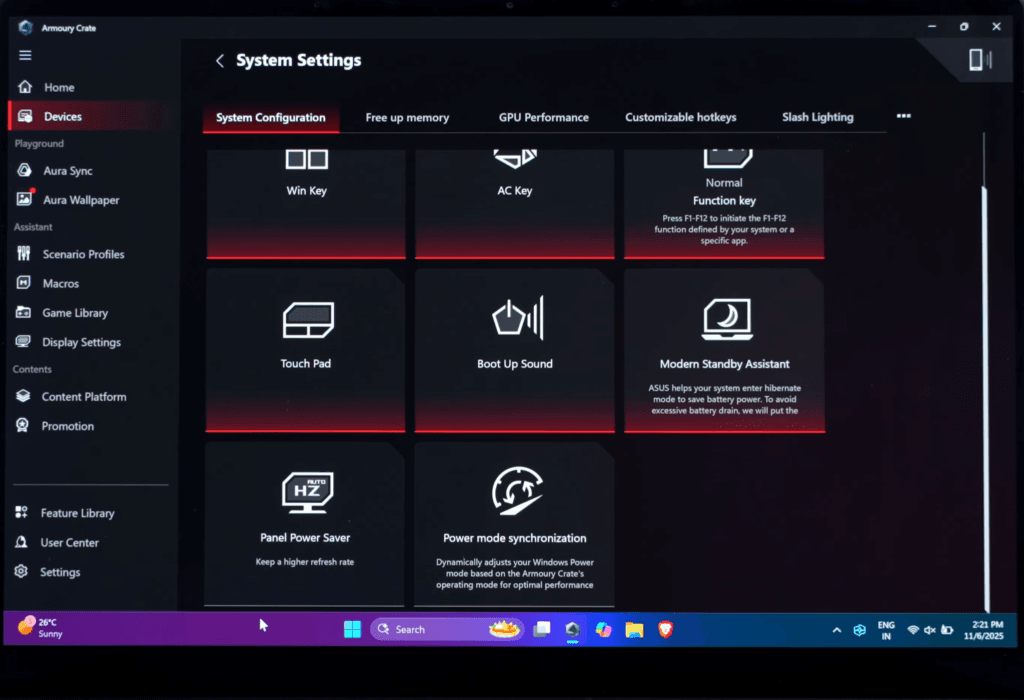
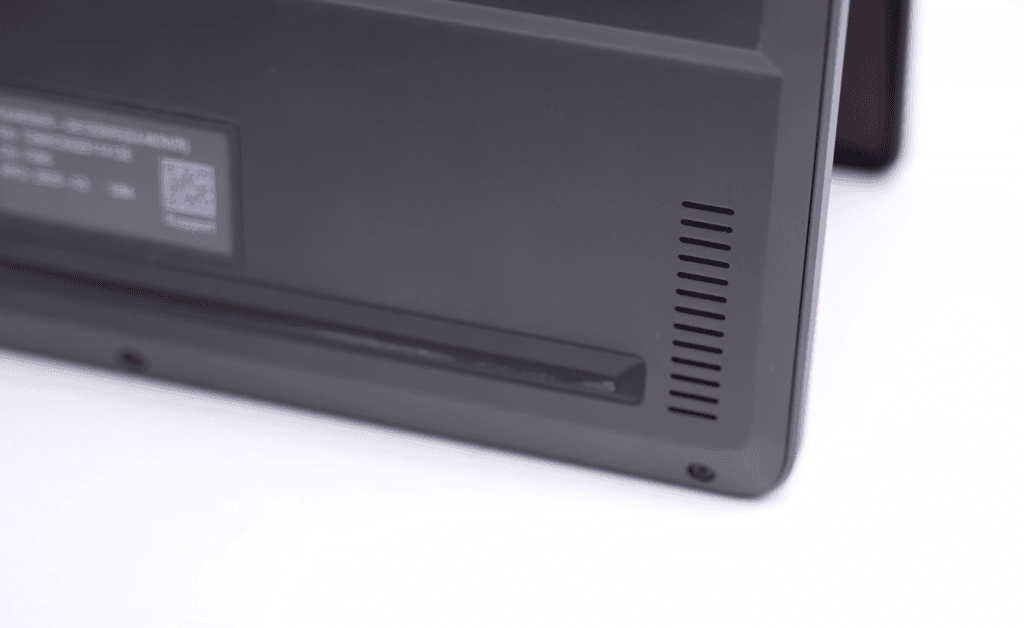
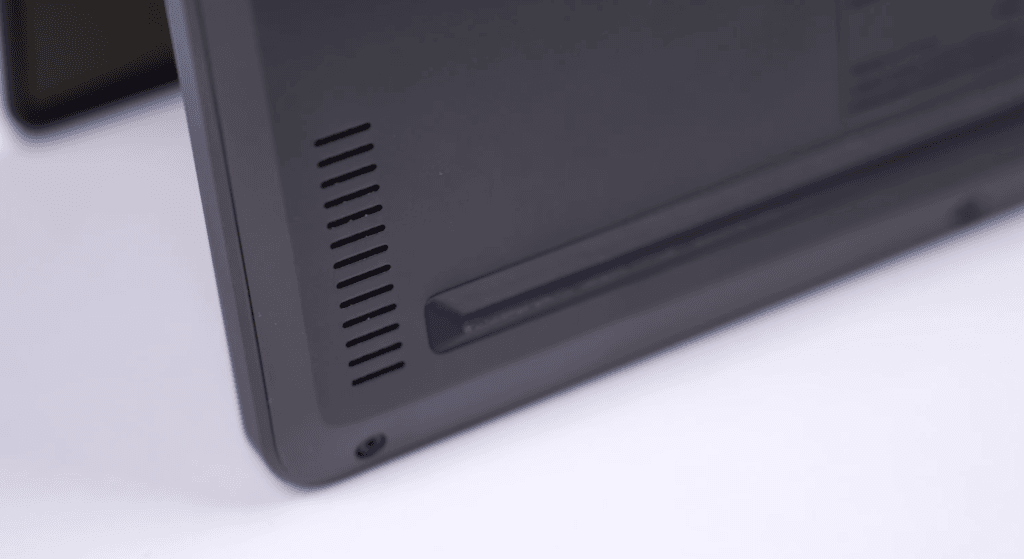
Gamers will appreciate that it still features a dedicated RTX 5070 Ti GPU, despite its. Cooling is handled through intake vents located at the bottom and exhaust vents positioned under the hinge, with ports distributed across both sides.
Overall, it’s a compact 14-inch laptop that manages strong performance without adding much weight to your bag.
Asus ROG Zephyrus G14 Specification
| Processor | AMD Ryzen AI 9 HX 370 • 12 cores • XDNA 2 NPU |
|---|---|
| Graphics | NVIDIA GeForce RTX 5070 Ti Laptop GPU (up to 115W) |
| Memory | 32 GB LPDDR5X 7500 MHz |
| Storage | 2 TB PCIe 4.0 NVMe SSD |
| Display | 14″ OLED • 2880×1800 • 120 Hz • 600 nits • 100% DCI-P3 |
| Webcam | 1080p IR Webcam • Windows Hello support |
| Audio | 6-speaker setup • Dolby Atmos • Quad woofers |
| Battery | 73 Wh • 200W fast charging • 50% in 20 minutes |
| Connectivity | Wi-Fi 6E • Bluetooth 5.3 |
| Ports |
2× USB-C (USB4 + DP + PD) 2× USB-A 3.2 Gen 2 HDMI 2.1 MicroSD UHS-II 3.5mm audio jack |
| Keyboard / Lighting | Backlit keyboard • Per-key RGB • AniMe Matrix* |
| Build & Weight | Aluminum build • 1.6 kg • 15.9 mm thin |
| Operating System | Windows 11 Home |
The Zephyrus G14 brings together efficient performance and real power in a compact 14-inch frame. AMD’s Ryzen AI 9 HX 370 handles everyday work without breaking a sweat, and the RTX 5070 Ti laptop GPU adds enough headroom for gaming, video editing, and 3D workloads
.
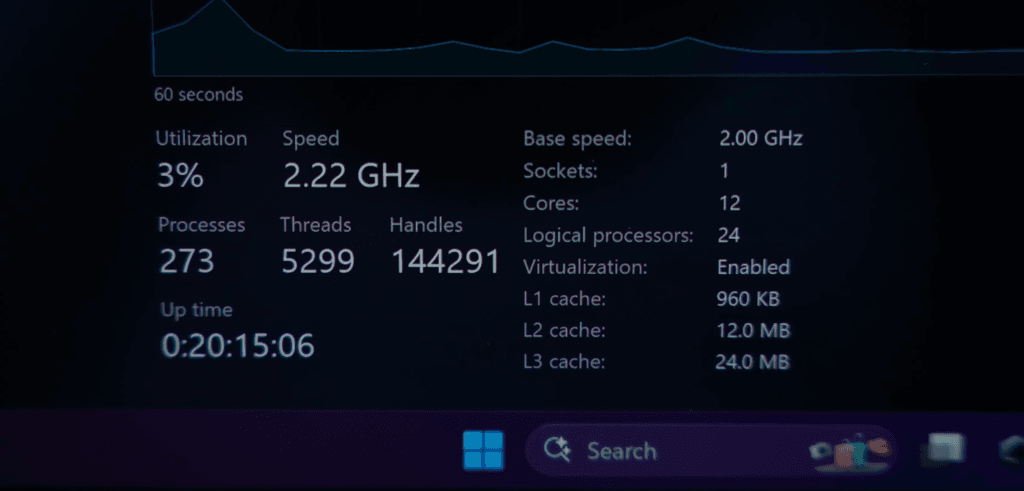
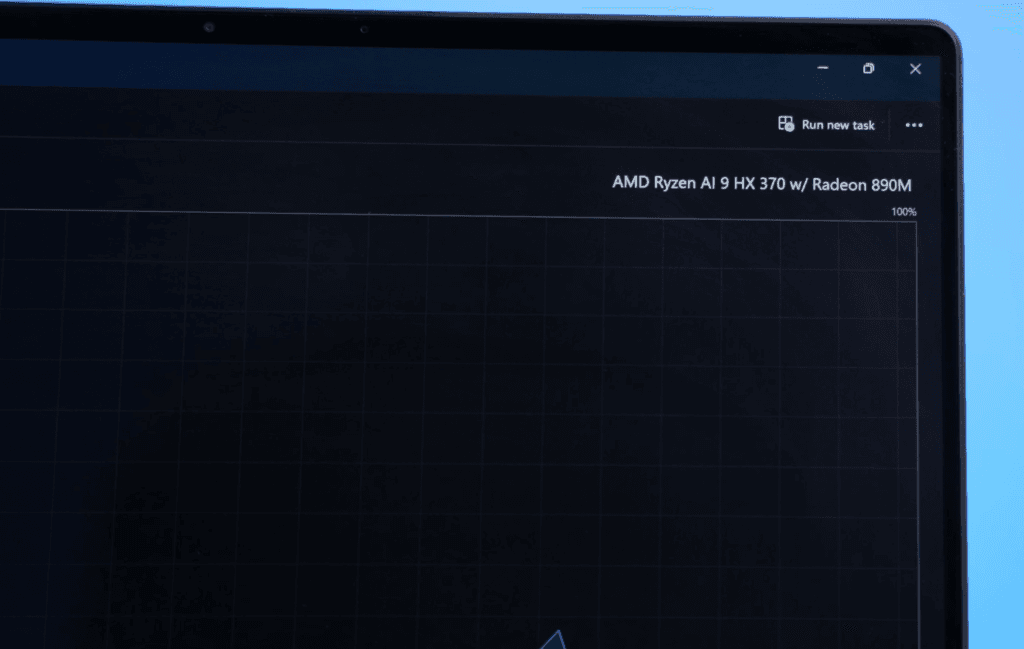
The 50-TOPS NPU also makes a noticeable difference when running on-device AI tasks, especially if you care about battery efficiency.
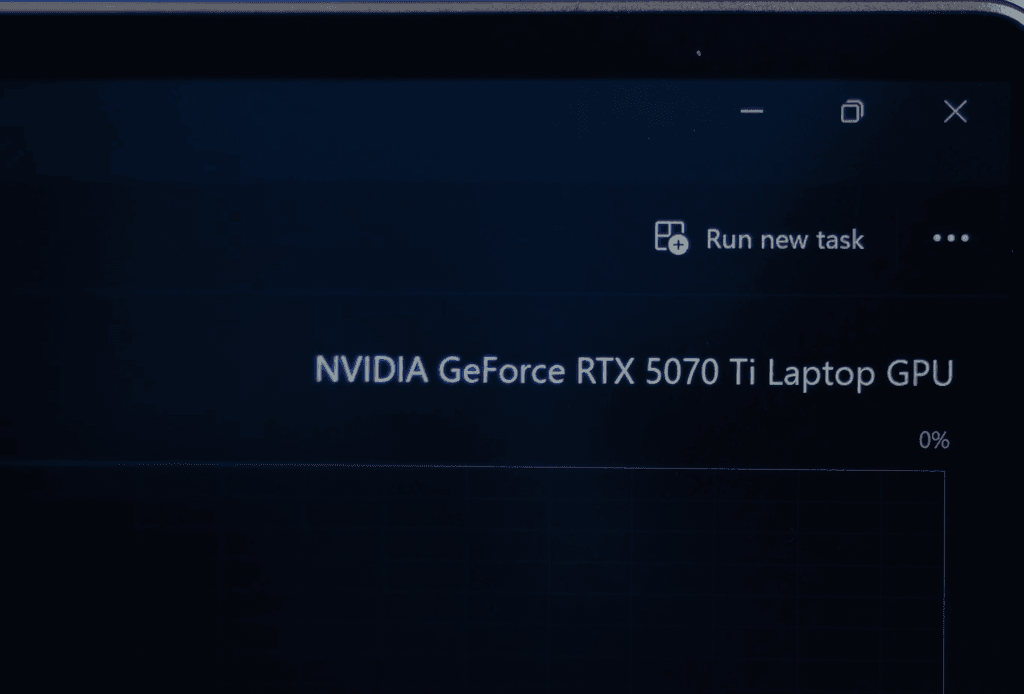
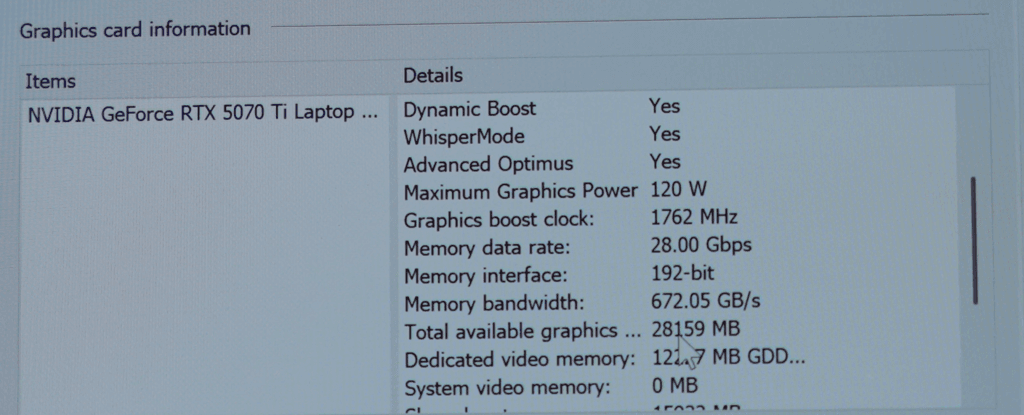
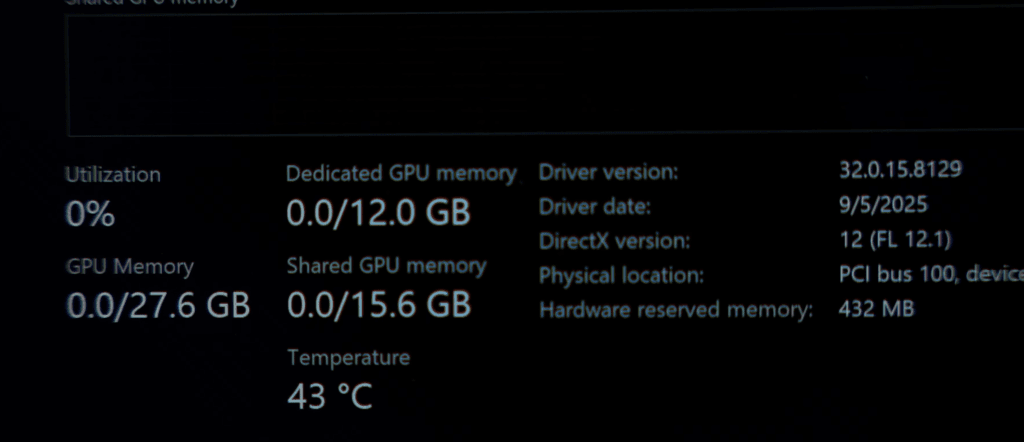
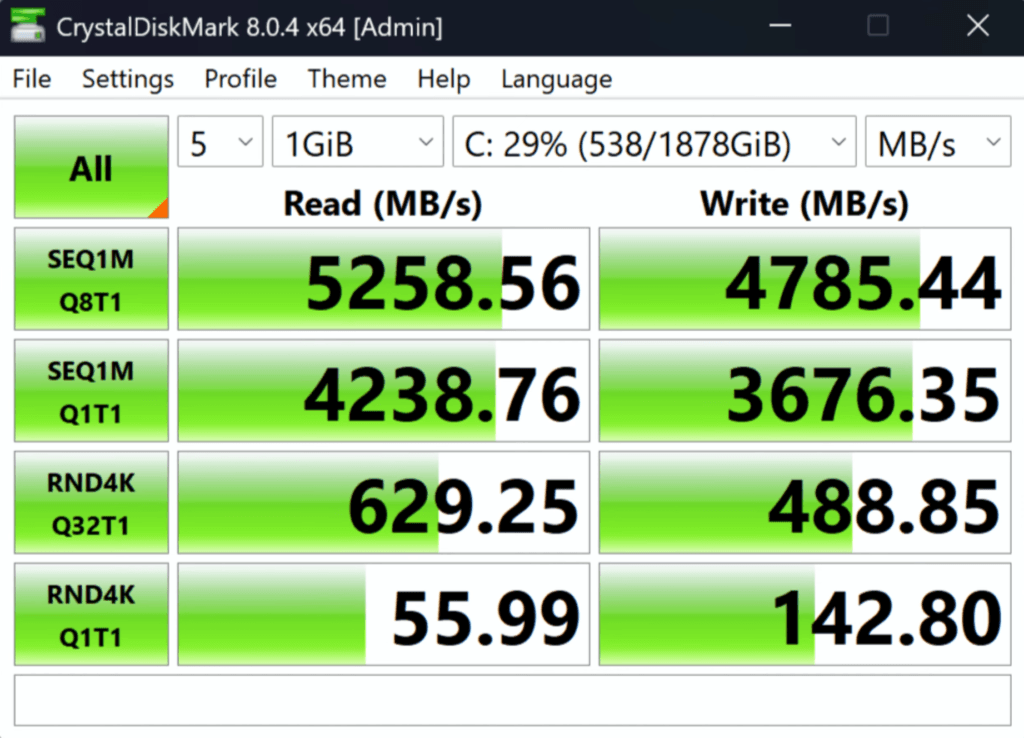
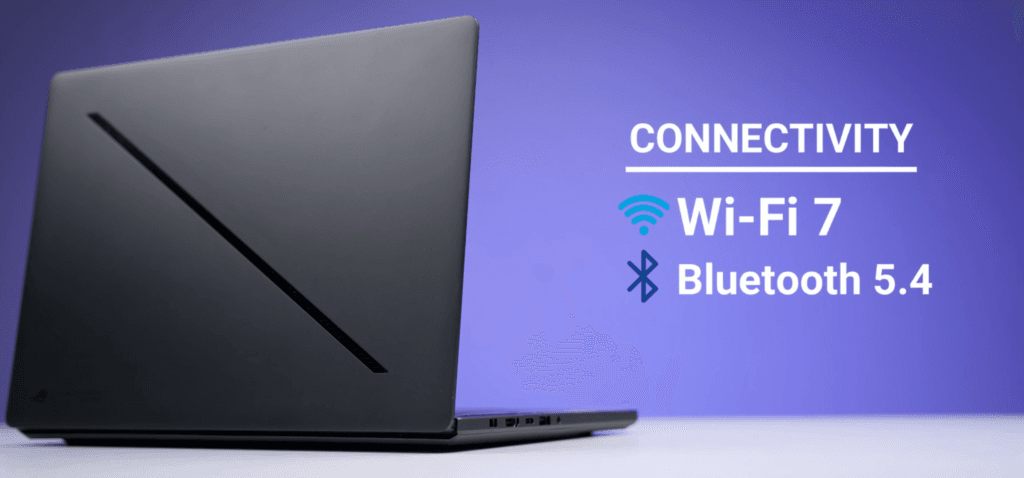
With 32 GB of fast LPDDR5X memory and a 2 TB PCIe 4.0 SSD, the system stays responsive even under heavier multitasking. Wi-Fi 7 support, Bluetooth 5.4, and the overall thermal design round out a package that feels well balanced for creators, gamers, and anyone who wants strong performance without carrying a bulky laptop.
Asus ROG Zephyrus G14 Benchmarks & Perfomance
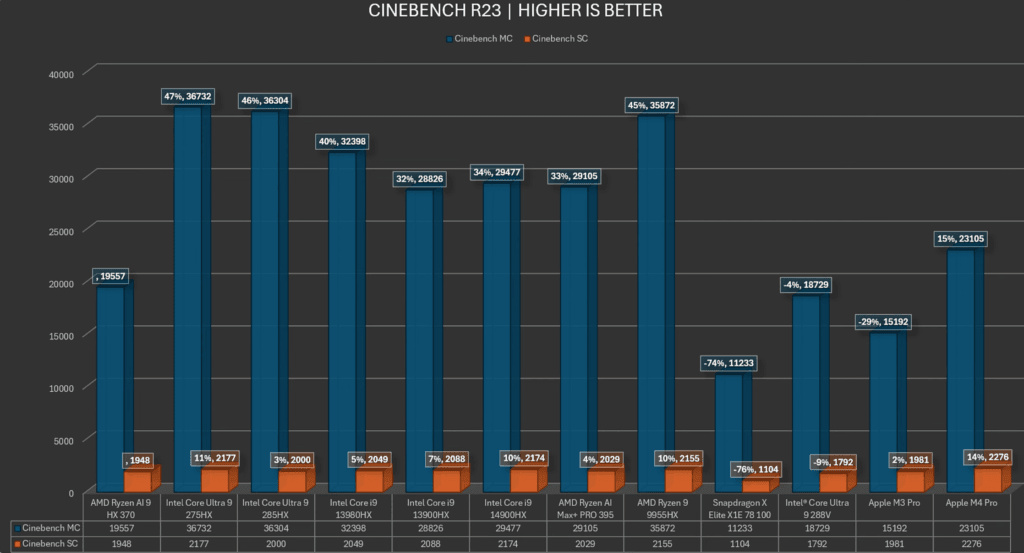
CPU Benchmarks
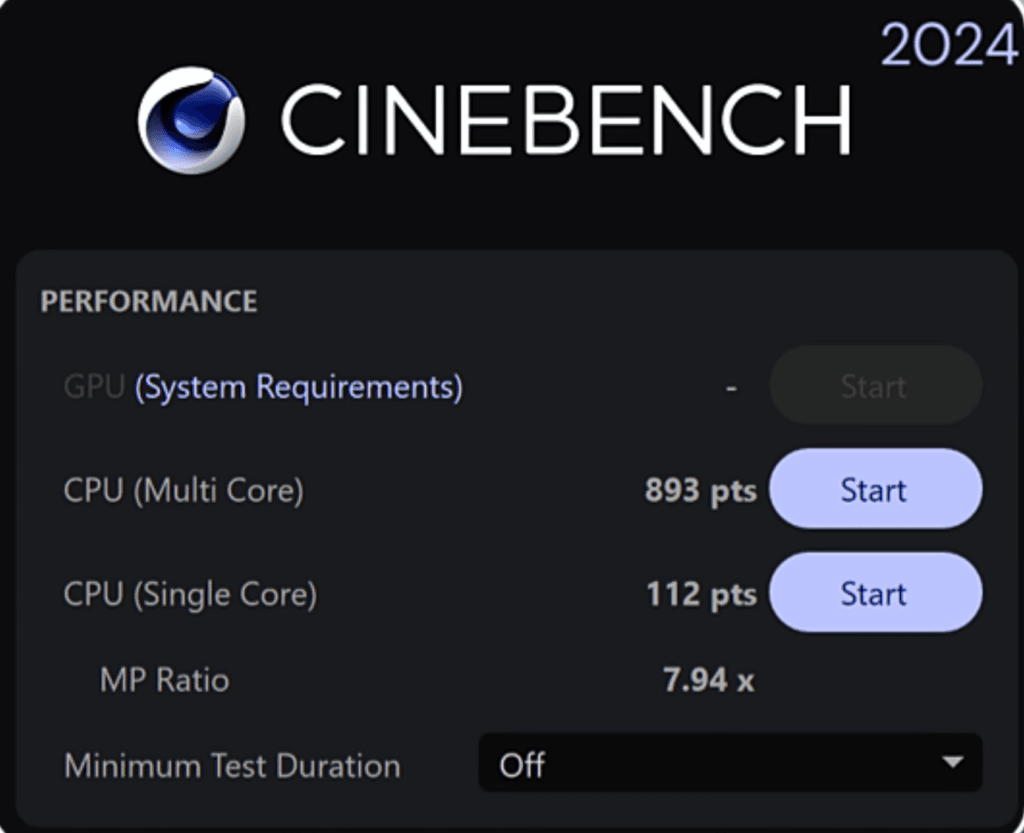
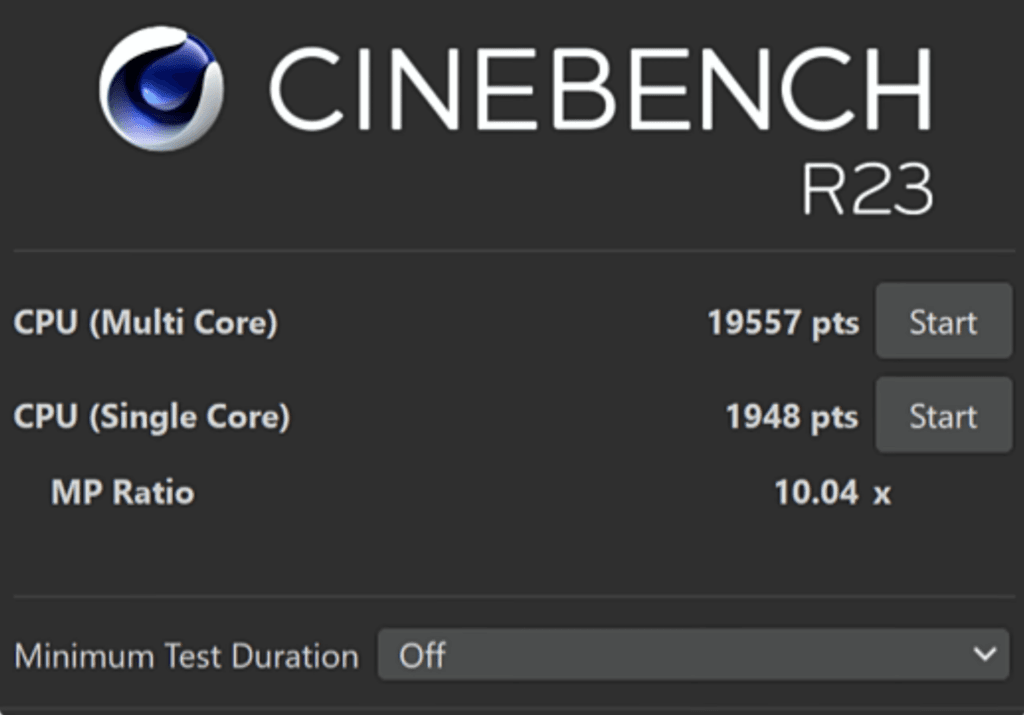
The G14 performs well in Cinebench 2024 and Cinebench R23. It doesn’t match the multi-core output of Intel’s Core Ultra 9, but it’s far more efficient. Clock speeds stay stable, and the chip holds performance well in a compact 14-inch chassis. For development, coding, and music production, the CPU is more than capable.
Battery vs Plugged-In Performance
| Benchmark | Charging Score | Battery Score |
|---|---|---|
| Cinebench SC | 1948 | 1964 |
| Cinebench MC | 19557 | 19924 |
CPU scores remain almost identical on battery and when plugged in. The difference shows up on the GPU side, where battery-only performance drops sharply. Light editing, browsing, and productivity run fine on integrated graphics, but heavy GPU tasks are best done while plugged in.
AI & NPU Performance
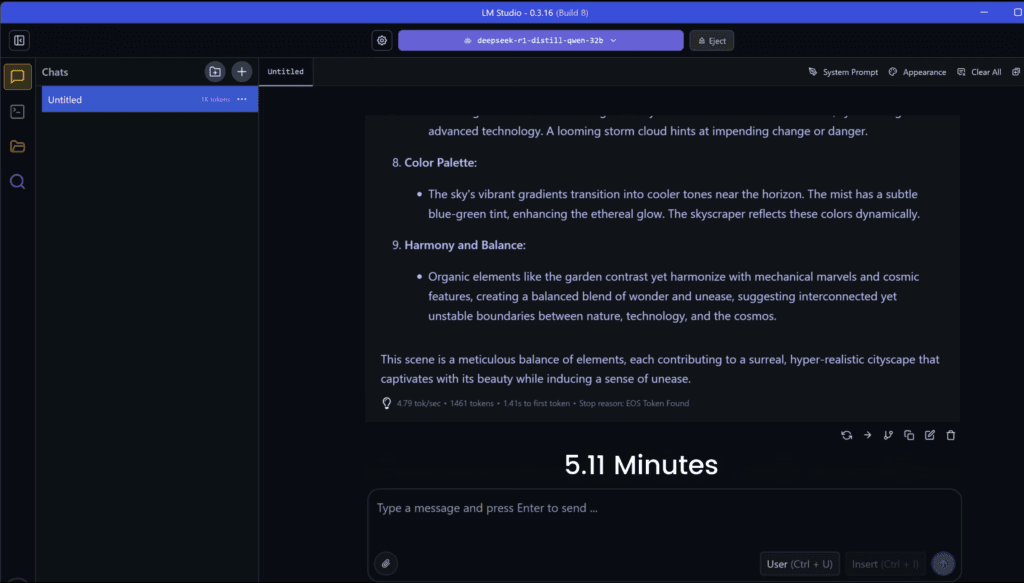
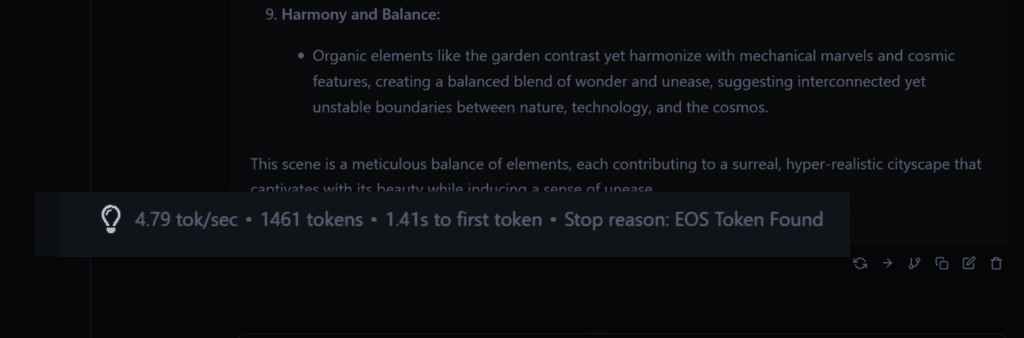
The 50-TOPS NPU helps with on-device AI workloads. Running a 32-billion-parameter DeepSeek R1 model in LM Studio finished in a little over five minutes, which is close to what high-end laptops deliver. This also improves efficiency during local AI tasks.
3D & Creator Workloads
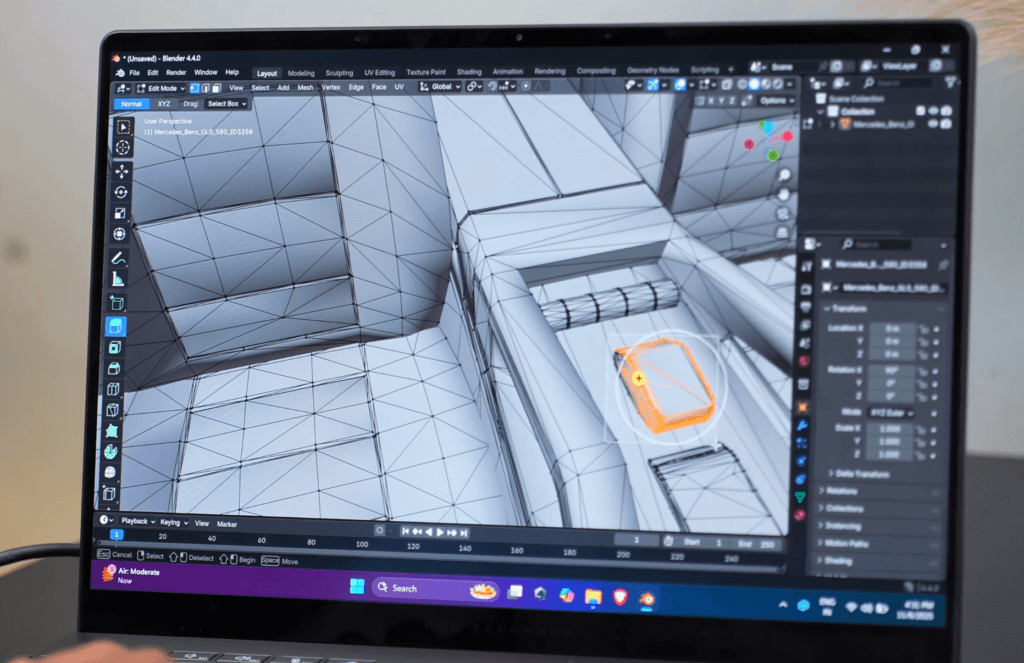
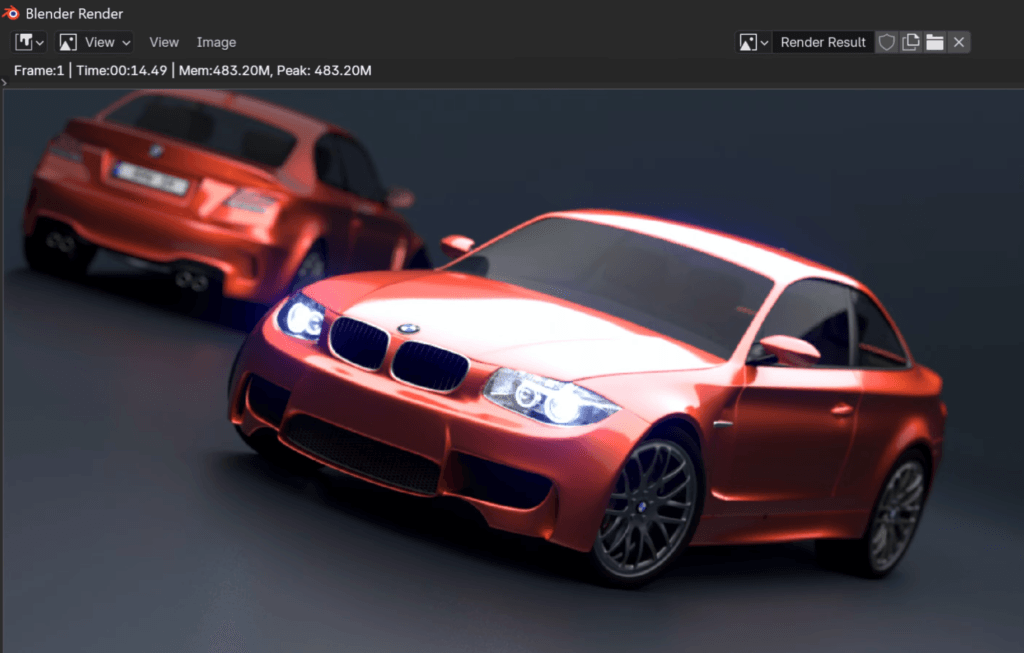
The Blender BMW render wraps up in around fourteen seconds, and the laptop scores above 4600 in the Blender benchmark. That’s solid for 3D artists or game developers working on medium-complexity projects. RAM capacity and GPU VRAM also help with large scenes.
Productivity & Editing Performance
In PugetBench, the system scores past 9900 in Premiere Pro, 9700 in After Effects, around 7400 in DaVinci Resolve, and more than 12,700 in Photoshop. These results translate into smooth timelines, fast previews, and reliable exports for photo and video editors.
GPU Benchmarks
| NVIDIA GeForce RTX 5070 Ti (120W) | NVIDIA GeForce RTX 5070 Ti (140W) | |
|---|---|---|
| GRAPHICS SCORE | 15040 | 17873 |
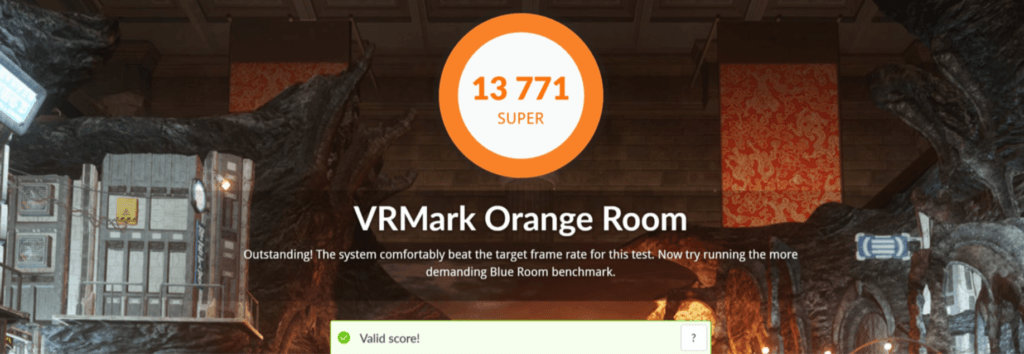
The 120-watt RTX 5070 Ti performs well, though the 140-watt version is roughly 16 percent faster. 3DMark Time Spy shows strong numbers, and VRMark confirms that the laptop can run VR games with an external headset.
Thermals & Stability Under Load
During a one-hour 100 percent CPU stress test, temperatures peaked near 96°C, and average power draw stayed around 61 watts. GPU stress testing hovered near 86°C with close to 96 watts of sustained power. Combined CPU and GPU load reached around 166 watts, which stays well within the 200-watt power brick, so there’s no unexpected battery drain.
Asus ROG Zephyrus G14 Gaming Performance
The G14 holds up well at its 1800p display resolution, sitting between 1600p and 4K. Competitive games run smoothly, while more demanding titles benefit from frame generation or a small resolution drop.
Esports Titles
Valorant reaches about 400 FPS on high settings.
CS2 delivers 120 to 130 FPS on very high settings.
AAA Games at Max Settings
Elden Ring hits 55 to 60 FPS at max settings with ray tracing.
GTA V Enhanced Edition manages 45 to 50 FPS with maximum ray tracing.
Lowering resolution to 1600p or 1200p gives you noticeably higher FPS in both games.
Battle Royale and Open-World Games
Call of Duty: Warzone sits between 75 and 80 FPS on extreme settings.
Red Dead Redemption 2 stays in the 70 to 90 FPS range depending on DLSS.
Cyberpunk 2077 runs at 45 to 50 FPS raw, and jumps above 90 FPS with frame generation.
Ray-Traced Performance
Hogwarts Legacy struggles at ultra with ray tracing, but frame generation brings it to 60 to 65 FPS.
Assassin’s Creed Shadows dips heavily at ultra high settings with very high ray tracing, though reducing settings improves playability.
With and Without Frame Generation
The Last of Us Part II: 60 FPS raw → ~100 FPS with frame generation.
Ghost of Tsushima: 50 FPS raw → ~115 FPS with frame generation.
Horizon Forbidden West: 40–45 FPS raw → ~100 FPS with frame generation.
Spider-Man 2: 40–45 FPS raw → ~80 FPS with frame generation, but ray tracing causes stability issues.
Black Myth Wukong: 25 FPS raw → ~60 FPS with frame generation.
High-Demand Ray-Traced Games
Hellblade II improves from low raw FPS to ~80 FPS with frame generation.
Alan Wake II delivers 85 to 90 FPS with frame generation on high settings.
Ultra ray tracing still overwhelms the laptop at 1800p.
Power Behavior
The CPU generally draws just 10 to 20 watts in GPU-heavy games. It spikes higher only in CPU-bound titles like Valorant. GPU power takes the lead in most AAA workloads.
Battery Life While Gaming
Expect about one hour of AAA gaming.
Using 720p, lower brightness, and headphones can stretch lighter games to around two hours.
Asus ROG Zephyrus G14 Ports and Connectivity
For a slim 14-inch laptop, the port selection is surprisingly complete.
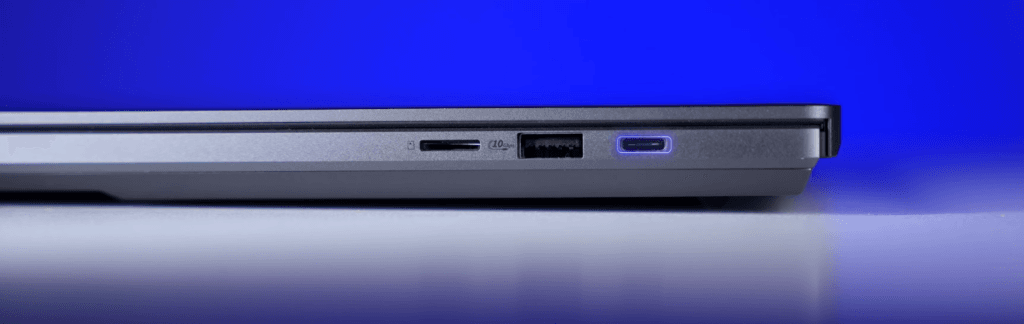
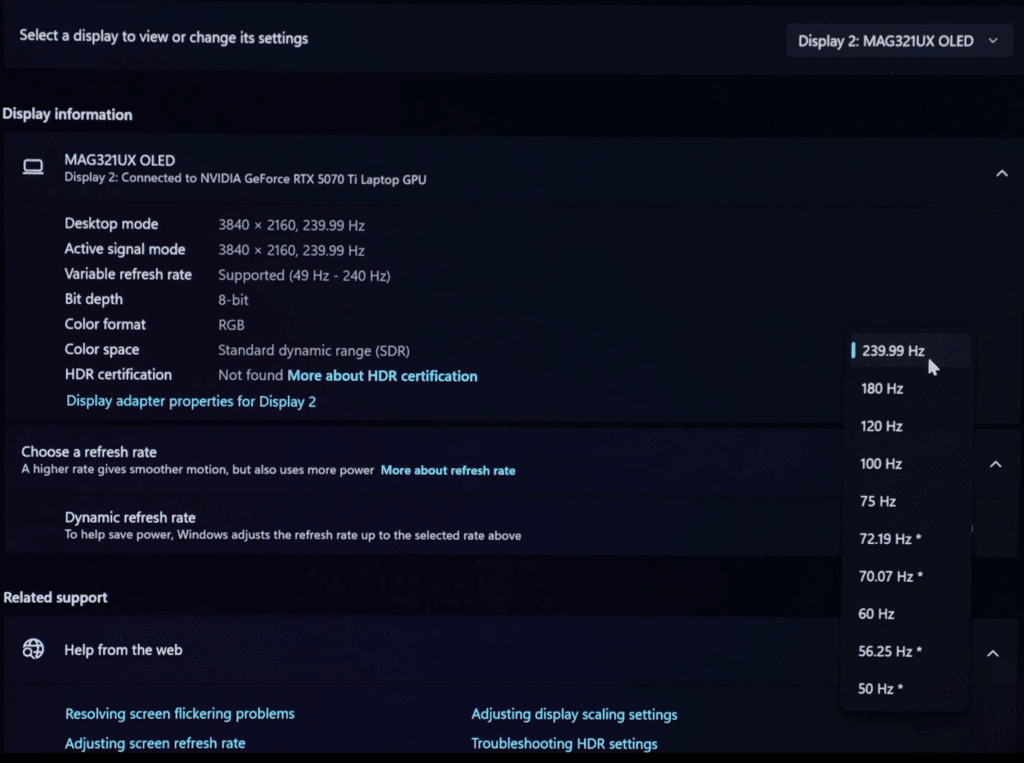
On the right, you get a USB 3.2 Gen 2 Type-C port with 4K 240 Hz display output from the RTX 5070 Ti, USB-PD charging support, a USB 3.2 Gen 2 Type-A port, and a microSD slot for easy storage expansion.
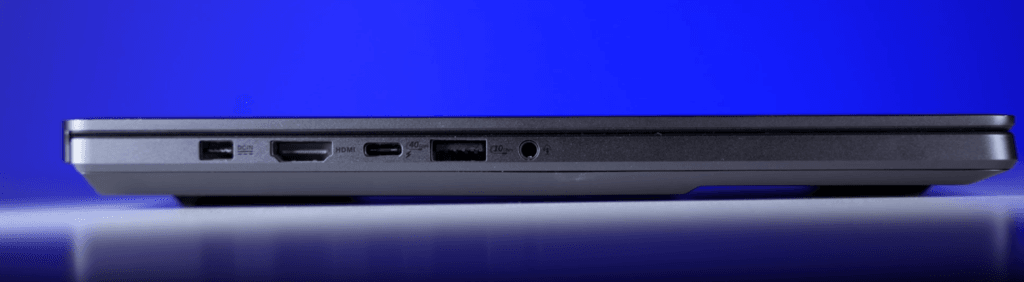
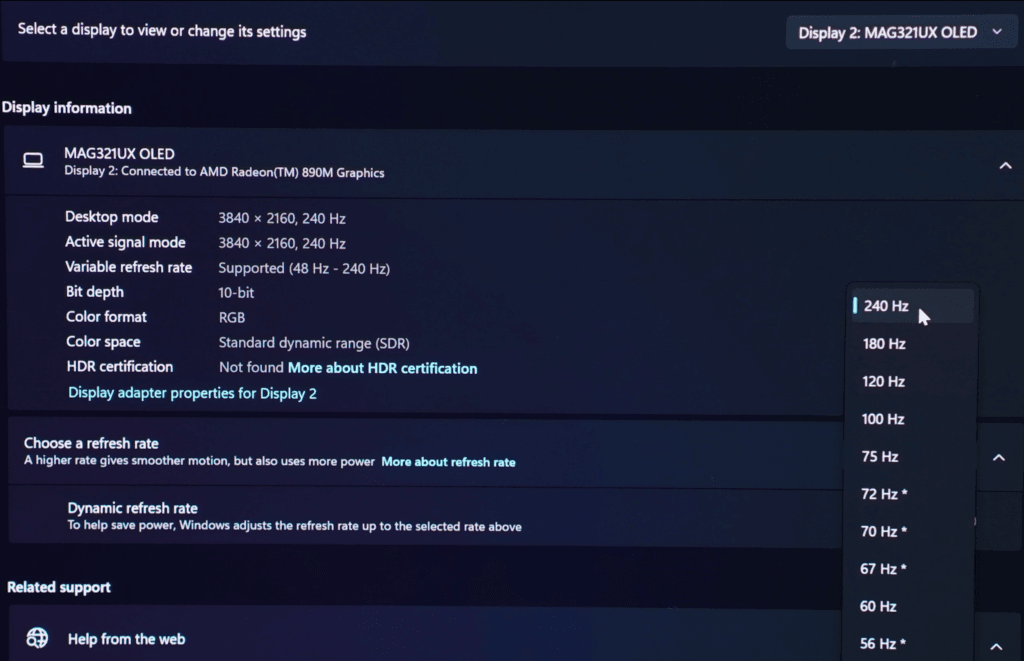
On the left, there’s the power connector, an HDMI 2.1 port with 4K 240 Hz output, a USB4 Type-C port that supports display output from the Radeon 890M iGPU, another USB 3.2 Type-A port, and a 3.5 mm audio jack.
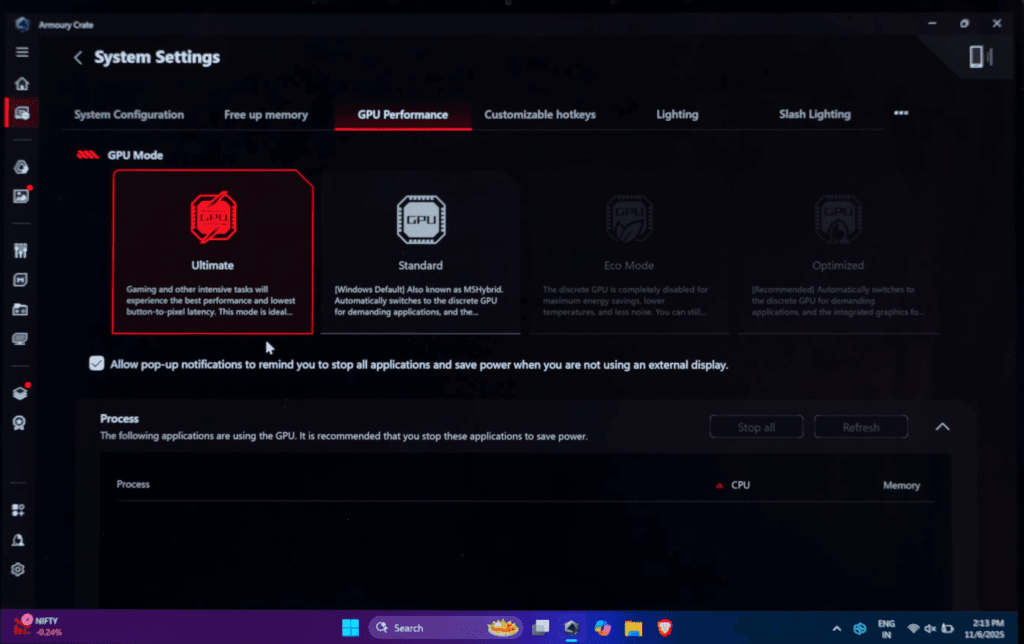
Overall, the laptop offers a well-balanced set of ports, plus a MUX switch accessible through Armoury Crate.
Asus ROG Zephyrus G14 Keyboard & Track-pad
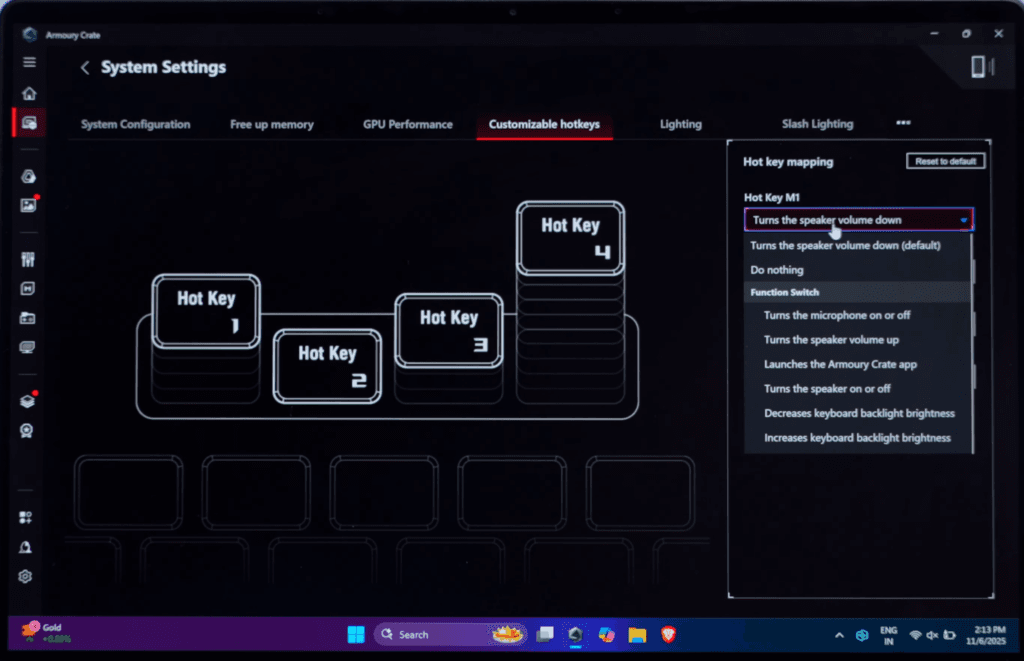
The G14 features a 10-keyless single-zone RGB keyboard. Typing feels solid and responsive, though the small arrow keys may take some getting used to. Four customizable macro keys are included, and the keyboard layout is designed with aesthetics in mind.
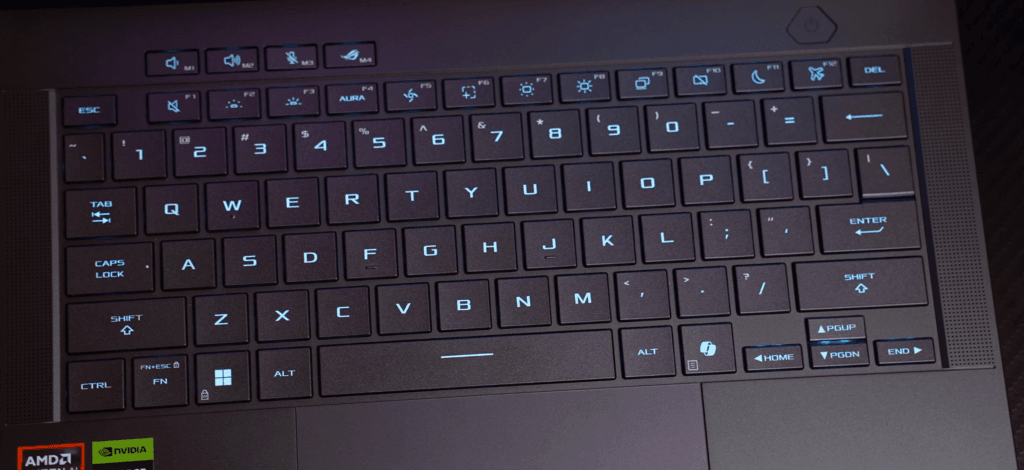
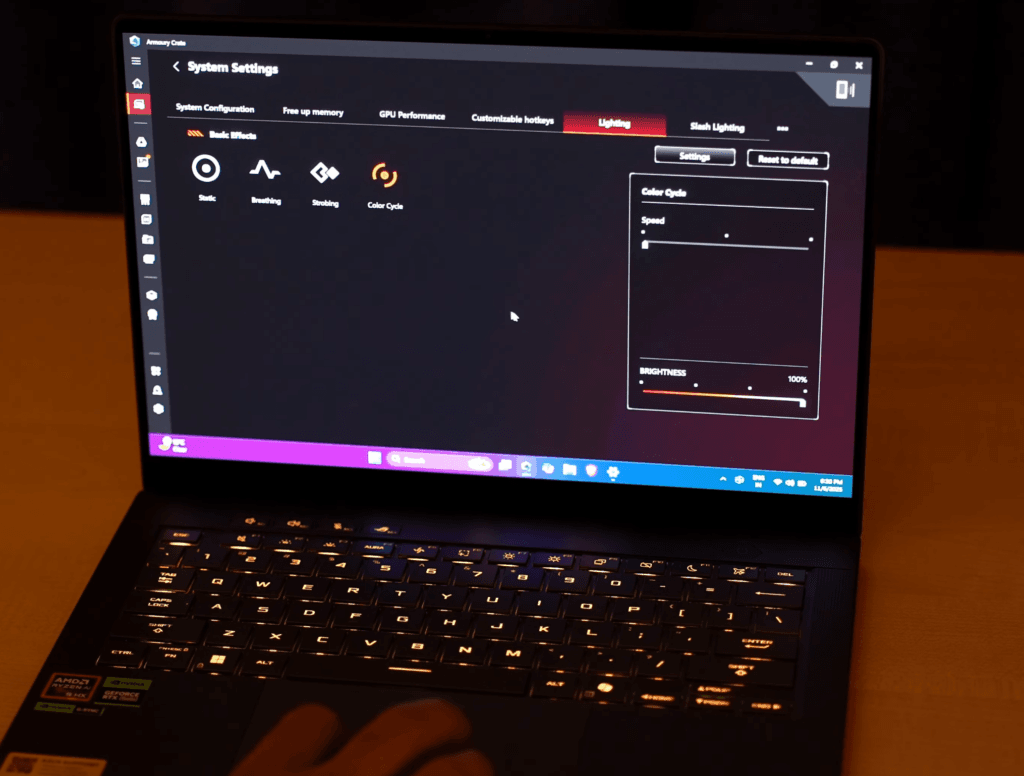
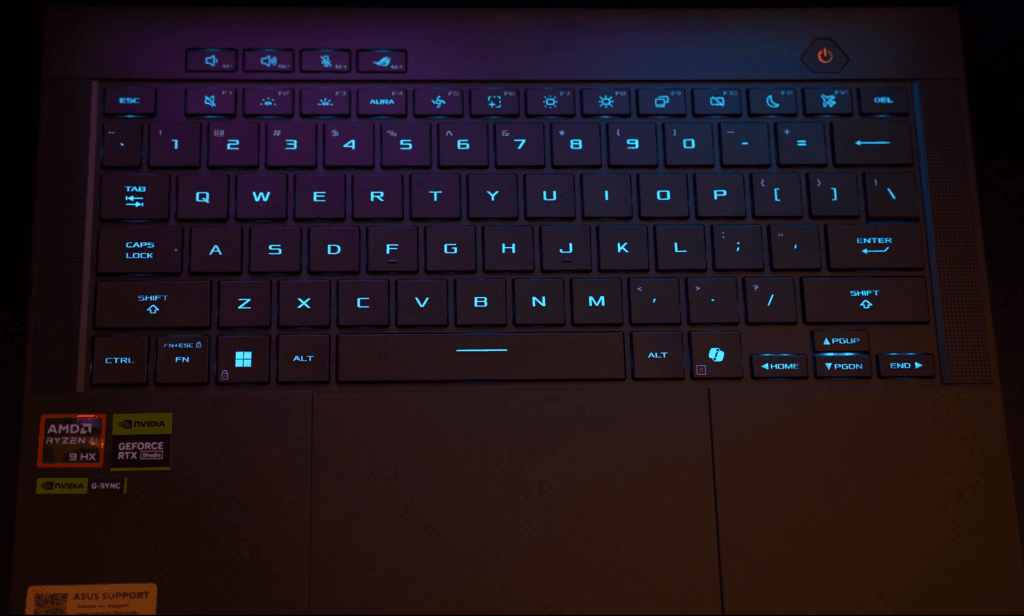
The trackpad is large for a 14-inch laptop, fully clickable, smooth, and supports multi-touch gestures. While it doesn’t have haptic feedback like a MacBook, it delivers reliable, precise control.
Asus ROG Zephyrus G14 Display
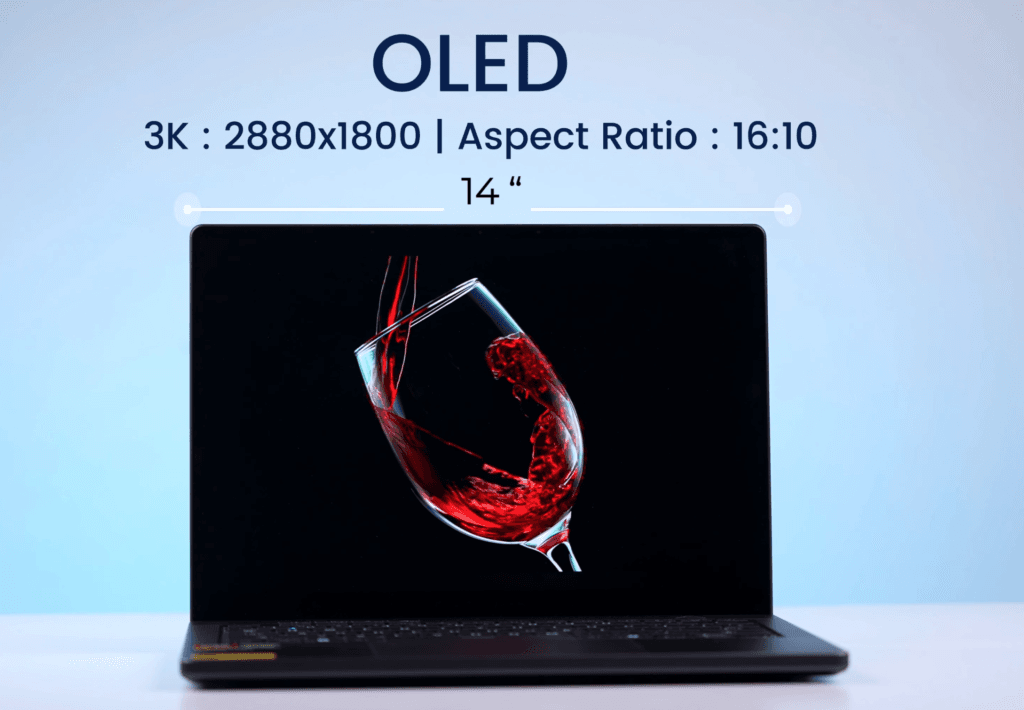
The G14 features a 14-inch OLED panel, called the ROG Nebula Display, with a 2880×1800 resolution and a 16:10 aspect ratio. It has a glossy finish with an anti-reflective coating, offering good indoor visibility. The panel supports a 120 Hz refresh rate, though there’s no dynamic refresh adjustment. In power-saving mode, it drops to 60 Hz automatically.
| Setting | Brightness | Black | Contrast | White Point |
|---|---|---|---|---|
| 0 % | 4.7 | 0.01 | 340 : 1 | 8000 (0.294,0.312) |
| 25 % | 21.8 | 0.01 | 1590 : 1 | 7500 (0.299,0.317) |
| 50 % | 91.0 | 0.01 | 6640 : 1 | 7300 (0.301,0.320) |
| 75 % | 233.1 | 0.01 | 17010 : 1 | 7200 (0.302,0.321) |
| 100 % | 394.6 | 0.01 | 28800 : 1 | 7100 (0.304,0.321) |
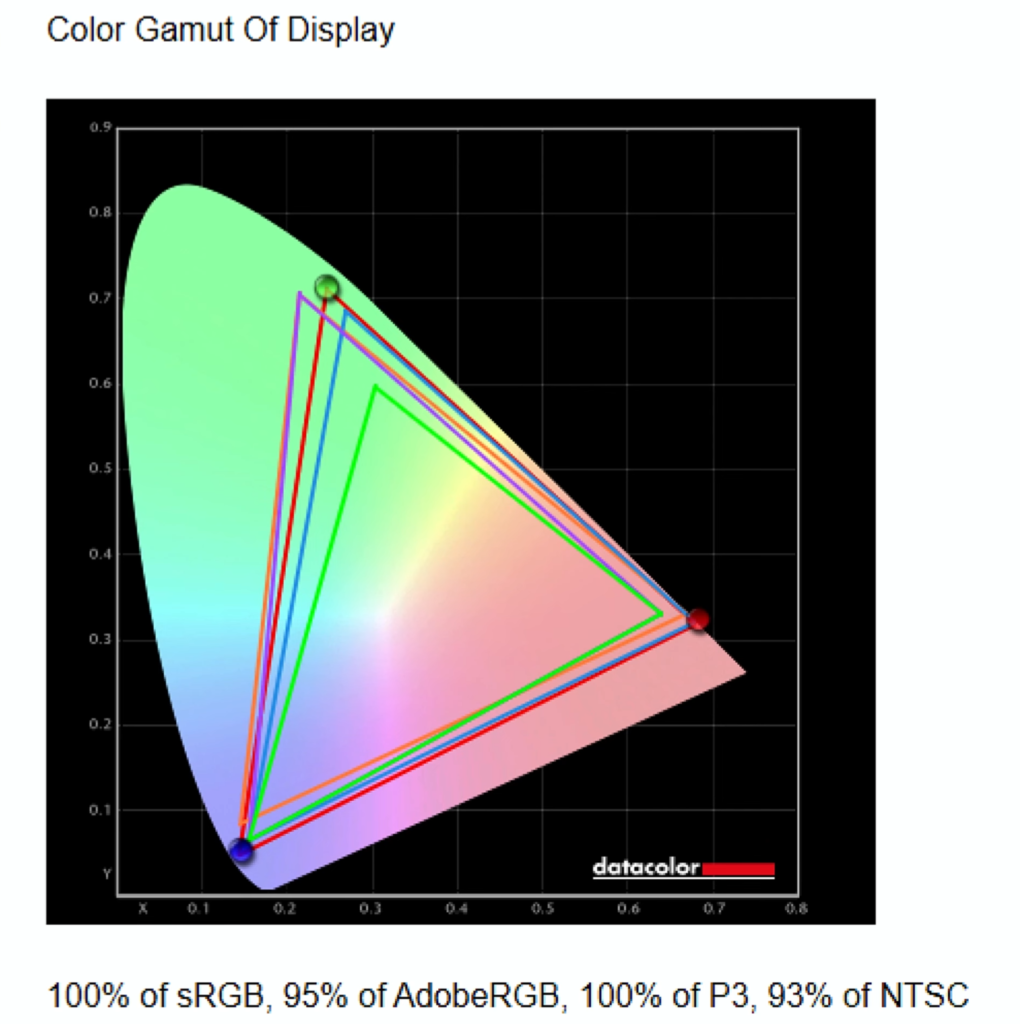
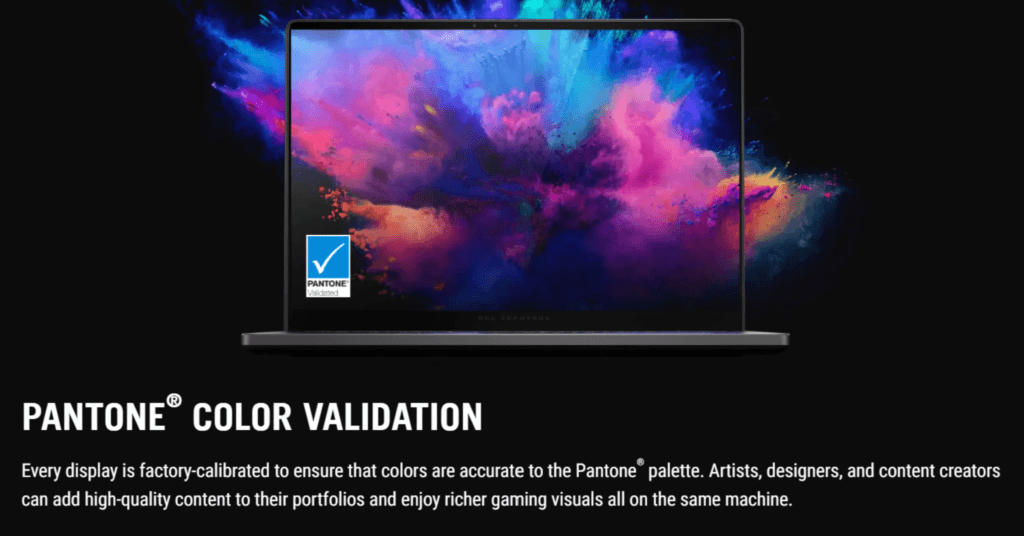
Brightness measured around 394 nits in testing (close to the 500 nits advertised), with 100% sRGB and 100% DCI-P3 colour coverage. The display is Pantone-validated and supports both Dolby Vision and HDR, making it ideal for content creation, multimedia, and gaming.
Asus includes anti-burn-in technology, but long-term static content may still cause OLED burn-in, so using screen savers and auto-hide for the taskbar is recommended. Overall, the display delivers a vibrant, immersive experience without major compromises.
Asus ROG Zephyrus G14 Webcam & Microphone
The G14 comes with a 1080p 30fps webcam and built-in microphone. While adequate for video calls, a 1440p webcam could have been a better fit at this price point, as some competitors offer it.
The laptop also features an IR camera for Windows Hello facial recognition, providing fast and secure face unlock. There is no fingerprint sensor included.
Asus ROG Zephyrus G14 Speakers
The G14 sets a high standard for laptop audio, outperforming most Windows competitors and even rivaling MacBook levels. It comes equipped with a total of six speakers: four 2W woofers for deep, punchy bass and two 1W tweeters that deliver clear, crisp highs. This combination produces well-balanced sound with excellent stereo separation, making music, movies, and games sound immersive and lively.
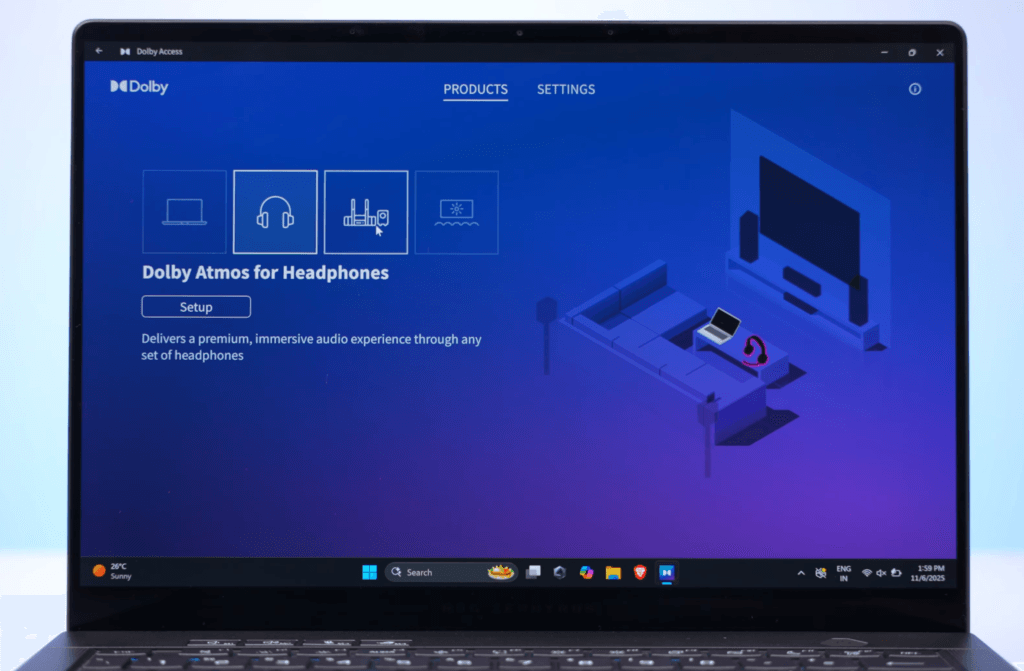
The laptop also supports Dolby Atmos, which can be activated through the Dolby Access app for both the built-in speakers and headphones. This enhances spatial audio, making it feel like the sound is coming from all directions. Whether you’re gaming, streaming content, or editing audio/video, the speaker setup on this laptop ensures that your experience is engaging and detailed. Overall, the G14’s audio system exceeds expectations for a 14-inch gaming laptop, providing both volume and clarity without distortion.
Asus ROG Zephyrus G14 Battery
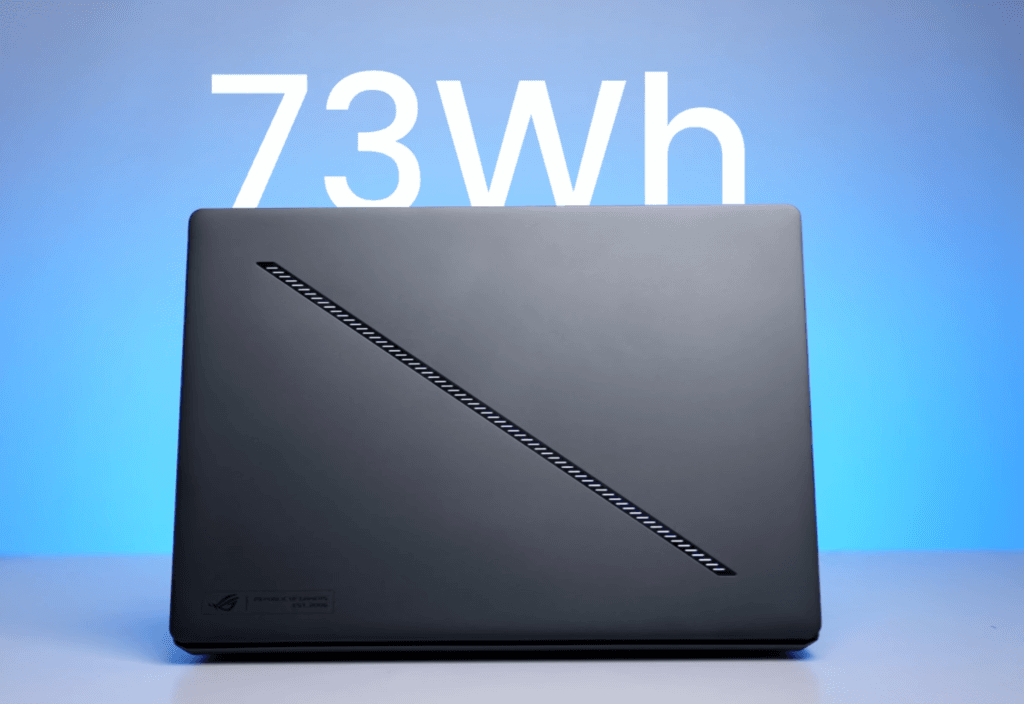
The G14 packs a 73Wh battery, delivering solid performance for a Windows gaming laptop. In testing with Eco GPU mode, 50% screen brightness, background music, and multitasking—including Office apps, documents, and YouTube—the laptop lasted around 6 hours on the integrated GPU alone.
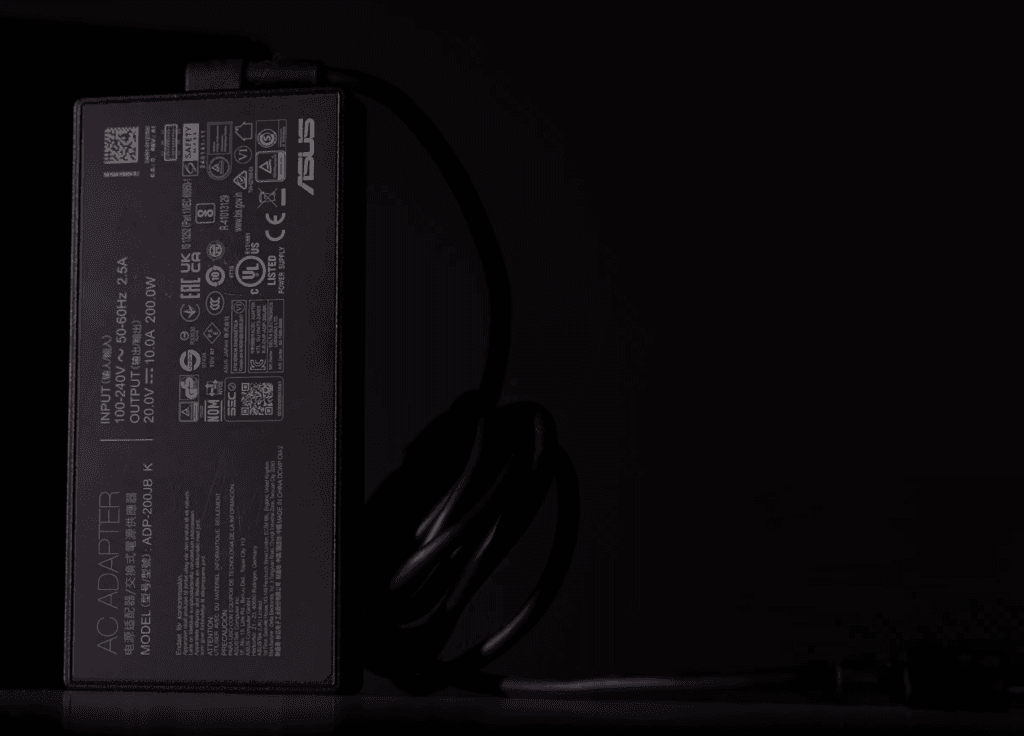
For productivity tasks like Photoshop or video editing, expect 2 to 2.5 hours of runtime. Charging is fast: the 200W adapter can bring the battery to 50% in about 20 minutes and fully charge it in around an hour. While MacBooks may still offer longer battery life, the G14 provides a competitive balance of power and endurance for a gaming-focused laptop.
Price
Asus ROG Zephyrus G14 Conclusion
The ASUS G14 is a standout 14-inch laptop in its class, offering a rare combination of portability, performance, and features. It packs a powerful CPU, dedicated GPU, OLED display, 32GB RAM, and a solid port selection in a lightweight 1.6 kg form factor.
While the MacBook excels in design, build quality, and ecosystem integration, the G14 holds its own with gaming performance, flexibility, and value. Its battery life is respectable for productivity, though intensive gaming on the dedicated GPU will reduce runtime.
If you’re looking for a Windows laptop that can handle gaming, creative work, and multitasking without compromise, the ASUS G14 is an excellent choice. MacBook may appeal more if you’re already in the Apple ecosystem or prioritize efficiency and premium design over raw gaming performance.
Asus ROG Zephyrus G14 VS MacBook
The ASUS G14 stands out in its segment with a 14-inch form factor, 1.6 kg weight, powerful processor, dedicated GPU, OLED display, 32GB RAM, and ample ports. At this price point, the only comparable option for productivity is the MacBook.
Design & Build:
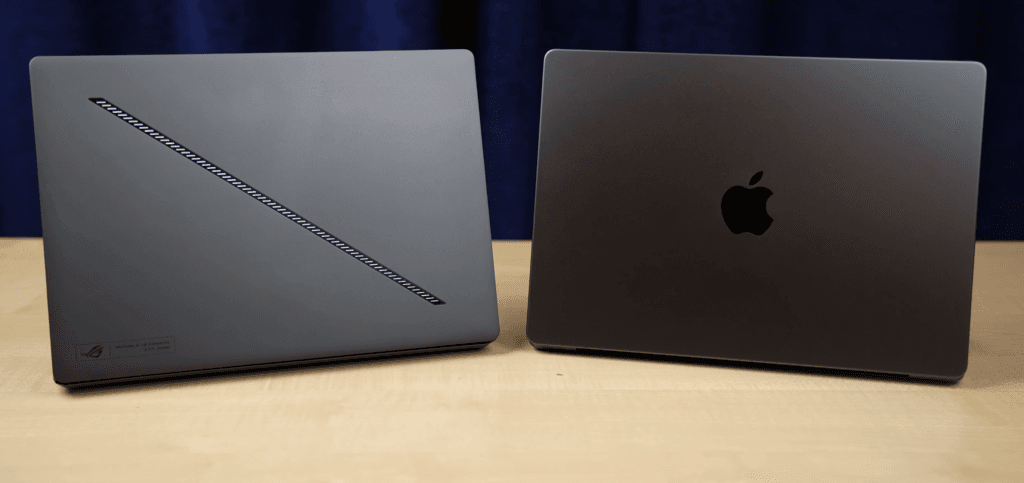
MacBook wins on premium design and build quality, but the G14 is also solid and adds features like customizable RGB lighting. Weight and thickness are similar to the MacBook M4 Pro.
Performance
The MacBook’s CPU is more efficient, but the G14 can handle more apps simultaneously. GPU performance favors the G14, especially for gaming, thanks to the dedicated 5070Ti.
Display
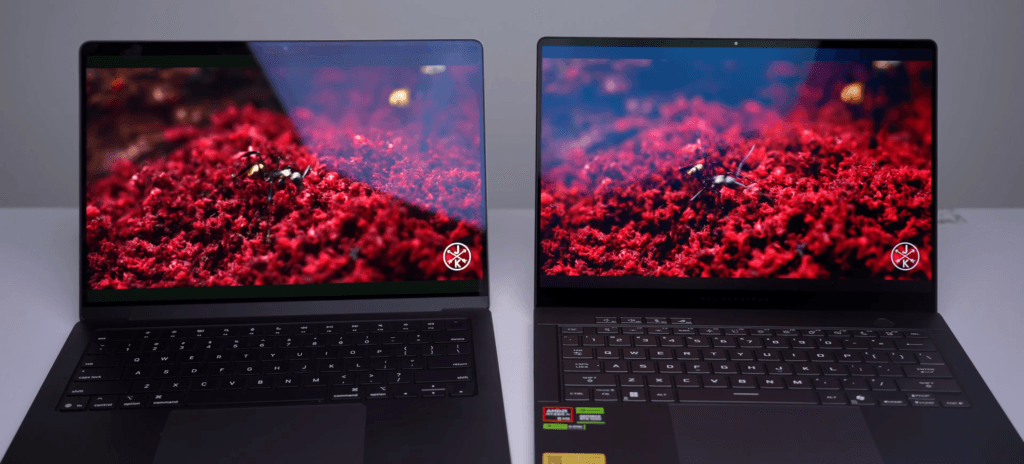
MacBook uses mini-LED, while the G14 features OLED. Both offer excellent quality, but mini-LED may have a slight edge in brightness consistency.
Battery & Gaming:
Battery life is solid on both, though Windows power draw from the GPU reduces G14’s runtime. For gaming, the G14 clearly outperforms MacBook, which lacks optimized dedicated GPU support.
Ecosystem:
MacBook dominates if you’re invested in Apple devices (iPhone, iPad). Otherwise, the G14 offers flexibility and higher raw performance.

