

Lenovo has added another model to its Legion lineup. After the Legion Pro 5i, this is the Legion 5 (AMD variant). In Lenovo’s naming, models with “i” use Intel processors, while those without it run on AMD.
The Legion hierarchy is simple. Pro 7 sits at the top with GPUs up to RTX 5090. Below that is Pro 5, offering RTX 5060 and 5070 options. Under that comes the Legion 5, which targets a lower price point while still delivering strong build quality and cooling. Lenovo’s LOQ series sits below Legion and should not be confused with it, even if the GPU names are similar.
What makes the stand out is its compact and lightweight design for a gaming laptop. It also offers an IPS display option, making it more affordable than OLED-only models, without compromising on core performance.
Lenovo Legion 5 Pricing
Pricing for the Lenovo Legion 5 starts at around $1,600 for the base configuration with the RTX 5050. Lenovo also offers a full online configurator, where the laptop is available only with Ryzen 7 processors. There is no Ryzen 5 option this time.
| Variant | Key Specs | Price (USD) | Buy |
|---|---|---|---|
| Legion 5 AMD (IPS) | Ryzen 7, RTX 5060, 32GB RAM, 1200P IPS | $1,370 | Buy Now |
| Legion 5 AMD (OLED) | Ryzen 7, RTX 5060, 32GB RAM, 1600P OLED | $1,570 | Buy Now |
Disclosure: We may earn a commission if you buy through our links, at no extra cost to you.
Through the configurator, you can upgrade to:
- RTX 5060
- Up to 32GB RAM
- Up to 1TB SSD
Lenovo also sells pre-configured variants alongside custom builds, making it easier if you don’t want to fine-tune every spec. Both options are listed on the official product page.
Lenovo Legion 5 Build & Design
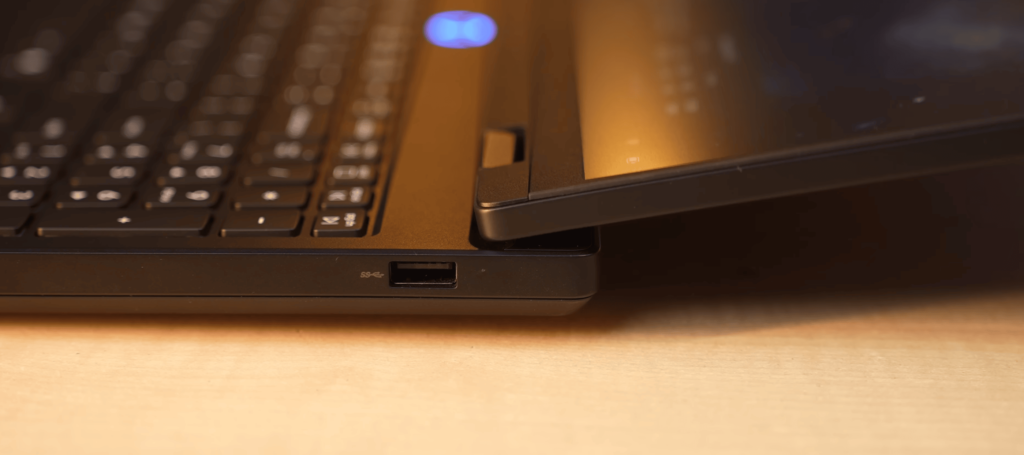
The Legion 5 follows Lenovo’s familiar Legion design, with a few key updates.
- Centered Legion logo on the lid (earlier models had it in the corner)
- Full polycarbonate body instead of a metal lid
- Solid, sturdy feel despite the material change
- Lid opens with one hand and supports 180-degree tilt
- No noticeable screen wobble
- Minimal flex on both the lid and keyboard
Portability improvements:
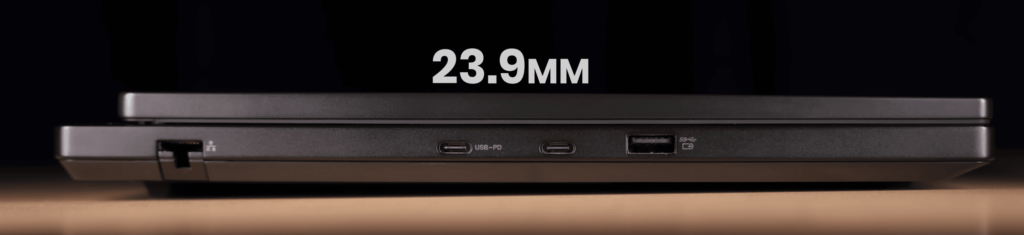
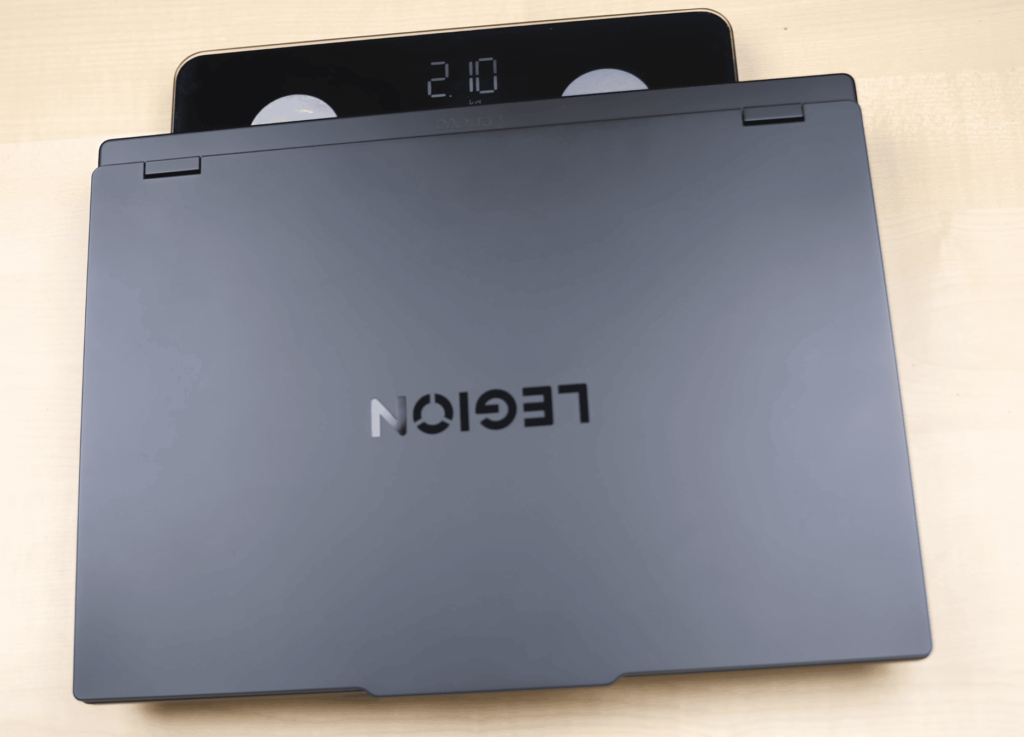
- Weight reduced from ~2.4 kg to ~2.1 kg
- Around 3 kg including the charger
- 23.9 mm thickness, slimmer than older Legion models
- Lightweight for a gaming laptop (not a thin-and-light)
Cooling and layout:
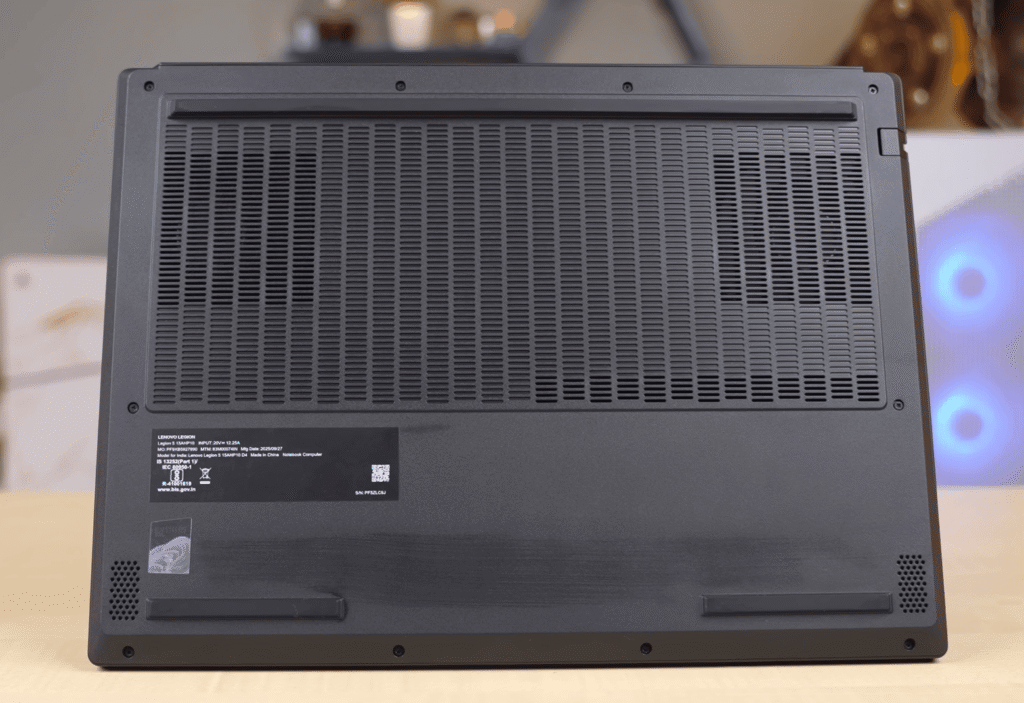
- Ports placed on the left, right, and rear
- Rear exhaust vents for better heat dissipation
- Bottom intake vents for airflow
- Uses Lenovo ColdFront Hyper cooling
- Real-world performance depends on power delivery and wattage behavior, not just temperatures
Overall, the Legion 5 feels compact, well-built, and easier to carry than previous Legion generations while still maintaining a proper gaming laptop design.
Lenovo Legion 5 Specification
| Specification | Details |
|---|---|
| Processor | AMD Ryzen 7 260 8-Core |
| CPU Threads | 16 Threads (Rebranded Ryzen 8000 Series) |
| AI NPU | Dedicated NPU with 16 TOPS AI Performance |
| Graphics Card | NVIDIA GeForce RTX 5060 |
| GPU VRAM | 8GB GDDR6 |
| GPU Power | Up to 115W TGP |
| Installed RAM | 16GB DDR5 5600 MT/s (Single Channel) |
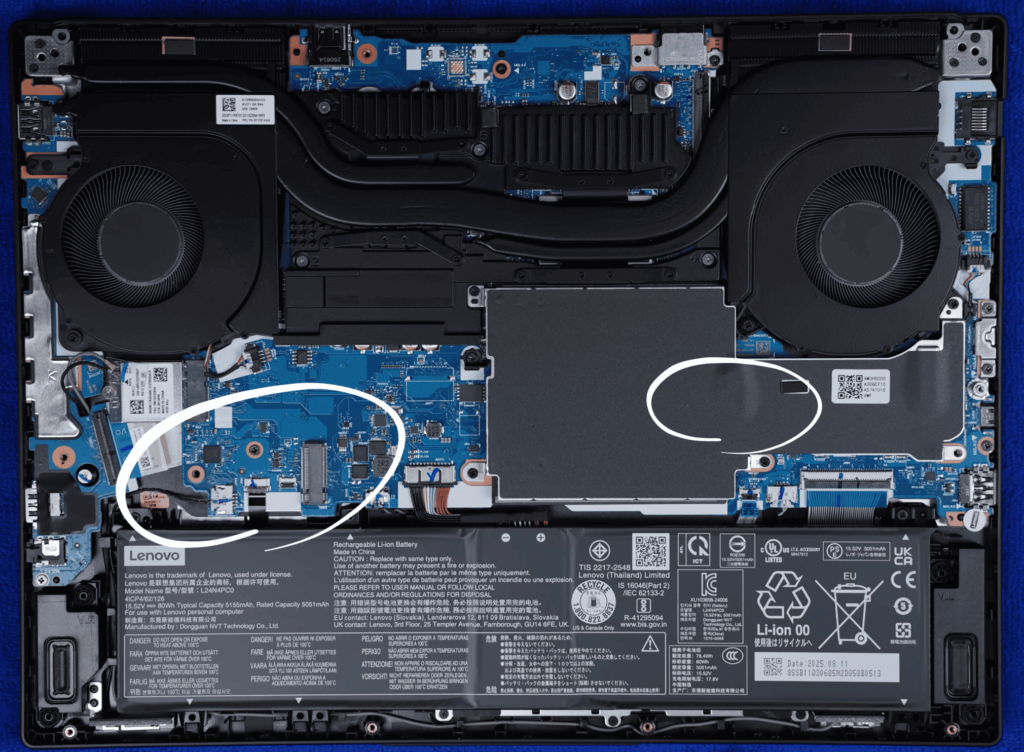
| RAM Upgrade | 2 Slots, Up to 64GB Supported |
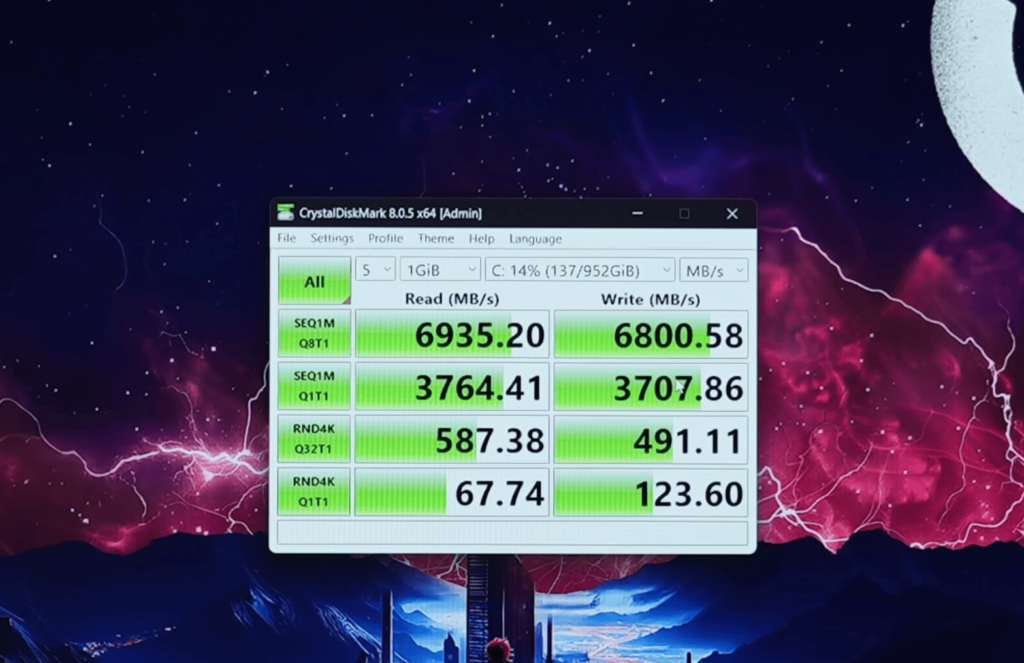
| Storage | 1TB PCIe Gen 4 SSD |
| SSD Expansion | 2 Slots (2230 Occupied, 2280 Free) |
| Wireless | Wi-Fi 6, Bluetooth 5.2 |
| Operating System | Windows 11 |
| Productivity | Microsoft Office (Preset Variants) |
| Gaming Bonus | 3 Months PC Game Pass Ultimate |
| AI Optimization | Lenovo LA1 AI Chip for Dynamic CPU/GPU Power Management |
Lenovo Legion 5 Performance & Benchmarks
The Lenovo Legion 5 delivers impressive performance, guided by Lenovo’s LA1 AI chip, which intelligently manages CPU and GPU power for optimal results.
CPU Performance
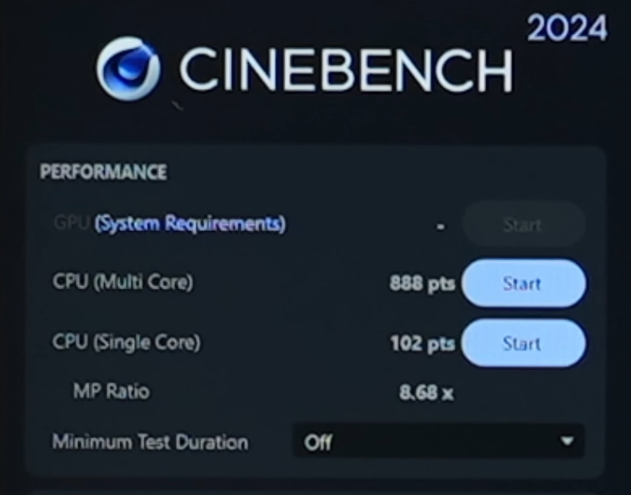
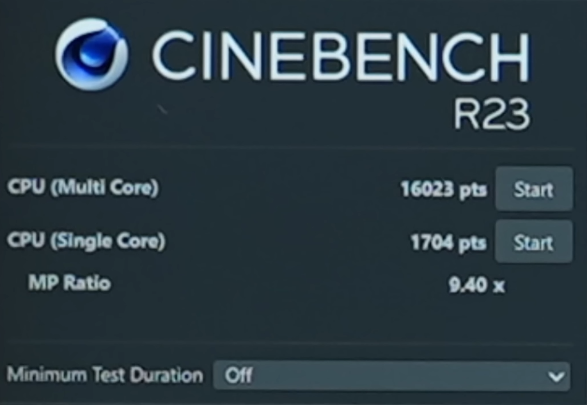
Powered by the AMD Ryzen 7 260, the laptop handles multi-core workloads efficiently, as seen in Cinebench R23, Cinebench 2024. It is capable of coding, music production, and everyday computing tasks without any lag.
Geekbench marks
GPU & Gaming
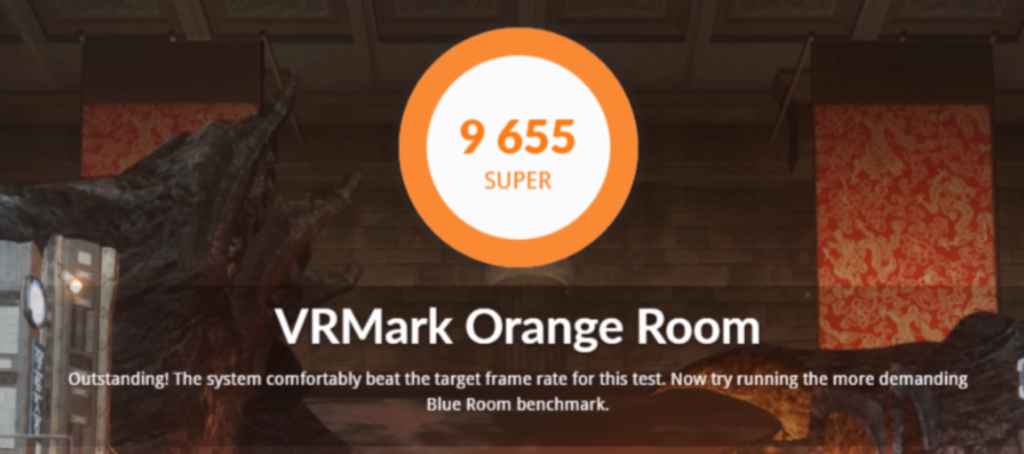
The NVIDIA RTX 5060 GPU performs similarly to the last-generation RTX 4070, supporting smooth gameplay, VR experiences, and 3D modelling in Blender. High-end games and VR titles run well, making it suitable for both casual and competitive gaming.
3DMark | Graphic Score | Higher is Better
AI & Productivity
AI tasks are handled effectively, with an 8B parameter DeepSeak R1 model completing in 39 seconds. Creative software like Premiere Pro, After Effects, and Photoshop show strong benchmark results, ensuring reliable performance for video editing, graphic design, and other professional workflows.
Thermals & Stability
| Sensor | Current | Minimum | Maximum | Average |
|---|---|---|---|---|
| CPU: AMD Ryzen 7 260 | ||||
| Core VIDs | 1.324 V | 0.940 V | 1.390 V | 1.327 V |
| Core Clocks | 4,925.5 MHz | 3,194.2 MHz | 4,991.0 MHz | 4,893.6 MHz |
| Total CPU Usage | 100.0 % | 81.7 % | 100.0 % | 99.4 % |
| CPU: AMD Ryzen 7 260: Enhanced | ||||
| CPU (Tctl/Tdie) | 71.5 °C | 53.1 °C | 93.0 °C | 71.4 °C |
| CPU Core | 70.5 °C | 52.9 °C | 94.1 °C | 71.1 °C |
| CPU Package Power | 58.7 W | 54.4 W | 98.2 W | 61.6 W |
Lenovo Legion 5 Gaming
The Lenovo Legion 5 with RTX 5060 handles gaming well at 1200P resolution. Most games are playable on ultra settings, and frame generation significantly boosts FPS in demanding titles. Thermals remain controlled, with CPU temperatures under 80–85°C and comfortable keyboard temperatures.
Legion 5 Gaming Performance (RTX 5060, 1200P)
| Game | Settings | FPS (Raw) | FPS (Frame Generation) | Notes |
|---|---|---|---|---|
| Doom: The Dark Ages | Ultra Nightmare, Ray Tracing Ultra | 30 | 60-70 | Playable with frame generation |
| Hogwarts Legacy | Ultra, Ray Tracing Ultra | 15-20 | 60-70 | Frame generation essential |
| GTA V Enhanced | Maximum Ray Tracing | 60 | – | Buttery smooth |
| Call of Duty Warzone | Extreme 1200P | 90-95 | – | Very smooth gameplay |
| Valorant | High 1200P | 240-250 | – | CPU-intensive, very high FPS |
| CS2 | Very High | 120-130 | – | Playable on high settings |
| Elden Ring | Max, Ray Tracing Max | 55-60 | – | Dips below 50 FPS sometimes |
| Cyberpunk 2077 | Ultra 1200P, Ray Tracing Ultra | 30-35 | 100 | Playable with frame generation |
| Assassin’s Creed Shadows | Ultra High, Ray Tracing Very High | 45-55 | – | Playable |
| Horizon Forbidden West | Very High | ~50 | 100 | Overall playable |
| Ghost of Tsushima | Very High | 70-80 | 120 | Frame generation boosts FPS |
| Hellblade 2 | Very High | 30 | 60 | Multi-frame generation available |
| Alan Wake 2 | High, Ray Tracing | 40-45 | 60-65 | Playable only with frame generation |
Doom: The Dark Ages
At Ultra Nightmare + Ray Tracing 1200P, the laptop delivers 30 FPS raw. Enabling frame generation increases it to 60–70 FPS, making gameplay smooth and responsive.
Hogwarts Legacy
With Ultra + Ray Tracing 1200P, the game runs at 15–20 FPS. Frame generation boosts it to 60–70 FPS, offering a playable experience even in demanding scenes.
GTA-V Enhanced Edition
On Max Ray Tracing 1200P, the game runs at 60 FPS, with buttery smooth gameplay without any stutter.
Call of Duty: Black Ops 7 (Warzone)
At Extreme 1200P settings, the laptop achieves 90–95 FPS, making it ideal for competitive shooters.
Valorant
CPU-intensive gameplay at High 1200P gives 240–250 FPS, showcasing the processor’s strong performance in esports titles.
CS2
On Very High 1200P, the laptop delivers 120–130 FPS, providing smooth and playable performance.
Elden Ring
Running at Max + Ray Tracing 1200P, the FPS averages 55–60, occasionally dipping below 50 in heavy scenes.
RDR2
At Max Quality 1200P, performance remains consistent with a minor 5–7 FPS difference between settings, ensuring smooth gameplay.
Cyberpunk 2077
At Ultra 1200P, raw performance is 30–35 FPS, but frame generation boosts it up to 100 FPS. Without ray tracing, FPS can reach 150, making the game playable.
Assassin’s Creed Shadows
Ultra settings with Ray Tracing deliver 45–55 FPS with frame generation, maintaining smooth gameplay despite the high demands.
The Last of Us 2
At Very High 1200P, raw FPS is 50–60, but with DLSS and frame generation, it reaches 80–85 FPS.
Horizon Forbidden West
Raw performance is playable at very high settings, with occasional 1% low lags. Frame generation increases FPS to 100, providing smooth gameplay.
Ghost of Tsushima
The game runs at 70–80 FPS, and frame generation boosts it to 120 FPS, offering a high-quality experience.
Hellblade 2
On Very High 1200P, raw FPS is 30, while frame generation improves it to 60 FPS.
Black Myth Wukong
Cinematic settings at 1200P run at 30 FPS, improving to 60–65 FPS with frame generation. Ray Tracing on very high yields 40 FPS raw, which increases to 50–70 FPS with multi-frame generation.
Alan Wake 2
High settings provide 40–45 FPS, boosted to 60–65 FPS with frame generation. Ray tracing requires frame generation to maintain playable FPS.
Lenovo Legion 5 Thermals & Comfort
| Component | Temperature / Spec | Notes |
|---|---|---|
| CPU | 80–85°C | Under load in all games |
| Keyboard Left/Middle | 26–29°C | Comfortable while gaming |
| Keyboard Bottom | 19–20°C | Slightly warm, not hot |
| RAM Recommendation | 16GB / 32GB | 16GB sufficient for 1200P, 32GB recommended for 1600P |
Lenovo Legion 5 Ports & MUX Switch
| Side | Port / Feature | Details |
|---|---|---|
| Right | 2 x USB 3.2 Gen 1 Type-A | For standard peripherals like mouse and keyboard |
| Right | Eshutter | Physical webcam privacy switch |
| Right | Headphone-Mic Combo | Supports audio input/output |
| Left | RJ45 LAN | Wired internet connectivity |
| Left | USB 3.2 Gen 2 Type-C | Supports 100W PD + DP 2.1, up to 4K 240Hz via GPU |
| Left | USB 4 Type-C | Display output via iGPU, up to 4K 240Hz |
| Left | USB 3.2 Gen 1 Type-A (Always-On) | Charge devices when laptop is powered off |
| Back | Power Input | Connects to charger; powered through RTX 5060 GPU path |
| Back | HDMI 2.1 | External display output via RTX 5060 GPU |



Additionally, the laptop features a MUX switch and the new Legion Space app, allowing you to switch between Hybrid iGPU, DGPU only, or Auto mode. Auto mode intelligently shifts between iGPU and DGPU for optimal performance and battery life, iGPU mode prioritises battery backup, and DGPU mode maximises gaming and heavy-performance tasks.
Lenovo Legion 5 Keyboard & Trackpad
The Lenovo Legion 5 comes with a Legion TrueStrike full-size keyboard, complete with a numpad. Our variant has a white backlit keyboard, but you can opt for a 24-zone RGB version in the configurator for an extra Rs 1,300. The typing experience is comfortable, with 1.6mm key travel and a dedicated Co-Pilot key, making it great for both typing and gaming.
The trackpad is medium-sized, fully clickable, and supports multi-gesture controls, providing smooth and responsive navigation.
Lenovo Legion 5 Display
| Feature | IPS Variant | OLED Variant |
|---|---|---|
| Resolution | WUXGA (1200P) | WQXGA (1600P) |
| Screen Size | 15.3″ | 15.3″ |
| Panel Type | IPS | OLED |
| Refresh Rate | 165Hz | 165Hz |
| Brightness | 320 nits | 400 nits |
| Color Gamut | 98% sRGB / 74% P3 | 100% DCI-P3 |
| HDR Support | No dedicated HDR | Yes |
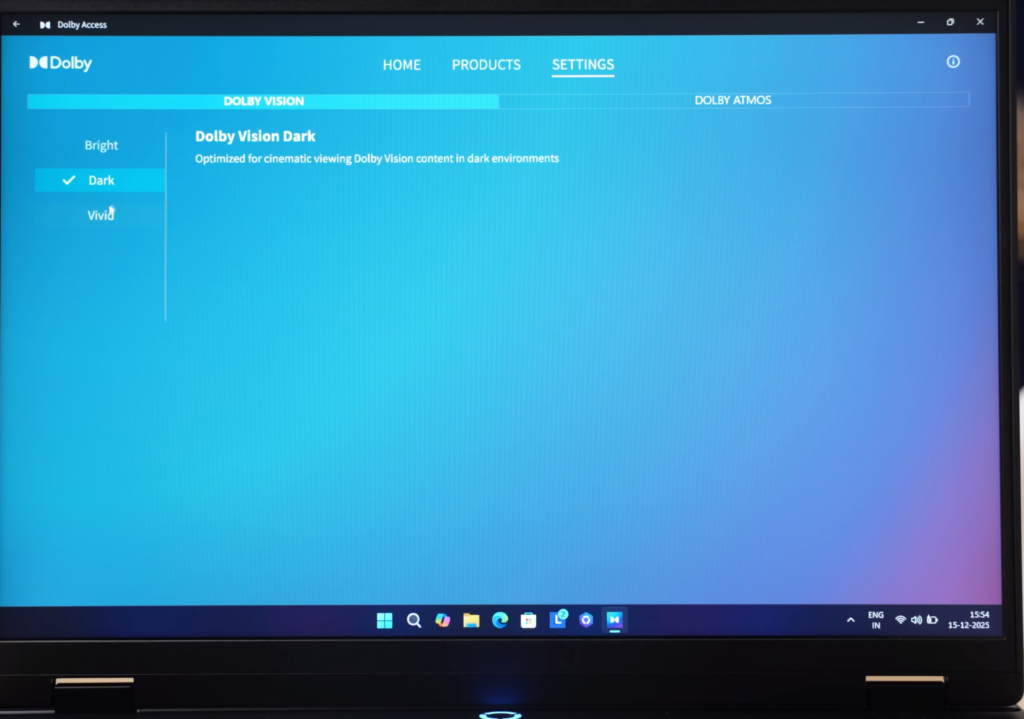
| Special Features | TUV Low Blue Light, Dolby Vision | TUV Low Blue Light, Dolby Vision, Better Color Accuracy |
The display supports TUV low blue light and Dolby Vision, enhancing streaming and media playback. HDR isn’t fully supported on this IPS model, but the OLED variant offers 100% DCI-P3 for professional color grading. Overall, it delivers a solid experience for gaming, content consumption, and creative work.
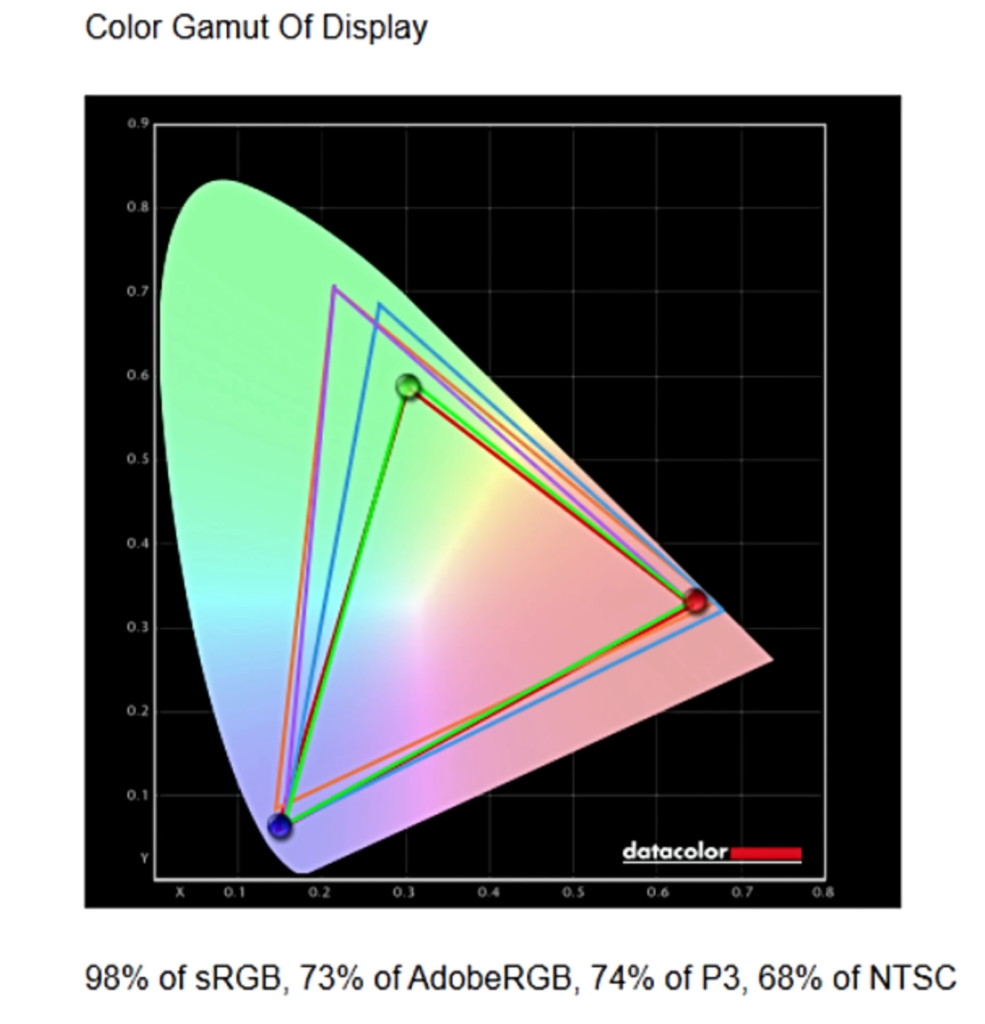
Brightness, Contrast and White Point At Different Brightness Settings
| Setting | Brightness | Black | Contrast | White Point |
|---|---|---|---|---|
| 0 % | 6.2 | 0.00 | 0 : 1 | 7100 (0.305,0.316) |
| 25 % | 19.2 | 0.01 | 1340 : 1 | 7100 (0.305,0.316) |
| 50 % | 76.9 | 0.06 | 1330 : 1 | 7100 (0.305,0.315) |
| 75 % | 199.5 | 0.14 | 1380 : 1 | 7100 (0.305,0.314) |
| 100 % | 321.2 | 0.23 | 1390 : 1 | 7200 (0.305,0.314) |
Lenovo Legion 5 Webcam Test
The Lenovo Legion 5 comes with a 720p 30FPS webcam and uses the laptop’s built-in microphone. While it works fine for video calls, it’s not as sharp as 1080p or 1440p webcams found on some other models like the LOQ series. The quality is decent but not outstanding—good enough for casual meetings and online classes.
Lenovo Legion 5 Speakers
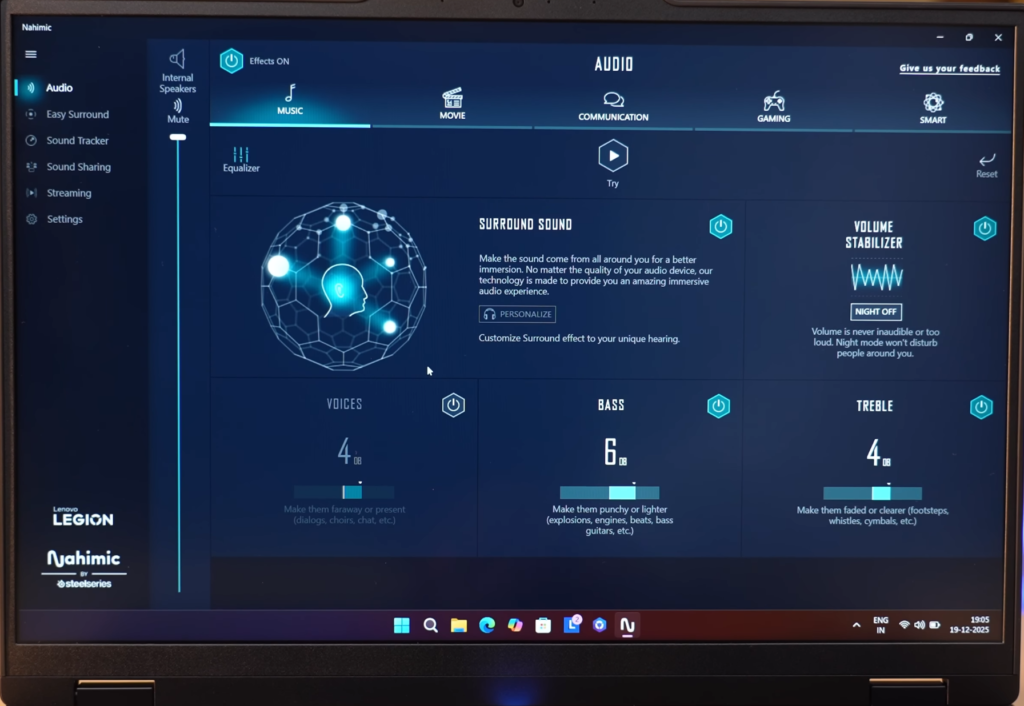
The Lenovo Legion 5 comes equipped with two 2W down-firing speakers that offer decent loudness. While the bass isn’t as deep as what you get on the Yoga series, the overall sound remains clear and satisfying. The speakers are Nahimic-tuned, and with the Nahimic app, you can customize your audio experience by switching between modes such as music, movies, communication, and gaming.
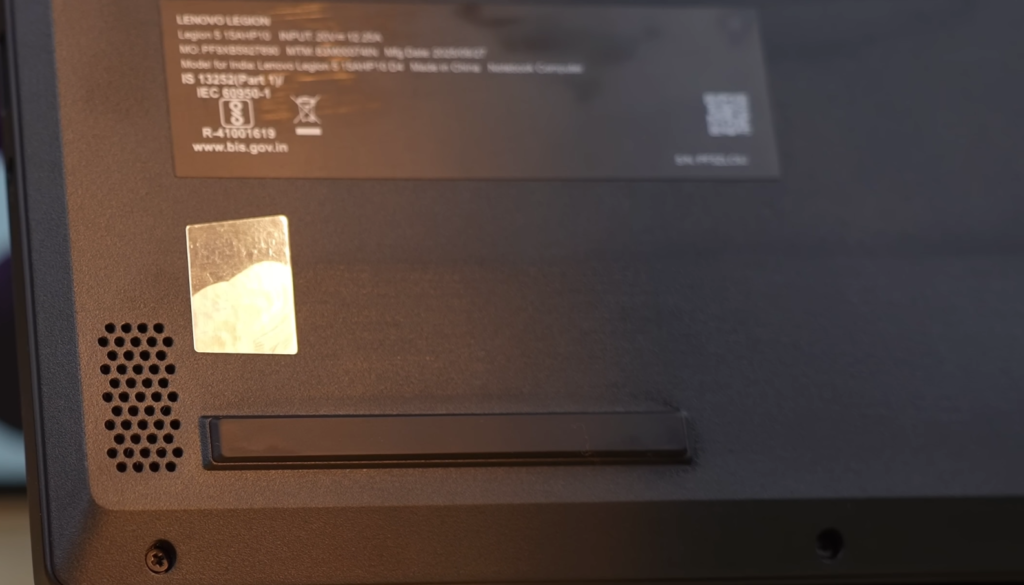
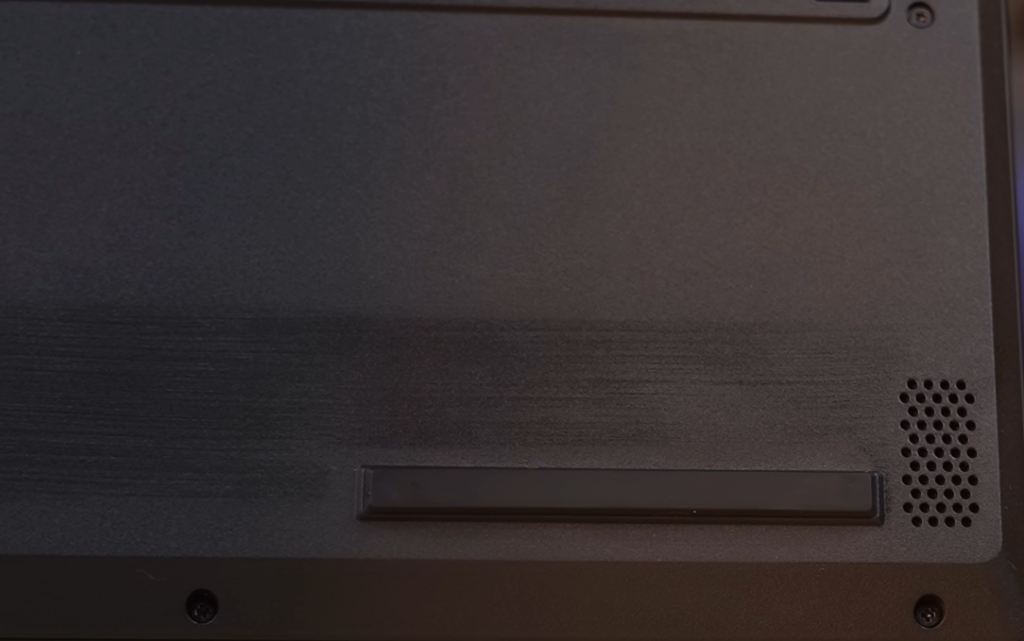
- Speakers: Two 2W down-firing units with clear sound.
- Audio Quality: Balanced and satisfying, though not heavy on bass.
- Nahimic App: Allows mode selection for music, movies, communication, and gaming.
Legion Space Application
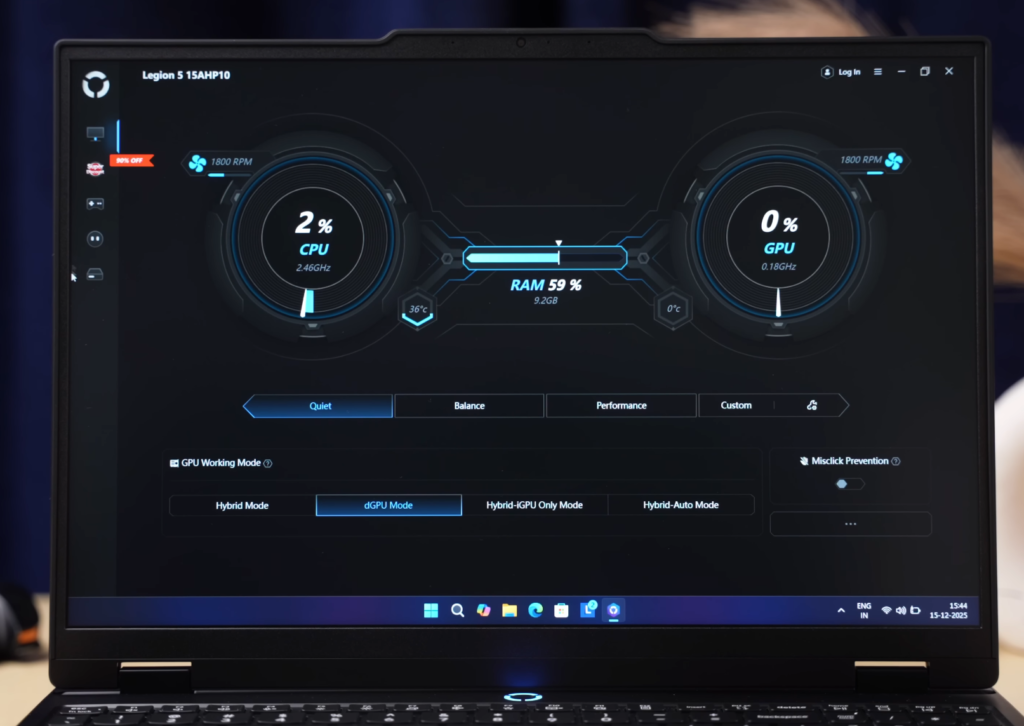
The Legion Space app is a comprehensive tool for managing your laptop and gaming experience. It allows you to optimize performance with different modes, control GPU usage, and access game-related features all in one place:
- Performance Modes: Switch between Quiet, Performance, and Custom modes to adjust your laptop’s performance.
- MUX Switch Control: Toggle the GPU usage for better graphics and efficiency.
- Game Store: Browse and purchase games with discounts directly in the app.
- Game Library: Organize and view all your installed games in one place.
- Gaming Zone & Clip Master Companion: Record in-game highlights, edit clips using generative AI, and share them directly on social media or YouTube.
- Peripherals Tab: Displays connected devices, though it was empty in this version.
Lenovo Legion 5 Battery
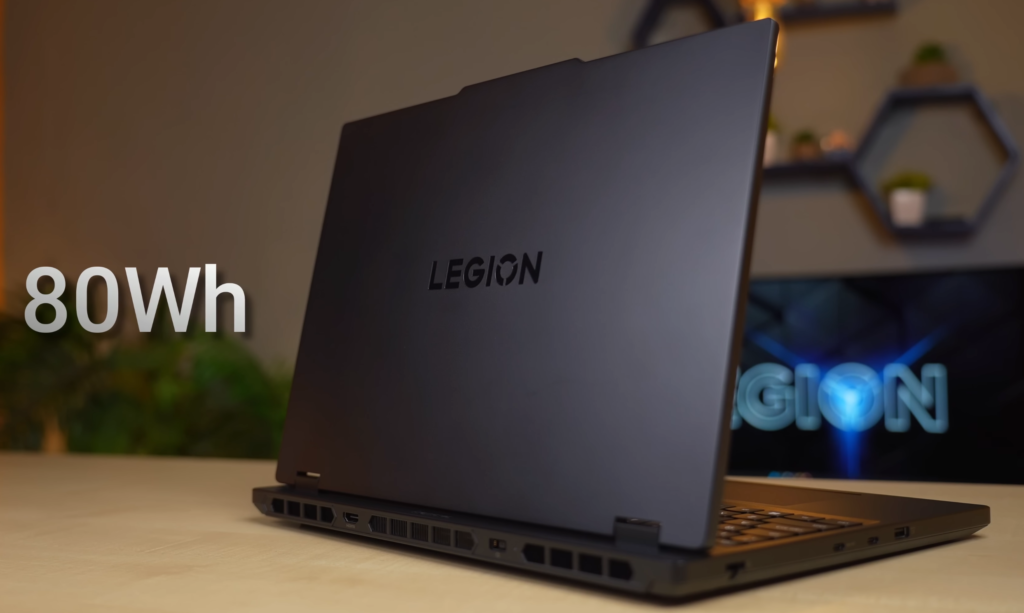
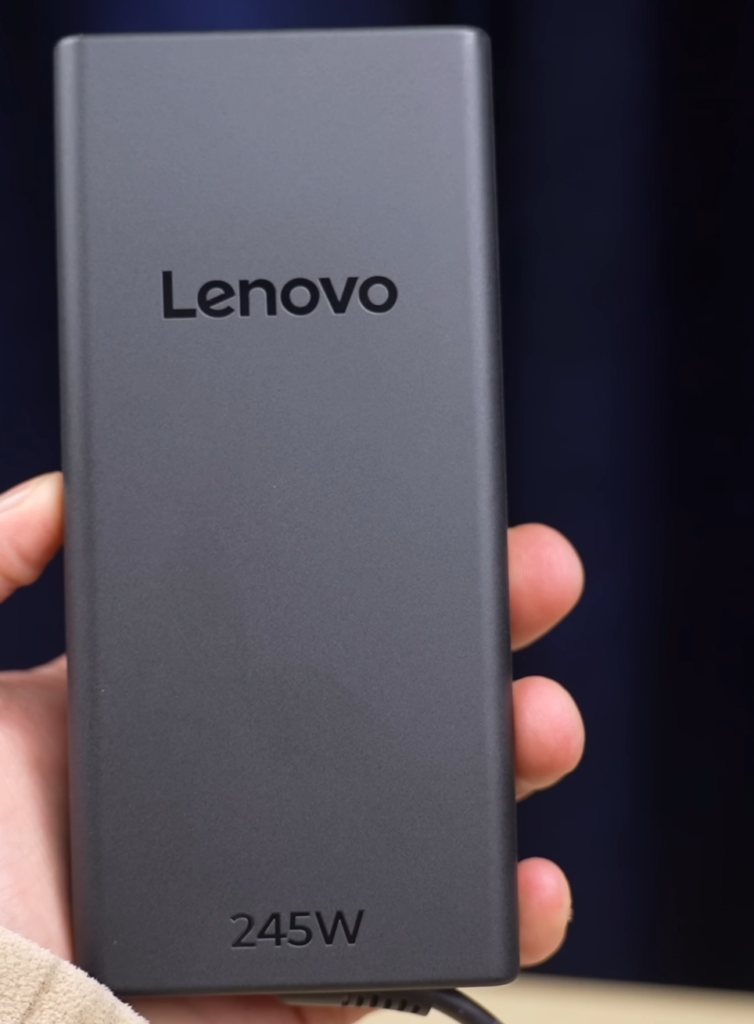
The Lenovo Legion 5 is powered by an 80Wh battery, providing around 5 hours of backup under typical usage conditions—keyboard backlight off, 50% screen brightness, iGPU-only mode, and speakers at full volume during basic multitasking like YouTube and office work. Actual battery life may vary depending on usage. The laptop comes with a 245W charger, which supports fast charging.
- Battery Capacity: 80Wh
- Backup Time: Around 5 hours in light multitasking conditions
- Charger: 245W, supports fast charging
- Charging Speed: 50% in 30 minutes, 100% in 1 hour
Lenovo Legion 5 Conclusion
The preset Lenovo Legion 5 AMD variant is priced at approximately $1,840 USD with an IPS display. If you upgrade to OLED via the configurator, keeping the same specs, the price rises slightly to around $1,875–$1,885 USD, but you get 1600P resolution, Wi-Fi 7, Bluetooth 5.4, and a 3-year warranty with accidental damage coverage.
You can also consider the Intel i7-13650HX variant at a similar price, which offers better multi-core performance and an OLED display. For power efficiency and battery life, AMD is a better choice. For raw multi-core performance and productivity tasks, Intel is preferable. Gaming performance is largely the same on both, thanks to similar single-core performance.
Overall, the Legion 5 provides good display options, solid build, and versatile performance, making it a strong choice for gamers and professionals alike.
Is the Lenovo Legion 5 worth buying right now?
Yes. worth it if you want good thermals, clean design, and stable performance without flashy gamer looks.
RTX 5060 vs RTX 4070 – which is better?
RTX 5060 performs very close to RTX 4070 at 1080p/1200p. At higher resolutions, the 4070 still has a small edge.
How are the thermals on Legion 5?
One of the biggest positives.
CPU and GPU temps stay lower than many thin gaming laptops, and the keyboard area stays comfortable during long sessions.
Does it have a MUX switch?
Yes. This is frequently confirmed on Lenovo. You can switch between iGPU, dGPU, or hybrid mode using Lenovo Legion Space.
Should I wait for the next Legion model?
If you need a laptop now, buy it. The next model won’t be a huge leap unless there’s a major GPU change.
Why does a $1,300+ laptop still have a 720p webcam?
This is one of the most complained-about things.
The webcam is usable for Zoom and Teams, but 1080p should have been standard at this price. Many users end up using an external webcam.
Is the IPS display bright enough?
For indoor use, yes. For bright rooms or outdoor use, not ideal.
The ~320 nits brightness is fine, but many Redditors recommend choosing the OLED variant if display quality matters to you.
- Logitech Pro X2 Super Strike Review: Is This the Future of Gaming Mice?
- Samsung vs TSMC Chip War: Who Will Lead the Future of AI?
- Oppo K15 Pro+ Review: Worth Buying for Gamers in 2026?
- One UI 8.5 Beta Features: 7 Stunning New Samsung Upgrades!
- The Revolutionary AI Agent Smartphone: OpenAI’s Game-Changing 2028 Vision

