

You might remember the MSI Titan, a laptop priced at around $7,500, powered by Core Ultra 9 and RTX 5090. The performance was insane, but most people had the same reaction. It was simply too expensive. That’s when many asked for a cheaper option.
So today, we’re looking at the MSI Raider. It offers nearly the same flagship specs, including the Intel Core Ultra 9 285HX, RTX 5090 laptop GPU, and a PCIe Gen 5 SSD, but at a lower price.
Performance is still top-tier. The big difference is the cost. The MSI Raider comes in at around $6,300, making it about $1,200 cheaper than the Titan.
This laptop is ideal for those who don’t want to build a PC and want extreme power in a portable form. I’ve also covered a PC build vs RTX 5090 laptop comparison to help you decide what makes more sense for your use case.
MSI Raider Build and Design
| Category | Details |
|---|---|
| Material | Metal lid and intake grills with polycarbonate body |
| Hinge | One-hand opening, stable hinge, 160–170° tilt |
| Design | Black finish with red accents, sharp and edgy look |
| Weight | 3.65 kg (around 5 kg with 400W adapter) |
| Thickness | Approx. 32 mm |
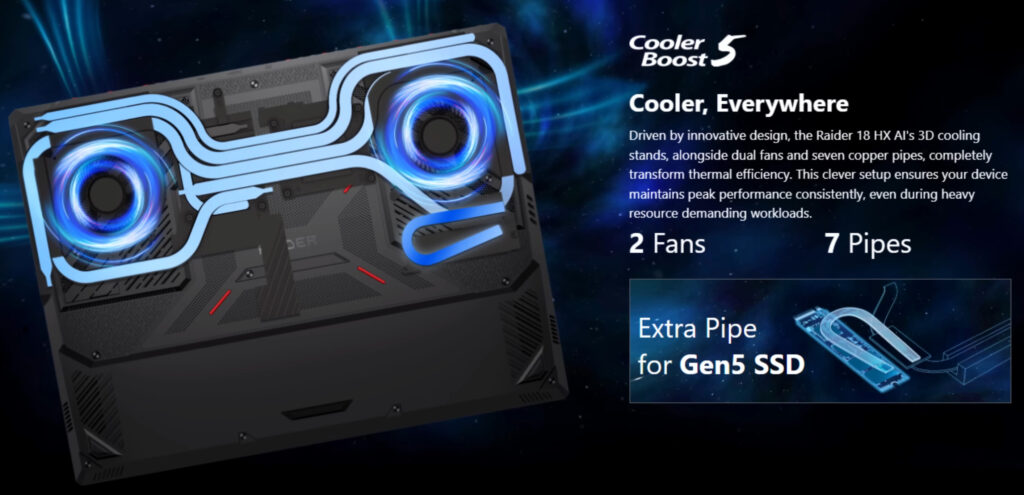
| Cooling | Bottom intakes with four exhaust vents |
| Thermals | Dedicated heat pipe for PCIe Gen 5 SSD |
| Power Adapter | Large 400W adapter for peak performance |
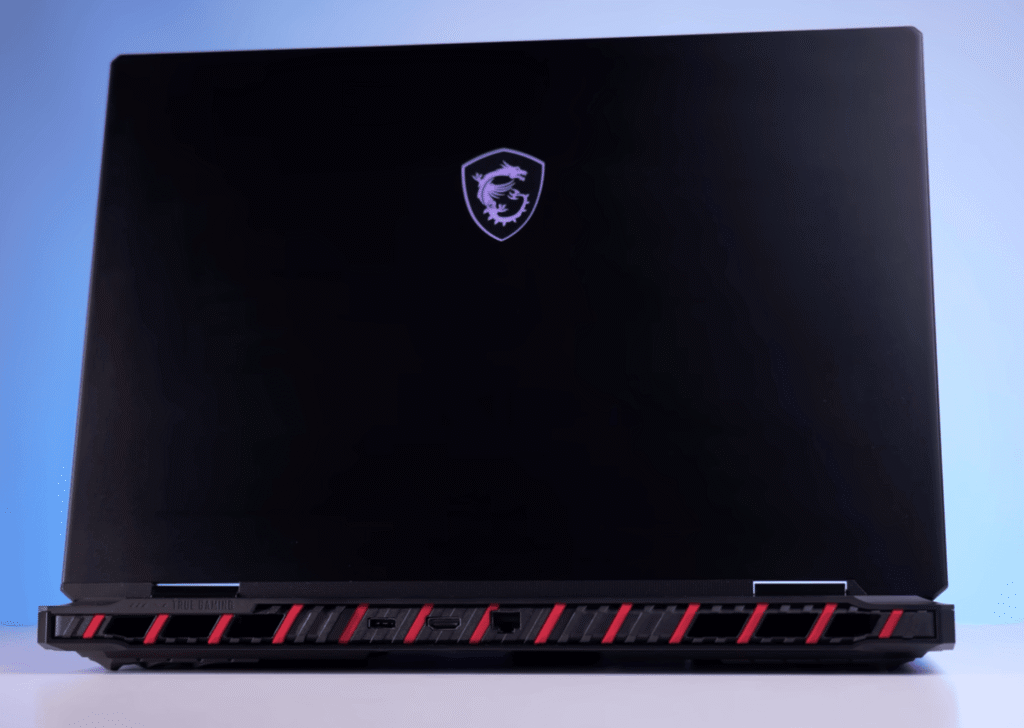
This is a big, performance-focused laptop, and MSI doesn’t hide it. The 400W power adapter alone suggests that portability isn’t a priority. The metal lid and intake grills give it a premium feel, while the polycarbonate body remains solid. The lid opens with one hand, and the sturdy hinge tilts back 160–170 degrees.
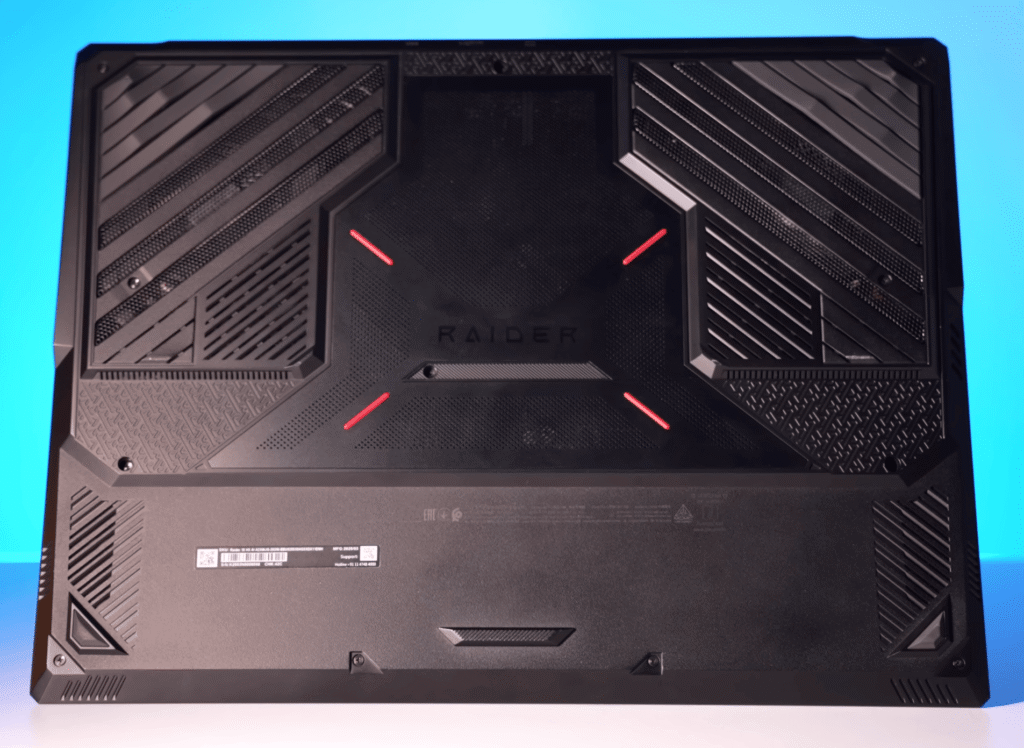
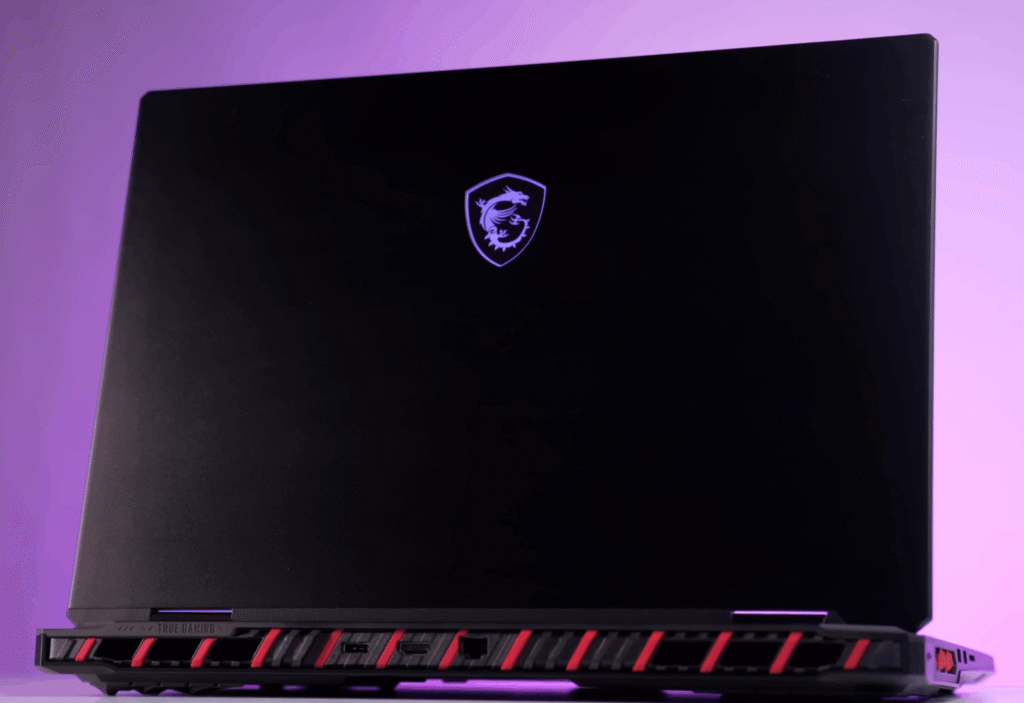
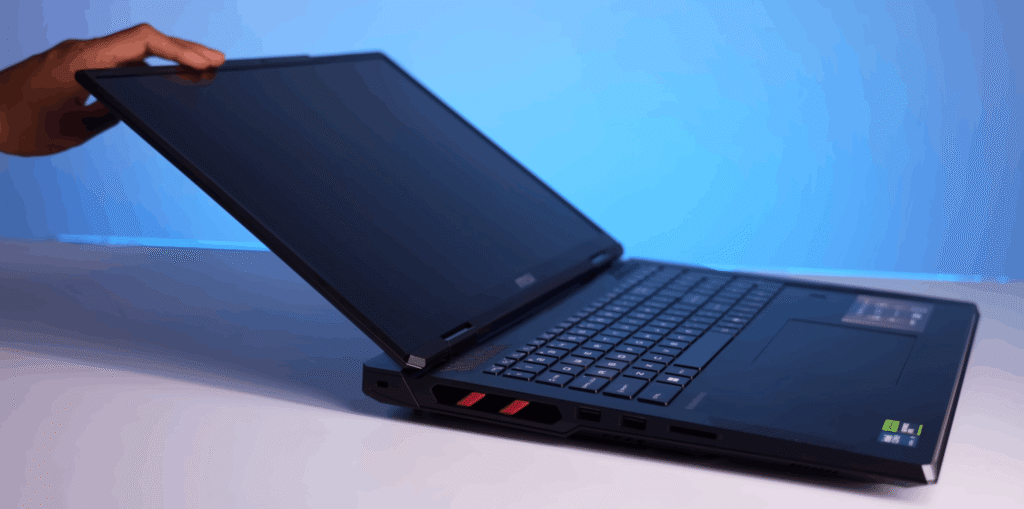
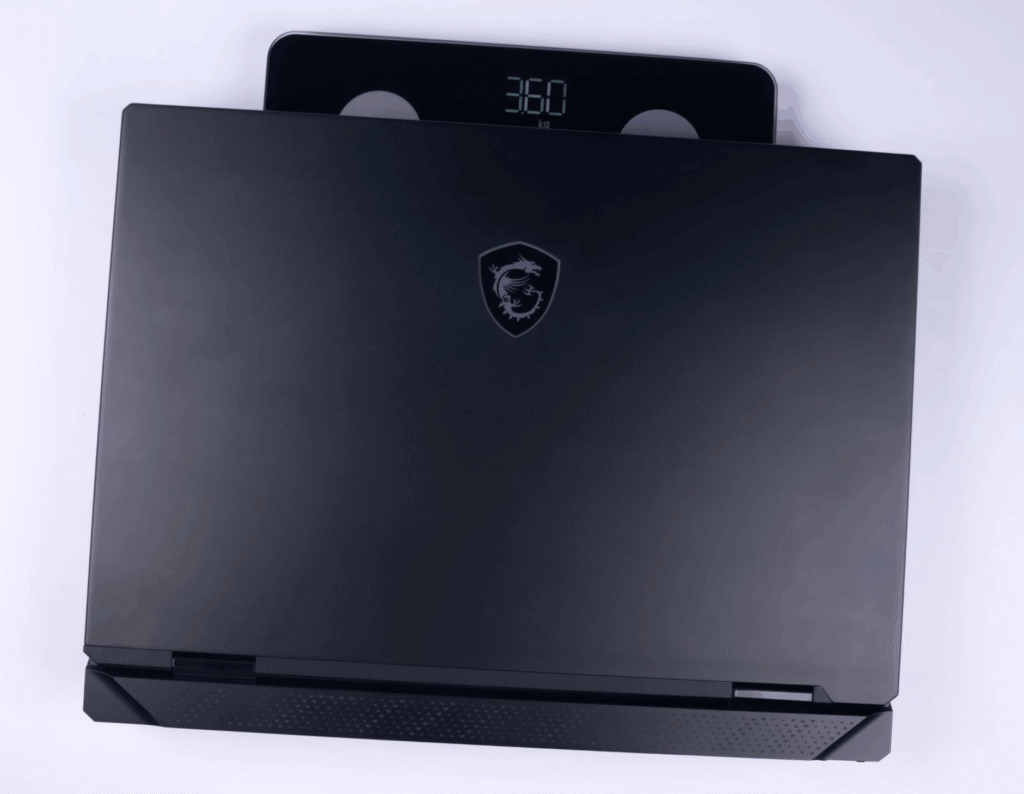
It comes in black with red accents, giving it a sharp, race-inspired look. At 3.65 kg (nearly 5 kg with the charger) and 32 mm thick, this is clearly a desktop-replacement machine.
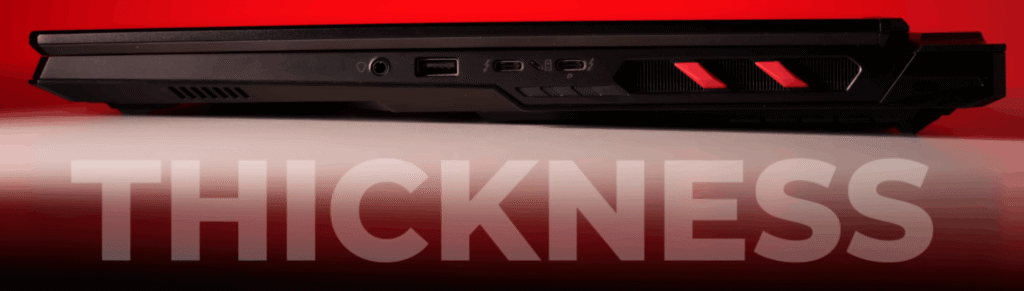
Cooling is aggressive, with bottom intakes, four exhaust vents, and a dedicated heat pipe for the PCIe Gen 5 SSD to handle extra heat.
MSI Raider Specifications
| Component | Details |
|---|---|
| Processor | Intel Core Ultra 9 285HX, 24 cores / 24 threads, up to ~5.5 GHz |
| Chipset | Intel HM870 |
| NPU | Integrated, 13 TOPS (efficiency-focused) |
| GPU | NVIDIA RTX 5090 Laptop GPU, 24GB VRAM, 175W TGP |
| RAM | 64GB DDR5‑6400 (2×32GB), upgradeable to 96GB |
| Storage | 4TB total: 2TB PCIe Gen5 + 2TB Gen4, RAID 0 |
| Storage Speed | Read up to 13,000 MB/s, Write ~9,000 MB/s |
| Display | 18″ Mini LED UHD+, 3840×2400, 120Hz, 100% DCI-P3, DisplayHDR 1000 |
| Connectivity | Wi-Fi 7, Bluetooth 5.4, 2.5GbE LAN |
| I/O Ports | 2× Thunderbolt 5, 3× USB 3.2 Gen2 Type-A, HDMI 2.1, SD Express, RJ45, Audio Combo Jack |
| Keyboard | SteelSeries Per-Key RGB, Copilot Key, optional fingerprint reader |
| Audio & Webcam | 6-speaker Dynaudio system, Nahimic 3, Hi-Res Audio, IR FHD Webcam with HDR & shutter |
| Battery | 4-cell 99.9 Wh Li-Polymer |
| Power Adapter | 400W |
| Dimensions | Approx. 404 × 307.5 × 24–32 mm |
| Weight | Approx. 3.6 kg |
| Color | Core Black |
| Security | TPM 2.0, Kensington lock, Webcam shutter |
| Cooling | MSI OverBoost Ultra, dedicated heat pipe for Gen5 SSD |
| Operating System | Windows 11 Home / Pro |
| Pre-installed Software | MS Office not included |
The MSI Raider is powered by the Intel Core Ultra 9 285HX, a 24-core processor built for extreme performance. It also includes an NPU rated at 13 TOPS, mainly focused on power efficiency. On a laptop this powerful, AI performance isn’t really a concern.
For graphics, you get the RTX 5090 laptop GPU with 24GB VRAM and a 175W TGP, which puts it firmly in flagship territory.
Memory and storage are just as serious:
- 64GB dual-channel RAM at 6400 MT/s, Upgradeable up to 96GB
- 4TB total storage, split between 2TB PCIe Gen 5 and 2TB Gen 4, configured in RAID 0
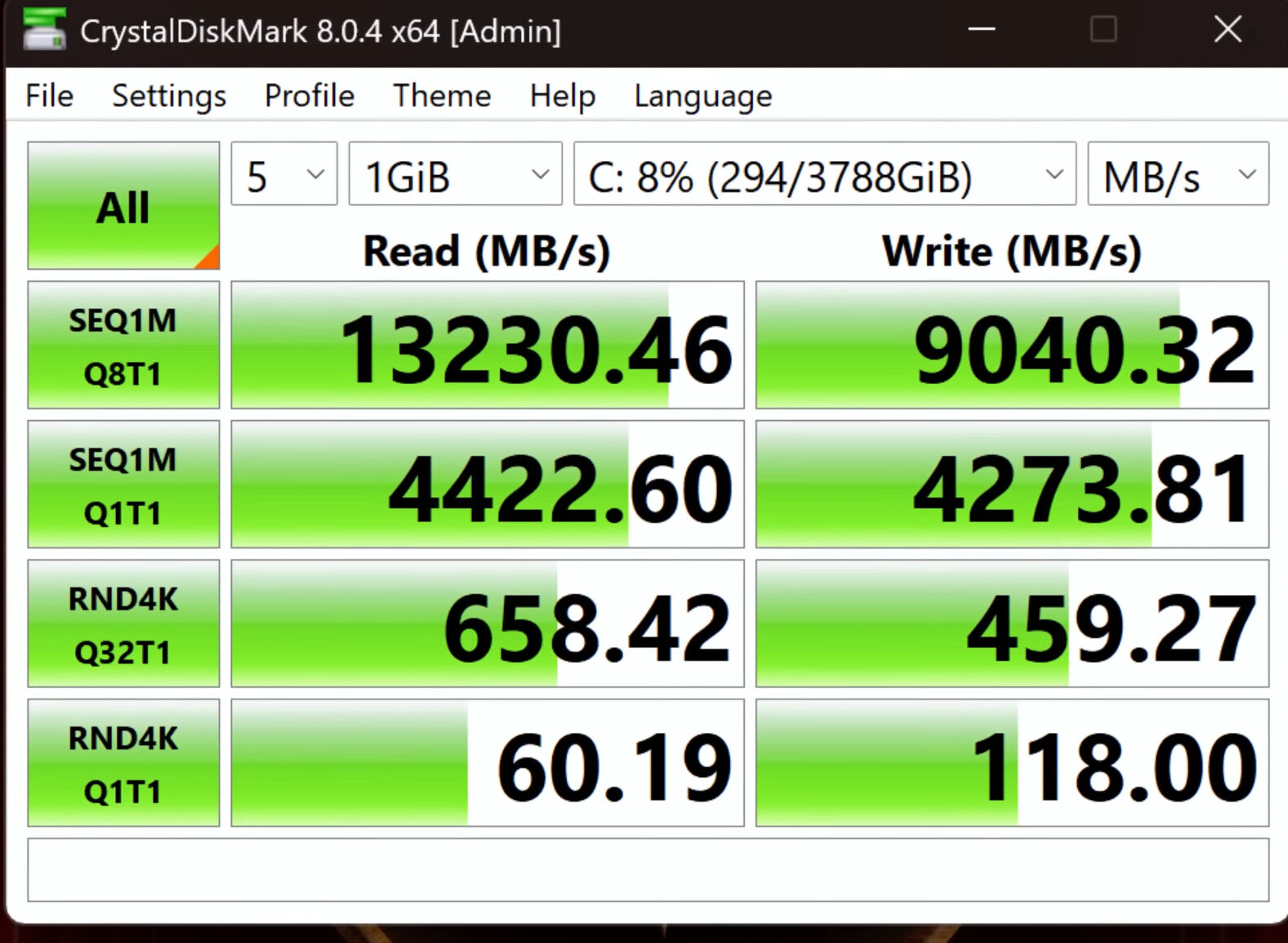
Storage speeds are insane, with read speeds touching 13,000 MB/s and writes close to 9,000 MB/s, far more than most users will ever need.
Connectivity includes Wi-Fi 7 and Bluetooth 5.4. One thing missing at this price is MS Office, which feels like an odd omission. Overall, the combination of RTX 5090, Core Ultra 9, Gen 5 SSD, 64GB RAM, and 4TB storage is hard to find in any other laptop at this price point.
MSI Raider Benchmarks & Performance
The MSI Raider RTX 5090 is a standalone powerhouse, priced at around $4,300. Let’s break down how it performs in real-world and synthetic benchmarks.
Cinebench Score
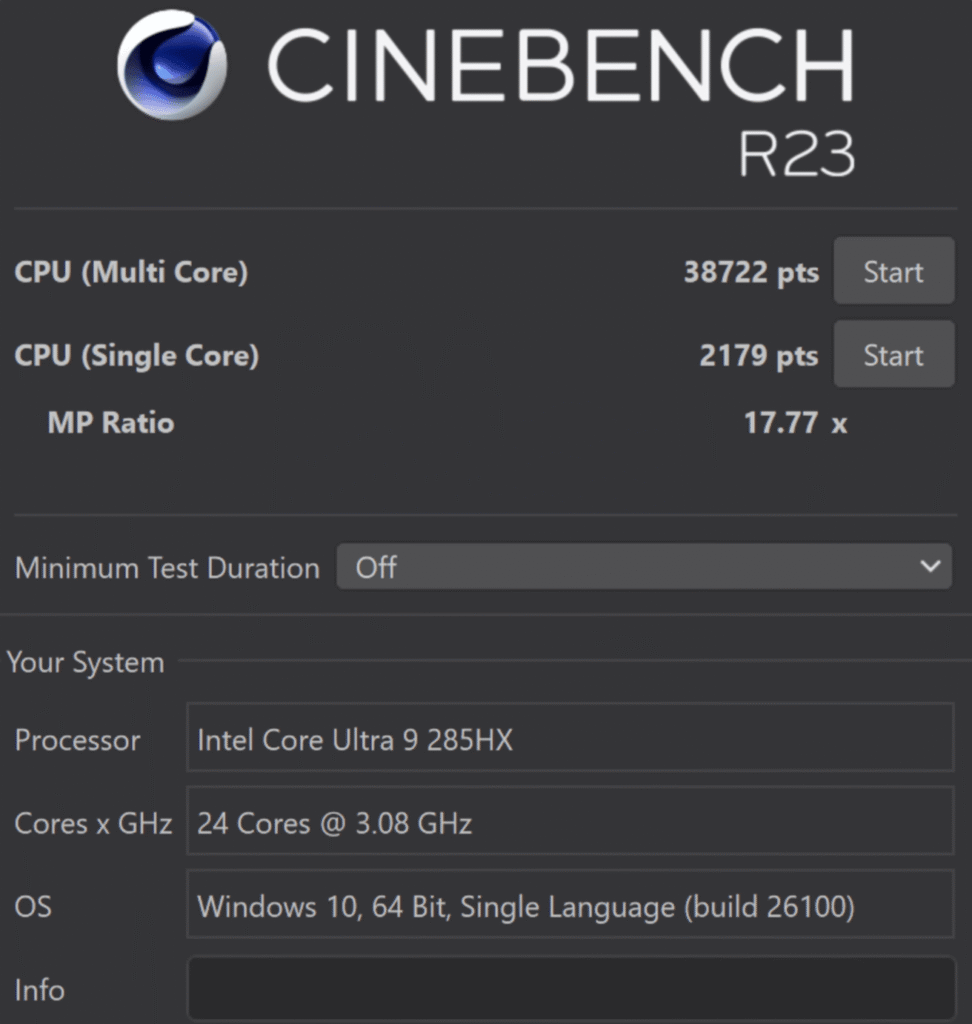
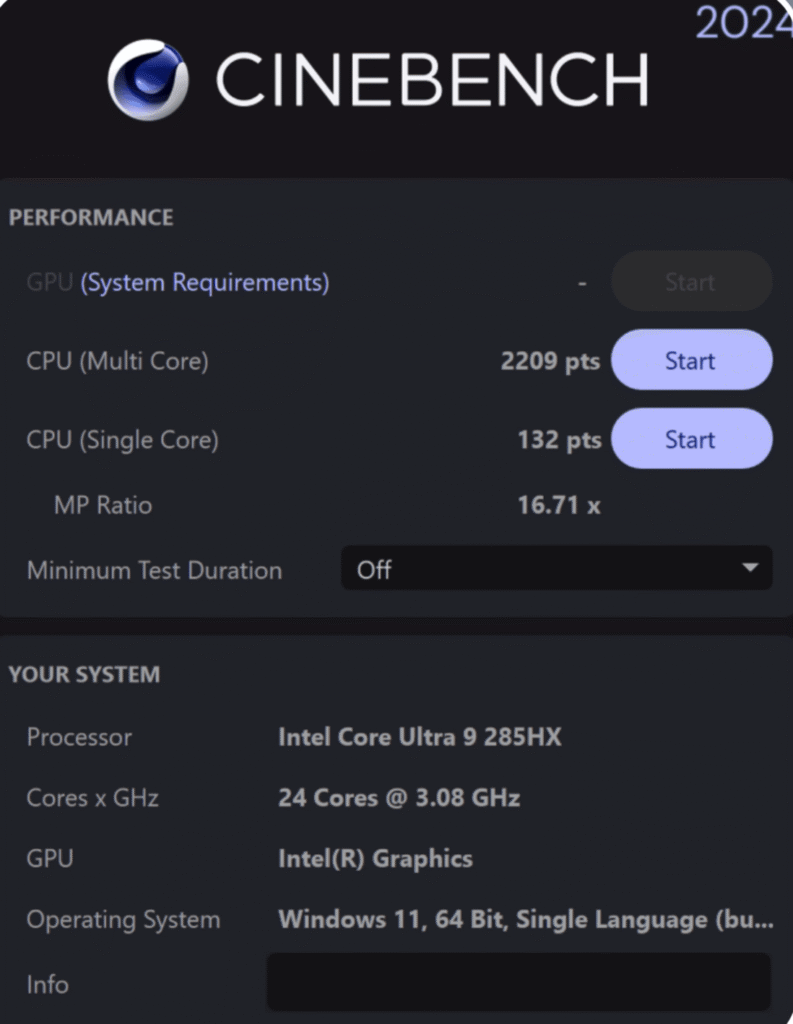
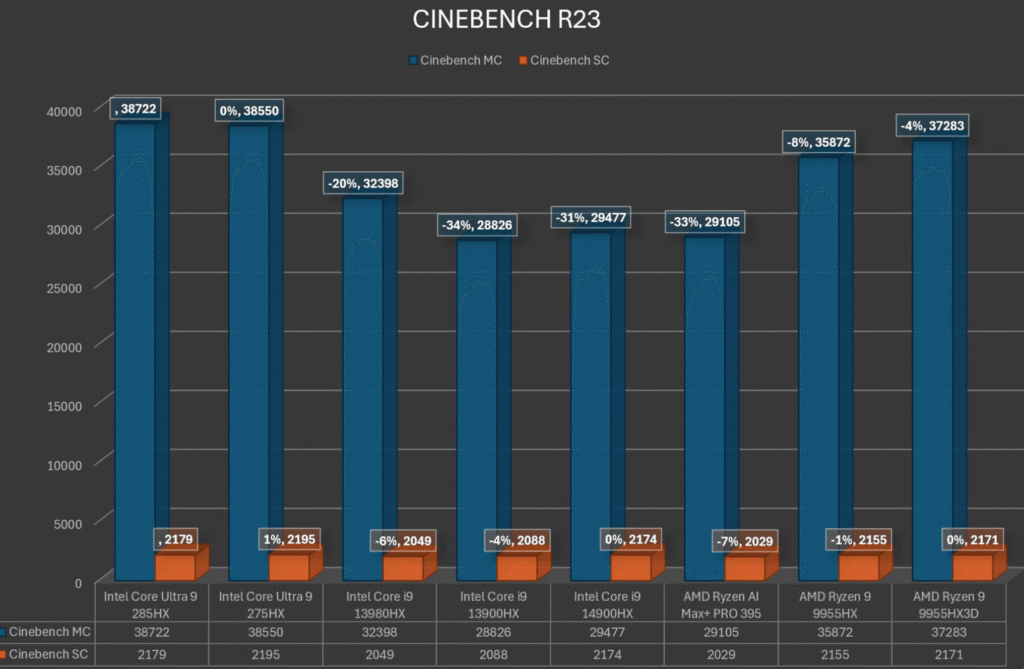
In synthetic benchmarks, this CPU delivers numbers that clearly place it in the top-tier category. Cinebench R23 shows multi-core scores crossing 38,000+, which highlights massive parallel processing power, while single-core scores above 2,000+ confirm strong per-core performance. In Cinebench 2024, a score beyond 2,200 further reinforces its efficiency under newer workloads and updated rendering tests.
Geekbench Results
Geekbench 6 results are equally impressive, with both single-core and multi-core scores landing in the exceptional range. This indicates not only raw power but also balanced performance across everyday tasks and heavy workloads. Whether it is lightly threaded applications or demanding multi-core processes, the CPU performs consistently well.
AI and GPU-Accelerated Workloads
When paired with the RTX 5090, AI benchmarks show seamless handling of AI-based tasks. From model inference to GPU-accelerated processing, the CPU does not bottleneck performance. This combination is clearly optimised for creators and developers working with AI tools, machine learning workflows, and advanced compute-heavy applications.
Productivity Benchmarks
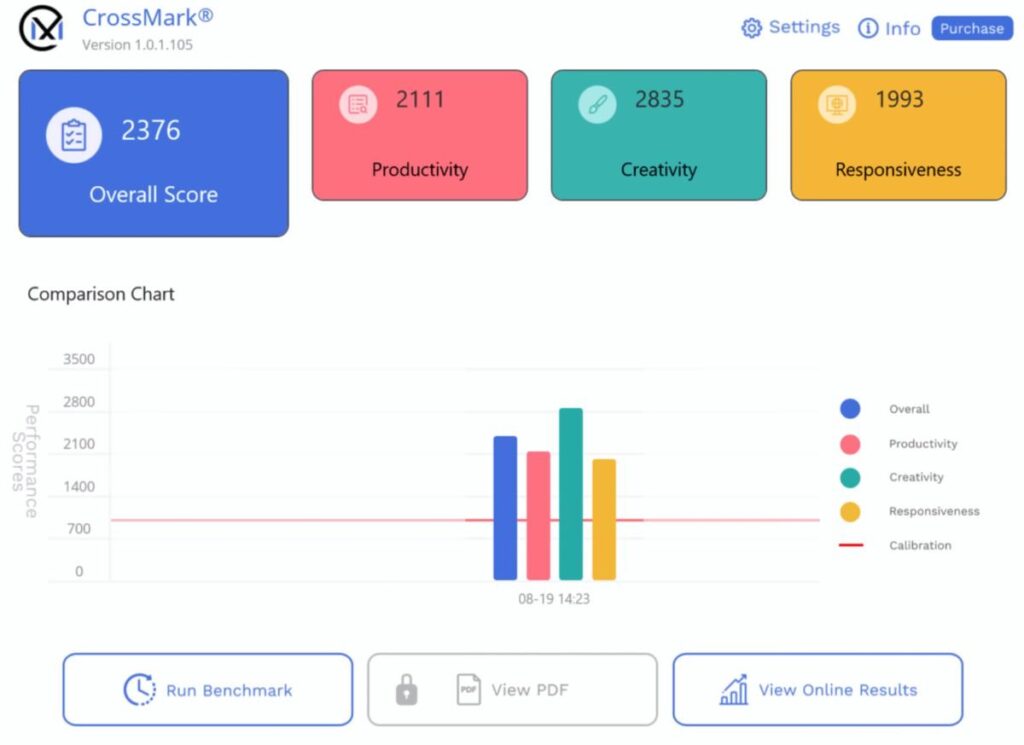
Cross Mark peak scores reflect excellent productivity performance, covering tasks like document work, content creation, and responsiveness. PCMark 10 did show minor errors during testing, but overall results still confirm smooth day-to-day usage. Multitasking, app switching, and background processes run without any noticeable slowdowns.
Real-World Performance and Future-Proofing
In real-world use, the CPU handles music production, coding, software development, and AI processing effortlessly. Latency-sensitive tasks remain stable, and heavy workloads complete quickly without system strain. For most users, this level of performance is honestly overkill, but it offers strong future-proofing, ensuring the system remains powerful and relevant for years to come.
AI & GPU Performance
DeepSeek R1 Performance Overview
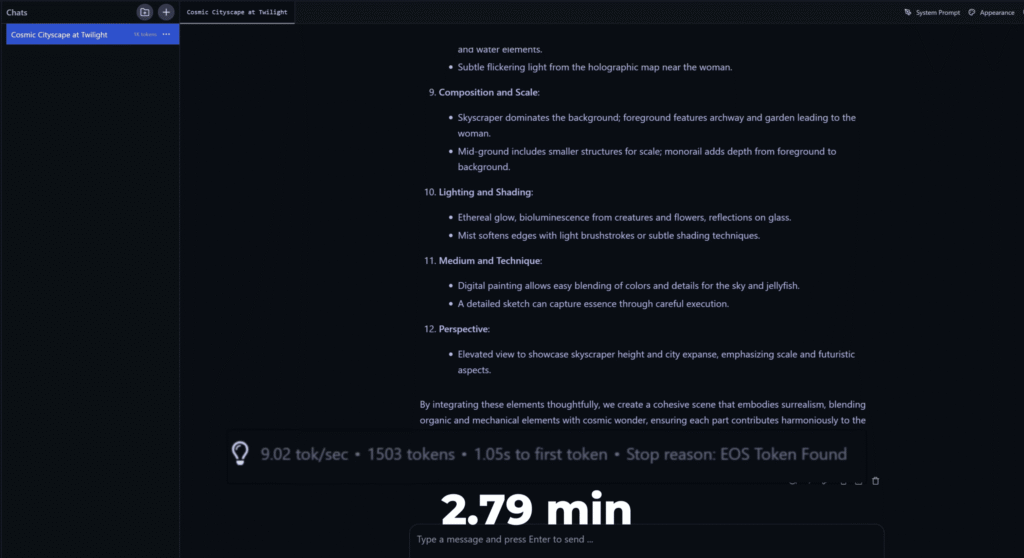
The DeepSeek R1, equipped with a powerful 32B model, handles demanding tasks efficiently, taking just 2 minutes and 79 seconds to generate complex AI outputs. Its GPU acceleration ensures smooth performance across creative and computational workloads.
Blender Rendering Speed
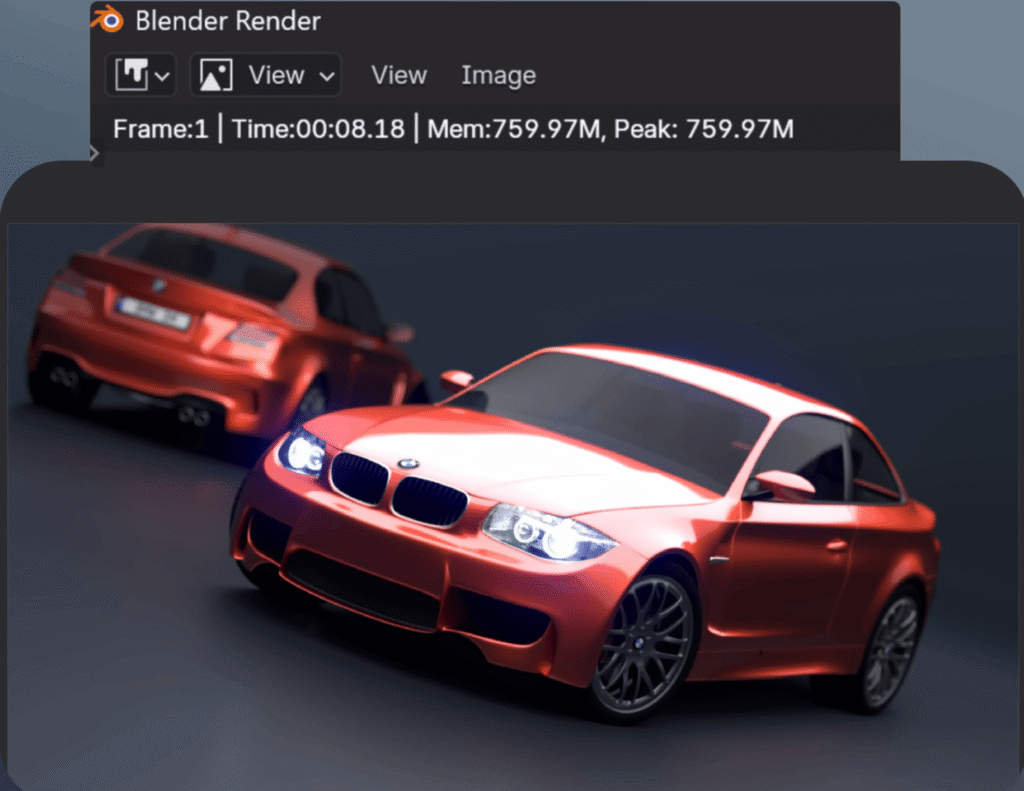
Rendering 3D models is a breeze on the DeepSeek R1. For instance, a detailed BMW model was rendered in just 8 seconds using the GPU, achieving a benchmark score of over 8,300, demonstrating the system’s ability to handle intensive 3D workloads effortlessly.
Graphics Benchmarks
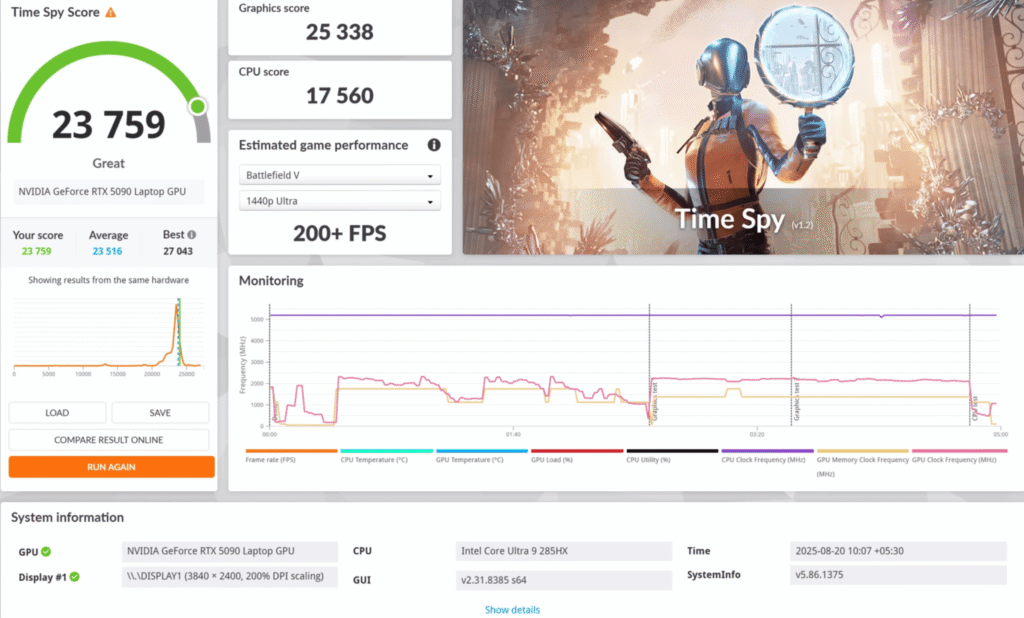

In 3DMark Time Spy, it scored over 25,000 in GPU tests, VRMark benchmarks exceeded 20,000, ensuring smooth VR gaming experiences.
Creative Suite Efficiency
The system handles large files, complex transitions, and heavy effects with ease, making it ideal for intensive content creation workflows.
Thermal & Power Management
| Component | Metric | Min | Average | Max | Note |
|---|---|---|---|---|---|
| CPU: Intel Core Ultra 9 285HX | Core Temperature | 44°C | 94°C | 104°C | Core Thermal Throttling Yes |
| CPU Package | 46°C | 100°C | 104°C | Package/Ring Thermal Throttling Yes | |
| CPU Package Power | 11.5 W | 151.9 W | 225.8 W | Power limit exceeded 90% | |
| IA Cores Power | 4.2 W | 142.3 W | 217.3 W | High load performance | |
| CPU Clock (Cores) | 21x | 37.6x | 51x | Stable under load | |
| GPU: NVIDIA RTX 5090 Max-Q Mobile | GPU Temperature | 34°C | 65.6°C | 67°C | Hotspot: 255°C (sensor reading) |
| GPU Memory Junction Temp | 34°C | 61.8°C | 64°C | Stable | |
| GPU Core Voltage | 0.685 V | 0.701 V | 0.760 V | Under load | |
| GPU Power | 21.3 W | 173.9 W | 175.9 W | Max-Q GPU full load | |
| GPU Clock | 457 MHz | 1,567.7 MHz | 1,695 MHz | Core clock under load | |
| GPU Load | 0% | 99.7% | 100% | Full utilization |
Gaming Performance on MSI Raider RTX 5090
| Game | Settings & Resolution | FPS (Raw) | FPS with Frame Generation / DLSS | Notes |
|---|---|---|---|---|
| Valorant | 4K+ 2400p, CPU intensive | 500 | - | Extreme FPS on native resolution |
| CS2 | Very High, 4K+ | 170–180 | - | High FPS, stable gameplay |
| Elden Ring | 4K+, Ultra | 55–60 | - | 60 FPS locked game |
| GTA V Enhanced Edition | 4K+, Max Ray Tracing | 55–60 | - | GPU load ~170W, VRAM 11GB |
| RDR2 | Ultra, DLSS Off/Quality | 70–80 | 80–100 | DLSS improves FPS by 10–20 |
| Cyberpunk 2077 | 4K Ultra, DLSS Frame Generation | 30–35 | 100 | VRAM 15–21GB, ray tracing reduces raw FPS |
| Hogwarts Legacy | Ultra, 4K+, Ray Tracing | 45–50 | 100–130 | Playable, frame generation doubles FPS |
| Assassin’s Creed: Shadows | Ultra High, Ray Tracing Very High | 25–30 | 50–60 | 4K+ testing, frame generation improves FPS |
| The Last of Us 2 | Very High, 4K+ | 60 | 150 | Frame generation almost doubles FPS |
| Horizon Forbidden West | Very High, 4K+ | 60 | 100–110+ | Frame generation boosts performance |
| Ghost of Tsushima | Very High, 4K+ | 55–60 | 100–120 | Frame generation doubles FPS |
| Spiderman 2 | 4K+, Raw & Ray Tracing | 65–70 | 100+ | Ray tracing reduces raw FPS, frame generation recovers it |
| Hellblade 2 | 4K+, Ultra, Demanding | 30 | 90–140 | Multi-frame generation gives highest FPS but may cause input lag |
| Black Myth: Wukong | Cinematic, 4K+ Ultra, Ray Tracing | 30 | 60–80 | High resolution limits raw FPS, multi-frame improves slightly |
| Alan Wake 2 | 4K+, Ultra, Ray Tracing | 40 | 40+ | Frame generation stabilizes FPS |
| Thermals (After 4h Gaming) | WASD: ~30°C, Keyboard: 30–32°C, CPU area: 35°C, Spacebar: 32–35°C | Laptop feels warm but not hot | Comfortable for long gaming sessions | |
The MSI Raider RTX 5090 is built to handle 4K+ gaming with extreme workloads. The following tests are done at the laptop’s native resolution of 4K+ (around 2400p) to show peak performance.
Valorant
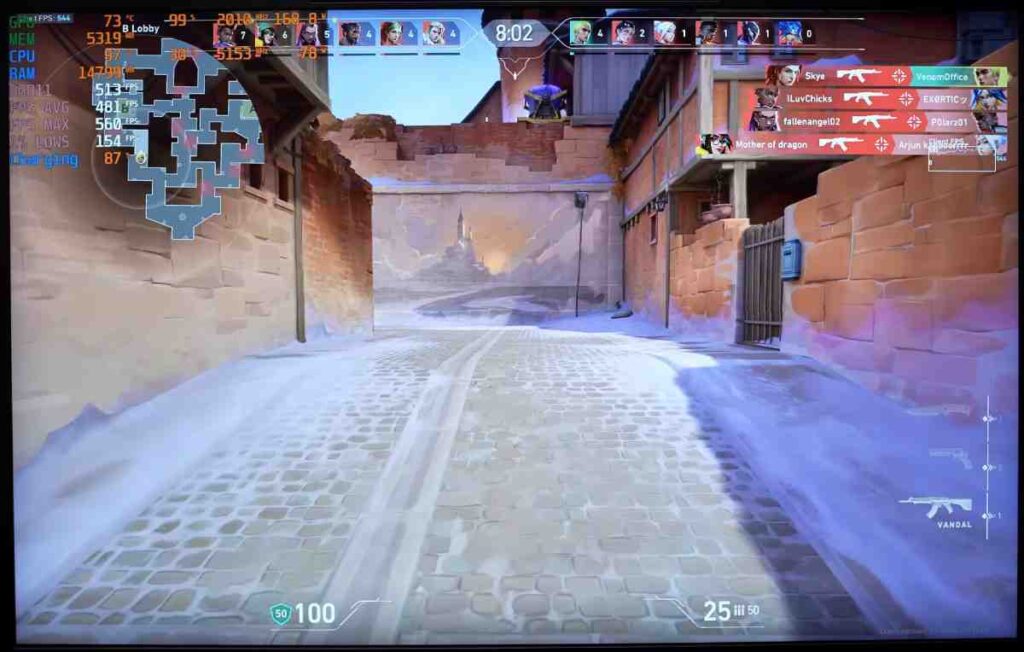
Being a CPU-intensive game, Valorant easily hits 500 FPS, even at the laptop’s maximum resolution. The CPU handles all the load without breaking a sweat.
CS2 (Counter-Strike 2)
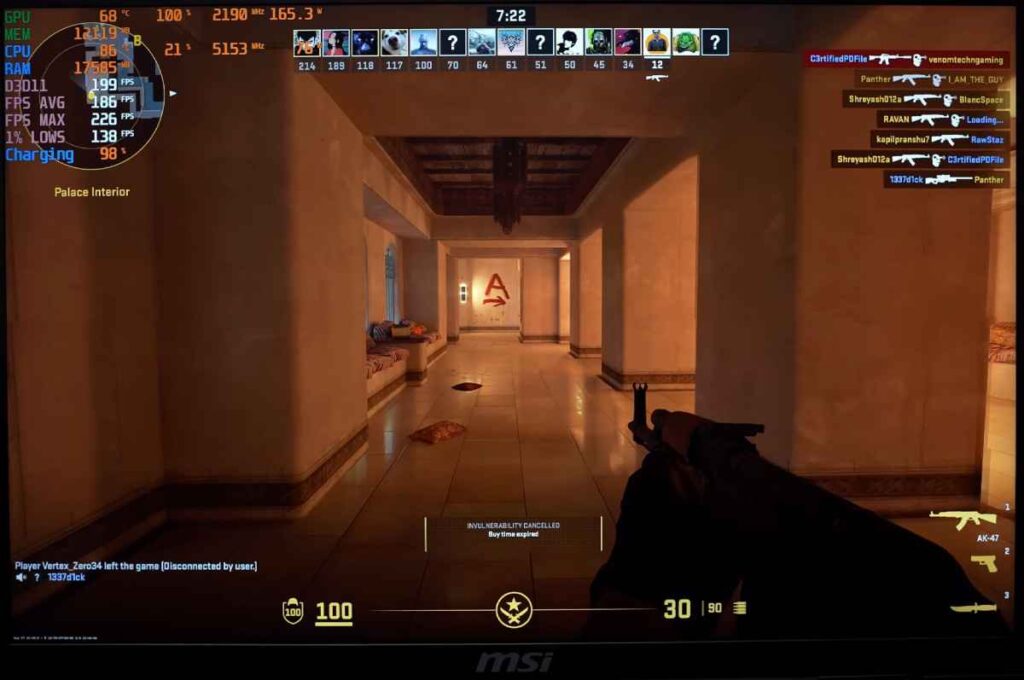
On very high settings, CS2 runs at 170–180 FPS, providing smooth and responsive gameplay.
Elden Ring
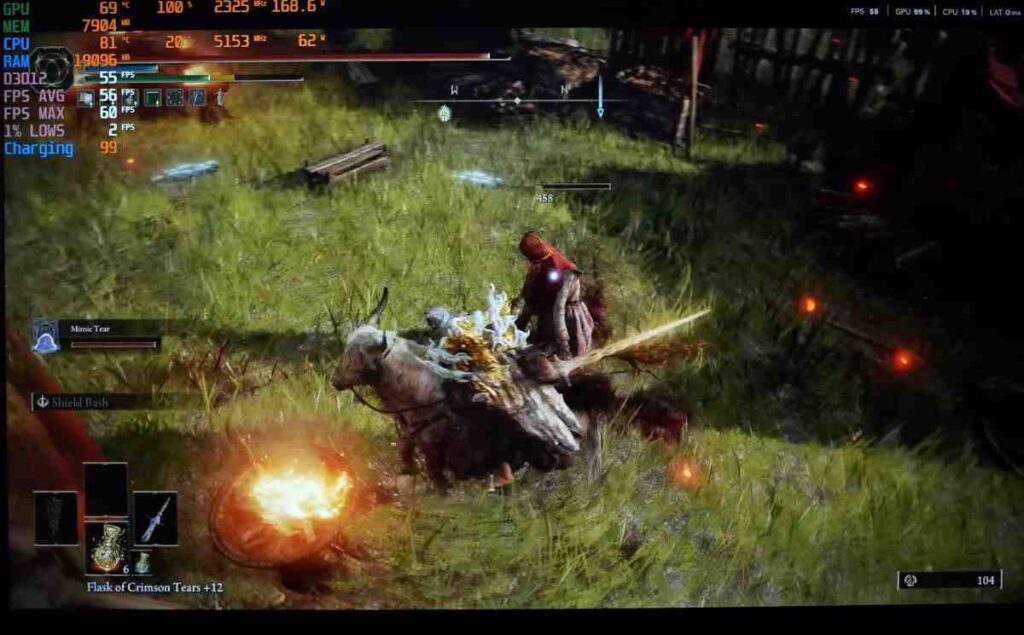
Elden Ring is capped at 60 FPS. The laptop achieves an average of 55–60 FPS, showing that even demanding RPGs run comfortably, with options to tweak resolution for better stability.
GTA V Enhanced Edition
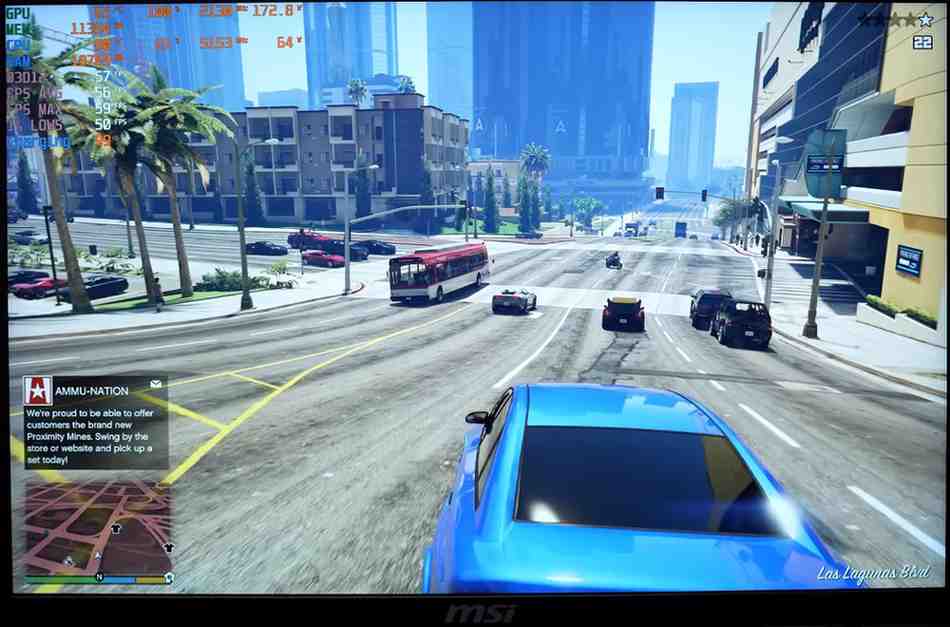
With maximum ray tracing enabled, GTA V uses about 11GB VRAM and ~170W GPU power. The laptop delivers 55–60 FPS at 4K resolution, fully utilising the RTX 5090.
Red Dead Redemption 2
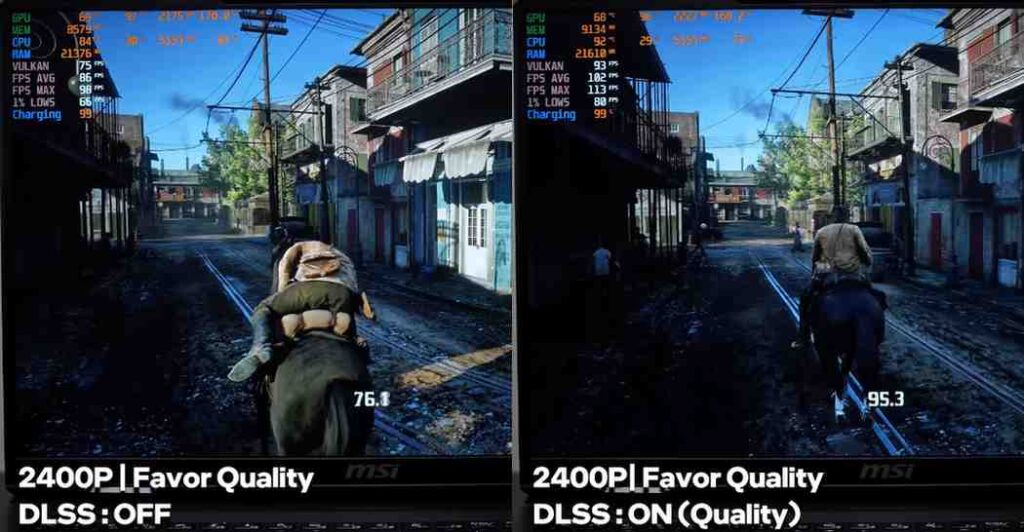
RDR2 runs at 70–80 FPS with DLSS off. Turning on DLSS Quality adds 10–20 FPS, making gameplay smoother while keeping visual quality high.
Cyberpunk 2077
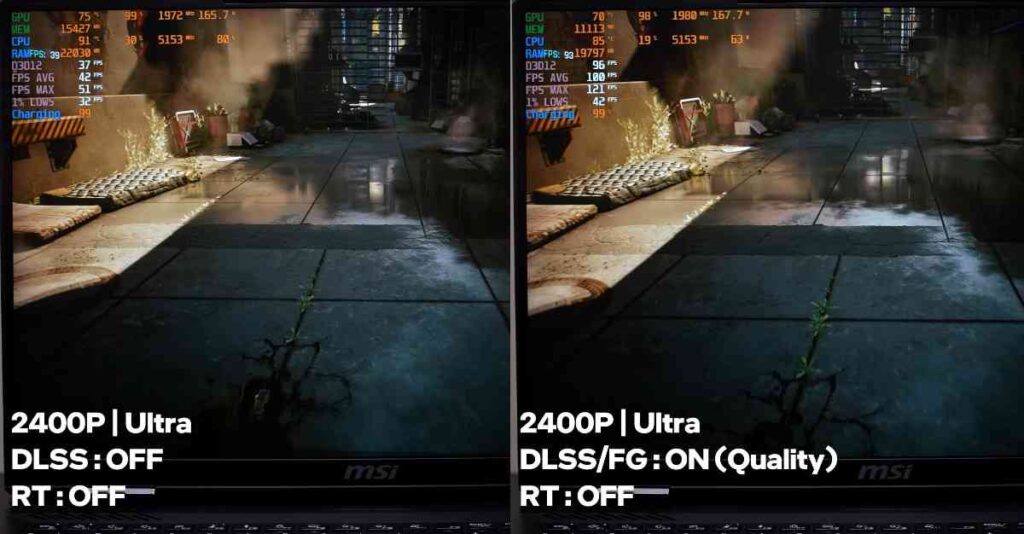
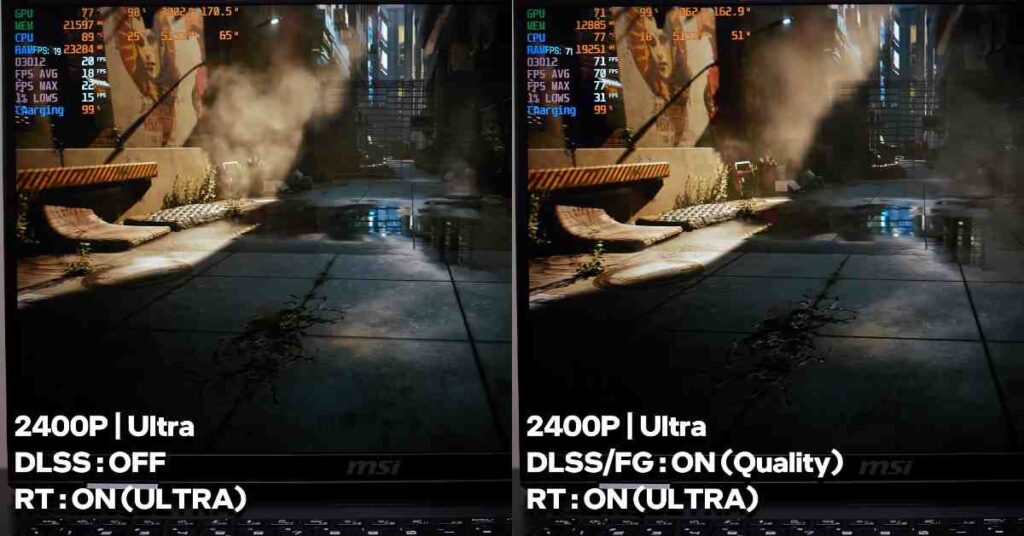
Without DLSS frame generation, Cyberpunk runs at 30–35 FPS on 4K Ultra. Using frame generation doubles the FPS to around 100, even while consuming up to 15GB VRAM. Ray tracing ultra pushes VRAM usage to 21GB, but frame generation ensures playable FPS.
Hogwarts Legacy
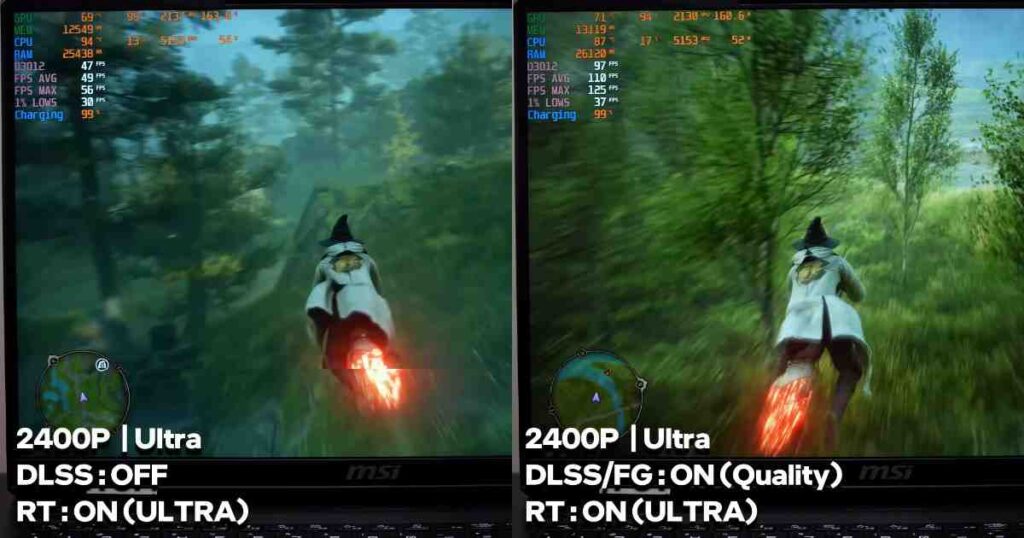
On ultra settings, raw performance delivers 45–50 FPS, while frame generation boosts it to 100–130 FPS at 4K+, including ray tracing.
Assassin’s Creed: Shadows
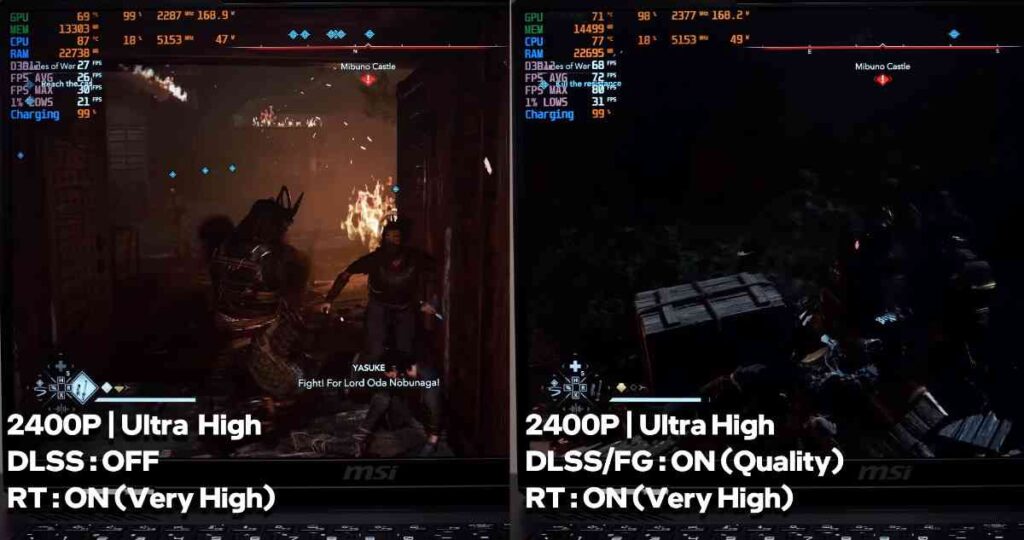
Ultra settings with ray tracing give 25–30 FPS, but frame generation significantly improves FPS for smooth gameplay. Lower resolutions like 1440p or 1080p will increase FPS further.
The Last of Us Part II & Horizon Forbidden West
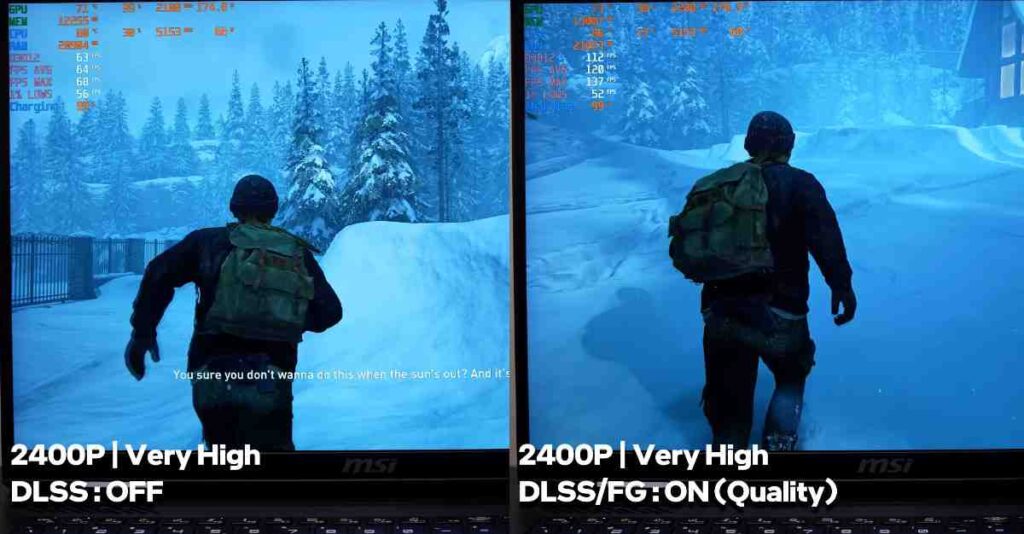
The Last of Us Part II averages 60 FPS, doubling to 150 FPS with frame generation. Horizon Forbidden West also sees a jump from 60 FPS to 100–110+ FPS using frame generation.
Ghost of Tsushima
Average raw FPS is 55–60, which doubles to 100–120 FPS with frame generation.
Spider-Man 2
Raw 4K+ performance yields 65–70 FPS, with frame generation boosting it to around 100 FPS. Ray tracing reduces FPS slightly, but frame generation restores smoothness.
Hellblade 2
A very demanding game, raw performance hits 30 FPS. Frame generation increases FPS to around 90, and multi-frame generation can reach 110–140 FPS with minimal visual loss.
Black Myth: Wukong
At cinematic settings, raw performance is around 30 FPS, frame generation doubles it to 70 FPS, while ray tracing plus multi-frame generation keeps it at 60–80 FPS. Input lag can be noticeable in multi-frame mode, so caution is advised for souls-like gameplay.
Alan Wake 2
Raw performance is about 40 FPS, and frame generation improves FPS noticeably. Ultra ray tracing reduces raw FPS, but frame generation stabilizes gameplay. Black textures issues seen in previous 50 series GPUs are resolved here.
Thermal Observations
After 4 hours of continuous gaming, the keyboard area remains around 30–32°C, processor area in the center around 35°C, and the spacebar area about 32–35°C. The laptop stays warm but never uncomfortably hot, maintaining excellent thermal performance.
MSI Raider Ports
| Port Location | Port Type & Details |
|---|---|
| Right Side |
2 × Thunderbolt 5 (Power Delivery, Display Output up to 4K 240Hz, fast data transfer) 1 × USB 3.2 Gen 2 Type-A 1 × Headphone/Mic Combo Jack |
| Left Side |
1 × SD Card Reader 2 × USB 3.2 Gen 2 Type-A |
| Back Side |
1 × RJ45 LAN Port 1 × HDMI 2.1 Output (Supports up to 4K 240Hz) 1 × Power Input Port |
The MSI Raider RTX 5090 offers a wide array of ports suitable for a desktop-replacement laptop. On the right side, two Thunderbolt 5 ports supporty output up to 4K 240Hz, and fast data transfer.
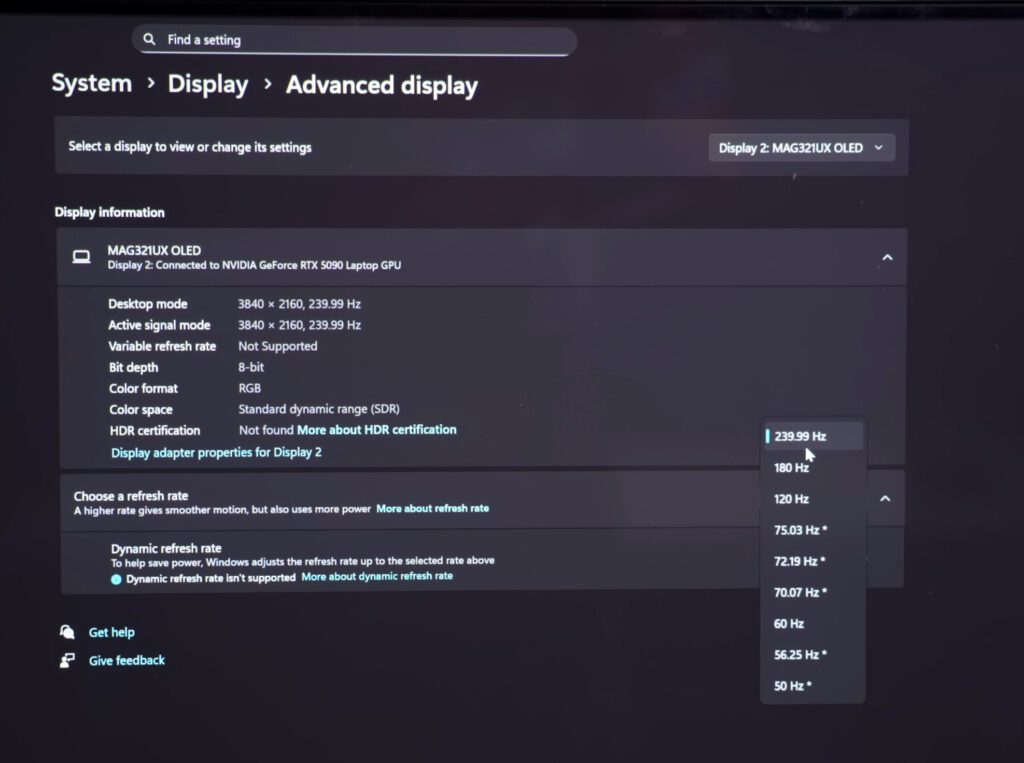
You also get one USB 3.2 Gen 2 Type-A port and a headphone-mic combo jack. On the left side, there’s an SD card reader and two USB 3.2 Gen 2 Type-A ports for additional connectivity. The back side houses a RJ45 LAN port, HDMI 2.1 output capable of 4K 240Hz, and the power input.
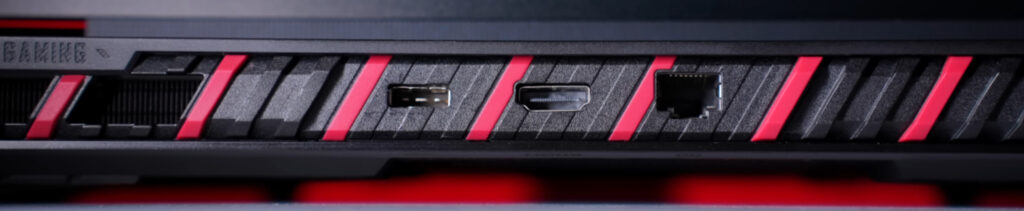
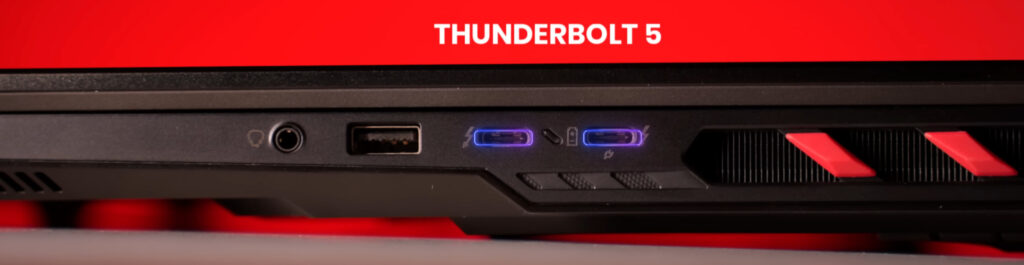
Being a desktop-replacement laptop, the MSI Raider ensures you won’t face any port limitations, making it convenient for gaming, content creation, or professional work.
MSI Raider Keyboard and Track-pad
| Feature | Details |
|---|---|
| Keyboard Type | Full-size membrane keyboard with premium typing feel. Unlike Titan, which has a mechanical keyboard. |
| RGB Support | Per-key RGB customization via SteelSeries GG software. Multiple effects, light bar, and logo RGB included. |
| Special Keys | Dedicated co-pilot keys, transparent WASD keys for a gaming feel. |
| Fingerprint Sensor | Integrated into keyboard area, works with Windows Hello for quick login. |
| Trackpad | Medium-sized, fully clickable, supports multi-gesture. Physical trackpad (different from Titan’s haptic RGB trackpad). Suitable for office tasks; mouse recommended for gaming. |
The MSI Raider comes with a full-size membrane keyboard, unlike the Titan, which uses a mechanical keyboard. Despite being membrane, the typing experience feels premium, with per-key RGB customisation available through Steel Series GG software. The keyboard also features dedicated co-pilot keys, and the WASD keys are transparent, giving it a true gaming vibe.
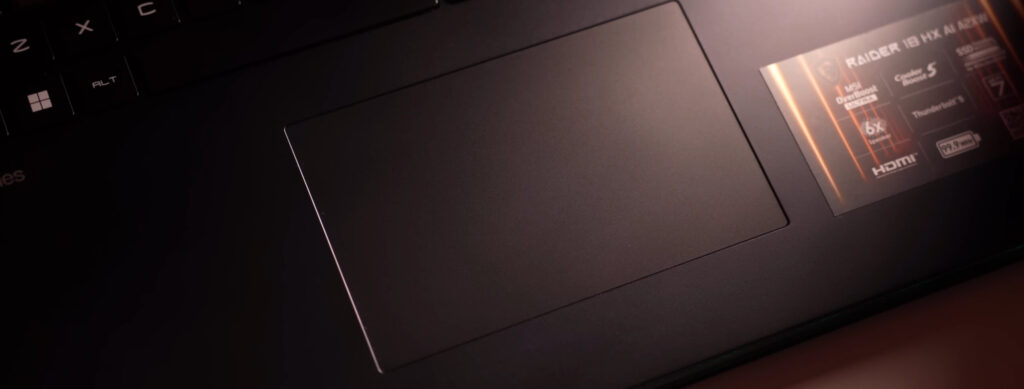
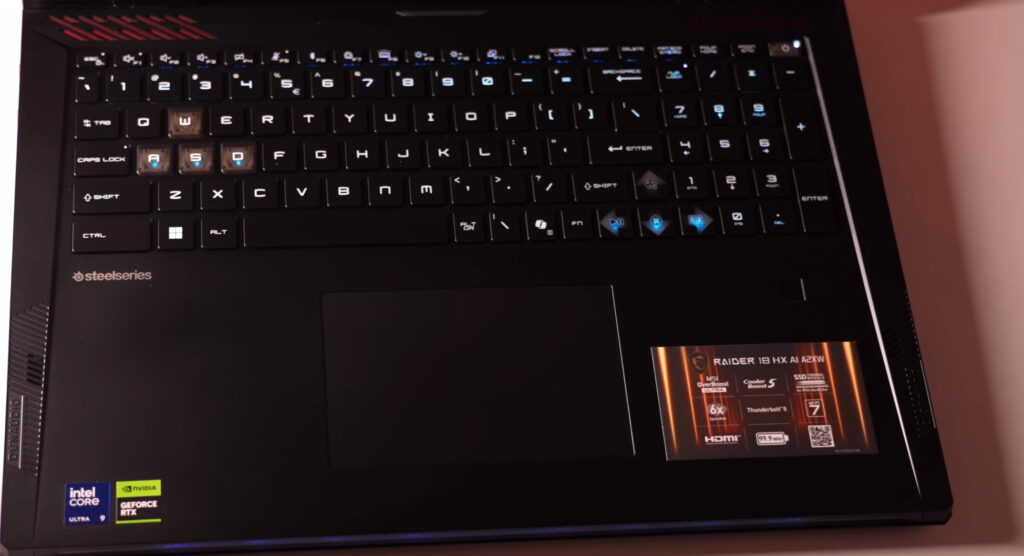
Unlike the Titan, which features an RGB and haptic trackpad, the Raider’s trackpad is physical, robust, and designed for practicality in a gaming setup.
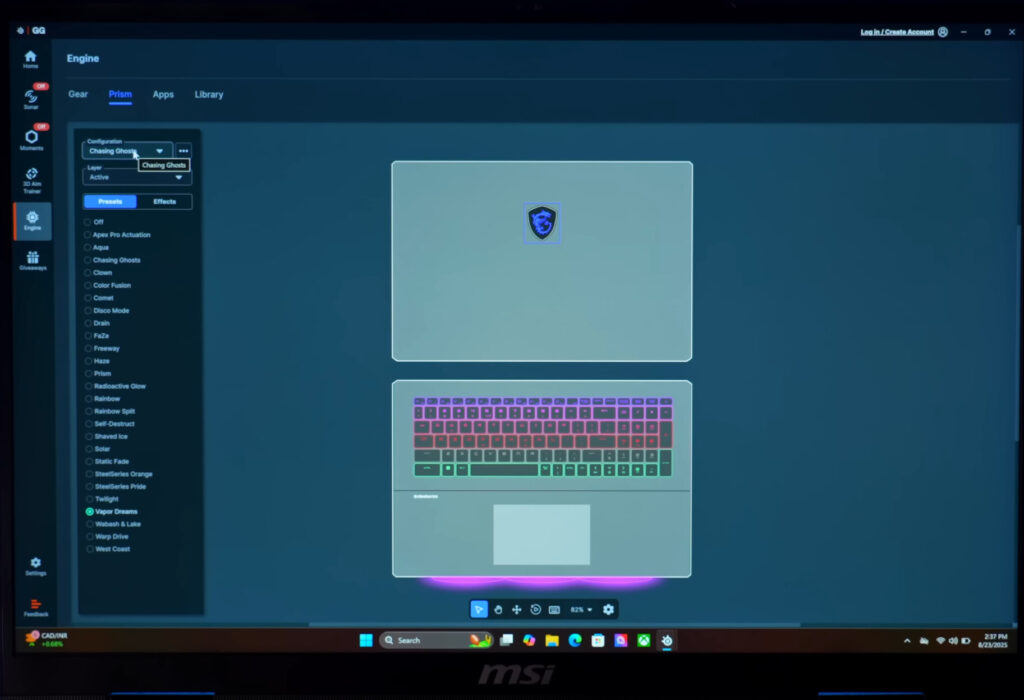
RGB is a big part of the Raider’s design. There’s RGB on the logo, a light bar, and full keyboard RGB support. You can customise lighting effects in the Steel Series GG software, with multiple modes and styles available. This allows you to match the laptop’s lighting to your gaming setup or personal preference.
MSI Raider Display
| Feature | Details |
|---|---|
| Panel Type | 16:10 Ultra HD+ Mini-LED |
| Resolution | 3840 × 2400 |
| Refresh Rate | 120Hz (Dynamic 60–120Hz) |
| HDR | VESA DisplayHDR 1000, HDR support |
| Brightness | Peak 1000 nits (HDR), typical 736 nits |
| Color Gamut | 100% sRGB, 100% DCI-P3 |
| Use Case | Gaming, content creation, color-accurate tasks, media consumption |
| Missing Features | No Dolby Vision or additional eye-protection certifications |
The MSI Raider has a 16:10 Ultra HD+ mini-LED display with 3840×2400 resolution and 120Hz dynamic refresh rate. It’s VESA DisplayHDR 1000 certified, with peak brightness up to 1000 nits and standard brightness around 736 nits.
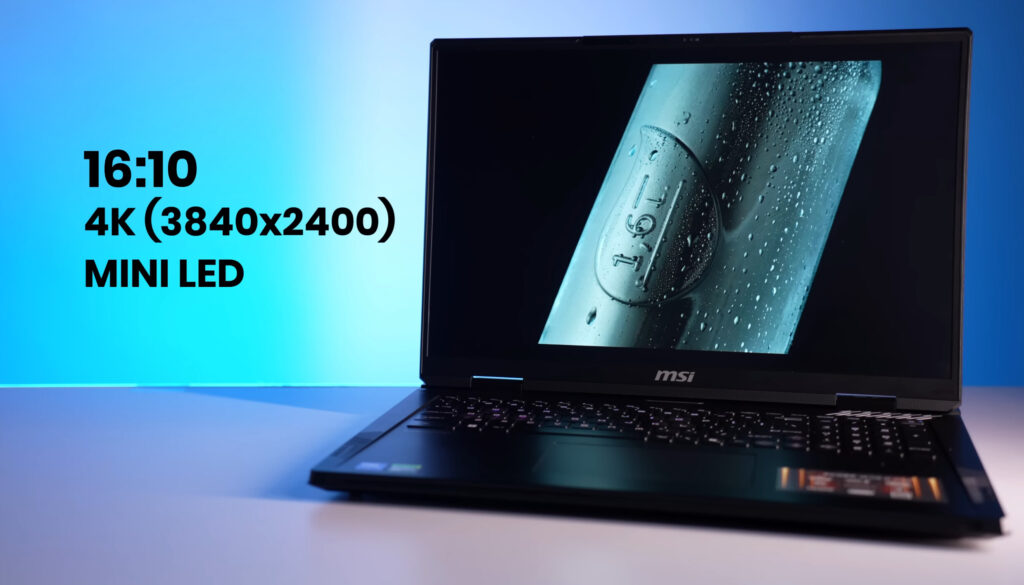
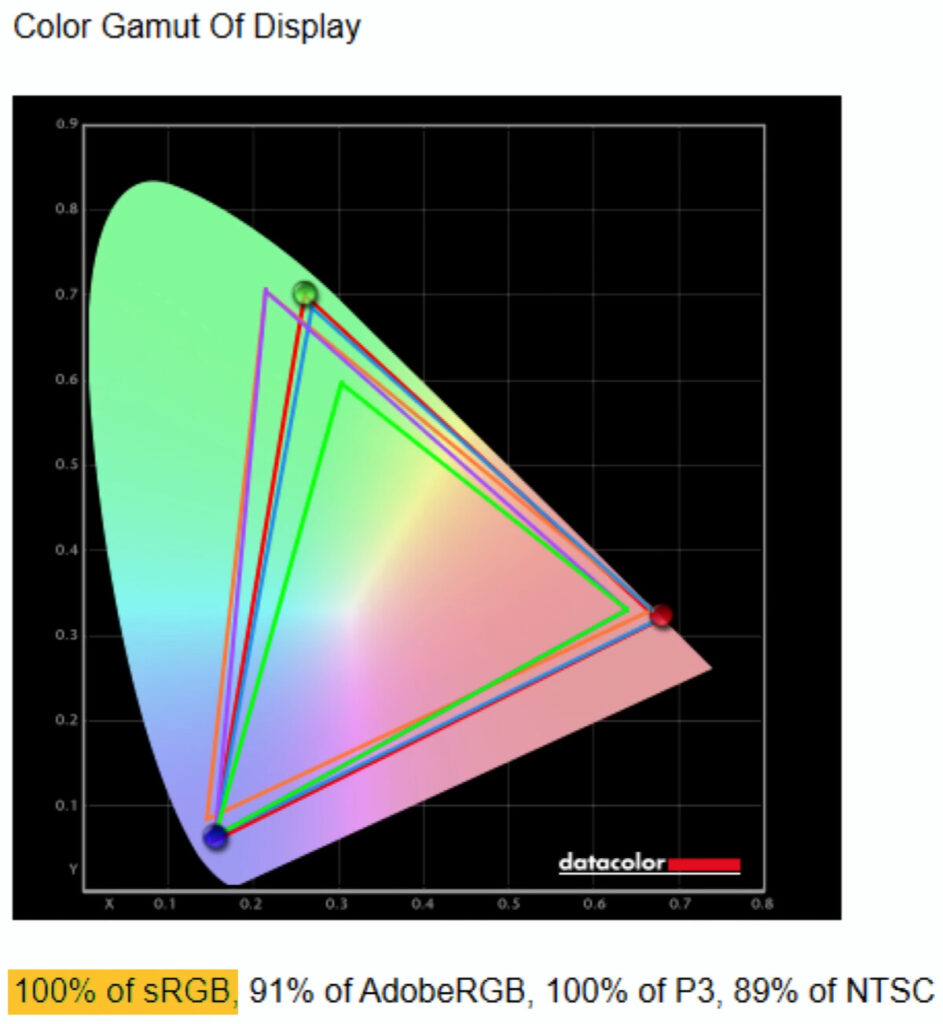
Colors are vibrant, covering 100% sRGB and 100% DCI-P3, making it ideal for gaming, content creation, and colour-accurate tasks. Some features like Dolby Vision are missing, but overall, the display is bright, sharp, and immersive.
MSI Raider Webcam Test
The MSI Raider comes with a 1080p 30FPS webcam that delivers clear video, and it’s paired with the laptop’s built-in microphone. Compared to the MSI Titan, the webcam quality is noticeably better.
It also supports Windows Hello with an IR camera, allowing fast face recognition login. Along with the fingerprint sensor, this provides complete security for the device. For added privacy, there’s a physical webcam shutter, so you can block the camera when not in use and prevent potential hacks.
MSI Raider Speakers
| Feature | Details |
|---|---|
| Speaker Setup | 6 speakers: 4 top-firing 2W speakers, 2 bottom-mounted 2W subwoofers |
| Audio Quality | Loud, clear, immersive sound for gaming, music, and media |
| Software | Nahimic Audio App for sound customization |
| Dolby Support | No Dolby Atmos support |
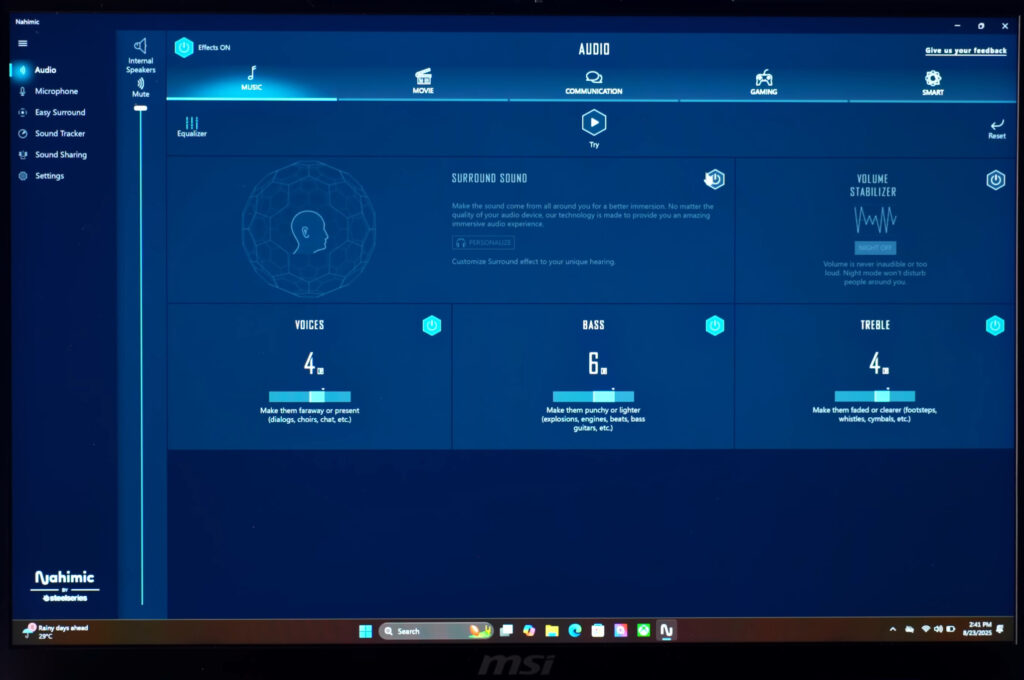
The MSI Raider features a 6-speaker setup with 4 top-firing 2W speakers and 2 bottom-mounted 2W subwoofers, delivering a loud and immersive sound experience. Whether listening to music or gaming, the audio is clear and powerful.
While it does not have Dolby Atmos support, the laptop uses the Nahimic audio app, allowing you to customize the sound to your preference for movies, games, or music.
MSI Raider Battery Test
| Feature | Details |
|---|---|
| Battery Capacity | 99.9Wh (maximum allowed for flights) |
| Test Setup | iGPU mode, keyboard backlight off, brightness 50–60%, speakers on, multitasking (YouTube + music) |
| Battery Life | 5–6 hours depending on usage |
| Optimization | Eco-Silent mode in MSI Center helps maximize battery backup |
| Usage Note | High-performance gaming laptop; battery life will vary with heavy CPU/GPU tasks |
The MSI Raider comes with a 99.9Wh battery (the max allowed for flights). During testing with iGPU mode, keyboard backlight off, and brightness at 50–60%, running YouTube, music, and multitasking, it delivered around 5–6 hours of battery life.
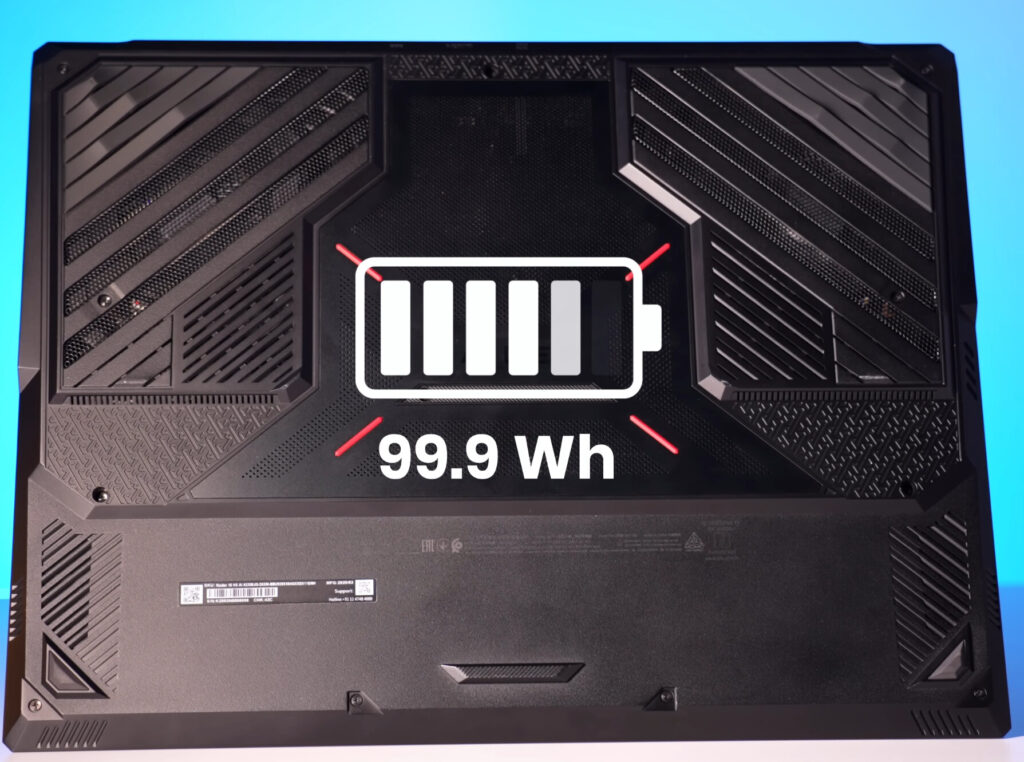
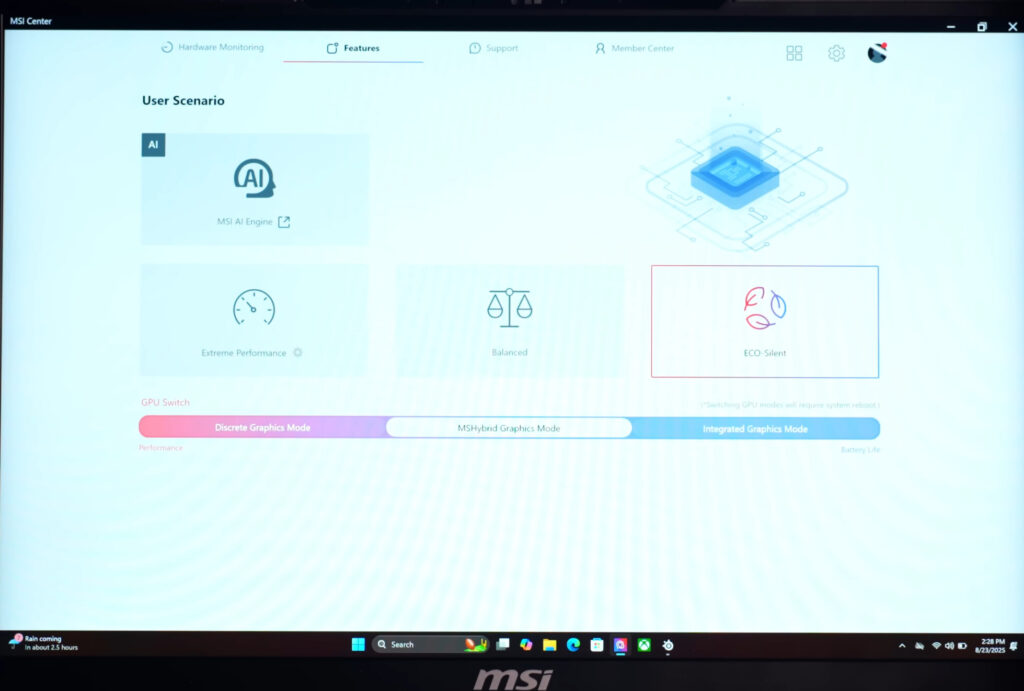
Considering this is a high-performance gaming laptop with a heavy CPU and RTX 5090 GPU, that’s a respectable backup. Using Eco-Silent mode in the MSI Center helps optimize battery performance further. Actual battery life will vary depending on usage, but overall, the Raider manages power efficiently for a laptop of this size and capability.
Conclusion of MSI Raider
The MSI Raider RTX 5090 is currently one of the most powerful laptops you can get, offering top-tier performance at its price point of around $5,200. While you could build a desktop PC with similar specs for the same cost, it wouldn’t offer the portability that this laptop provides. Designed as a desktop-replacement powerhouse, it delivers excellent gaming performance, smooth FPS, and strong productivity capabilities—all in a portable form factor.
Of course, it won’t quite match the absolute performance of a high-end desktop setup with an Ultra 9 and RTX 5090. Still, for a laptop, it’s exceptional for gaming, content creation, and on-the-go productivity. Achieving this level of performance in a portable design requires significant R&D, as packing so much power into a laptop chassis is no small feat.
I’ve also shared a detailed comparison between the MSI Titan and this Raider on my channel, showing that their performance is nearly identical. For anyone looking for a high-end gaming laptop, the MSI Raider clearly stands out.
Whether you’re planning to buy it or just want to explore what high-end laptops are capable of, feel free to share your thoughts in the comments. Don’t forget to check back for more updates and insights on top-tier gaming laptops.
MSI Raider RTX 5090
Choose your preferred variant:
| Variant | Specs | Price | Buy |
|---|---|---|---|
| Base | RTX 5090, Ultra 9, 32GB RAM, 1TB SSD | $3,739 | 🛒 Buy |
| Mid | RTX 5090, Intel i9, 64GB RAM, 2TB SSD | $2,670 | 🛒 Buy |
Disclaimer: This post contains affiliate links. If you purchase through these links, we may earn a small commission at no extra cost to you. Prices and availability are subject to change.
How powerful is the MSI Raider RTX 5090 for gaming?
It handles AAA games at max settings smoothly, offering high FPS even in demanding titles. Performance is close to a desktop with RTX 5090.
How does MSI Raider compare to the MSI Titan?
The Raider and Titan have nearly identical performance. The Titan is slightly bigger with more cooling, but for gaming, the difference is minimal.
Is MSI Raide good for content creation?
Yes. With the RTX 5090 and high-end CPU options, it’s excellent for video editing, 3D rendering, and AI workloads.
How portable is MSI Raide ?
It’s heavy for a laptop but still portable compared to a desktop. Perfect if you want high performance on the go.
Does MSI Raider get very hot?
The cooling system is robust, but under heavy load, it will get warm. MSI’s Cooler Boost tech manages heat efficiently.

