

You probably know the Asus TUF Gaming series—and usually, the graphics card is the most important part of any gaming laptop. So it’s surprising that this model doesn’t have a dedicated GPU. At first, it feels like a deal-breaker. What’s a gaming laptop without a graphics card?
But once you see the performance, it tells a different story. This laptop actually competes with, and sometimes even beats, entry-level GPU laptops thanks to its efficiency and optimisation.
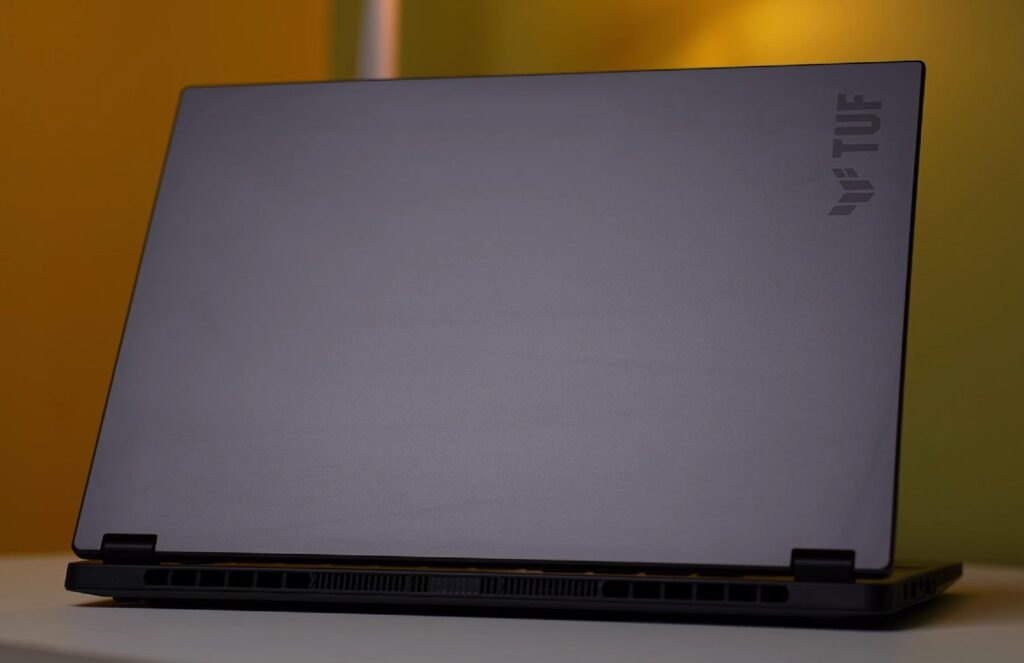
Asus TUF A14 Uboxing
Let’s open the box and see what’s inside.
If you’re new here, hit like and subscribe—now let’s get started.
This is the Asus TUF A14, a compact 14-inch laptop.
Inside, you get the laptop wrapped in a sleeve, some manuals (we’ll skip those), a power cord, and a 200W charger.
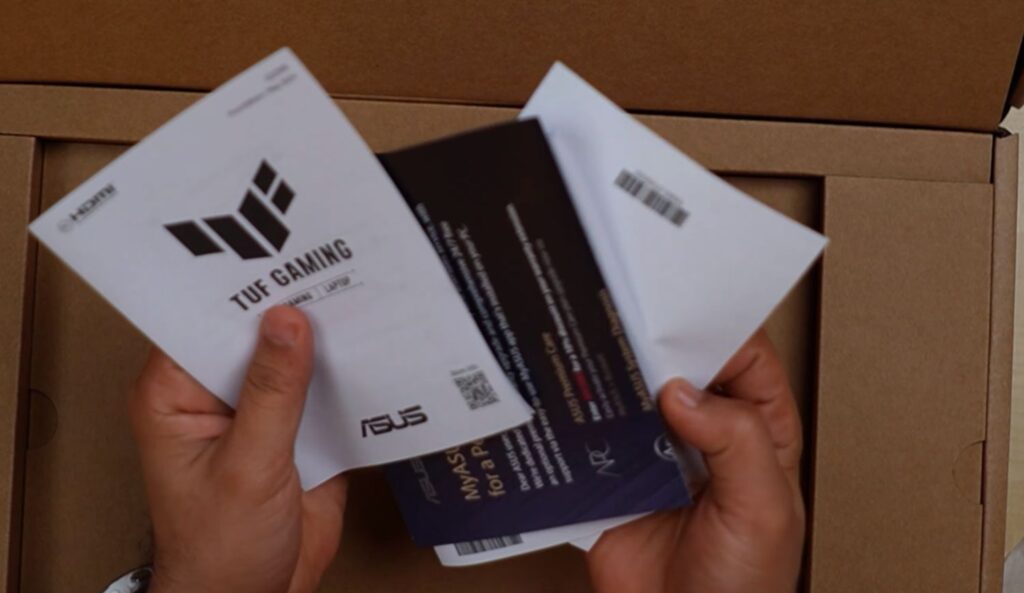
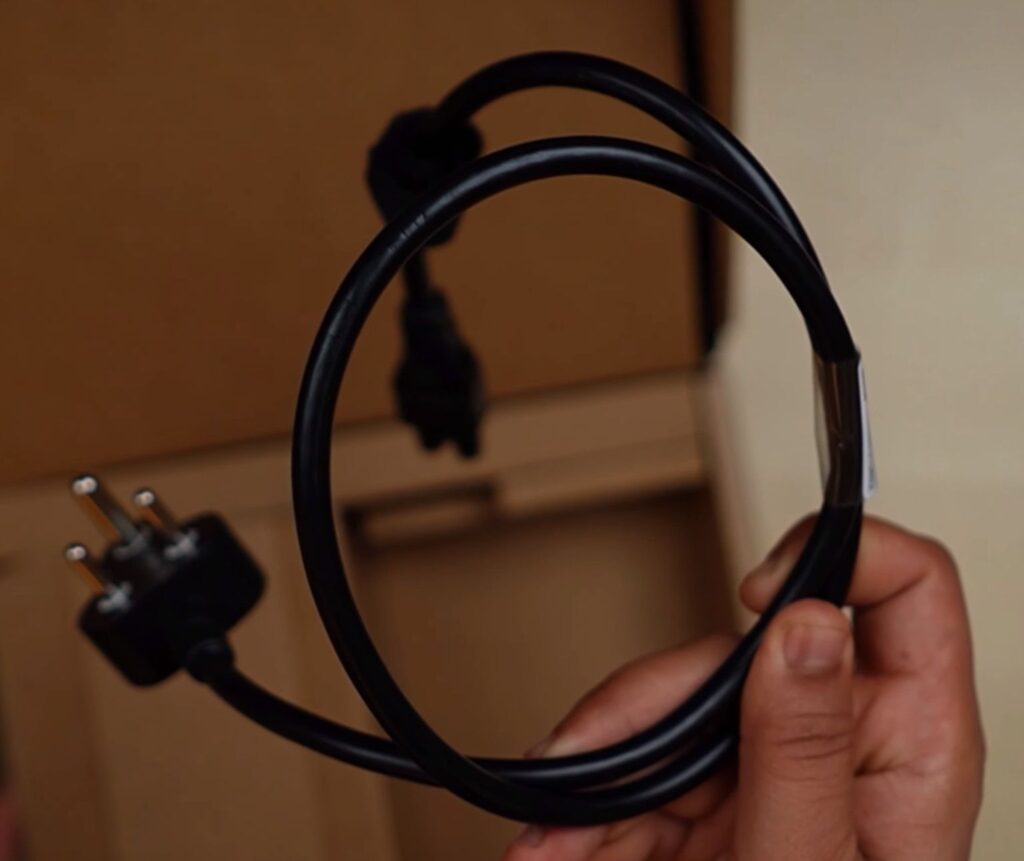
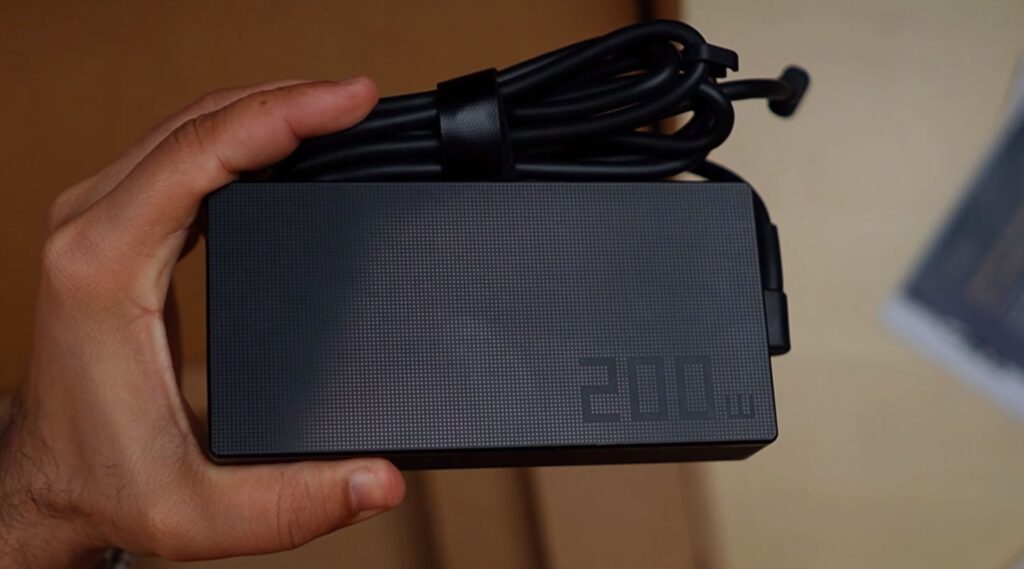
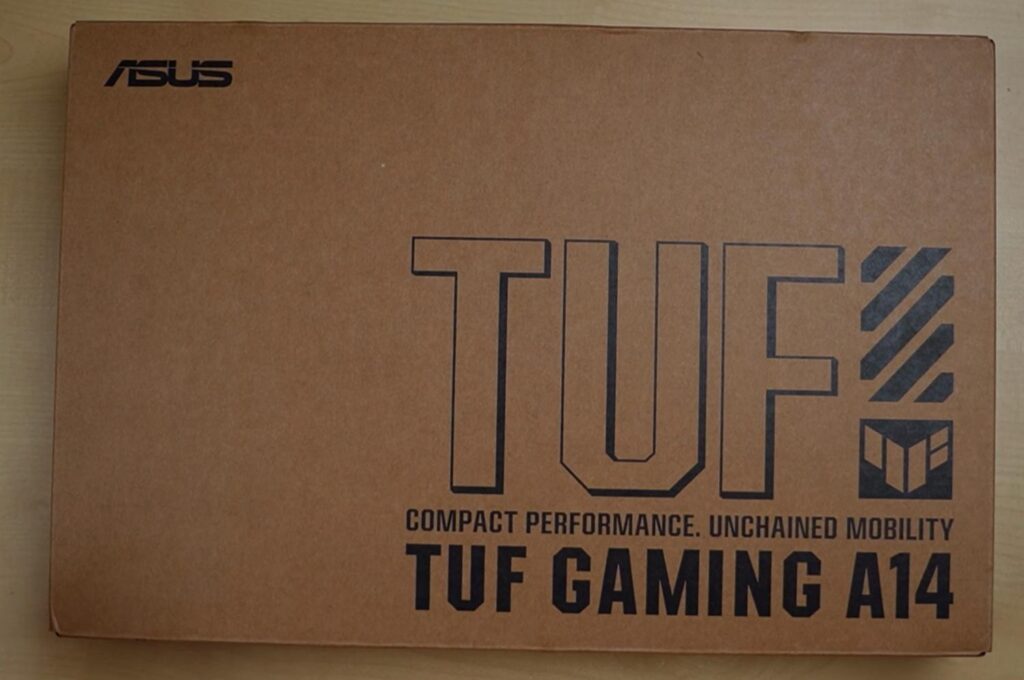
And here it is.
First impression? It’s surprisingly small and lightweight.
Quick note: this video is made in collaboration with Asus.
Asus TUF A14 Build & Design
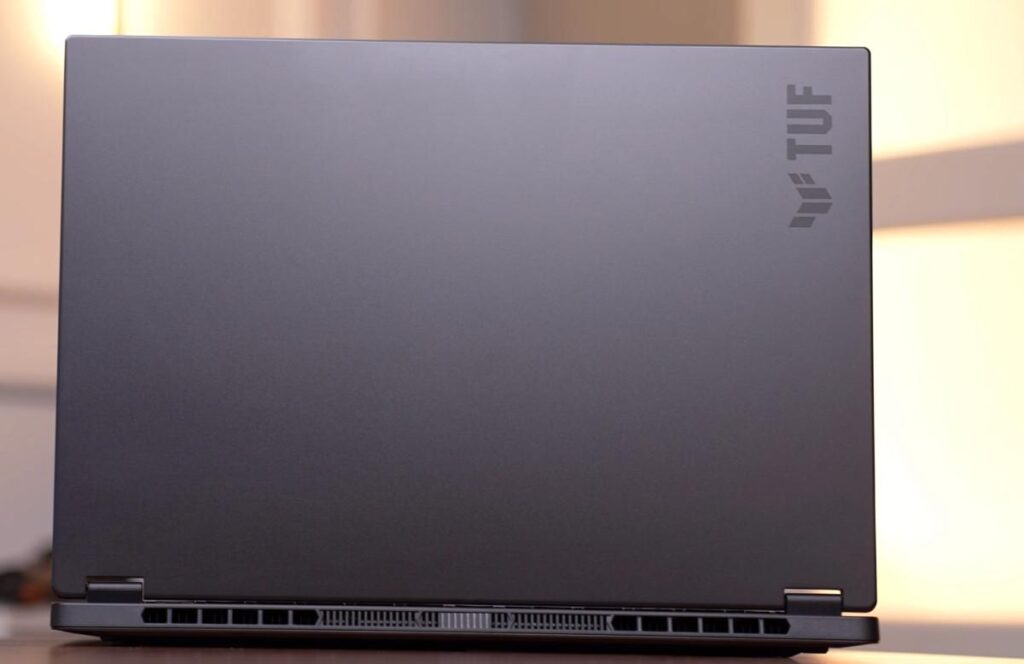
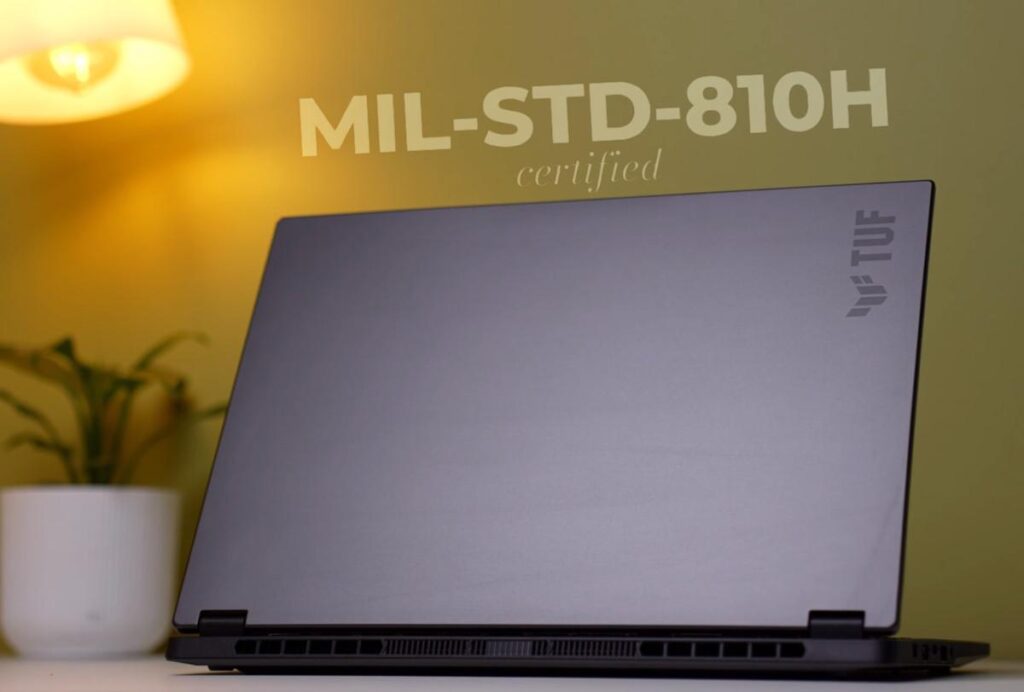
The Asus TUF A14 has a solid build. The lid and bottom are metal, while the interior uses polycarbonate. The colour here is Jaeger Grey, and the lid does a good job resisting fingerprints. It’s also MIL-STD-810H certified, so it can handle minor drops, vibrations, and tough conditions without issues.
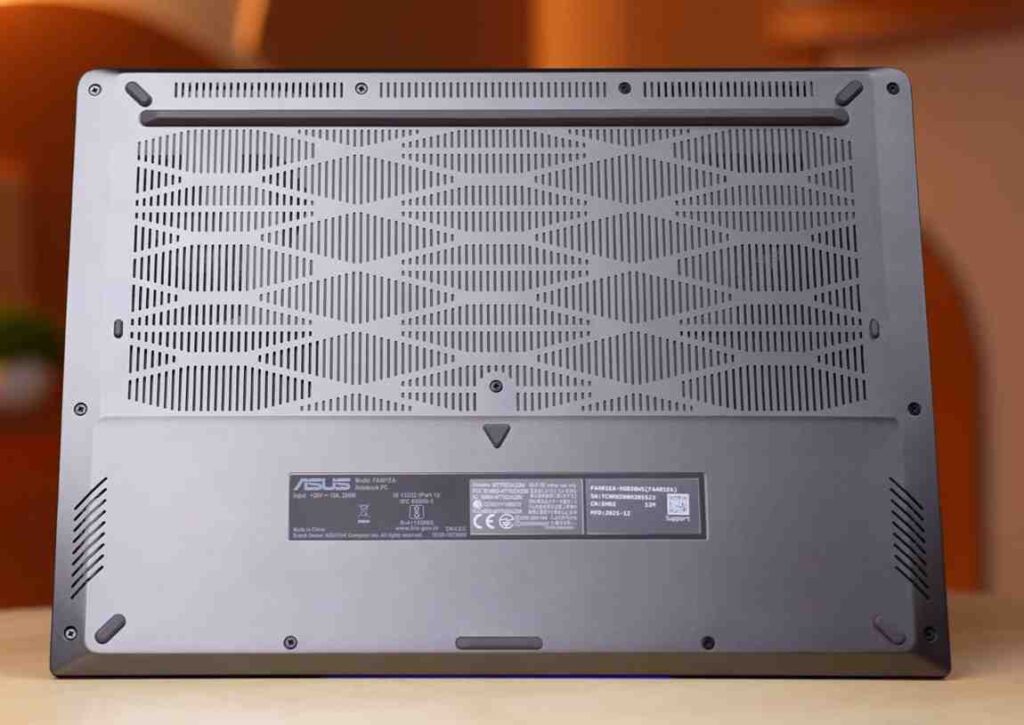
At the bottom, you get rubber pads and air intake vents for better airflow. The edges are smooth, not sharp, which makes it comfortable to use.
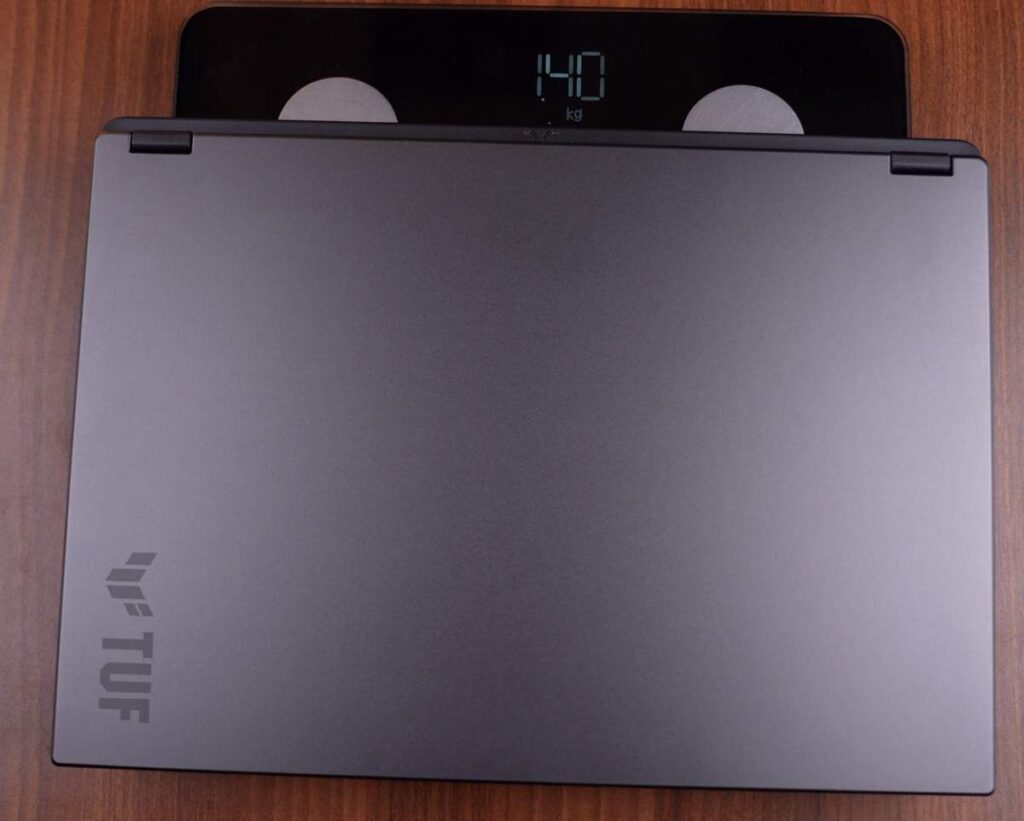
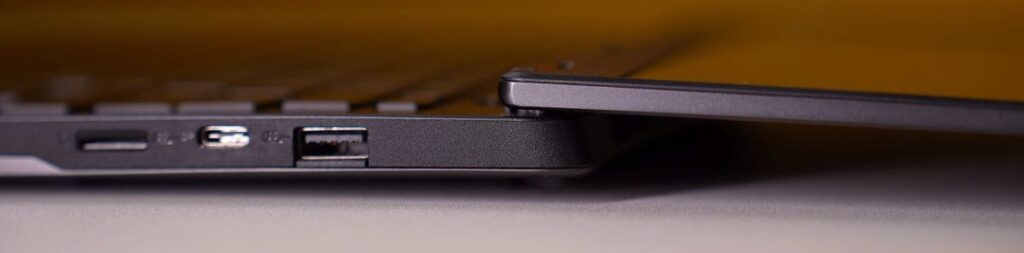
The laptop is 16.9mm thick and weighs about 1.4 kg. With the charger, it’s around 1.9 to 2 kg, so still pretty portable. If you travel a lot and want a compact, powerful laptop, this fits well. You can open the lid with one hand, and it goes up to 180 degrees. The hinge feels solid, with minimal screen wobble and very little flex in the body or keyboard.
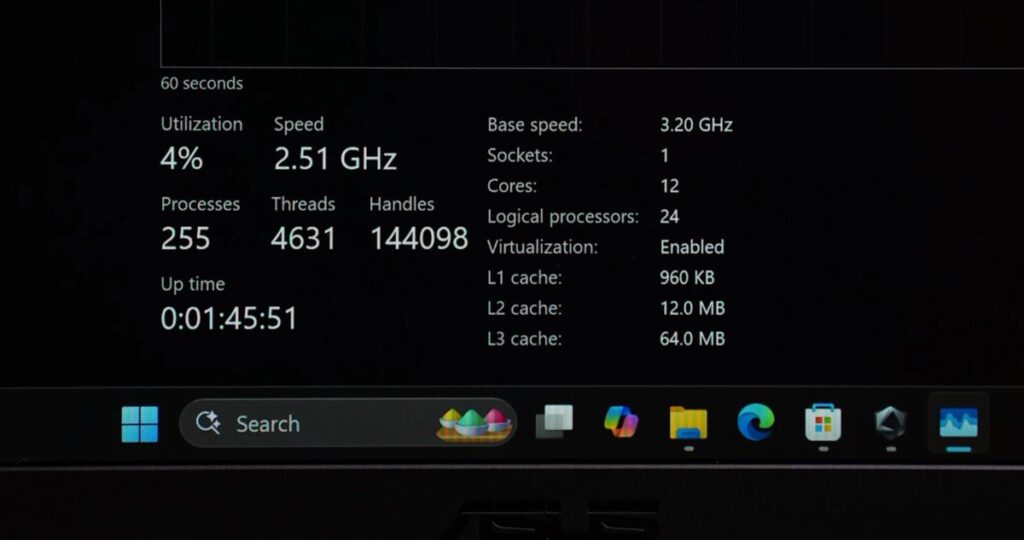
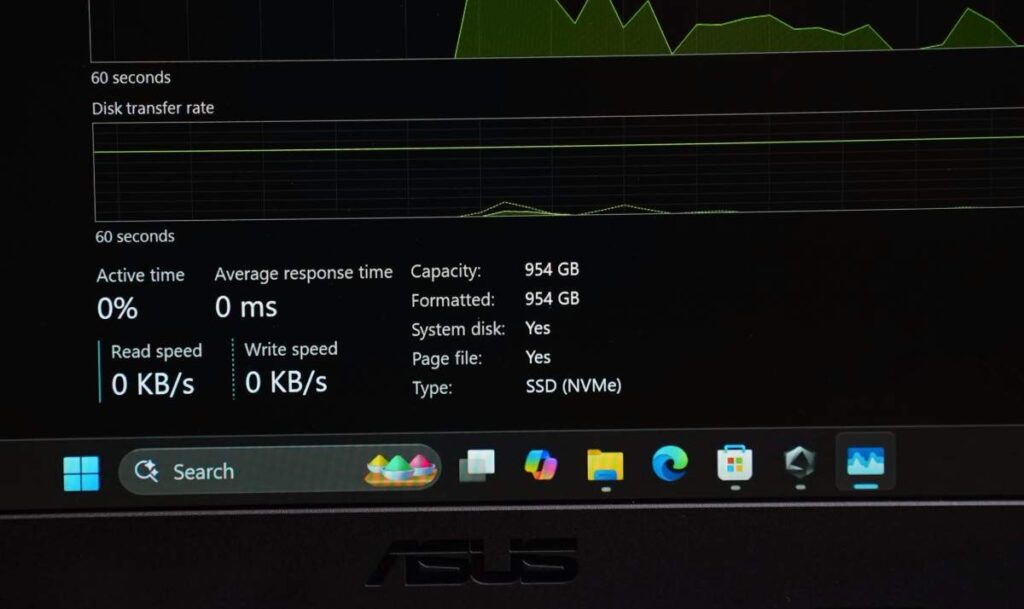
Asus TUF A14 specification
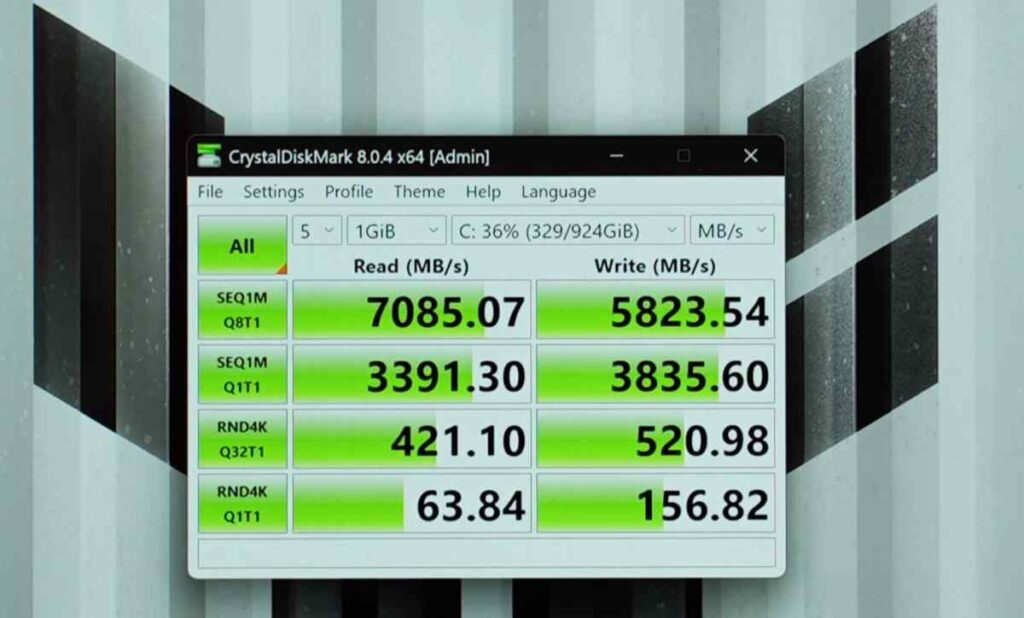
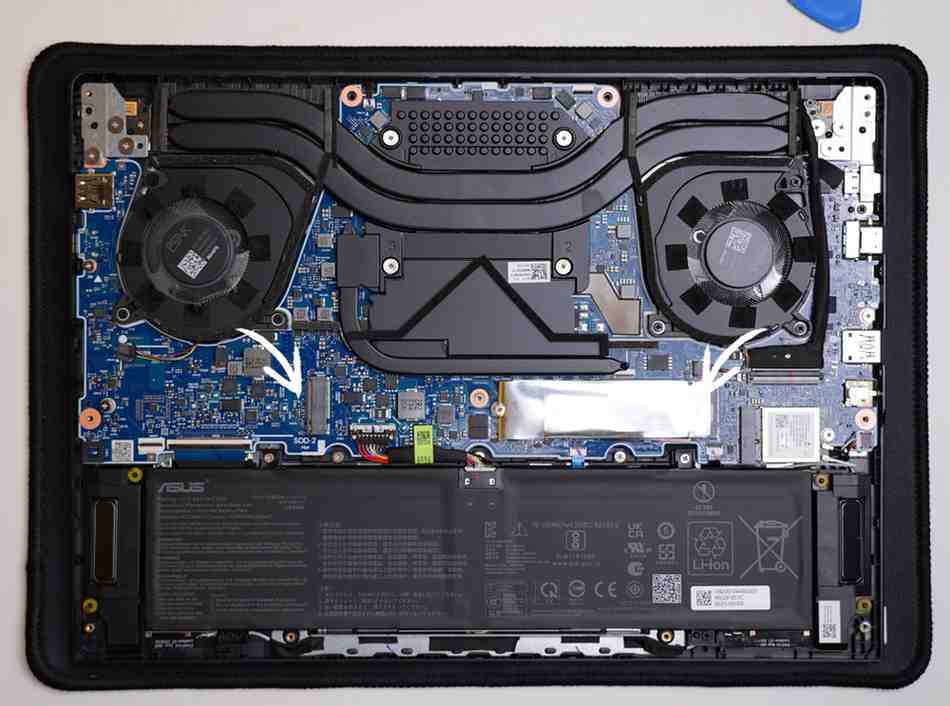
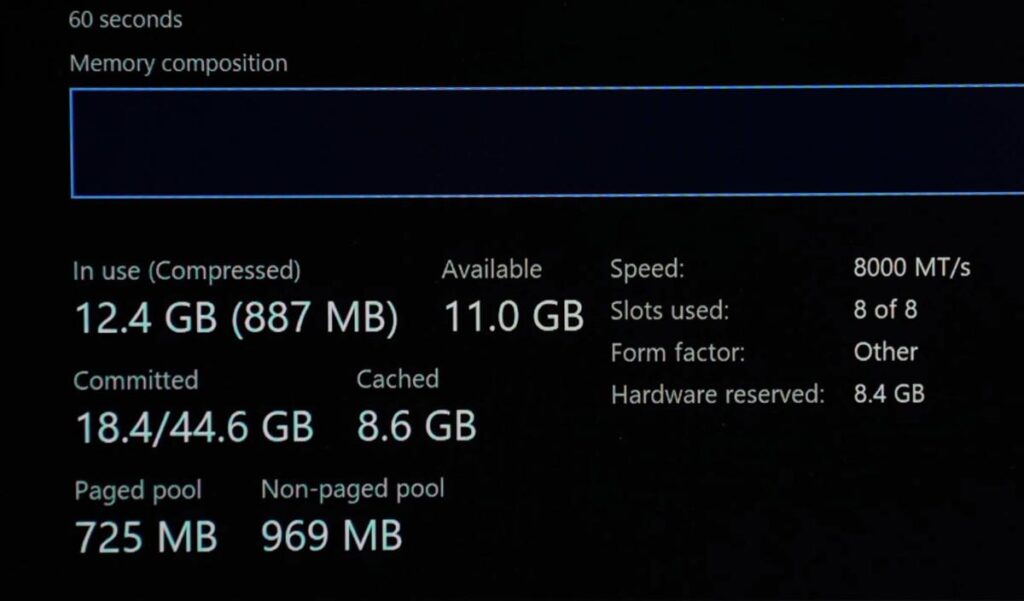
Asus TUF A14 performance & benchmars
CPU Benchmarks
The Asus TUF A14 delivers impressive CPU performance right out of the gate. In Cinebench R23, it scores over 28,000 in multi-core and around 1,900 in single-core, which is seriously strong for a thin laptop.
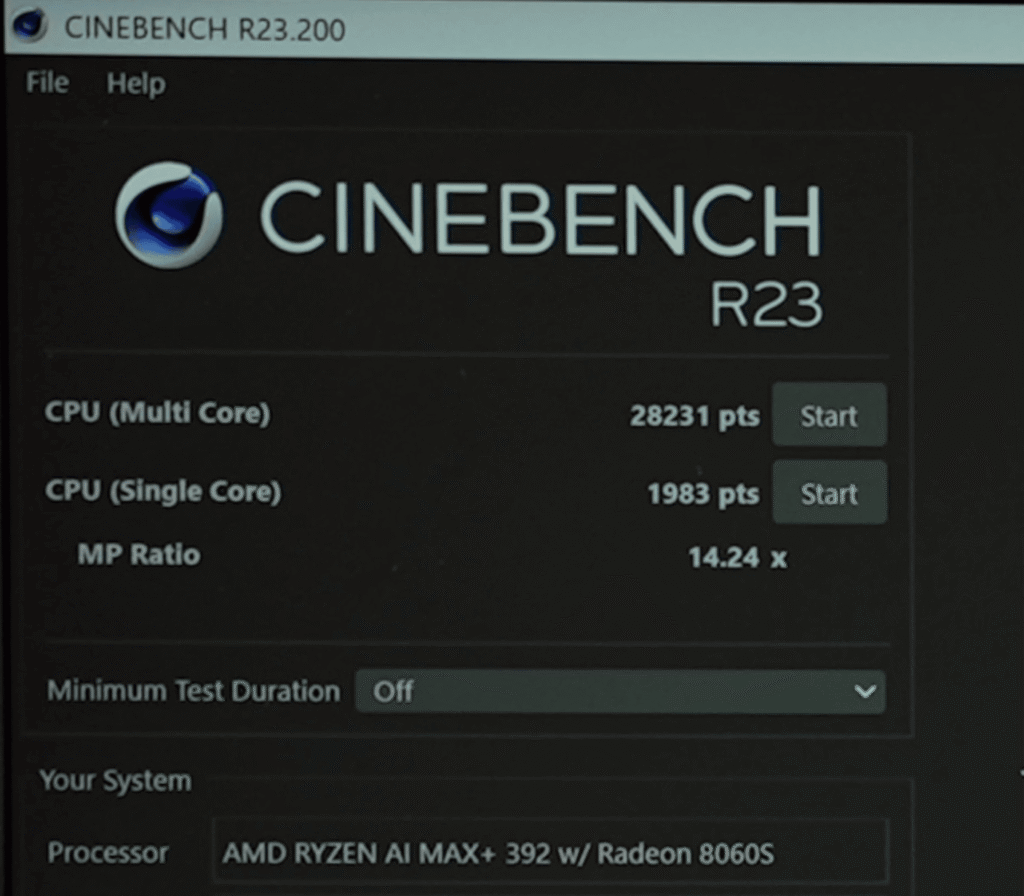
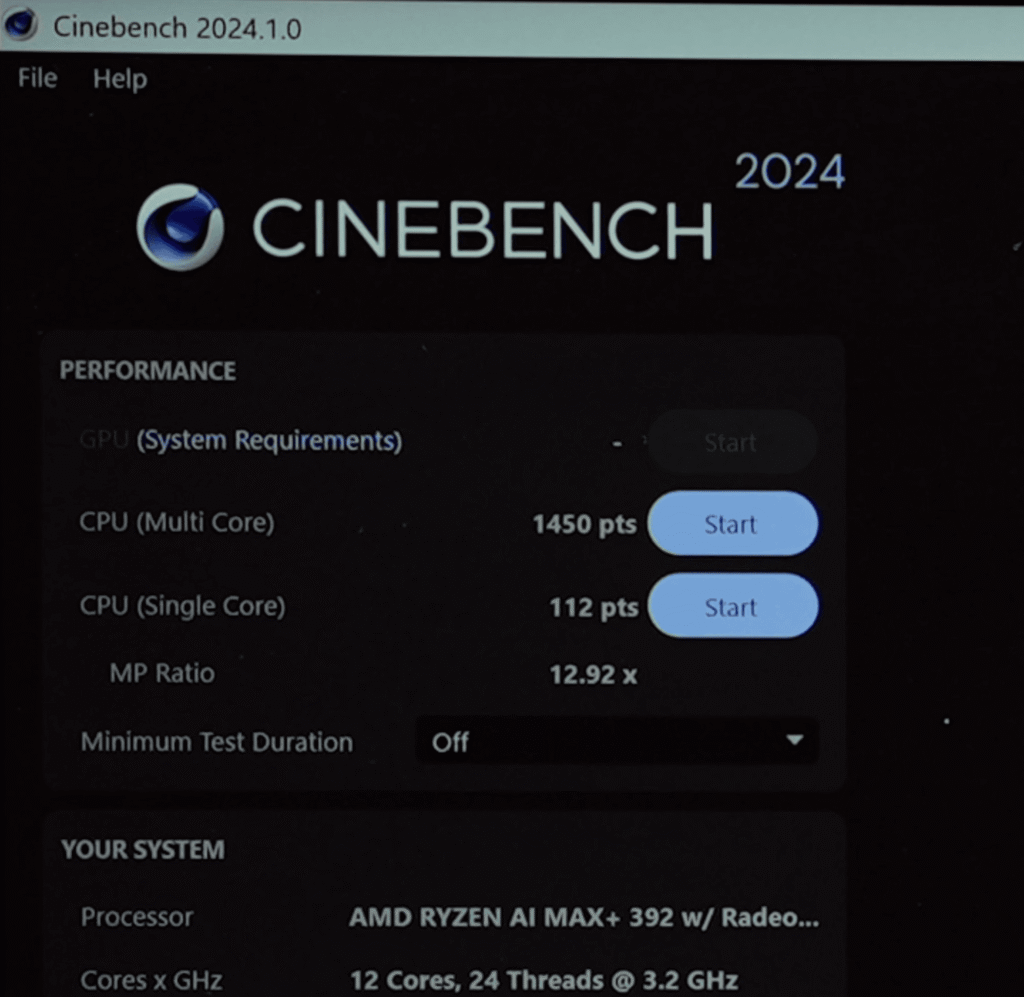
Compared to other processors in its category, including higher-end variants like the Ryzen AI Max Plus 395, this chip holds its ground well. It even competes closely with chips like Apple M4 Pro and Intel Core i9-class processors in CPU-heavy tasks.
Real-World CPU Performance
ASUS TUF Gaming A14 FA401EA
Result Information
ASUS TUF Gaming A14 FA401EA
Geekbench AI Score
22340
Single Precision Score
31181
Half Precision Score
18567
Quantized Score
For CPU-intensive workloads like coding, music production, and development, performance is smooth and reliable. The 1TB SSD also helps, especially for creators who deal with large files.
On battery, the Asus TUF A14 runs at about 80% of its peak performance. You still get solid results for tasks like Photoshop and video editing, but for maximum performance, plugging in is recommended.
AI Performance
AI performance is where things get really interesting. With up to 122 TOPS (combined CPU, GPU, and NPU), this laptop handles AI workloads surprisingly well.
- Smaller AI models ran quickly (around 13–36 seconds)
- Larger models took longer, but still completed without crashing
For local AI tasks and data science work, this machine is more than capable. However, for large-scale deep learning or heavy training, a dedicated GPU system would still be a better choice.
GPU & Graphics Performance
Despite being an iGPU, the Radeon 8060S performs at a level close to entry-level dedicated GPUs.
ASUS TUF Gaming A14 FA401EA
Result Information
| Upload Date | February 20 2026 10:21 AM |
| Views | 1 |
- Geekbench OpenCL score: ~94,000
- Comparable to RTX 4050 / 5050 range
- Outperforms several older iGPUs and even challenges some dedicated GPUs
For 3D workloads:
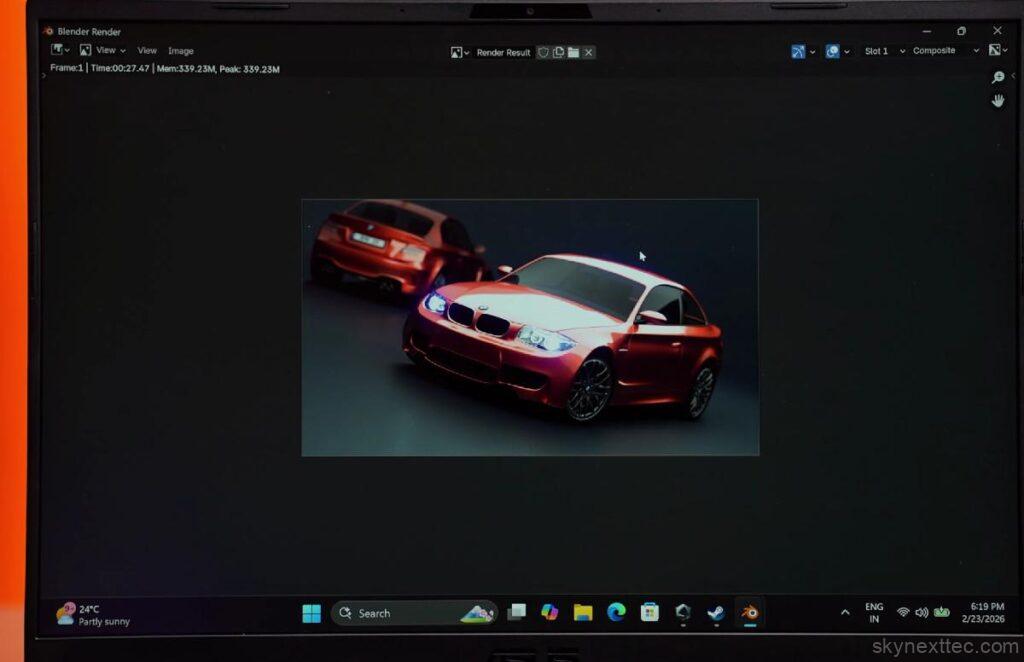
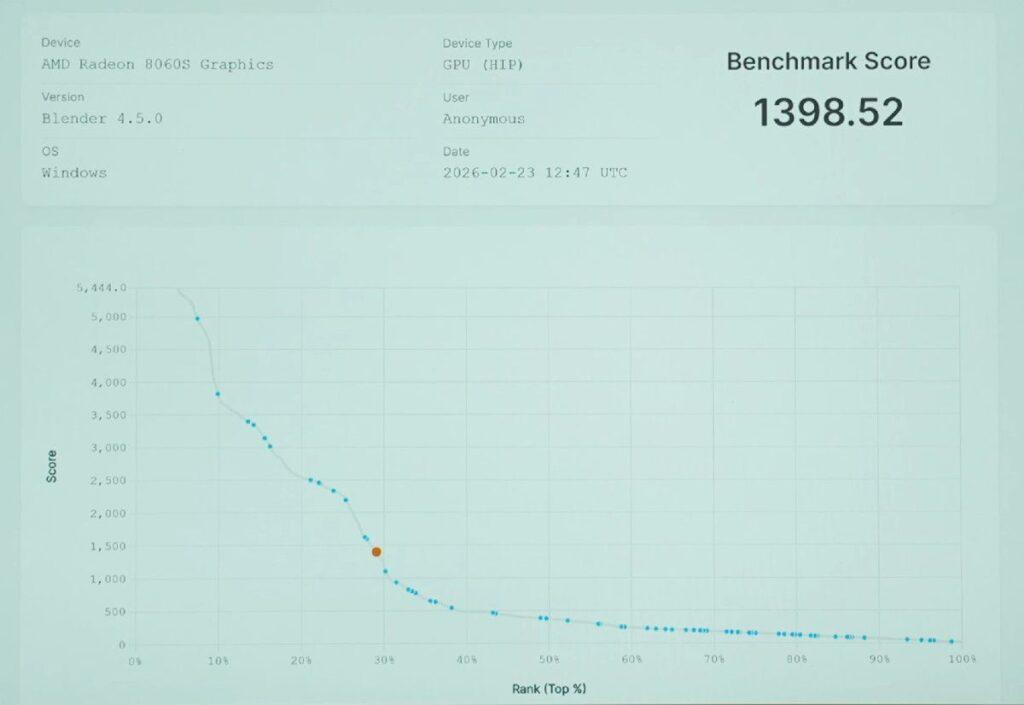
- Blender benchmark score: 1398
- BMW render completed in ~27 seconds
This makes it suitable for entry to intermediate 3D work and game development.
Creative Workloads
In creative apps:
- Photoshop runs well even on battery
- Premiere Pro shows only about a 13% drop in battery
- After Effects relies heavily on the GPU, so performance drops more when unplugged
Still, for most editing tasks, it remains usable and efficient.
Gaming & VR Performance
With a 3DMark Time Spy score that rivals entry-level GPUs, gaming performance is solid for its class.
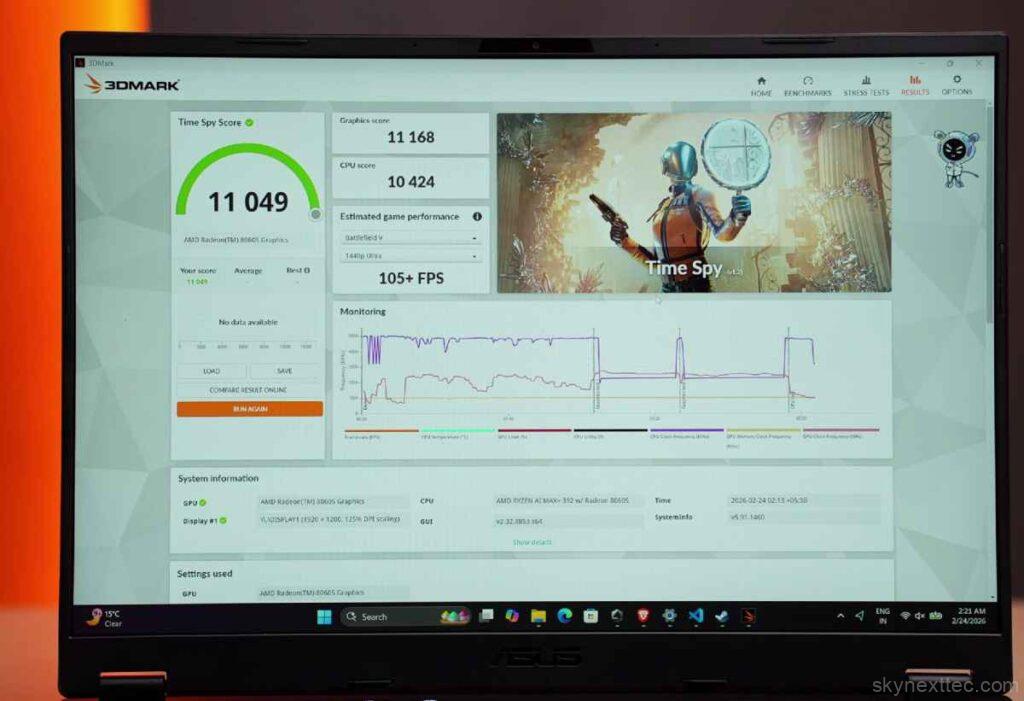
- VRMark score: ~12,500
- Capable of intermediate-level VR gaming with a headset
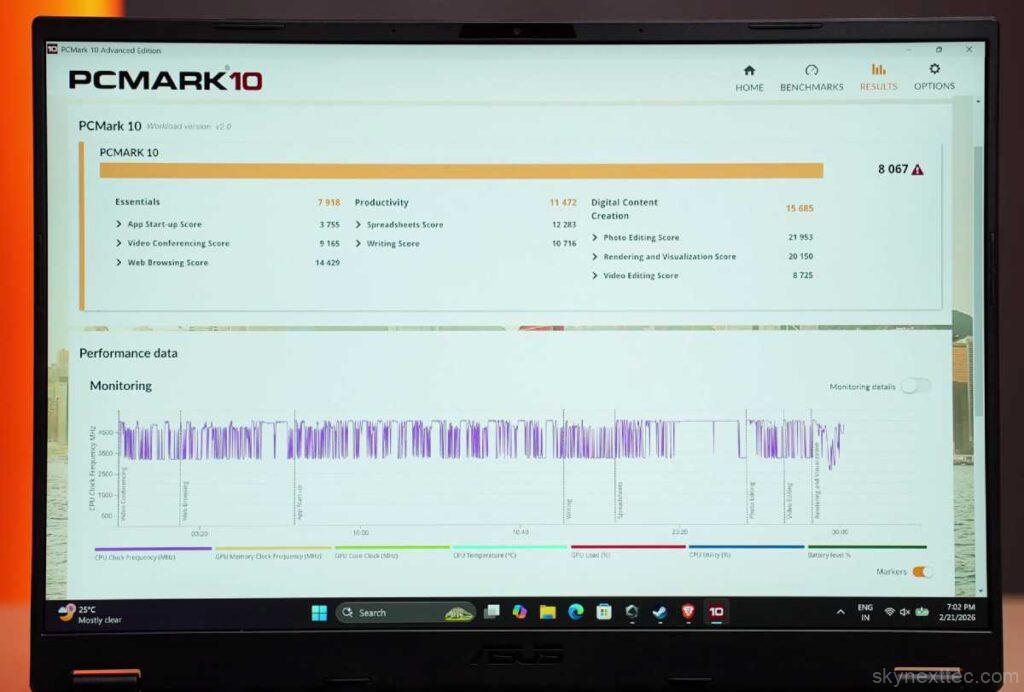
- PCMark 10 score: 8000+
- Handles daily tasks effortlessly
- Great balance between power and efficiency
Thermals & Stability
Under full load, the laptop stays well-controlled:
- Average temps: ~84–88°C
- Peak temps: ~92°C (manual mode)
- Power draw: ~85–95W sustained
Even at high loads, it maintains stable performance without overheating, which is impressive for a thin and light device.
Asus TUF A14 game test
| Game | Settings | FPS (Approx) |
|---|---|---|
| Valorant | High (1200p) | 300–350 FPS |
| CS2 | High / Very High | 150 / 100–120 FPS |
| GTA V | Very High / Max RT | 100–120 / 45–50 FPS |
| Cyberpunk 2077 | Ultra / FSR / RT | 75 / 150 / 70–80 FPS |
| Hogwarts Legacy | Ultra + RT / FSR | 50 / 100–120 FPS |
| RDR2 | Max Settings | ~60 FPS |
| Warzone | Extreme | 80–90 FPS |
| Spider-Man 2 | Very High / FSR | 70 / 140–150 FPS |
| Ghost of Tsushima | High / FSR | 60 / 130 FPS |
| Horizon Forbidden West | Very High / FSR | 60 / 100+ FPS |
| Hellblade 2 | Very High / FSR | 35 / 60 FPS |
| Black Myth: Wukong | Cinematic / FSR | 25 / 50 FPS |
Valorant
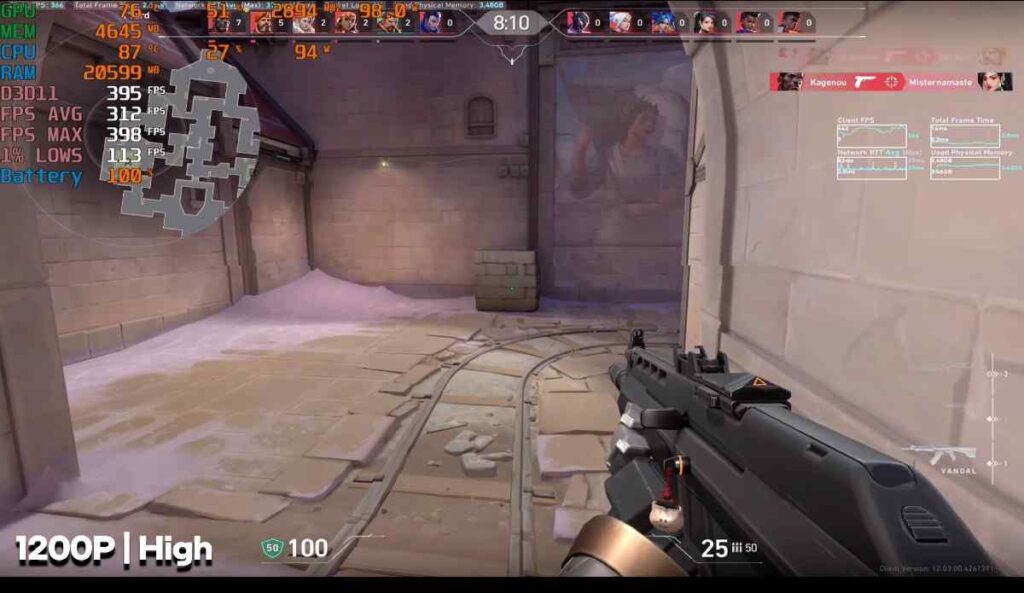
At high settings, the laptop delivers 300–350 FPS, with peaks up to 400 FPS. Thanks to the strong CPU, gameplay feels extremely smooth—even on battery, it holds close to 300 FPS.
CS2
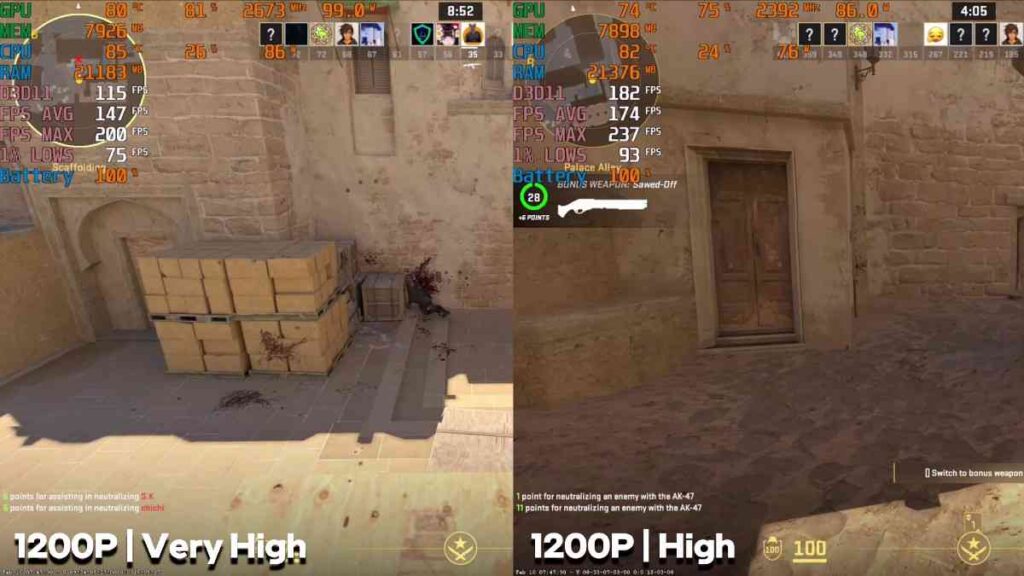
- High settings: ~150 FPS
- Very High settings: 100–120 FPS
Great performance for competitive play with stable frame rates.
GTA V
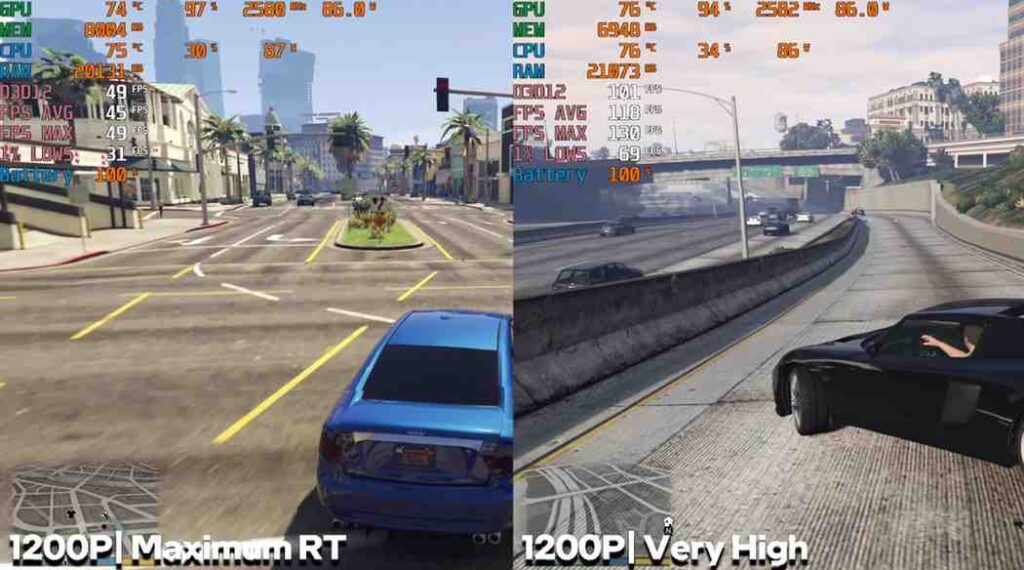
On very high settings, you get around 100–120 FPS.
With max ray tracing, it still maintains 45–50 FPS, which is impressive for an iGPU.
Elden Ring
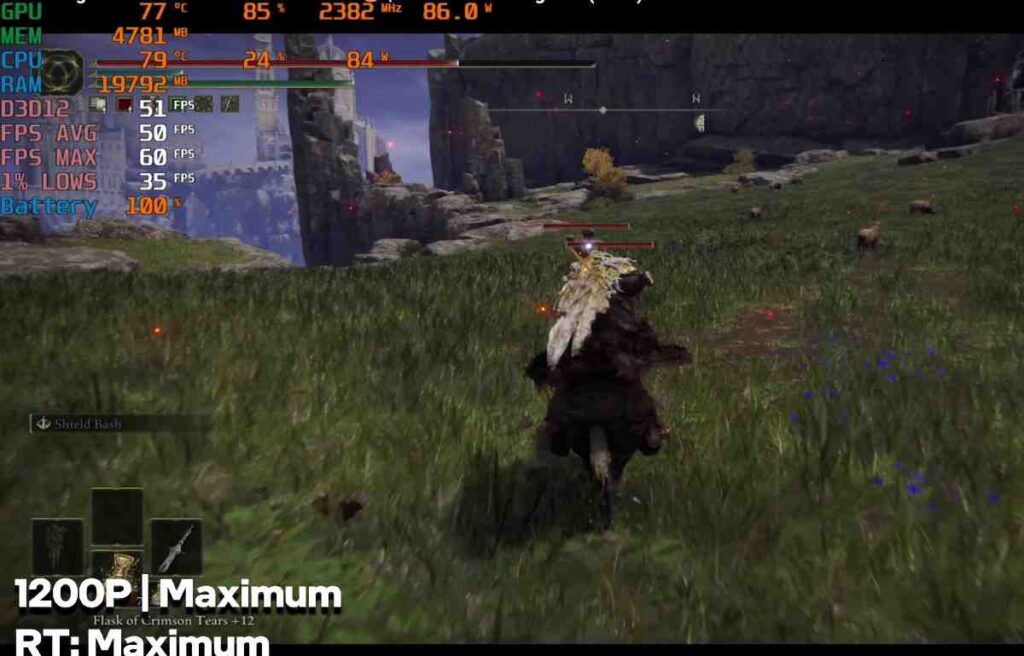
At maximum settings with ray tracing enabled, performance stays around 45–50 FPS, which is solid for this type of hardware.
Call of Duty: Warzone
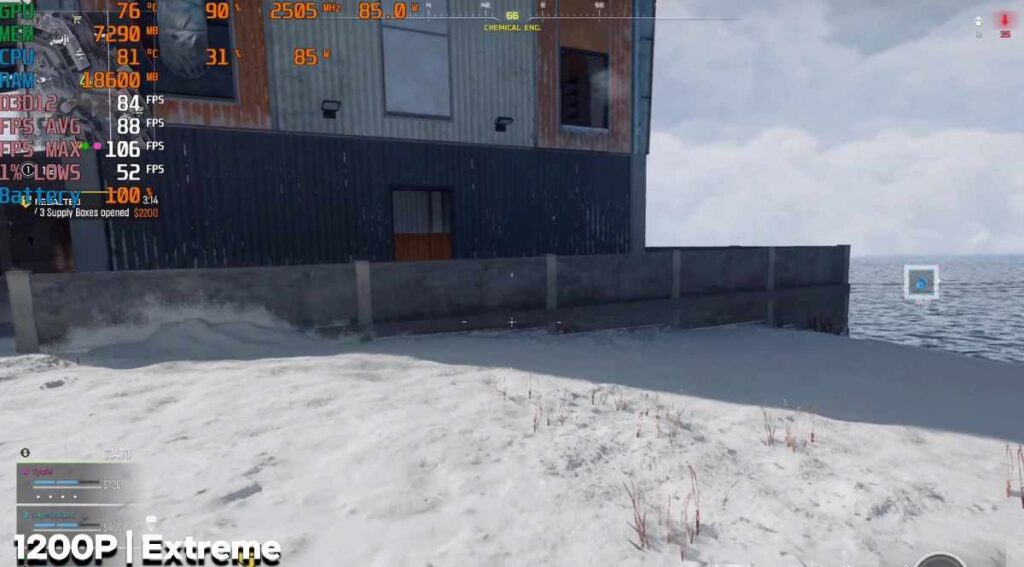
On extreme settings, the game runs at 80–90 FPS. Lowering settings can push FPS even higher.
Red Dead Redemption 2
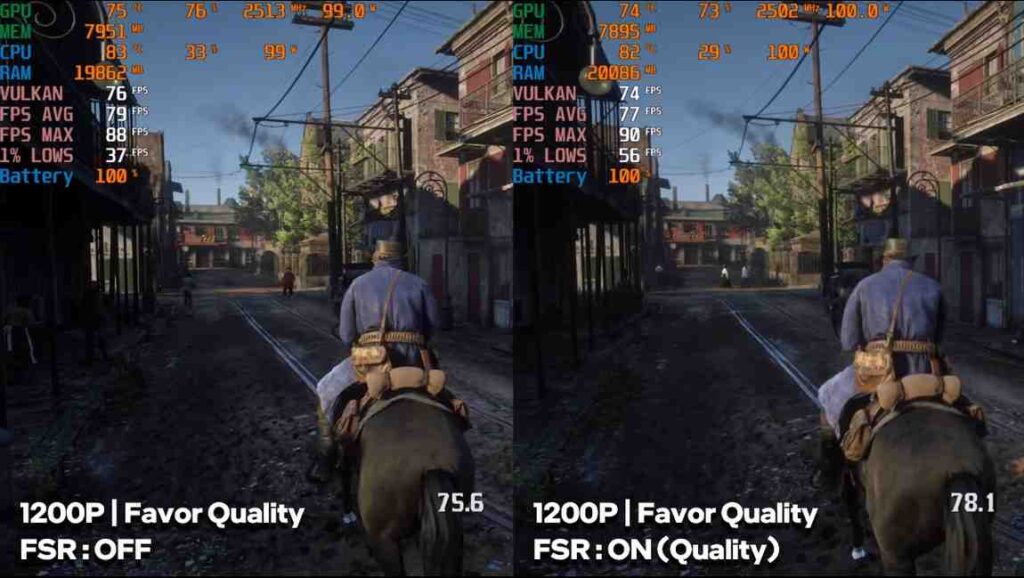
At near-max settings, performance is smooth and playable.
FSR doesn’t make a huge difference here, but the base performance is already good.
Cyberpunk 2077
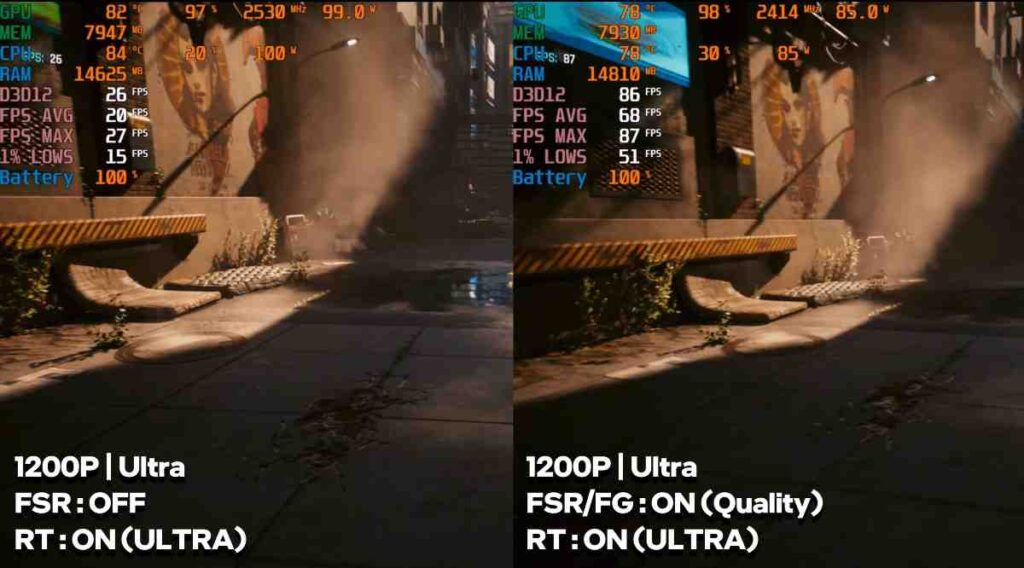
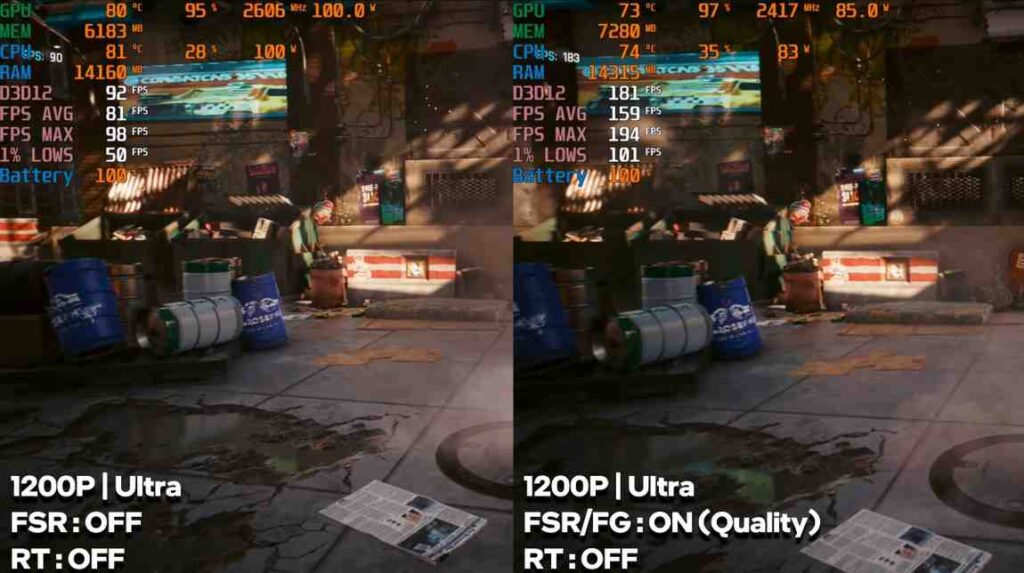
- Ultra settings (no RT): 70–75 FPS
- With FSR Frame Generation: up to ~150 FPS
- Ultra Ray Tracing: lower raw FPS, but ~70–80 FPS with FSR
Hogwarts Legacy
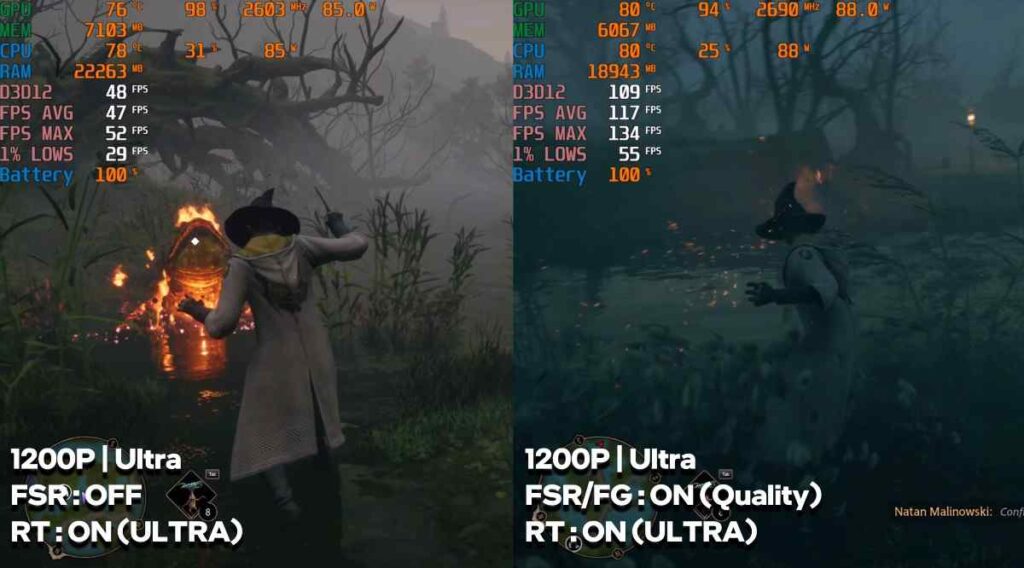
- Ultra + Ray Tracing: ~50 FPS
- With Frame Generation: 100–120 FPS
Assassin’s Creed Shadows
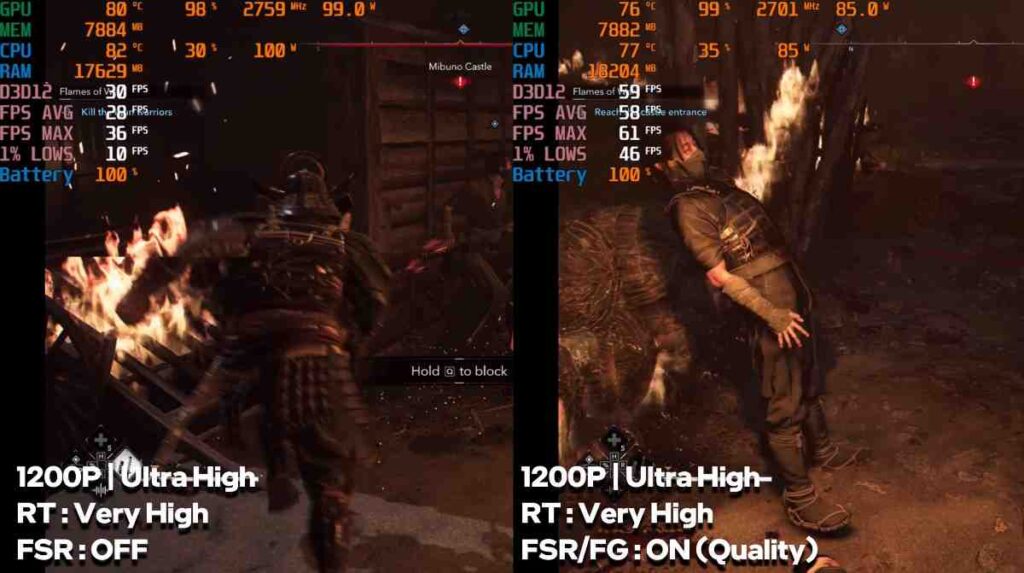
- Ultra High settings: ~30 FPS
- With FSR Frame Generation: ~55–60 FPS
The Last of Us Part II
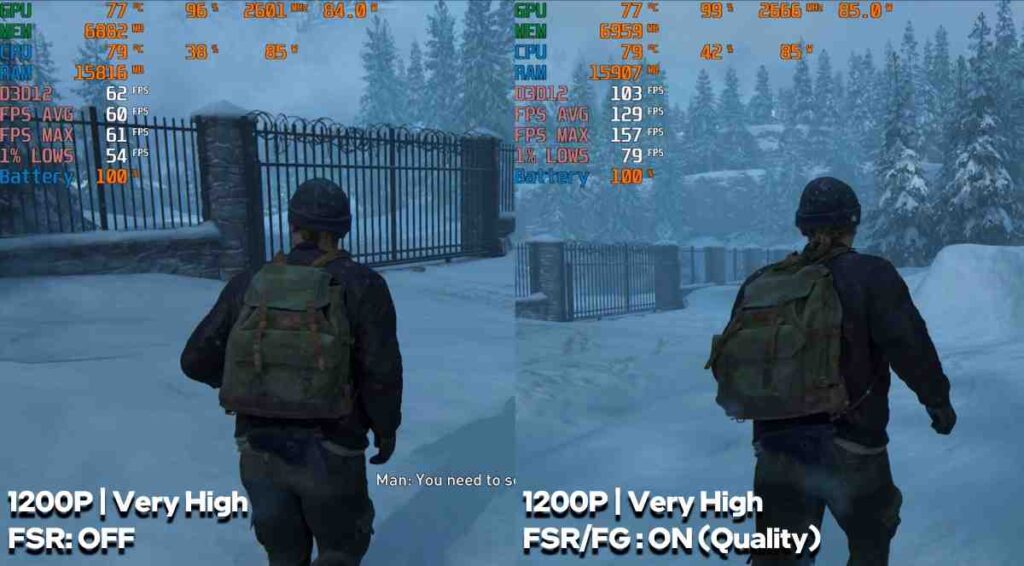
- Very High settings: 60–70 FPS
- With Frame Generation: 100–120 FPS
Horizon Forbidden West
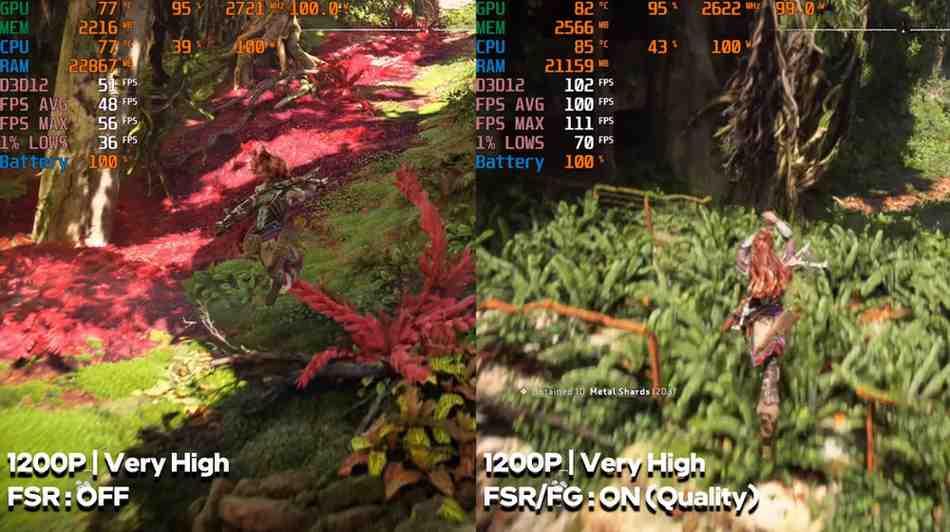
- Very High settings: 55–60 FPS
- With Frame Generation: 100+ FPS
Ghost of Tsushima
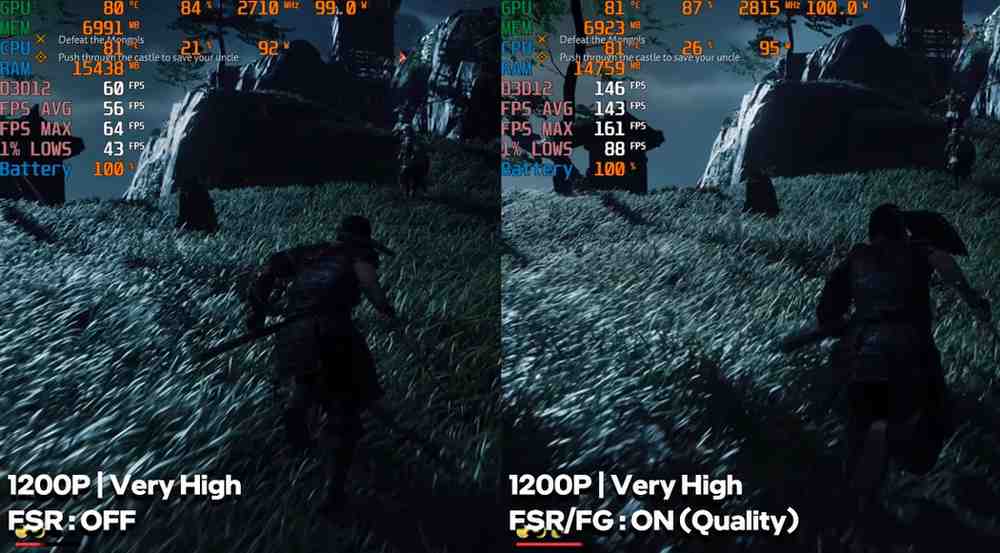
- High settings: 55–60 FPS
- With Frame Generation: up to ~130 FPS
Spider-Man 2
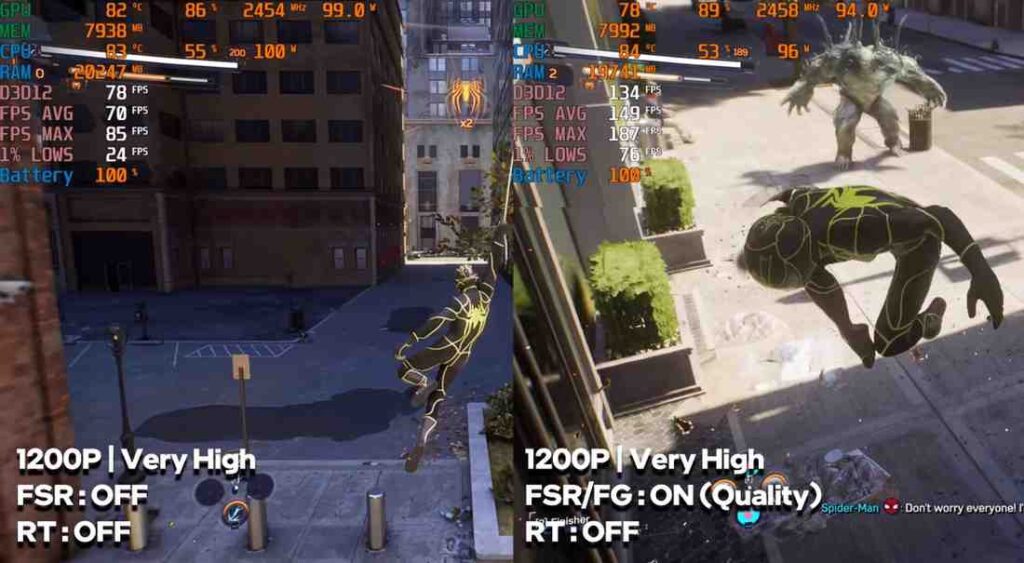
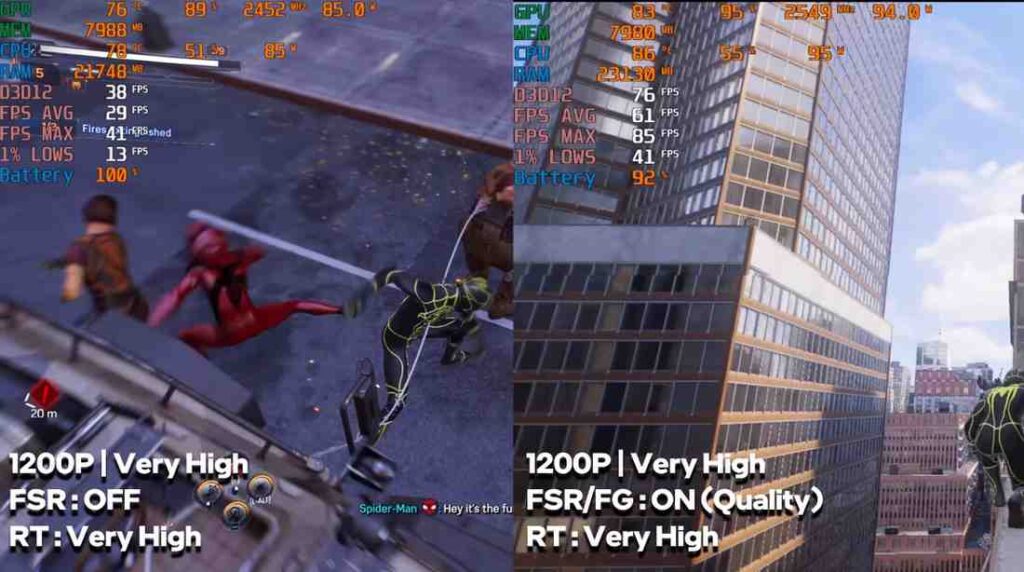
- Very High settings: 60–70 FPS
- With Frame Generation: 140–150 FPS
- With Ray Tracing: ~30–35 FPS (up to ~70 FPS with FSR)
Alan Wake 2
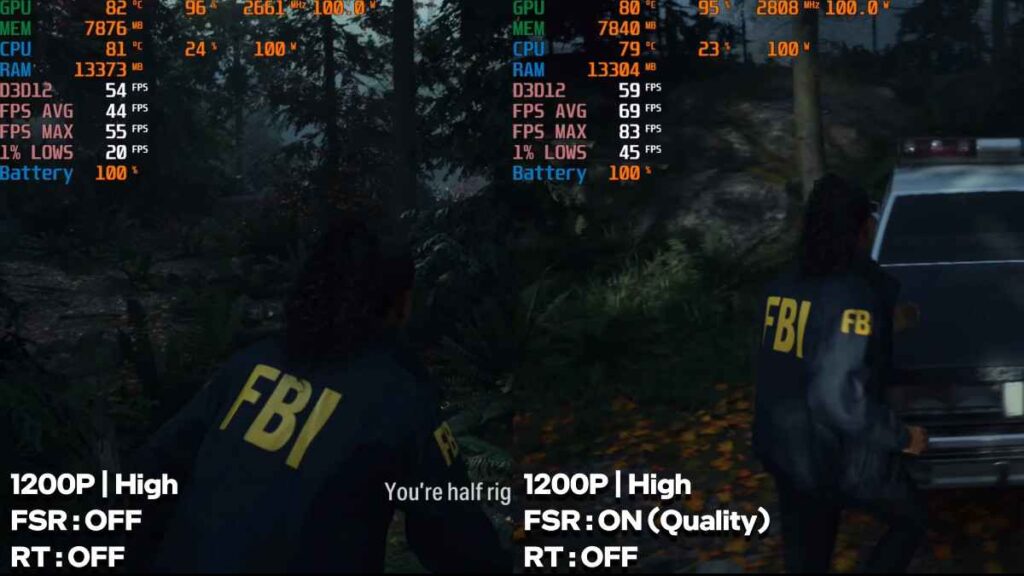
- High settings: ~45–50 FPS
- Ultra Ray Tracing: not playable
Across most games, performance is surprisingly strong for an iGPU. With FSR and frame generation, even demanding AAA titles become playable at high settings.
It’s not a replacement for high-end GPU laptops, but for a thin and lightweight machine, this level of gaming performance is seriously impressive.
Asus TUF A14 Battery Life
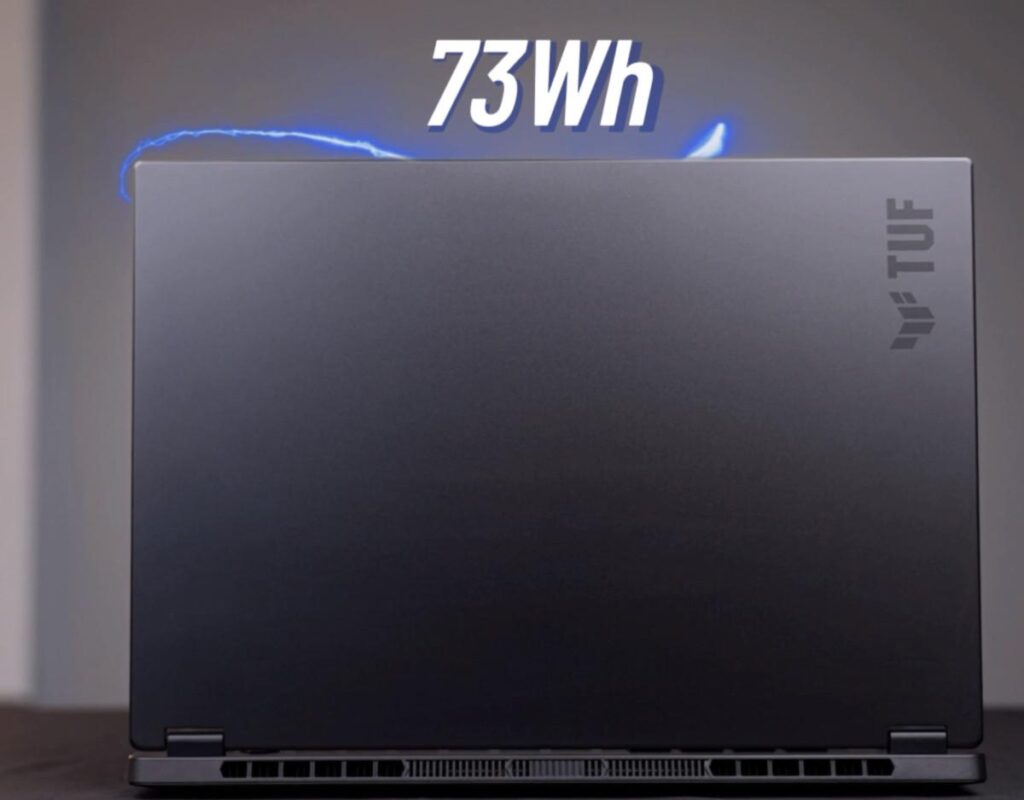
The Asus TUF A14 packs a 73Wh battery, which is impressive for a thin and light device in this performance class.
Real-World Usage:
- Battery mode: Best efficiency (Windows + Silent mode)
- Brightness: ~60%
- Tasks: Browsing, office work, music in the background
It delivered around 11–12 hours of battery life, which is excellent for an x86 laptop with this level of performance. This makes it a strong option for travel, meetings, and general productivity without needing to carry the charger all the time.
Gaming on Battery
- Average backup: ~1 hour 20 minutes (at 12:00 p.m.)
- Can vary between 1 and 1.5 hours depending on:
- Resolution
- Brightness
- Background apps
- Wi-Fi usage
Lowering settings can slightly improve battery life, but overall, this is expected for gaming workloads.
Charging Speed
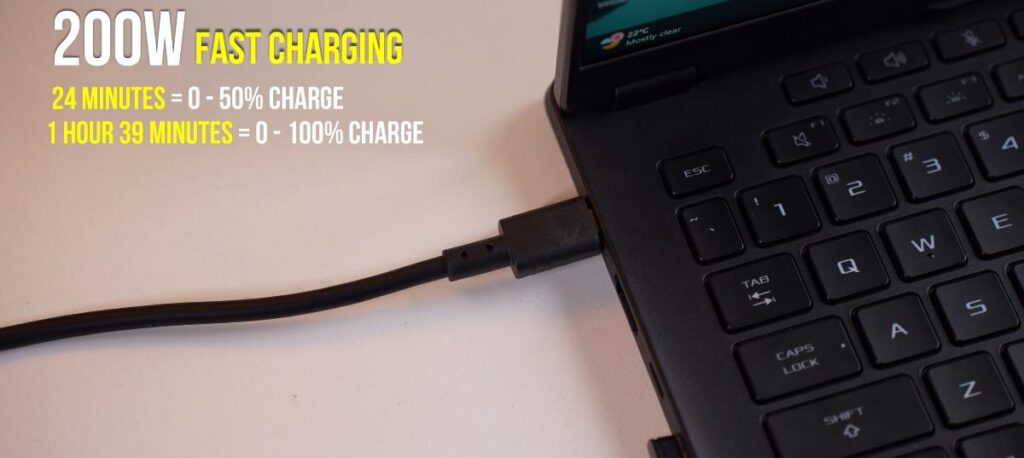
The included 200W charger supports fast charging:
- 50% in ~24 minutes
- 100% in ~1 hour 39 minutes
Charging speeds are solid and practical for quick top-ups.
Asus TUF A14 Ports
| Side | Port | Details |
|---|---|---|
| Right | USB 3.2 Gen 2 Type-A | Standard high-speed USB port |
| Right | USB 3.2 Gen 2 Type-C | DisplayPort 2.1, up to 4K 240Hz output (No PD) |
| Right | MicroSD Card Slot | Supports up to 1TB, useful for storage expansion |
| Left | Power Input | For 200W charger (full performance) |
| Left | HDMI 2.1 | Supports up to 4K 240Hz output |
| Left | USB 4 Type-C | Fast transfer, 100W PD, display output |
| Left | USB 3.2 Gen 2 Type-A | Additional high-speed USB port |
| Left | 3.5mm Combo Jack | Headphone + mic support |
Asus TUF A14 keyboard & track-pad
Since this is a 14-inch laptop, the keyboard layout is compact but well-designed. The typing experience is comfortable, thanks to 1.7mm key travel, which provides good feedback for long typing sessions.
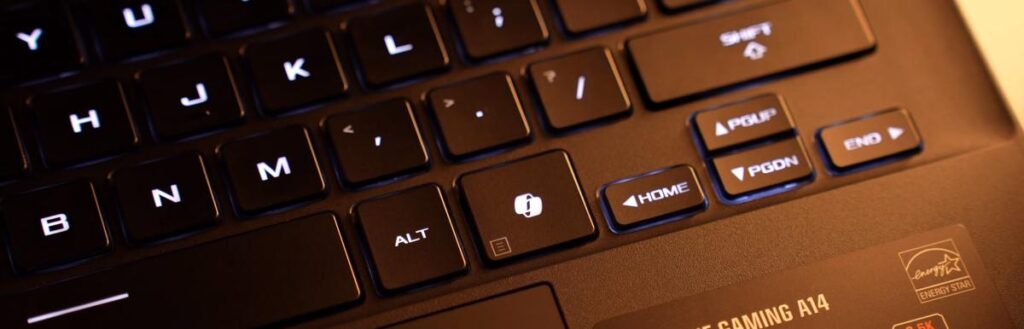

- Armory Crate
- Mute / Unmute
- Volume adjustment
- A dedicated Copilot+ key
The keyboard comes with single-colour white backlighting with 3 brightness levels, and you can turn it off if needed. Overall, it’s a solid keyboard for both productivity and everyday use.
Track-pad
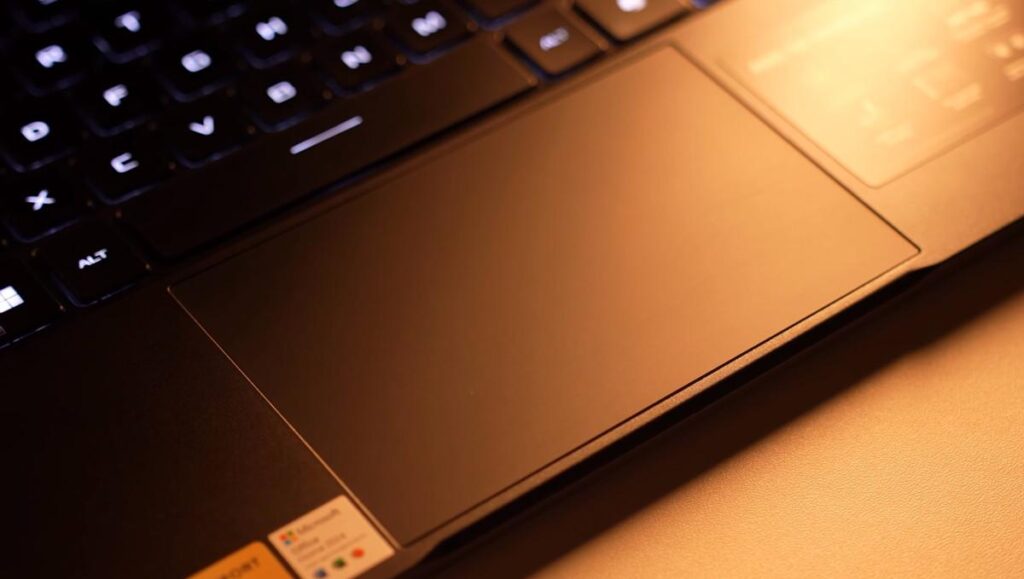
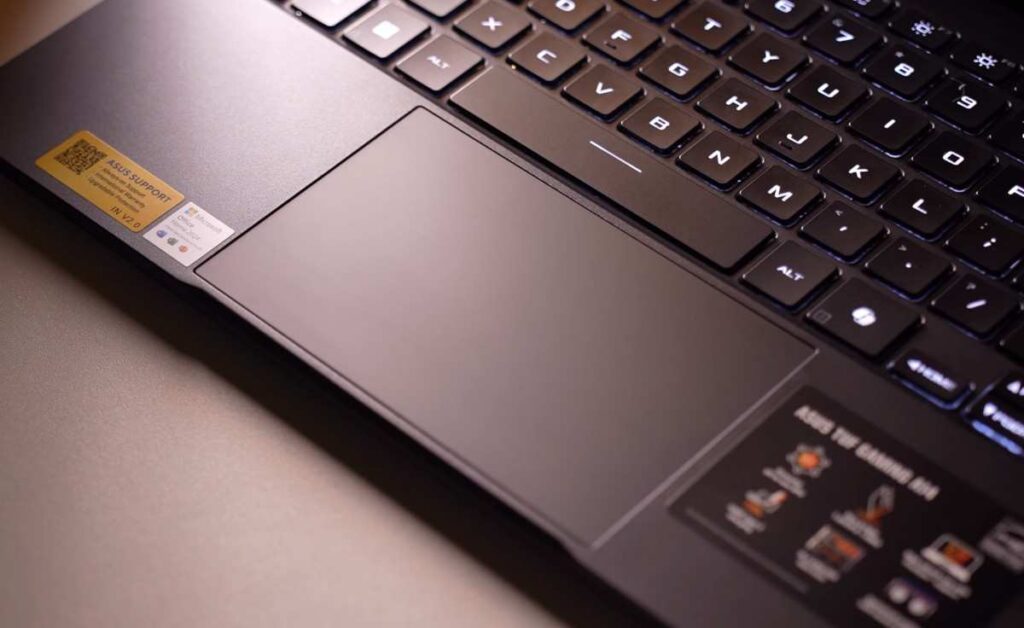
The laptop features a glass trackpad, which feels smooth and premium.
For a 14-inch device, the size is decent, and it supports all standard Windows gestures without any issues. Tracking is accurate, and overall usability is reliable for daily tasks.
Asus TUF A14 display
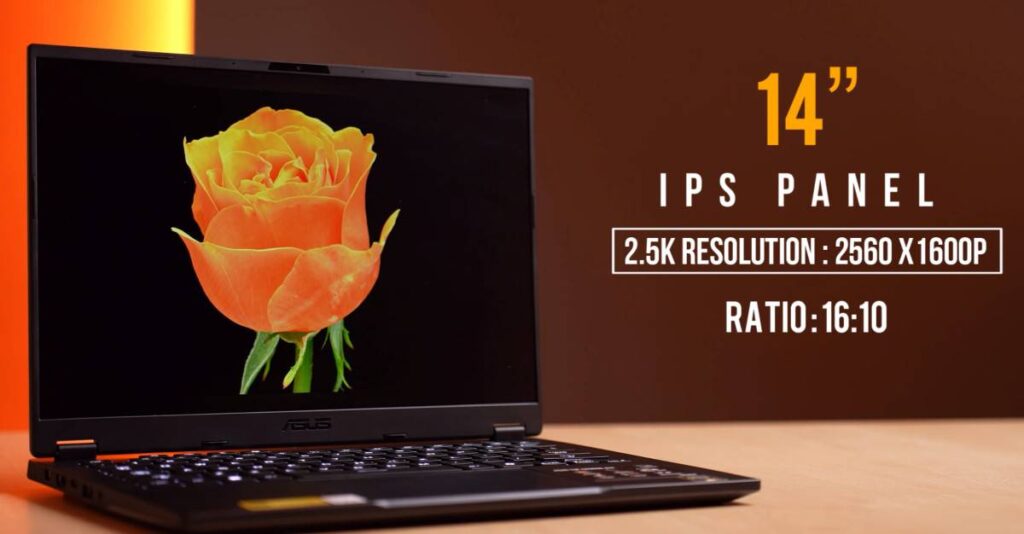
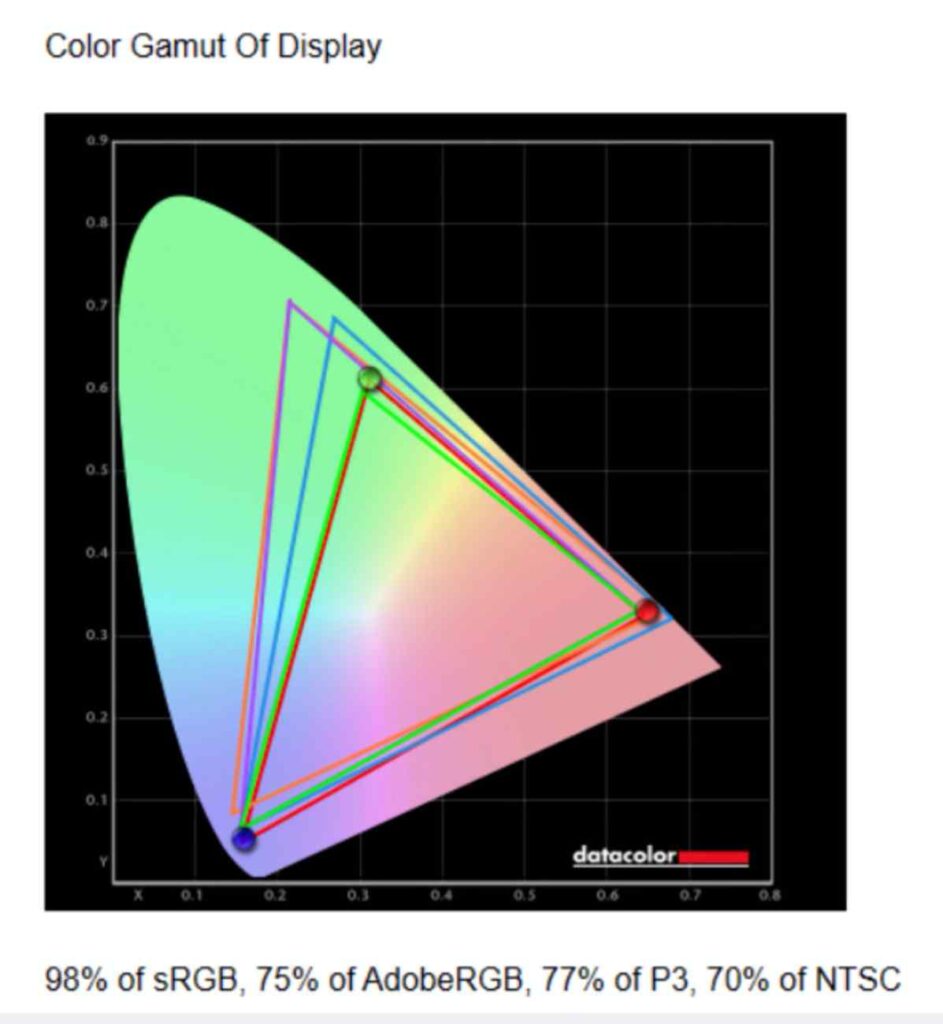
The display offers 98% sRGB, 75% Adobe RGB, and 77% DCI-P3 coverage. Colors are accurate and suitable for photo editing, video work, and everyday use.
The 165Hz refresh rate makes everything feel smooth, while the anti-glare coating helps in bright environments. Thin bezels on all sides enhance the overall viewing experience.
✔ Smooth 165Hz refresh rate
✔ Good color accuracy
✔ Thin bezels
✖ Brightness could be higher for HDR use
| Setting | Brightness (cd/m²) | Black (cd/m²) | Contrast | White Point |
|---|---|---|---|---|
| 0% | 19.5 | 0.01 | 1360:1 | 6800 (0.309, 0.324) |
| 25% | 79.8 | 0.07 | 1110:1 | 6800 (0.308, 0.324) |
| 50% | 172.6 | 0.16 | 1090:1 | 6800 (0.307, 0.325) |
| 75% | 294.2 | 0.27 | 1070:1 | 6900 (0.307, 0.325) |
| 100% | 444.0 | 0.40 | 1100:1 | 6900 (0.306, 0.325) |
Asus TUF A14 Audio & speakers
| Feature | Details |
|---|---|
| Sound Quality | Full, punchy sound with good depth for music, videos, and casual gaming |
| Speaker Type | Down-firing speakers (better output on flat surfaces) |
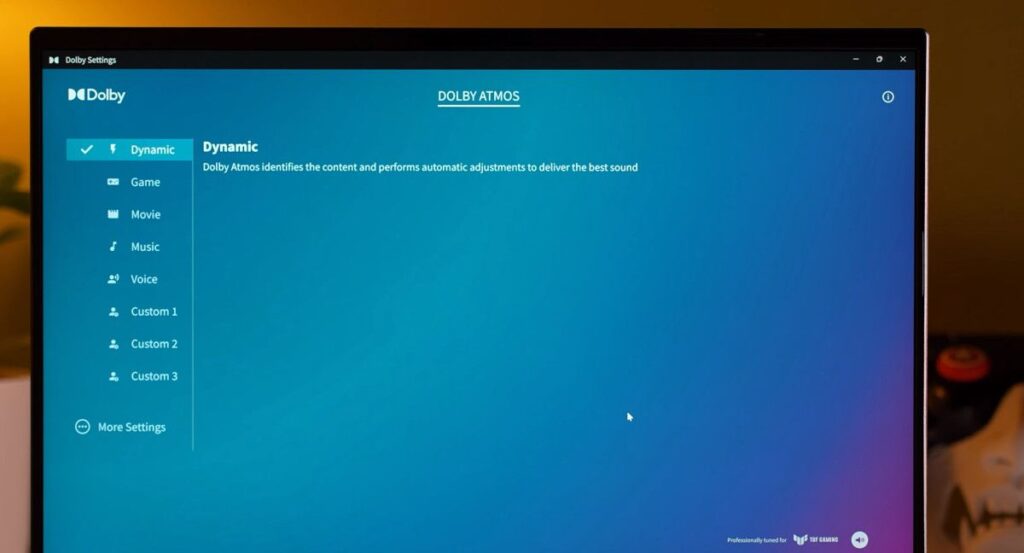
| Dolby Support | Dolby Atmos supported for enhanced surround sound |
| External Experience | Great for connecting to external speakers or big screens for movies |
| Wattage Info | Not officially specified by the brand |
Asus TUF A14 Armoury Crate software
The laptop comes with Asus’ Armoury Crate software, which gives you full control over performance and system settings. You get multiple operating modes like Silent, Performance, and Turbo, so you can switch based on your usage. Whether you want better battery life or maximum performance, it’s easy to adjust.
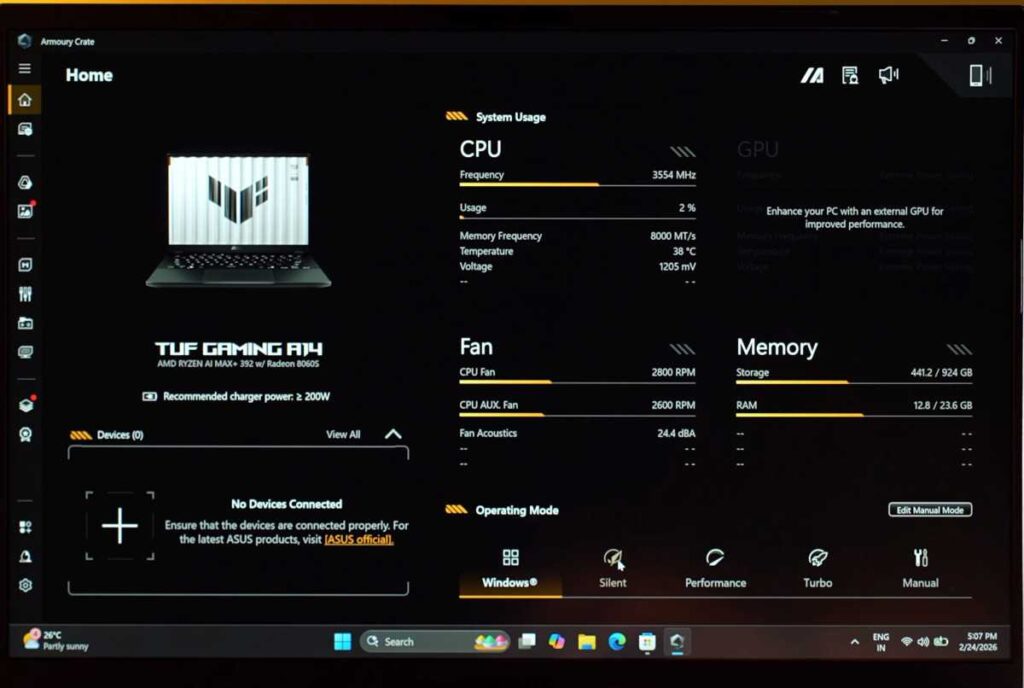
There’s also real-time system monitoring, where you can check CPU, GPU, temperatures, and overall performance. One of the most useful features is memory allocation. You can assign up to 24GB of RAM to the iGPU. During testing, 8GB felt the most balanced for gaming, but you can tweak it depending on your needs.
You also get keyboard lighting controls, where you can adjust brightness and effects. Overall, the experience is similar to other Asus laptops—simple, powerful, and easy to use.
Asus TUF A14 Virtual assistant
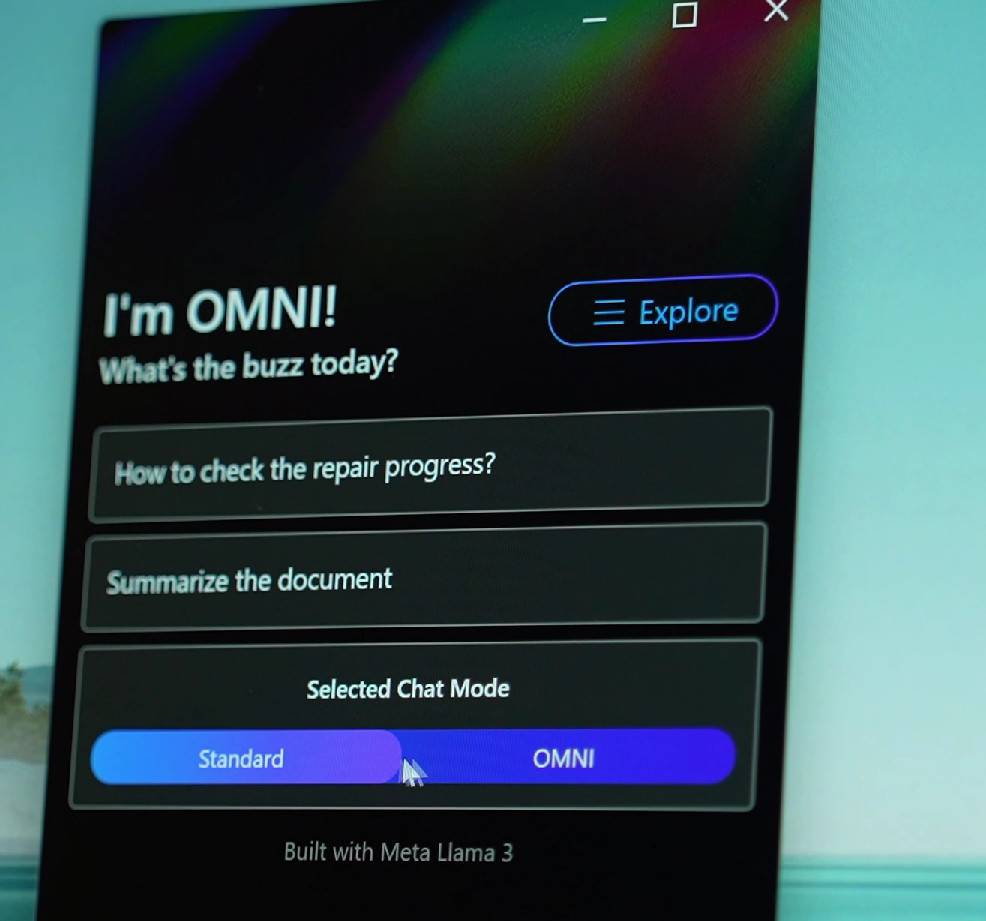
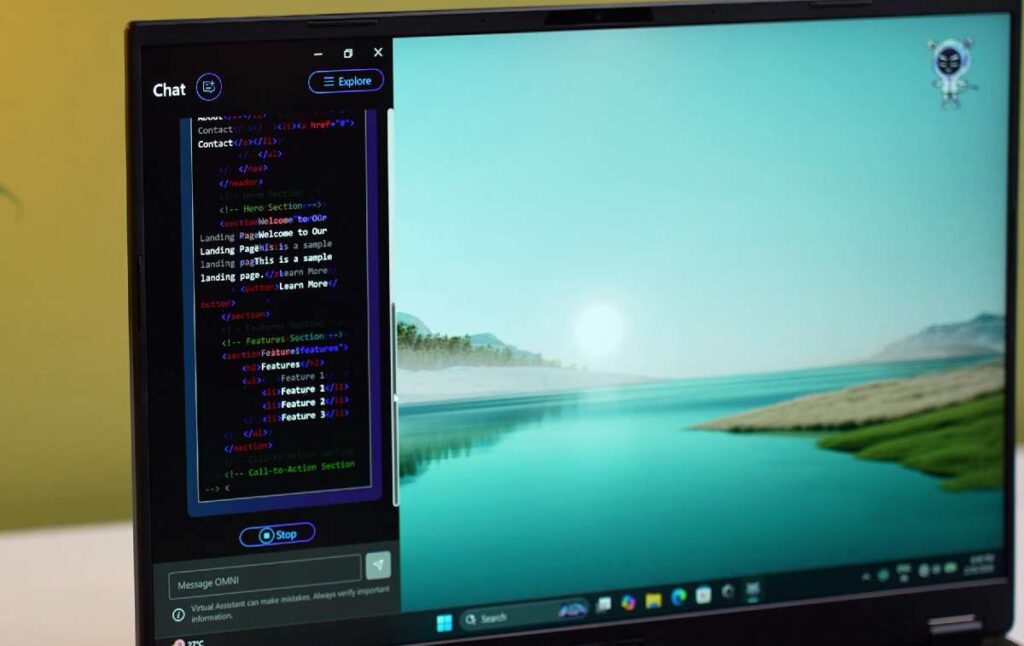
This laptop includes a built-in AI assistant powered by the Meta Llama 3 model, and it runs completely on-device, even without Wi-Fi.
You get two modes:
- Normal Mode: For tasks like generating code, system controls, and multi-language queries
- Omni Mode: More casual, with quick replies and fun interactions
It also offers useful tools like:
- File summaries (PDF, DOC)
- Q&A from documents
- Meeting transcription and summarisation
Overall, the AI features are fast, work offline, and are genuinely useful for students and productivity tasks.
Asus TUF A14 Conclusion
This laptop breaks the usual expectation of what a “gaming laptop” should be. Even without a dedicated GPU, it delivers impressive real-world performance. From everyday productivity to gaming and even AI workloads, it handles almost everything surprisingly well.
The biggest strength here is balance. You’re getting solid performance, long battery life, and a lightweight design—all in one device. That’s something most traditional gaming laptops struggle with. That said, it’s not for everyone.
If you’re into heavy 3D rendering, high-end AAA gaming with max ray tracing, or large-scale AI training, a laptop with a dedicated GPU will still be the better choice. But for most users—students, developers, creators, and even casual gamers—this is more than enough.
Who Should Buy This?
- If you want a portable laptop with strong performance
- If you do coding, editing, or light creative work
- If you play esports and occasional AAA games
- If you care about battery life and efficiency
Who Should Skip It?
- If you need high-end GPU performance
- If you do heavy 3D rendering or deep learning training
- If you want maxed-out ray tracing in every game
Asus TUF A14 Final Thoughts
This feels like a shift in the market. With powerful integrated graphics and efficient chips, laptops like this are starting to replace entry-level gaming machines.
Is the ASUS TUF A14 good for gaming?
Yes, the ASUS TUF A14 is good for gaming.
Does the ASUS TUF A14 have heating issues?
It can get warm during heavy gaming, but the cooling system is decent. With proper ventilation and settings, temperatures remain manageable.
How is the battery life?
Battery life is average, around 5–7 hours for normal use. During gaming, it drops significantly, which is expected for gaming laptops.
Is the display quality good?
The display is decent with good refresh rates, but brightness and colour accuracy are not the best compared to premium laptops.

