Logitech Pro X2 Superlight “Strike” is what caught my attention after a long time of wondering what can really be new in a gaming mouse anymore. Most upgrades feel predictable, higher polling rates, better switches, or a bigger battery.
But then Logitech comes in with a different mindset, basically saying, hold my beer. Meet the Logitech Pro X2 Superlight “Strike.” At first, the name sounds bold, but it actually lives up to it. This isn’t just another small upgrade, it feels like something different.
We’ve already tested the Logitech G Pro X Superlight and Logitech G Pro X Superlight 2, so when Logitech asked us to try this one, the answer was simple.
Pricing
Logitech PRO X2 Superlight Price
Unboxing Experience
The Logitech Pro X2 Superlight comes in a clean, minimal box, just like the rest of the Pro series. Inside, the first thing you see is the white mouse with black buttons, simple and premium.
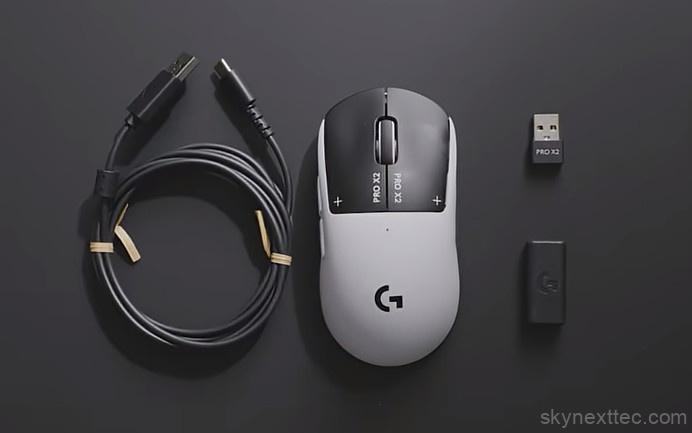
In the box, you get:
- The mouse
- Carrying case
- USB extension dock (for better dongle placement)
- Type-A to Type-C cable
- Extra grips and accessories
The extension dock is a nice addition, letting you place the dongle on your desk instead of behind your PC.
You also get PTFE feet for smoother glide, though more replacements would have been better. That said, Logitech PTFE quality is already quite durable, as seen on the Logitech G Pro X Superlight and Logitech G Pro X Superlight 2.
Overall, the unboxing feels premium and practical, just missing a few extra replacements.
Build & Design
The Logitech Pro X2 Superlight sticks to the familiar Pro series shape, but with subtle refinements. You get a clean white body with black accents, including the G logo, buttons, and branding on the sides.
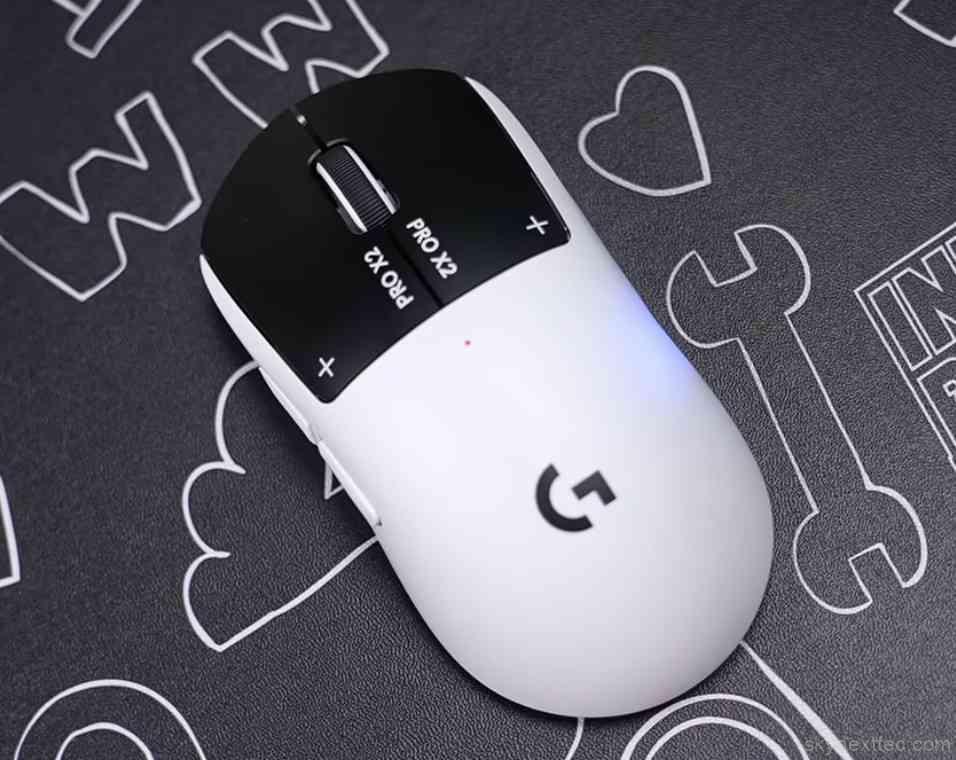
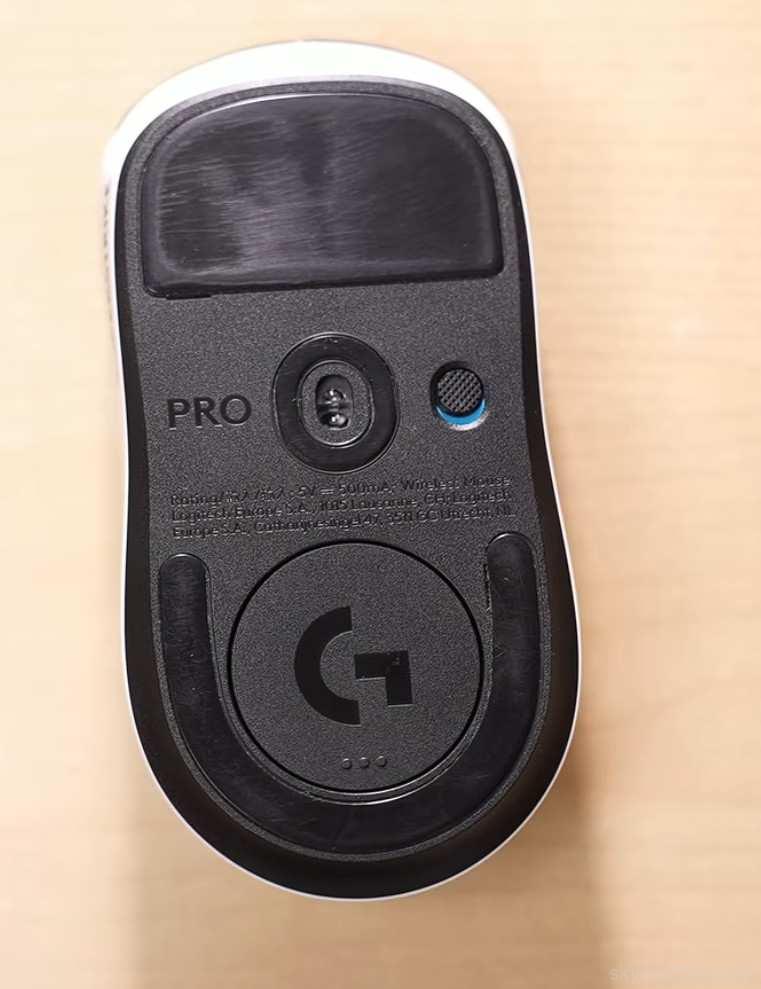
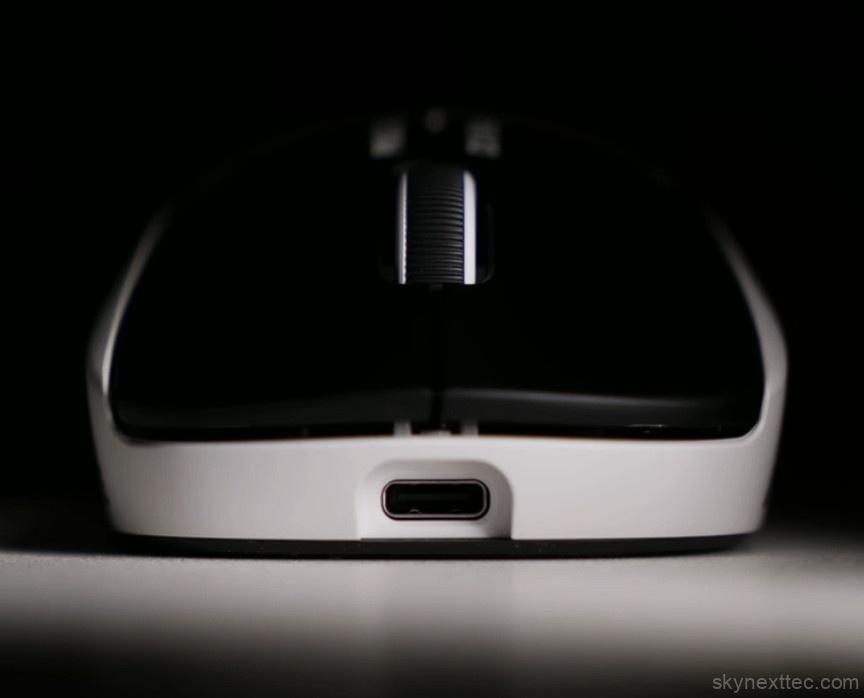
At the bottom, it uses high-quality PTFE feet for smooth glide, along with an optional attachment if you want extra surface contact. You’ll also find a small compartment for dongle storage and a simple on/off switch.
It’s a 5-button layout:
- Left & right click
- Scroll click
- Forward & backward buttons
On the front, there’s a Type-C port for charging and wired use.
Build quality is exactly what you’d expect from Logitech’s Pro lineup, solid and reliable. And at around 60 grams, it feels extremely light without compromising durability.
Simple design, but executed really well.
Switches
The Logitech Pro X2 Superlight introduces a completely new switch system, and it feels very different from traditional mice.
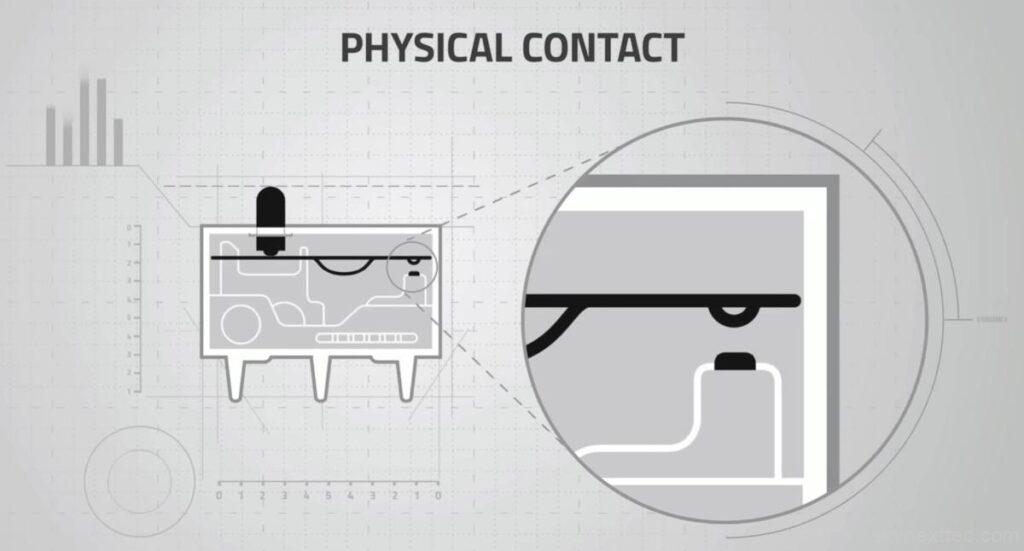
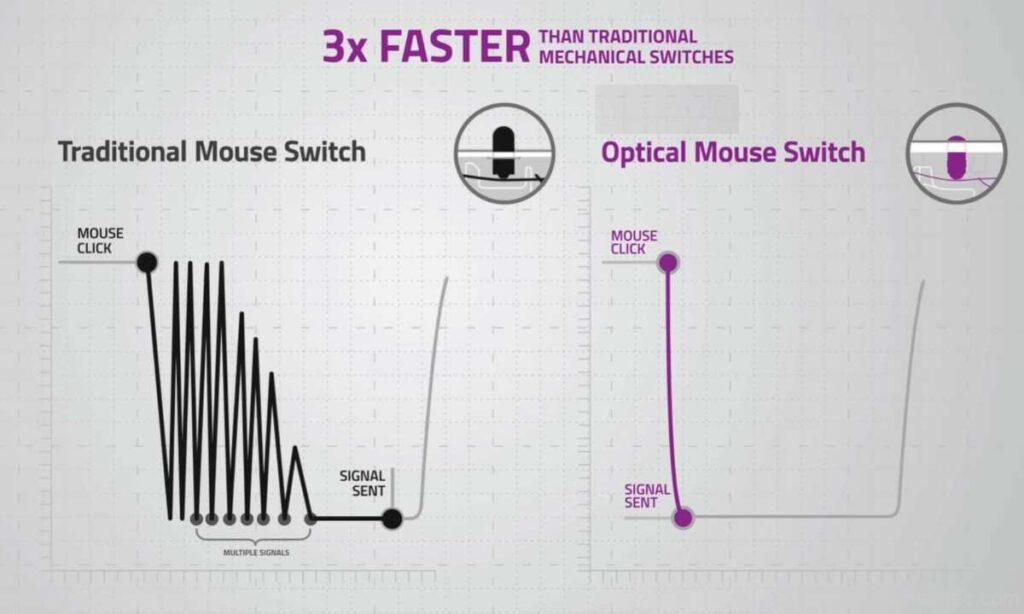
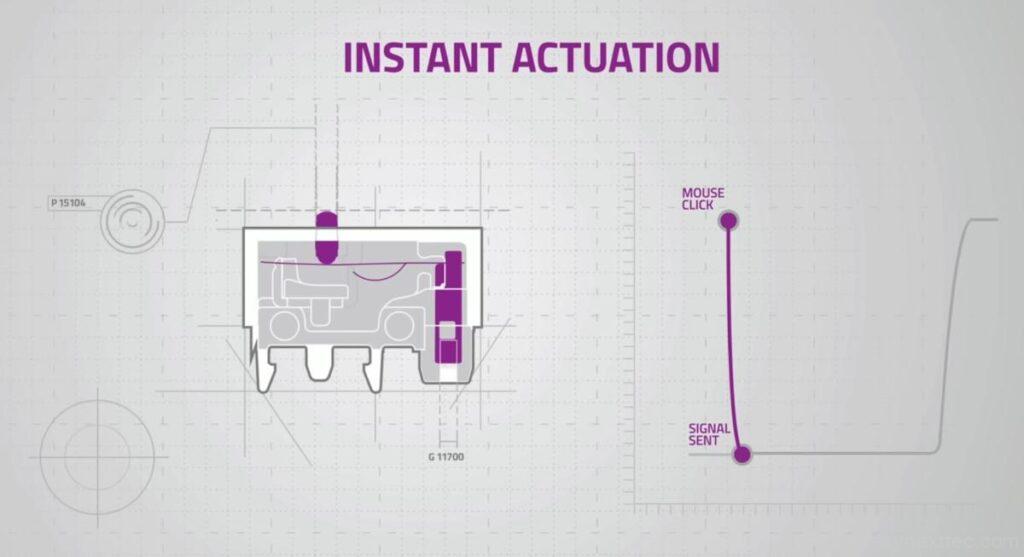
Instead of mechanical or optical switches, Logitech uses a haptic inductive trigger system. It detects pressure using an electromagnetic field, supported by a haptic motor for feedback.
What’s Special?
- No debounce delay
- Faster and more consistent clicks
- Works from any click position
Adjustable Actuation
You can control sensitivity in G Hub:
- 1: Extremely sensitive (even light touch clicks)
- 3–5: Best balance (recommended)
- 10: Requires firm press
At very low levels, accidental clicks can happen easily, so most users will prefer mid-range settings.
Rapid Trigger & Pro-Level Controls
Now this is where the Logitech Pro X2 Superlight starts to feel unfair… in a good way.
Because with these new switches, you also get Rapid Trigger.
In simple terms, it controls how fast your click resets after you release it.
Why It Feels Different
On a normal mouse, there’s always a tiny delay before the next click registers.
Here? That delay is almost gone.
- Faster reset = faster firing
- Perfect for tap shooting in FPS games
- Adjustable from 1 to 5 based on your play-style
When I tested it, I was hitting 10–11 clicks per second, while normal mice struggle around 7–8. The difference is real.
Small Features, Big Impact
- You can trigger multiple clicks with very light pressure
- Scroll wheel feels tight and precise
- There’s even a b-hop mode to prevent accidental scrolls
That b-hop mode is actually smart. You can set a delay (100ms–1000ms), so even if you scroll by mistake, your weapon won’t switch instantly.
The Real Takeaway
This isn’t just about speed, it’s about control.
Logitech is clearly targeting serious gamers here, where even a tiny delay can cost you a fight.
And with features like this, every click actually starts to matter.
Sensor & Performance
If the switches impressed you, the sensor on the Logitech Pro X2 Superlight takes things even further.
It comes with an 8000Hz polling rate… wirelessly.
That’s not common. Most mice hit that only on wired mode.
What That Means
- 8000Hz = 0.125ms latency
- Practically instant response
- No noticeable delay in movement or clicks
And if you switch to wired, it drops to 1000Hz (1ms), which is still solid. You can adjust all of this inside the software.
Raw Performance
- Up to 44,000 DPI
- Tracking speed of 888 inches per second
- 88G acceleration
To put that into perspective, most players flick at around 100–200 IPS. This mouse goes way beyond that, meaning no matter how aggressively you move, the sensor keeps up without breaking.
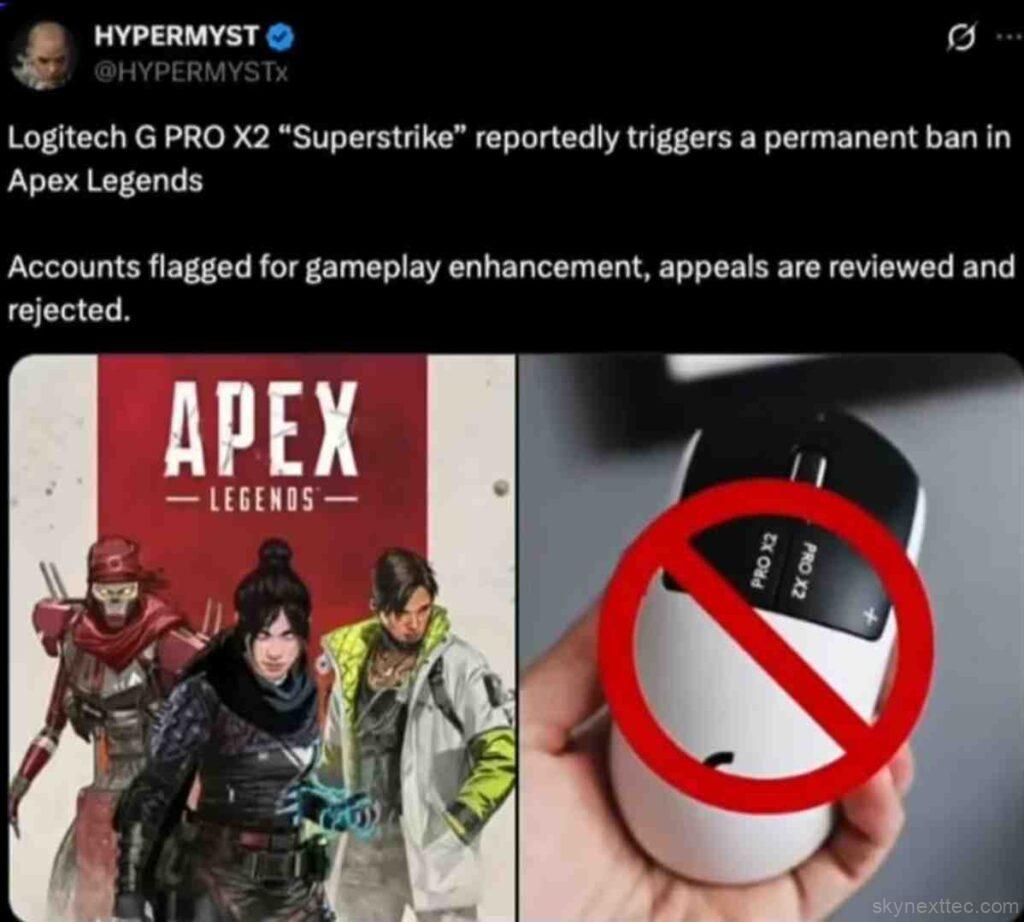
There was even a case where tracking was so fast that it got mistaken for cheating in a game. That says a lot about how extreme the performance is.
Real-World Feel
Whether it’s fast flick shots, sudden movements, or precise tracking, this sensor doesn’t lose control.
That’s the key thing, consistency under pressure.
Gaming Experience
The gaming experience on the Logitech Pro X2 Superlight is genuinely top-tier.
Logitech didn’t change the design much, and that’s actually a smart move. The same shape from the Pro series is used by a lot of esports players because it just works. It’s symmetrical, comfortable, and suits almost every grip style.
During testing, whether it was fast-paced matches in Call of Duty: Warzone or tactical gameplay in Counter-Strike 2, the mouse felt extremely responsive and precise. Different actuation settings also made a noticeable difference depending on play style.
And yes, the moment you hold it, it feels premium. Lightweight, fast, and very controlled. But here’s the honest part: just buying an expensive mouse from Logitech won’t make you a pro player. Skill comes first. Gear like this just helps you push your limits once you’re already there.
Battery Life
Battery performance on the Logitech Pro X2 Superlight is seriously impressive.
Logitech claims around 90 hours of battery life, and in real use, it holds up well. Even after a few days of usage, the battery barely drops. Of course, it depends on things like polling rate and usage style, but overall, it’s reliable.
Charging is also quick, so even if you run low, you won’t be waiting long.
Bonus: Power Play Support
There’s also support for the Logitech PowerPlay mouse pad.
- It charges the mouse while you’re using it
- No cables needed
- No downtime
Basically, as long as you’re playing, the mouse keeps charging. For esports players, that means one less thing to worry about mid-game.
Software (G-Hub)
The Logitech G Hub for the Logitech Pro X2 Superlight keeps things simple but powerful.
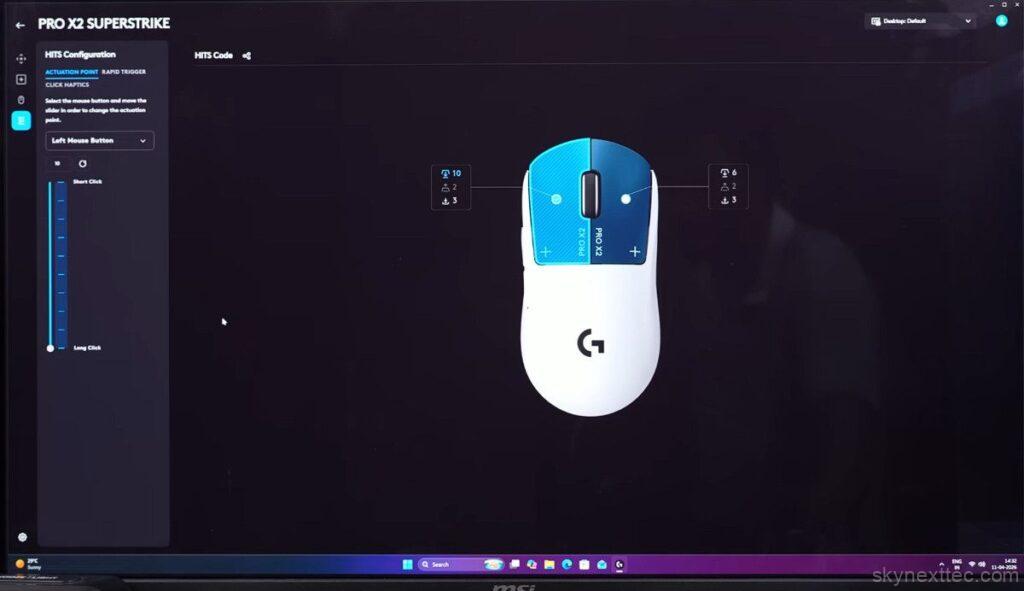
You get all the essentials:
- Custom DPI settings
- Adjustable polling rate
- Lift-off distance control
- Full button remapping
- Macro support
And on top of that, you can tweak advanced features like actuation levels, rapid trigger, and haptic feedback that we talked about earlier.
Conclusion
So this was the full review of the Logitech Pro X2 Superlight “Super Strike”.
This mouse is clearly built for serious E-sports players, especially those who are already competing or building a career in gaming. If you’re at that level and want to upgrade your gear, it makes a lot of sense.
For beginners or casual gamers, it still feels like a next-level piece of tech. The features, customisation, and performance are honestly ahead of most mainstream gaming mice. But at the end of the day, it comes down to budget and need.
If your pocket allows it, it’s definitely something worth trying.
Now I’m curious, would you actually upgrade to something like this? And what do you think about this kind of tech in a gaming mouse?