

How do you even review a laptop like this?
For years, laptop users have been limited to a single display. Sure, you could carry around a portable monitor, but dealing with extra cables and accessories quickly becomes a hassle. That’s where the Asus ROG Zephyrus Duo completely changes the experience.
This machine is essentially a multitasker’s dream, packing two full-sized displays into one laptop. Whether you’re gaming, editing videos, streaming, or juggling multiple apps at once, the dual-screen setup promises a desktop-like workflow in a portable form factor.
But does this unusual design actually work in real-world use? And more importantly, is it worth the premium price tag?
Let’s find out.
Build Quality & Design
| Category | Highlights |
|---|---|
| Design | Innovative dual-screen gaming laptop |
| Primary Display | 16-inch high-resolution OLED panel |
| Secondary Display | Integrated touchscreen display |
| Protection | Premium Gorilla Glass finish |
| Keyboard | Magnetic detachable keyboard |
| Build Quality | Full aluminium premium chassis |
| Portability | Slightly thicker but highly durable |
| Kickstand | Integrated adjustable stand |
| Experience | Excellent for multitasking and gaming |
| Weight | 2.82 Kg (6.22 lbs) |
| Dimensions | 35.5 x 24.7 x 1.99 ~ 2.49 cm (13.98″ x 9.72″ x 0.78″ ~ 0.98″) |
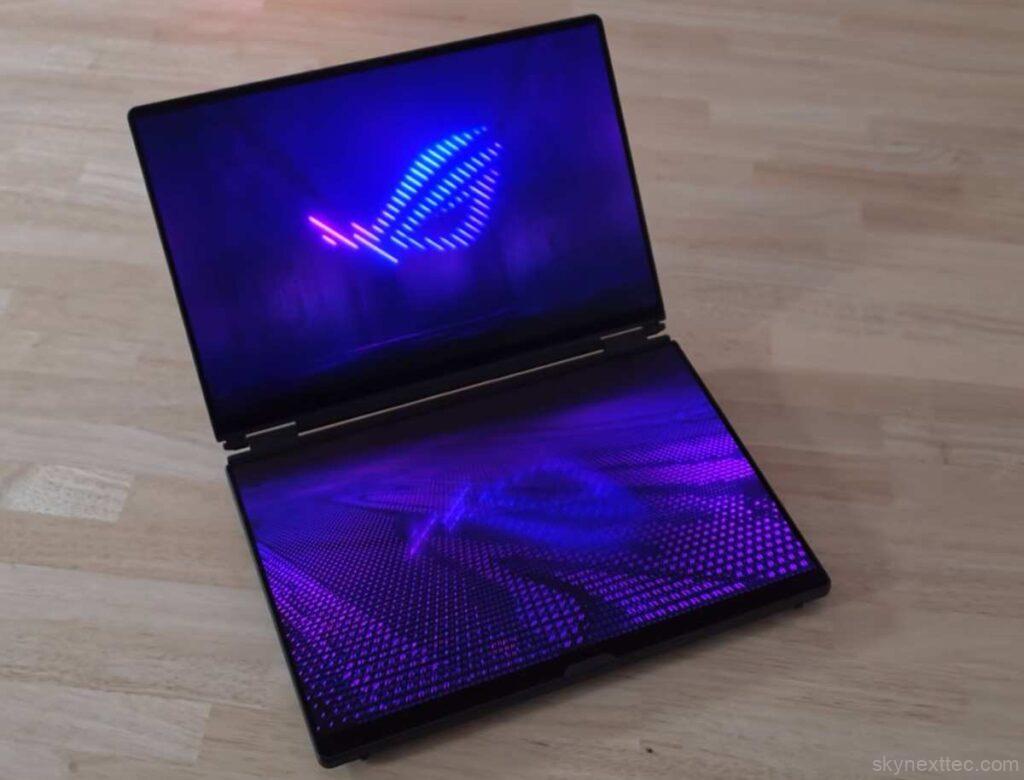
From the outside, the Asus ROG Zephyrus Duo looks surprisingly similar to a regular Zephyrus G16. But once you remove the keyboard, the real highlight appears: a second 16-inch display built directly into the laptop.
Both panels are protected by Gorilla Glass, giving the device a premium and durable feel. The included detachable keyboard magnetically attaches to the lower screen, letting you quickly switch between a traditional laptop setup and a dual-screen workspace.
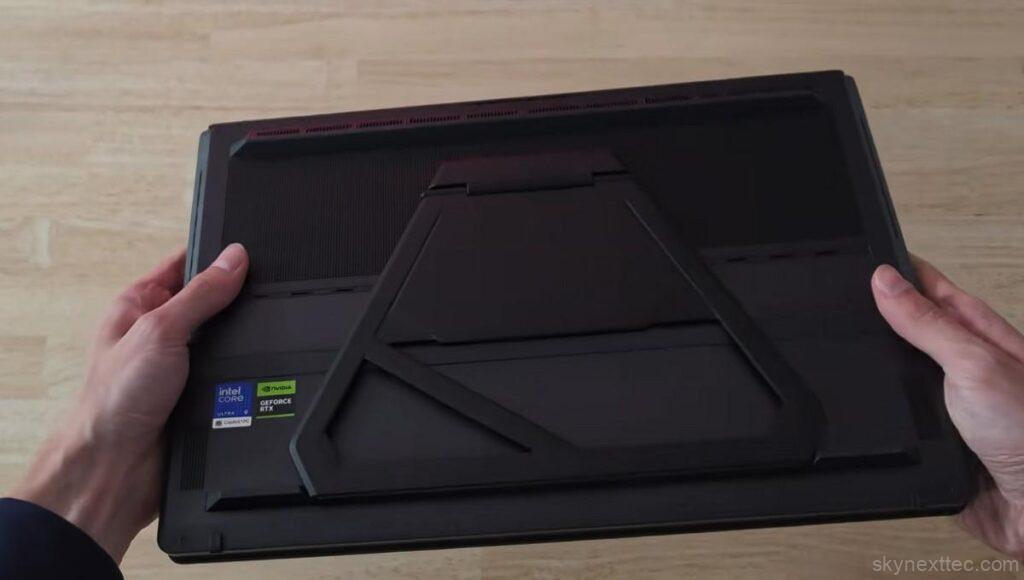
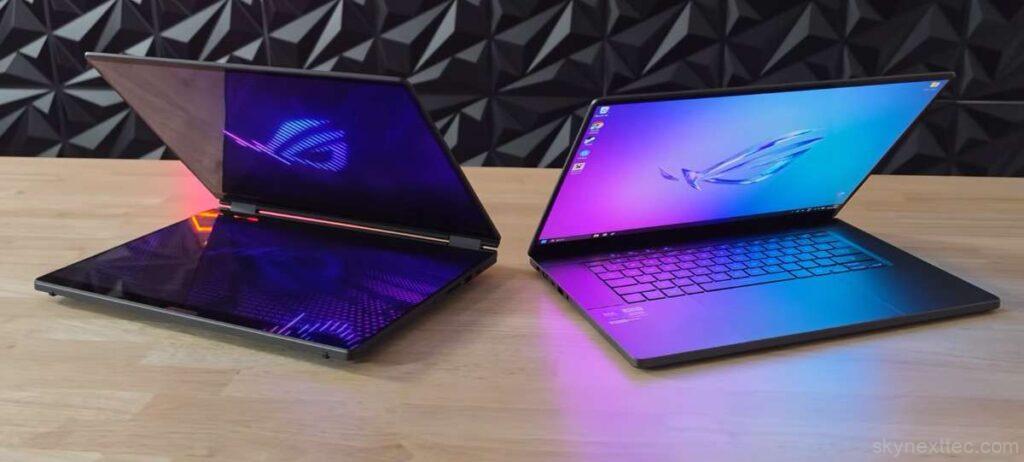
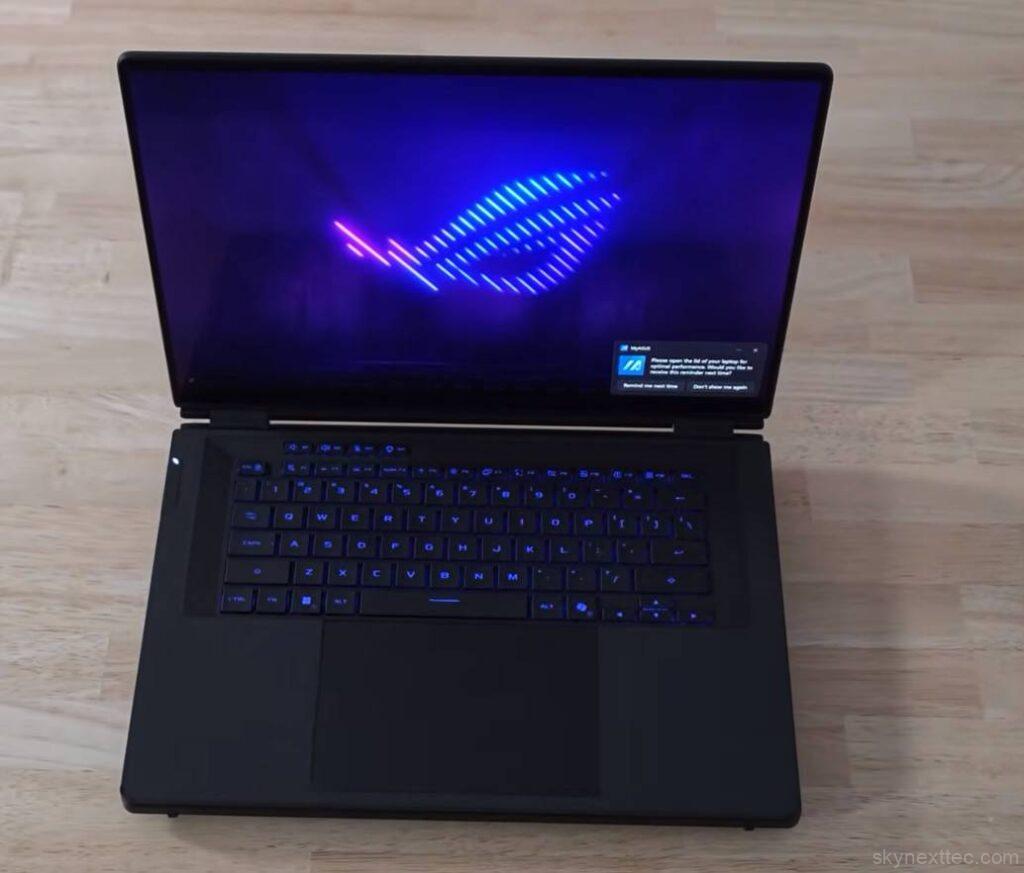
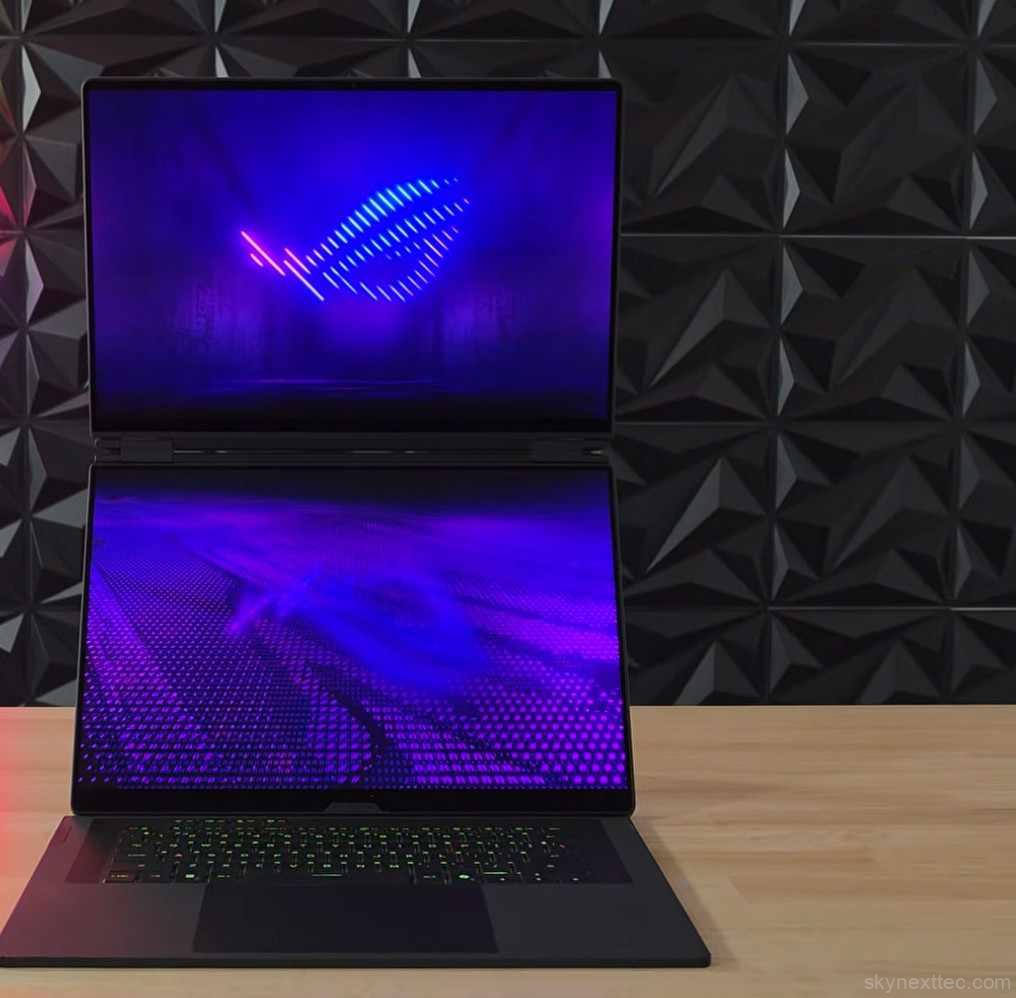
The chassis is fully made from aluminium, making the laptop feel extremely sturdy and premium. It’s definitely thicker and heavier than a standard ultrabook, but still reasonable for a high-end gaming laptop.
ASUS also includes a built-in kickstand, which keeps the display elevated for a more comfortable viewing angle. While the stand feels solid, rubber padding would have improved grip and movement on desks.
Despite its unusual design, the Zephyrus Duo still feels like a true gaming laptop underneath.
Specifications
| Specification | Details |
|---|---|
| Operating System | Windows 11 Pro |
| Processor |
Intel Core Ultra 9 386H 16 Cores / 16 Threads Up to 4.9GHz Boost 18MB Cache |
| Graphics |
NVIDIA GeForce RTX 5090 Laptop GPU 24GB GDDR7 VRAM |
| AI Engine | Intel NPU up to 50 TOPS |
| Memory |
64GB LPDDR5X 8533MHz Dual Channel No upgrade support |
| Storage | 2TB PCIe 5.0 NVMe SSD |
| Connectivity |
Wi-Fi 7 (Tri-band) 2×2 Bluetooth 6.0 |
| Software | 1-month Microsoft 365 trial |
The top-end version of the Asus ROG Zephyrus Duo comes packed with some seriously powerful hardware, including Intel’s latest Core Ultra 9 386H processor and the flagship NVIDIA RTX 5090 Laptop GPU. On paper, the specs look incredible. You still get a massive 24GB VRAM, which is especially useful for creators working with video editing, AI workloads, and 3D rendering.
However, there’s one major limitation:
the RTX 5090 is restricted to a 150W total system power, meaning the GPU may not fully reach its maximum performance potential.
The good news is that Intel’s new Ultra-series processor is highly power-efficient, and the Duo’s elevated design provides excellent airflow, so thermal performance should remain strong even under heavy workloads. Still, the real question is whether this RTX 5090 can truly perform like a full-powered flagship GPU. That’s something the benchmarks will reveal.
Upgradability
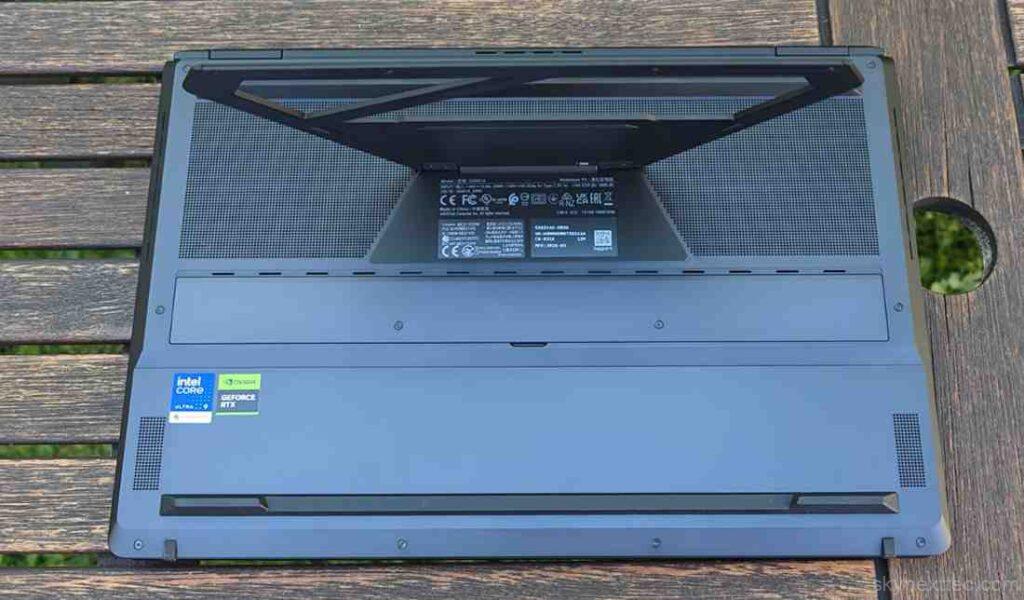
ASUS includes two easily accessible service panels on the back, which can be opened with a simple screwdriver. Inside, you’ll find dual M.2 SSD slots, allowing users to upgrade or expand storage without much difficulty.
The ASUS ROG Zephyrus Duo RTX 5090 has limited upgradeability:
- ✅ SSD upgrade possible (2x M.2 slots)
- ❌ RAM is soldered (not upgradeable)
- ❌ GPU & CPU are soldered
- ⚠️ Buy the 64GB RAM version if possible
The machine is designed more like a premium workstation/macbook-style device than a traditional upgrade-friendly gaming laptop.
Community discussions also point out that thermals and power limits in thin Zephyrus systems may reduce the real-world gap between RTX 5080 and RTX 5090 variants.
Ports & Charging
| Category | Details |
|---|---|
| Audio Jack | 1x 3.5mm Combo Audio Jack |
| HDMI | 1x HDMI 2.1 FRL Supports HDMI Switch |
| USB Type-A | 2x USB 3.2 Gen 2 Type-A Up to 10Gbps transfer speed |
| Thunderbolt 4 |
2x Thunderbolt™ 4 Ports
Supports DisplayPort & Power Delivery Up to 40Gbps transfer speed |
| SD Card Reader | 1x UHS-II SD Card Reader Up to 312MB/s transfer speed |
| Battery | 90Wh 4-Cell Li-ion Battery 4S1P battery configuration |
| Power Adapter |
250W AC Adapter
20V DC • 12.5A Output 100-240V Universal Input |
Unlike many modern thin laptops, the Asus ROG Zephyrus Duo offers an excellent port selection. You get almost everything you could need, including multiple USB ports, HDMI, and high-speed connectivity options, with the only major omission being an Ethernet port.

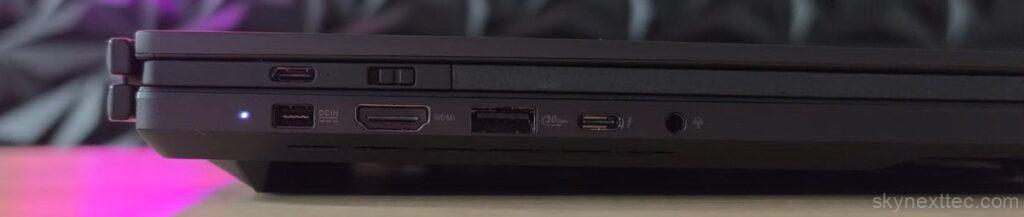
A clever addition is the side-mounted power button, which makes the laptop easier to use when the detachable keyboard is removed.
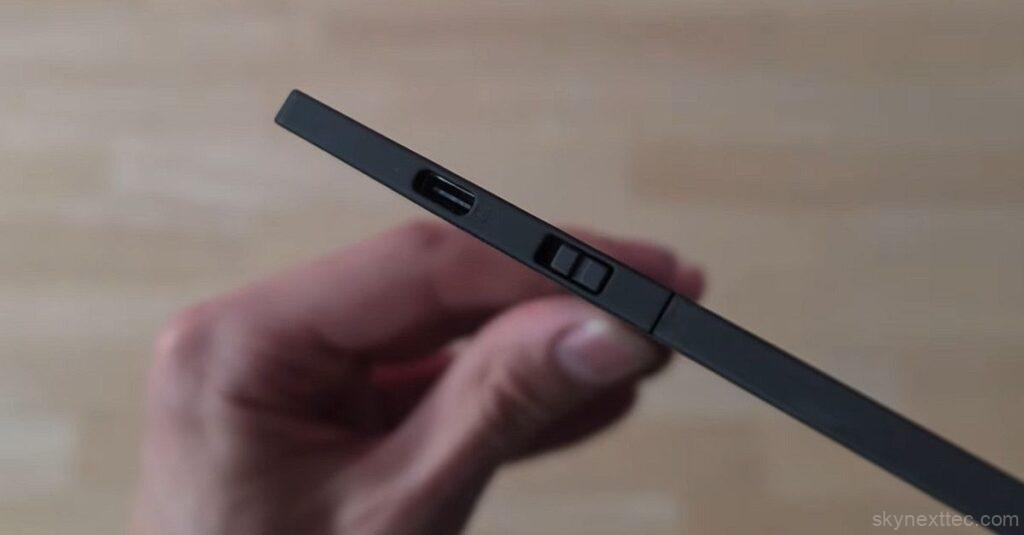
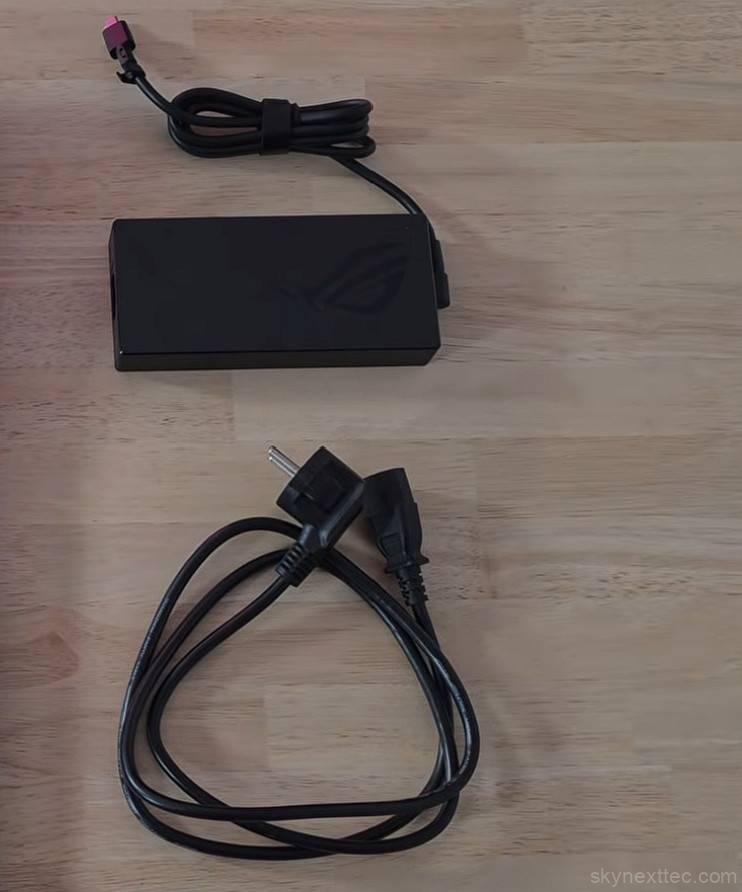
ASUS also includes a relatively compact 250W charger, which is surprisingly manageable for such a powerful machine. For lighter workloads or travel, the laptop additionally supports USB-C charging up to 100W, making it much more convenient for everyday portability.
Keyboard & Track-pad
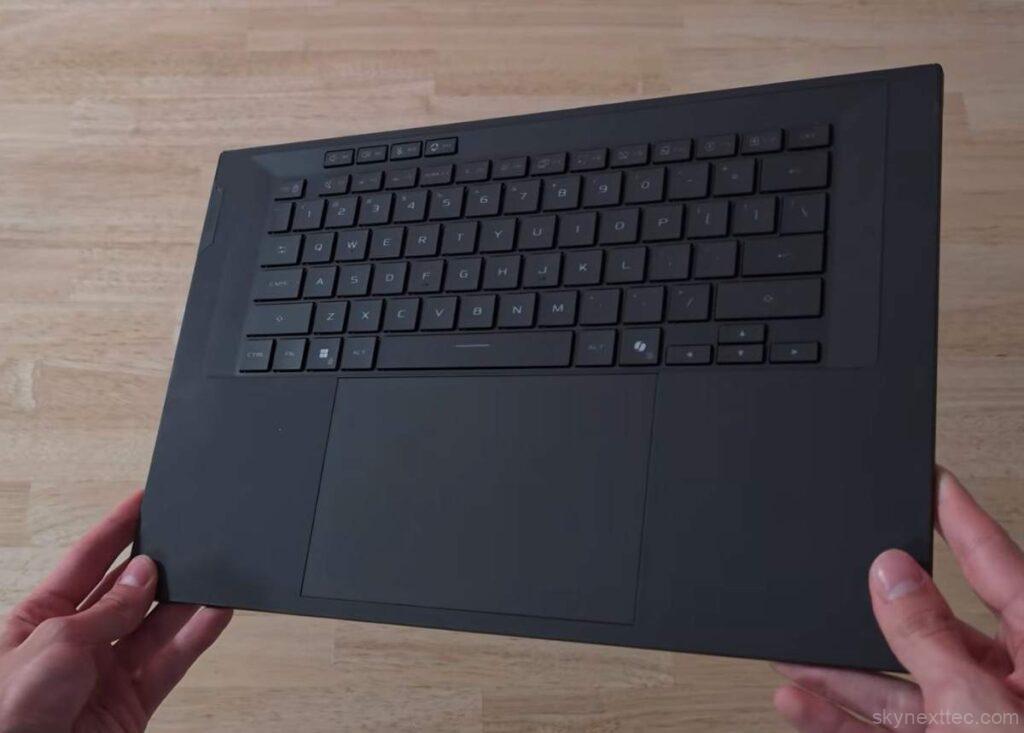
One of the most unique features of the Asus ROG Zephyrus Duo is its magnetically detachable keyboard. It’s lightweight, thin, and made from plastic, but still feels surprisingly premium and sturdy.
The keyboard connects and charges through magnetic pogo pins, keeping it securely attached during use. ASUS also supports Bluetooth connectivity, allowing you to use the keyboard wirelessly anywhere on your desk for a more desktop-like experience. It can even be charged separately via USB-C.
Typing Experience
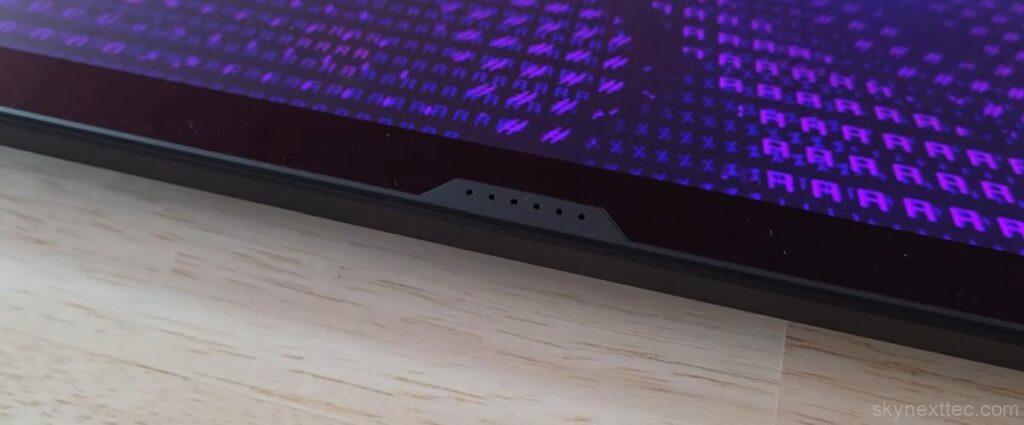
The typing experience is genuinely impressive. The keys offer solid key travel with a tactile and clicky feel, making long typing sessions comfortable. ASUS also includes single-zone RGB backlighting along with four dedicated macro keys for extra functionality.
The soft-touch finish on the keyboard deck adds to the overall premium feel and makes resting your hands more comfortable during extended use.
Track-pad Performance
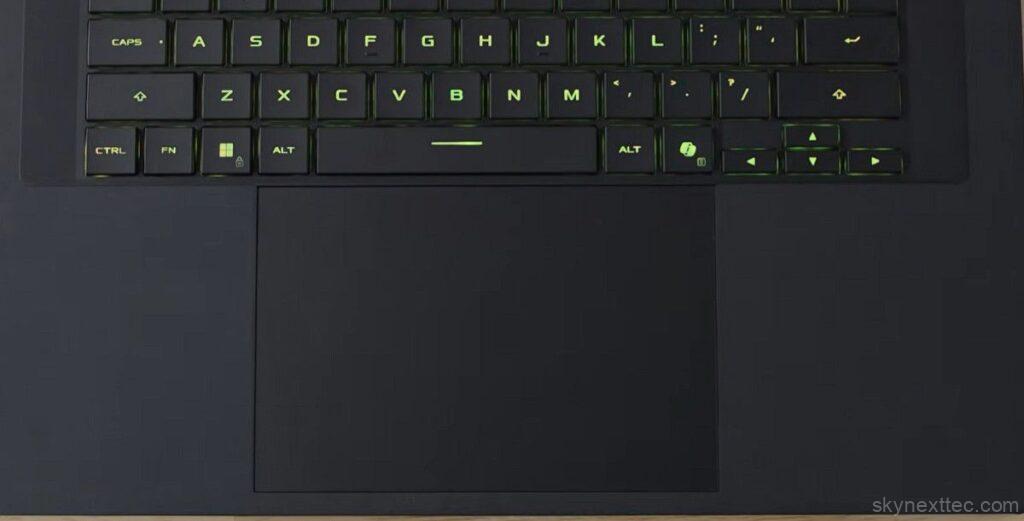
The track-pad is surprisingly good as well. Even though it appears to be plastic, it feels smooth and premium, almost like glass. It’s large, responsive, and offers satisfying physical clicks.
However, because the track-pad relies on Bluetooth connectivity, there is a slight input delay during fast cursor movements, although it’s minor during normal everyday use.
Display
| Display Feature | Specification Details |
|---|---|
| Display Type | ROG Nebula HDR Display |
| Screen Size | 16-inch OLED Panel |
| Resolution | 3K (2880 × 1800) 16:10 Aspect Ratio |
| Refresh Rate | 120Hz Smooth gaming & scrolling experience |
| Response Time | 0.2ms |
| Color Accuracy | 100% DCI-P3 Pantone Validated Display |
| Display Finish | Anti-Glare OLED Panel |
| Gaming Features | NVIDIA G-Sync Support MUX Switch Included |
| Touch Support | Multi-Touch Enabled Stylus Support Available |
The biggest highlight of the Asus ROG Zephyrus Duo is easily its dual 16-inch 3K OLED displays. Both panels support a 120Hz refresh rate, delivering incredibly smooth visuals whether you’re gaming, editing videos, or multitasking.
The displays offer excellent color accuracy, deep OLED blacks, and impressive brightness levels of up to 1,000 nits, making content look stunning on both screens.
Flexible Viewing Modes
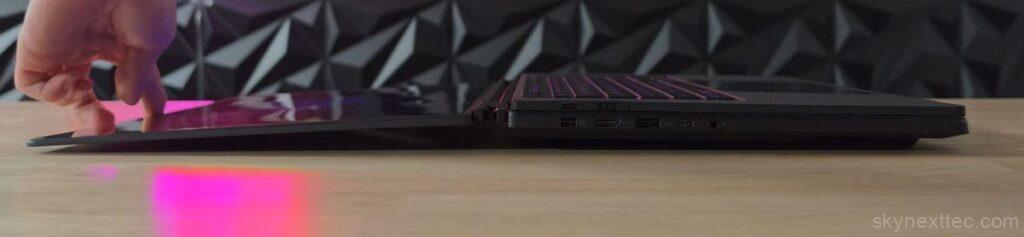
ASUS allows multiple ways to use the dual-screen setup. You can use it like a traditional laptop, a stacked vertical workspace, or even side-by-side using the built-in stand.
For creators, this setup is extremely useful. You can keep apps like Adobe Premiere Pro on the main display while timelines, files, or browsers stay open on the second screen.
The elevated screen position also feels surprisingly comfortable for gaming, almost like using a desktop monitor setup.
Gaming & Touch Experience
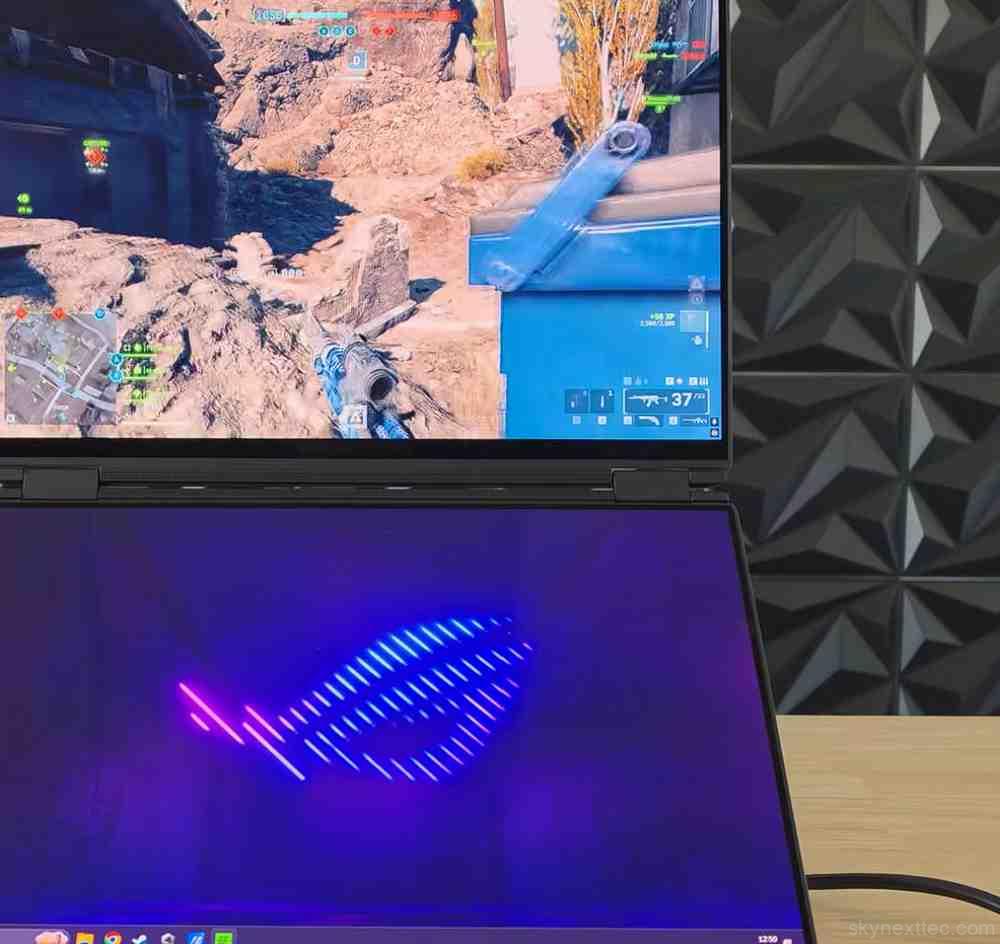
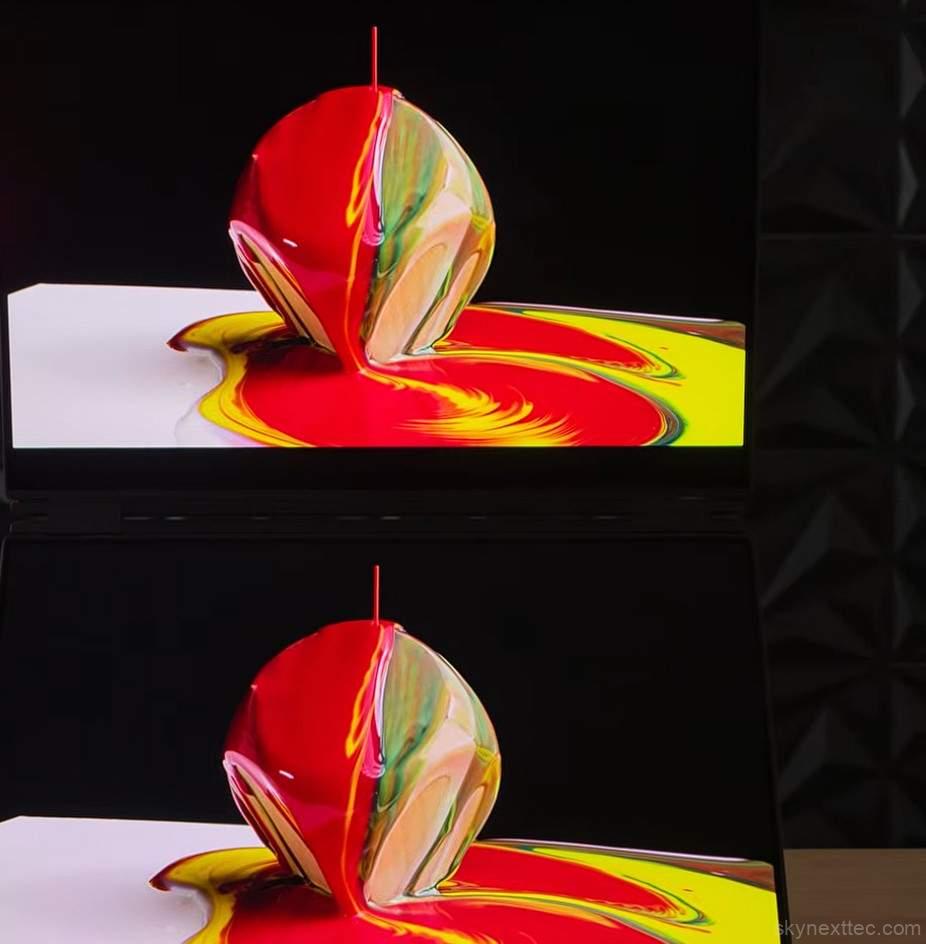
Both displays feature a smooth 120Hz refresh rate, which keeps scrolling and animations consistent across both panels. However, only the main display supports G-Sync.
ASUS also adds an excellent anti-reflective coating, helping reduce glare despite the glossy OLED finish. Both screens support touch input, which adds extra convenience during everyday use.
Hinge & Stability
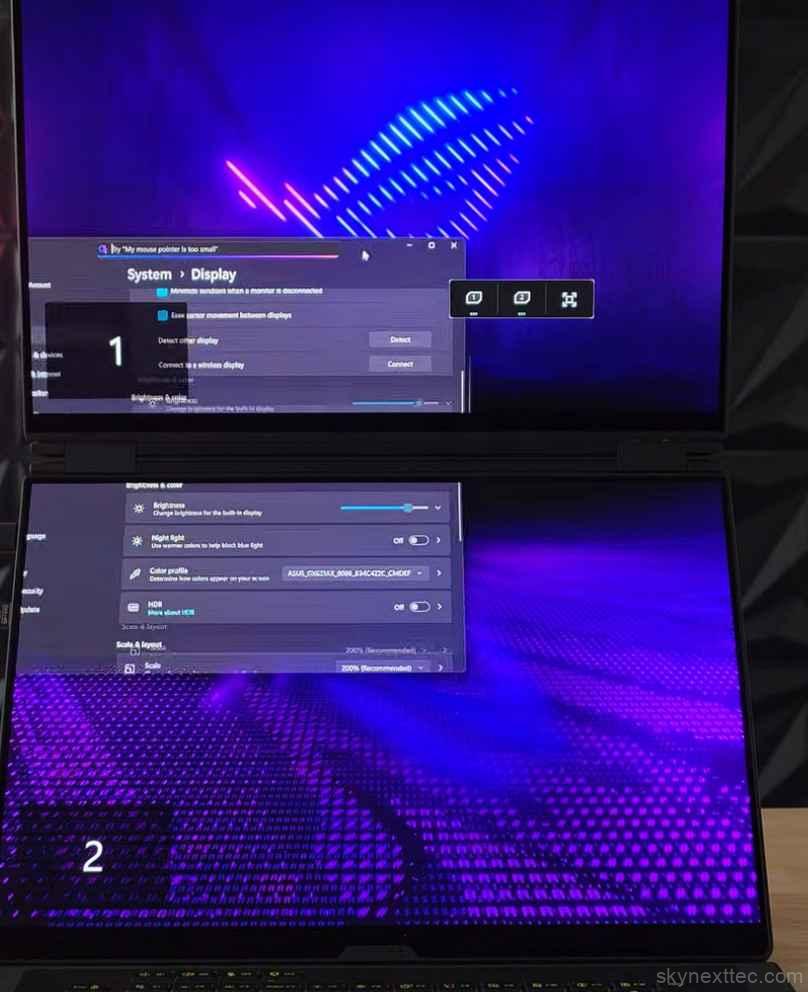
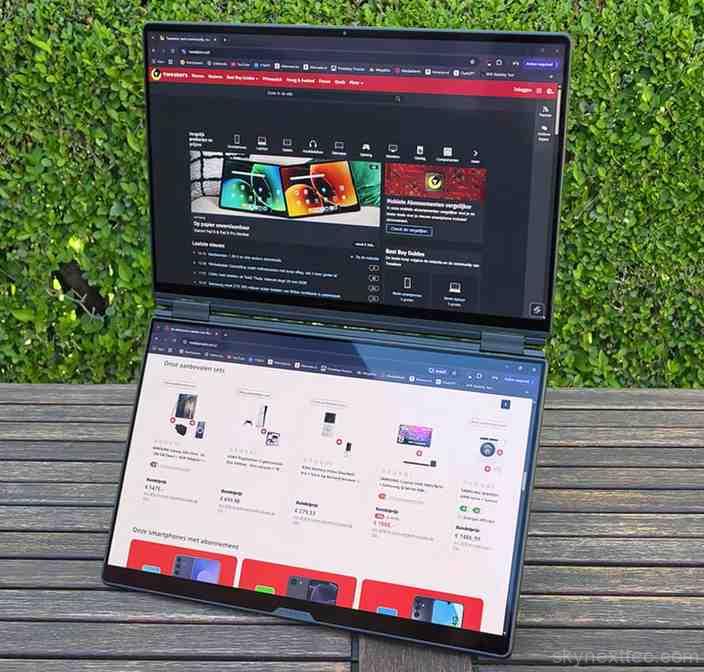
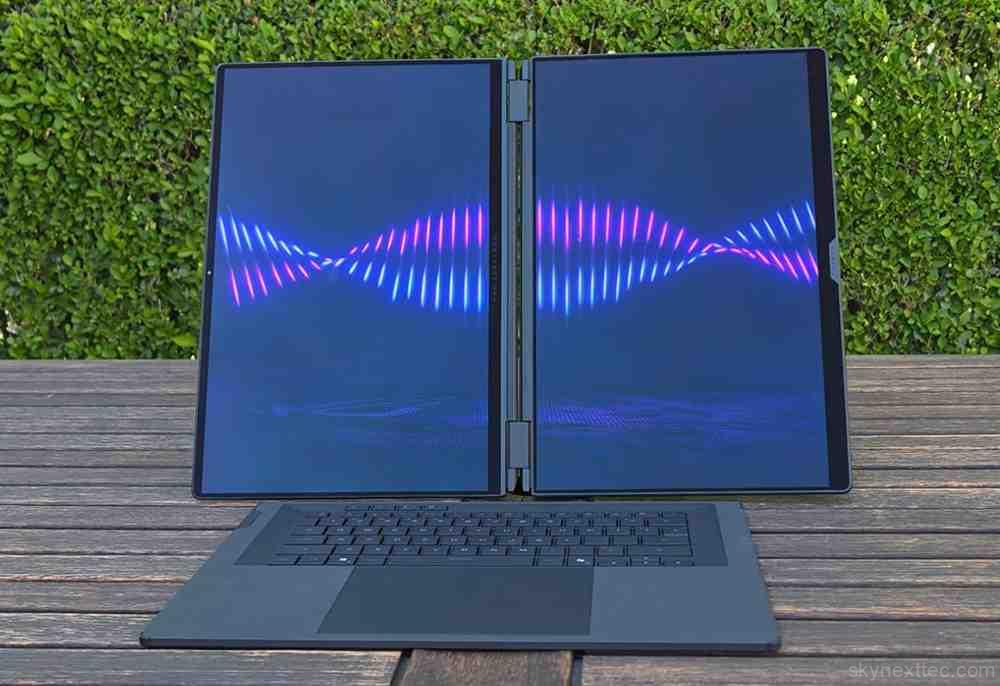
The hinge mechanism feels solid and stable overall. Thanks to the laptop’s weight and built-in stand, the screens remain steady during use with very little wobble.
Overall, these displays are genuinely top-tier and easily one of the most impressive features of the entire laptop.
Audio, Webcam & Microphone
| Feature | Details |
|---|---|
| Audio Technology | Smart Amplifier Technology Enhanced loudness and clarity |
| Spatial Audio | Dolby Atmos Support |
| Noise Cancellation | AI Noise-Canceling Technology |
| Microphones | Built-in Array Microphone |
| Speaker System | 4-Speaker Setup Dual-force woofers + 2 tweeters |
| Webcam | 1080p FHD IR Camera Supports Windows Hello facial recognition |
The Asus ROG Zephyrus Duo delivers surprisingly solid audio performance for such an unusual design. It combines front-firing speakers built into the display bezel with down-firing subwoofers at the bottom, producing clear sound with impressive volume levels.
Audio quality changes slightly depending on whether the laptop is positioned upright or used like a traditional laptop, but overall the speakers sound balanced and powerful for gaming, movies, and everyday use.
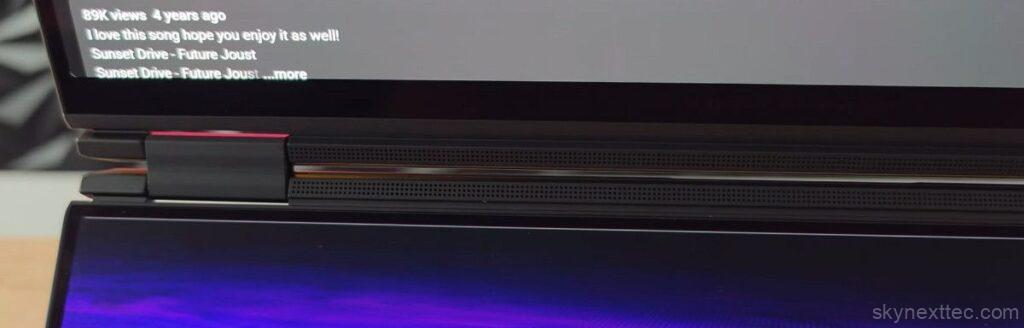
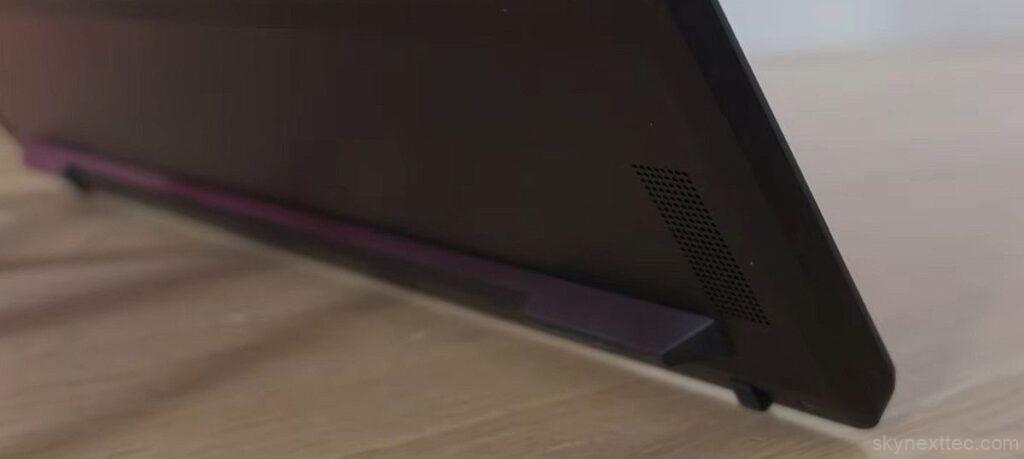
The webcam sits a little higher than normal because of the dual-screen layout, but image quality remains perfectly usable with natural-looking colors and decent clarity for video calls or streaming.
The built-in microphones also perform well, delivering clear voice quality for meetings, content creation, and online communication. Combined with Intel’s latest processor and powerful RTX graphics, the Zephyrus Duo clearly has the hardware to match its premium design.
Benchmarks
Despite packing high-end hardware, the Asus ROG Zephyrus Duo operates under a 150W total system power limit, which directly affects overall performance.
| Benchmark | Score |
|---|---|
| Single-core | 2127 |
| Multi-core | 21768 |
In Cinebench R23, the Intel Core Ultra 9 processor delivers strong single-core and multi-core results. While it may not be the most aggressive gaming-focused chip, it performs very well for productivity, multitasking, and creator workloads.
The Asus ROG Zephyrus Duo especially shines during content creation. The dual-screen setup feels incredibly useful for apps like Adobe Premiere Pro, allowing creators to keep editing timelines on one display while managing files, browsing, or tools on the second. It genuinely feels like carrying a desktop workstation inside a laptop.
GPU performance, however, tells a slightly different story. In 3DMark Time Spy, the RTX 5090 performs well, but it’s clearly restricted by the laptop’s limited power budget. It remains a fast GPU, but it doesn’t perform at the same level as higher-wattage RTX 5090 laptops.
The bigger concern is that both the CPU and GPU must share the same 150W power limit during heavy workloads, which can create performance bottlenecks when both components are pushed simultaneously.
Performance Analysis
| Performance Pros | Performance Cons |
|---|---|
| Handles modern games smoothly at 1800p | RTX 5090 is heavily wattage limited |
| Strong creator and multitasking performance | GPU rarely exceeds 115W–120W in games |
| 24GB VRAM excellent for editing and AI workloads | Performance closer to RTX 5070 Ti laptops |
| Efficient Intel Core Ultra processor | 150W total system power creates bottlenecks |
| Excellent thermal management | GPU cannot reach full flagship potential |
| Stable performance during heavy workloads | Minimal FPS gains even after CPU power tuning |
| Great desktop-like productivity experience | Not the fastest RTX 5090 gaming laptop available |
The Asus ROG Zephyrus Duo handles modern games very well, comfortably delivering 60FPS+ at 1800p in most titles. However, the biggest limitation is its restricted power budget.
During gaming, the RTX 5090 typically runs at only 115W–120W, which prevents it from performing like a full-powered RTX 5090 laptop. In real-world gaming, performance often feels closer to an RTX 5070 Ti system.
Even after reducing CPU power limits, gaming gains remained minimal. Still, the laptop is far from slow, and the massive 24GB VRAM makes it excellent for creators, AI workloads, video editing, and multitasking.
Temperature & Cooling
The Asus ROG Zephyrus Duo actually delivers excellent thermal performance. Even during heavy gaming sessions, both the CPU and GPU stay at surprisingly good temperatures thanks to the laptop’s elevated dual-screen design, which allows significantly better airflow.
Interestingly, the RTX 5090 isn’t being limited by heat at all. Even under load, the GPU remains far below its thermal limits, showing that the cooling system could likely handle much higher wattage.
When used in standard laptop mode with the keyboard attached, CPU temperatures rise slightly, but the laptop still remains comfortable to use. ASUS also added a graphite layer between the cooling system and display to reduce surface heat.
Fan noise is also surprisingly controlled for a gaming laptop. The system stays quieter in upright mode because airflow is less restricted, while traditional laptop mode becomes slightly louder due to reduced air intake underneath the device.
Battery Life
Despite featuring two displays, the Asus ROG Zephyrus Duo delivers surprisingly strong battery life.
With only one display active, 80% brightness, 60Hz refresh rate, and the dedicated GPU disabled, the laptop lasted over 15 hours during video playback testing. Intel’s latest Core Ultra processor continues to impress with excellent power efficiency.
Using both OLED displays naturally reduces battery life, but the Duo still managed around 7 hours in light usage scenarios, which is quite impressive for a dual-screen gaming laptop.
Real-world battery performance will vary depending on workload, but overall, battery life is much better than expected for a device this powerful.
Pricing
The Asus ROG Zephyrus Duo sits firmly in the ultra-premium category, with high-end configurations costing around $5,000 USD.
At that price, it’s easily one of the most expensive gaming laptops on the market. ASUS also offers a more affordable configuration with an RTX 5070 Ti, and honestly, that version may provide better overall value since the RTX 5090 model is heavily power-limited.
While the Zephyrus Duo offers a truly unique dual-screen experience, the pricing makes it a niche product aimed mainly at enthusiasts, creators, and users who specifically want this futuristic form factor.
Conclusion
| Pros | Cons |
|---|---|
| Dual 3K 120Hz OLED displays for multitasking | RTX 5090 is heavily power limited |
| Strong 1800p gaming performance (60FPS+) | Not full RTX 5090 performance |
| 24GB VRAM ideal for creators & AI tasks | Very expensive pricing |
| Excellent creator workflow (dual-screen setup) | Heavy and less portable |
| Good thermals and cooling design | Performance similar to lower-tier GPUs |
| Premium build quality | Niche product, not for most users |
The Asus ROG Zephyrus Duo is easily one of the most unique laptops currently available. For most users, it probably won’t make financial sense, but this machine was never designed for everyone.
For gamers and creators who genuinely benefit from a dual-screen setup, the Zephyrus Duo delivers an experience that almost no traditional laptop can match. The elevated display positioning, detachable keyboard, and massive multitasking flexibility make it feel closer to a portable desktop workstation than a normal gaming laptop.
Performance is still excellent overall, but the RTX 5090 model feels held back by its aggressive power limits. The cooling system clearly has enough thermal headroom for more performance, which makes the restricted GPU wattage slightly disappointing at this price point.
Still, if you want a futuristic dual-screen gaming laptop with premium build quality, excellent OLED displays, strong creator-focused features, and desktop-like usability, the Zephyrus Duo remains an incredibly impressive device. And for users with the budget to afford it, this is the kind of laptop that genuinely feels special.
Compare with other Competitive laptops:
| Category | Zephyrus Duo RTX 5090 | High-End RTX 5090 Gaming Laptop | Zenbook Duo (Creator Laptop) |
|---|---|---|---|
| CPU Performance | Strong, efficiency-focused | Higher sustained performance | Balanced for productivity |
| GPU Performance | ⚠️ Power limited (115–120W) | Full GPU power (higher wattage) | Integrated GPU only |
| Gaming Performance | 60FPS+ at 1800p | Higher FPS, better headroom | Light gaming only |
| Creator Work | Excellent dual-screen workflow | Strong but single screen | Excellent optimization |
| Thermals | Very cool, underpowered GPU | Warmer but faster | Coolest overall |
| Portability | Heavy & niche | Heavy gaming laptop | Slim & light |
| Best For | Multitasking + niche users | Pure gaming performance | Productivity & office use |
Is the ASUS ROG Zephyrus Duo actually useful with two screens?
Yes. Many users initially think the second screen is a gimmick, but it becomes genuinely useful for multitasking, video editing, streaming, Discord, monitoring apps, and productivity workflows. It feels closer to a compact desktop setup than a traditional laptop.
Does the RTX 5090 in the Zephyrus Duo perform like a full RTX 5090?
Not really. The GPU is heavily power limited, usually running around 115W–120W during gaming. Because of this, real-world gaming performance is much closer to some RTX 5070 Ti laptops than full-powered RTX 5090 gaming machines.
Why are some Reddit users disappointed with the ASUS ROG Zephyrus Duo?
Many users feel the laptop focuses more on productivity and multitasking rather than delivering maximum gaming performance, especially considering its premium price.
Is the Zephyrus Duo better for creators than gamers?
According to me, yes. The dual-screen setup is excellent for editing, streaming, multitasking, and productivity workloads, but pure gamers may prefer a standard high-powered gaming laptop.
Are there concerns about thermals or build quality?
Some users have reported concerns about long-term thermals, fan noise, and chassis durability, although overall cooling performance is still considered very good during normal use.

