

I’ve been covering RTX 5050 laptops for a while, and many of you might remember the Victus review we posted recently. During that comparison, I mentioned an ASUS TUF model that was sitting at about $1,200. I also said I’d try to get it in for a full review soon because the interest around it was huge.
One of the most notable options in this category is the ASUS TUF F16, known for its impressive performance and value.
Since demand was so strong, it made sense to prioritize it. But here’s the surprising part. When I first talked about that TUF laptop, the price was holding steady at around $1,200, which made it a solid option for anyone shopping in that range. Somewhere along the way, ASUS shifted things around, and that raised a few questions.
If you’re following the RTX 5050 lineup closely, this is definitely one of those models to watch. I’ll share more once the full review is ready.
ASUS TUF F16 Display
| Feature | Details |
|---|---|
| Display Size | 16-inch |
| Panel Type | IPS |
| Resolution | 1200p (FHD+) |
| Aspect Ratio | 16:10 |
| Refresh Rate | 165Hz |
| Brightness | 318 nits |
| Color Gamut | 100% sRGB |
| Price Segment | Usually seen in laptops around $1,200 |
The biggest difference with this model is the display. The earlier version came with a 1600p panel, while this one uses a 1200p FHD+ IPS display. It’s a 16-inch panel with a 16:10 aspect ratio and a 165Hz refresh rate.
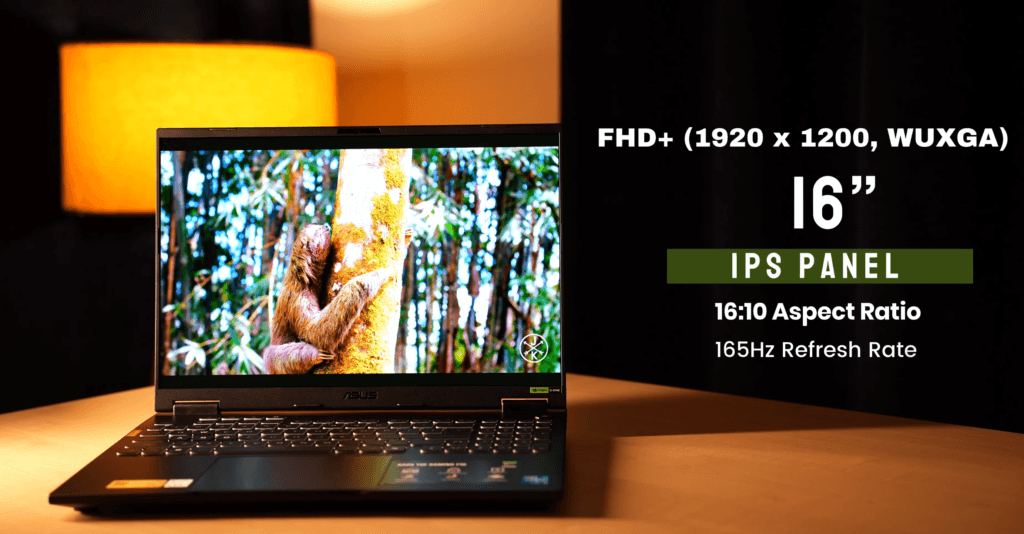
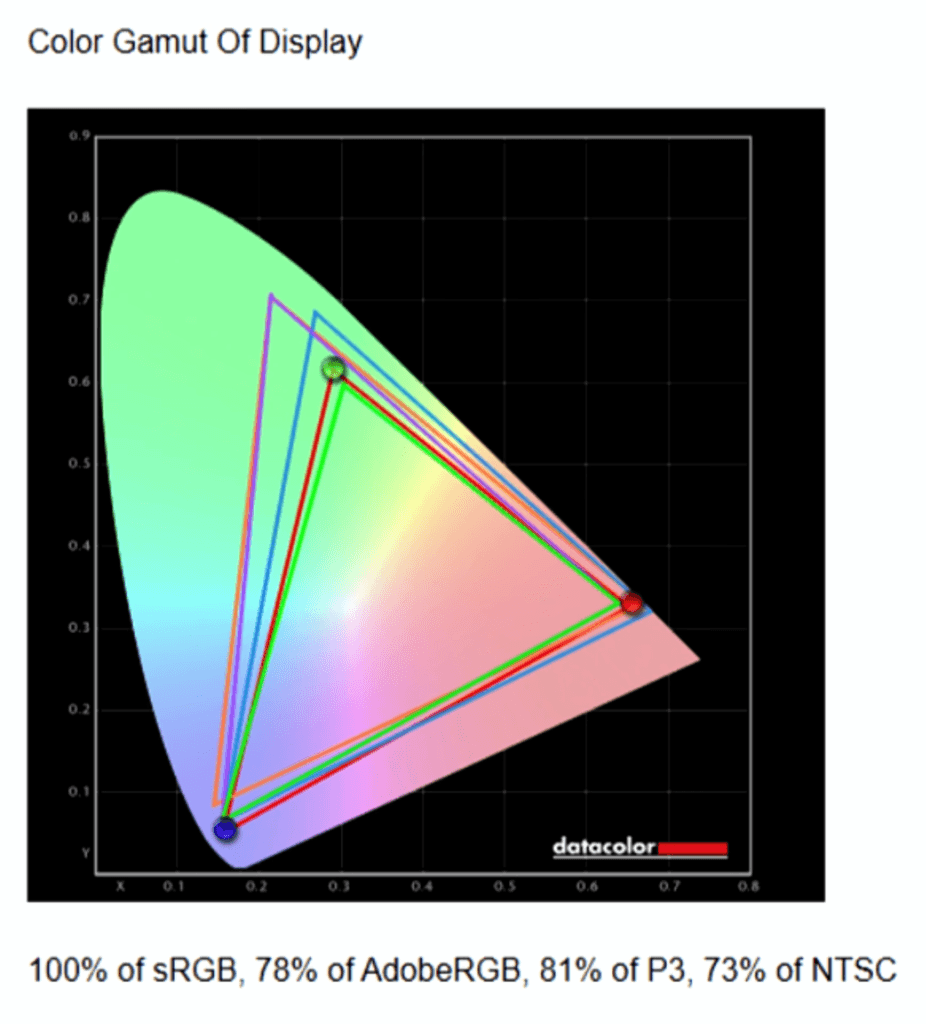
In our testing, the screen reached around 318 nits of brightness. Color coverage is strong, offering 100% sRGB, which makes it reliable for colour-accurate work and great for multimedia.
The ASUS TUF F16 stands out with its powerful GPU, making it ideal for gaming and creative tasks.
| Setting | Brightness | Black | Contrast | White Point |
|---|---|---|---|---|
| 0 % | 15.1 | 0.01 | 1020 : 1 | 7000 (0.308,0.311) |
| 25 % | 38.5 | 0.03 | 1310 : 1 | 7000 (0.307,0.311) |
| 50 % | 103.9 | 0.07 | 1440 : 1 | 7100 (0.307,0.311) |
| 75 % | 214.4 | 0.16 | 1350 : 1 | 7100 (0.305,0.312) |
| 100 % | 318.4 | 0.23 | 1380 : 1 | 7200 (0.304,0.312) |
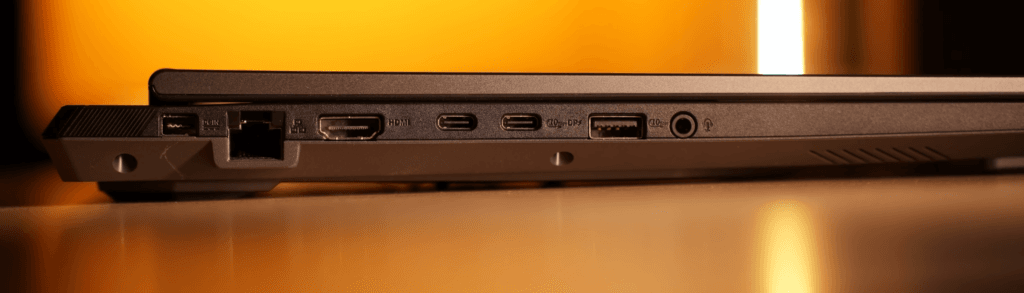
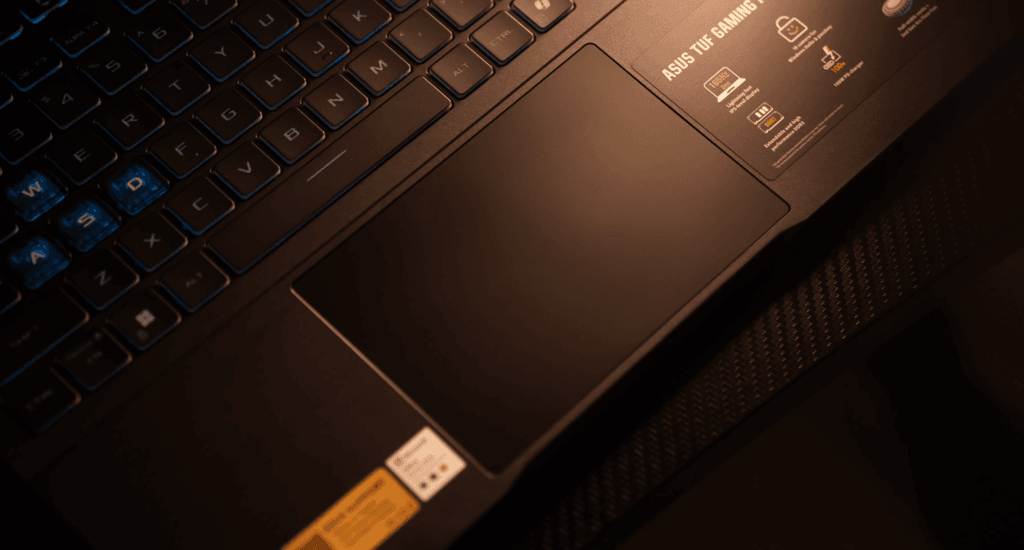
Aside from the display change, the design, speakers, track-pad, keyboard, and ports remain the same as the previous model I reviewed.
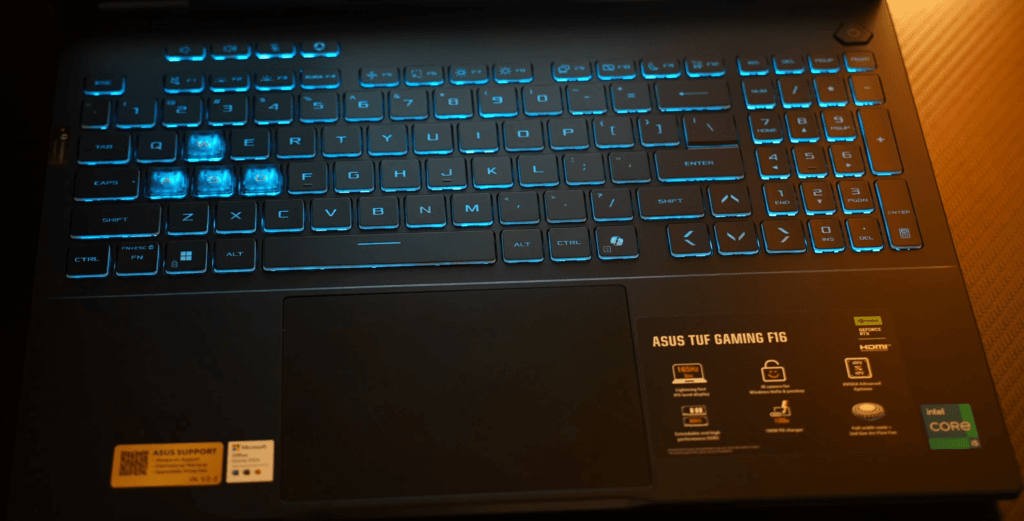
ASUS TUF F16 Specifications
| Component | Details |
|---|---|
| Processor | Intel Core i5-13450HX, 10 cores (6P + 4E), 16 threads, |
| CPU Performance | Cinebench R23. Good for gaming and multitasking. |
| Base / Boost Clock | performance suitable for heavy workloads, gaming, and productivity. |
| RAM | 16GB DDR5 (4800 MT/s), single-channel. Supports upgrade to 32GB |
| Memory Type | DDR5 SO-DIMM, faster loading |
| GPU | NVIDIA GeForce RTX 5050 (115W TGP) with 8GB GDDR6 VRAM. |
| GPU Performance | Close to RTX 4060 performance. |
| TGP Advantage | Higher 115W power limit provides better FPS. |
| Storage | 1TB NVMe Gen 4 SSD with fast read & write speeds. |
| Storage Expandability | 2 M.2 SSD slots: 1 occupied, 1 free for upgrades. |
| Connectivity | Wi-Fi 6E and Bluetooth 5.3 |
| Software | Microsoft Office Home 2024 (lifetime license). |
| Gaming Benefits | Xbox Game Pass (3 months) + cloud gaming. |
| Ideal Use Cases | Gaming, content consumption, student work, light editing, and everyday productivity tasks. |
Let’s break down the hardware. This model runs on an Intel Core i5-13450HX, a 10-core, 16-thread processor. When you compare it in Cinebench R23 against the i5-14450HX, the performance difference is small.
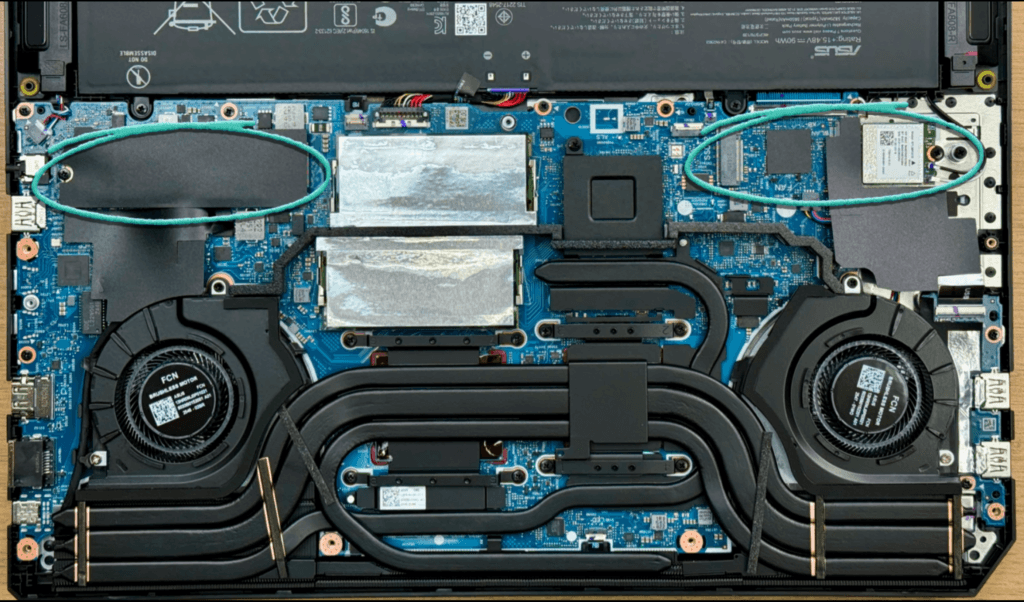
The laptop comes with 16GB DDR5 RAM (4800 MT/s) in a single-channel setup. The good part is that upgrading to 32GB is simple and doesn’t waste the original stick.
For graphics, it uses an NVIDIA RTX 5050 with a 115W TGP. That’s higher than some competing models at the same price, like the Lenovo LOQ, which ships with a 100W TGP. I’ll go deeper into the TGP difference later. The GPU has 8GB VRAM and delivers performance close to an RTX 4060.
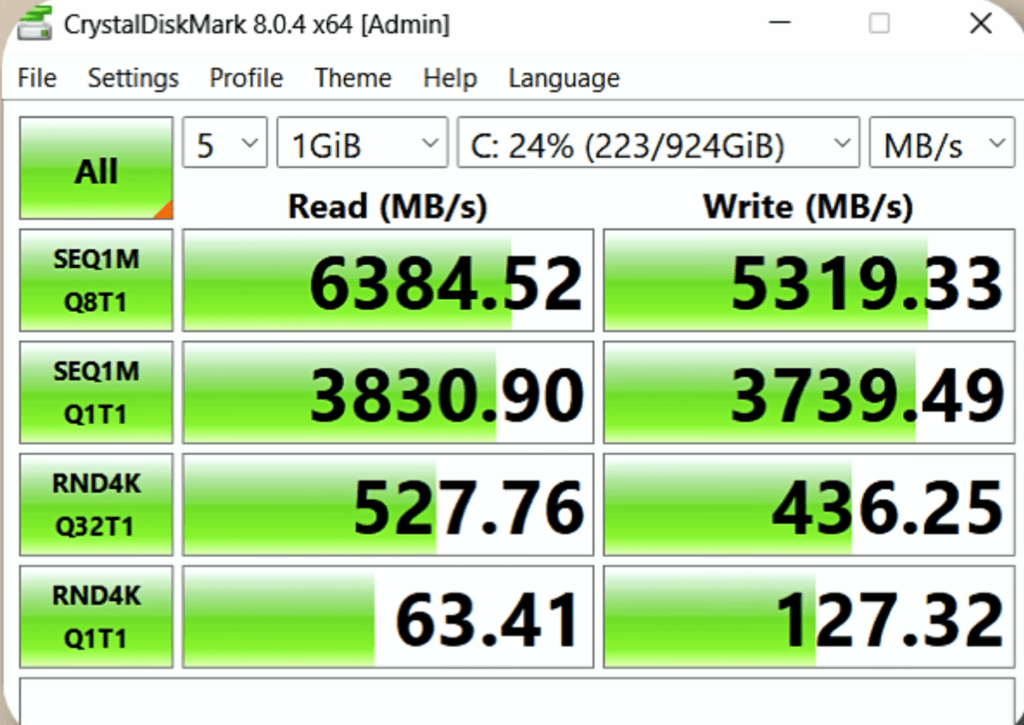
For storage, you get a 1TB Gen 4 SSD, which is great because laptops in the $1,200 range often ship with only 512GB. Read and write speeds are strong, and the laptop includes two SSD slots.
Connectivity includes Wi-Fi 6E and Bluetooth 5.3. You also get Microsoft Office Home 2024 (lifetime license) and Xbox Game Pass for three months.
ASUS TUF F16 Performance and Benchmarks
CPU Benchmarks
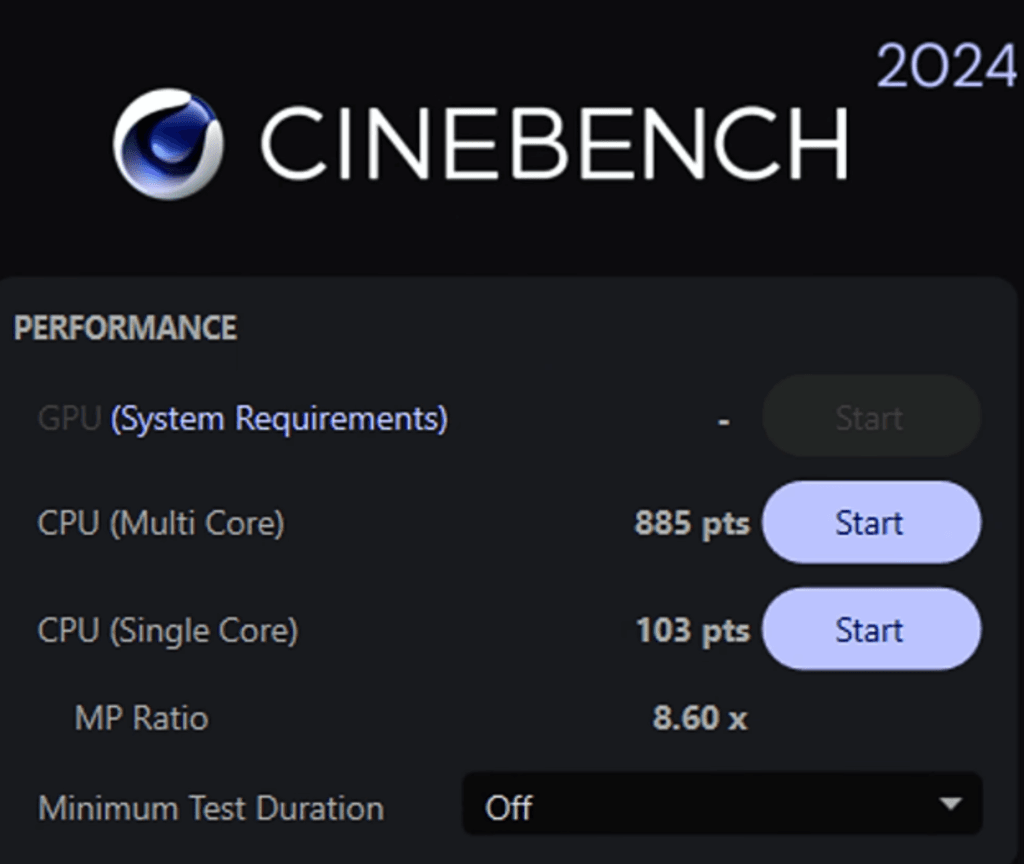
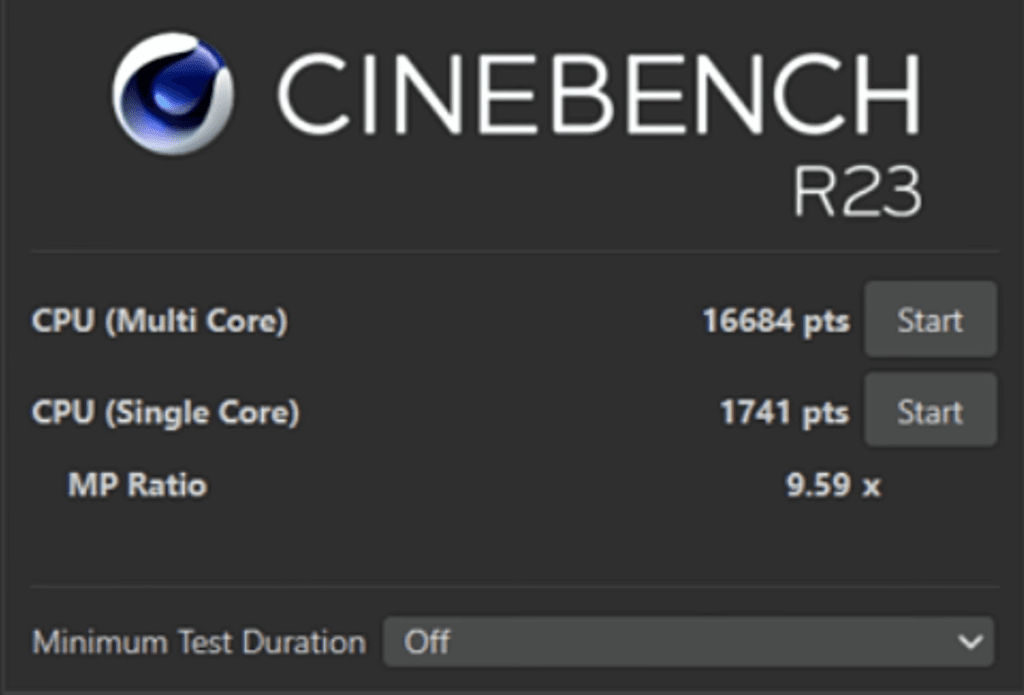
The laptop holds up well in Cinebench 2024, Cinebench R23 and Geekbench 6. Everyday work, coding and multitasking stay smooth.
AI and Machine Learning Tests

Using the Geekbench 6 AI test and LM Studio, the 32B DeepSeek model couldn’t run on this setup, but the 8B model completed the prompt in 29 seconds. Larger models freeze due to RAM and CPU limits.
GeekBench Score
Suitable for Students
For data science beginners, this i5 + 16GB RAM + RTX 5050 setup meets the basic needs. Heavy datasets need more RAM, but this is fine for early and mid-level work.
Blender and 3D Work
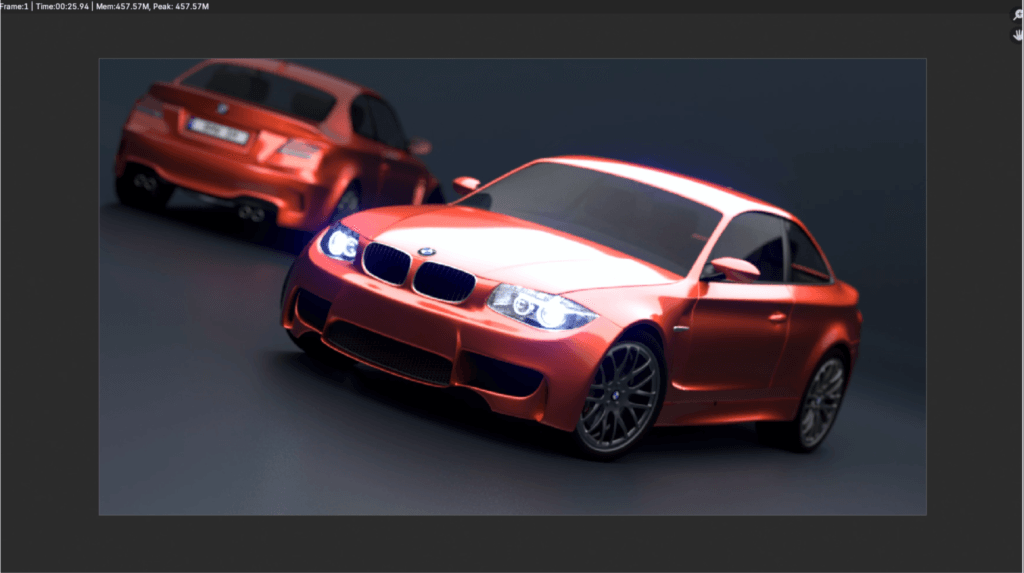
Blender Benchmark scored around 2900 and the BMW render finished in 25 seconds. Good for entry-level game development depending on project complexity.
Content Creation Benchmarks
After Effects requires more than 16GB of RAM for its benchmark, but the app still runs smoothly with normal projects.
Graphics and Gaming Benchmarks
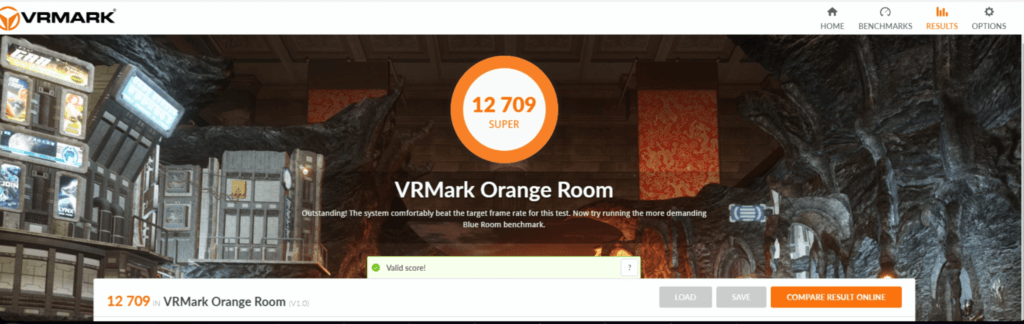
3DMark Time Spy showed solid CPU and GPU scores. Geekbench GPU crossed 97,000 and VRMark scored 12,700+.
Productivity Scores
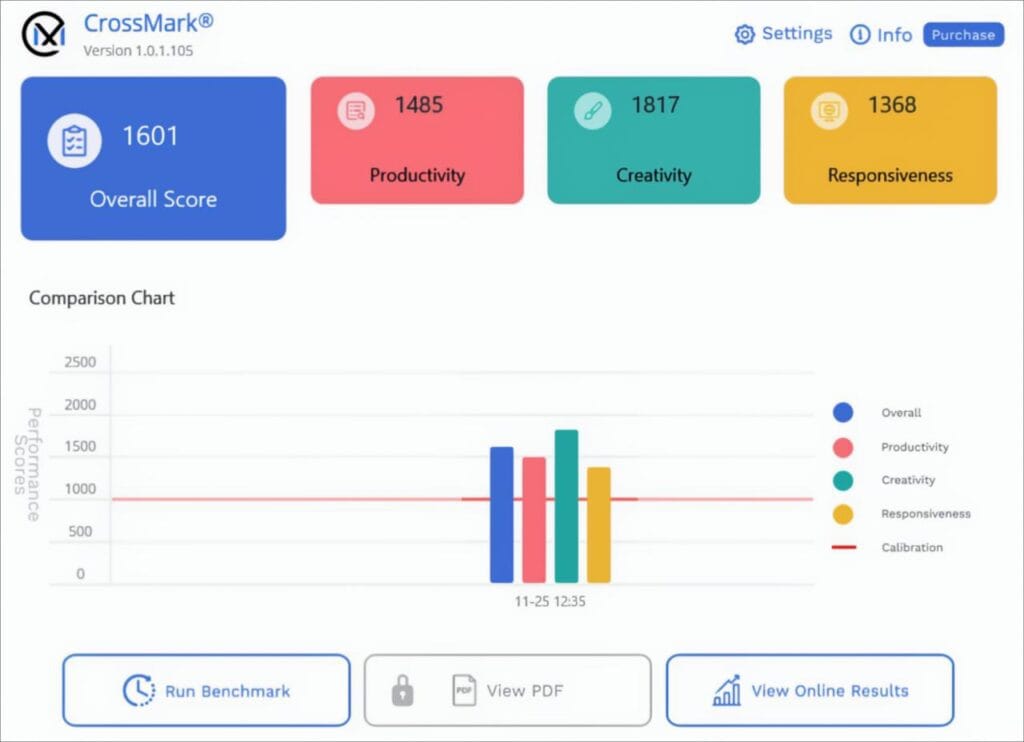
CrossMark reported good productivity, creativity and responsiveness. For comparisons, nano-review. net is a reliable site.
Extreme Stress Test
Prime95 (1 hour full load):
| Test | Peak / Max | Average |
|---|---|---|
| CPU Temp | 97°C | 81°C |
| CPU Clock | 4.5GHz | 3.31GHz |
| CPU Power | 122W | 90W |
| GPU Temp | 83°C | 74°C |
| GPU Power | 115W | – |
| Stability | No stability issues or throttling during the full test | |
ASUS TUF F16 Gaming Overview
Valorant
Tested at native 1200p and High settings.
The laptop delivered an average of 300 FPS.
CPU power stayed around 60–65W, and temperatures held under 80°C.
Counter-Strike 2
On Very High settings, the system averaged 150 FPS.
GTA V Enhanced (Max Ray Tracing)
With all RT settings pushed to max, the laptop delivered 45–50 FPS, similar to RTX 4060 performance.
Elden Ring
At max settings, gameplay stayed locked at 60 FPS.
Call of Duty Warzone
On Extreme settings at 1200p, you get around 70 FPS.
Lower settings can push FPS higher.
Red Dead Redemption 2
On Favor Quality (Highest), performance stayed in the 70–80 FPS range with or without DLSS.
Cyberpunk 2077
- Ultra: 70 FPS
- Ultra + Frame Generation: 140 FPS
- RT Ultra: 20–30 FPS
- RT Ultra + Frame Generation: Around 90 FPS
Hogwarts Legacy
Ultra + RT Ultra delivered average performance.
Frame generation added only 5–7 FPS.
Lowering settings gives smoother results.
Assassin’s Creed Shadows
Ultra High delivered 25–30 FPS.
With frame generation: Up to 60 FPS, especially in heavy scenes.
Horizon Forbidden West
Around 45–50 FPS, and 100 FPS with frame generation.
Ghost of Tsushima
Playable at default, but frame generation pushes it cleanly to 60–120 FPS.
Hellblade 2
On Very High, raw FPS was not playable.
Frame generation helped, but wattage fluctuations caused instability.
Spider-Man 2
Very High settings: Around 40 FPS, but with noticeable 1% lows.
With frame generation: Stable 60 FPS, though dips still happen.
RT Very High is not playable without lowering settings.
Alan Wake 2
High settings give solid performance.
With frame generation: Around 100 FPS.
RT Ultra is playable only with frame generation.
Multi-Frame Generation (3X and 4X) works well for story games.
Black Myth: Wukong
Raw performance: 20–25 FPS.
With frame generation: Around 50 FPS.
RT Very High still struggles, but Multi-Frame Generation helps.
However, input lag in boss fights can be a problem.
Final Thoughts on Gaming
The RTX 5050 performs close to an RTX 4060.
The 50-series advantage mainly comes from multi-frame generation and a small 2–4% improvement.
Thermals stayed comfortable because of a cool room temperature:
- WASD area: ~23°C
- Center: ~30°C
- Numpad: ~21°C
- Trackpad area: ~20°C
The laptop runs warm, not hot, even during long sessions.
TUF F16 vs HP Victus
| Specification | TUF F16 | Victus |
|---|---|---|
| Price | ≈ $1,200 | ≈ $1,200 |
| RAM | 16 GB | 24 GB |
| GPU TGP | 115 W | 80 W |
| Display | 100% sRGB | Basic panel |
| Battery | 90 Wh | 70 Wh |
| Build Quality | Metal top lid | Plastic / Basic |
| Buy Now | Buy TUF F16 | Buy Victus |
Let’s compare the ASUS TUF F16 with the HP Victus, which we reviewed recently.
Victus comes in two CPU options: Core i7-13620H and Ryzen 7 7840HS (Ryzen 7 260 rebrand). Both chips perform almost the same in single-core and multi-core tests, so you can choose based on personal preference. AMD is more power-efficient, while Intel tends to draw more wattage.
Price Positioning
The TUF F16 only makes sense if it lands near the Victus price.
At around ($1,200), both compete well.
But if the TUF moves to ($1,440), it becomes harder to justify.
Build Quality
TUF F16 has the better build with a metal top lid.
Victus is more basic in design and materials.
RAM
Victus wins here with 24GB RAM as standard.
TUF F16 still comes with 16GB, which limits things in heavy workloads.
GPU Power (TGP)
- Victus RTX 5050: 80W
- TUF F16 RTX 5050: 115W
The higher TGP gives the TUF a small performance edge, around 3% in 3DMark Time Spy.
Still, both GPUs share the same CUDA/Tensor cores, and the 50-series is already very efficient.
Display
TUF wins again with a 100% sRGB panel.
Victus offers a basic display even at the $1,200 price range.
Battery Life
Victus: 70Wh
TUF F16: 90Wh
That 20Wh gap can make a noticeable difference in real-world battery life.
Final Verdict
If the TUF F16 stays close to ($1,200), it’s the stronger pick thanks to better build, display, battery, and higher GPU TGP.
But if the price jumps to ($1,440), the Victus becomes a better value, mainly because of the included 24GB RAM.
TUF F16 vs MSI Katana
| Specification | ASUS TUF F16 | MSI Katana |
|---|---|---|
| Price | (~$1,440) | (~$1,230) |
| Processor | Intel i5-13450HX | Intel i7-14650HX |
| GPU & TGP | RTX 5050 (115W) | RTX 5050 (115W) |
| RAM | 16GB (Single-channel, easier upgrade) | 16GB (Dual-channel) |
| Battery | 90Wh | 75Wh |
| Display | Better color accuracy (near 100% sRGB) | Basic panel (45% NTSC) |
| Storage | 1TB SSD | 1TB SSD |
| Buy Now | Buy ASUS TUF F16 | Buy MSI Katana |
Price and Processor
The MSI Katana now sells for about $1230. It comes with the i7-14650HX, which performs better than the processor in the TUF F16. Both laptops use the RTX 5050 at 115W, so the graphics side is evenly matched.
RAM and Upgradability
Both models include 16 GB of RAM, but the Katana uses dual-channel sticks. If you upgrade to 32 GB later, both modules need to be replaced. The TUF F16 uses a single-channel stick, making future upgrades easier.
Battery Life
The TUF F16 pulls ahead with a 90Wh battery. The Katana has a smaller 75Wh unit, so the TUF lasts longer on normal use.
Display Quality
The Katana offers a basic 45% NTSC display. The TUF F16 has a better-quality panel, which makes it more suitable for content work and media.
Value for Money
The TUF F16 sits between 1,10,000 and 1,20,000, which makes it the more expensive option. The Katana, at 1,03,000, gives better processor performance at a lower price, though you trade off display and battery.
TUF F16 vs Lenovo LOQ
| Feature | ASUS TUF F16 | Lenovo LOQ |
|---|---|---|
| Price | ≈ $1,440 | ≈ $1,175 |
| Processor | i5-13450HX | i5-13450HX / i7 at ≈ $1,330 |
| GPU | RTX 5050 (115W TGP) | RTX 5050 (100W TGP) |
| Display | 1200p, 100% sRGB | 1080p, 100% sRGB |
| RAM | 16GB (Single Channel) | 16GB (Easy to Upgrade) |
| Battery | 90Wh | 60Wh |
| Storage | 1TB SSD | 1TB SSD |
| Overall Value | Good, but expensive | Better value for money |
| Buy Now | Buy ASUS TUF F16 | Buy Lenovo LOQ |
The Lenovo LOQ at $1,175 offers strong value because it includes a 100% sRGB display. It’s a 1080p panel, whereas the TUF uses a 1200p panel; however, the real-world difference is minimal. Overall, the LOQ feels like a balanced package for its price.
Display Advantage
Most competing laptops in this range, like the Victus and Katana, don’t offer a 100% sRGB screen. This gives the LOQ a clear edge for creators and users who want accurate colors.
Pricing and Variants
If you prefer more performance, the i7 variant of the LOQ is priced at $1,330 with the same overall specs.
Meanwhile, the TUF with an i5 reaches $1,440, making the LOQ a better value—especially if you don’t prioritise battery life. The LOQ’s 60Wh battery is its main limitation.
Positioned at the Right Price
Right now, the LOQ hits a sweet spot in the $1,200–$1,320 range. It beats options like the Victus and Katana in display quality and avoids the dual-channel RAM limitation seen on the Katana.
More Laptops in This Range
There are other models in this segment, such as the Asus V16 and Asus Nitro V. Once their reviews are ready, more comparisons will be added.
If you want a specific laptop reviewed next, let me know in the comments, and it will be arranged.
ASUS TUF F16 Conclusion
If the TUF F16 stays priced around $1,320, it becomes a solid alternative to the Lenovo LOQ. At this price, it holds up well against other competitors and offers a good balance of performance, display quality and battery life.
It was also available for $1,200 for a short time. If you managed to grab it then you definitely got a great deal.
If you’ve bought this model recently, feel free to share your experience in the comments. Your input helps others make better choices.
Thanks for reading. See you in the next post.

