

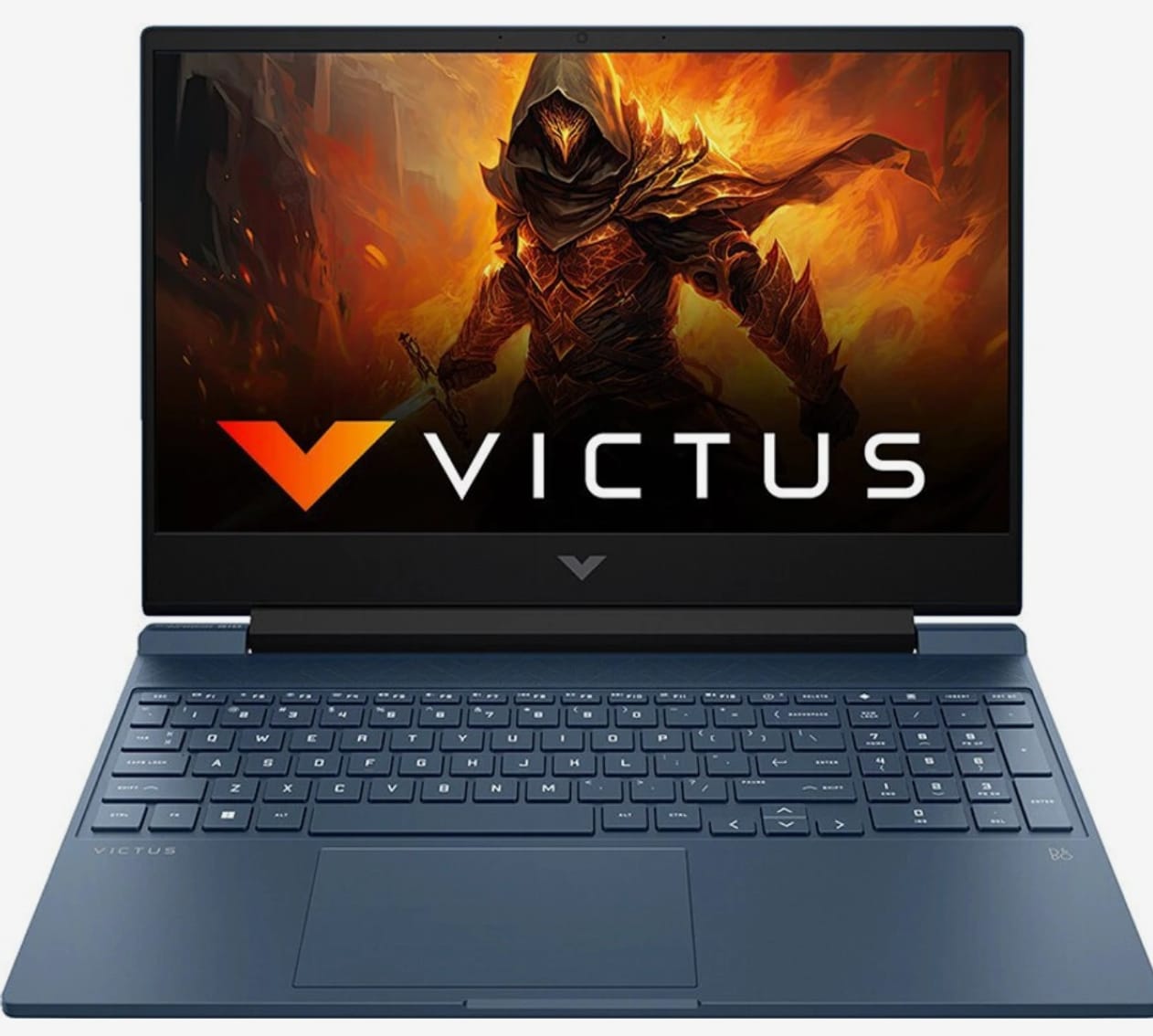
This is the third RTX 5050 laptop we’ve tested, after the MSI Katana and Acer Predator Helios Neo 16. We shared an early impressions piece earlier, but this post gives a clearer look at where the HP Victus stands and what you can expect for the price.
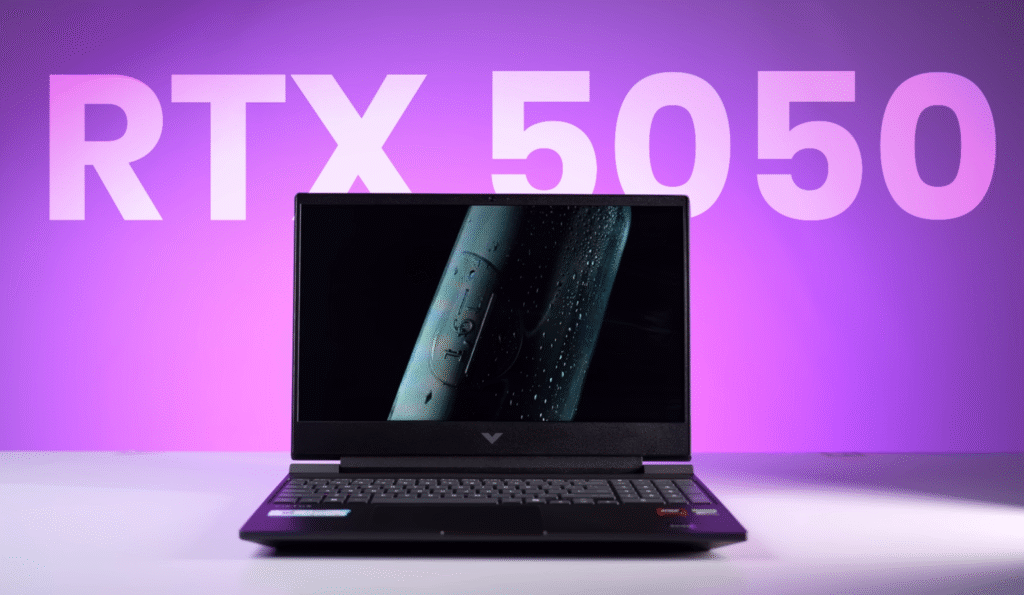
The laptop is currently listed at about $1,200, which puts it in the same range as several other RTX 5050 and older RTX 4060 models. Since the RTX 5050 replaces the RTX 4060 in this price segment, you can expect similar or slightly better performance depending on the workload.
If you’re considering a new RTX 5050 laptop, this quick breakdown will help you decide if the HP Victus is worth it.
HP Victus Build and Design
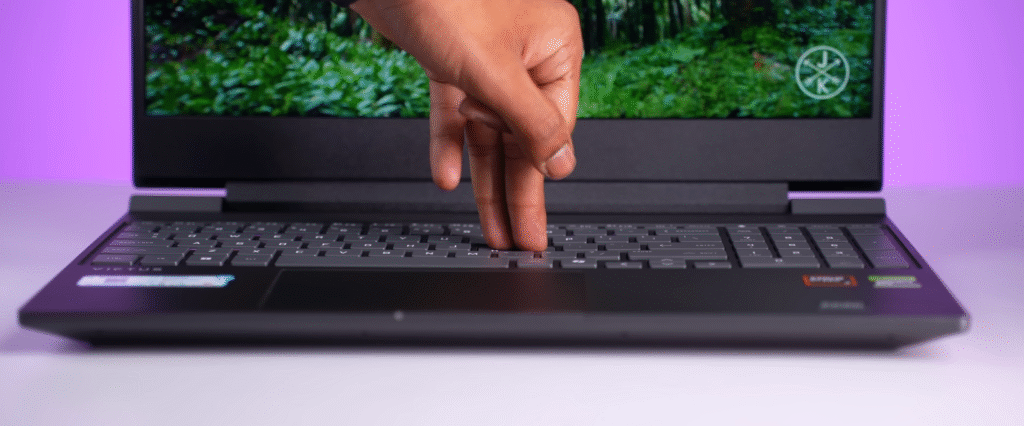
The HP Victus keeps the same design as last year’s model. It uses a polycarbonate body with a rough matte interior and the usual Victus branding on the lid. The lid has a little flex but still opens easily with one hand. The display tilt goes up to about 160–170 degrees, and while the keyboard deck stays fairly firm, the screen wobble is still noticeable. HP has improved this on the Omen series, but the Victus continues with its familiar shaky display.
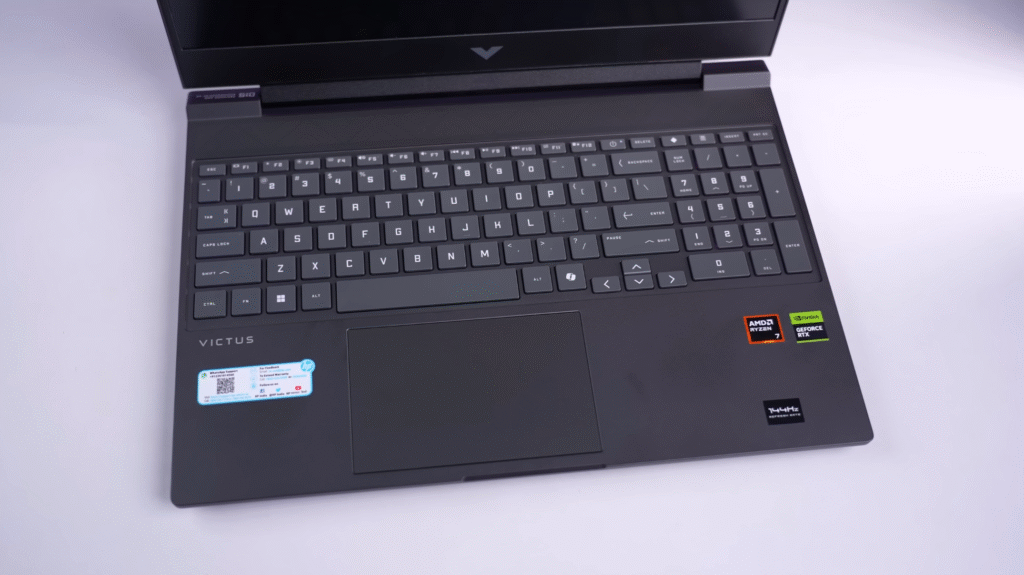
- Same design as last year’s Victus
- Polycarbonate build with slight lid flex
- Screen wobble is still present
- Rough matte interior with Victus branding
- Bottom intake and rear exhaust vents
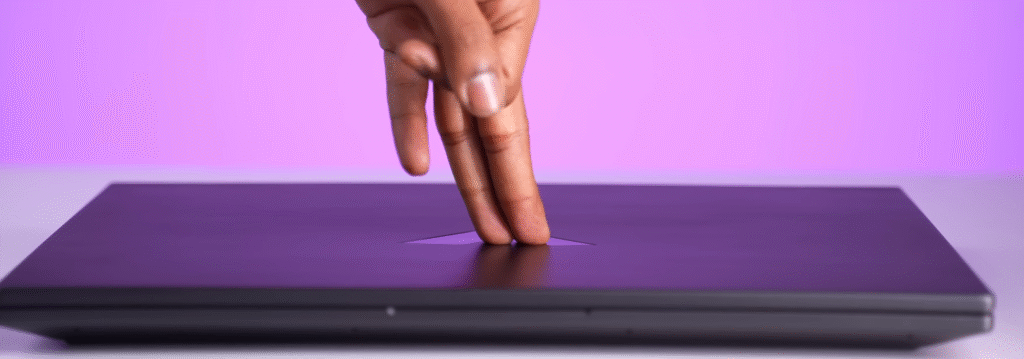
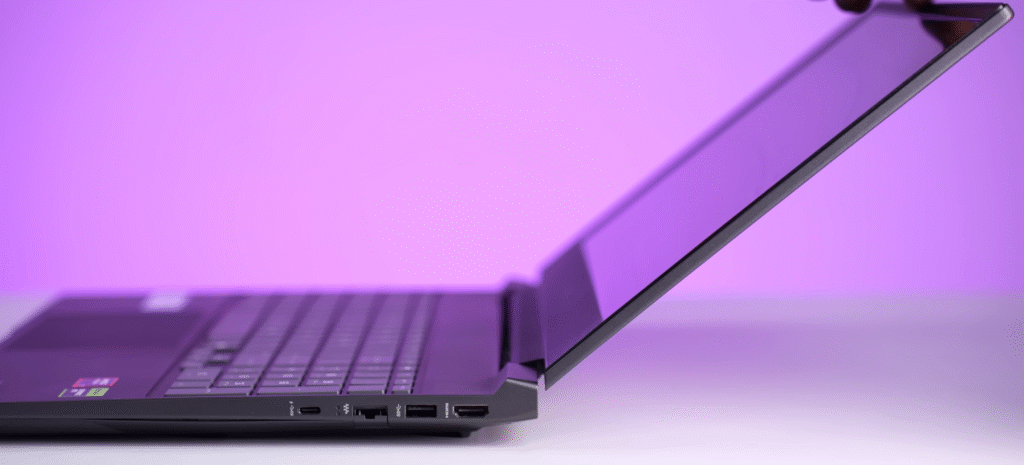
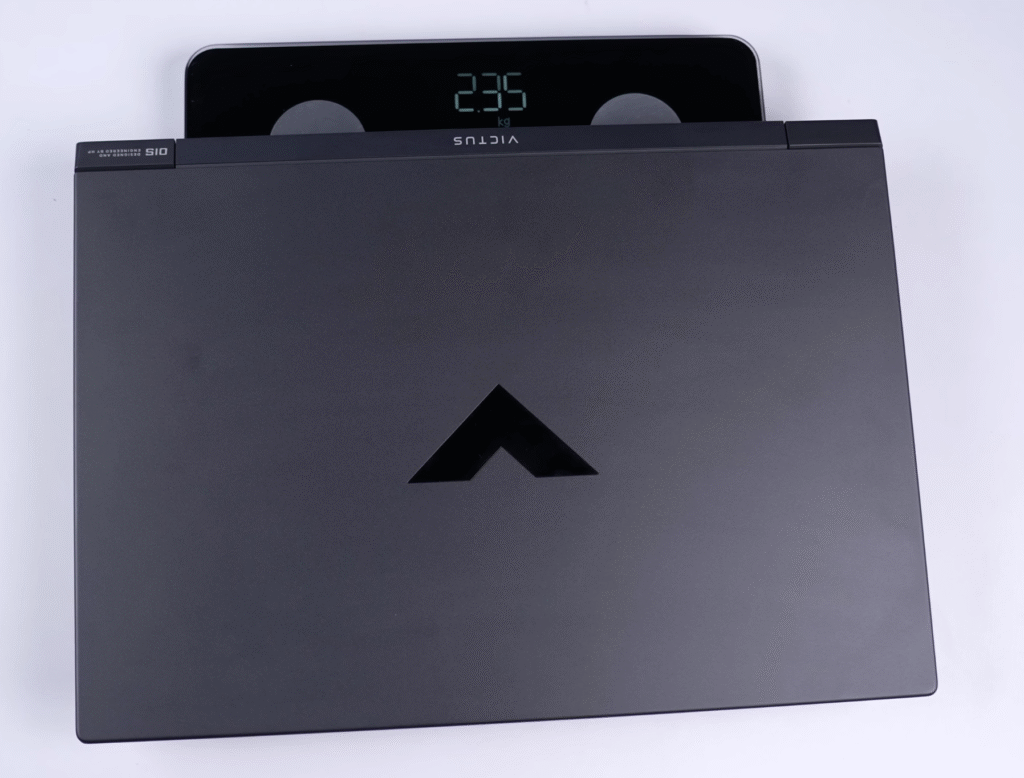
The laptop weighs about 2.35 kg, and roughly 3 kg with the charger. At 23.5 mm thick, it fits the typical gaming laptop profile. Ventilation includes bottom intake vents and rear exhaust vents, with no vents on the sides.
HP Victus Specifications
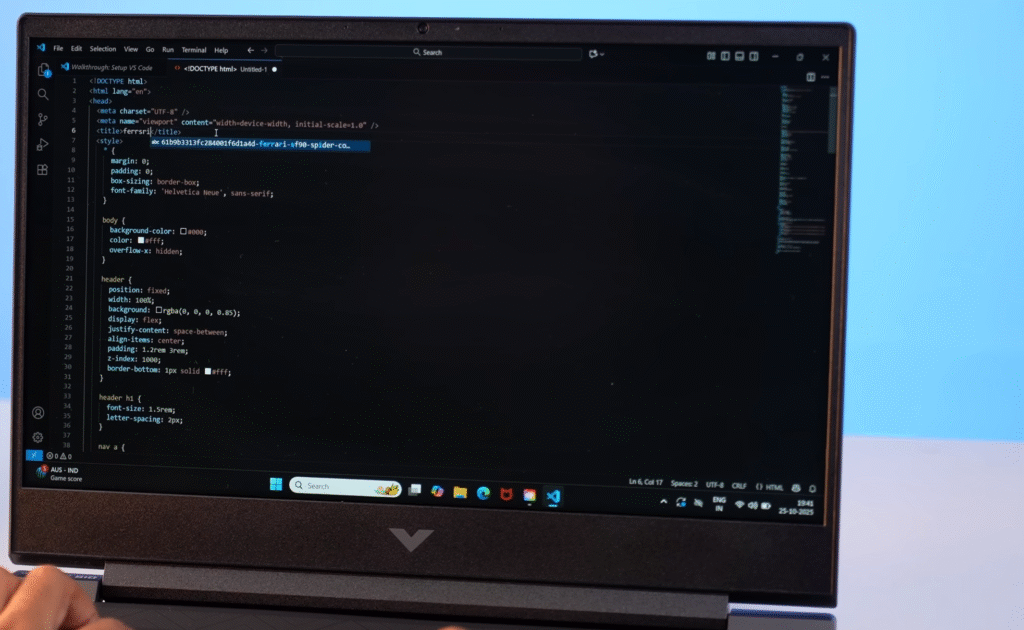
The HP Victus uses the AMD Ryzen 7 260, which is the same processor as the Ryzen 7 8845HS with identical cores, speeds and performance. It includes a basic 16-TOPS NPU, but the GPU handles most AI tasks.
| CPU | Ryzen 7 8845HS | Ryzen 7 260 |
|---|---|---|
| Vendor | Amd | Amd |
| Released | December 6, 2023 | January 7, 2025 |
| Type | Laptop | Laptop |
| Instruction Set | x86-64 | x86-64 |
| Codename | Zen 4 (Hawk Point) | Zen 4 (Hawk Point) |
| Integrated GPU | Radeon 780M | Radeon 780M |
| Rival Equivalent | Intel Core Ultra 7 165H | – |
| CPU Performance | ||
| P-Cores | 8 | 8 |
| P-Threads | 16 | 16 |
| Base Frequency (P) | 3.8 GHz | 3.8 GHz |
| Turbo Boost Frequency (P) | 5.1 GHz | 5.1 GHz |
| Total | ||
| Total Cores | 8 | 8 |
| Total Threads | 16 | 16 |
| Bus Frequency | 100 MHz | 100 MHz |
| Multiplier | 38x | 38x |
| L1 Cache | 64K (per core) | 64K (per core) |
| L2 Cache | 1MB (per core) | 1MB (per core) |
| L3 Cache | 16MB (shared) | 16MB (shared) |
| Unlocked Multiplier | No | No |
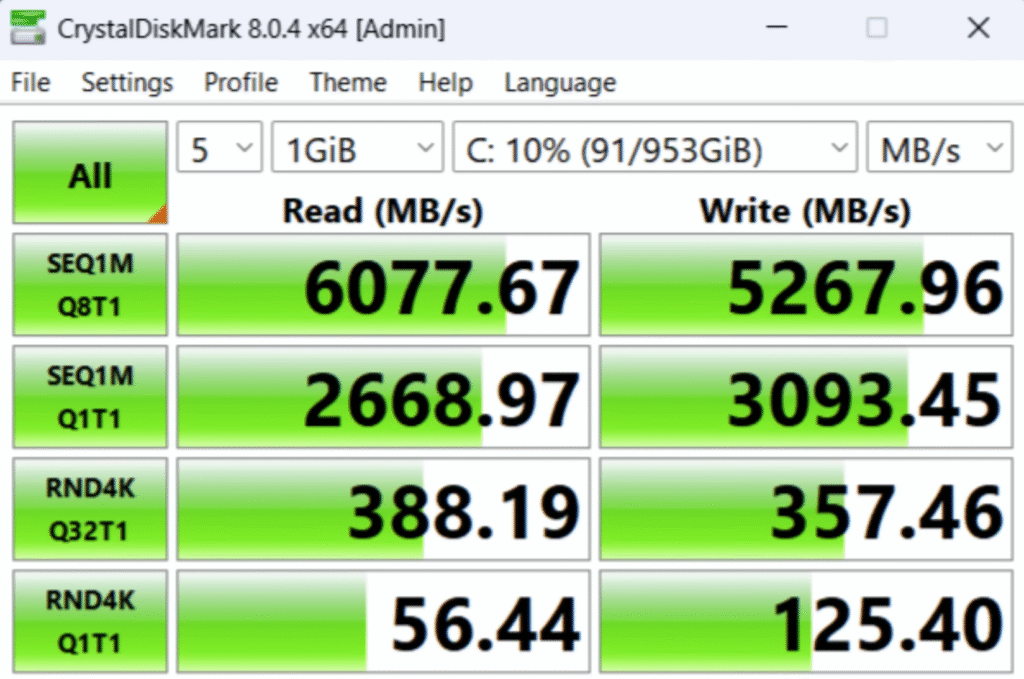
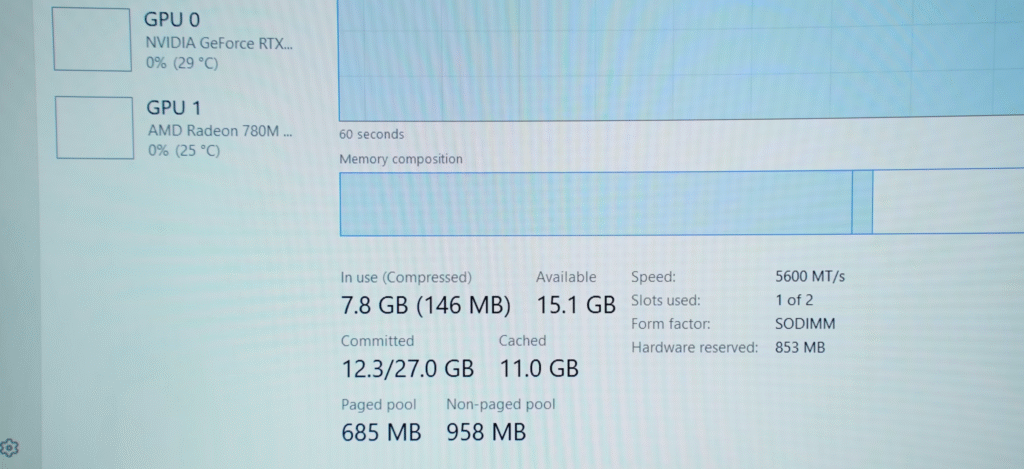
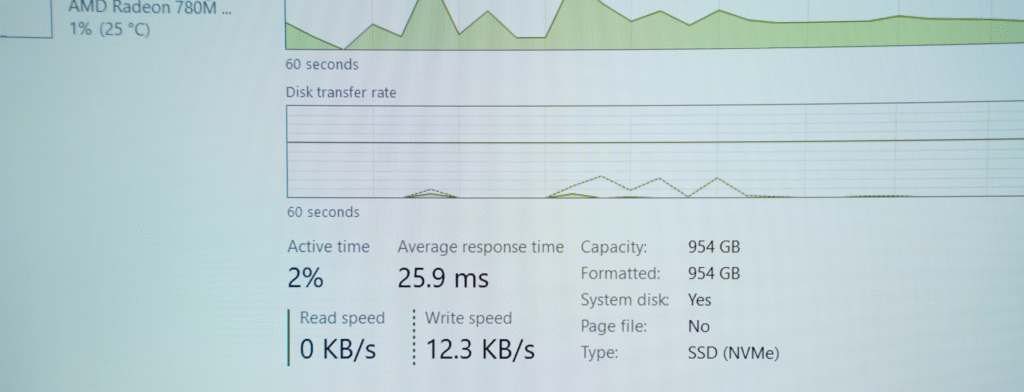
You get 24GB DDR5 RAM (5600 MHz) in single channel with support for upgrades up to 48GB. Storage is a 1TB Gen 4 SSD, and there are two M.2 slots for expansion.
Key points:
- Ryzen 7 260 = same as Ryzen 7 8845HS
- 1TB Gen 4 SSD with two slots
- 24GB DDR5 RAM, upgradeable to 48GB
- RTX 5050 (8GB) at 80W TGP
- Wi-Fi 6E and Bluetooth 5.3
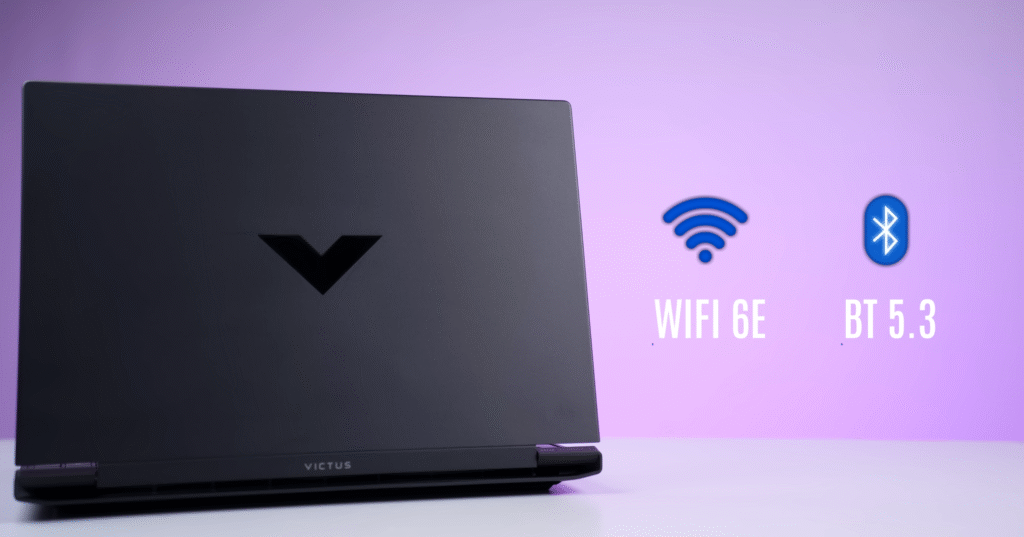
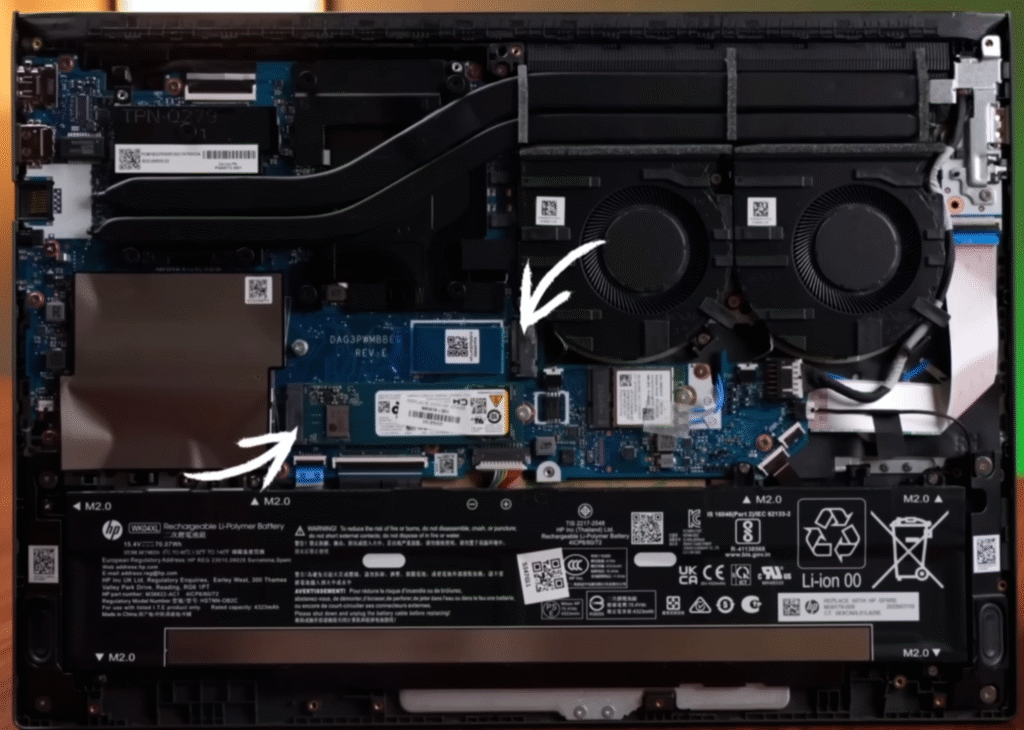
Graphics are powered by the RTX 5050 (8GB VRAM) with an 80W TGP. While the 50-series is power-efficient, other laptops in this range offer higher 115W TGP options. Connectivity includes Wi-Fi 6E and Bluetooth 5.3, plus Microsoft Office and three months of Xbox Game Pass.
HP Victus Benchmark and Performance
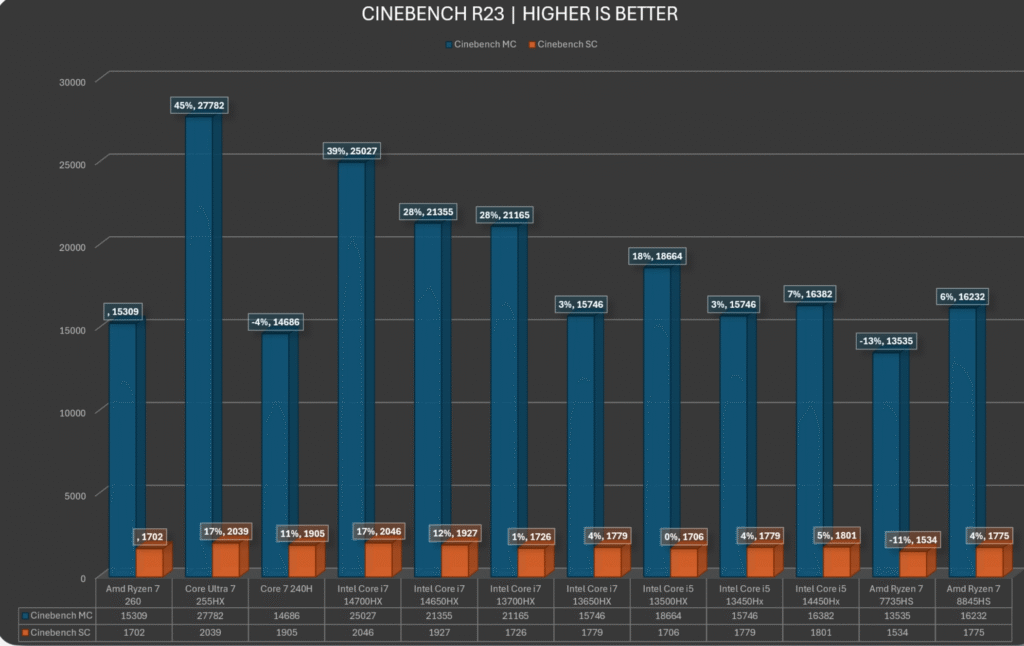
The HP Victus delivers solid performance across CPU, GPU and AI workloads. The Ryzen 7 260 matches the Ryzen 7 8845HS, so the expected scores line up with other laptops using the same chip. It handles everyday productivity, coding, music production and development work without any trouble.
CPU Benchmarks
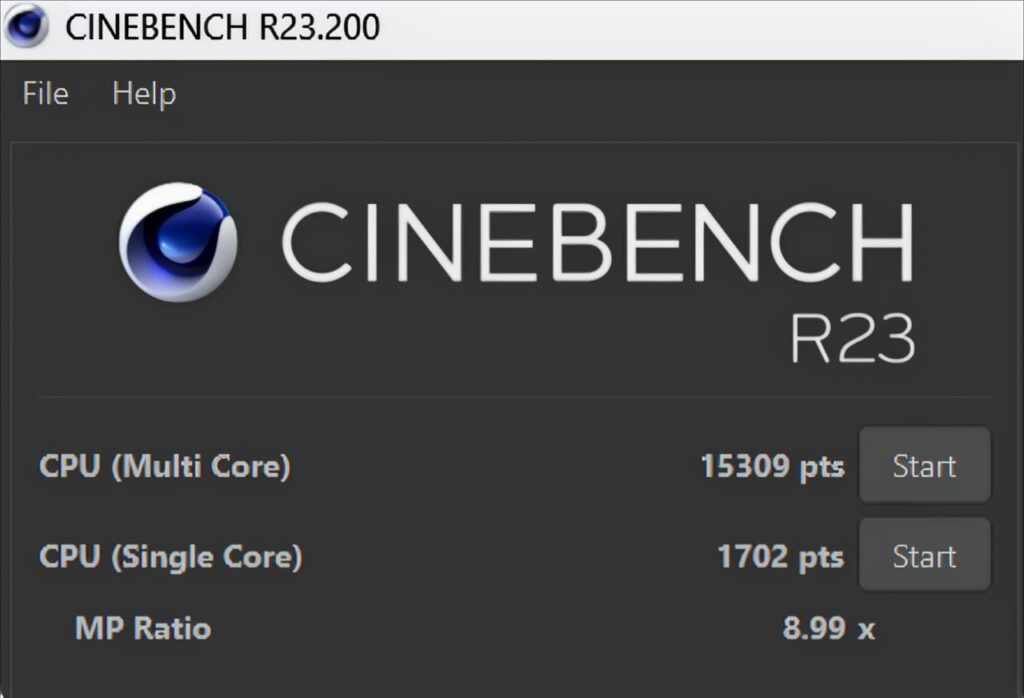
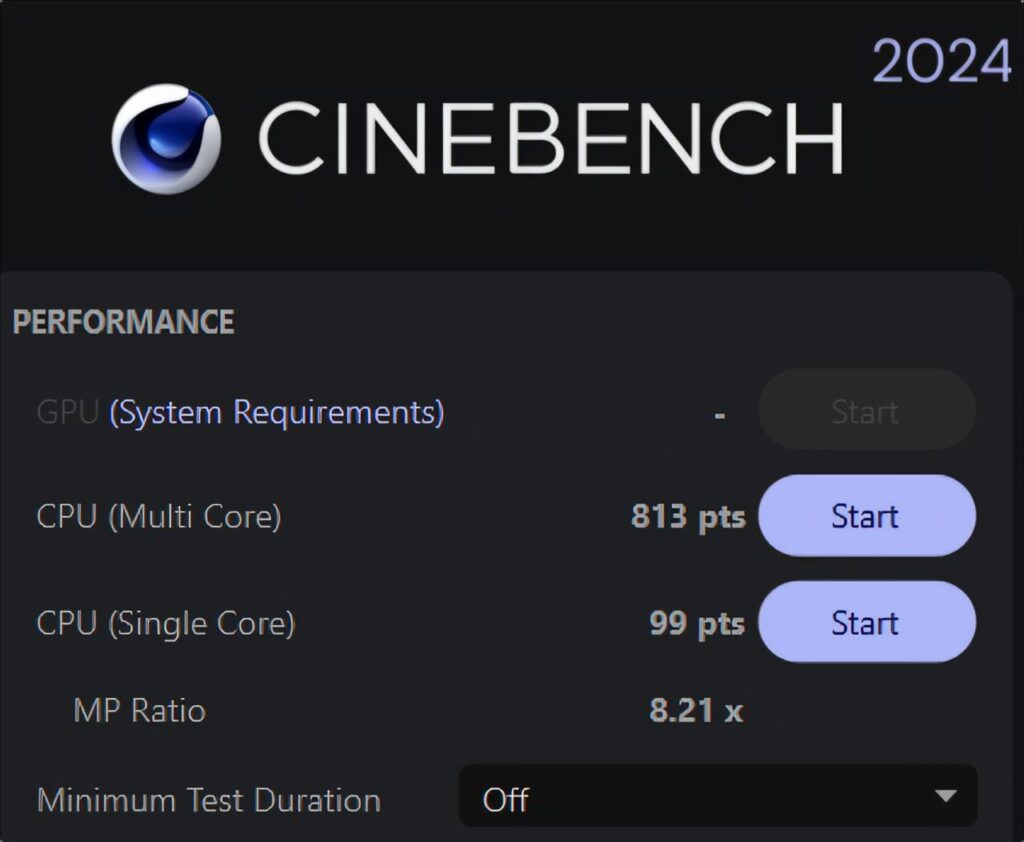
Cinebench R23, Cinebench 2024 and Geekbench 6 show typical Ryzen 7 8845HS performance. Multi-core and single-core scores are strong enough for students, creators and developers.
HP Victus by HP Gaming Laptop 15-fb3xxx

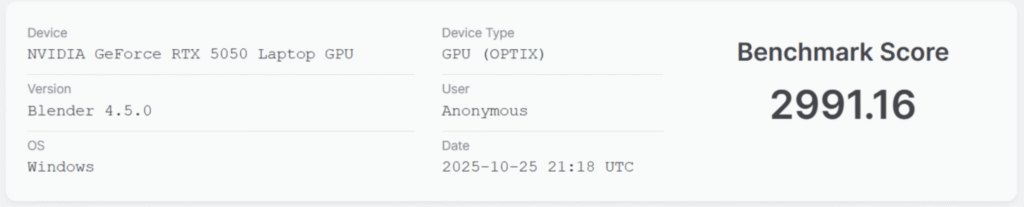
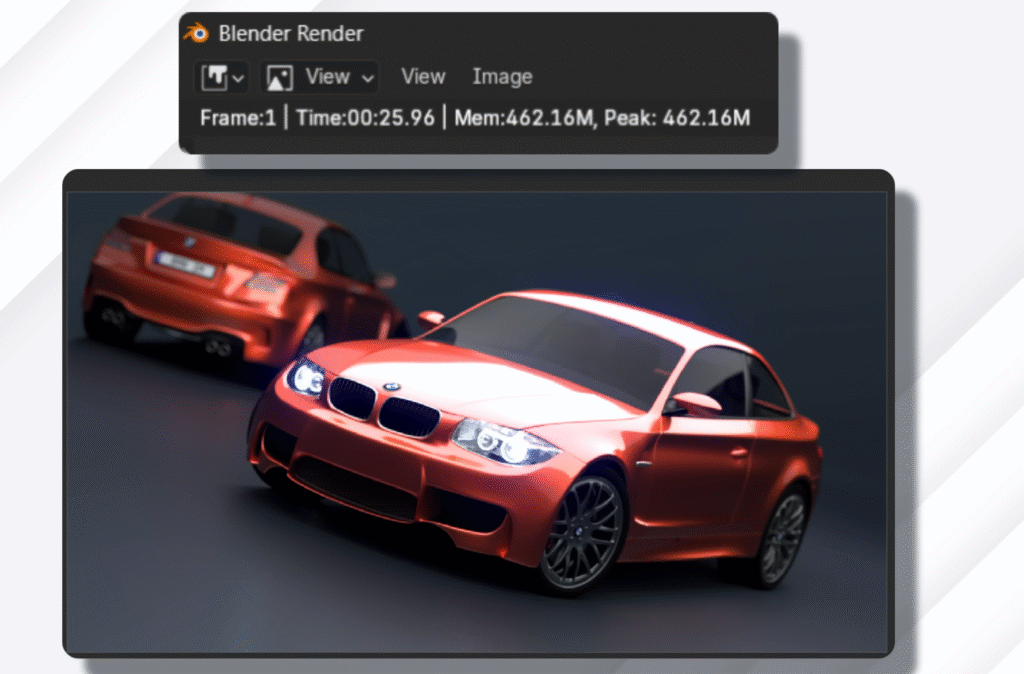
For 3D workloads, the laptop scores 2900 in Blender and completes the BMW render in 25 seconds.
AI and Model Performance
The GPU-based Geekbench AI test delivers good results for an RTX 5050.
HP Victus by HP Gaming Laptop 15-fb3xxx
Geekbench AI Score
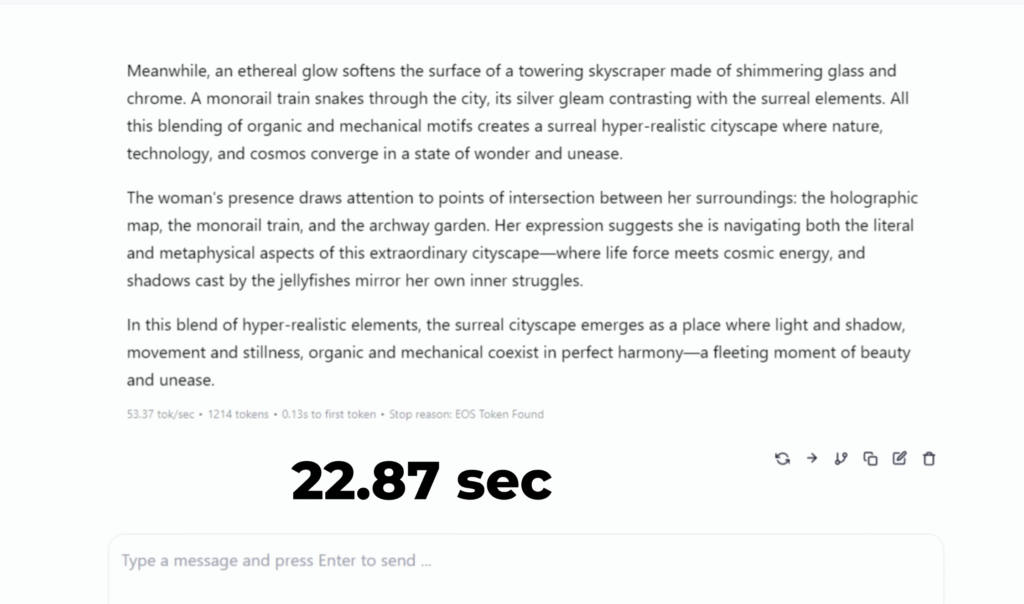
Running a 7B DeepSeek R1 model in LM Studio produced an output in 22.8 second.
which is reliable for entry-level AI experimentation. This CPU-GPU combo works fine for data science tasks.
Creative Workloads
The Victus performs well in creative apps thanks to its 24GB RAM.
PugetBench Results Viewer
Overall Score (Standard)
Photoshop Version
26.11.0
Benchmark Version
1.0.5
CPU
AMD Ryzen 7 260
w/ Radeon 780M
GPU
NVIDIA GeForce RTX 5050 Laptop GPU
AMD Radeon 780M Graphics
Overall Score (Standard)
After Effects Version
25.5.0
Benchmark Version
1.0.0
CPU
AMD Ryzen 7 260
w/ Radeon 780M
GPU
NVIDIA GeForce RTX 5050 Laptop GPU
AMD Radeon 780M Graphics
Overall Score (Basic)
Resolve Version
19.1.4 (Free)
Benchmark Version
1.2.1
CPU
AMD Ryzen 7 260
w/ Radeon 780M
GPU
NVIDIA GeForce RTX 5050 Laptop GPU
AMD Radeon 780M Graphics
Premiere Pro didn’t complete the benchmark due to a glitch, but performance should be in line with other 5050 laptops. After Effects especially benefits from the extra memory, since its minimum real-world requirement is around 16–18GB.
GPU Benchmarks
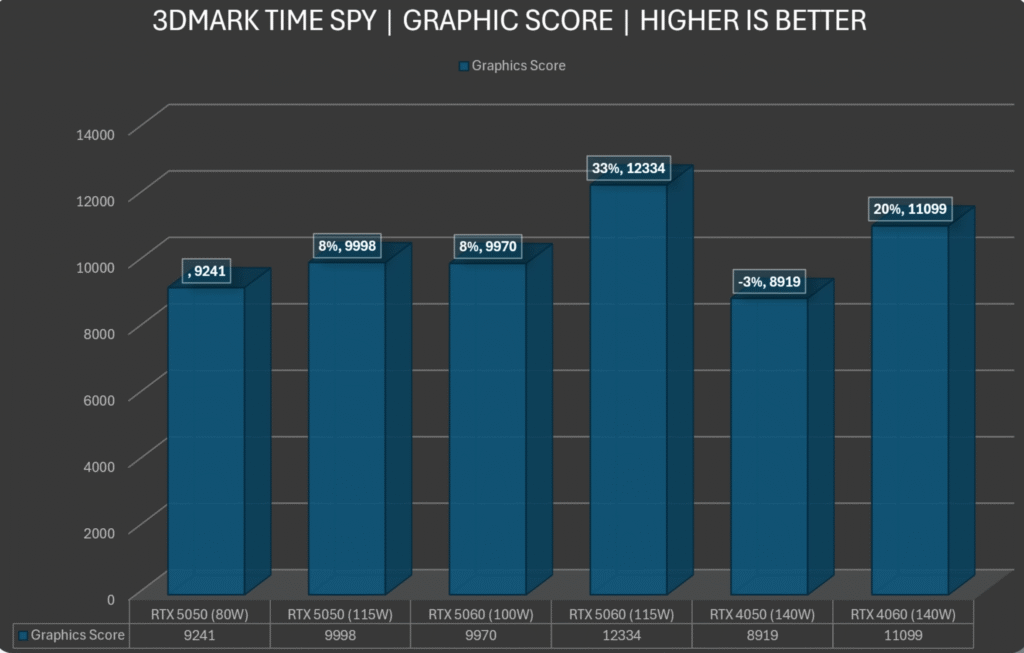
The RTX 5050 (80W) performs above the 4050 and comes close to lower-wattage 4060 units.
HP Victus by HP Gaming Laptop 15-fb3xxx
VRMark Orange Room
Outstanding! The system comfortably beat the target frame rate for this test. Now try running the more demanding Blue Room benchmark.
A higher 115W TGP would have pushed it closer to a full 4060 laptop, but efficiency remains one of its strengths.
Thermals and Stability
The laptop maintains strong thermal performance under a one-hour stress test.
| Metric | Value #1 | Value #2 | Value #3 | Value #4 |
|---|---|---|---|---|
| CPU (Tctl/Tdie) | 75.1°C | 61.1°C | 80.6°C | 72.3°C |
| CPU Core | 75.1°C | 59.9°C | 80.5°C | 72.0°C |
| CPU SOC | 57.1°C | 45.2°C | 57.9°C | 56.1°C |
| APU GFX | 57.0°C | 44.3°C | 58.3°C | 55.5°C |
| CPU Skin Temp | 39.0°C | 35.1°C | 39.4°C | 38.8°C |
| Core Temperatures | 70.2°C | 52.5°C | 79.0°C | 68.7°C |
| L3 Cache | 59.2°C | 48.4°C | 60.0°C | 58.2°C |
| CPU VDDCR_VDD Voltage | 1.276V | 1.212V | 1.333V | 1.295V |
| CPU Package Power | 54.087W | 47.724W | 58.002W | 53.551W |
| L3 Cache Clock | 4752.6 MHz | 4622.1 MHz | 4898.0 MHz | 4796.4 MHz |
| Frequency Limit – Global | 4798.1 MHz | 4664.2 MHz | 4936.6 MHz | 4838.7 MHz |
| Infinity Fabric Clock | 1948.5 MHz | 1911.1 MHz | 1956.5 MHz | 1954.2 MHz |
- CPU temp: Max 76°C, average 69°C
- CPU wattage: Peaks at 58W, averages 53W
- Clock speeds: 4.9 GHz max, 4.7 GHz sustained
- GPU temp: Stays below 70°C, holds 79W consistently
There were no crashes or throttling issues. The system stays stable and cool, which is typical of AMD’s efficient power behaviour.
HP Victus Game test
Valorant
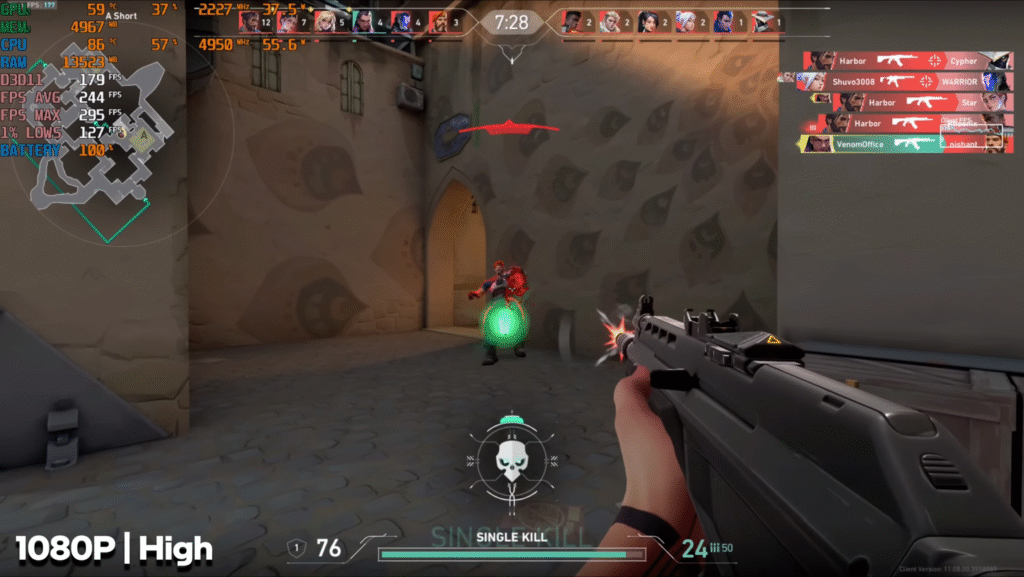
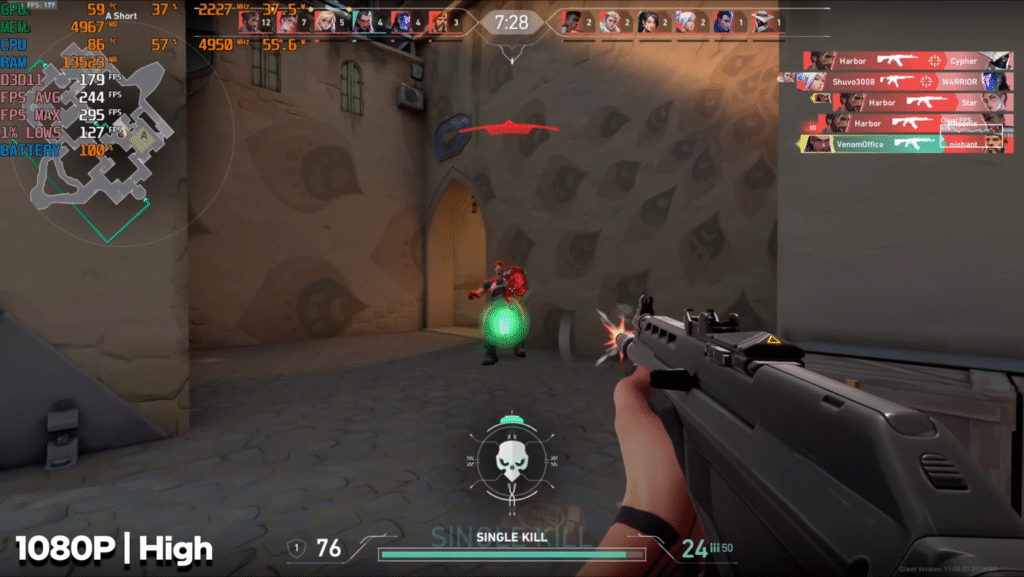
Valorant runs smoothly at 1080p on high settings. The laptop delivers around 200 to 240 FPS, which matches the CPU-focused nature of the game. Competitive play feels stable and responsive.
CS2
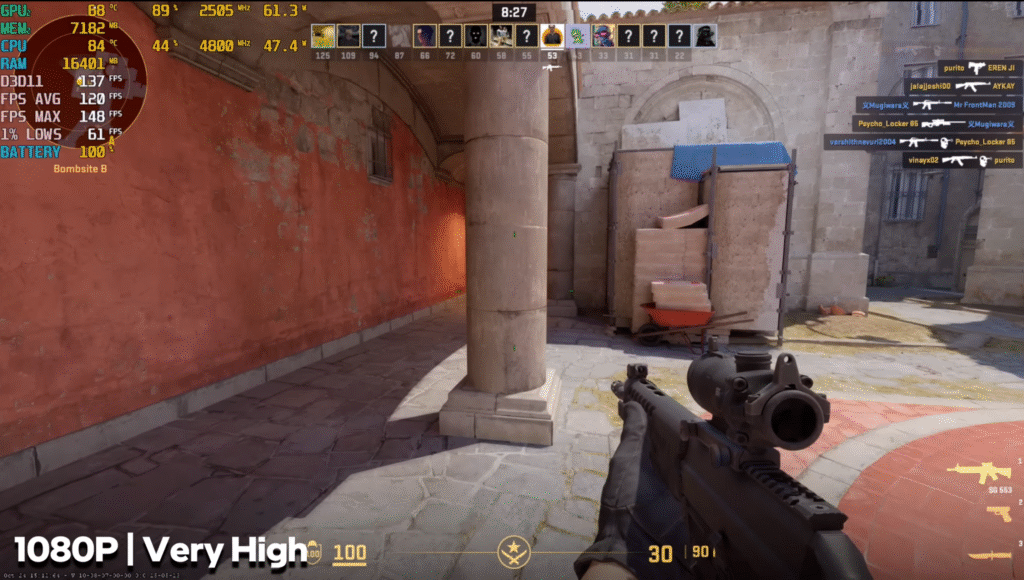
CS2 performs well at 1080p on very high settings, averaging 100 to 110 FPS. This makes it suitable for esports-level play without major stutters.
Elden Ring
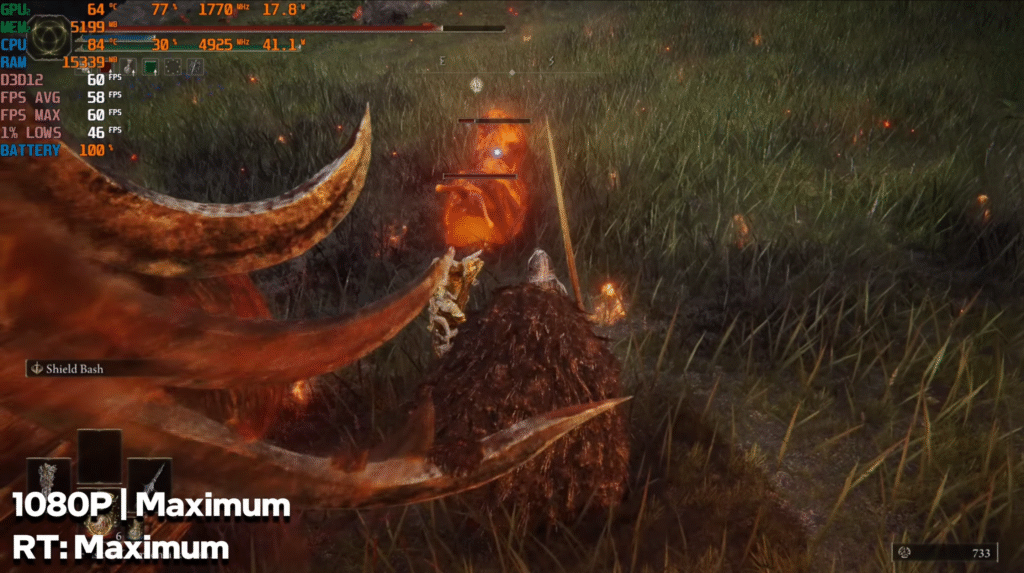
Elden Ring at 1080p with maximum settings and max ray tracing averages around 55 to 60 FPS. The game doesn’t go much higher because of its engine limits, but the experience stays playable.
COD Warzone
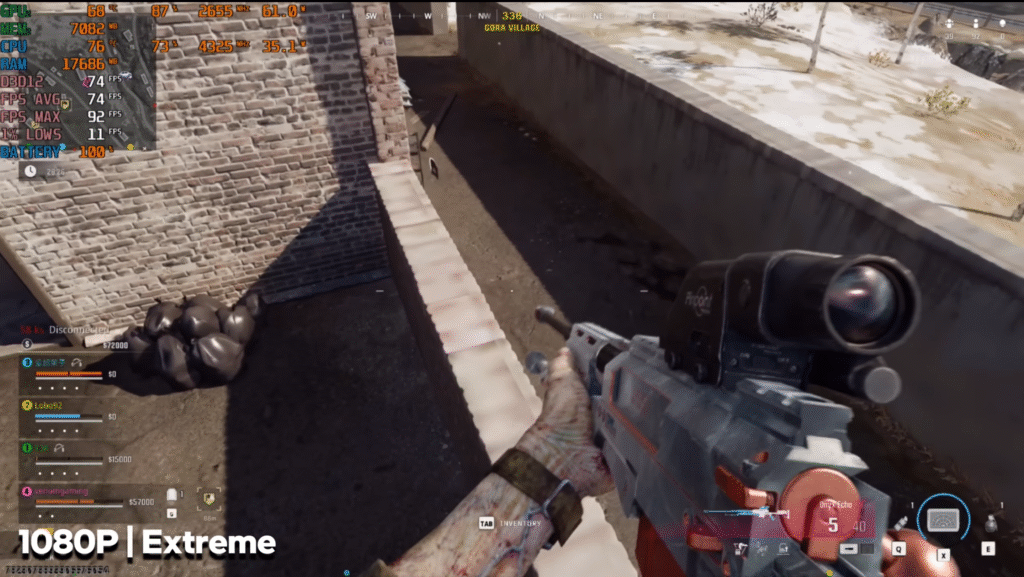
Warzone on extreme settings maintains about 70 FPS. Lowering settings can push the frames higher, but even at the highest preset, the performance stays strong compared to similar laptops.
GTA V Enhanced Edition
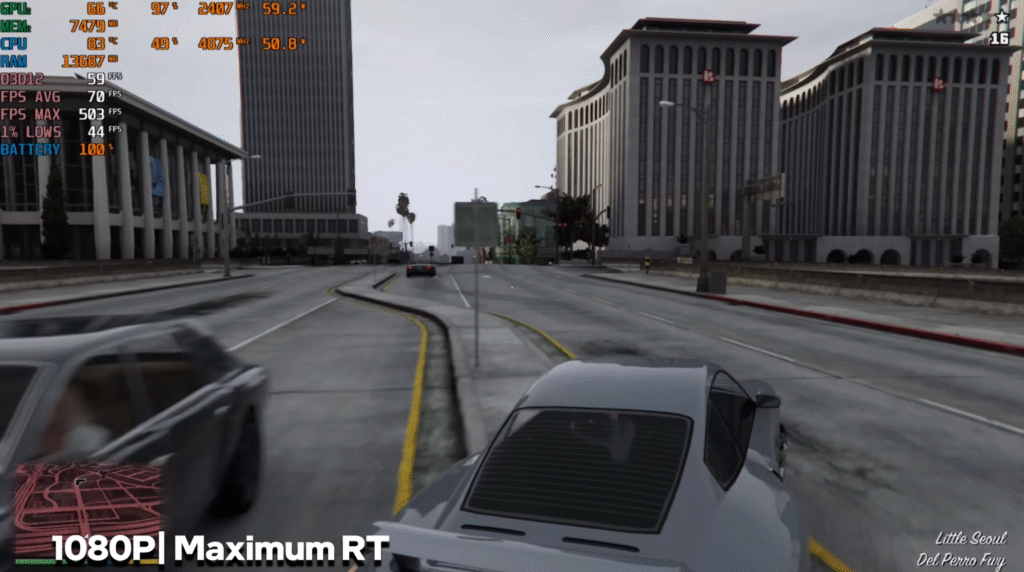
The enhanced edition with maximum ray tracing runs at roughly 55 to 60 FPS. Gameplay remains smooth, though this version demands more power than the legacy edition.
Red Dead Redemption 2
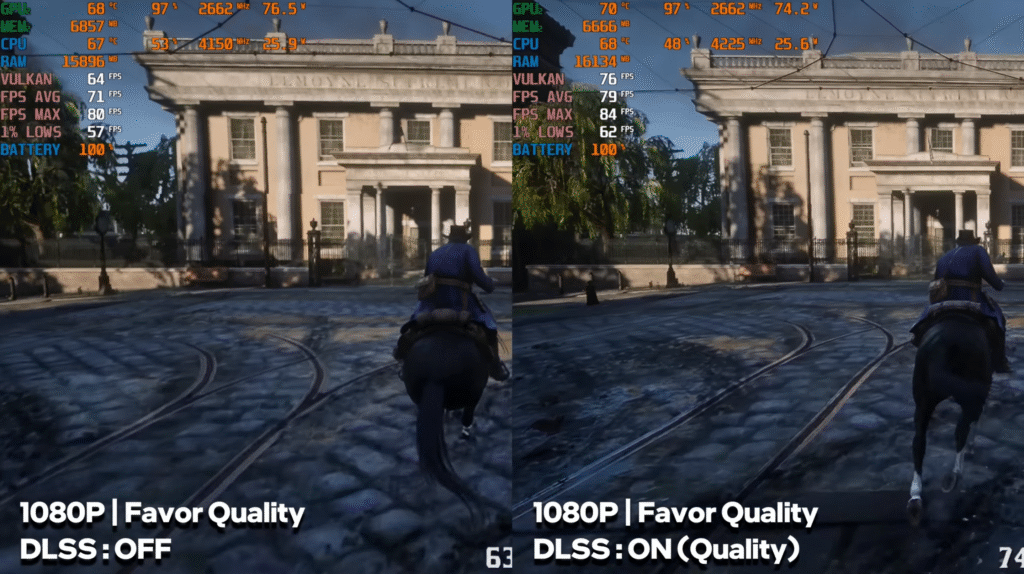
RDR2 on favor quality averages 75 to 80 FPS with DLSS Quality. With DLSS off, the system gives around 60 to 70 FPS. Both modes offer solid performance.
Cyberpunk 2077
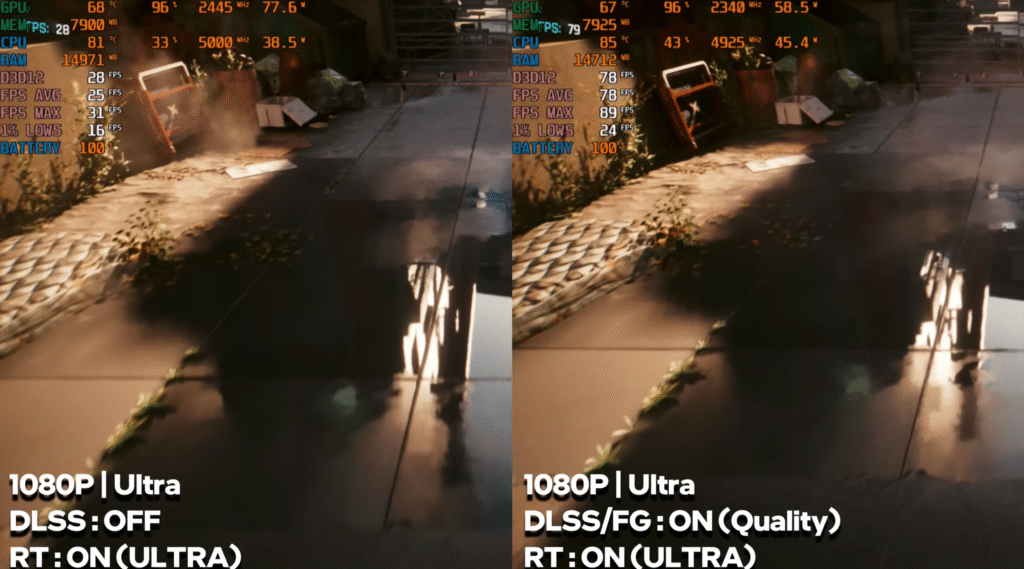
Cyberpunk on ultra settings averages 75 to 80 FPS on raw performance. With 2X frame generation, it jumps to 130 to 140 FPS. Ray tracing on ultra drops raw FPS to around 25 to 30, but frame generation brings it back to 75 to 80 FPS.
Hogwarts Legacy
Hogwarts Legacy on ultra settings with ultra ray tracing runs at about 40 to 45 FPS. With DLSS frame generation, performance rises to around 120 to 130 FPS.
Assassin’s Creed: Shadows
On very high settings with high ray tracing, the game struggles with raw performance at around 20 FPS. With frame generation, it reaches 40 to 45 FPS, making it barely playable.
The Last of Us Part II
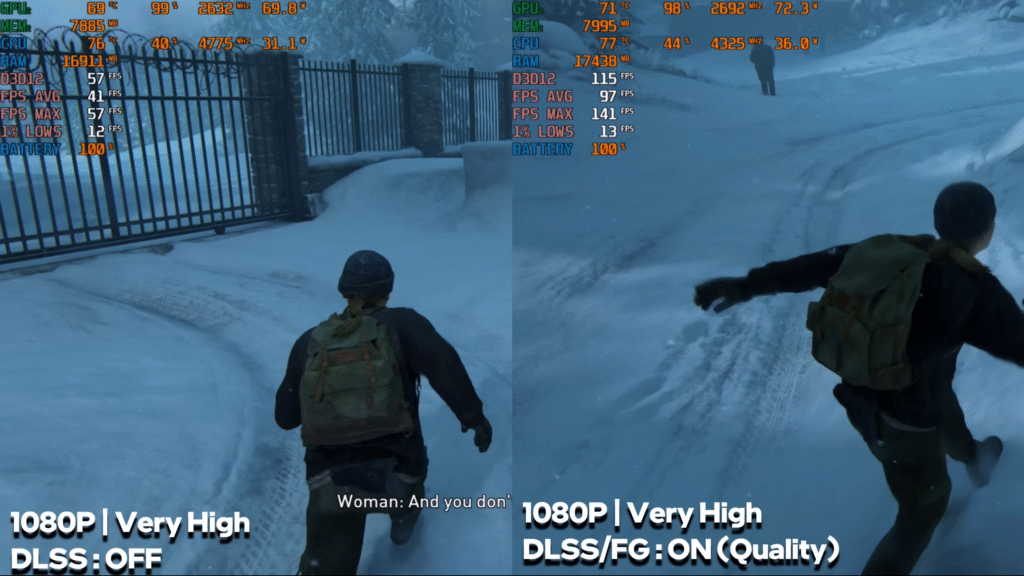
At 1080p very high settings, the game averages 40 to 45 FPS with DLSS off. Frame generation improves this to around 80 to 90 FPS.
Ghost of Tsushima
Ghost of Tsushima performs well on very high settings with around 60 to 65 FPS. With frame generation enabled, the FPS climbs to 120 to 130.
Horizon Forbidden West
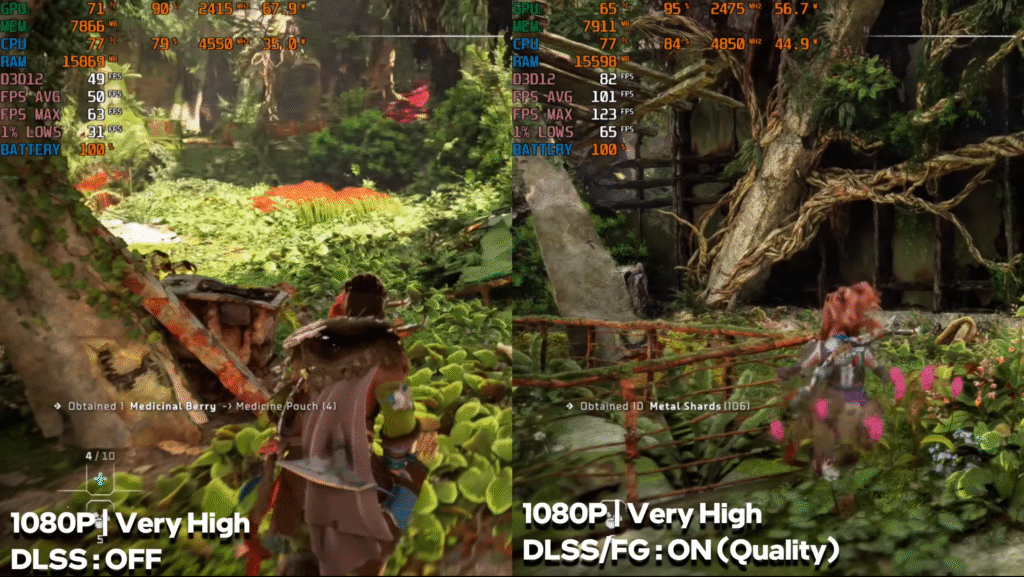
The game runs at around 45 to 50 FPS on very high settings in raw performance. With frame generation activated, performance increases to about 85 to 90 FPS.
Black Myth: Wukong
On the cinematic preset, the laptop delivers around 20 to 25 FPS in raw mode. Frame generation lifts this to around 50 FPS. With ray tracing on very high, raw FPS drops heavily, but 3X and 4X multi-frame generation reach around 60 to 75 FPS.
Spider-Man 2
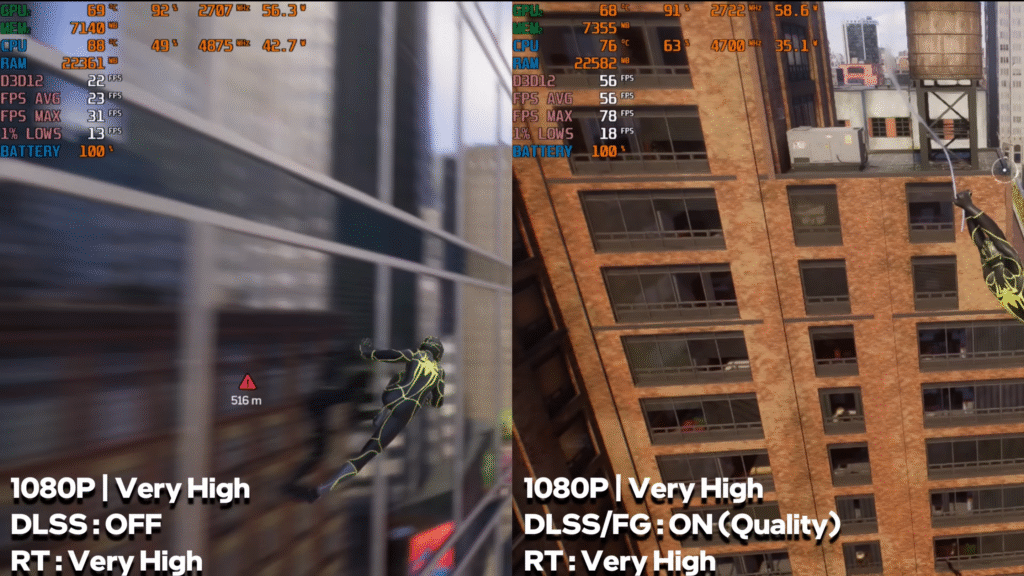
Spider-Man 2 on very high settings averages around 60 FPS. With frame generation, the FPS moves up to 80 to 90. Ray tracing on very high kills raw performance, but frame generation brings it back to around 60 to 65 FPS.
Alan Wake 2
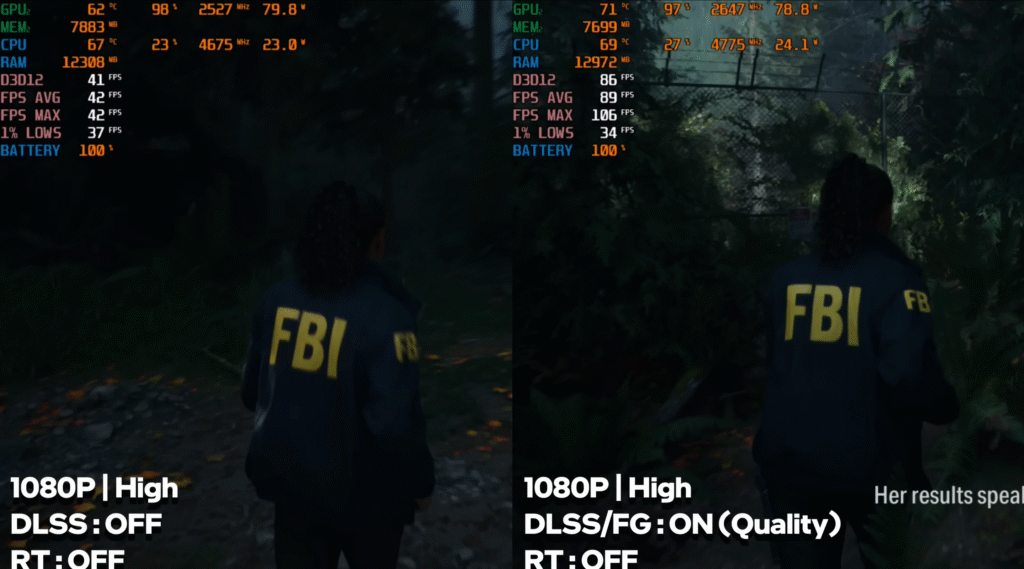
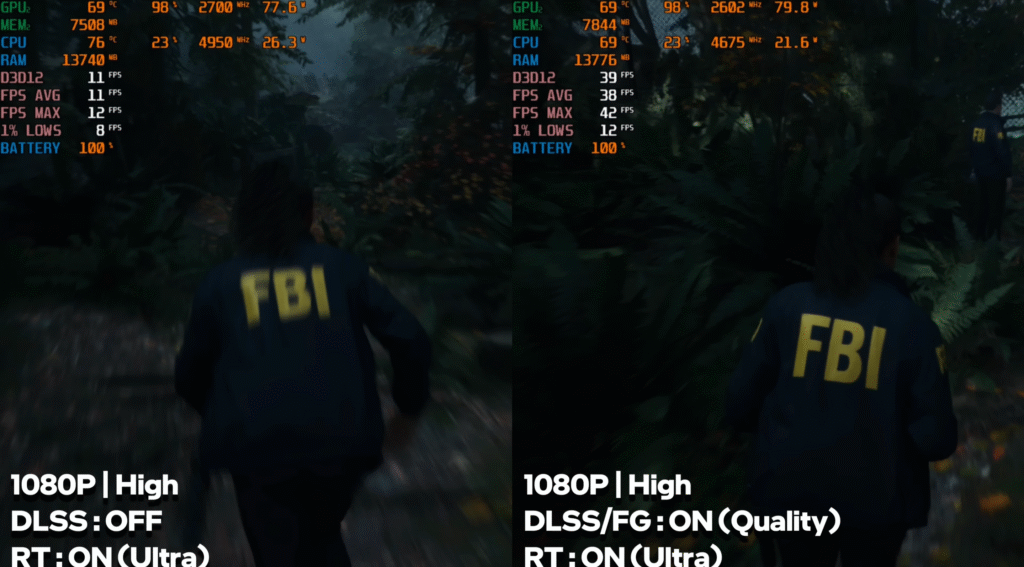
Alan Wake 2 at standard settings averages around 40 FPS without DLSS or ray tracing. With frame generation, performance improves to 80 to 90 FPS. Ray tracing on ultra drops raw FPS sharply, but frame generation allows around 40 FPS. Multi-frame generation gives even higher boosts.
Hellblade 2
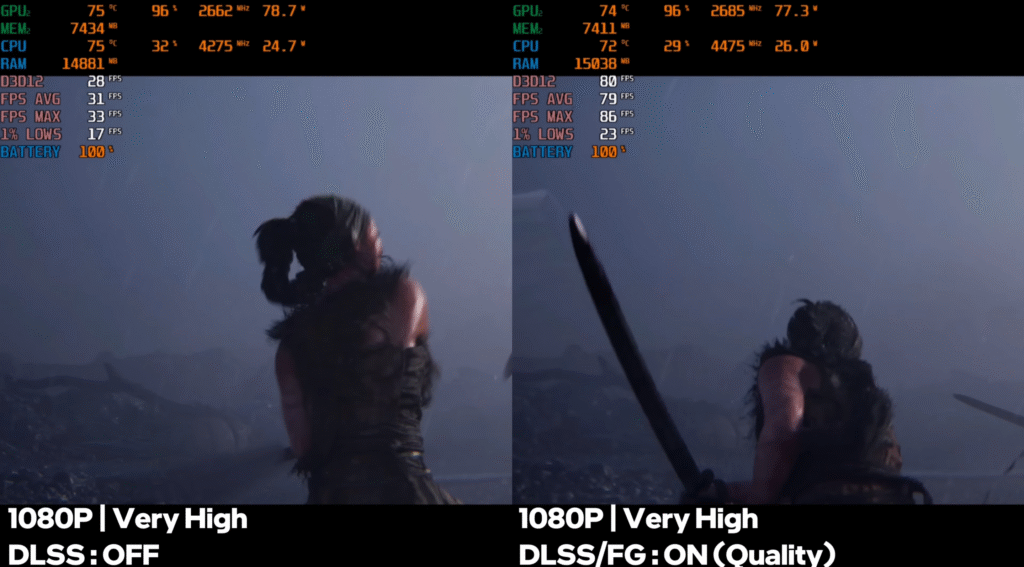
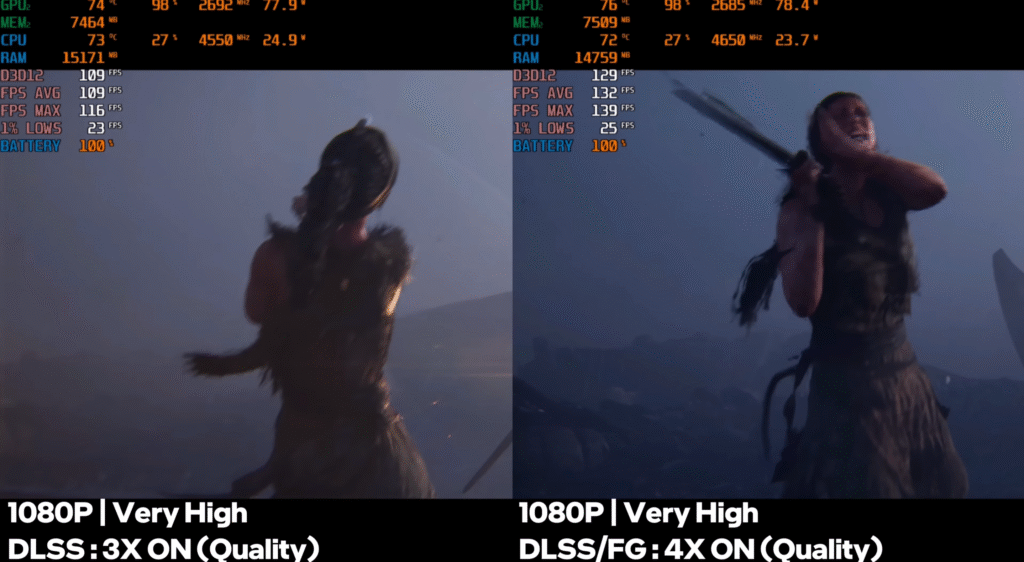
Hellblade 2 on very high settings averages 20 to 25 FPS in raw performance. With frame generation, FPS rises to around 50 to 55. Multi-frame generation can push it to about 100 to 130 FPS.
HP Victus Ports
The laptop offers a good set of ports on both sides, with HDMI 2.1, multiple USB options and PD charging support. The only real drawback is the missing MUX switch, since all display output is routed through the iGPU.
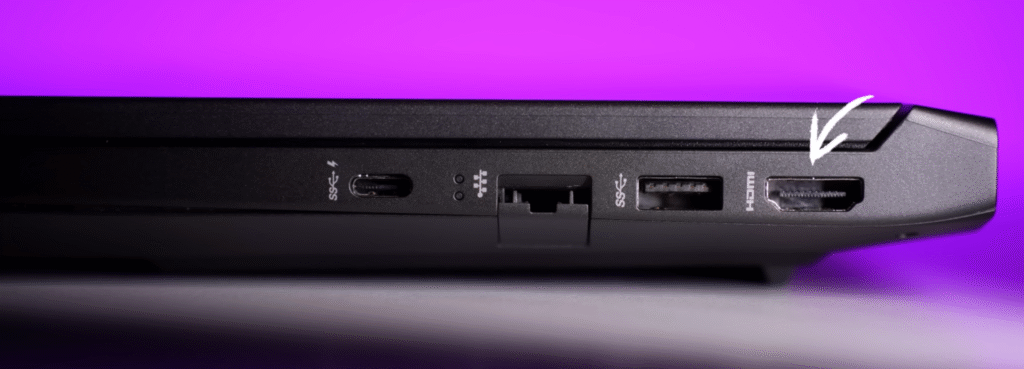
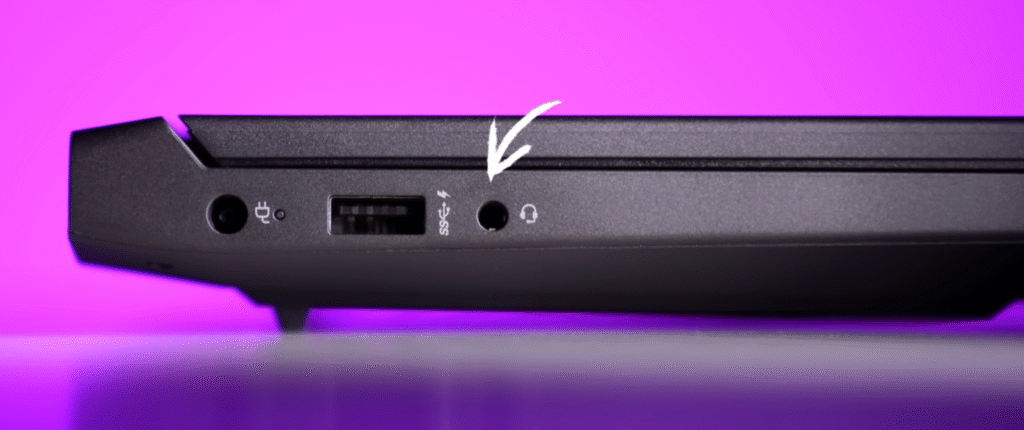
- HDMI 2.1 supports up to 4K 240 Hz through the RTX 5050
- USB 3.2 Gen 2 Type-C offers PD 3.1 charging and display output via iGPU
- Includes USB 3.2 Gen 1 Type-A ports on both sides
- RJ45 LAN port and headphone-mic jack included
- No MUX switch available in Omen Gaming Hub or NVIDIA control panel
Here’s a clean, blog-ready version of your Keyboard & Trackpad section with a short paragraph and a few bullet points:
HP Victus Keyboard and Track-pad
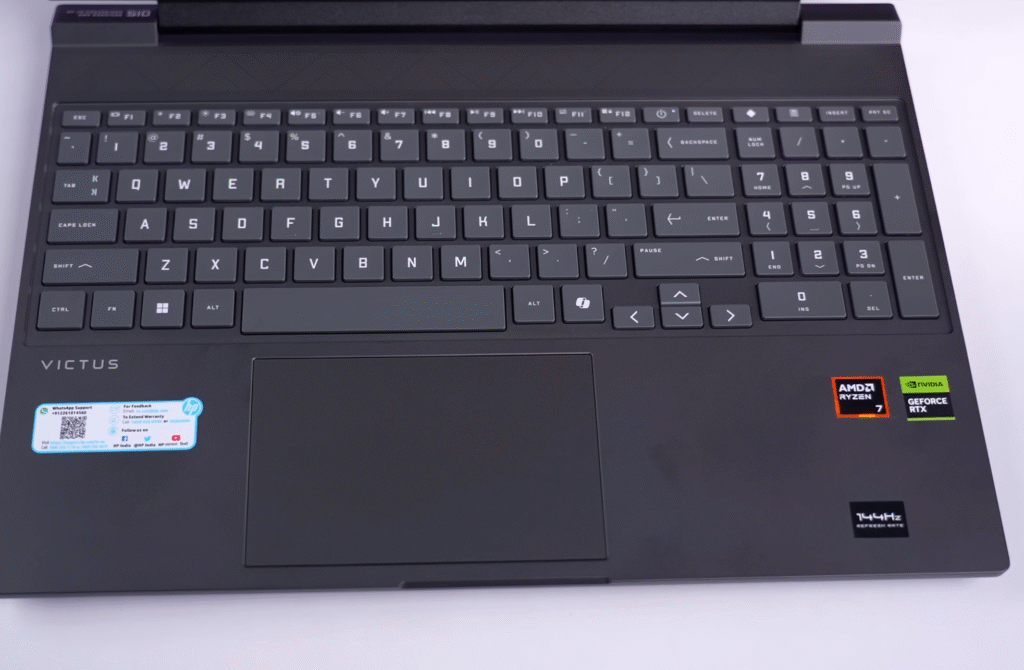
The HP Victus comes with a full-size keyboard that now features single-zone RGB lighting instead of the older white backlight. The lighting changes uniformly across the entire keyboard, and the layout includes a numpad, power key and dedicated Omen key. Typing feels comfortable with decent key travel — not exceptional, but good enough for daily use and gaming. The trackpad is medium-sized, smooth to operate, fully clickable and supports multi-touch gestures.
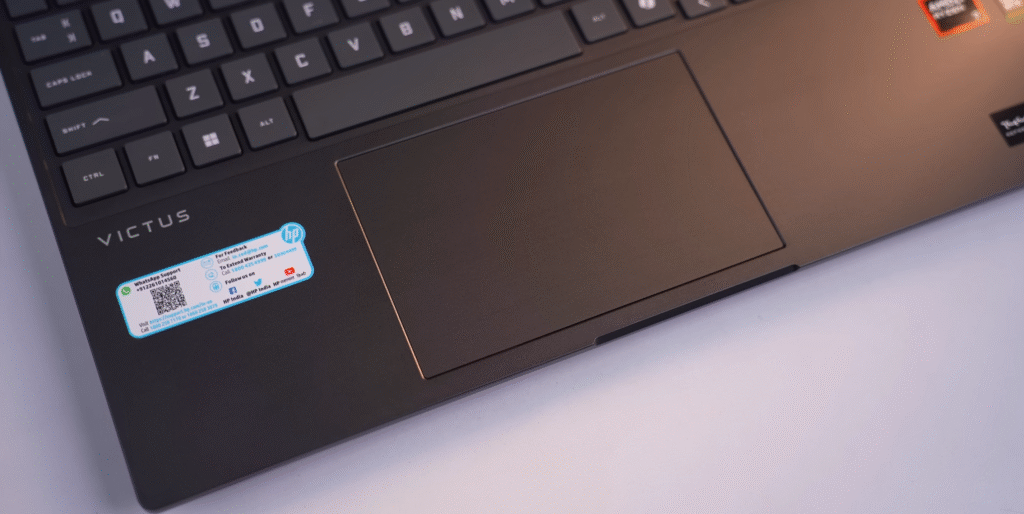
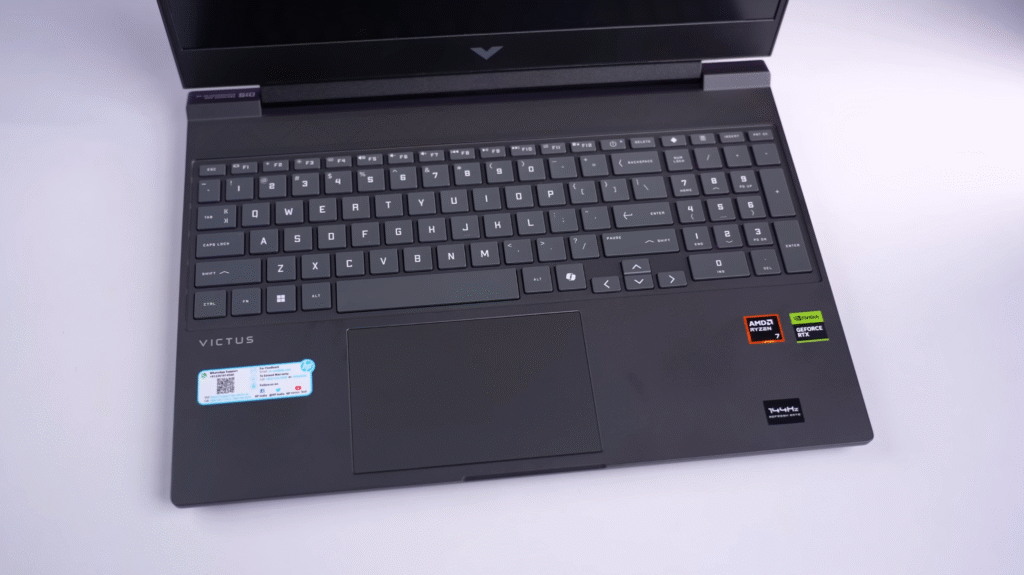
- Full-size keyboard with single-zone RGB lighting
- Includes numpad, power and Omen keys
- Comfortable typing experience similar to previous Victus models
- Medium-sized, smooth trackpad
- Supports full multi-gesture control
Here’s a clean and balanced version with a short paragraph plus bullet points:
HP Victus Display
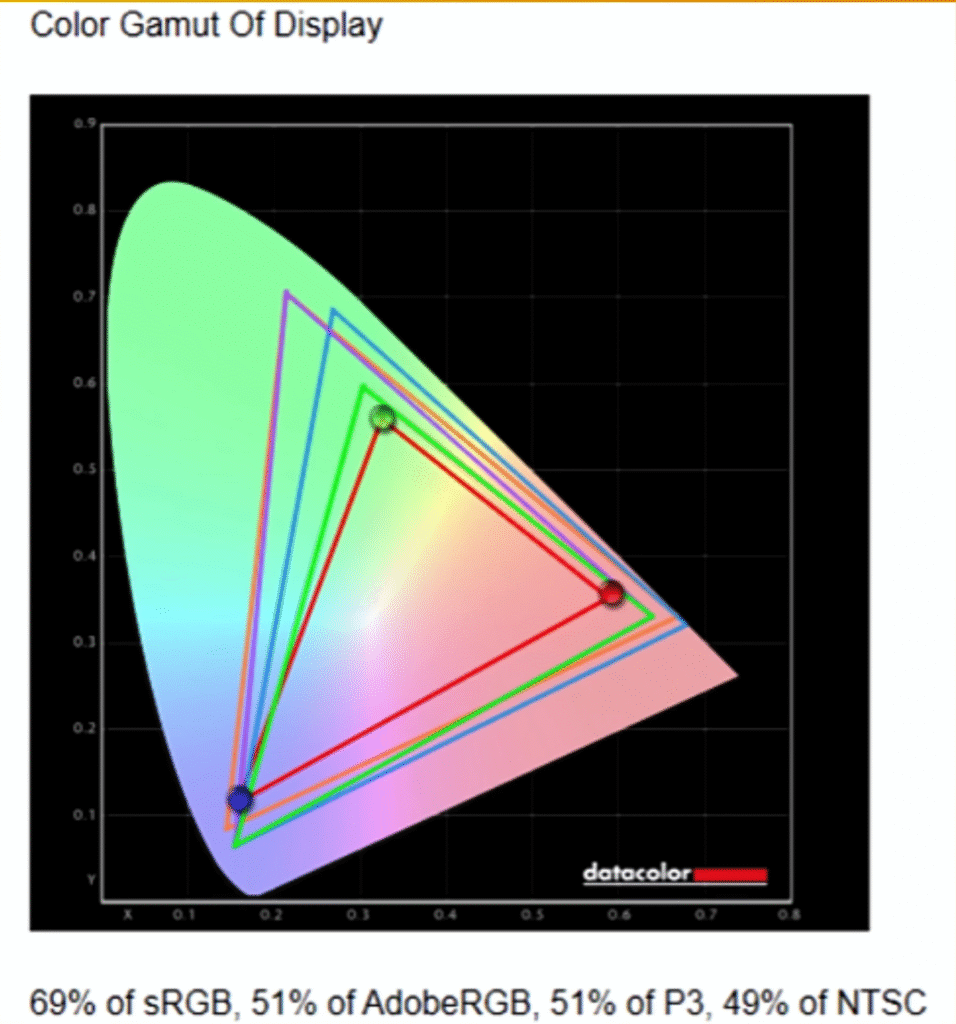
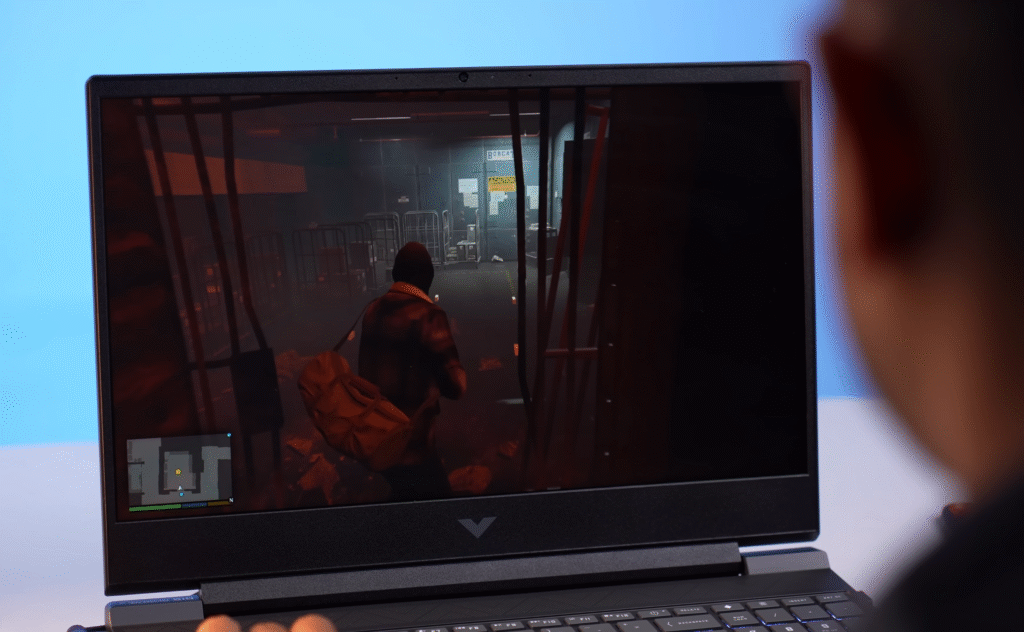
The laptop uses a basic 15.6-inch IPS panel with a 1080p resolution and a 144 Hz refresh rate. Brightness is solid at around 330 nits, and the display is fine for everyday use, streaming and gaming. Color accuracy is where it falls short, so it’s not ideal for professional photo or video color grading. For that type of work, an external monitor is a better choice. For general users, the display is perfectly adequate.
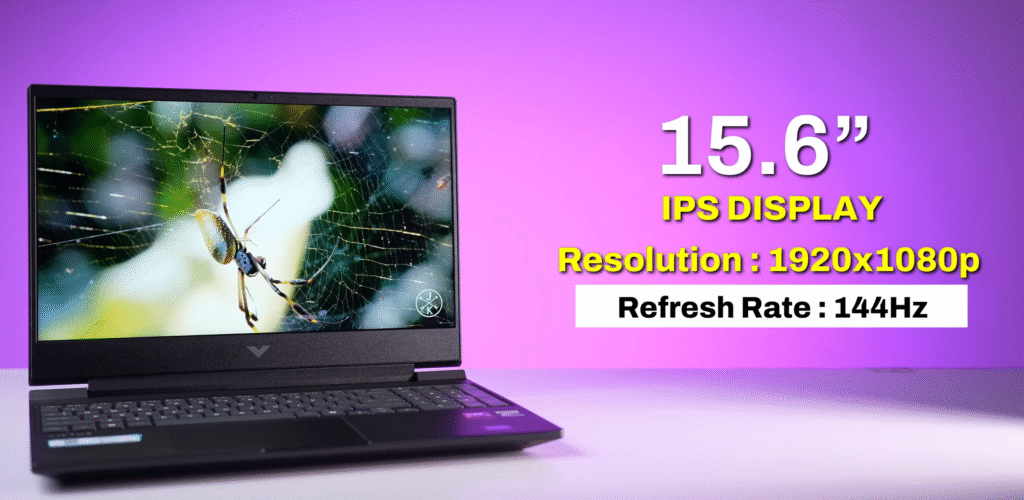
- 15.6-inch IPS panel with 1080p resolution
- 144 Hz refresh rate
- Around 330 nits brightness
- 69% sRGB, 49% NTSC (not suited for pro color work)
- No HDR support
| Setting | Brightness | Black | Contrast | White Point |
|---|---|---|---|---|
| 0% | 15.6 | 0.03 | 550 : 1 | 7200 (0.301, 0.327) |
| 25% | 30.7 | 0.04 | 710 : 1 | 7100 (0.302, 0.327) |
| 50% | 95.5 | 0.09 | 1110 : 1 | 7200 (0.302, 0.326) |
| 75% | 164.4 | 0.13 | 1270 : 1 | 7200 (0.302, 0.325) |
| 100% | 330.7 | 0.24 | 1350 : 1 | 7200 (0.301, 0.323) |
HP Victus Webcam Test
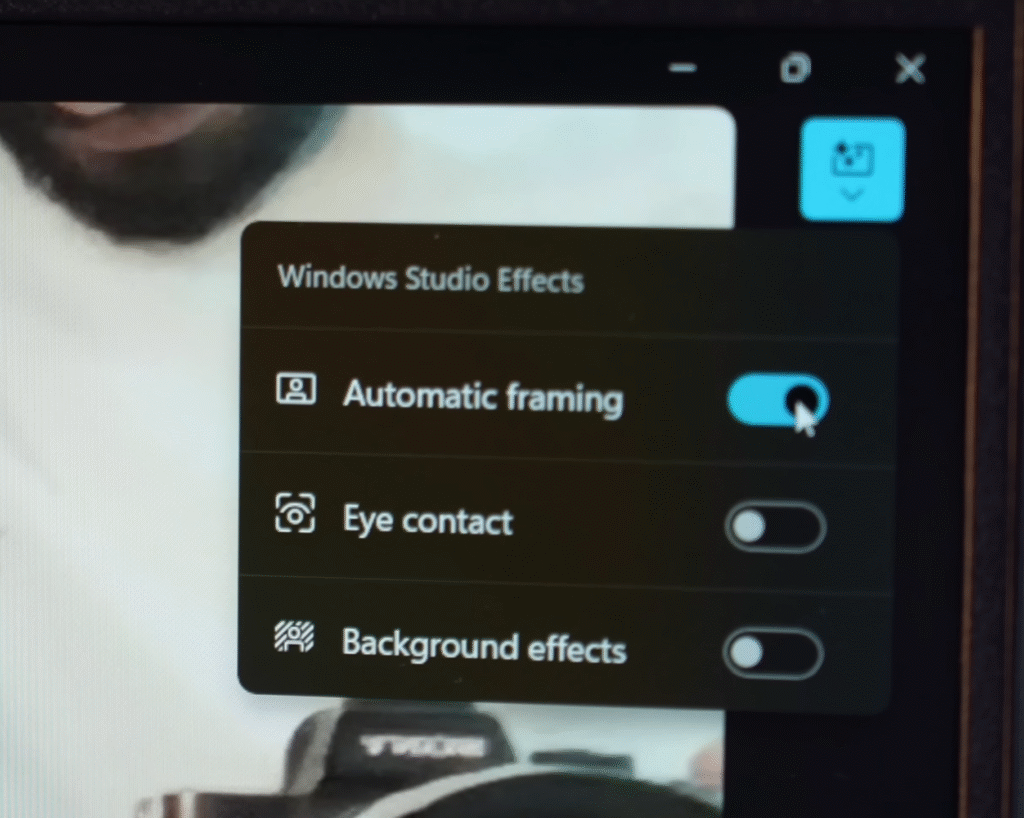
The webcam test shows that the laptop uses a 720p camera at 30 FPS. The frame rate stays stable, but the resolution feels outdated for 2025, where a 1080p webcam should be standard. The built-in mic works fine for basic calls and online classes, though the final impression depends on how much background noise you have.
- 720p webcam at 30 FPS
- Stable frame rate but lower resolution for today’s standards
- Mic quality is acceptable for everyday use
HP Victus Speakers
- Includes Windows Studio effects like auto-framing, eye-contact correction and background filters.
- Comes with two 2W down-firing speakers with moderate loudness and decent clarity.
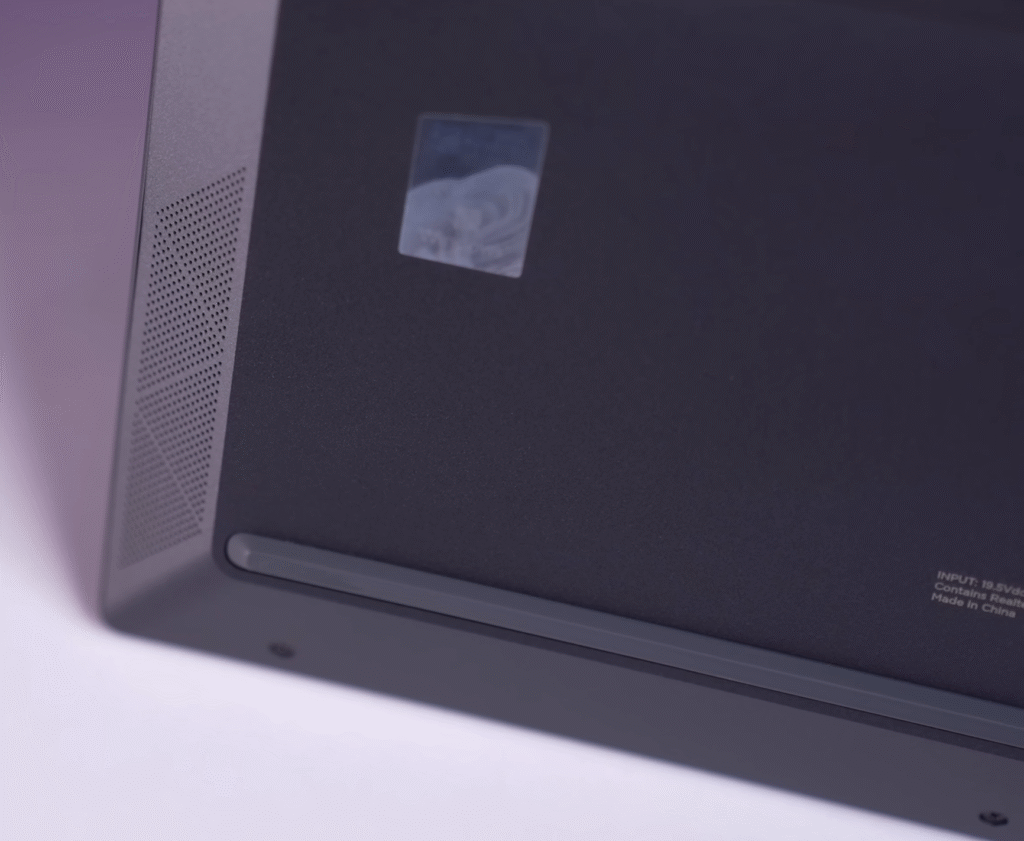
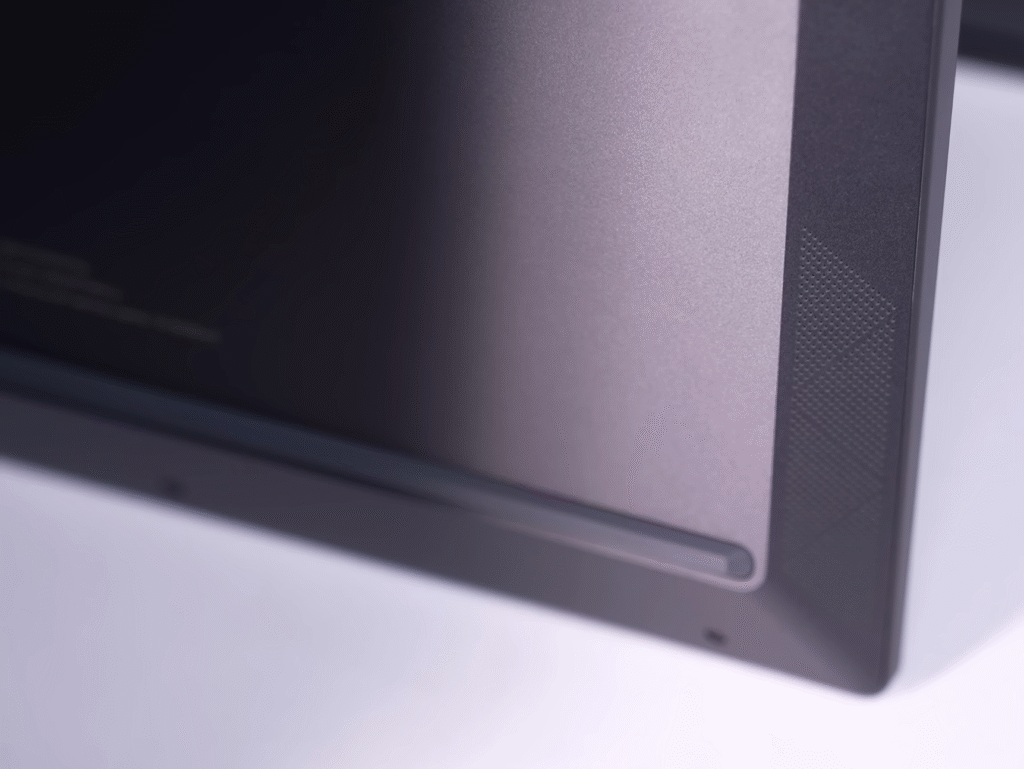
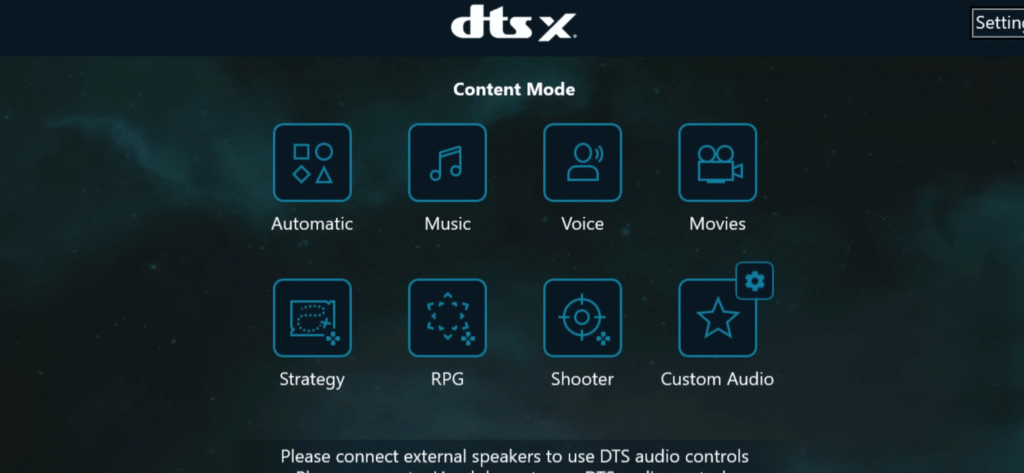
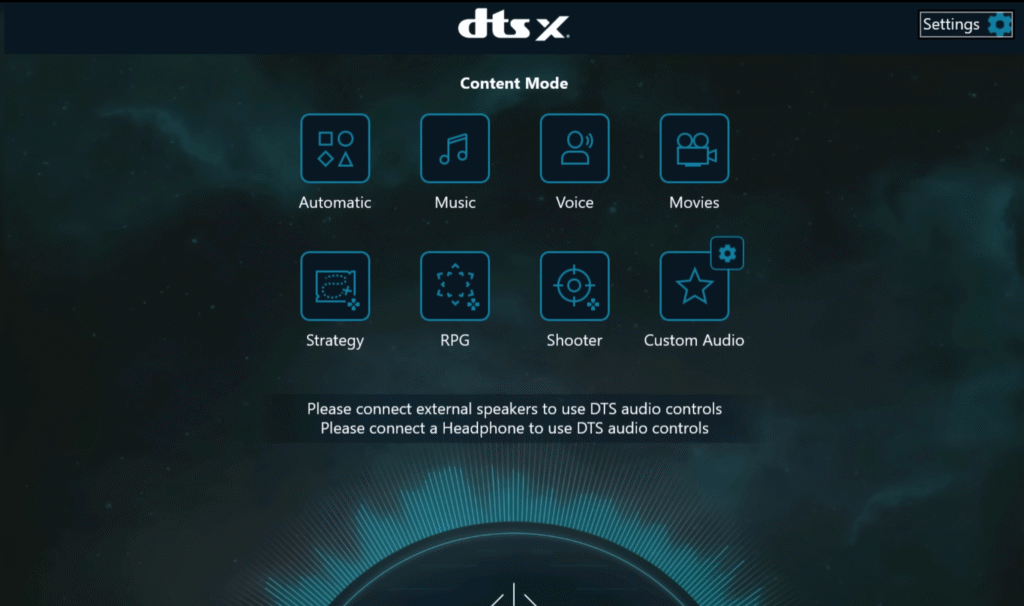
- Supports DTS-X Ultra, and the DTS-X app lets you tune audio for speakers and headphones.
- Dolby Atmos is generally better in channel support and surround performance.
- For the best experience, external audio devices benefit more from Dolby Atmos.
HP Victus Battery
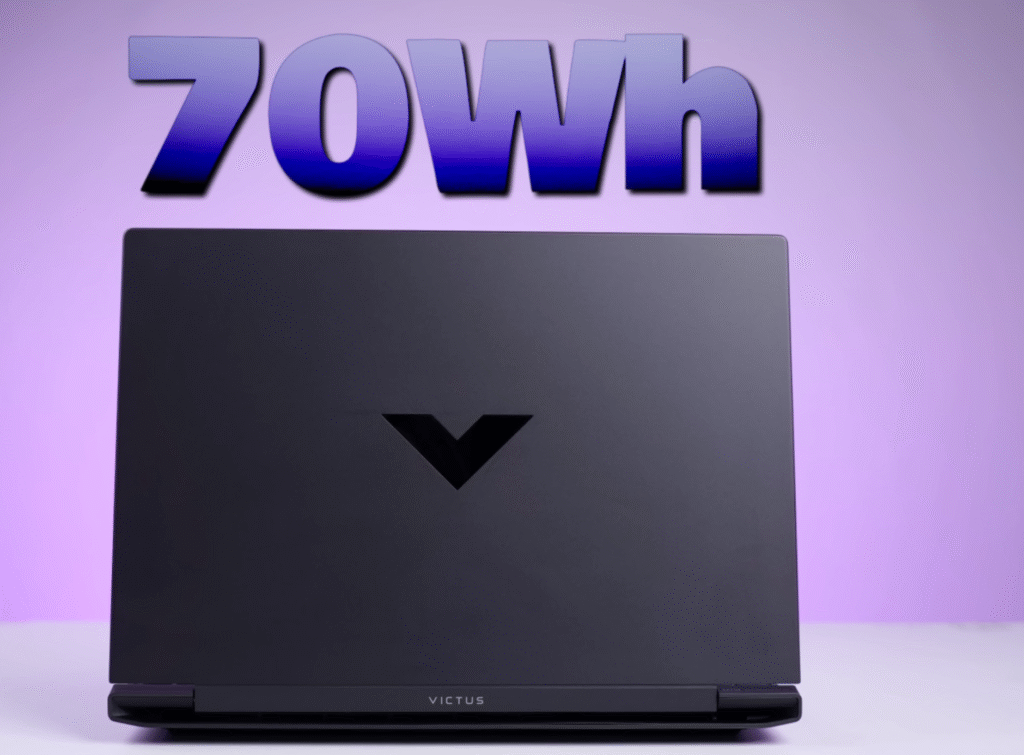
The laptop runs on a 70Wh battery, and you can expect around 4 to 5 hours of backup during light work. This estimate is based on keeping the brightness around the middle, turning off the keyboard backlight and using the system in eco mode.
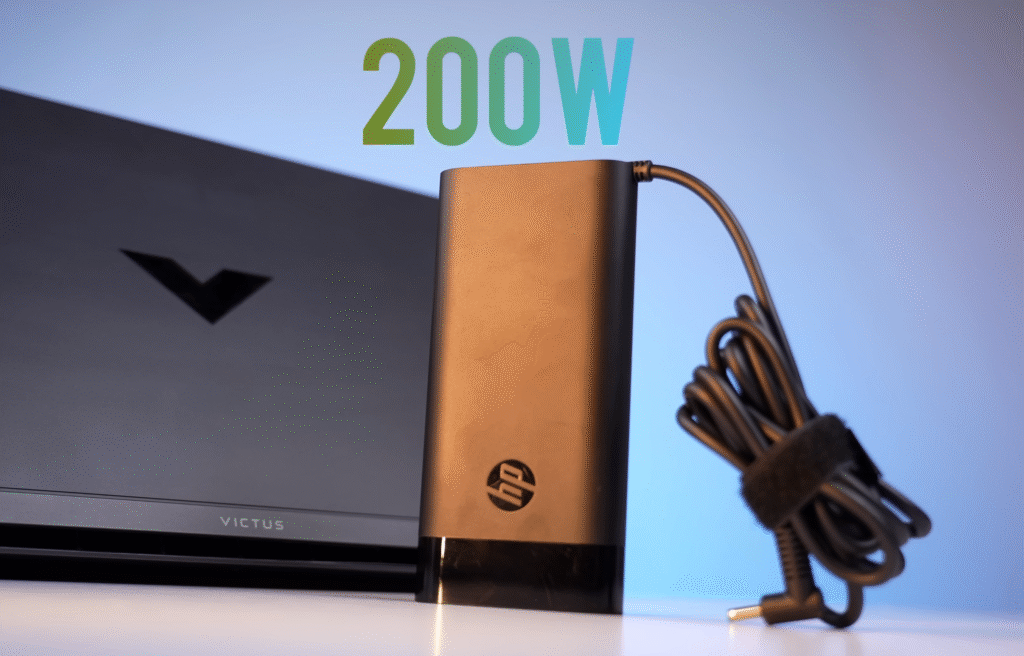
For office tasks, browsing, or streaming, the battery holds up well, but heavier work, such as editing or gaming, will drain it faster. The 200W adapter charges the laptop from empty to full in about 1 hour and 40 minutes, which helps balance the shorter runtime.
- 70Wh battery capacity
- Around 4–5 hours of light-use backup
- Best results with eco mode and reduced brightness
- Heavy workloads reduce battery life quickly
- Fully charges in roughly 1 hour 40 minutes with a 200W adapter.
HP Victus pricing
| Product | Specs | Approx. Price | Shop |
|---|---|---|---|
| HP Victus Gaming Laptop (RTX 3050) | Intel Core i5-13th Gen, 16GB RAM, 512GB SSD | $950–$1,100 | Buy Now |
Victus vs Acer Nitro V: Comparison Table
| Feature | HP Victus (Ryzen 7 + RTX 5050) | Acer Nitro V (i7-13620H + RTX 5050) |
|---|---|---|
| Price | ₹1,00,000 (approx.) | ₹93,990 |
| Processor | Ryzen 7 (8–10% better multi-core) | Intel i7-13620H |
| Weight | 2.3–2.4 kg | 2.1 kg |
| GPU TDP | RTX 5050 (80W) | RTX 5050 (75W) |
| Display | 1080p, 144Hz, ~330 nits | 1080p, 165Hz, nits not confirmed |
| Color Gamut | Basic | Basic |
| RAM | 24GB DDR5 | 16GB (DDR4/DDR5 unclear) |
| Storage | 1TB SSD | 512GB SSD |
| Battery | 70Wh | 57Wh |
| Overall Value | Better long-term value | Cheaper but with compromises |
Victus vs Asus TUF F16 — Short Comparison
The Ryzen 7 in the Victus is about 10–12 percent faster in multi-core tasks than the i5-13450HX in the TUF F16, but the TUF pulls ahead in GPU power with a 115W RTX 5050 compared to the Victus’s 80W. That gives the TUF an edge in gaming and graphics work.
TUF also offers better build quality and a stronger display with a 1200p 165Hz panel and full sRGB coverage. The Victus uses a basic 1080p display. Both come with 1TB storage, but the Victus has more RAM at 24GB, while the TUF includes 16GB and can be upgraded. Battery life is better on the TUF thanks to the 90Wh battery.
If your budget is around $900, the TUF F16 is the more balanced choice, offering better GPU power, a stronger display, and a tougher build.
| Feature | HP Victus (Ryzen 7 + RTX 5050) | Asus TUF F16 (i5-13450HX + RTX 4050/5050) |
|---|---|---|
| Processor | Ryzen 7 (10–12% better multi-core) | Intel i5-13450HX |
| GPU TDP | RTX 5050 (80W) | RTX 5050 (115W) |
| Build Quality | Decent plastic build | Stronger TUF military-grade design |
| Display | 1080p, 144Hz, basic color gamut | 1200p, 165Hz, 100% sRGB |
| Color Accuracy | Basic | 100% sRGB |
| RAM | 24GB (DDR5) | 16GB (upgradeable) |
| Storage | 1TB SSD | 1TB SSD |
| Battery | 70Wh | 90Wh |
| Overall Value | Good for the price | Better performance & build at the same price |
Victus vs MSI Katana
Katana’s i5-14450HX is newer, but real-world performance is close to the Victus with Ryzen 7. Intel draws more power, so the Victus usually gives better battery life.
Katana has a stronger GPU at 115W, while the Victus runs an 80W variant. Victus wins in storage with 1TB and two SSD slots. Katana’s 512GB and single slot limit upgrades. RAM is also a drawback on the Katana because upgrading to 32GB means removing both sticks.
Both laptops have similar 1080p displays and almost equal battery capacity. Overall, the Victus offers better
| Feature | HP Victus (Ryzen 7 + RTX 5050) | MSI Katana (i5-14450HX + RTX 5050) |
|---|---|---|
| Processor | Ryzen 7 (power efficient, similar performance) | i5-14450HX (latest-gen, similar performance) |
| GPU TDP | RTX 5050 (80W) | RTX 5050 (115W) |
| RAM | 24GB (single stick, upgradeable) | 16GB dual-channel (but upgrading wastes RAM) |
| Storage | 1TB SSD + 2 M.2 slots | 512GB SSD + 1 M.2 slot |
| Display | 1080p, basic color gamut | 1080p, basic color gamut |
| Battery | 70Wh | 75Wh |
| Overall Value | Better RAM & storage + efficient CPU | Stronger GPU but less storage flexibility |
Victus vs Asus V16
Asus V16 is a light 2-kg gaming laptop with the Intel i7-240H, but the Ryzen 7 in the Victus performs better in most cases. RAM and storage are stronger on the Victus with 24GB and 1TB, while the V16 offers 16GB and 512GB. The V16 also uses a basic display.
If your budget is around one lakh, the TUF series is a better pick. Victus is still a good option if you want a balanced machine. If weight matters, the V16 makes sense.
The Lenovo LOQ with RTX 5050 is another option. It costs around 1.13 lakh, has a faster 13700HX CPU, a stronger 115W GPU, and a 100% sRGB display. Victus still leads in RAM and battery capacity.
| Feature | HP Victus | MSI Katana |
|---|---|---|
| Processor | Ryzen 7 | Intel i5-14450HX (newer) |
| Performance | Similar to Katana | Similar to Victus |
| Power Efficiency | Better (AMD) | Lower (Intel power hungry) |
| GPU Wattage | 80W RTX 5050 | 115W RTX 5050 (stronger) |
| RAM | 24GB single-channel (easy upgrade) | 16GB dual-channel (upgrade requires replacement) |
| Storage | 1TB + 2 SSD slots | 512GB + 1 SSD slot |
| Display | 1080p basic panel | 1080p basic panel |
| Battery | 70Wh | 75Wh |
| Price | Higher | $850-$900 (cheaper) |
| Verdict | Better overall value | Stronger GPU but limited upgrades |
Here’s a clean, short, blog-ready version in simple wording:
Victus vs Lenovo LOQ — Short Comparison
When you look at the overall package, the Lenovo LOQ offers better value than the Victus. For about 12–13 thousand rupees more, you get a stronger processor, a higher-watt GPU and a better display. The price of the LOQ may also drop in the future, which makes it an even better deal.
There’s also the MSI Katana with an i7 for around 1,13,000 rupees. But when you compare everything, the LOQ still comes out ahead in performance and features for the same price. If you’re already spending this much, the LOQ is clearly the better choice over both the Victus and the Katana.
| Feature | HP Victus | Lenovo LOQ |
|---|---|---|
| Processor | Ryzen 7 | Intel i7-13700HX (stronger) |
| GPU Wattage | RTX 5050 (80W) | RTX 5050 (115W) |
| Display | 1080p basic panel | 1080p, 100% sRGB |
| RAM | 24GB (single-channel) | 16GB (upgradeable) |
| Storage | 1TB + 2 SSD slots | 1TB + 2 SSD slots |
| Battery | 70Wh | 60Wh |
| Price | Lower base price | $900(more but better value) |
| Verdict | Good for budget | Better performance & value overall |
HP Victus Conclusion
The HP Victus is a solid pick for around one lakh. It offers good performance for the price, but models like the TUF F16 and Lenovo LOQ pull ahead in a few key areas. Even then, if you prefer HP or want a machine with balanced specs, the Victus is still worth considering. If its price drops to around ninety-five thousand with bank offers, it becomes an even better deal.
Let me know what you think about this laptop and which model you’re using right now. If you want a review of any other laptop, feel free to ask.
Is HP Victus RTX 5050 good for gaming?
Yes, the HP Victus RTX 5050 delivers solid 1080p gaming performance and can handle most modern games at medium to high settings smoothly.
How much FPS does HP Victus RTX 5050 give in games?
In most popular games, users can expect around 60–90 FPS depending on the game and graphics settings.
Is HP Victus RTX 5050 suitable for students?
Yes, it is suitable for students who need a laptop for gaming, video editing, and everyday productivity tasks.

