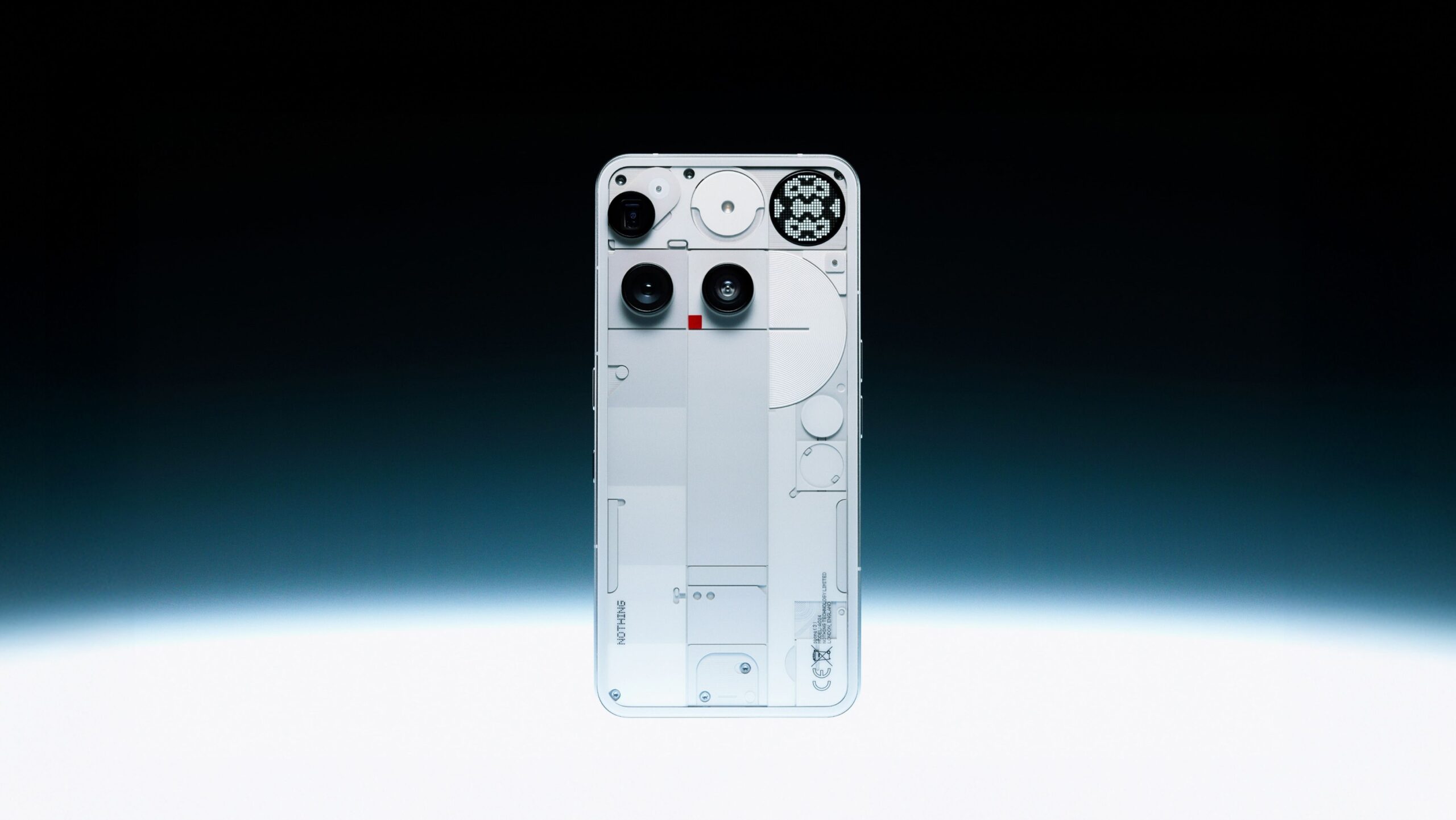

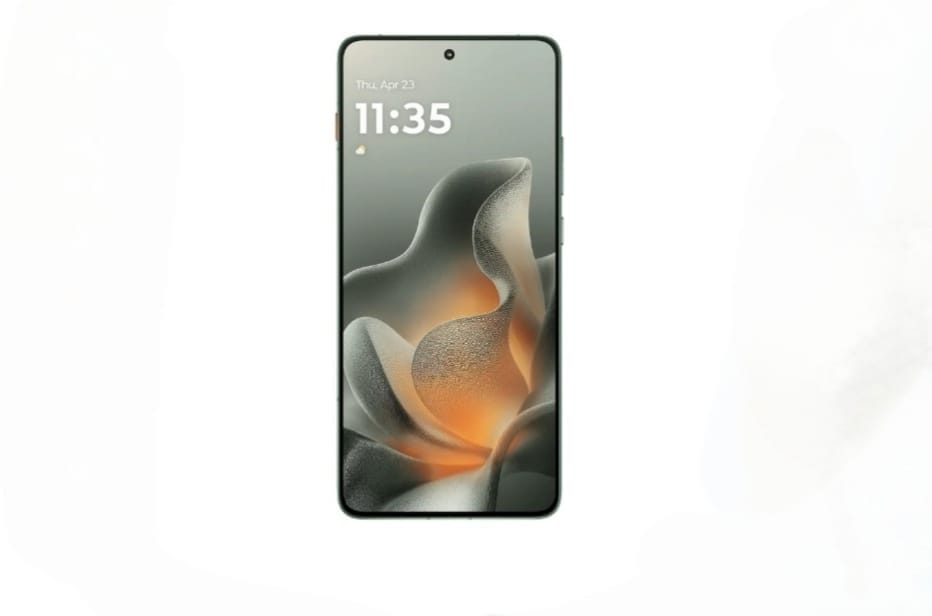
The Motorola Edge 70 marks the start of the new Edge 70 series. Right out of the box, it stands out for its ultra-thin design and lightweight feel, making it comfortable to hold and easy to use.
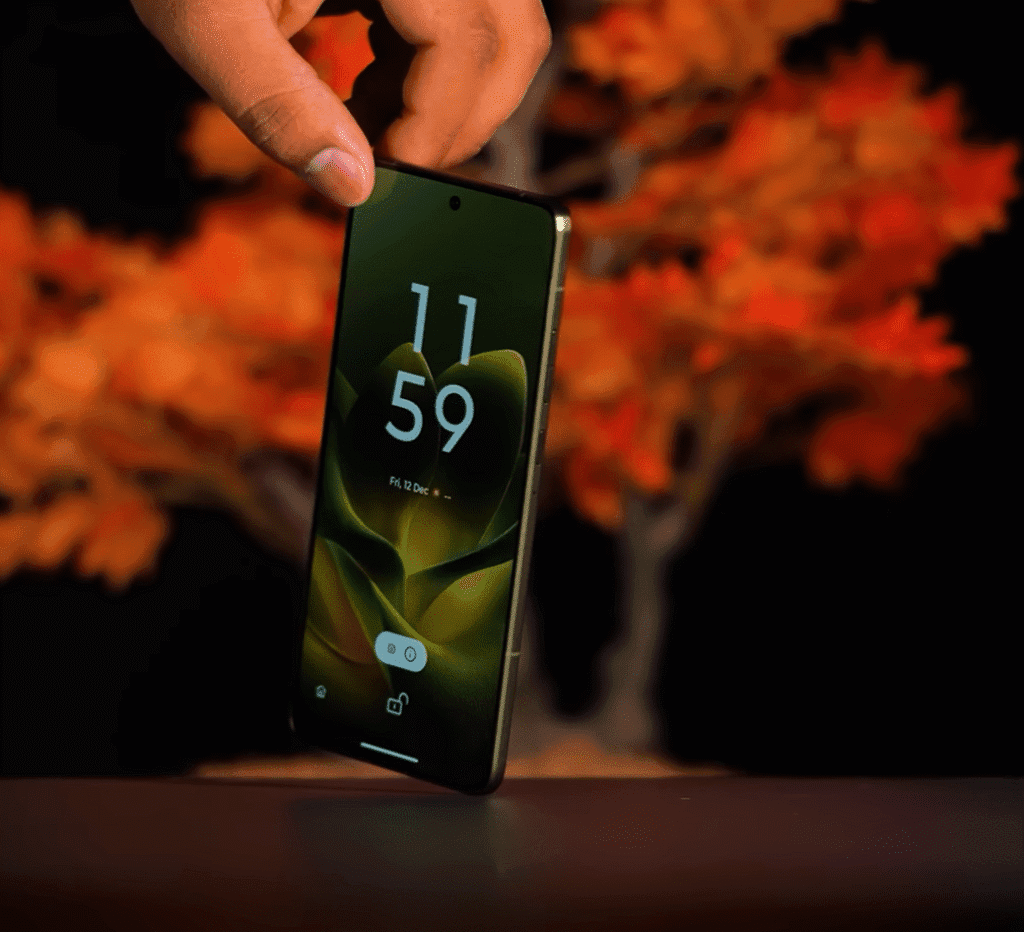
Overall, the phone feels well-balanced. Performance is smooth for daily tasks, the display looks crisp, and the camera seems reliable for everyday photos. First impressions suggest this is a practical choice for users who want a sleek design without compromising on core features
Motorola Edge 70 Unboxing
The first thing that stands out is the phone itself. It’s extremely thin and feels noticeably different in the hand. I’ll get into the in-hand feel after covering what’s in the box.
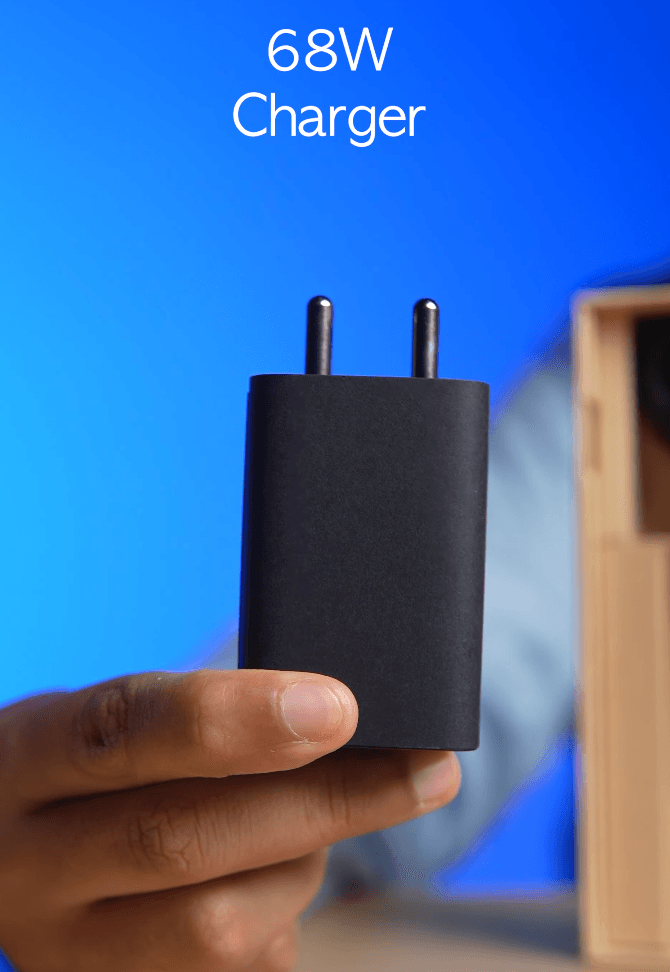
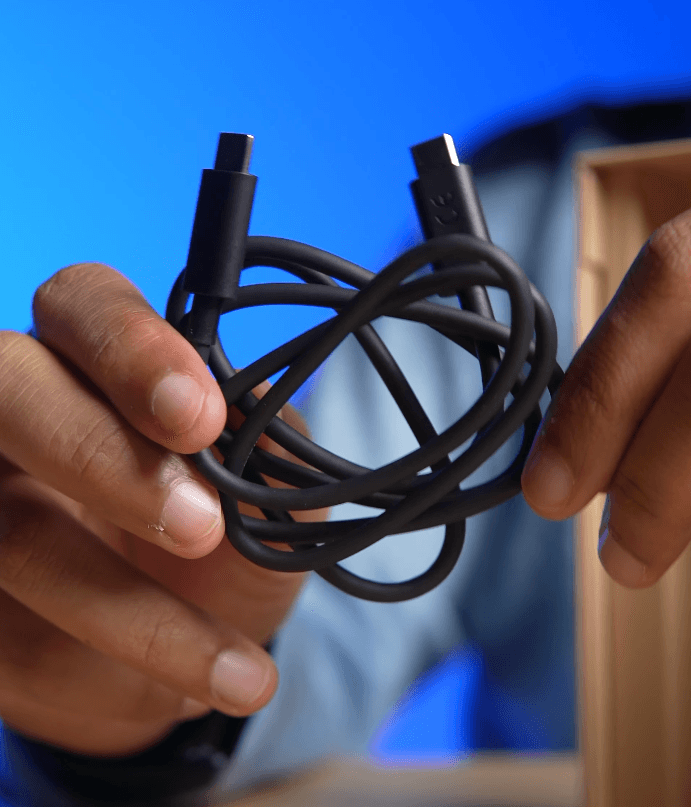
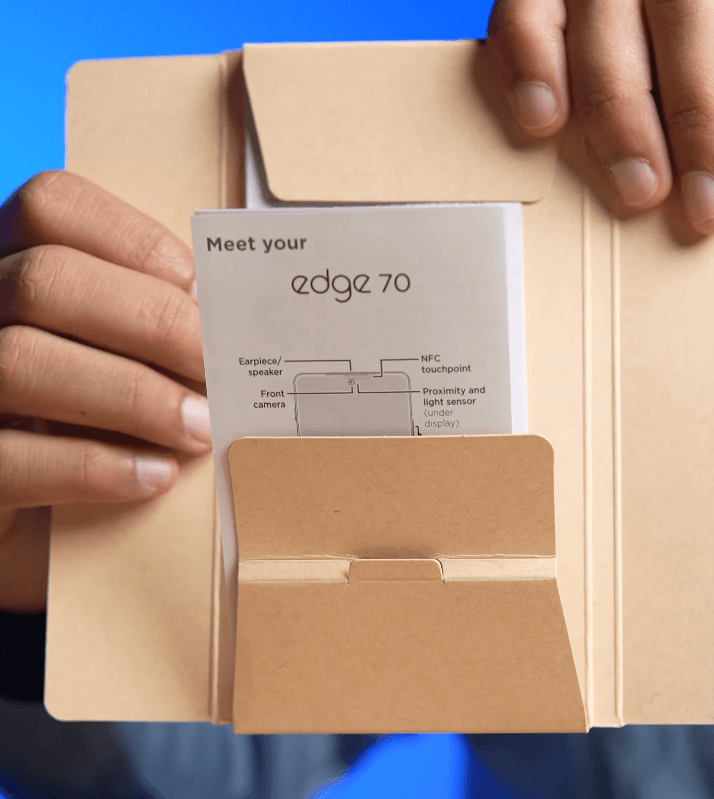
- Motorola Edge 70 handset
- 68W USB Type-C fast charger
- USB Type-C to Type-C charging cable
- SIM ejector tool
- Documentation and warranty card
There’s no protective case included. The phone also supports wireless charging, which is a nice bonus at this price point.
Motorola Edge 70 Design
The Motorola Edge 70 comes in a Pantone-validated bronze green colour. Two additional options are available: grey and lily pad. The design has been refreshed, and the changes are easy to notice.
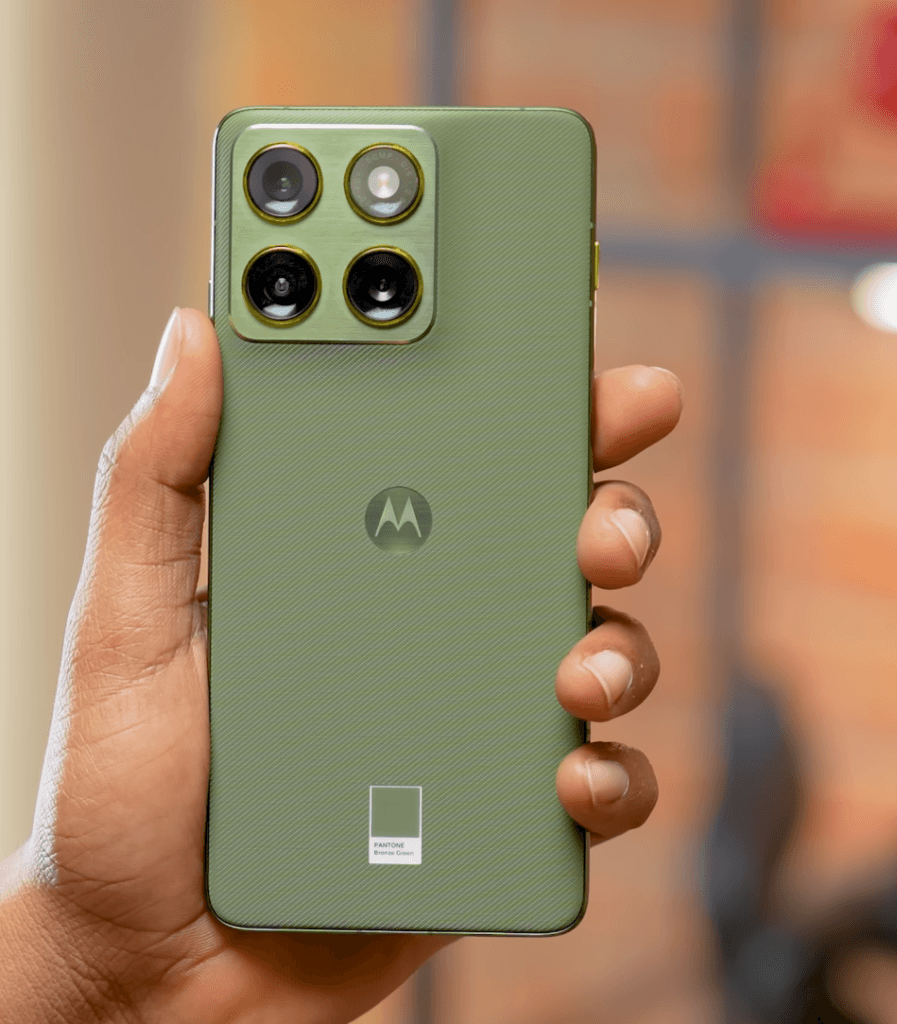
- New metal frame around the camera module
- Accented rings around the camera sensors
- Grey variant features subtle blue or purple accent rings
- Bronze green looks premium, though the grey also stands out
What really sets this phone apart is how it feels in the hand. The back uses a nylon-inspired silicone finish that adds grip and comfort. You can even feel slight ridges, which help with handling.
In terms of size and weight, this is easily one of the lightest phones of 2025. At just 5.99mm thin, it’s impressively slim. For context, anything under 6mm is considered extremely thin in today’s smartphone market.
Motorola Edge 70 Weight and Build
The Motorola Edge 70 is incredibly light for how premium it feels. It weighs just under 160 grams, around 159.7g, which is impressive for a phone with a metal frame.
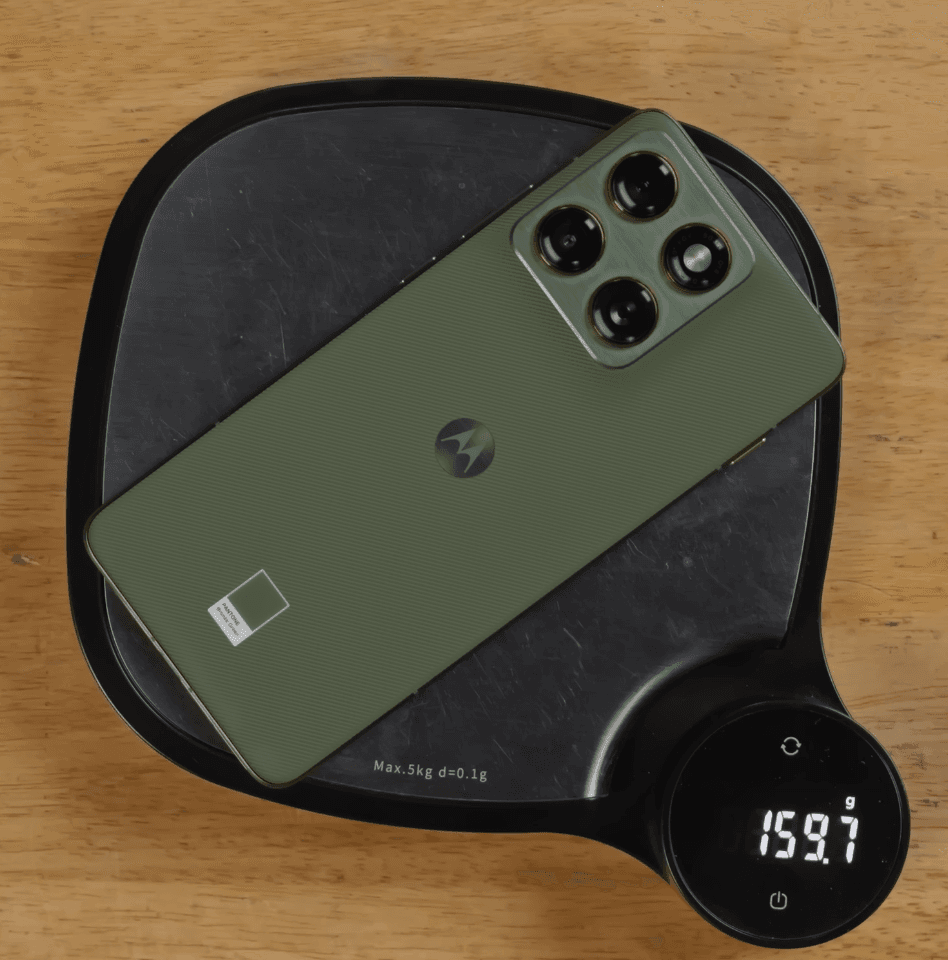
- Weight: approx. 159.7g
- Aluminium metal frame with a brushed aluminium finish
- Excellent color matching across the frame and back
- Feels solid, grippy, and premium in hand
Motorola really nailed the in-hand feel. The phone looks and feels more expensive than its price suggests.
At the time of unboxing, the exact price wasn’t confirmed, but it’s expected to be around $350–$370 in the US market.
Despite being extremely thin, durability hasn’t been compromised
- MIL-STD-810H certified
- IP68 / IP69 water and dust resistance
- Gorilla Glass 7i protection on the front
Any marks you may notice on the display are just reflections under lighting. There are no scratches or damage on the phone. It’s clean and untouched.
Motorola Edge 70 Specifications & Performance
The Motorola Edge 70 comes with a power-efficient Snapdragon 7 Gen 4 processor (4nm), making it a noticeable upgrade over previous models like the Galaxy S860.
Key Specifications:
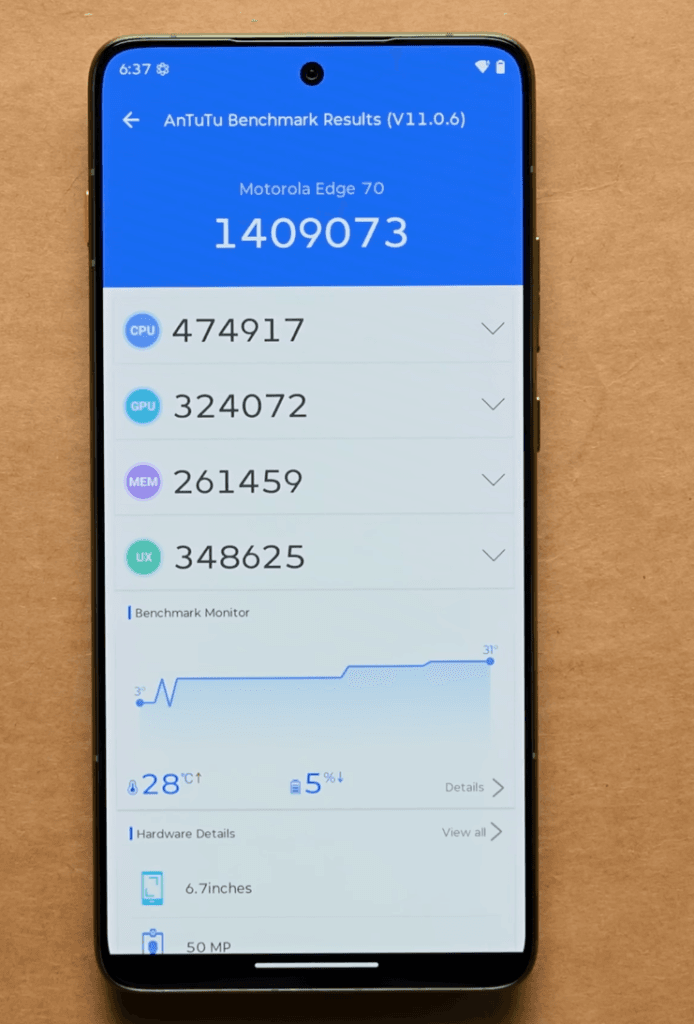
- Processor: Snapdragon 7 Gen 4 (4nm, power-efficient)
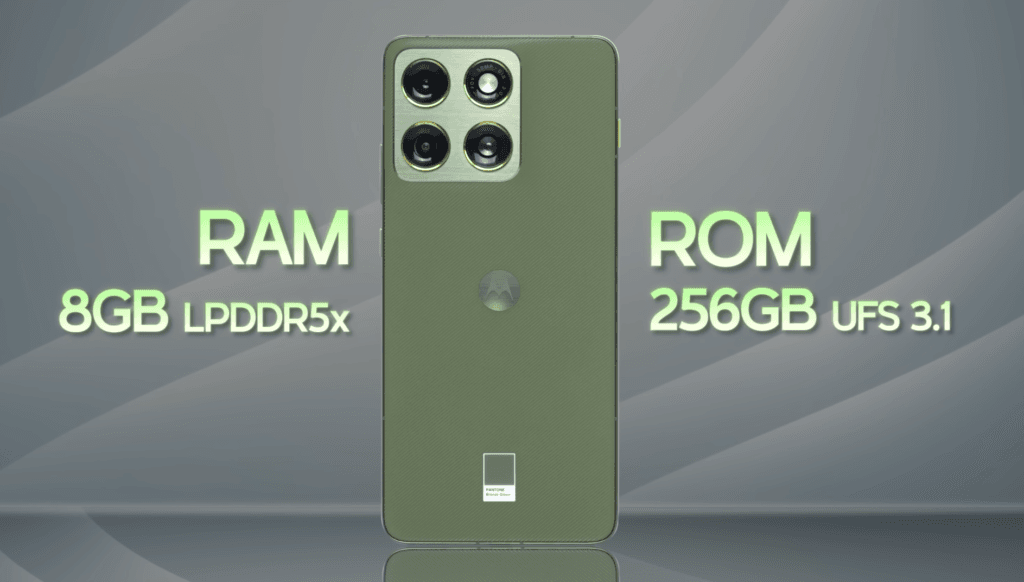
- RAM & Storage: 8GB LPDDR5X RAM + 256GB UFS 3.1 storage
- Battery: 5,000mAh with 68W wired fast charging and 15W wireless charging
- Charging Speed: 0–100% in ~45–46 minutes
- AnTuTu Score: ~1.4M (v11)
Performance:
- Can handle 120FPS gaming (like BGMI) right out of the box
- Smooth and stable performance with GPU & CPU stability above 80%
- Excellent thermal management, no significant overheating during heavy use
Battery & Charging:
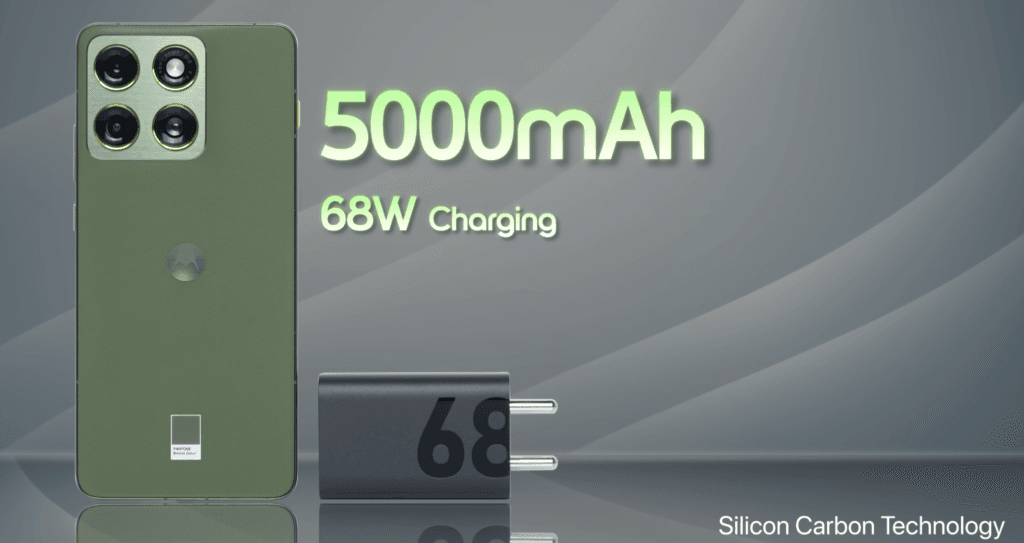
- Larger 5,000mAh battery compared to the global variant (4,800mAh)
- Fast wired and wireless charging ensures minimal downtime
- Perfect for all-day gaming, streaming, or productivity
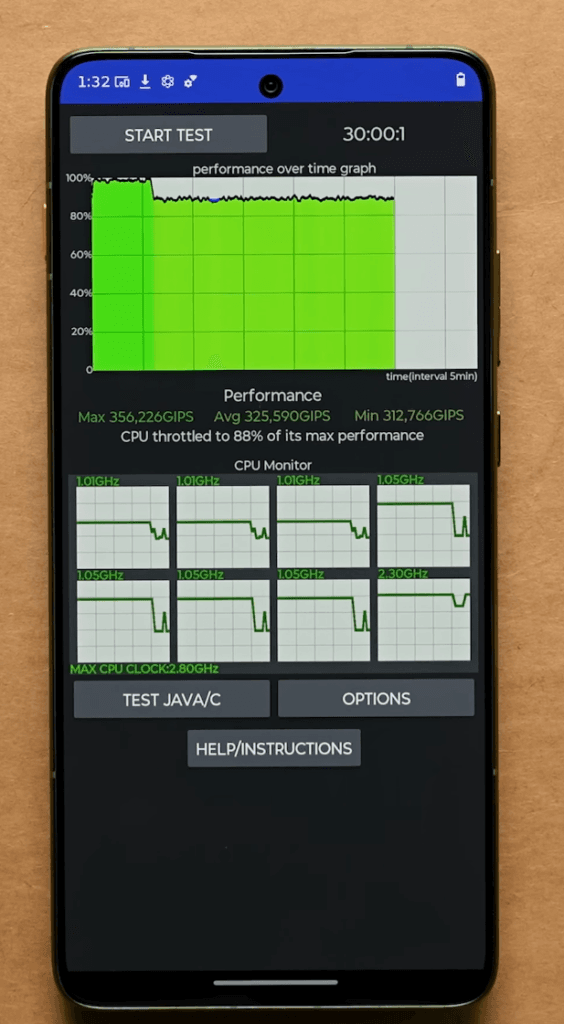
Overall, the Edge 70 delivers balanced performance, stable gaming, and excellent battery life, making it a strong contender in the mid-range smartphone segment.
Motorola Edge 70 Ports & Buttons
The Motorola Edge 70 keeps the layout simple and practical, with everything placed where you’d expect.
Bottom edge:
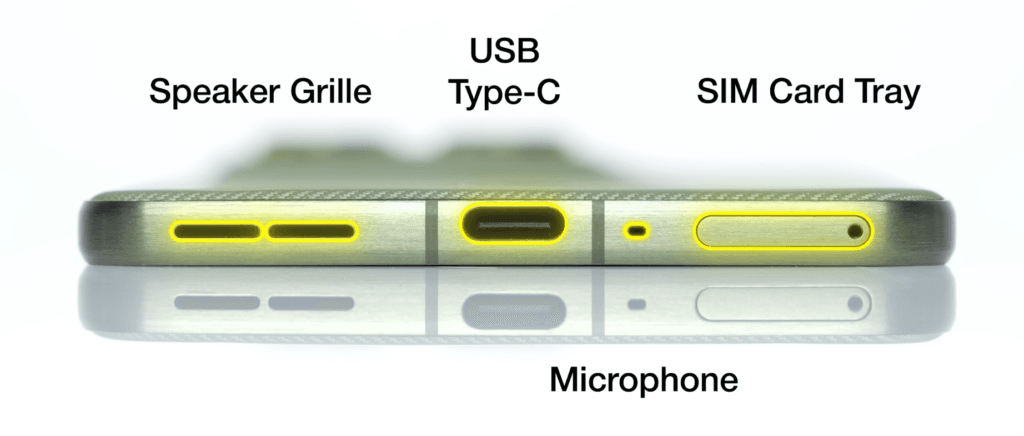
- SIM card tray
- Microphone
- USB Type-C port
- Speaker grille
Right side:
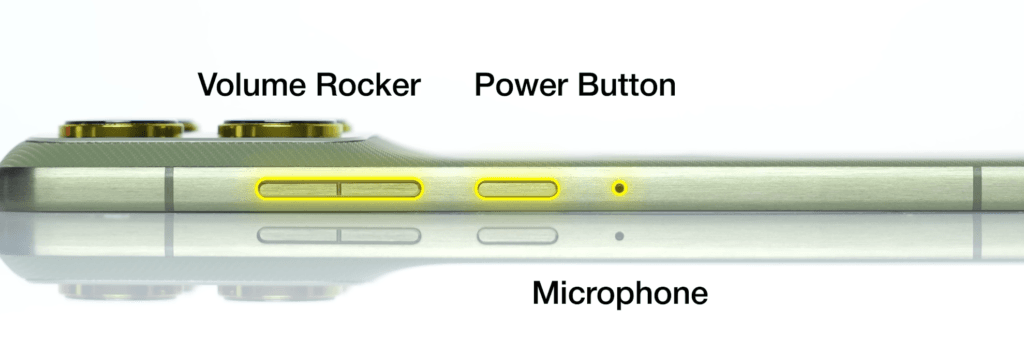
- Power button
- Volume rocker
Top area:
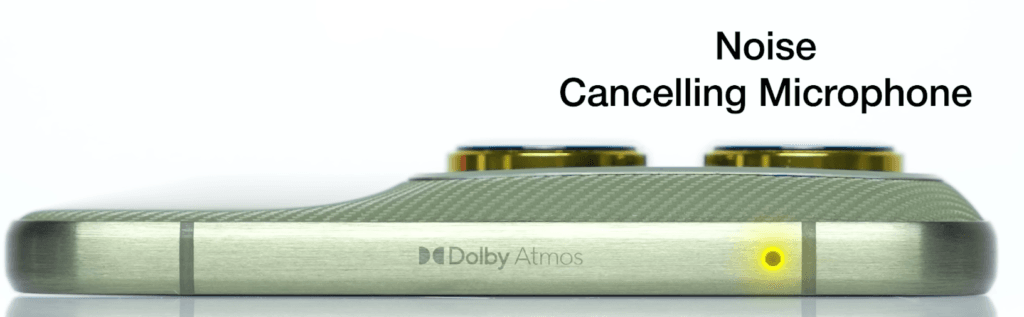
- Noise-canceling microphone
The phone features stereo speakers with Dolby Atmos, delivering a fuller audio experience.
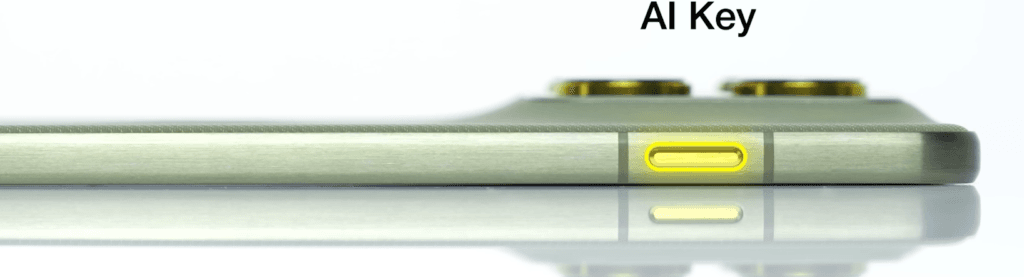
There’s also a dedicated AI key, finished in a slightly lighter color so it stands out. This button is designed for one purpose only: triggering Moto AI. It can’t be reassigned for silent mode or vibration, which would have been a more practical option.
SIM tray details:
- Dual nano-SIM support
- No microSD card slot
Overall, the button placement feels familiar and easy to use, though more customisation for the AI key would have been a nice touch.
Motorola Edge 70 Display
The display is one of the biggest highlights of the Motorola Edge 70. It uses a completely flat display with ultra-thin bezels, including a very slim top bezel. The screen-to-body ratio is excellent, and the phone almost feels like you’re holding a sheet of paper because of how thin it is.
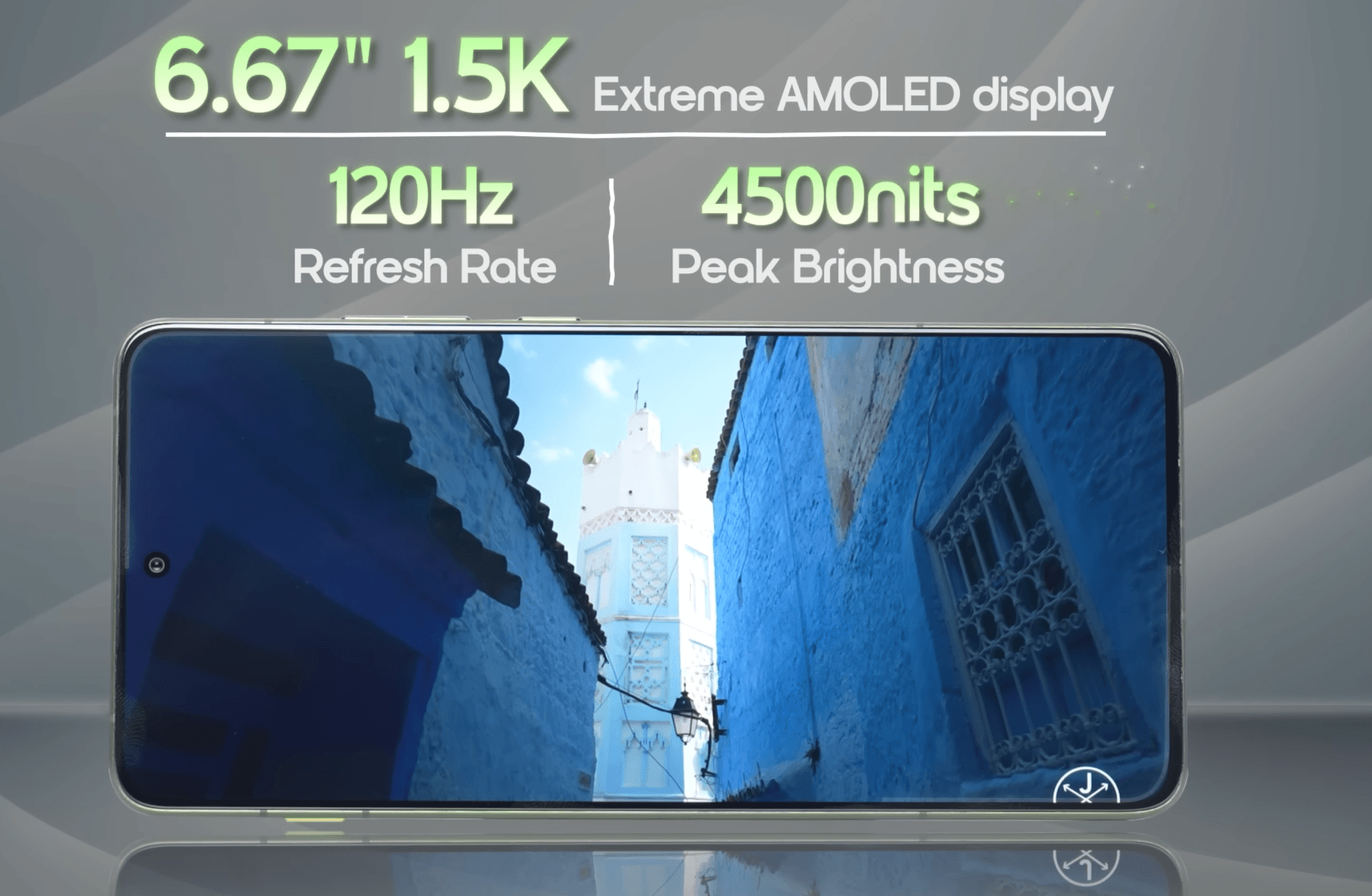
- 6.67-inch flat AMOLED display
- 1.5K resolution
- Extreme AMOLED panel
- Up to 1,600 nits brightness (HBM)
- Pantone-validated colors
Brightness is not an issue at all, even outdoors. The panel gets plenty bright and remains easy to view in direct light.
Motorola offers three color profiles:
- Standard
- Neutral
- Vivid
For the most accurate colors, Standard or Neutral look the best. Vivid tends to oversaturate and isn’t recommended if you prefer natural color reproduction.
Motorola Edge 70 OS & UI
The Motorola Edge 70 runs Hello UI, which is based on Android 16. The software experience feels clean, smooth, and easy to use.
- Hello UI based on Android 16
- 3 years of major Android updates
- 4 years of security updates
During setup, you’ll see Glance, but it can be turned off easily if you prefer a distraction-free experience. There’s also the Indus App Store, though it doesn’t aggressively push app download notifications like some other brands.
The phone comes with very minimal pre-installed apps, making the UI feel clean and uncluttered. In terms of AI features, smoothness, and overall fluidity, the experience is solid with no noticeable issues.
Motorola Edge 70 AI Features
Motorola is clearly taking AI more seriously this time, and it shows in how much freedom and flexibility you get.
What stands out first:
- Choice of Gemini, Perplexity, or Copilot
- Hybrid AI approach with both on-device and cloud-based processing
Basic tasks like text summarization can run directly on the device, while heavier features such as text-to-image and advanced photo editing are handled in the cloud. More on-device AI features are expected with future updates.
Unique Moto AI features:
- Notification summaries powered by AI
- Image Studio for text-to-image, wallpapers, and photo enhancement
- Playlist Studio that creates artist playlists from concerts or videos
- AI Notes with voice-to-text, summaries, and bullet points
- Memory feature to save content from social media posts or tweets
Controls and gestures:
- Dedicated AI key to trigger Moto AI
- Double-tap on the back for screenshots, screen recording, or AI actions
- Standard Moto gestures, including quick camera access
The AI key works well, but it does have limited customization and can sometimes trigger accidentally. It has a lot of potential if Motorola expands its functionality.
One thing to note: there’s a news feed inside the app drawer. If you’re not into personalized news, it’s best to turn it off for a cleaner experience.
You also get familiar Motorola features like ThinkShield, Moto Secure, and Smart Connect, all of which feel more refined and polished this time around.
Motorola Edge 70 Connectivity & Sensors
The Motorola Edge 70 offers solid connectivity options and reliable biometrics.
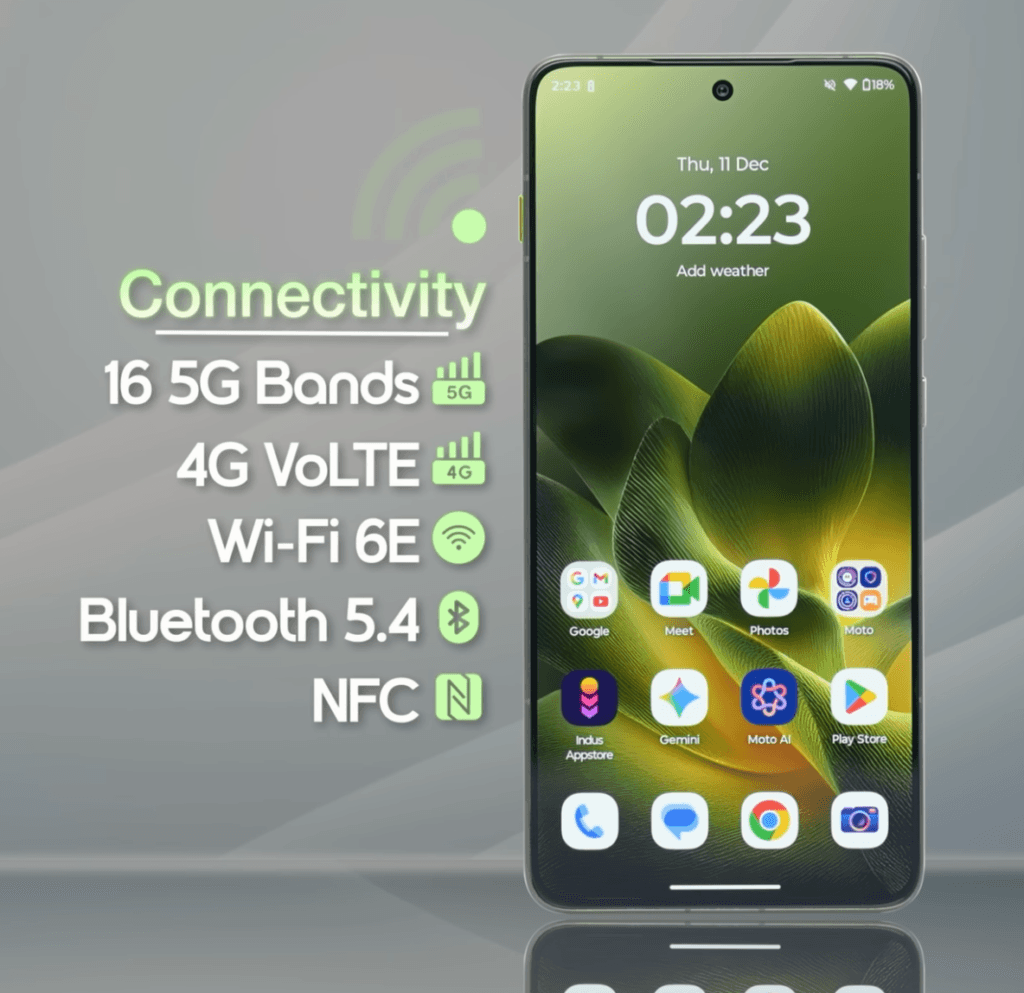
Connectivity highlights:
- Wi-Fi 6E support
- 5G bands for fast mobile data
- Bluetooth 5.4
- NFC support
- No IR blaster
Sensors & security:
- In-display fingerprint sensor
- Face unlock
- SAR values within safe limits
Other notes:
- No FM radio
- No notification light
- Widevine L1 support for HD streaming
Overall, connectivity is smooth, and the display and biometric performance are excellent.
Motorola Edge 70 Multimedia
The Motorola Edge 70 delivers an excellent multimedia experience with a combination of a sharp display, stereo speakers, and solid build quality.
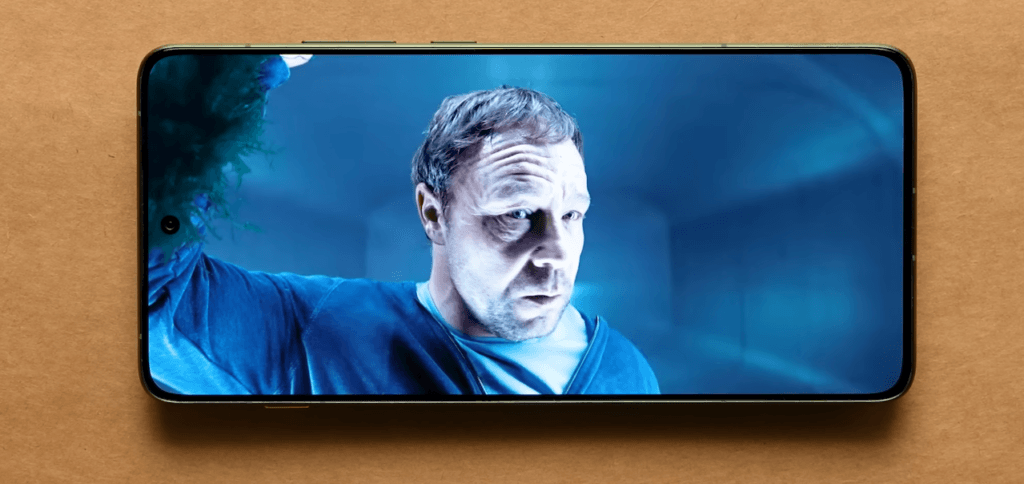
Display & video:
- Amazing flat AMOLED display
- Accurate colors and great brightness
- Supports HDR streaming on YouTube
Audio:
- Stereo speakers tuned with Dolby Atmos
- Loud and clear sound despite the thin body
- Decent haptic feedback for media interactions
Durability & ports:
- IP68/IP69 water and dust resistance
- MIL-STD-810H certified
- USB 2.0 port
Overall, the video and audio performance make this phone enjoyable for media consumption, gaming, and daily use.
Motorola Edge 70 Camera
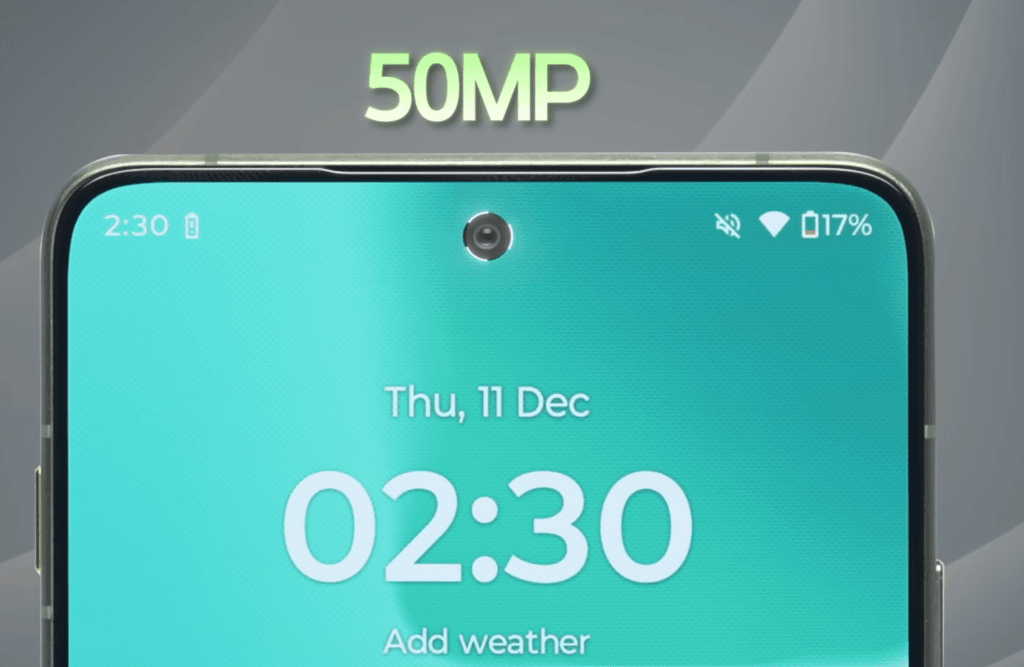
The Motorola Edge 70 features a 50MP triple camera setup on the back and a 50MP front camera, offering accurate colors and solid performance across conditions.
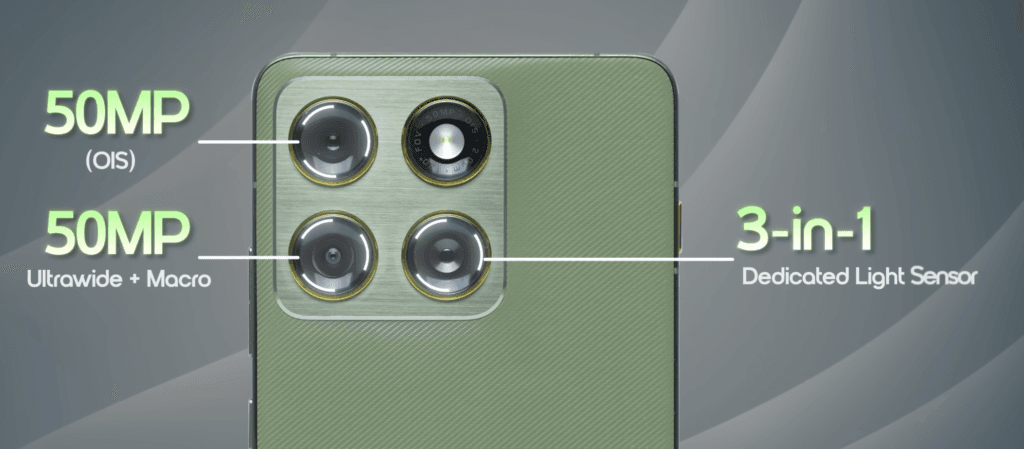
- 50MP rear and front cameras with a 3-in-1 sensor
- Accurate skin tones and color reproduction, aided by Pantone calibration
- 2X lossless zoom for portraits
- Ultra-wide lens with autofocus, capable of macro shots up to 10cm
- 4K 60FPS video recording on all cameras
Camera modes & features:
- Slow Motion, Photo Mode, Portrait Mode, Pro Mode, Night Vision, Panorama, Ultra Resolution Mode
- Photo Booth, Group Shot, Time Lapse, Dual Capture Video Mode
- AI-based photo enhancement for sharper, cleaner photos
- Works seamlessly with Google Photos for additional AI editing features
Overall, while the telephoto lens from previous models is gone, the image quality, video recording, and flat display make this a solid start for the Edge 70 series. Combined with the thin, lightweight, and pocket-friendly design, the Edge 70 is a well-balanced phone for both photography and daily use.
Check photo & video sample
Motorola Edge 70 Conclusion
you should have a clear idea of what the Motorola Edge 70 offers. From its thin, lightweight design and vibrant AMOLED display to its powerful performance, versatile cameras, and robust software, it’s a well-balanced phone that feels premium without breaking the bank.
Whether you’re into gaming, media, photography, or just want a reliable daily driver, the Edge 70 delivers across the board. If you have any questions or want to share your thoughts, leave a comment below—we’d love to hear your perspective.
This device sets a solid foundation for the Edge 70 series, and it will be interesting to see how future models like the Pro and Ultra variants expand on these features.
Will the Motorola Edge 70 be released in the US?
One of the biggest questions is about US availability. According to Motorola’s global product marketing team, the Edge 70 will not be released in the United States as a US device. The phone is confirmed for Europe and other global markets, but Motorola has not announced an official US launch plan. Some Reddit users speculate that this is due to Motorola’s strategy of offering different models in the US instead of global Edge lineups.
This means if you’re in the US and want this exact model, you might need to import it or consider a similar Motorola model that is officially released domestically.How good is the Edge 70 compared to other phones?
Many users are comparing the Edge 70 to other phones in the same class. Fans appreciate its lightweight, ultra‑thin design and portable form, and some owners say it’s a solid upgrade from much older phones like the Galaxy S10.
However, people also debate whether it’s worth buying now or if they should wait for a potential Edge 70 Pro/Ultra version with better specs.
This reflects a mixed sentiment: the Edge 70 checks many boxes, but power users looking for flagship‑level cameras or top‑tier performance are split on whether this mid‑range device delivers enough value.Are there concerns about software updates and support?
A few Motorola users mention worries about Motorola’s software support quality. Some feel Motorola’s update rollout and customer support in practice can be inconsistent, even though the phone is officially promised a solid update lifecycle.
This is a common question for buyers who want reassurance that their phone will receive timely Android updates and security patches over the long term.Is the Edge 70 worth buying now or should you wait?
Opinions vary. Some owners say the phone is great for everyday use and looks premium, especially considering its battery life and fast charging.
Others think waiting for the Pro or Ultra variant might be a better choice if you want higher performance or camera capability.
This question keeps popping up because the Edge 70 strikes a balance between price, features, and portability, but it isn’t clearly positioned as a flagship.Does it have real advantages over previous Edge models?
People frequently compare the Edge 70 to earlier models like the Edge 60 and 60 Pro. The design and lightweight feel are a big draw, while some reviewers online point out that the Edge 70 makes trade‑offs in other areas, like lowering camera zoom capability or not dramatically improving performance over previous generations.
This shows that while the Edge 70 stands out for its design and balance, it isn’t a dramatic leap forward in every spec area.