

What’s up, Legion fans? Sorry, it took some time to bring the Legion Pro 5i.
The Pro 7i sits above the Pro 5i in Lenovo’s lineup. This year, the Legion series includes the 5i, 7i, Pro 5i, Pro 7i, and the Legion 9i. Even though the 9i doesn’t use the “Pro” name, it’s essentially a Pro-level machine, with rumors pointing to a possible 3D display. We’ll cover that once it officially launches.

Today, we’re focusing on the Legion Pro 5i and how it compares to the Pro 7i. I’ll break down what each model offers, where they differ, and which one makes more sense depending on your needs. Keep in mind, the Legion lineup is premium, and the pricing reflects that.
Legion Pro 5i Build & Design
The Legion Pro 5i features a metal top lid with Legion branding and a refreshed layout for 2025. Lenovo has moved the ports from the rear to the left and right sides, making daily use more convenient.

The biggest upgrade this year is the shift from an IPS panel to an OLED display, which is now common in premium laptops. The keyboard has also improved, moving from 4-zone RGB to a 24-zone RGB layout.
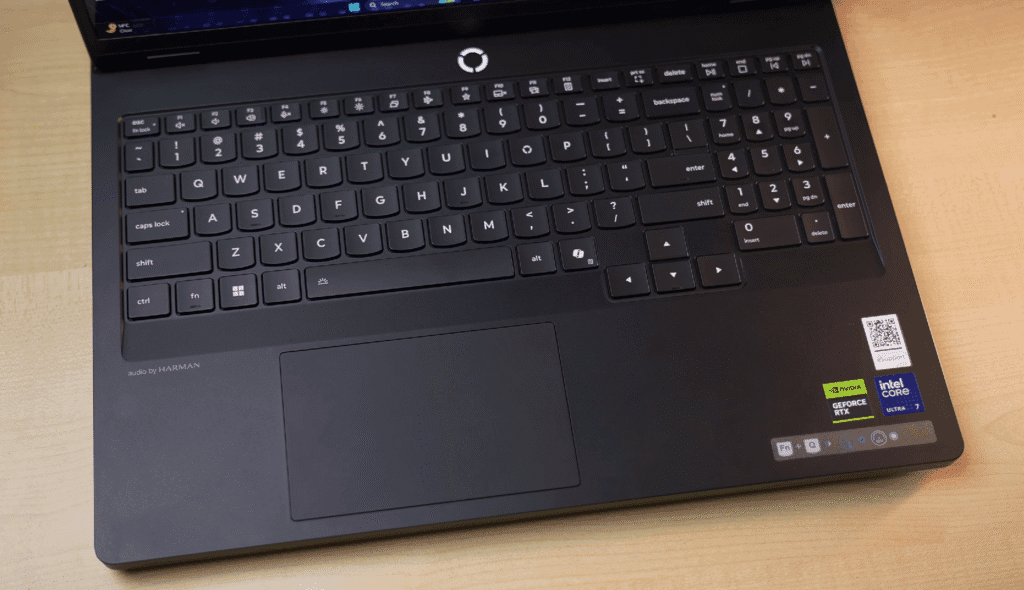
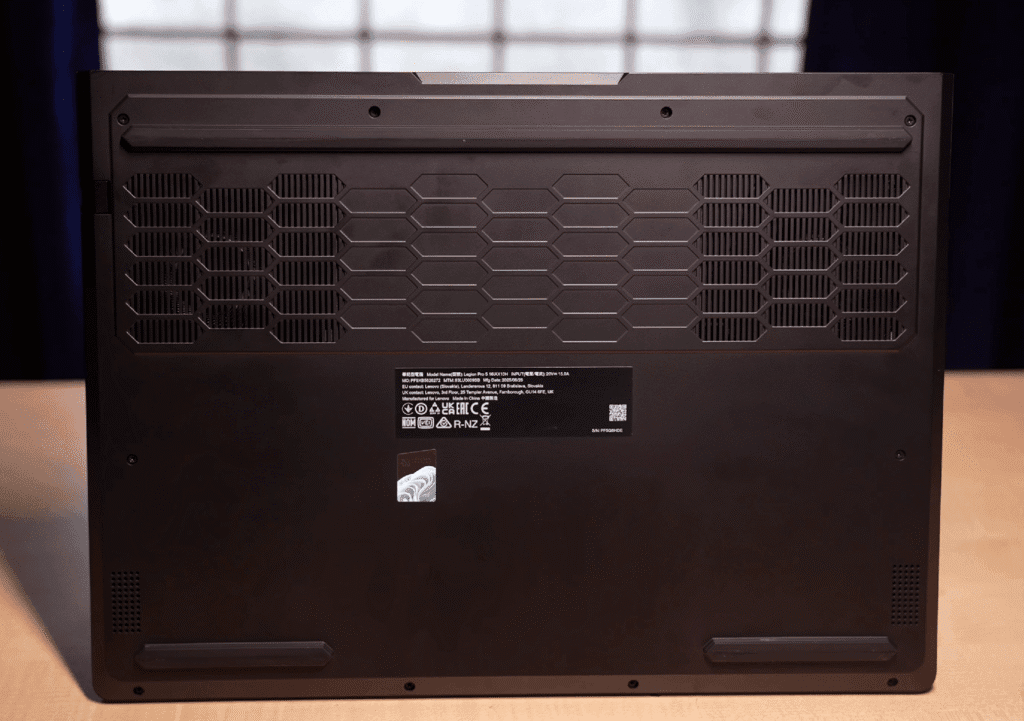
Build quality remains strong. The lid opens with one hand, supports a 180-degree hinge, and feels stable. Keyboard and lid flex are minimal, while the interior and bottom use a polycarbonate build. Air intake comes from the bottom, with all exhaust vents at the rear.
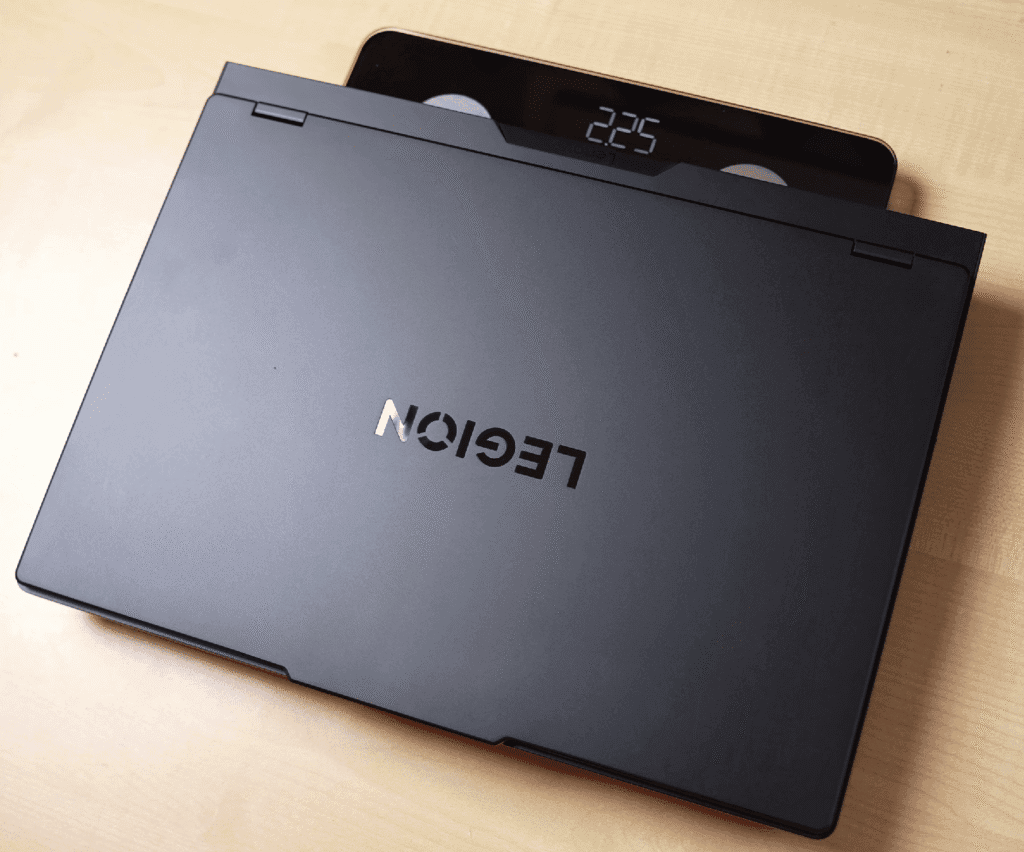
The laptop weighs around 2.25 kg (about 3 kg with the charger) and is 25.95 mm thick. Compared to the Pro 7i, the Pro 5i skips RGB accents and per-key RGB, offering more budget-friendly CPU, GPU, and display options.
Specifications – Legion Pro 5i
Specifications – Legion Pro 5i
The Legion Pro 5i is powered by the Intel Core i7 255HX, featuring 20 cores (8 P-Cores + 12 E-Cores) and 20 threads. The P-Cores handle performance-intensive tasks like gaming and heavy productivity, while the E-Cores manage lighter background tasks efficiently. This laptop also includes a dedicated NPU for low-power AI tasks, enhancing AI-related workflows while maintaining power efficiency.
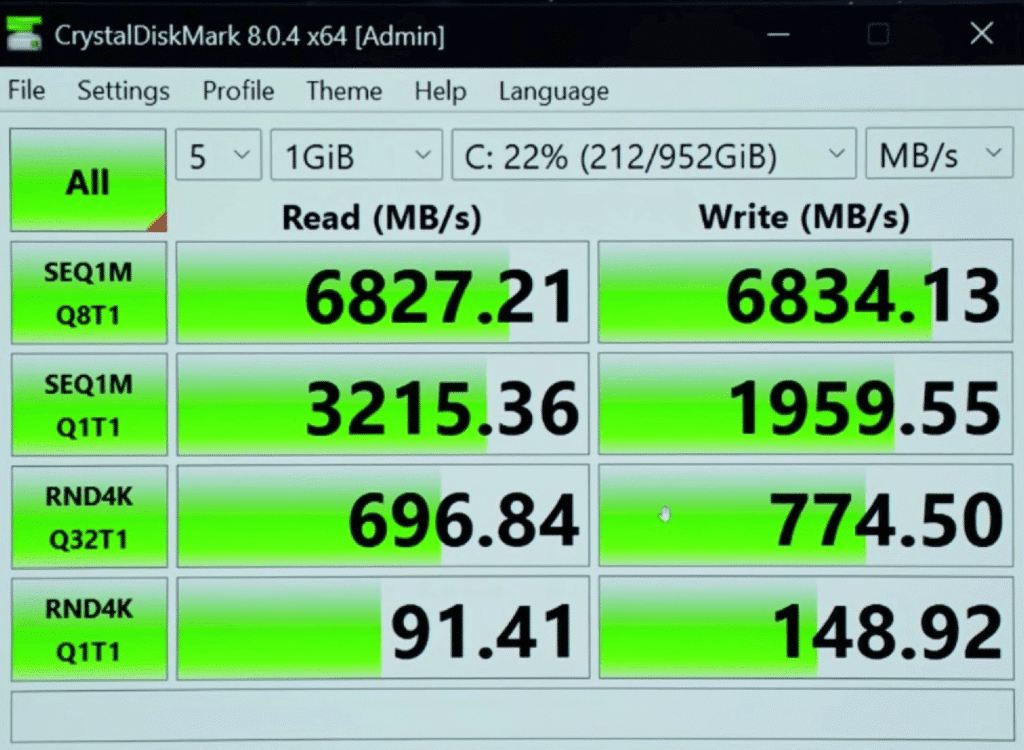
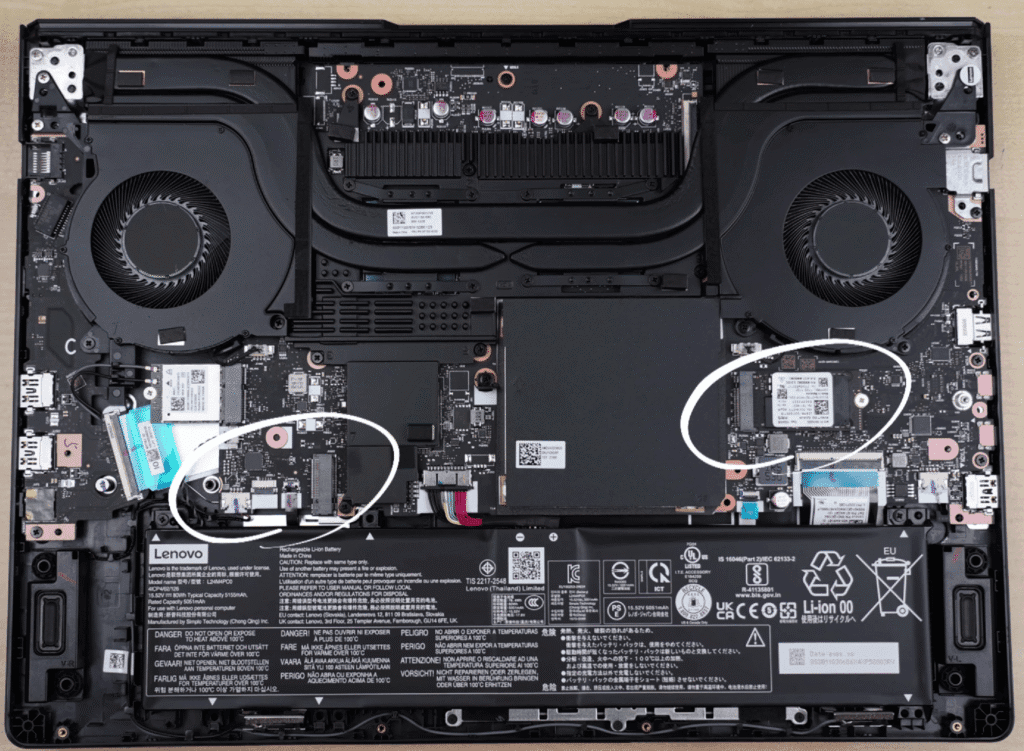
Graphics are handled by the RTX 5060 with 8GB VRAM and 115W TGP, capable of running high-end games and GPU-intensive tasks smoothly. The laptop comes with 32GB DDR5 RAM at 5600MHz in dual-channel, expandable up to 64GB, ensuring seamless multitasking.
Storage includes a 1TB Gen 4 SSD, with two slots: a full-size 2280 and a compact 2242, allowing up to 2TB per slot. Connectivity features Wi-Fi 7 and Bluetooth 5.4, providing fast and reliable networking. Overall, the combination of high-performance CPU, GPU, and ample RAM makes the Pro 5i ideal for gaming, content creation, and demanding professional tasks.
Lenovo Legion Pro 5i AI Chip
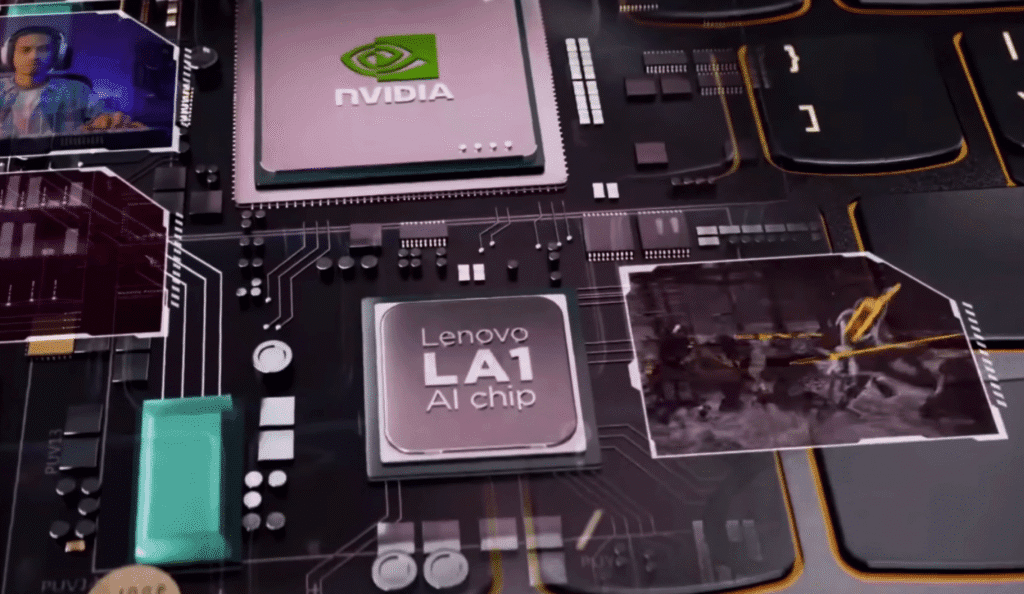

The Legion Pro 5i comes equipped with Lenovo’s LA1 and LA3 AI chips, which are also used across the LOQ and Legion series. These AI chips dynamically adjust CPU and GPU performance based on how you use the laptop. Whether you’re focused on productivity tasks or gaming, the system automatically tunes itself to deliver the best possible performance for that workload. Lenovo describes this as an algorithm-driven system that learns usage patterns over time to provide a more personalized experience.
In addition, Lenovo offers Microsoft Office as an optional add-on during purchase, which is worth considering for long-term use. You also get a 3-month Xbox Game Pass included, allowing you to start gaming immediately without spending extra on day one.
Legion Pro 5i Performance & Benchmarks
CPU Performance
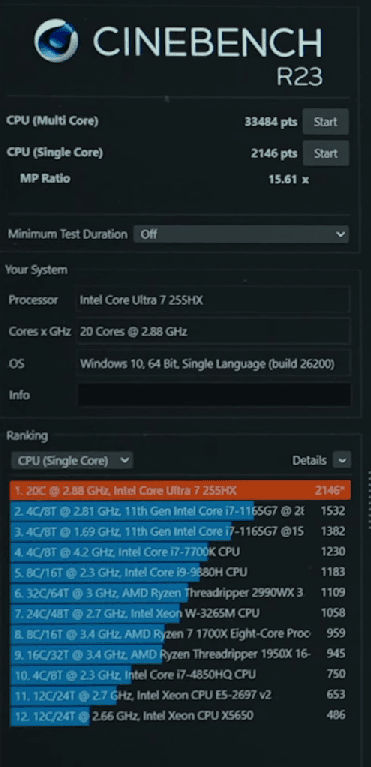
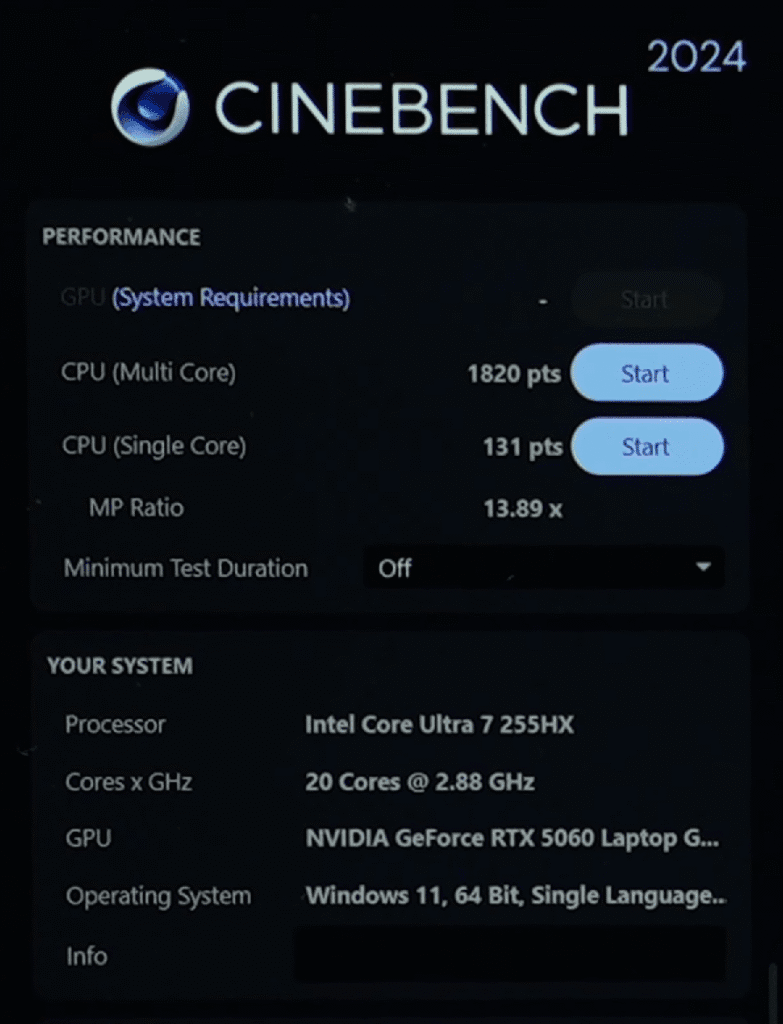
CINEBENCH R23 | HIGHER IS BETTER
| Processor | Cinebench MC | Cinebench SC |
|---|---|---|
| Intel Core Ultra 7 258V | 33484 | 2146 |
| Intel Core i7 14700HX | 25027 | 2046 |
| Intel Core i9 14900HX | 29477 | 2174 |
| AMD Ryzen AI Max+ PRO 395 | 29105 | 2029 |
| AMD Ryzen AI 9 HX 370 | 19557 | 1948 |
| Intel Core Ultra 9 275HX | 36732 | 2177 |
| AMD Ryzen 9 9955HX | 38485 | 2184 |
| Ryzen 9 8940HX | 28956 | 1868 |
| Ryzen 9 8945HS | 16383 | 1795 |
LENOVO 83F3
Result Information
The Legion Pro 5i delivers strong CPU performance, scoring around 33,000 in Cinebench R23 multi-core and 2,100 in single-core. This puts it ahead of last year’s flagship Core i9-14900HX in several workloads. With higher-tier options like the Core Ultra 9 275HX available, CPU performance is more than enough for heavy development, compilation, music production, and large projects.
AI & Machine Learning Performance
LENOVO 83F3
Geekbench AI Score
Result Information
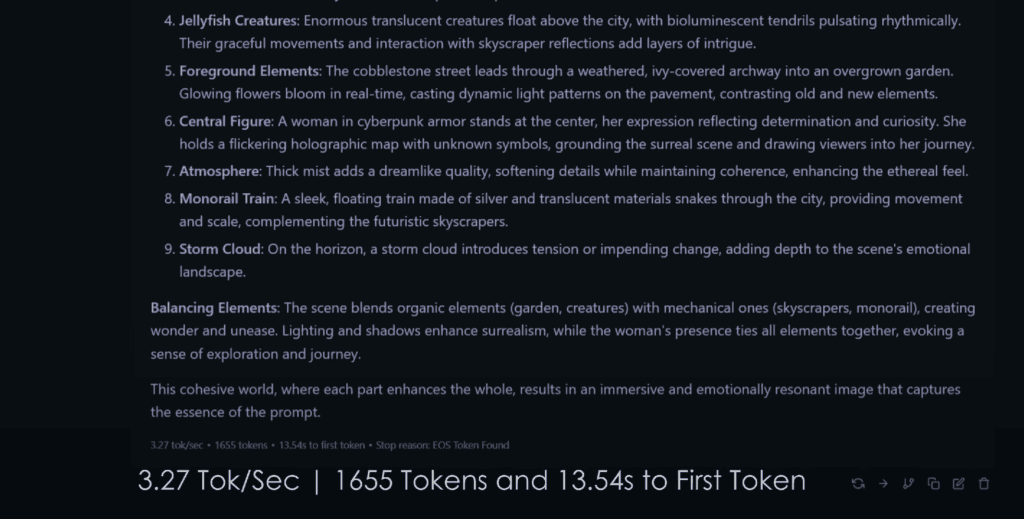
nch 6 AI benchmarks show solid results. We also tested DeepSeek R1 (32B parameter model) using LM Studio. The model completed inference in 8 minutes 40 seconds, using CPU, GPU, and 32GB RAM, proving the system can comfortably handle large AI models.
GPU, 3D Rendering & Game Development
With the RTX 5060, the Blender benchmark scored around 3,700, rendering the BMW scene in 19 seconds. This makes the laptop suitable for 3D modeling, rendering, and game development. Higher GPU options like the RTX 5070 and 5070 Ti naturally deliver better results, depending on budget.
Creative & Productivity Benchmarks
The Legion Pro 5i performs very well in creative workloads:
4K 60FPS video editing runs smoothly without issues.
Graphics & Synthetic Benchmarks
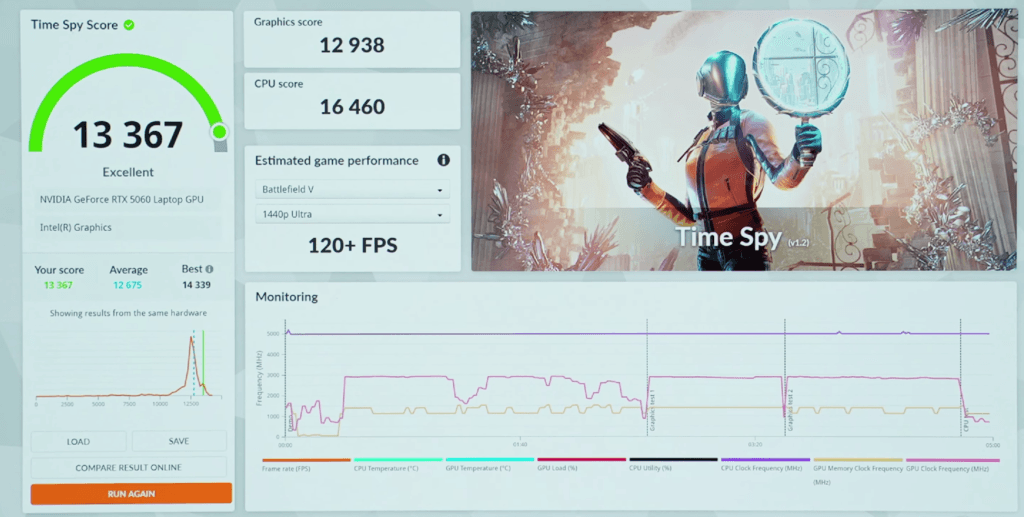
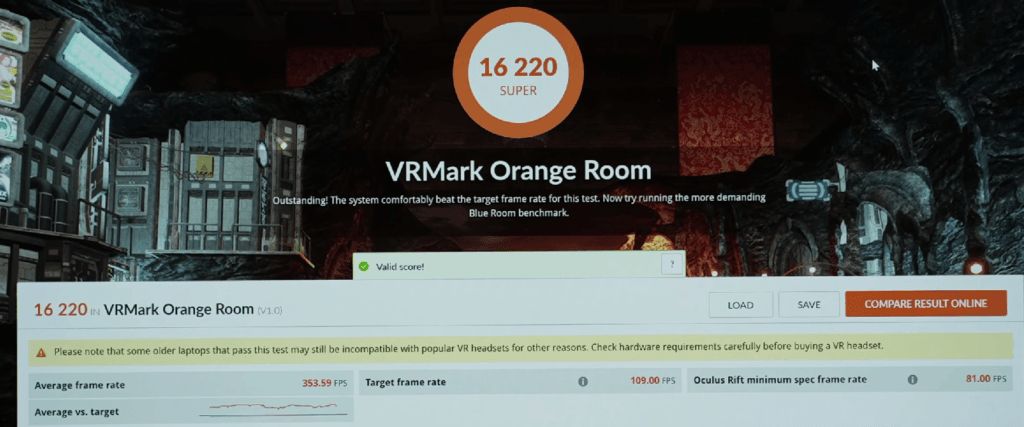
LENOVO 83F3
Result Information
3DMARK | GRAPHIC SCORE
HIGHER IS BETTER
| Rank | Graphics Card | TDP | Performance | Graphic Score |
|---|---|---|---|---|
| 1 | NVIDIA GeForce RTX 5090 | 175W | +48% | 25,023 |
| 2 | NVIDIA GeForce RTX 5080 | 175W | +42% | 22,136 |
| 3 | NVIDIA GeForce RTX 5070 Ti | 140W | +28% | 17,873 |
| 4 | NVIDIA GeForce RTX 5070 | 115W | +7% | 13,886 |
| 5 | NVIDIA GeForce RTX 5060 | 115W | Baseline | 12,938 |
| 6 | RTX 5050 | 115W | -29% | 9,998 |
The RTX 5060 uses 8GB VRAM, while the 5070 Ti stands out with 12GB VRAM, offering a noticeable performance jump.
Thermal Stability
🖥️ Hardware Monitor Dashboard
LENOVO Legion Pro 5 16IAX10 - Real-time System Monitoring
Thermal performance remains reliable. During a 1-hour Prime95 CPU stress test, the CPU peaked at 106°C with a maximum 188W draw, averaging 95°C at 135W, with no throttling. GPU stress testing for an hour showed temperatures around 74–75°C at 114W, with stable performance and no crashes. Legion laptops continue to deliver solid thermal management.
Lenovo Legion Pro 5i Game test
Valorant
Valorant was tested at the laptop’s native 1600p resolution on high settings. Thanks to the powerful processor, the game delivers an average of around 400 FPS, making it excellent for competitive esports players.
Counter-Strike 2 (CS2)
CS2 was played on very high settings at native resolution. The performance remains strong, with FPS hovering between 180 and 190, resulting in smooth and responsive gameplay.
GTA V Enhanced Edition
GTA V was tested at maximum settings with ray tracing enabled. At 1600p, GPU usage and VRAM consumption are quite high, resulting in performance around 50–55 FPS, with occasional drops below 50 FPS in heavy scenes.
Elden Ring
Elden Ring runs at maximum settings and delivers a stable 60 FPS. Since the game is frame-rate locked, the experience remains consistent throughout gameplay.
Call of Duty: Warzone
Warzone was tested on extreme settings at native resolution. Even at these demanding settings, the laptop manages an average of around 90 FPS. Lowering settings can further improve performance, especially for competitive play.
Red Dead Redemption 2
RDR2 was tested on the highest quality preset. The game delivers around 70–80 FPS in most situations, with minor drops depending on the environment. Performance varies slightly due to DLSS-only support.
Cyberpunk 2077
Cyberpunk 2077 was tested on ultra settings. In raw performance, the game runs at around 50 FPS. With frame generation enabled, FPS easily crosses 100. Ray tracing on ultra is not playable without frame generation, but with it enabled, performance improves to around 50–60 FPS.
Hogwarts Legacy
On ultra settings with ray tracing enabled, Hogwarts Legacy runs at about 40–45 FPS. Enabling frame generation significantly boosts performance, pushing FPS close to 100.
The Last of Us Part II
The game runs at an average of 45–50 FPS without DLSS. With frame generation enabled, performance almost doubles, reaching around 85–90 FPS.
Ghost of Tsushima
Ghost of Tsushima delivers 50–55 FPS with DLSS turned off. When frame generation is enabled, FPS jumps to around 100–110, providing a very smooth experience.
Alan Wake 2
Alan Wake 2 runs at around 30 FPS on high settings. With frame generation enabled, FPS increases to around 80. Ray tracing on Ultra is not playable in raw performance, but multi-frame generation helps achieve usable frame rates.
Legion Pro 5i Ports & Connectivity
Ports & Connectivity – Legion Pro 5i
Note: All ports are placed on the left and right sides. There are no rear ports, making cable access easier on a desk setup.
The Legion Pro 5i comes well-equipped with all essential ports on its left and right sides.

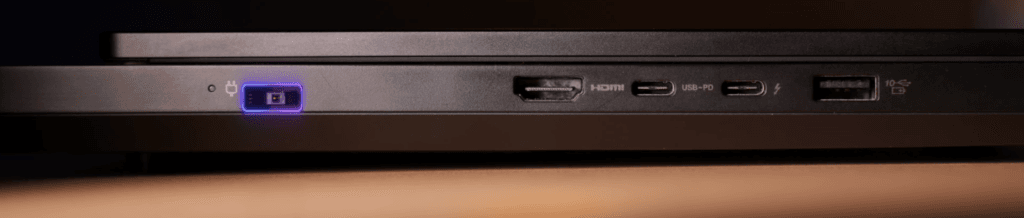
There are no ports at the back, making cable management easier. Compared to previous models like the Pro 7i, the Pro 5i introduces Thunderbolt 4, enhancing connectivity options. Overall, the port layout is practical, convenient, and well-suited for Gamers and professionals alike.
Legion Pro 5i MuX Switch
The Legion Pro 5i comes with a MUX switch, accessible via the Legion Space application. This allows you to choose between:
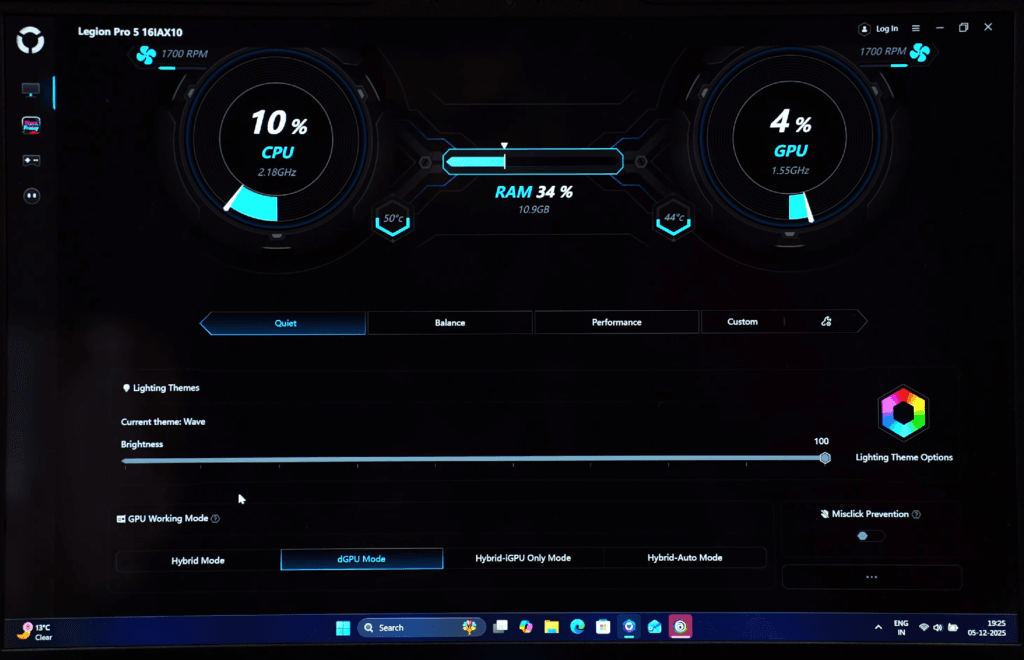
- Hybrid Mode / Auto Mode: Automatically switches between the integrated GPU (iGPU) and discrete GPU (dGPU) for balanced performance and battery life.
- iGPU Only: Keeps the discrete GPU off, maximizing battery backup.
- dGPU Only: Uses only the discrete GPU for maximum gaming or GPU-intensive performance, though battery life decreases.
For most users, Hybrid/Auto Mode is recommended. When enabled, games automatically use the dGPU while lighter tasks rely on the iGPU, optimizing performance and power consumption. Lenovo calls this feature Advanced Optimus, offering seamless switching for the best experience.
Legion Pro 5i Keyboard
The Legion Pro 5i features the Legion True-Strike keyboard, known for its reliable typing and gaming performance. Key highlights include:

- Full-size layout with a dedicated Numpad
- 1.6mm key travel for tactile feedback
- 24-zone RGB lighting, customizable via Legion Space
- Dedicated Co-Pilot key for quick access to system controls
The keyboard delivers a comfortable typing experience while being responsive enough for gaming, making it ideal for both work and play.
Legion Pro 5i Display
Display – Legion Pro 5i
The Legion Pro 5i comes with a 16-inch OLED display that delivers vibrant colours and smooth performance. The glossy panel provides rich visuals, though reflections may appear in bright rooms.
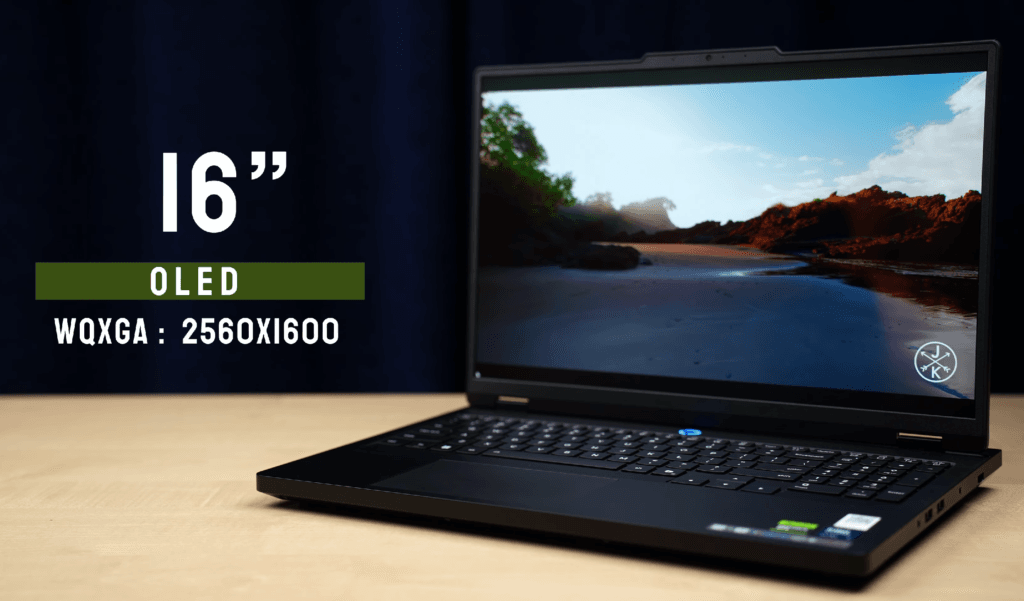
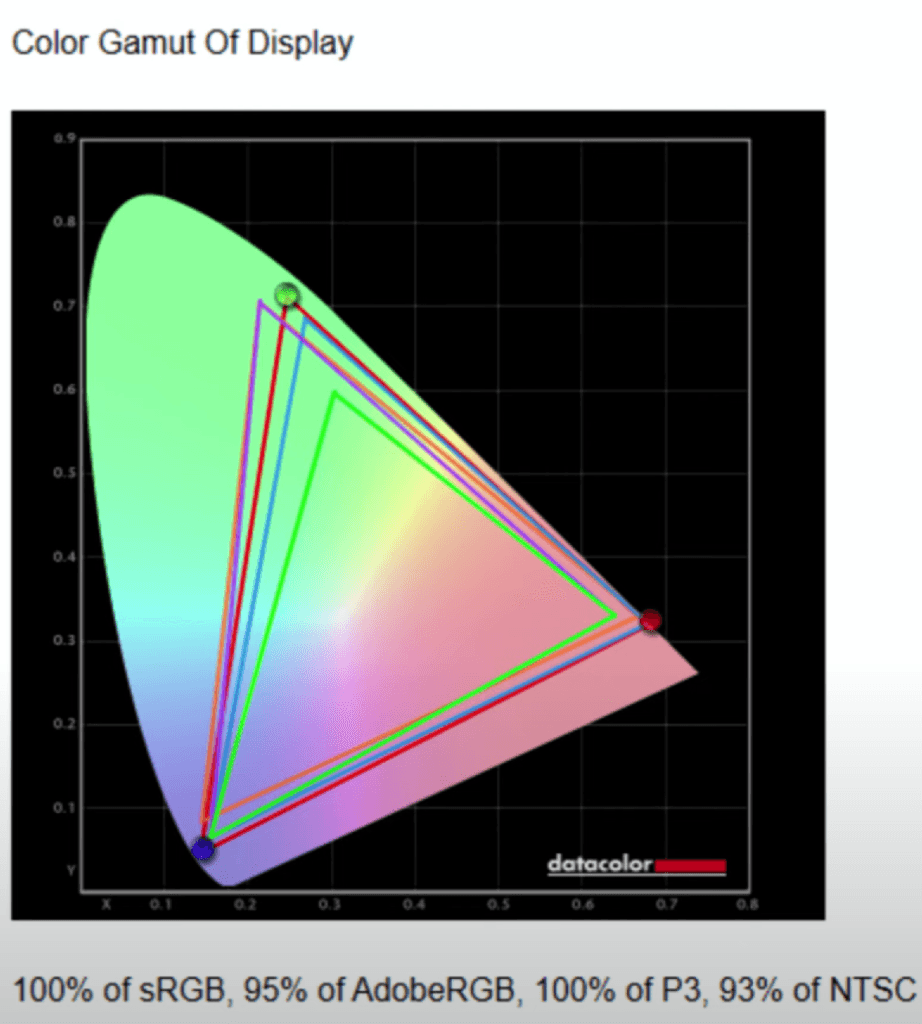
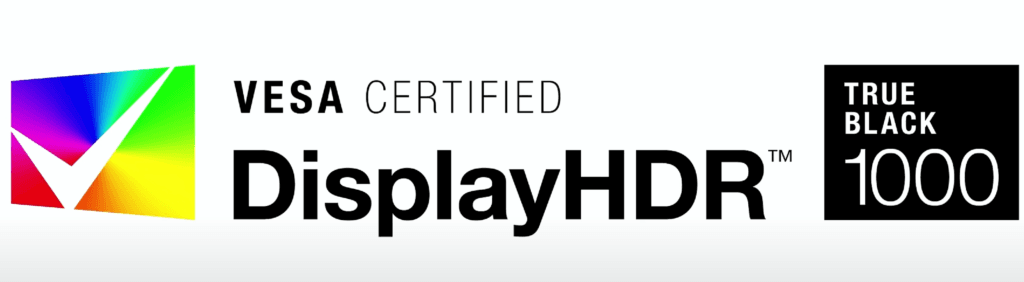
It covers 100% of sRGB and P3 colour gamuts, with brightness up to 500 nits in normal mode and up to1000 nits in HDR (on a 10% window). The 165Hz refresh rate supports dynamic adjustment for better battery efficiency, and Display HDR True Black 1000 ensures stunning HDR content.
Brightness, Contrast and White Point At Different Brightness Settings
| Setting | Brightness | Black | Contrast | White Point |
|---|---|---|---|---|
| 0 % | 4.6 | 0.00 | 15300 : 1 | 7000 (0.305,0.322) |
| 25 % | 26.2 | 0.00 | 87430 : 1 | 7000 (0.305,0.324) |
| 50 % | 112.8 | 0.00 | 375920 : 1 | 7100 (0.303,0.323) |
| 75 % | 300.3 | 0.00 | 1001080 : 1 | 7000 (0.304,0.325) |
| 100 % | 499.3 | 0.00 | 0 : 1 | 7000 (0.304,0.324) |
The screen is certified with NVIDIA G-Sync, Dolby Vision, TUV Low Blue Light, and Flicker-Free technologies, making it ideal for gaming, media consumption, and content creation. Additionally, the display includes anti-burn technology, though using a screensaver or refreshing static images periodically is recommended to avoid potential OLED burn-in.
Legion Pro 5i Webcam
The Legion Pro 5i features a 1440p 30FPS webcam that maintains smooth video quality, delivering sharp and clear visuals. The OLED display enhances how you appear on-screen, making colors and skin tones look natural. Light control is effective, and the laptop also supports Windows Studio Effects, including auto framing, eye contact correction, and background effects, making it ideal for video calls, streaming, and online meetings.
Legion Pro 5i Speakers
The Legion Pro 5i comes with two 2W down-firing speakers that deliver balanced sound—not too loud, not too low—for an enjoyable audio experience. The audio is tuned by Harman and can be customized via the Nahimic app for Music, Movies, Communication, and Gaming modes.
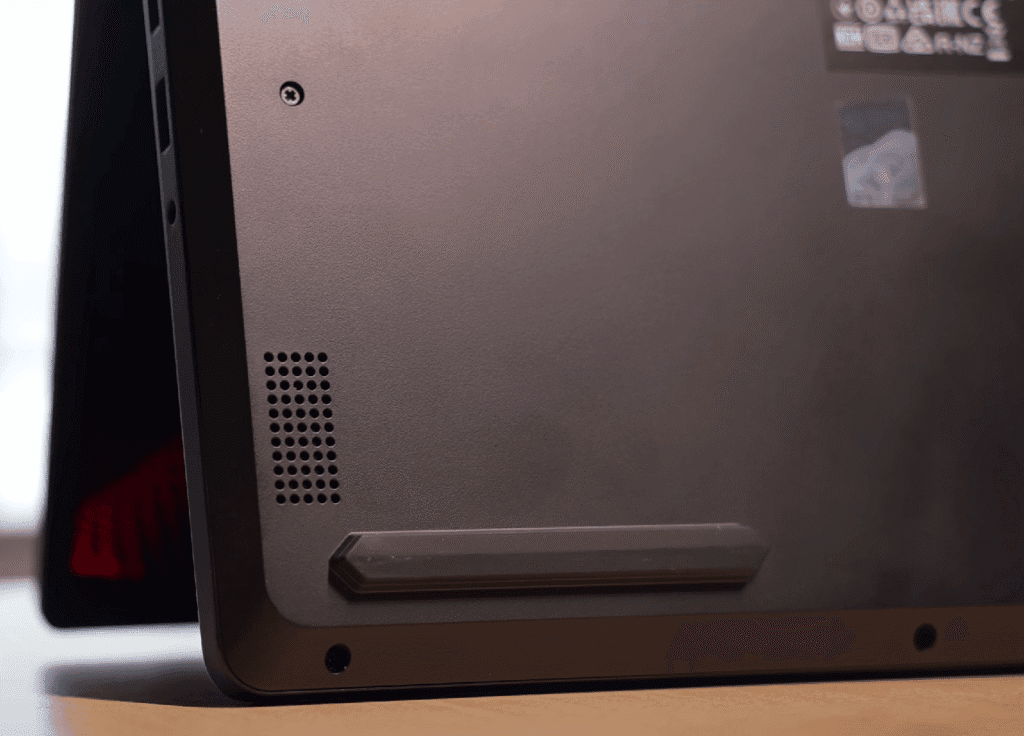

Using headphones or external speakers enhances the impact, as the stereo speakers alone have limited depth. Overall, the system offers good audio quality for gaming, media, and calls, and you can further tweak settings through Lenovo Vantage.
Lenovo Legion Pro 5i Legion Space
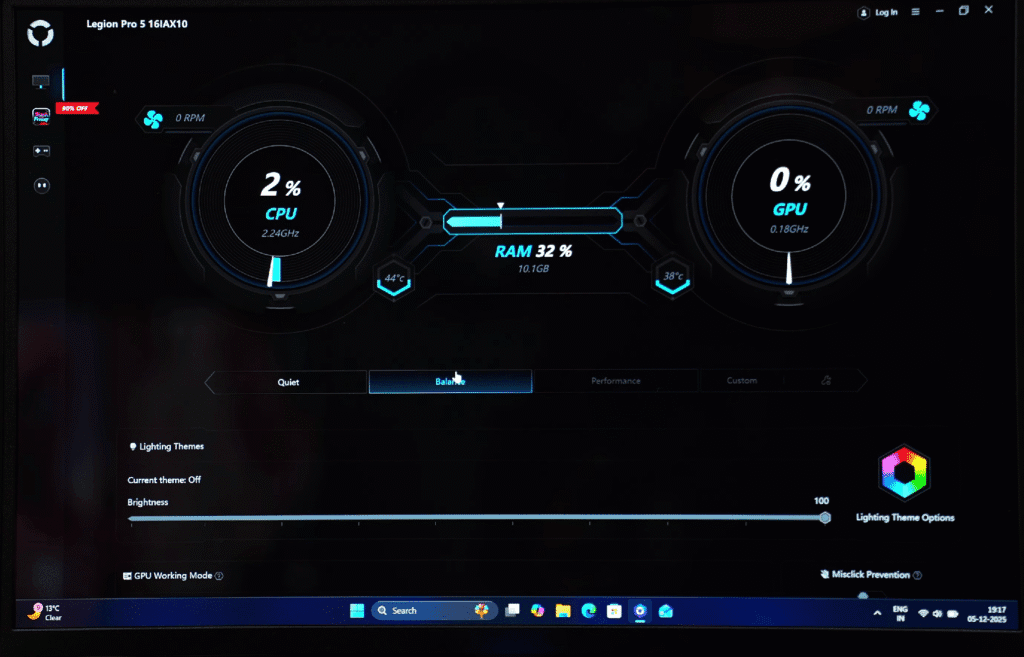
The Legion Pro 5i features the Legion Space application, which serves as a centralized hub for gamers. You can adjust lighting effects, brightness, and GPU working modes directly from the app. It also includes a gaming library, a game store (prices displayed in USD), and a gaming zone for quick access to games. Lenovo plans to add more features in the future, making Legion Space a one-stop app for managing performance, visuals, and gaming experiences.
Here’s a concise, blog-ready paragraph for the Battery section:
Legion Pro 5i Battery
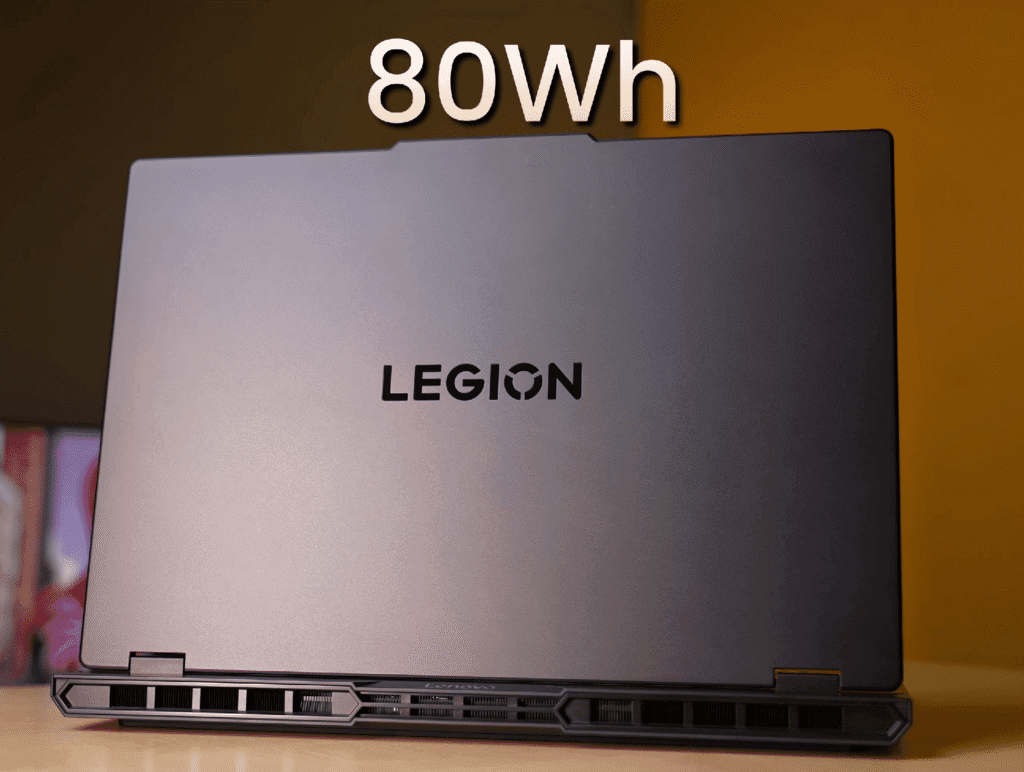
The Legion Pro 5i is equipped with an 80Wh battery, slightly lower than the expected 90Wh but still sufficient for a gaming laptop. In basic usage—50% screen brightness, keyboard backlight off, IGPU mode, speakers on, and YouTube running—the battery lasts around 2–2.5 hours.
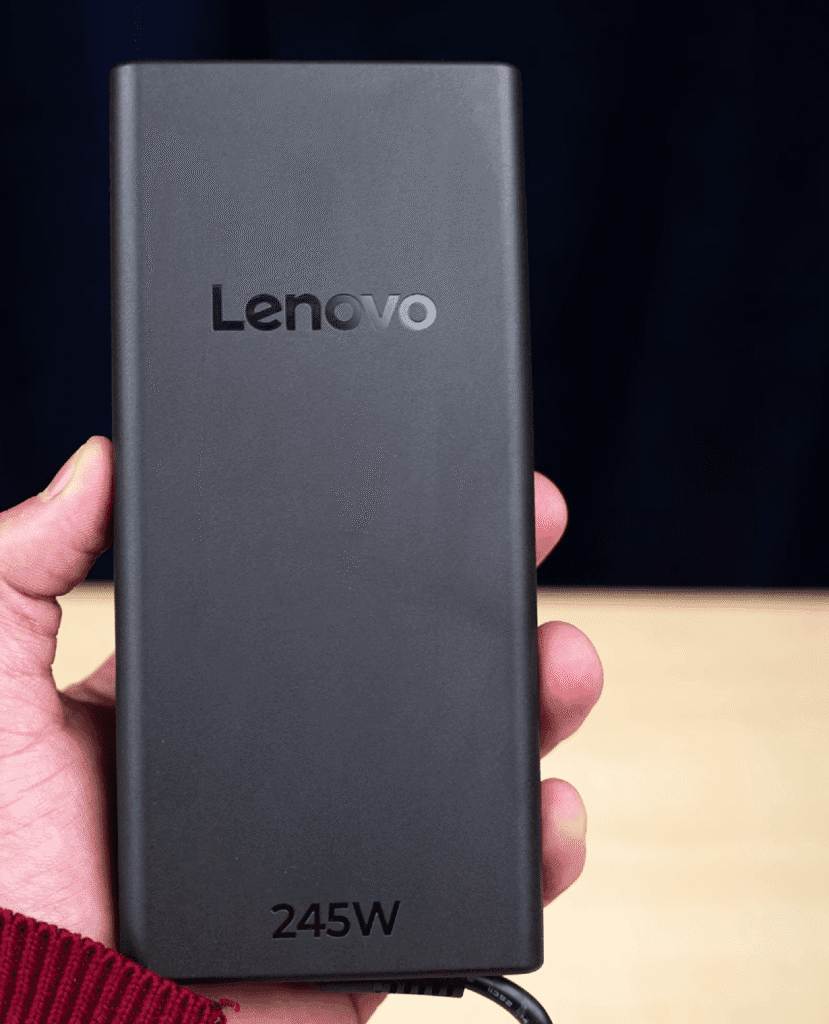
It comes with a 245W power adapter, and the laptop charges fully in about 1 hour and 6 minutes, which is quite efficient for its class. As a high-performance gaming machine, this battery life is expected, and fast charging ensures minimal downtime.
Legion Pro 5i pricing
Prices are approximate for the US market and may vary depending on configuration, retailer, and ongoing discounts.
Conclusion – Lenovo Legion Pro 5i
The Legion Pro 5i starts at around $1499 for the Ultra 7 configuration, with multiple customization options. You can upgrade to Ultra 9, choose Windows 11 Home or Pro, add MS Office, select 16GB or 32GB RAM (with varying speeds), adjust the SSD, pick between 24-zone RGB or white backlit keyboard, and choose Wi-Fi 6 or 7.
While some may question the price compared to laptops with an RTX 5060 around $1499-$1550, the Pro 5i justifies it with a Core Ultra HX processor, 16-inch OLED display, extensive port selection, and solid build quality. Overall, it’s a premium gaming laptop designed for both performance and versatility.
Share your thoughts in the comments and let me know which laptop you’d like me to compare it with next!
What is the difference between Legion Pro 5i and Legion Pro 7i?
The main differences are build quality, cooling, and GPU limits. The Pro 7i features an all-metal Aluminium chassis, per-key RGB lighting, and a Vapour Chamber cooling system designed for top-tier GPUs (like RTX 5070/5090). The Pro 5i uses a mix of metal and plastic, has 4-zone RGB, and uses traditional heat pipes, which is sufficient for RTX 5060/5070 configurations but less premium.
Does the display support HDR and G-Sync?
Yes, the 16-inch WQXGA (2560 x 1600) display is a standout feature. It supports NVIDIA G-Sync for tear-free gaming and Dolby Vision/HDR 400 for punchy colours. The 16:10 aspect ratio also provides extra vertical screen space, which is excellent for productivity and timeline-based editing apps.
Is the Legion 5 Pro really better than the Alienware m16 or ASUS TUF?
Vs ASUS TUF F16 (2025): The TUF F16 often retails for $300–$400 less (approx. $1,099 vs. $1,499 for similar RTX 4070 specs). If you are a student on a budget, the TUF is 95% of the machine for way less cash.
Vs Alienware m16 R2: The Alienware has better build quality and a much cooler keyboard deck. However, the Legion Pro 5i wins on screen brightness (500 nits vs. 300 nits on base Alienware models) and typically runs quieter in "Balanced Mode."
Verdict: Buy the Legion if you need the brighter 16:10 screen for creative work. Buy the TUF if you just want pure FPS per dollar.
Does the battery life actually suck?
Lenovo marketing claims "up to 8 hours."
Reality: On the Intel Core i7/i9 (Pro 5i) models, you will be lucky to get 3.5 to 4 hours of real use (YouTube, web browsing) at 50% brightness. The HX-series chips are power hogs.
The Fix: If you need an all-day campus laptop, look for the Legion Slim 5 Gen 9 (AMD Edition). It regularly hits 7-8 hours of battery life and often goes on sale at Best Buy for under $1,100.
Should I buy the "Ultimate Support" warranty upgrade?
Yes, if you buy directly from Lenovo.
Standard "Depot Support" in the US is slow—mailing your laptop to a repair centre can take 2-3 weeks.
For about $30-$50 extra during purchase, "On-site Support" means a technician comes to your house/dorm to fix it. Given the occasional "black screen" or motherboard issues reported on Reddit, this $40 insurance is worth avoiding a 3-week downtime.What is the most annoying thing about legion pro 5i?
Lenovo Vantage Software.
It pushes ads for "McAfee" and "Legion Arena" and eats up system resources.The Fix: Uninstall it. Download "Lenovo Legion Toolkit" (free on GitHub). It does everything Vantage does (RGB control, battery conservation mode) without the bloatware or ads. It is the
#1 recommended download by the US Legion community.When is the best time to buy?
The Legion 5 Pro is constantly on sale.
The Cycle: Look for deals at B&H Photo, Antonline, or Micro Centre. It frequently drops to $1,199 - $1,299 for the RTX 4070 model during "Black Friday in July" or back-to-school sales. If you see it for over $1,500, wait a week.

