

MSI GT Titan has always been a true flagship. Earlier models used Intel Core i9-13980HX and later a 14th-gen refresh, but those updates mostly changed the processor while the rest of the laptop stayed similar.
The latest GT Titan is a real step forward. It runs on Intel Core Ultra 9 and NVIDIA RTX 5090 with 24GB of VRAM, delivering a clear generational upgrade in both CPU and GPU performance. Previous GT Titan versions were never officially available in India, and this was never meant to be a budget machine. That’s why the new Core Ultra 9 GT Titan is worth focusing on. This time, the upgrade actually matters.
MSI Titan 18 Unboxing & First Look
The MSI Titan 18 comes in a large black box, and the moment you lift it, the weight is obvious. This is an 18-inch laptop built as a full desktop replacement, not something you carry around casually.
Inside the box, you get the usual manuals and a quick start guide, along with a clear note to connect the charger to unlock full performance. The charger itself is massive. It’s a 400W power brick that looks and feels more like a small PSU than a laptop adapter.
Other items in the box include:
- Power cord
- MSI dragon keychain
- 256GB USB Type-C drive
- MSI M18 wireless mouse
Once unwrapped, the Titan 18 looks huge and premium. The Mini LED display stands out immediately, and the track-pad is so well integrated that it almost disappears into the design. With RTX 5090 power, this laptop feels like a serious desktop replacement, though its high price still raises questions that this review will answer.
MSI Titan 18 Build & Design
The MSI Titan 18 is built to feel extreme, and it succeeds. This laptop is clearly designed for users who want maximum performance in a portable form, not portability itself.
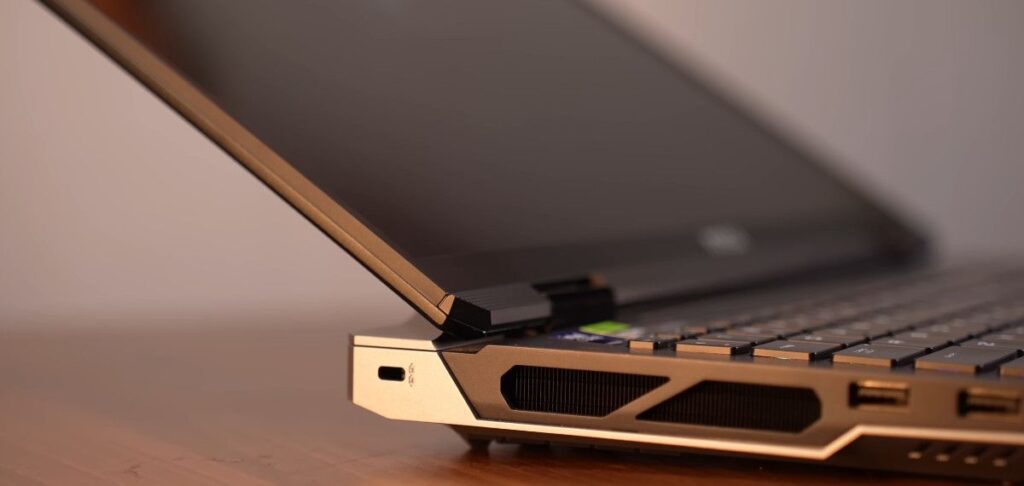
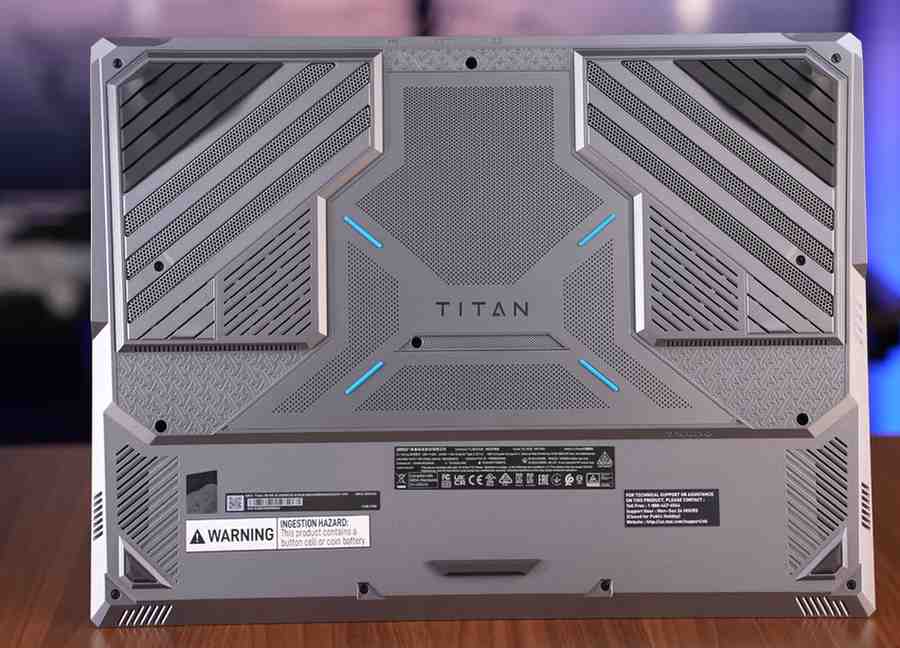
The top lid uses a magnesium-aluminium alloy, while the keyboard deck is high-quality polycarbonate. The silver-grey finish, Titan branding on the base, and solid rubber grips give it a premium and aggressive look from every angle. The build feels tank-like, with excellent weight distribution.
In daily handling:
- Lid opens with one hand
- Hinge is stable up to around 120–130 degrees
- Minimal screen wobble
- No keyboard or lid flex
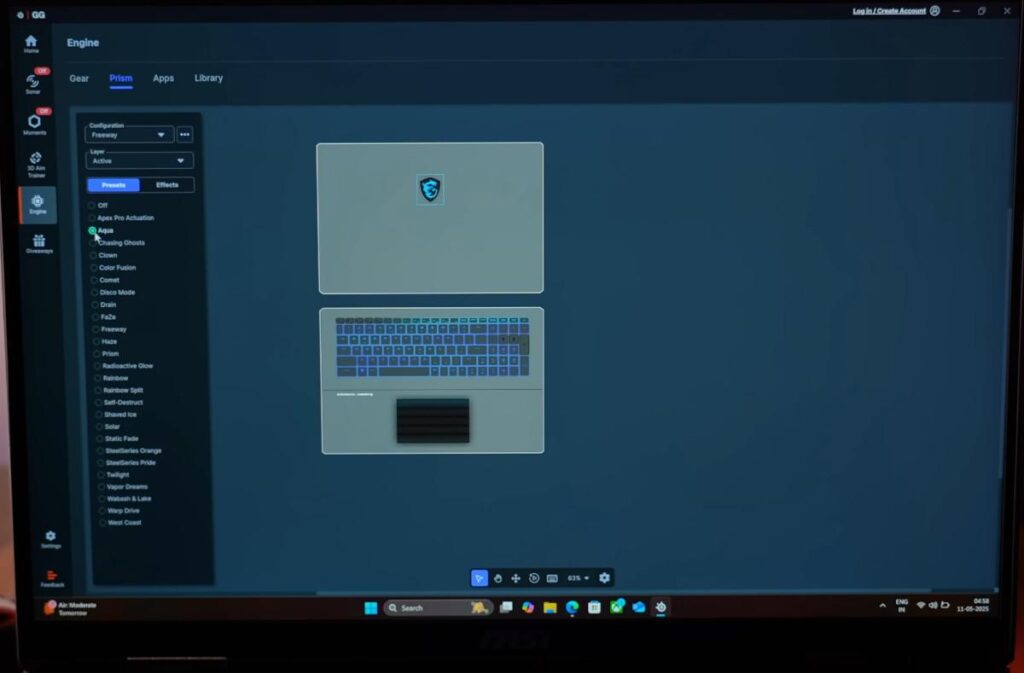
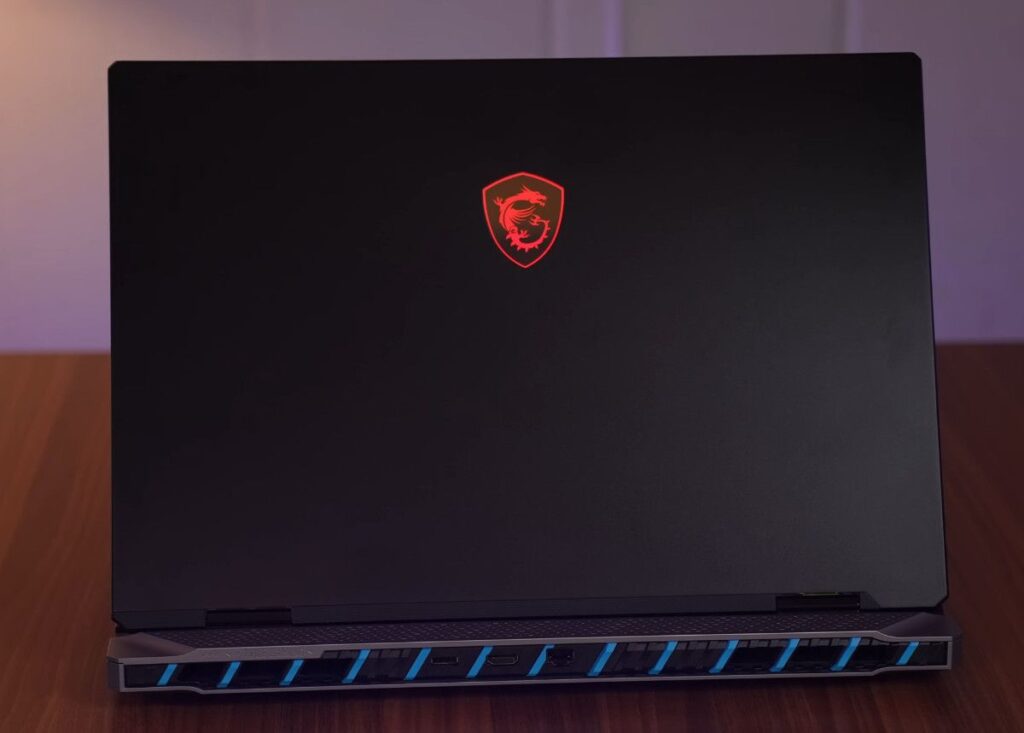
RGB is everywhere. You get per-key RGB on the keyboard, an RGB MSI logo on the back, and even RGB inside the trackpad, similar to what we’ve seen on Alienware laptops. All lighting zones can be customized or turned off using SteelSeries software.
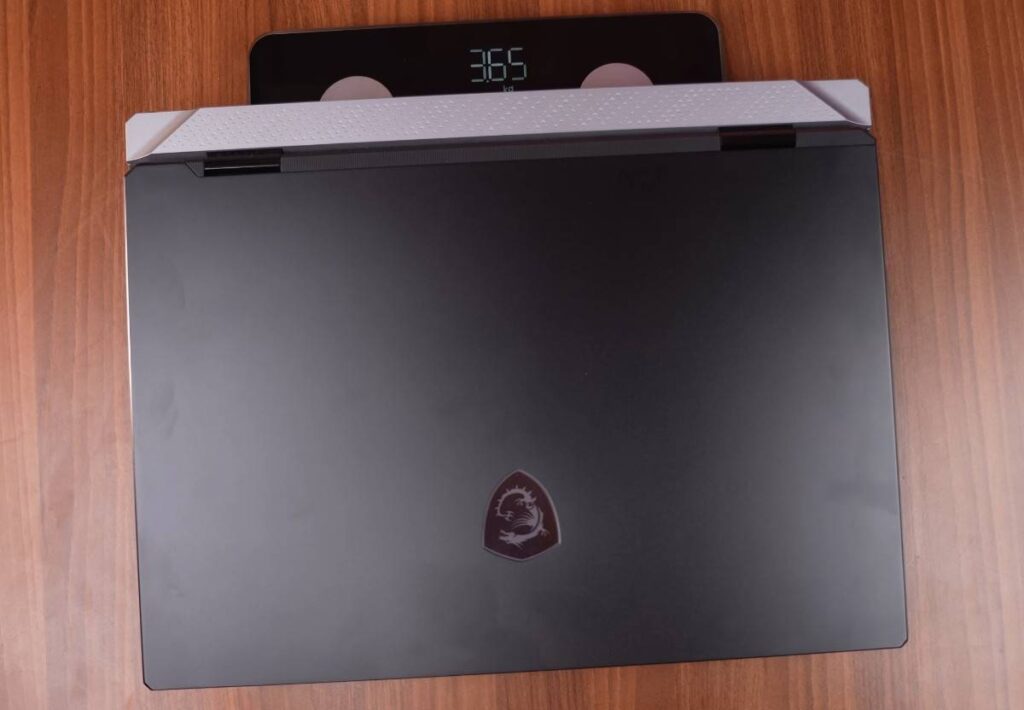
This is a massive laptop. The 18-inch chassis weighs around 3.65 kg, and with the 400W charger, the total carry weight is close to 4.85 kg. This is not a travel machine. It’s meant to stay on a desk and replace a desktop PC.
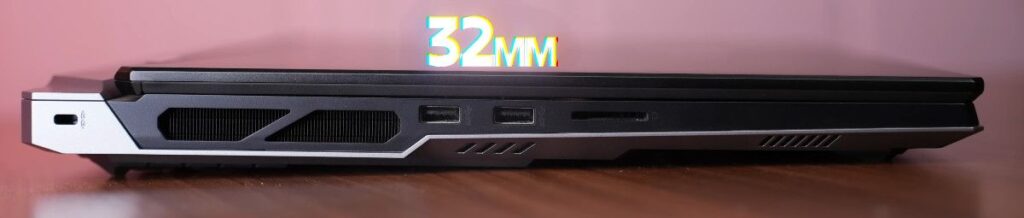
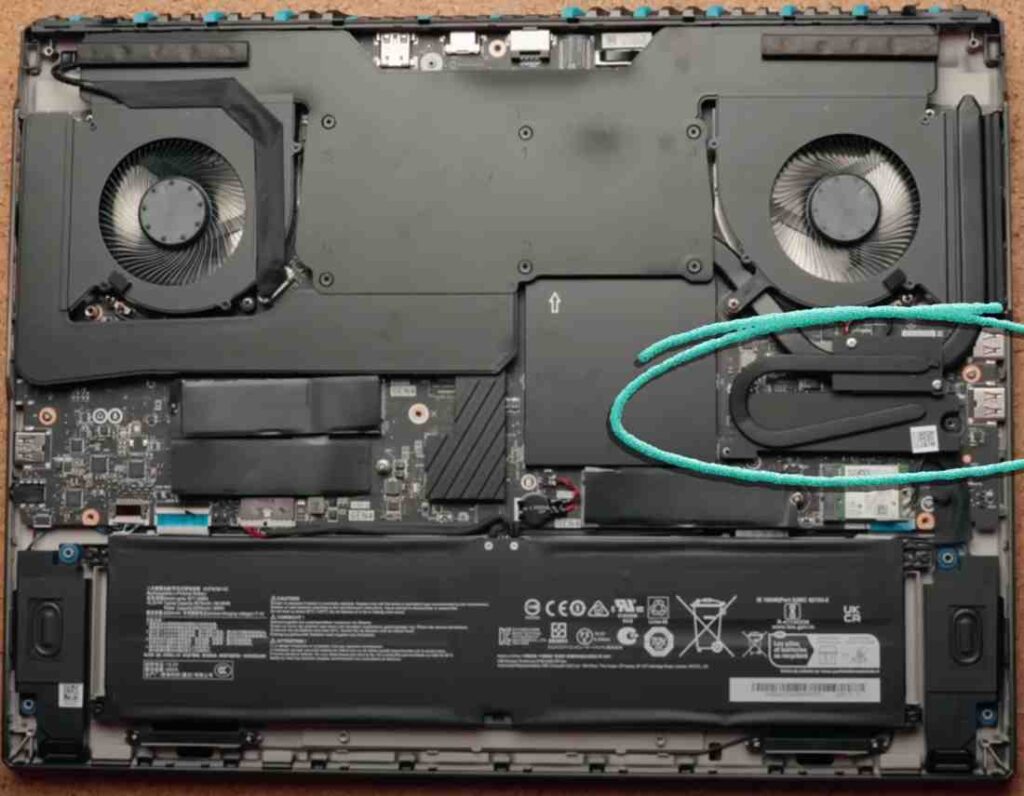
Cooling is taken seriously:
- Large bottom air intake
- Exhaust vents on both sides
- PCIe Gen 5 SSD support with dedicated cooling pipe
- Chamber-style thermal design to handle heavy power draw
Overall, the Titan 18 doesn’t try to hide what it is. It’s thick, heavy, powerful, and Unapologetically built for extreme performance. The thermals and real-world performance will decide if it truly earns the Titan name.
MSI Titan 18 Specifications
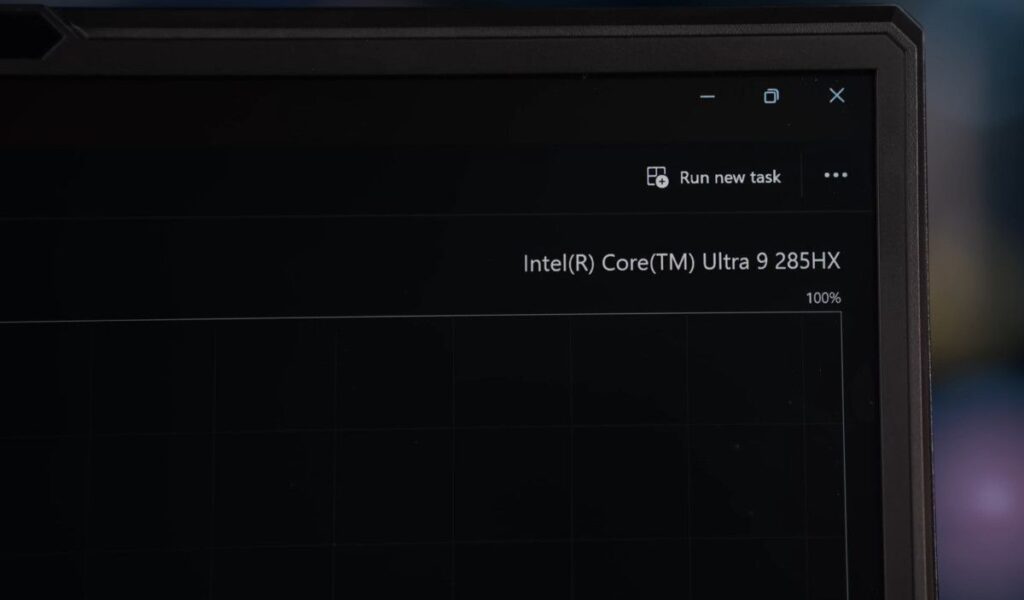
The MSI Titan 18 is powered by Intel Core Ultra 9 285HX, part of Intel’s Core Ultra Series 2 HX lineup designed specifically for high-performance gaming laptops. This chip is based on Intel’s latest Arrow Lake architecture, focusing on improved efficiency without sacrificing raw power.
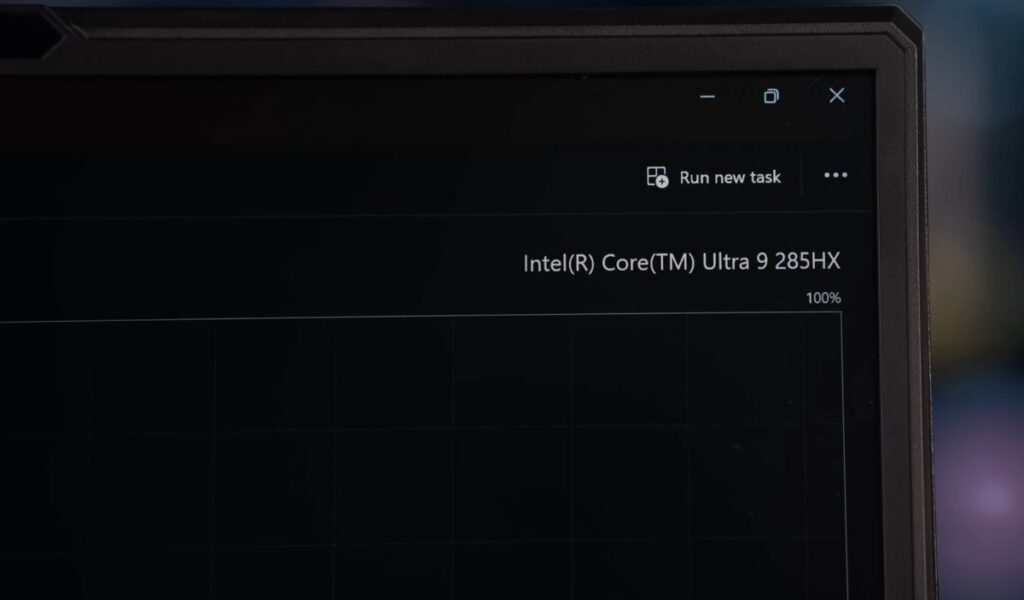
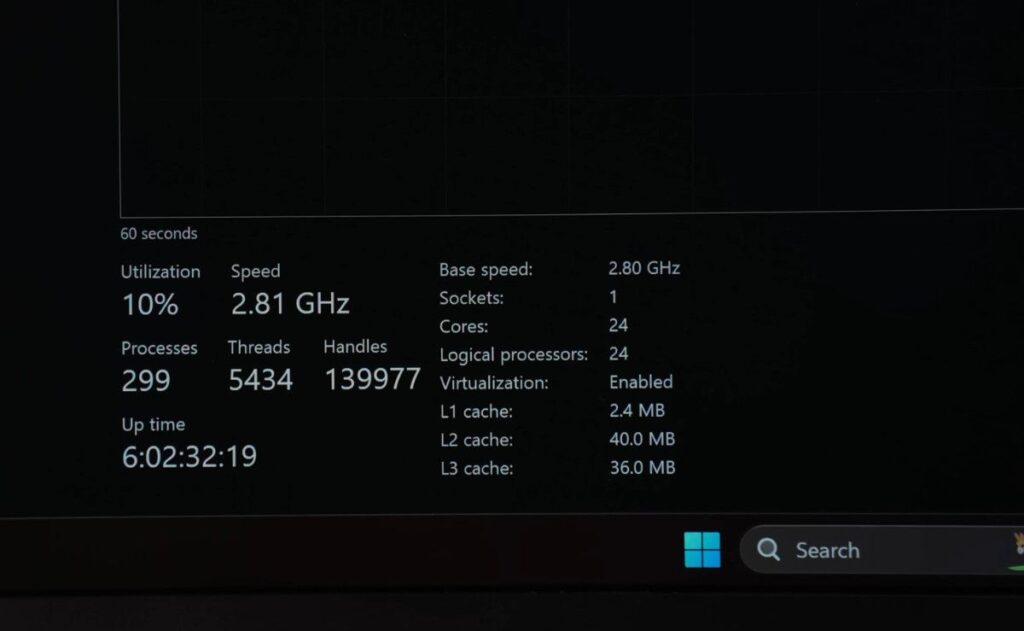
The processor features 24 cores and 24 threads, with a boost clock of up to 5.5GHz. It uses an 8 P-core and 16 E-core layout. Performance-intensive tasks run on P-cores, while background and lighter workloads are shifted to E-cores, improving efficiency and battery life. Hyper-Threading is not present, as Intel has focused on core-level efficiency instead.
- Intel Core Ultra 9 285HX (Arrow Lake)
- Thunderbolt 5 support
- Dedicated 13 TOPS NPU for low-power AI tasks
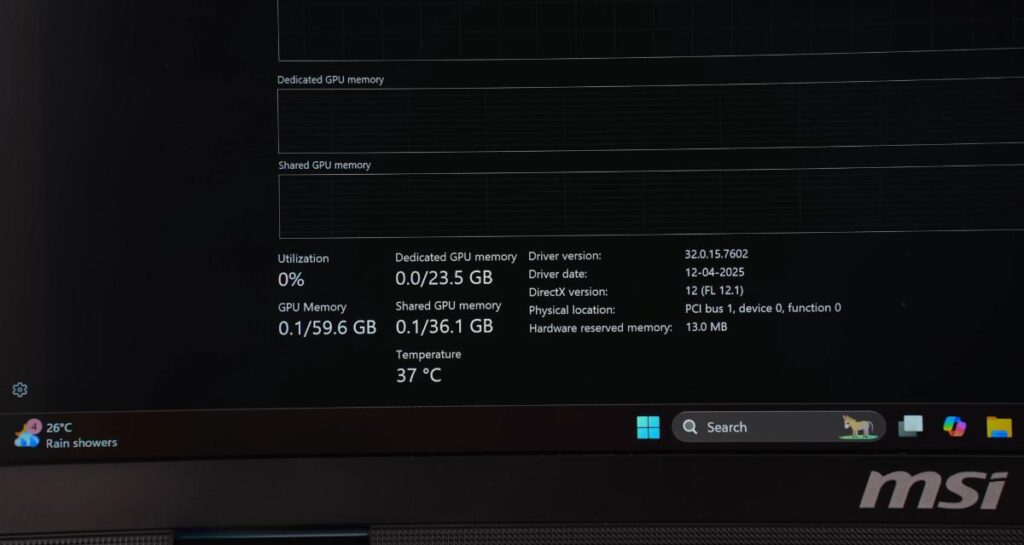
AI-heavy workloads still rely mainly on the GPU, while the NPU helps reduce CPU and GPU load during light AI operations. On the graphics side, the Titan 18 packs an NVIDIA RTX 5090 with 24GB of VRAM and up to 175W TGP. That is extreme power for a laptop and places this machine firmly in desktop-replacement territory.
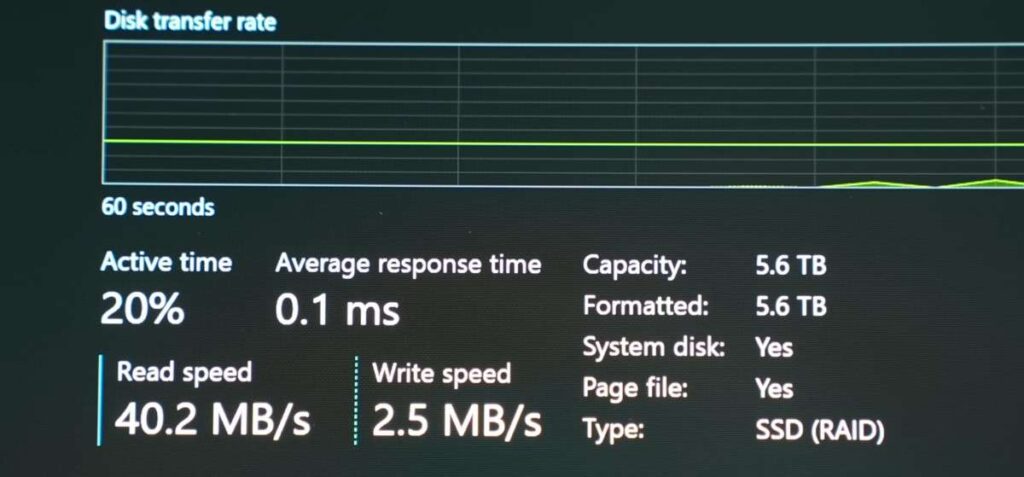
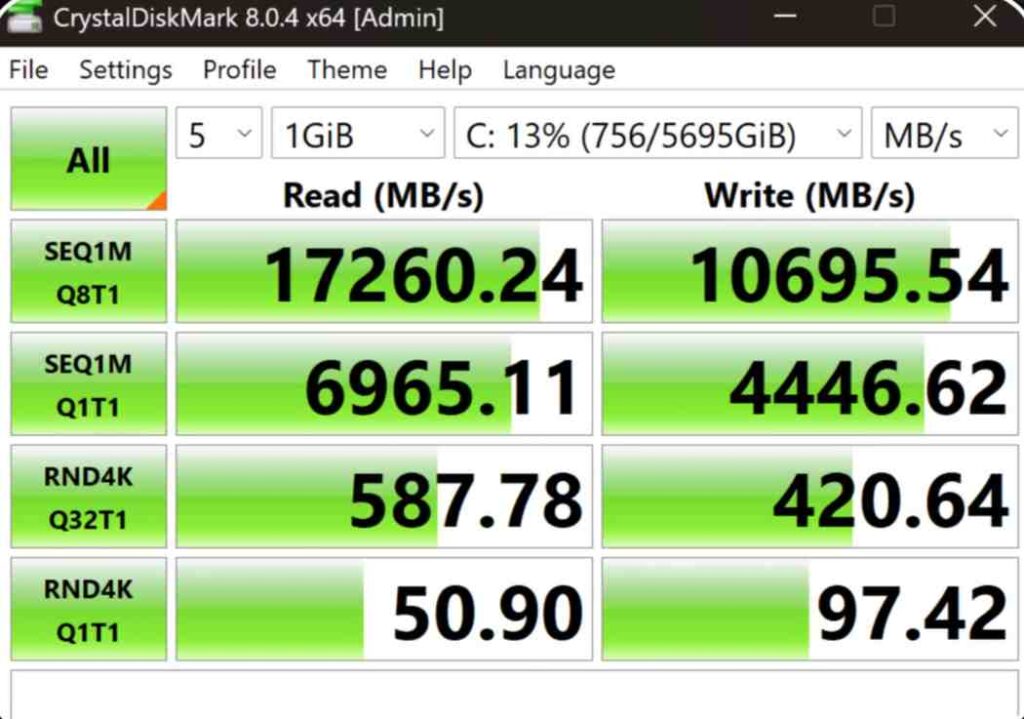
Memory and storage are equally aggressive:
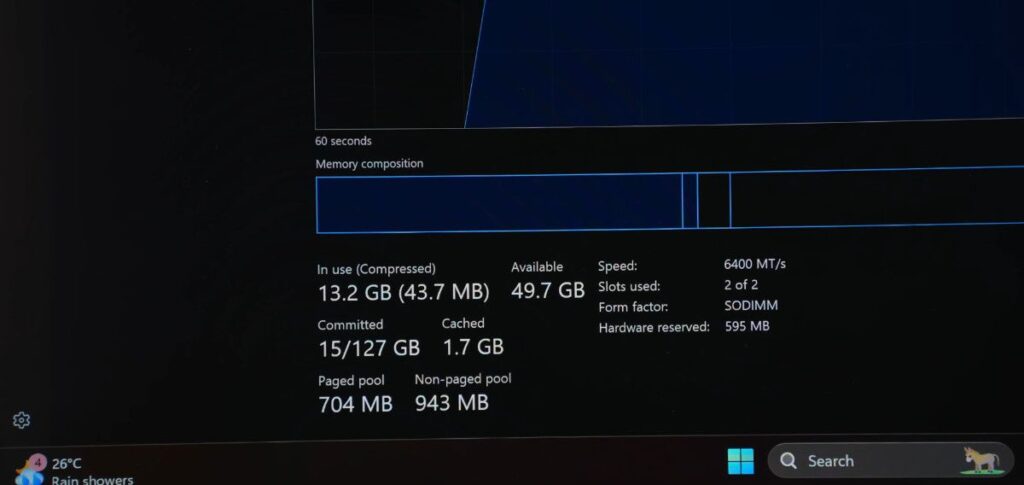
- 64GB DDR5 RAM (6400 MT/s, dual-channel), expandable up to 96GB
- 6TB total storage using a Gen 4 and Gen 5 SSD combination
- RAID 0 configuration via BIOS
- Up to 17,000 MB/s read and 10,000 MB/s write speeds
Connectivity is fully up to date with Wi-Fi 7 and Bluetooth 5.4. The laptop ships with Windows 11 Home and includes a 1-month Xbox Game Pass subscription. There is no Windows 11 Pro option or Microsoft Office included, which feels like a miss at this price point.
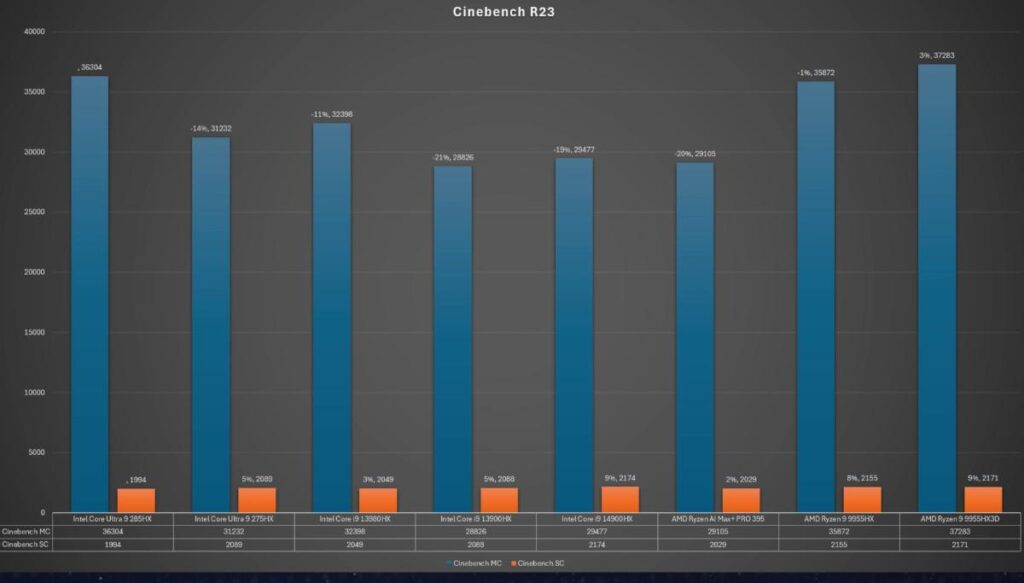
In benchmarks, the Core Ultra 9 285HX delivers top-tier multi-core performance, slightly behind AMD’s Ryzen 9 9955HX in some workloads. However, the gap is small, and real-world efficiency and thermal behaviour will determine the final winner, which will be covered in detailed testing.
This platform is brand new, and early numbers already place it among the fastest laptop CPUs ever released.
MSI Titan 18 Benchmark & performance
CPU Performance
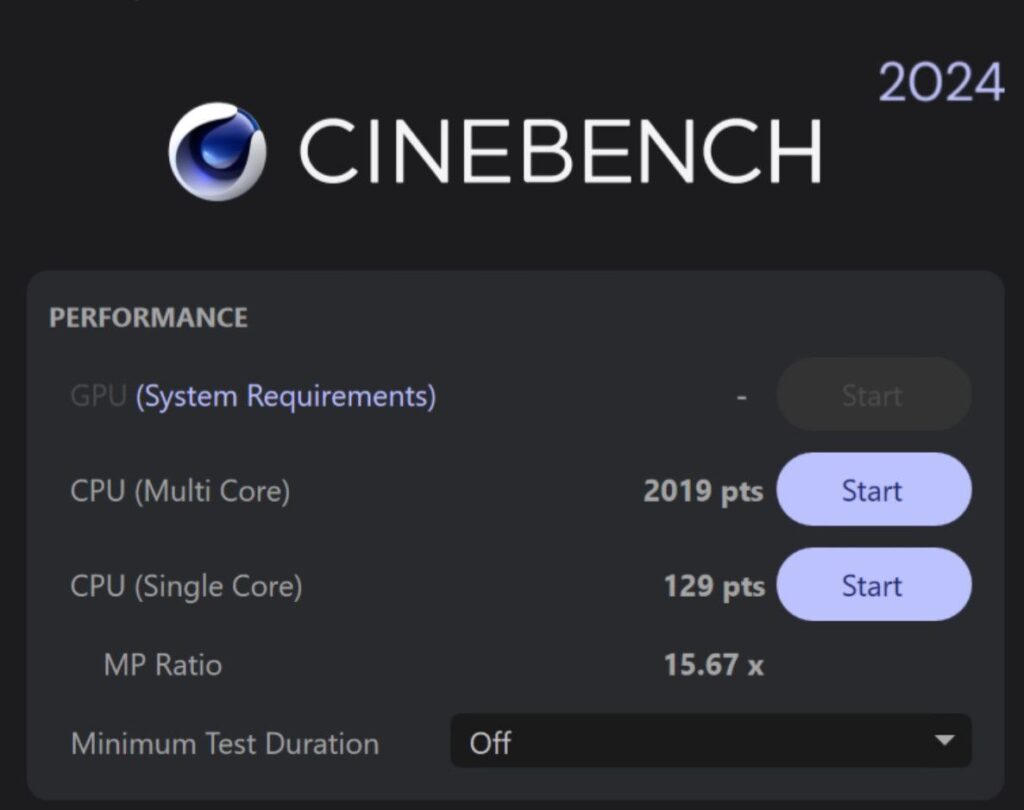
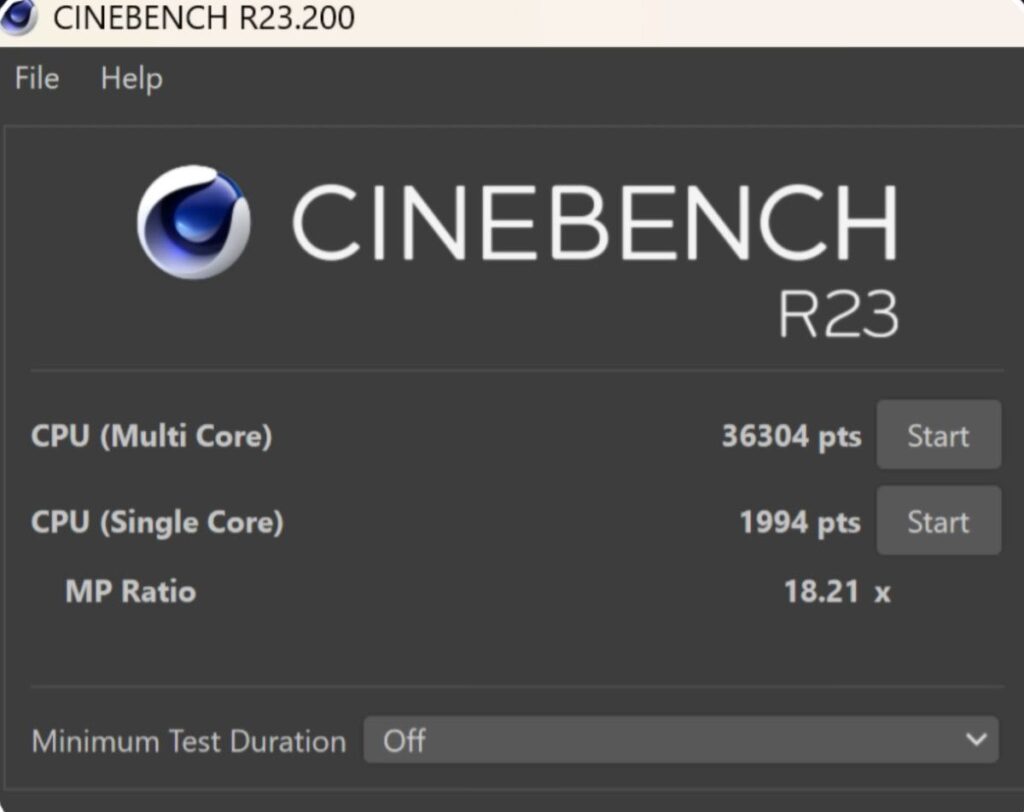
The Intel Core Ultra 9 285HX delivers excellent synthetic benchmark results. Cinebench R23 and Cinebench 2024 show strong multi-core performance with solid single-core numbers, while Geekbench 6 confirms that CPU power here is far beyond what most users will ever need. High-end programming, data science, engineering simulations, and music production workloads run without any bottlenecks.
AI & Machine Learning Performance

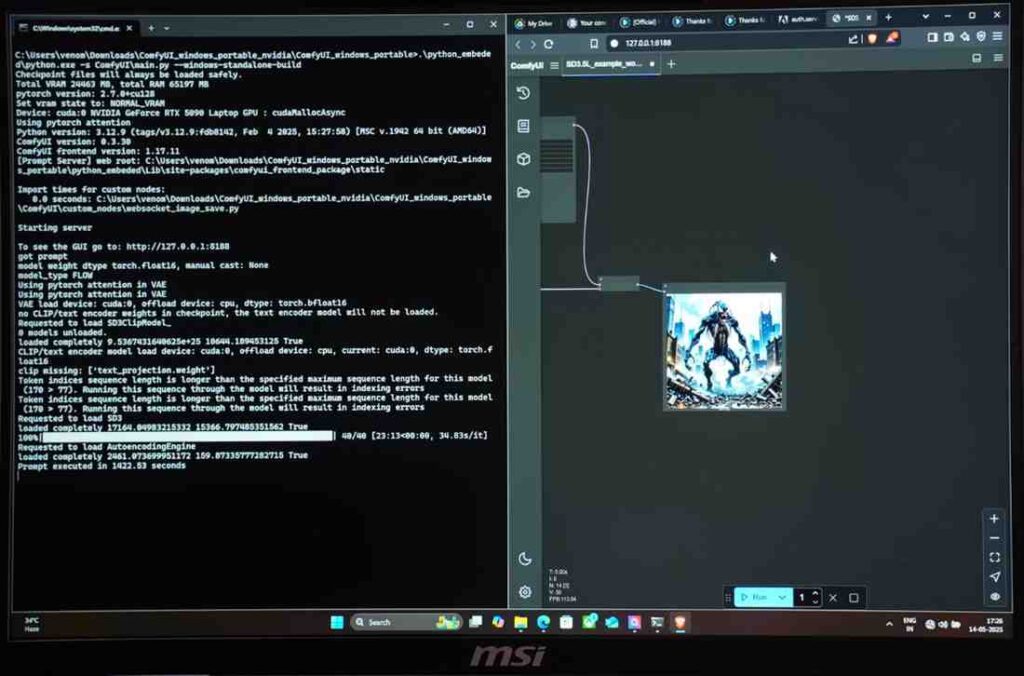
AI performance on this laptop is among the best seen on a mobile platform. Geekbench AI scores on the GPU are exceptionally high, and Stable Diffusion 3.5 runs smoothly for both standard and Turbo models. Testing with the DeepSeek R1 32B model in LM Studio showed output generation in about 1 minute and 39 seconds, making this system suitable for local AI inference and development work.
Overall System Performance
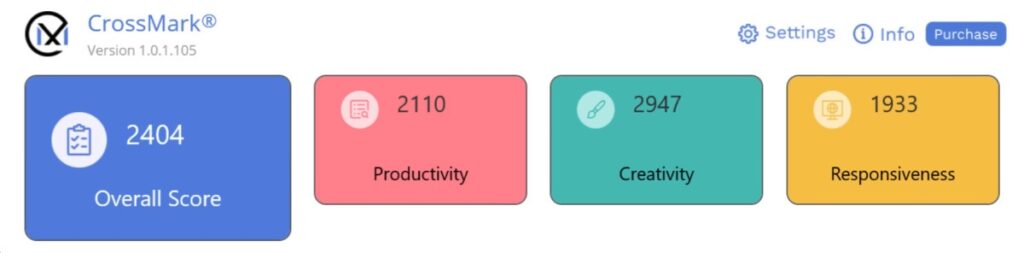

CrossMark and PCMark 10 results confirm fast system responsiveness and smooth multitasking. At this level, everyday productivity is effortless, and the laptop never feels held back during heavy multi-app workflows or sustained workloads.
GPU Performance
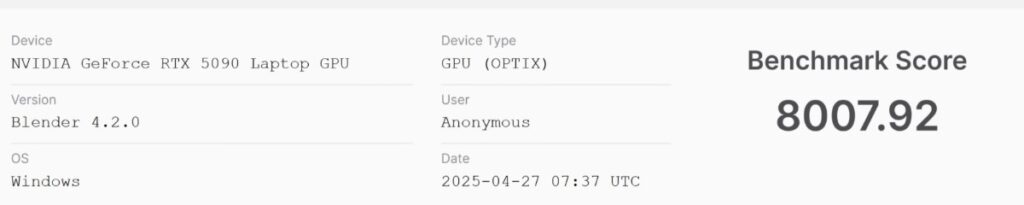
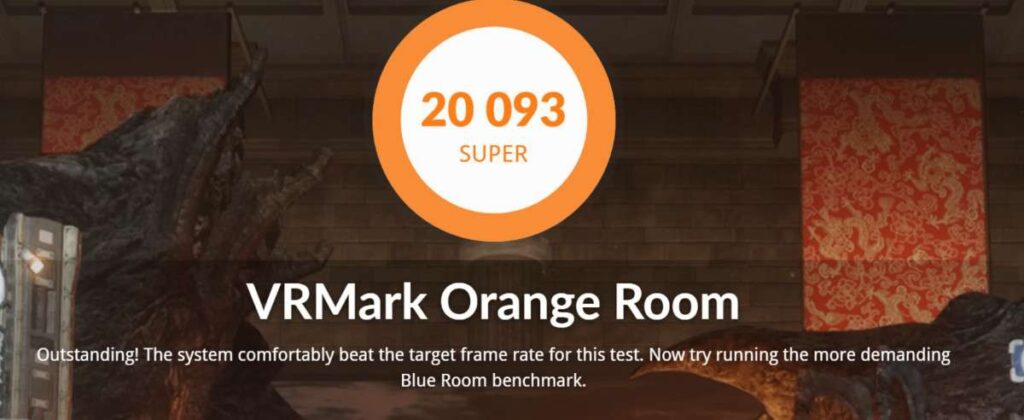
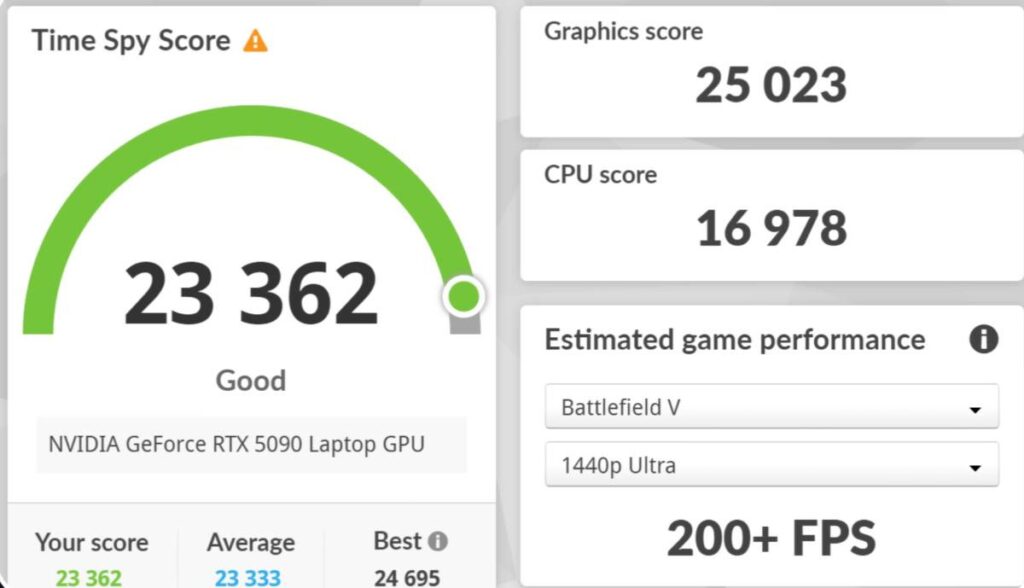
The RTX 5090 delivers desktop-class GPU performance in a laptop form factor. Blender benchmark scores reach around 8000, and the BMW render completed in just 8 seconds. 3DMark Time Spy results are excellent for both CPU and GPU, and VRMark scores close to 20,000 enable high-quality VR gaming and immersive experiences.
Content Creation Performance
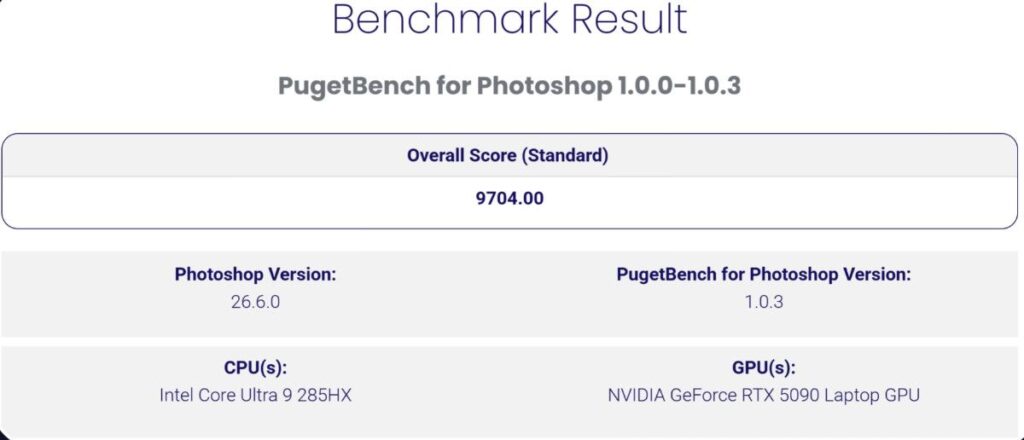
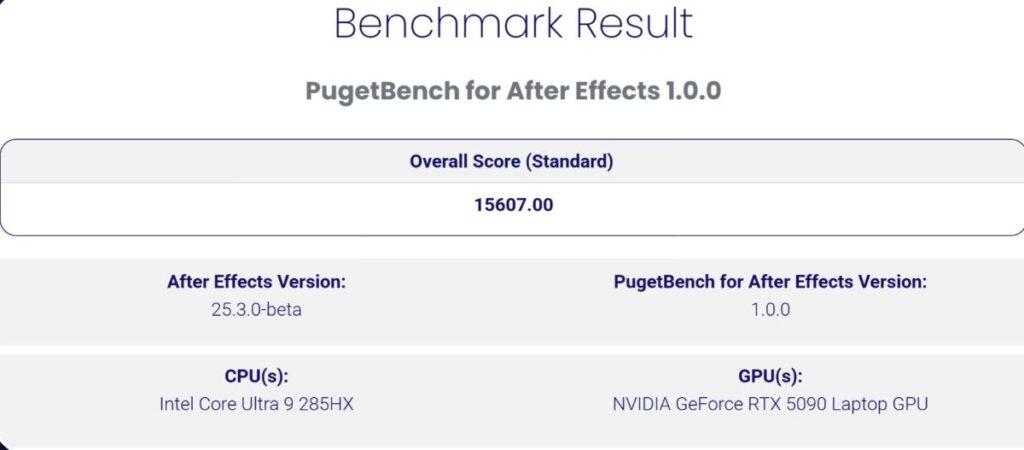
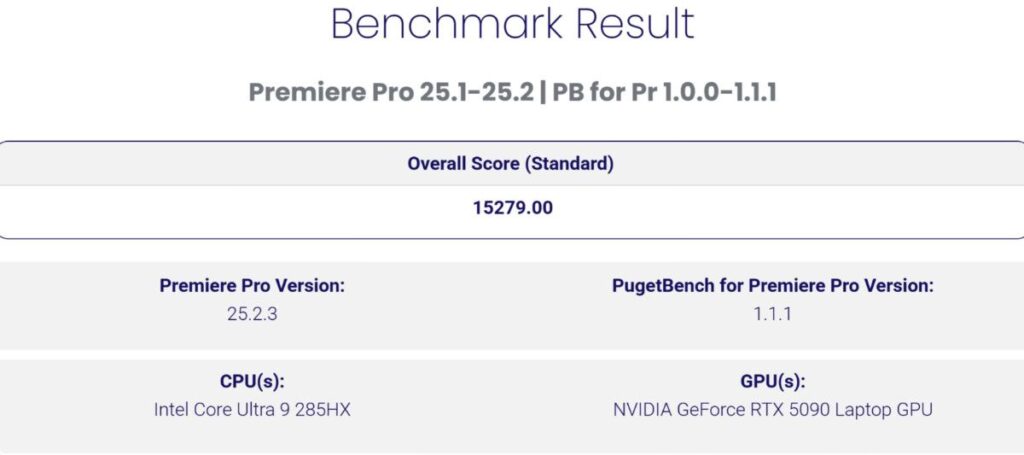
Professional creative benchmarks highlight the Titan 18’s strength in real-world workloads. PugetBench scores reach around 9700 in Photoshop and exceed 15,000 in both After Effects and Premiere Pro. Editing 4K 60fps 10-bit footage with multi-layer timelines and heavy effects is handled smoothly without dropped frames.
Thermals & Stability
| Component | Sensor | Value 1 | Value 2 | Value 3 | Value 4 |
|---|---|---|---|---|---|
| CPU Core Ultra 9 285HX | Core Temperatures | 82 °C | 68 °C | 96 °C | 91 °C |
| CPU Core Ultra 9 285HX | CPU Package | 84 °C | 74 °C | 99 °C | 93 °C |
| CPU Core Ultra 9 285HX | Core Max | 84 °C | 78 °C | 96 °C | 94 °C |
| CPU Core Ultra 9 285HX | Core Thermal Throttling | Yes | No | Yes | 100% |
| CPU Core Ultra 9 285HX | CPU Package Power | 99.144 W | 16.864 W | 103.984 W | 94.514 W |
| GPU RTX 5090 Max-Q | GPU Temperature | 79.1 °C | 71.6 °C | 81.5 °C | 80.1 °C |
| GPU RTX 5090 Max-Q | GPU Power | 172.841 W | 62.010 W | 193.159 W | 171.463 W |
| GPU RTX 5090 Max-Q | GPU Core Clock | 1,560 MHz | 200 MHz | 2,535 MHz | 1,555 MHz |
| GPU RTX 5090 Max-Q | GPU Core Load | 100% | 17% | 100% | 98.3% |
Under a full Prime95 stress test, the CPU peaked around 96°C in a room temperature of 32–35°C while maintaining stable power delivery with no crashes. GPU temperatures stayed close to 80°C, briefly touching 81.5°C under load. Combined CPU and GPU power draw reached up to 270W, matching MSI’s official claims and confirming that the cooling system can sustain extreme performance reliably.
MSI Titan 18 Gaming test
| Game | Settings | FPS (RAW) | FPS (Frame Gen) | VRAM | Notes |
|---|---|---|---|---|---|
| Valorant | Flagship | 500-530 | - | - | Extremely high FPS for competitive play |
| CS2 | Very High | 140-150 | - | - | Can increase FPS by lowering resolution |
| GTA 5 | Max RT | 55 | - | 10 GB | High textures playable |
| Elden Ring | 60 FPS Locked | 55-60 | - | - | Smooth gameplay |
| RDR2 | Favor Quality | 70-80 | 90+ | - | DLSS improves FPS |
| Cyberpunk 2077 | Ultra, No RT | 50-60 | 90-100 | - | Frame generation essential at high resolution |
| Hogwarts Legacy | Ultra RT | 50-60 | 70-80 | - | Slight visual impact with frame generation |
| Assassin's Creed Shadows | Very High RT | 20-25 | 50+ | - | Frame generation needed for playability |
| The Last of Us 2 | Very High | 50-60 | 70+ | - | 2X frame generation smooths experience |
| Horizon Forbidden West | High | 50-60 | 100+ | - | Demanding, playable with frame generation |
| Ghost of Tsushima | Very High | 60 | 120 | - | Frame generation doubles FPS |
| Hellblade 2 | High | 40 | 90 | - | GPU intensive, multi-frame generation smooth |
| Spider-Man 2 | Very High | 49-50 | 120-130 | - | RT very high reduces RAW FPS, frame generation helps |
| Black Myth: Wukong | Cinematic Max | 30 | 50+ | 15.4 GB | High VRAM usage, frame generation needed |
| Alan Wake 2 | High | 40-50 | 70+ | - | Multi-frame generation supported |
MSI Titan 18 Display
The MSI Titan 18 features an 18-inch UHD+ Mini LED display with a 16:10 aspect ratio and a resolution of 3840×2400. This offers more vertical space than standard 4K and works well for both productivity and gaming.
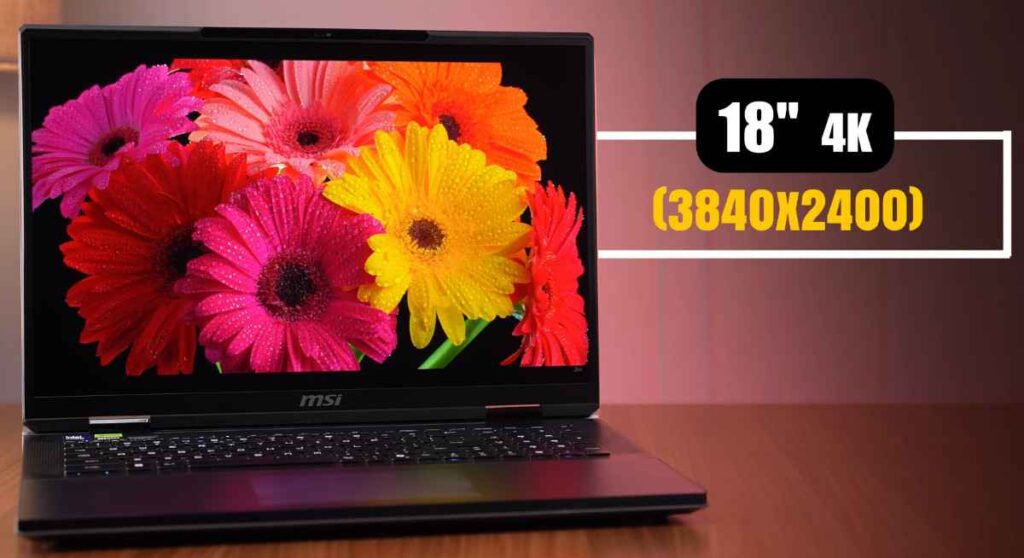
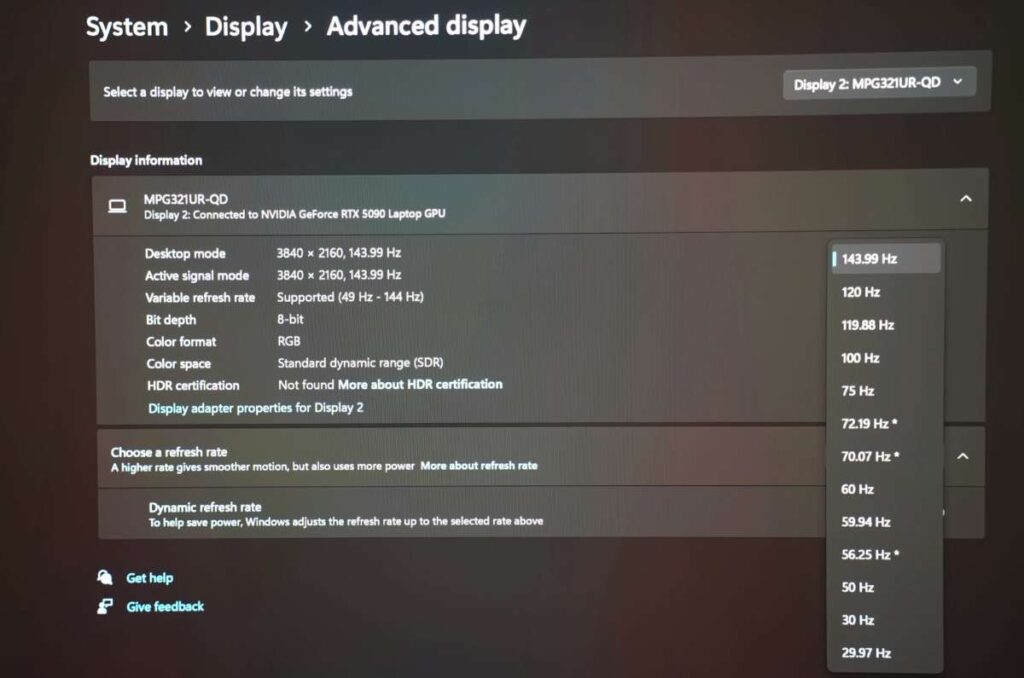
The panel supports a 120Hz refresh rate and is VESA DisplayHDR 1000 certified. HDR tuning is excellent, with peak brightness reaching close to 1000 nits in supported content and around 718 nits in regular use.
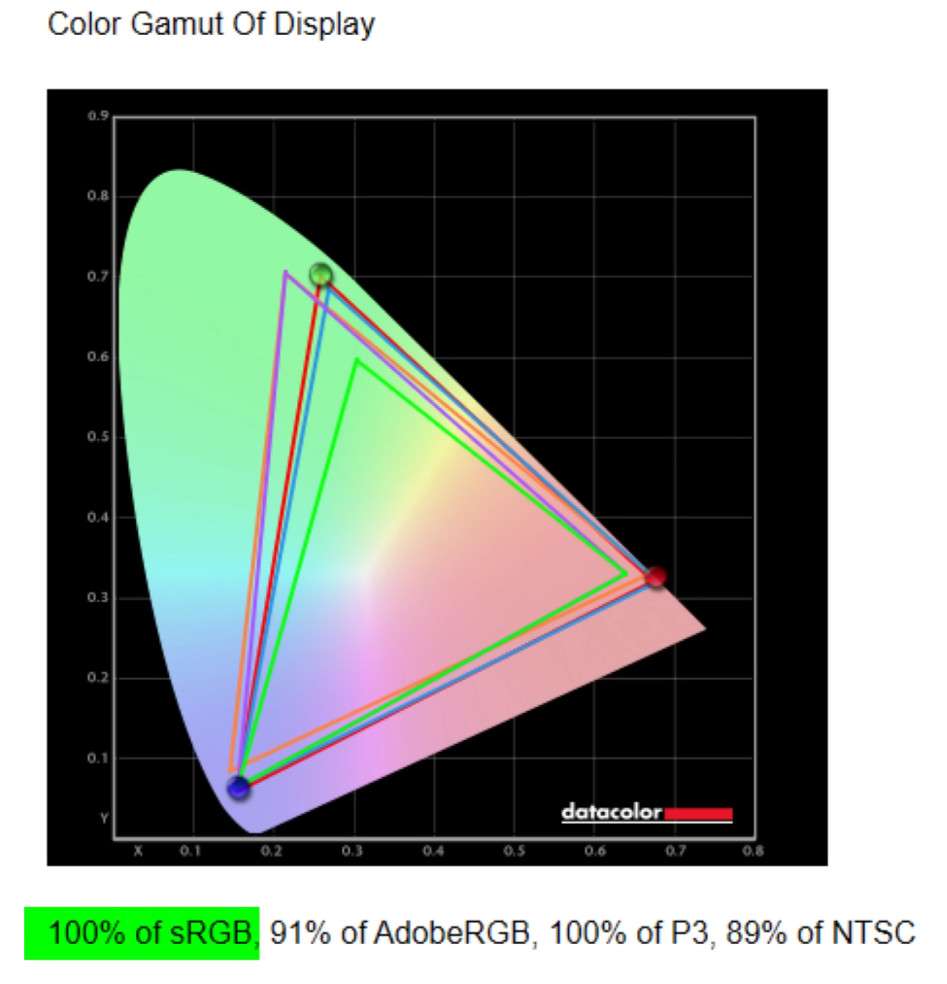
Color accuracy is outstanding, with 100% coverage of sRGB, Adobe RGB, and DCI-P3. This makes the display suitable for professional editing, color grading, and content creation. Multimedia and gaming also look great, though Dolby Vision support would have been a nice addition at this price.
MSI offers multiple display variants depending on region, so buyers should confirm the exact panel before purchase. With RTX 5090 power and a true 4K-class display, this laptop is clearly built for high-resolution gaming and premium visual work.
MSI Titan 18 Ports
The MSI Titan 18 doesn’t hold back when it comes to connectivity. Its ports are designed for creators, gamers, and power users who need serious bandwidth and flexibility.
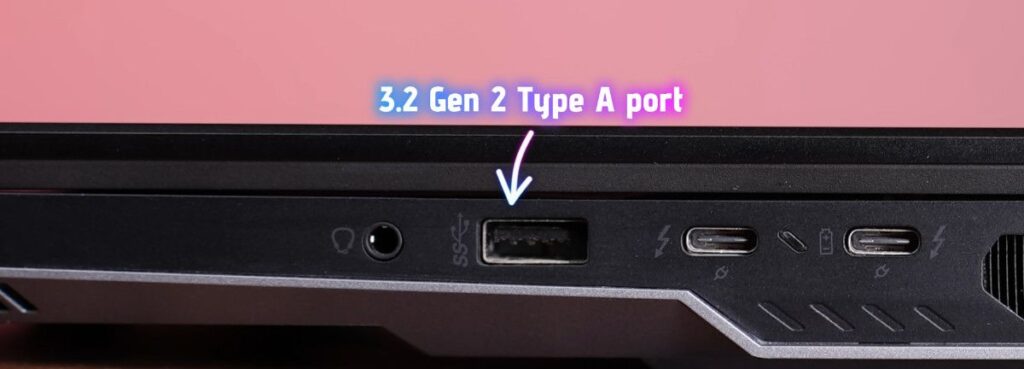
- Right side: Two Thunderbolt 5 ports with 120Gbps bandwidth, wired directly to the RTX 5090. With a compatible dock, you can run up to three 8K 60Hz displays or three 4K 144Hz monitors. Supports USB-PD 3.1 up to 140W for lighter workloads. Also includes a USB 3.2 Gen 2 Type-A port and a headphone/mic combo jack.
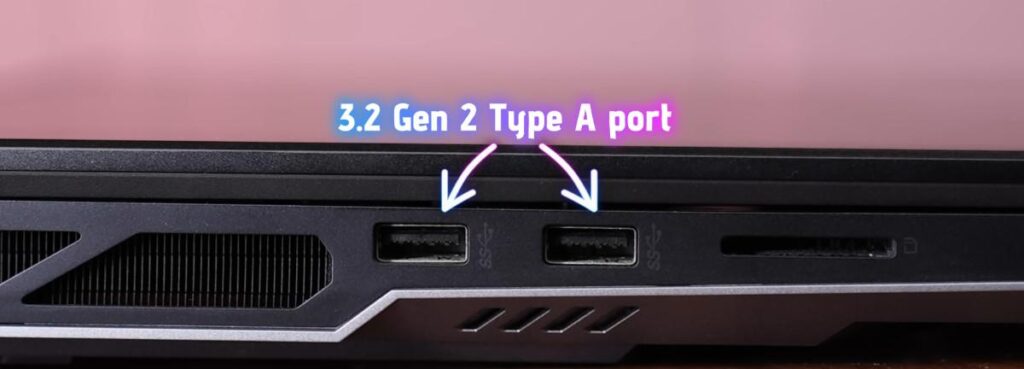
- Left side: Kensington lock slot, two USB 3.2 Gen 2 Type-A ports, and a full-size SD card reader—perfect for creators, photographers, and editors.
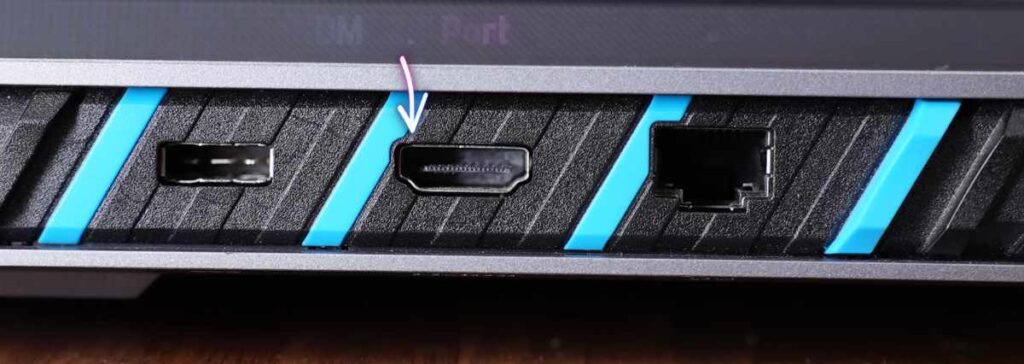
- Rear ports: Power input, HDMI 2.1 with GPU output, and 2.5Gb Ethernet. Fast for general use, but a 10Gb LAN would have been ideal at this price.
Overall, the Titan 18’s port layout is versatile and professional-grade, giving you everything you need for high-resolution displays, external storage, and productivity—just don’t expect to travel light with it.
MSI Titan 18 MUX switch
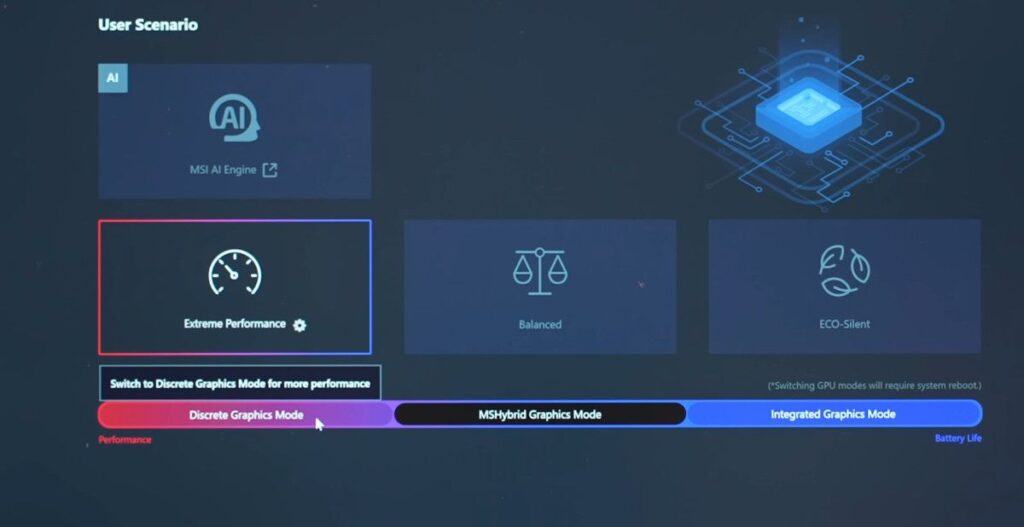
The MSI Titan 18 also includes a MUX switch, allowing you to toggle the display output between the integrated GPU and the dedicated RTX 5090. This is great for balancing performance and battery life—switch to the iGPU when you want longer runtime, or stick with the DGPU for full gaming and creative power. Combined with the Cherry MX Ultra low-profile keyboard, the laptop gives both performance and a premium typing experience.
MSI Titan 18 Webcam Quality
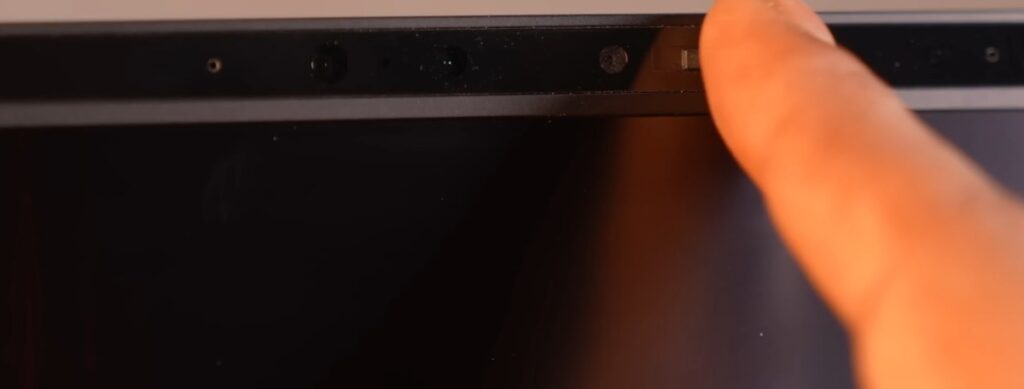
The MSI Titan 18 comes with a standard 1080p webcam, but the quality is underwhelming, especially for a laptop at this price point. The mic is built-in, and while it works for basic calls, it doesn’t impress for streaming or professional content creation. It runs at 30 FPS, and image clarity falls short compared to other premium laptops. On the positive side, the Intel NPU enables Windows Studio effects, and the webcam includes a physical shutter for privacy—a useful feature to protect against unauthorised access. For serious streaming or video work, an external webcam is still recommended.
MSI Titan 18 Speakers & Microphone
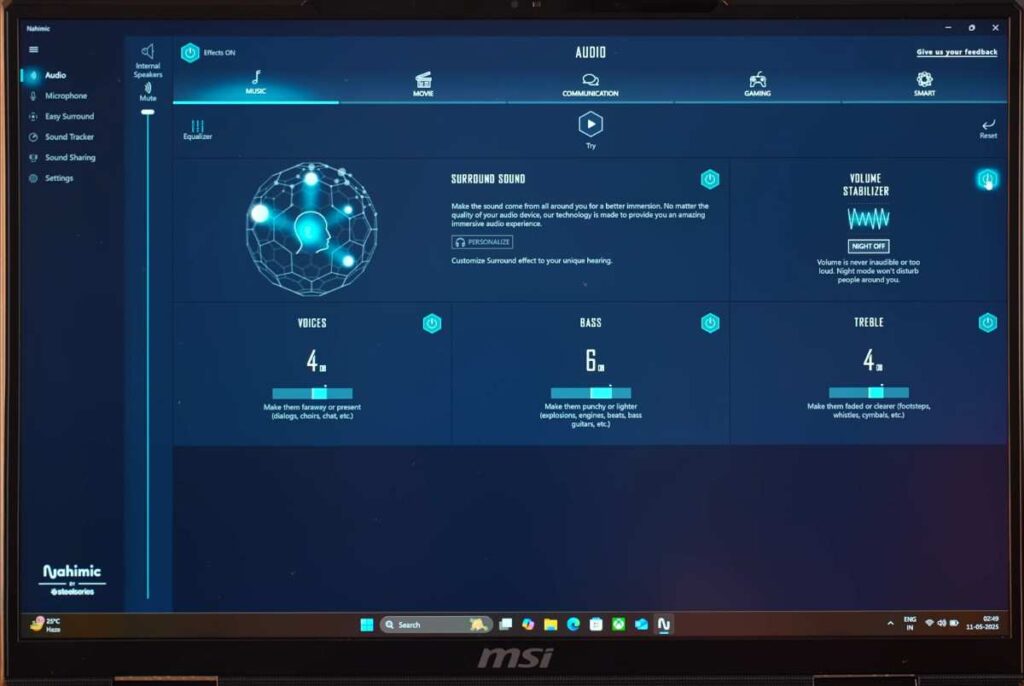
The MSI Titan 18 comes with two 2W bottom-firing speakers that deliver clear and loud sound, though they lack deep bass. Tuned by Dynaudio, the audio experience is enhanced with the Nahimic app, letting you switch between modes—movie mode provides the best balance for both movies and music.
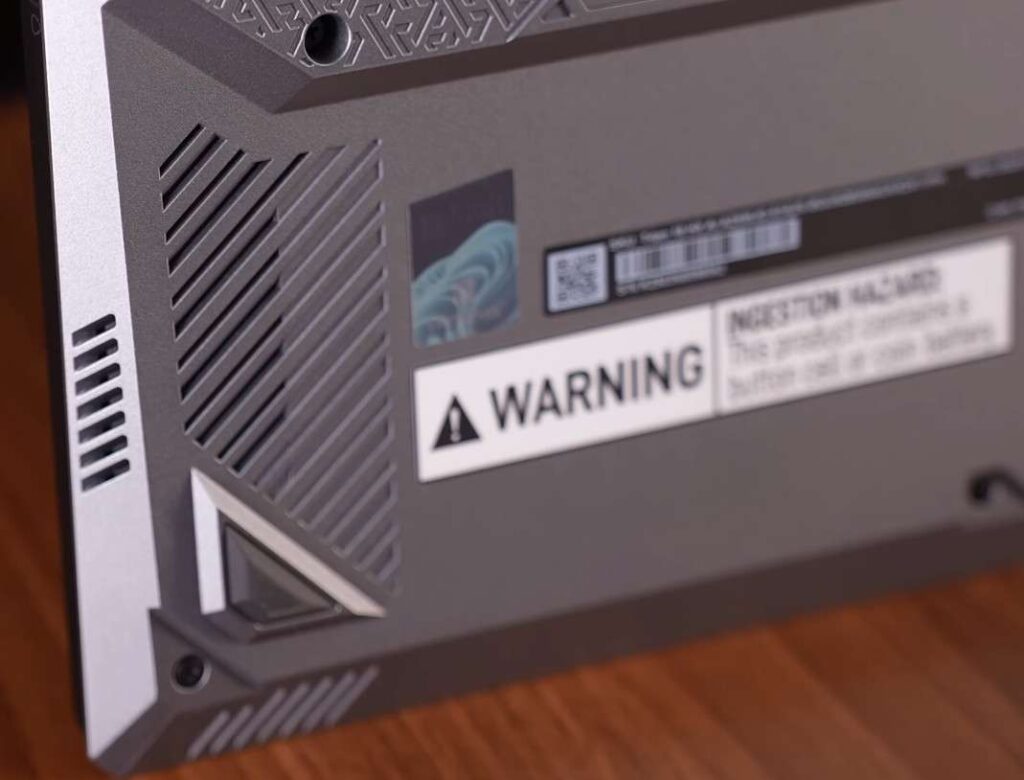
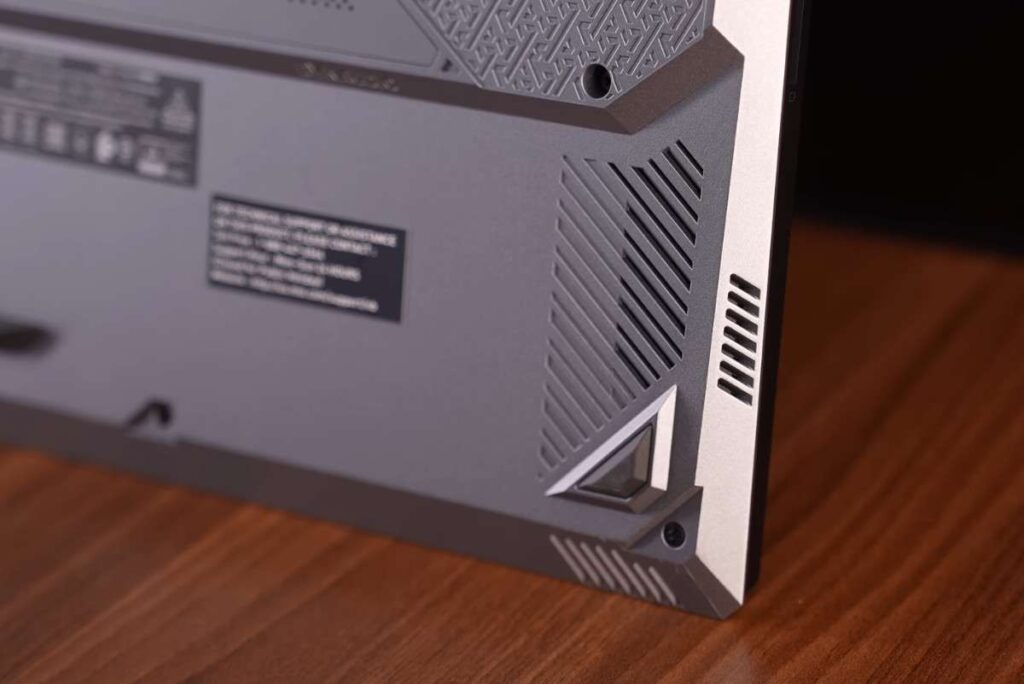
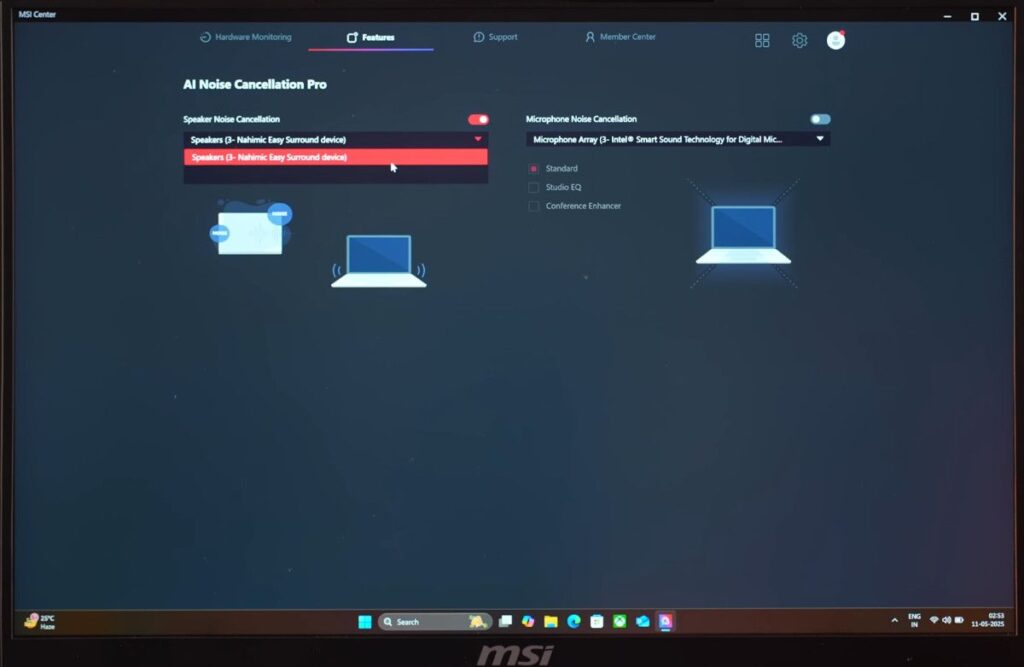
The laptop also features noise cancellation for both speakers and the microphone via the MSI Centre software, allowing you to filter out background noise and focus on the audio or your voice. Overall, the sound is enjoyable for gaming, media, and calls, even if audiophiles may miss a stronger low end.
MSI Titan 18 Battery Life
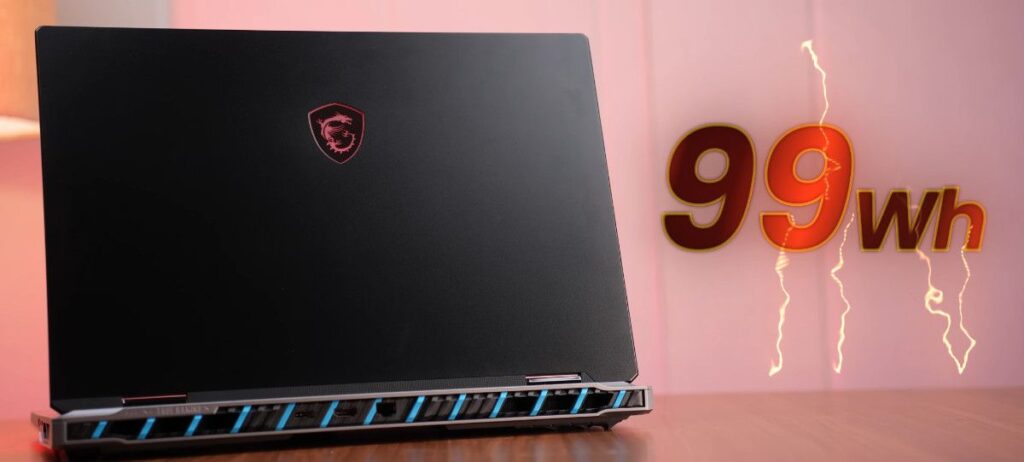
The MSI Titan 18 packs a 99.99Wh battery—the largest allowed for flight travel—but battery life is limited given the laptop’s power. In iGPU mode with 50% brightness and keyboard backlighting off, it lasts around 5 hours during light tasks like office work or multitasking. For any demanding gaming, creative, or GPU-intensive workloads, you’ll need to keep it plugged in. While the battery is acceptable for a desktop-replacement laptop of this size, heavy users should plan on using it with the included 400W adapter for consistent performance.
MSI Titan 18 Conclusion
The MSI Titan 18 is a niche, high-performance laptop designed for professionals who need both extreme power and portability. If you’re a gamer, you could find RTX 5090 laptops at a lower price in models like Lenovo Legion or ASUS ROG Strix, but the Titan 18 shines for creators, 3D modellers, game developers, and anyone handling large projects on the go.
With 6TB storage, top-tier thermals, a 4K Mini LED display, and upgradeable RAM, it acts as a true desktop replacement you can carry between cities—something no custom PC can match in mobility. While it won’t appeal to the masses and has a steep price tag, for those who need its combination of performance, storage, and portability, it’s one of the few laptops in the world built for this purpose.
MSI Titan 18 RTX 5090
Choose your preferred variant:
| Variant | Specs | Price | Buy |
|---|---|---|---|
| Base | RTX 5090, Ultra 9, 32GB RAM, 1TB SSD | $2,752 | 🛒 Buy |
| Pro | RTX 5090, Ultra 9, 64GB RAM, 2TB SSD | $5,499 | 🛒 Buy |
Disclaimer: This post contains affiliate links. If you purchase through these links, we may earn a small commission at no extra cost to you. Prices and availability are subject to change.
Is the MSI Titan 18 RTX 5090 worth its high price?
For pure performance, yes—it’s one of the fastest laptops on the market. However, some users feel a desktop setup with similar specs may offer better value for money. If portability matters, it’s worth it.
How are the thermals and fan noise of msi titan 18?
The Titan 18 runs hot under heavy load, especially during gaming or rendering. Fans can be loud, but temperatures are generally managed well thanks to the advanced cooling system. Using a cooling pad can help.
How’s the battery life of msi titan 18?
Battery life is short, usually 1–2 hours under load. Most Reddit users keep it plugged in for heavy tasks. It’s designed more as a desktop replacement than a portable workhorse.
How good is the display of msi titan?
The 4K 120Hz panel is bright, colour-accurate, and great for content creation and gaming. Some users note minor backlight bleed, but overall it’s excellent for the class.

