

OnePlus launched its first budget tablet, the OnePlus Pad Go, about two years ago. At launch, it was positioned as a basic tablet for casual users. It did the job, but it had clear limitations like an average processor, slower storage, and no stylus support.
Now, OnePlus is back with the OnePlus Pad Go 2, and the idea behind it is simple. Take the original Pad Go, fix its biggest weaknesses, add stylus support, improve performance, and polish the software.
On paper, that’s exactly what OnePlus has done. But does it work in real-world usage? Let’s break it down.
One Plus Pad Go 2 Design and Build Quality
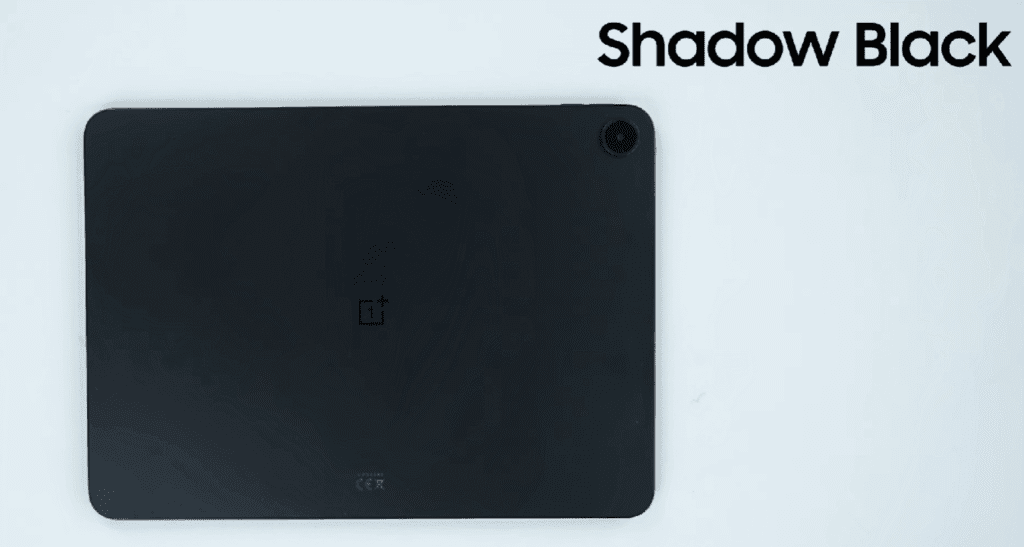
The OnePlus Pad Go 2 comes in a Shadow Black colour with a matte finish. At first glance, it appears to be a metal tablet, but the back and frame are actually made of. The finish is good, although fingerprints are slightly visible on the black colour.
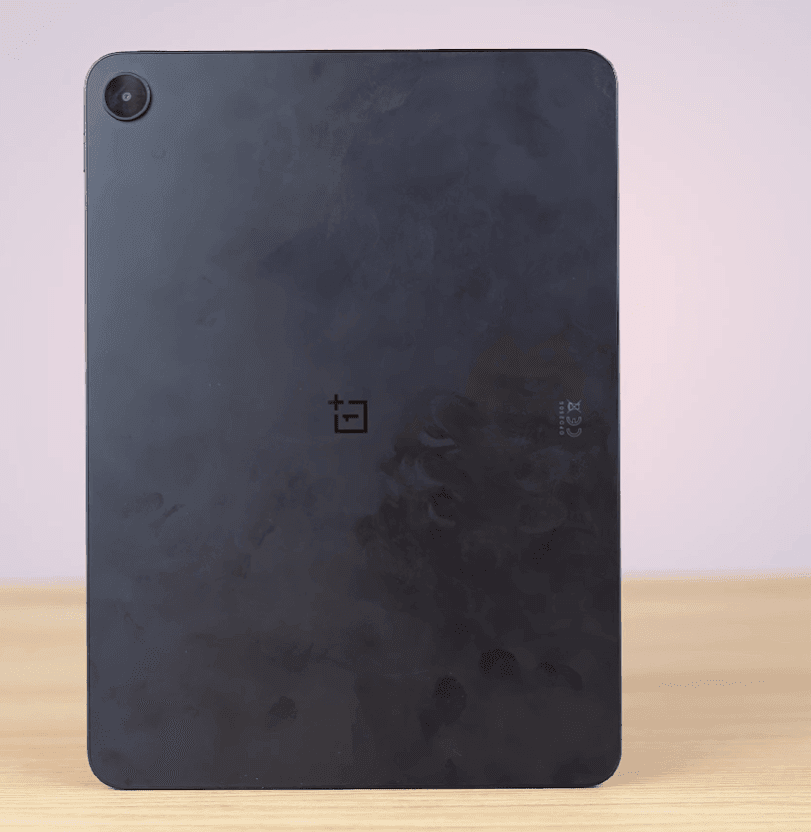
The frame is now flat with rounded corners, which gives it a more modern and iPad-like feel. Compared to the previous model, the tablet feels more premium even though it’s still not metal.
Weight-wise, it’s around 600 grams, which is expected for a 12-inch tablet. It feels heavy initially, but you get used to it quickly.
OnePlus Pad Go 2 Display: Bigger and Better
OnePlus has increased the display size to 12.1 inches, up from 11.35 inches on the previous model.
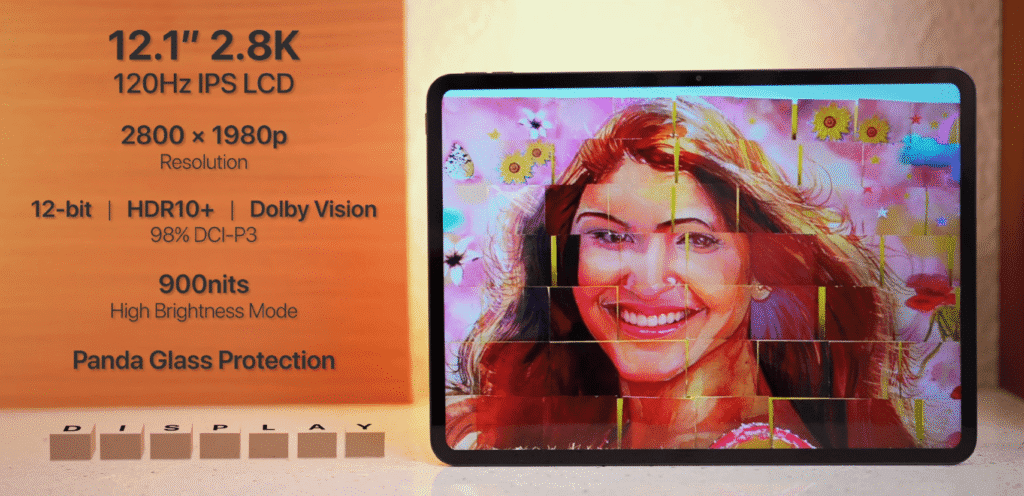
- 12.1-inch IPS LCD panel
- 2.8K resolution
- 120Hz refresh rate
- 7:5 aspect ratio
- Dolby Vision and HDR support
- 98% DCI-P3 color coverage
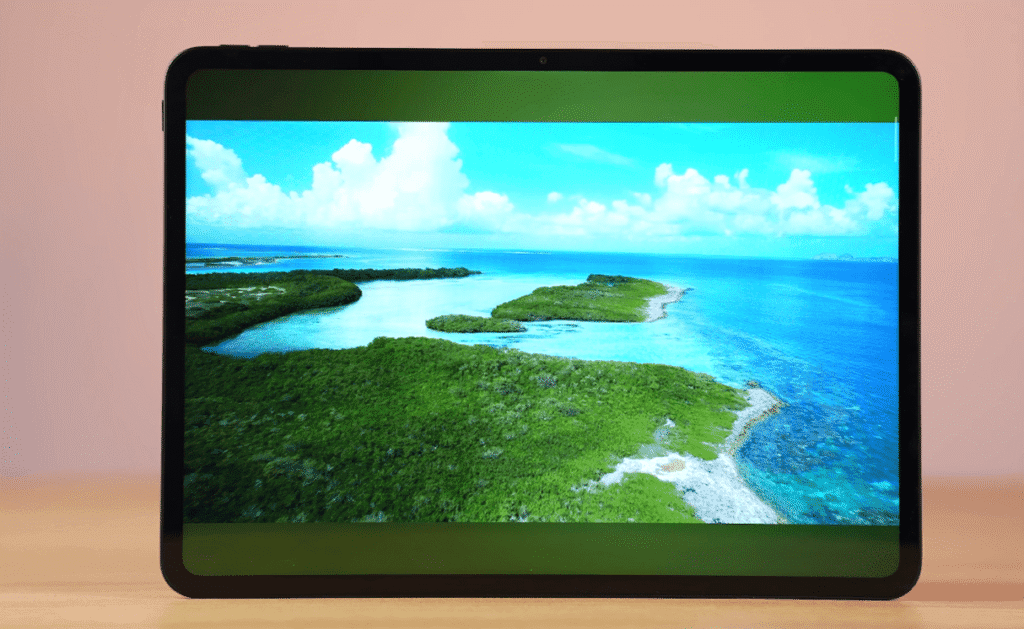
This aspect ratio is especially good for reading articles, taking notes, and browsing, whether you’re in portrait or landscape mode. It’s not AMOLED, but at this price point, the display quality is impressive. Brightness and viewing angles are solid, making it great for media consumption and productivity.
One Plus Pad Go 2 Audio Experience
The tablet features quad speakers, and they’re loud and clear. Instead of Dolby Atmos, OnePlus uses OReality Audio, which allows some customisation of the sound profile.
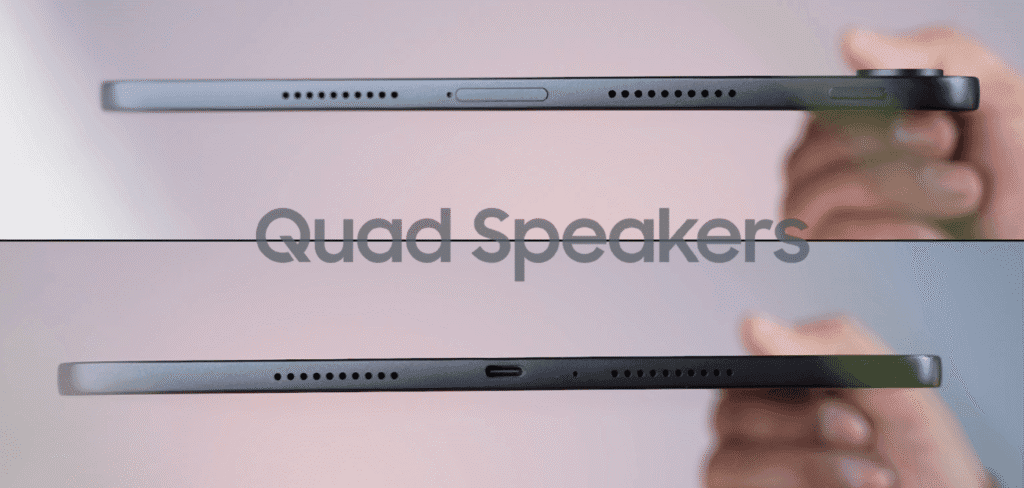
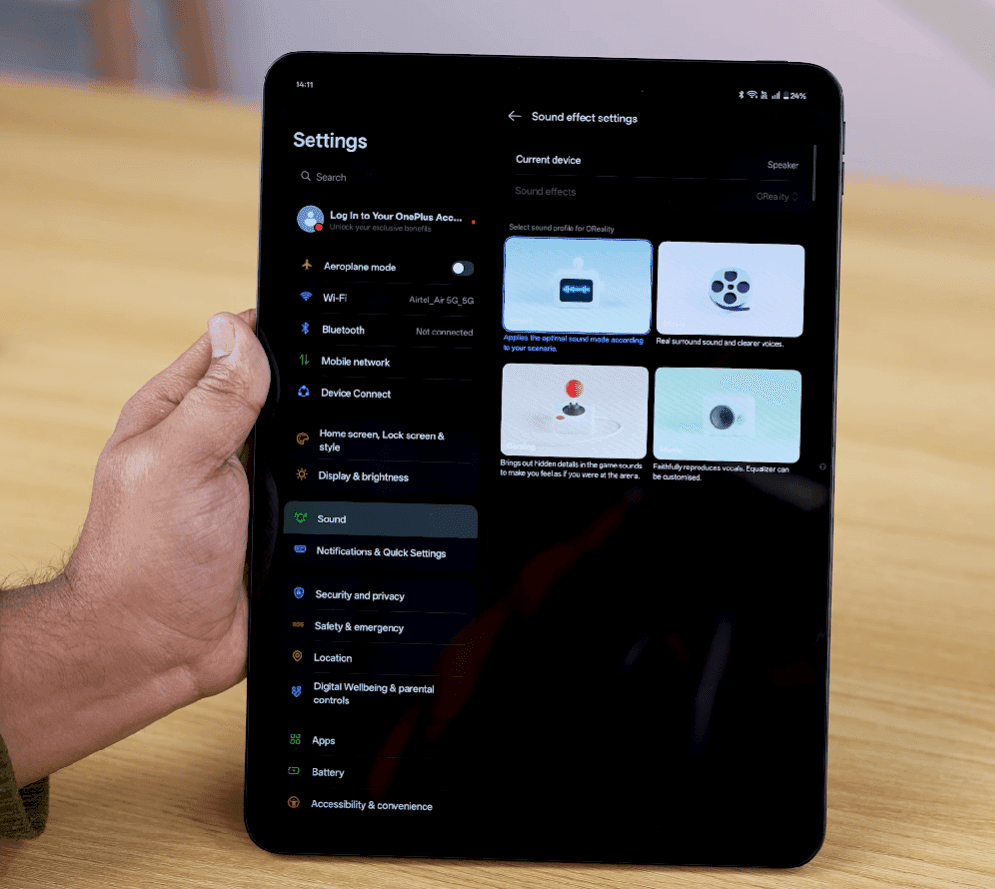
There’s no 3.5mm headphone jack, which is disappointing but not surprising. Still, speaker quality is noticeably better than the first Pad Go and works well for movies, online classes, and video calls.
One Plus Pad Go 2 Performance: A Real Upgrade
This is where the Pad Go 2 improves the most.
Specs:
- MediaTek Dimensity 7300 Ultra
- 8GB LPDDR5X RAM
- 128GB UFS 3.1 storage
- 120Hz refresh rate
Compared to the older Helio processor and UFS 2.2 storage, performance is much smoother and faster. Everyday tasks, multitasking, note-taking, and media use feel fluid. This tablet isn’t meant for heavy gaming, but for productivity and casual use; it performs well.
One Plus Pad Go 2 Software and Updates
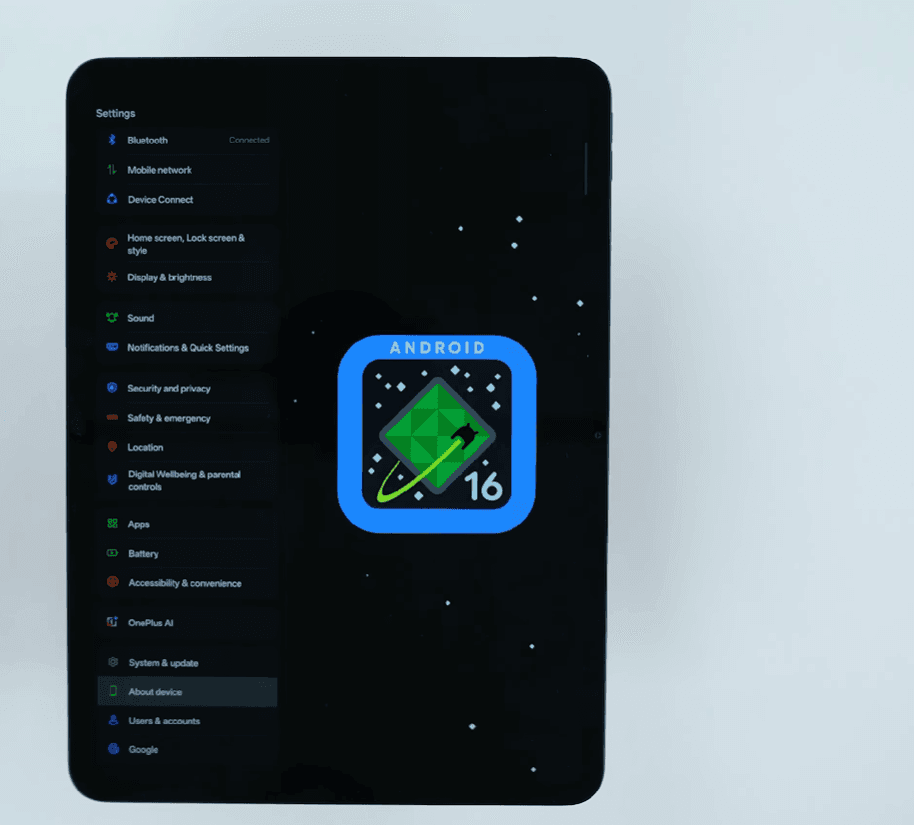
The OnePlus Pad Go 2 runs Android 16 out of the box with Oxygen-OS 16.
OnePlus promises:
- 5 years of Android updates
- 6 years of security updates
That’s excellent for a tablet in this category. The UI is clean, with minimal pre-installed apps.
Features like:
- Dock-based multitasking
- Split-screen apps
- Floating windows
- App shortcut pairs
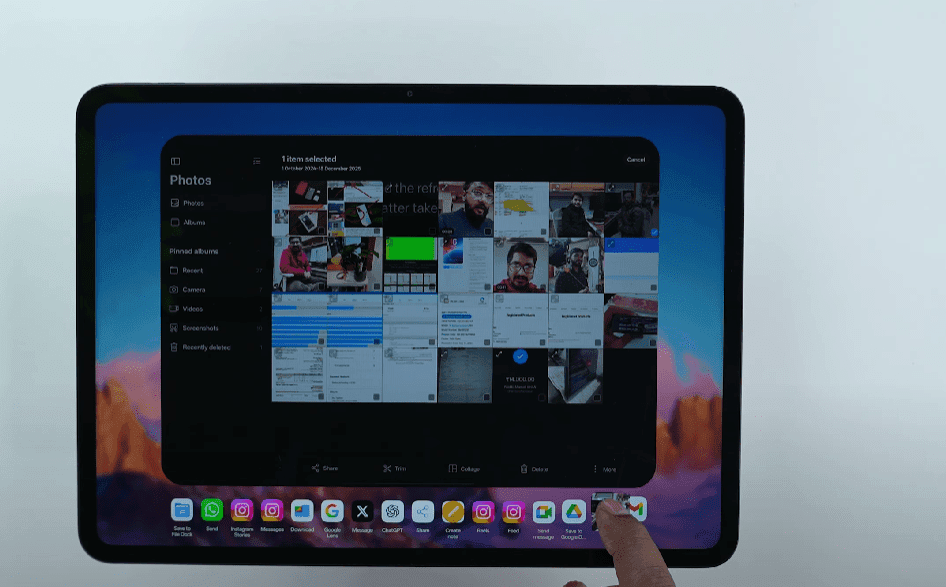
make it feel closer to a laptop-style experience.
With OnePlus Connect, you can connect the tablet to a Windows PC or MacBook for file drag-and-drop and cross-device sharing.
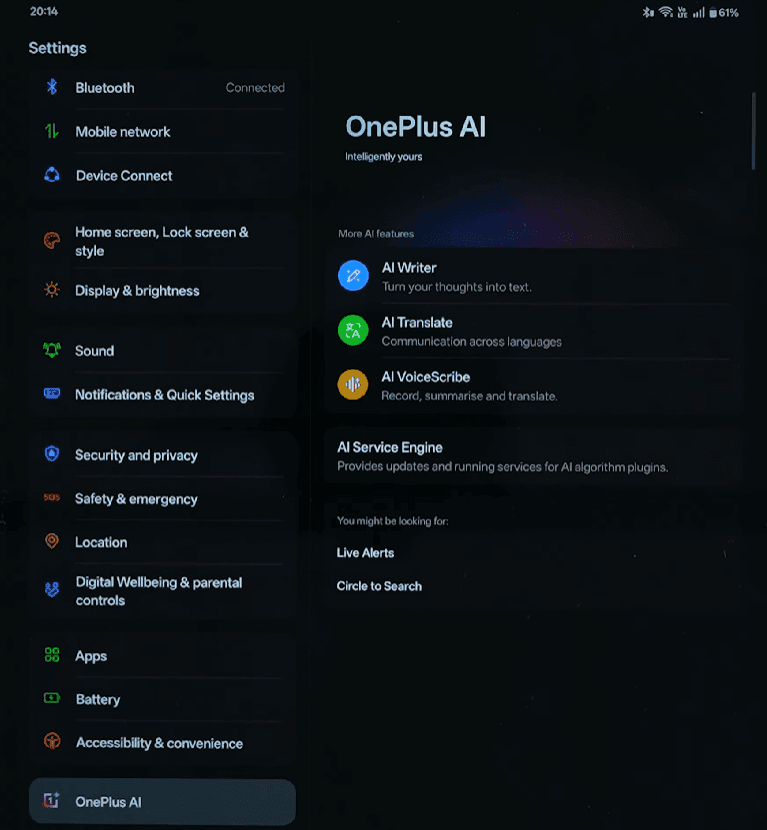
One Plus Pad Go 2 AI Features
OnePlus has added useful AI tools, including:
- AI Writer
- AI Translator
- AI Voice Scribe
- AI Speak (reads articles aloud)
Nothing revolutionary, but they’re practical and well-integrated into the system.
One Plus Pad Go 2 Cameras and Video Calls
Cameras are basic, as expected on a tablet.
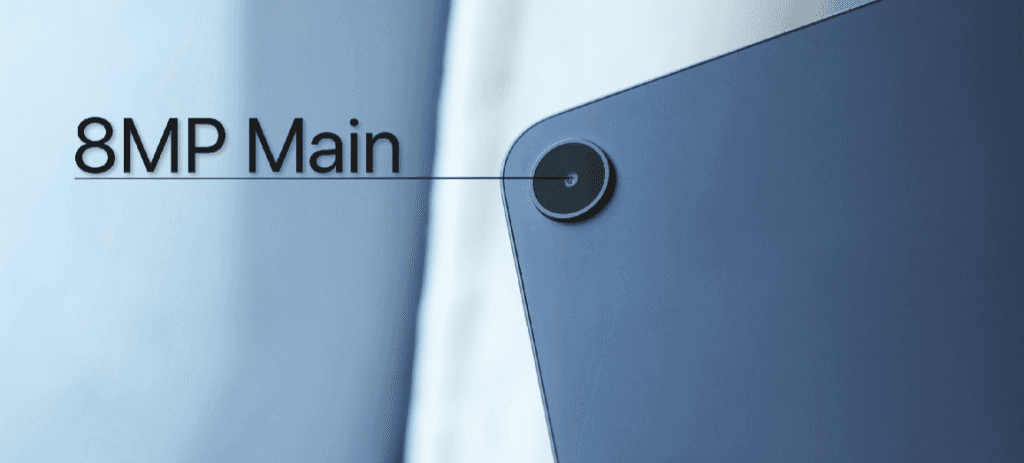
- 8MP rear camera
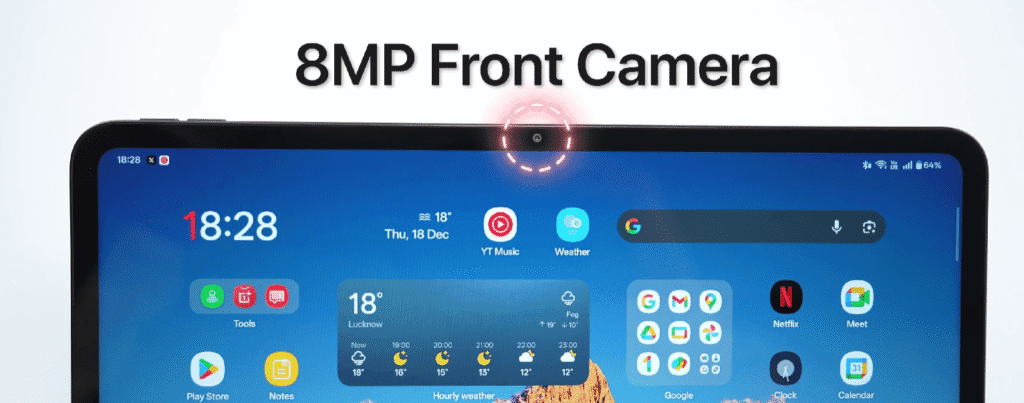
- 8MP front camera (landscape placement)
The front camera placement is great for video calls. You also get:
- Document scanning mode
- 1080p video recording (front and back)
- Good microphone quality for calls and online classes
A rear flash would have helped, especially for scanning documents.
One Plus Pad Go 2 Battery and Charging
- 10,500mAh battery (up from 8,000mAh)
- 33W fast charging support
- Reverse wired charging (6.5W)
- 45W charger included in the box
Battery life is strong and easily lasts a full day of mixed usage.
One Plus Pad Go 2 Stylus and Folio Case
Stylus (Sold Separately, Sometimes Free)
The OnePlus Pad Go 2 Stylus is surprisingly good.
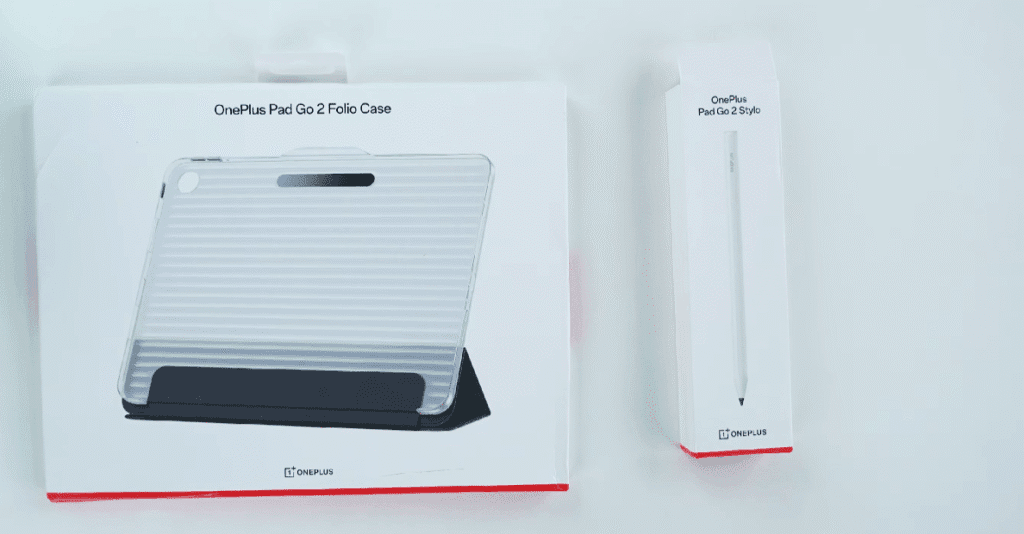
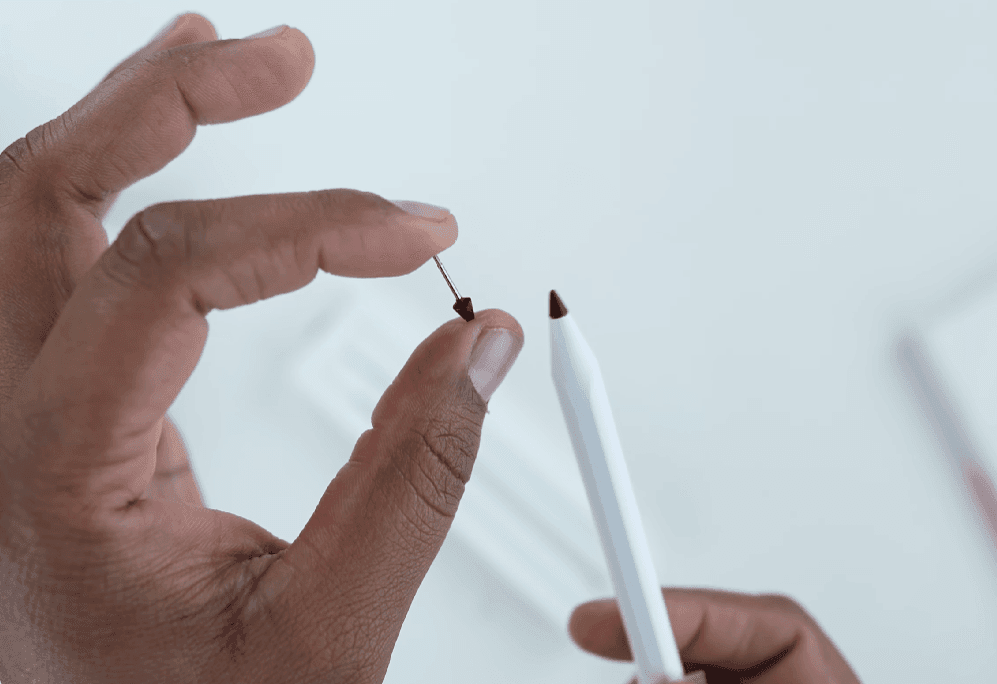
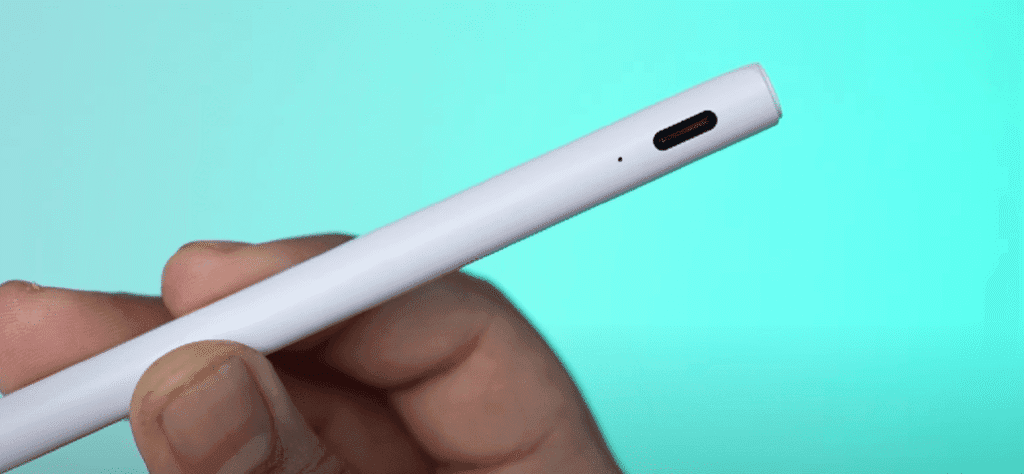
Features include:
- Palm rejection
- Pressure sensitivity
- Customizable button
- Quick screenshot gesture
- text-to-search
- Quick Notes access
- Handwriting-to-text (English and Chinese)
- Charging via USB-TypeC
It’s not magnetically attachable, which is a missed opportunity. Using it with the folio case is the safest option.
Folio Case
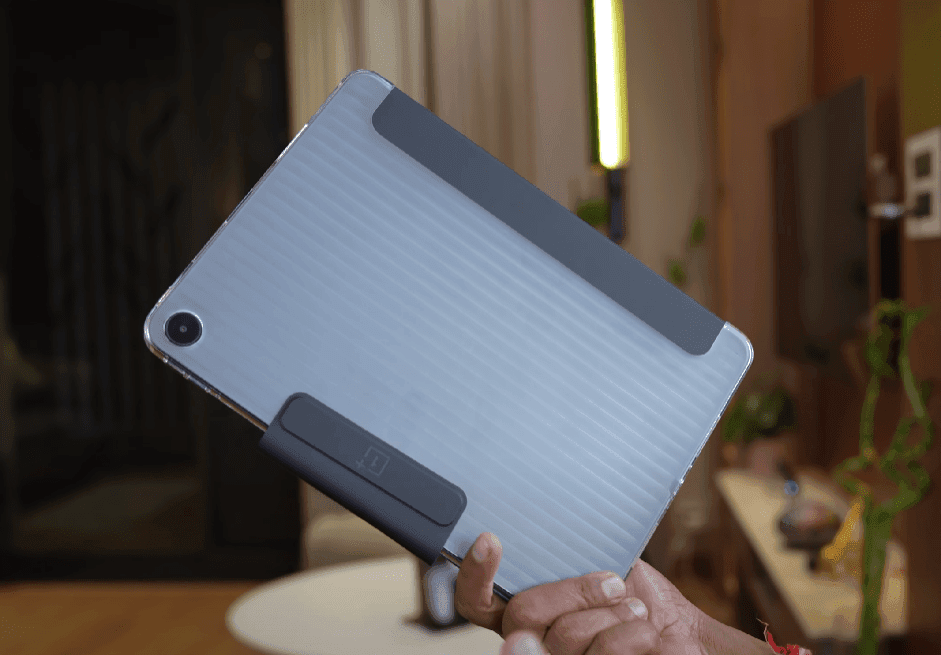
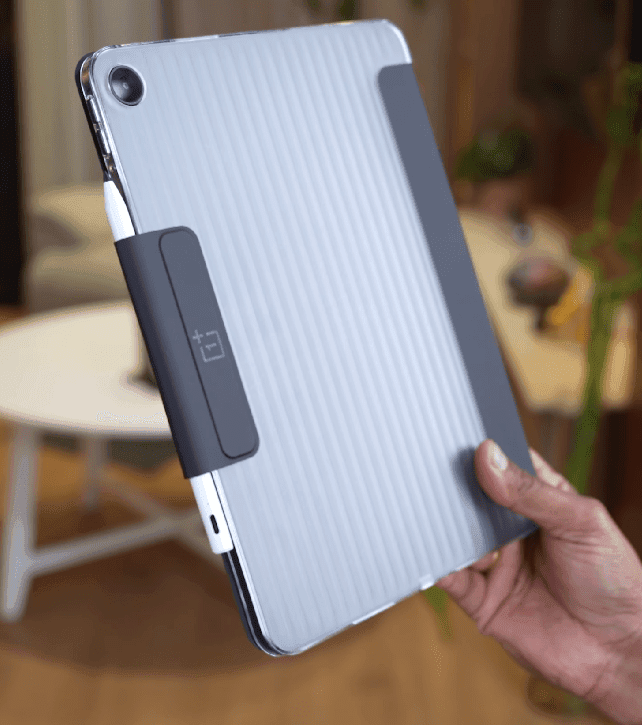
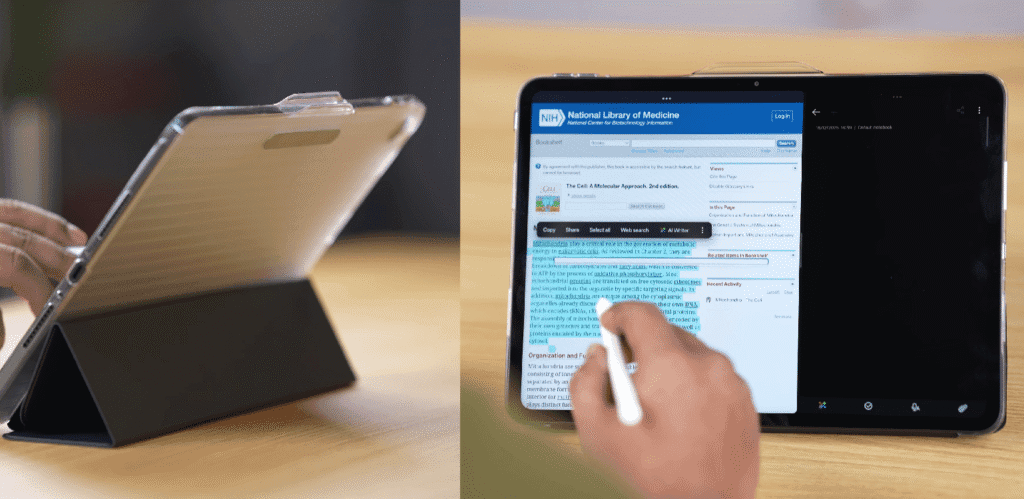
- Protects the tablet
- Holds the stylus securely
- Works as a stand for watching content
Simple, functional, and well-designed.
One Plus Pad Go 2 Pricing
- Wi-Fi variant (8GB + 128GB): Around $360
- With discounts, price drops to around $290
- Stylus price: Around $50 (sometimes free in launch offers)
If you get the tablet around $240–$250 with the free stylus, it becomes a very solid deal.
One Plus Pad Go 2 Final Verdict
The OnePlus Pad Go 2 is a meaningful upgrade over the original Pad Go. The display, performance, battery, software support, and stylus integration all feel much more refined.
That said, the base price is slightly high. With discounts or bundle offers, it makes a lot more sense.
Buy it if:
- You want a large Android tablet for notes, reading, and media
- You plan to use a stylus
- You value long-term software updates
Skip it if:
- You want an AMOLED display
- You need a fingerprint scanner
- You’re looking for heavy gaming performance
Overall, with the right deal, the OnePlus Pad Go 2 is a well-balanced productivity tablet for students, professionals, and casual users.
Is the OnePlus Pad Go 2 worth buying?
Yes, if your priority is media consumption, casual productivity, and long battery life. I generally agree that Pad Go 2 makes sense for its price segment, especially for students and users who want a large display without paying flagship tablet money. It is not meant for heavy gaming or pro-level work.
Does OnePlus Pad Go 2 support a stylus?
Yes. Unlike the older Pad Go, the Pad Go 2 supports a dedicated stylus. This is one of the most discussed upgrades. Users are interested in note-taking, sketching, and basic productivity tasks. Early impressions suggest the stylus is good for everyday use, though it’s not positioned as a high-end S Pen alternative.
How is the performance in daily use?
For normal tasks like browsing, YouTube, Netflix, online classes, and split-screen multitasking, performance is smooth. I point out that the chipset is optimised for efficiency, not raw power. Heavy gaming or advanced editing apps can push the tablet, so expectations should stay realistic.
Is the display good for watching movies and reading?
This is one of the strongest points of the Pad Go 2. Reddit discussions frequently highlight the large, sharp display and immersive viewing experience. It works well for binge-watching, reading PDFs, and studying for long hours without feeling cramped.
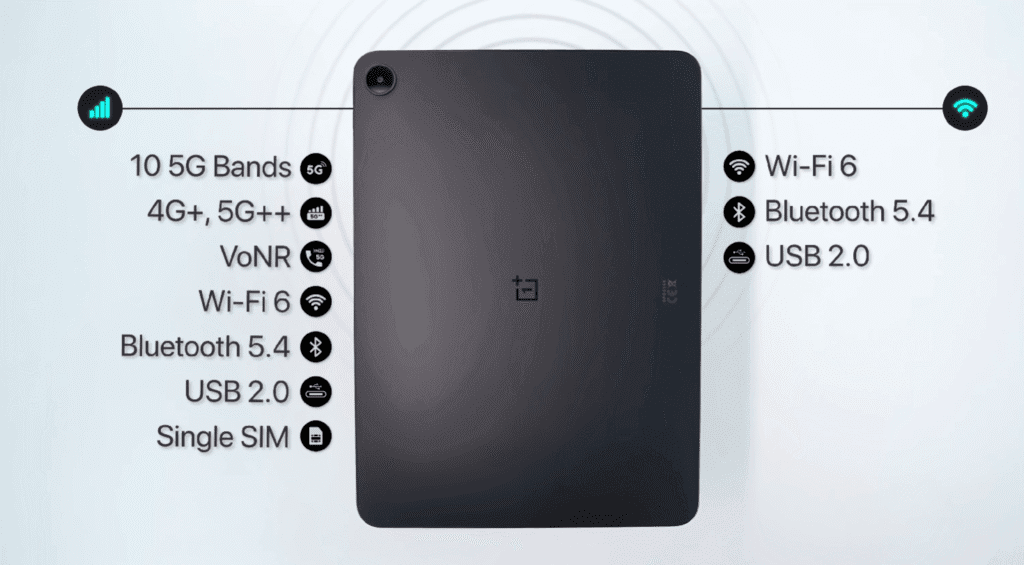
Does OnePlus Pad Go 2 support 5G or SIM cards?
Yes, selected variants offer cellular connectivity, including 5G. Reddit users often advise checking the exact variant before buying, as Wi-Fi and cellular models are sold separately in some regions.
What Android version does the OnePlus Pad Go 2 run?
The tablet ships with the latest OxygenOS for tablets, based on a recent Android version. I see this as a positive, especially compared to older budget tablets that launch with outdated software. Software support is expected to be better than most tablets in the same price range.
Is OnePlus Pad Go 2 good for gaming?
Casual games run fine, but I don’t recommend them for hardcore gaming. Titles like BGMI or Call of Duty may need medium settings for stable performance. This tablet is clearly designed more for media and productivity than gaming.
How is the battery life in real usage?
Battery life is frequently praised. Most users report full-day usage with mixed tasks like video streaming, browsing, and note-taking. For students or travellers, this is considered a major advantage.
Are there any drawbacks of pad go 2?
Common concerns include average camera quality, a limited accessory ecosystem compared to premium tablets, and uncertainty about long-term software updates. Some users also mention USB speeds being basic, which matters only if you transfer large files often. No flash, no fingerprint sensor

