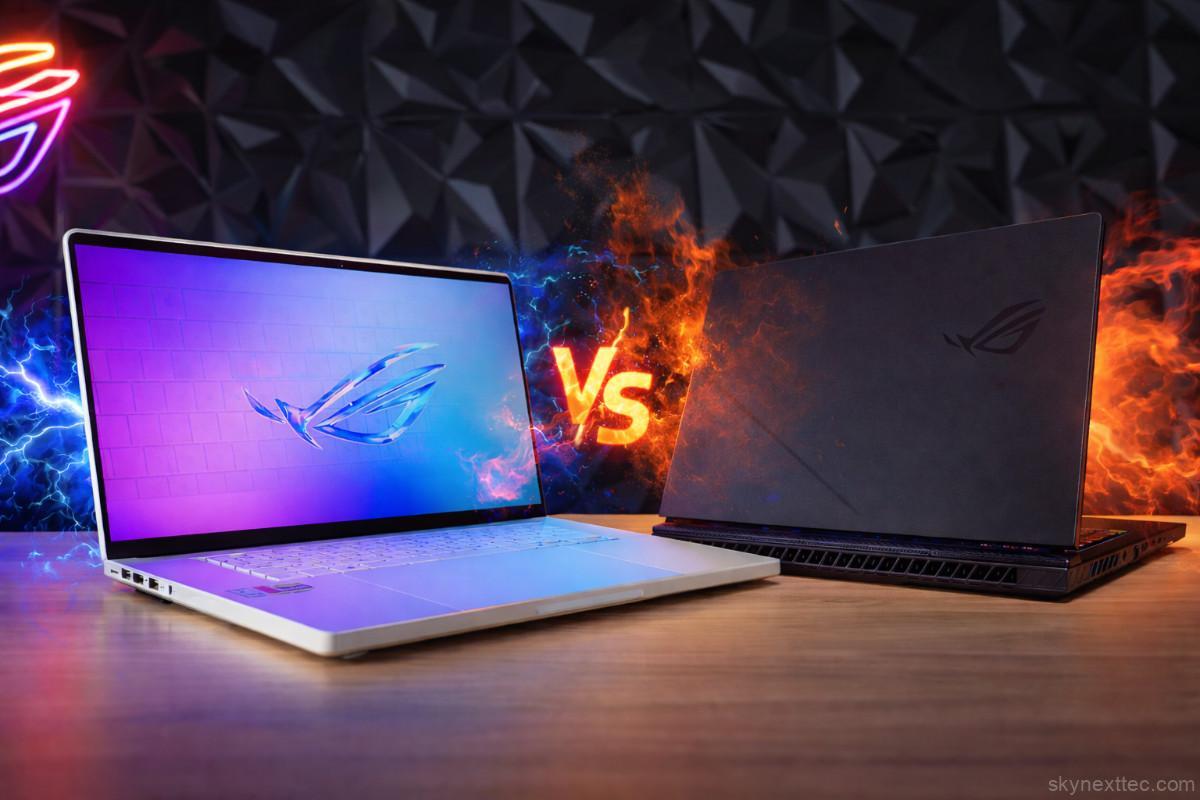
Gaming laptops are more capable than ever, allowing you to carry desktop-level performance wherever you go. But not all gaming laptops are built the same. Some focus on portability, while others push raw power to the extreme. This raises a simple but important question: should you sacrifice portability for performance, or stick with a thinner and more balanced machine?
The ASUS Zephyrus G16 vs Strix G16 (2026) comparison highlights the key differences between portability and performance. If you’re searching for a zephyrus g16 vs strix g16 comparison, this guide will help you choose the right gaming laptop.
Build and Design
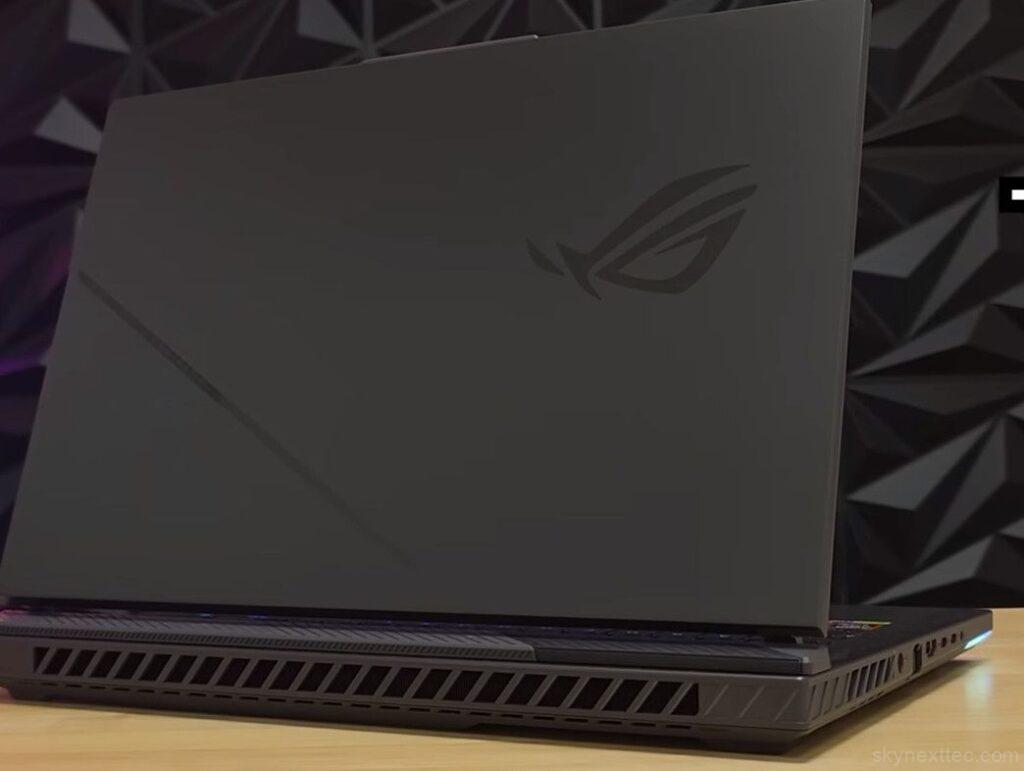
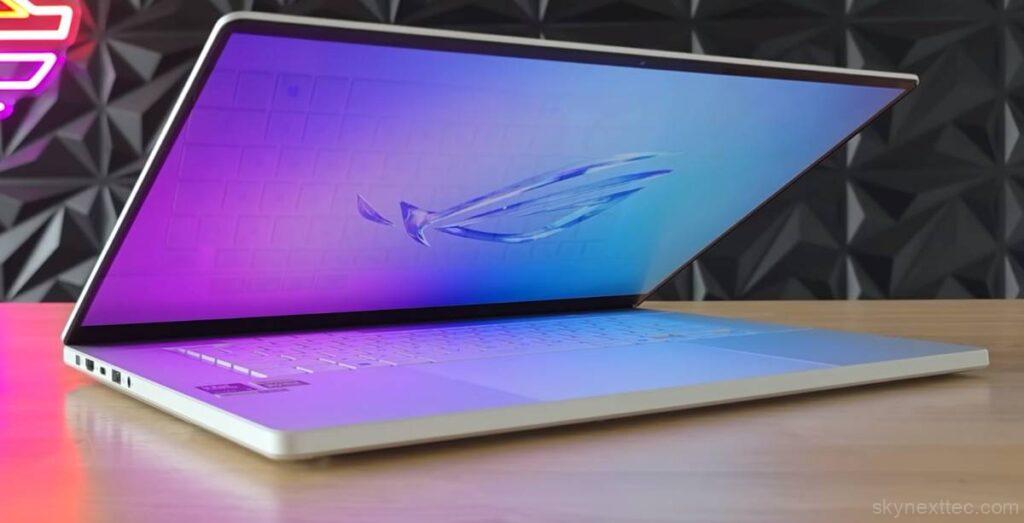
From the outside, these two laptops (ASUS Zephyrus G16 vs Strix G16) feel completely different. The Zephyrus G16 features a sleek aluminium body that gives it a premium and professional look. It feels sturdy, refined, and suitable for both gaming and office environments. In contrast, the Strix G16 embraces a more aggressive gaming design with RGB lighting and a plastic chassis. While the plastic doesn’t feel cheap, it’s clearly designed with gamers in mind.
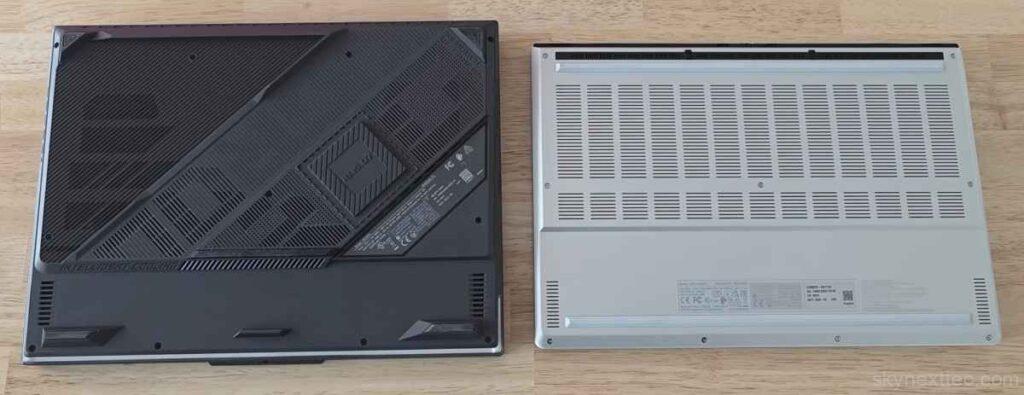
Lighting also highlights their differences. The Zephyrus keeps things subtle with a single LED strip at the back, while the Strix includes a bold RGB strip at the front, making it much more eye-catching. When it comes to portability, the Zephyrus is significantly easier to carry. The Strix is heavier and thicker due to its larger cooling system, which makes it less convenient for daily travel.
Specifications and Power
| Specification | ASUS Zephyrus G16 | ASUS Strix G16 |
|---|---|---|
| Operating System | Windows 11 Pro | Windows 11 Pro |
| Processor |
Intel Core Ultra 9 285H 2.9 GHz (Base), up to 5.4 GHz |
AMD Ryzen 9 8940HX 2.4 GHz (Base), up to 5.3 GHz |
| Cache Memory | 24MB | 80MB |
| Graphics |
RTX 5060 Laptop GPU 8GB GDDR7 |
RTX 5080 Laptop GPU 16GB GDDR7 |
| GPU Power (TGP) | 105W (90W + 15W Dynamic Boost) | 175W (150W + 25W Dynamic Boost) |
| CPU Cores / Threads | 16 Cores / 16 Threads | 16 Cores / 32 Threads |
| Network & Communication |
Wi-Fi 6E (802.11ax) – Triple Band (2×2) Bluetooth 5.3 |
Wi-Fi 6E (802.11ax) – Triple Band (2×2) Bluetooth 5.3 |
| Cooling | Slim vapor chamber | Large cooling system |
| Performance Focus | Efficiency & portability | Maximum performance |
| Best For | Portable gaming & creators | Hardcore gaming |
Even if both laptops (ASUS Zephyrus G16 vs Strix G16) appear similar on paper, the real difference lies in power limits. The Strix G16 is essentially a more powerful version of the Zephyrus G16, thanks to its higher wattage CPU and GPU. Its thicker design allows it to push hardware much further, making it one of the fastest gaming laptops available.
The Zephyrus G16 still delivers strong performance, but it is tuned for efficiency and portability rather than maximum output. This makes the comparison interesting, as it clearly shows what extra size and cooling can achieve. Game test of Strix G16 or Game test of zephyrus G16
The Strix G16 offers better upgrade options. It includes two RAM slots, allowing easy upgrades, along with dual SSD slots and a replaceable Wi-Fi card. The Zephyrus also supports SSD upgrades but uses soldered RAM, limiting future upgrades. Additionally, newer Strix models feature a tool-less back panel for easier access, though this depends on the variant.
Ports
| Port Type | ASUS Zephyrus G16 | ASUS Strix G16 |
|---|---|---|
| Audio Jack | 1x 3.5mm Combo | 1x 3.5mm Combo |
| HDMI | 1x HDMI 2.1 FRL | 1x HDMI 2.1 FRL |
| USB Type-A | 2x USB 3.2 Gen 2 | 2x USB 3.2 Gen 2 |
| USB Type-C |
1x USB-C (DP + Power Delivery) 1x Thunderbolt 4 (40Gbps) | 2x USB-C (USB4, 40Gbps, DP + PD + G-SYNC) |
| Thunderbolt | Yes (Thunderbolt 4) | No (USB4 instead) |
| LAN (Ethernet) | No | Yes (RJ45) |
| Card Reader | Yes (SD UHS-II) | No |
| External GPU Support | Yes (XG Mobile) | No |
The Strix G16 benefits from its size by offering more and larger ports, including a full-size Ethernet port, which is useful for stable gaming connections. The Zephyrus G16, on the other hand, includes a full-size SD card slot, making it more suitable for creators.
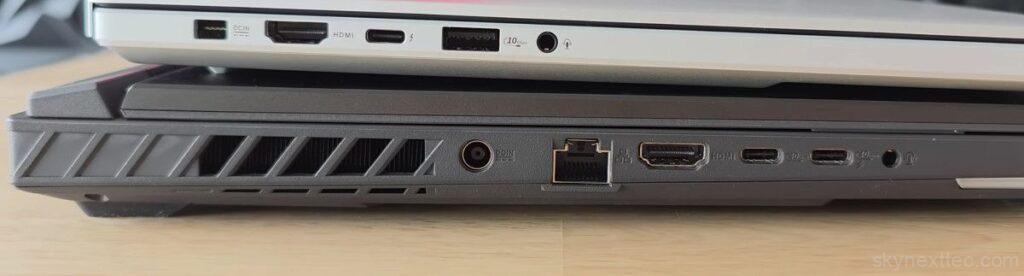
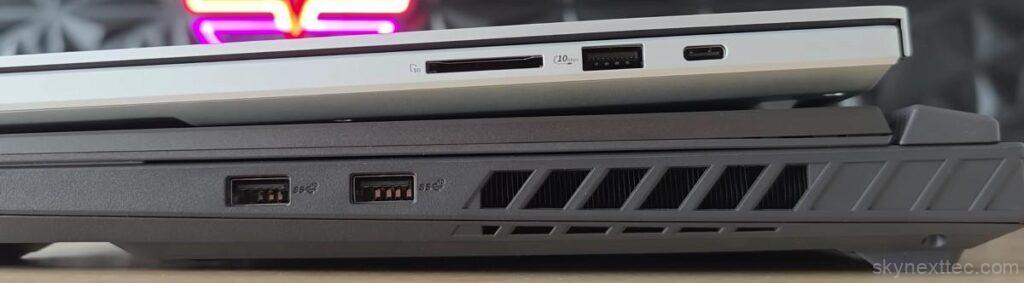
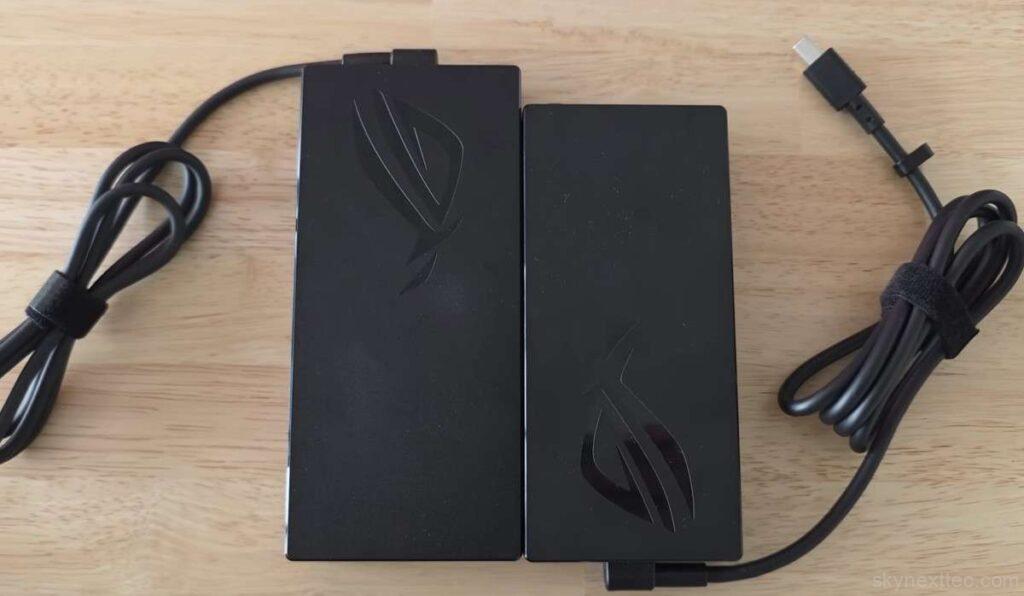
Because the Strix consumes more power, it comes with a larger power adapter and uses a traditional barrel connector. The Zephyrus uses a newer ASUS connector. However, both laptops (ASUS Zephyrus G16 vs Strix G16) support USB-C charging up to 100W, which is convenient for light use on the go.
Keyboard and Track-pad
| Feature | ASUS Zephyrus G16 | ASUS Strix G16 |
|---|---|---|
| Keyboard Type | Chiclet Keyboard | Chiclet Keyboard |
| Backlight | 1-Zone RGB | 4-Zone RGB |
| Touchpad | Precision Touchpad | Precision Touchpad |
| Special Features | — | Copilot Key (Windows 11) |
The keyboards on both laptops (ASUS Zephyrus G16 vs Strix G16) are high quality but slightly different in feel and features. The Zephyrus offers single-zone RGB lighting with a cleaner layout, while the Strix provides per-key RGB lighting, allowing for more customization.
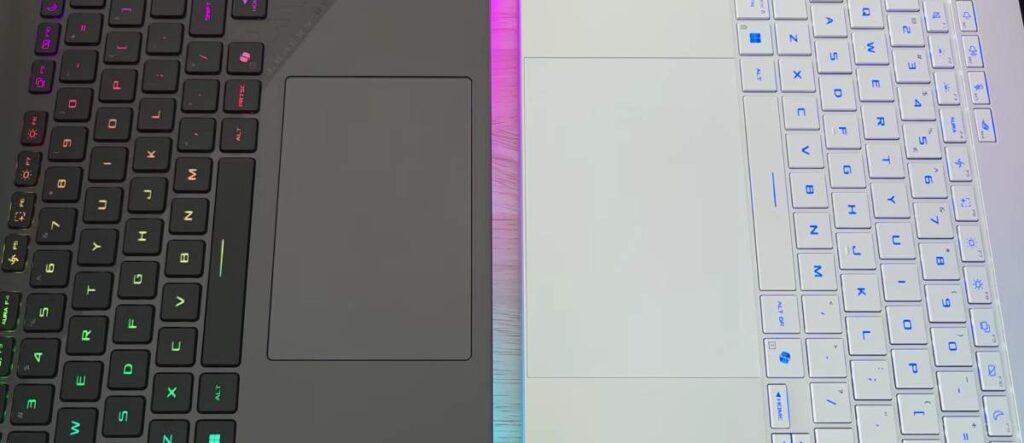
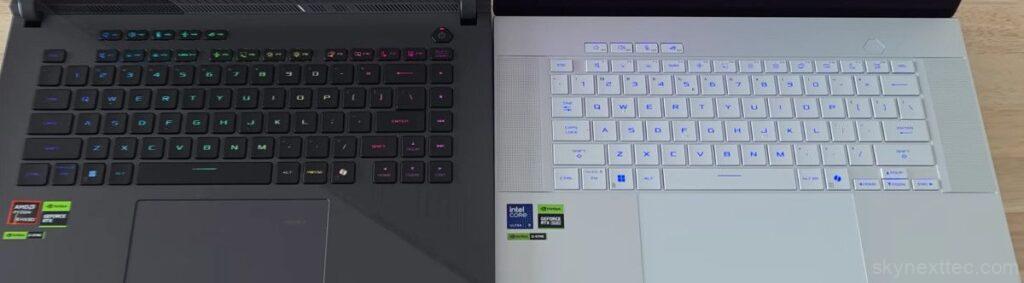
Typing experience is excellent on both. The Zephyrus feels slightly more clicky, while the Strix feels deeper and more cushioned. The Strix also includes extra keys and full-size arrow keys, which some users may prefer.
A standout feature on the Strix is its hidden numpad integrated into the track-pad. With a simple toggle, the track-pad lights up into a numeric keypad, which is useful for productivity tasks. The Zephyrus does not include a numpad but offers a larger, more premium glass track-pad that feels smoother and requires less force to click.
Display Quality
| Feature | ASUS Zephyrus G16 | ASUS Strix G16 |
|---|---|---|
| Screen Size | 16-inch (40.64 cm) | 16-inch (40.64 cm) |
| Panel Type | OLED | IPS-level |
| Color Gamut | 100% DCI-P3 | 100% sRGB |
| Refresh Rate | 240Hz | (Not specified) |
| Response Time | 0.2ms | (Not specified) |
| Surface | Glossy (OLED) | Anti-glare |
| Color Accuracy | Pantone Validated | — |
| Advanced Features | MUX Switch + NVIDIA Advanced Optimus | MUX Switch + NVIDIA Advanced Optimus |
Display is one of the biggest differences between these two laptops (ASUS Zephyrus G16 vs Strix G16). The Zephyrus G16 features an OLED panel, while the Strix G16 uses an IPS display. Both support a 240Hz refresh rate, making them great for fast-paced gaming.
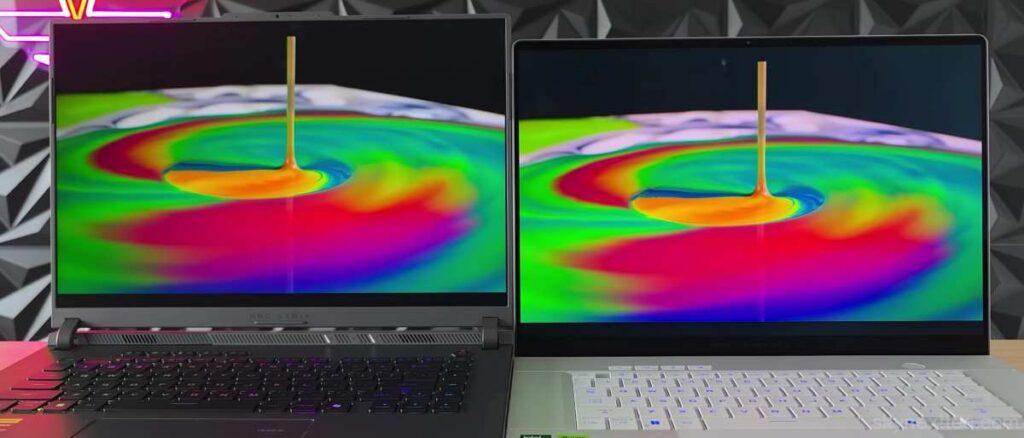
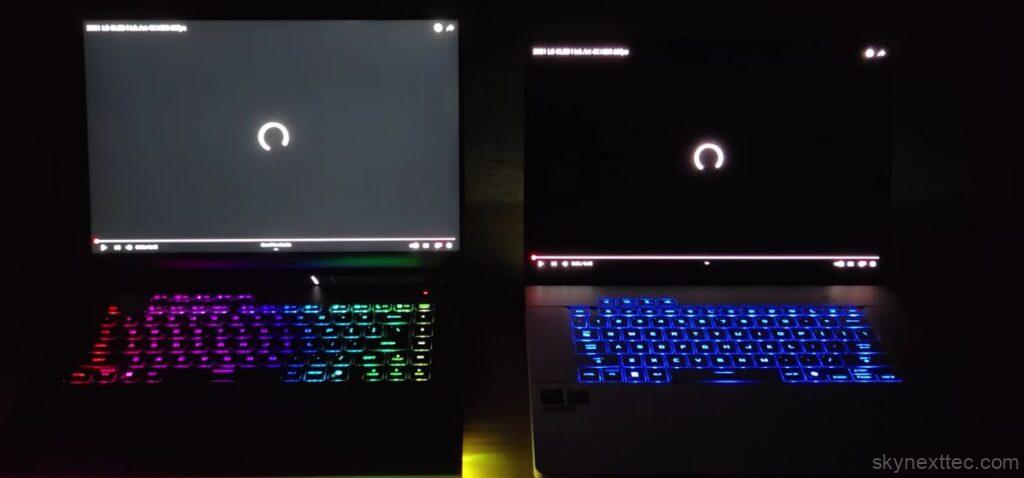
However, OLED clearly stands out with deeper blacks, higher contrast, and more vibrant colors. Everything looks more immersive on the Zephyrus. The IPS display on the Strix is still good and will satisfy most gamers, but it doesn’t match the visual quality of OLED.

Brightness levels are similar at around 500 nits, though the Zephyrus appears brighter due to its higher contrast. The Strix’s matte display handles reflections better, while the Zephyrus uses an anti-reflective coating on its glossy panel.
Speakers, Microphone, and Webcam
| Feature | ASUS Zephyrus G16 | ASUS Strix G16 |
|---|---|---|
| Camera |
1080P FHD IR Camera Supports Windows Hello | 1080P FHD Camera |
| Speaker System |
4-Speaker System (Dual Force Woofer + 2 Tweeters) | 2-Speaker System |
| Audio Technology |
Smart Amp Technology Dolby Atmos Hi-Res Certification |
Smart Amp Technology Dolby Atmos Hi-Res Certification |
| Microphones |
3-Microphone Array AI Noise-Canceling |
Built-in Array Microphone AI Noise-Canceling |
Audio quality is where the Zephyrus G16 really shines. It delivers louder sound, better bass, and a wider sound-stage, making it one of the best-sounding Windows laptops available. It even competes with premium devices like the MacBook Pro.
The Strix G16 offers decent speakers that are fine for gaming and everyday use, but they don’t stand out. Both laptops (ASUS Zephyrus G16 vs Strix G16) include good microphones and webcams, though the Zephyrus provides slightly better overall balance in audio and video quality.
Performance and Gaming
| Test | Strix G16 | Zephyrus G16 |
|---|---|---|
| Single-Core | 2173 | 2146 |
| Multi-Core | 37798 | 21988 |
When it comes to performance, the Strix G16 dominates. In benchmarks like Cinebench R23, it can be nearly 50% faster in multi-core performance. This clearly shows the advantage of its high-powered processor.
In real-world gaming, the difference becomes even more noticeable. In GPU-heavy games like Cyberpunk, the Strix delivers higher frame rates, while in CPU-heavy titles like CS2 and Rust, it performs in a completely different league. The extra power allows it to achieve performance levels rarely seen in laptops.
The Zephyrus G16 still handles modern games very well, but it cannot match the raw power of the Strix. If you want the best gaming performance possible, the Strix is the clear winner.
Battery Life Charging
| Feature | ASUS Zephyrus G16 | ASUS Strix G16 |
|---|---|---|
| Battery | 90WHrs, 4-cell Li-ion | 90WHrs, 4-cell Li-ion |
| Power Adapter |
200W AC Adapter 20V DC, 10A 100–240V (50/60Hz) |
280W AC Adapter 20V DC, 14A 100–240V (50/60Hz) |
| Charging Port | Rectangle Connector | Ø6.0 Barrel Connector |
| AURA SYNC | Yes | Yes |
Battery life varies depending on usage. In light tasks like video playback, the Zephyrus lasts slightly longer, mainly due to its efficiency-focused design. The Strix consumes more power because of its high-performance hardware, resulting in shorter battery life.
During gaming, both laptops drain quickly, which is expected. Thermal performance, however, favors the Strix. Its larger cooling system allows it to handle higher power levels more effectively. The Zephyrus runs quieter during light use, while the Strix often has some fan noise even during basic tasks.
Pricing (US & UK)
| Laptop | Price (US/UK) | Buy |
|---|---|---|
| ASUS Strix G16 | $2500–2700 / £2000–2200 | Buy |
| ASUS Zephyrus G16 | $2800–3000 / £2300–2500 | Buy |
Final Verdict
Both laptops (ASUS Zephyrus G16 vs Strix G16) are excellent, but they are built for different types of users. The Strix G16 is designed for maximum performance and is ideal for gamers who want the highest frame rates and don’t mind a heavier device. The Zephyrus G16 focuses on portability, premium design, and a better overall user experience.
If you mostly use your laptop at a desk and want the best performance, the Strix G16 is the better choice. If you move around frequently, need a lighter device, and value display quality and design, the Zephyrus G16 is the smarter option.
In the end, both laptops (ASUS Zephyrus G16 vs Strix G16) can handle modern games for years to come. The right choice simply depends on your lifestyle and how you plan to use your laptop.
❓Is the Strix G16 more powerful than the Zephyrus G16?
Yes, and it’s not even close. The Strix G16 runs a much higher wattage GPU (up to 175W), which means better FPS in games and stronger performance in heavy tasks. The Zephyrus G16 is tuned for efficiency, not max power.
❓ Is the Zephyrus G16 better for portability?
Definitely. The Zephyrus G16 is thinner, lighter, and easier to carry. If you travel a lot or need a laptop for college/work + gaming, it’s a much better choice.
❓ Which laptop has a better display?
The Zephyrus G16 wins here. It has an OLED panel with better colors, contrast, and super fast response time. The Strix G16 uses an IPS display, which is good but not as premium.
❓ Is the Strix G16 worth it for gaming?
Yes, if gaming is your priority. The higher GPU power and better cooling system give you consistently higher FPS and better sustained performance.