

HP HyperX OMEN 15 Gaming Performance
In gaming, Valorant is the first title tested. It is a CPU-heavy esports game, and although the RTX 5050 is generally aimed at 1080p to 1200p gaming, all tests here were conducted at the laptop’s native 1600p resolution. This helps show the real performance limits of the GPU, especially with 8GB VRAM, and makes comparisons easier across other laptops.
| Game | Settings / Resolution | Average FPS |
|---|---|---|
| Valorant | High / 1600p | ~300 FPS |
| Counter-Strike 2 | Very High / 1600p | 120–130 FPS |
| Elden Ring | Max + RT / 1600p | 50–55 FPS |
| Warzone | Extreme / 1600p | 50–55 FPS |
| GTA 5 Enhanced | Max + RT / 1600p | ~40 FPS |
| RDR2 | High + DLSS / 1600p | Playable Smooth |
| Cyberpunk 2077 | Ultra + FG / 1600p | 80 FPS |
| Hogwarts Legacy | Ultra + FG / 1600p | 60–80 FPS |
| Assassin’s Creed Shadows | Very High + RT | ~30 FPS |
| The Last of Us Part II | Very High + FG | 75–80 FPS |
| Horizon Forbidden West | Very High + FG | ~60 FPS |
| Ghost of Tsushima | Very High / 1600p | 40–80 FPS |
| Black Myth: Wukong | Cinematic + FG | 40–50 FPS |
| Alan Wake 2 | High + FG | 60–65 FPS |
| Gaming Thermals | 3–4 Hours Gaming | 35–39°C Surface Temp |
Valorant
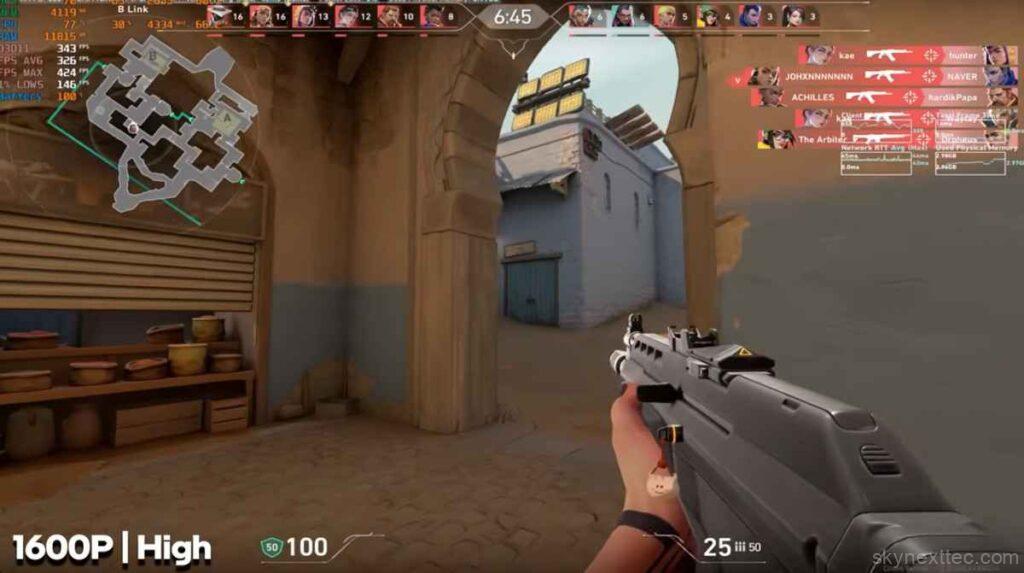
Valorant runs extremely well at high settings, delivering around 300 FPS. This is expected from a CPU-intensive esports title and makes the system ideal for high refresh rate competitive gaming.
Counter-Strike 2
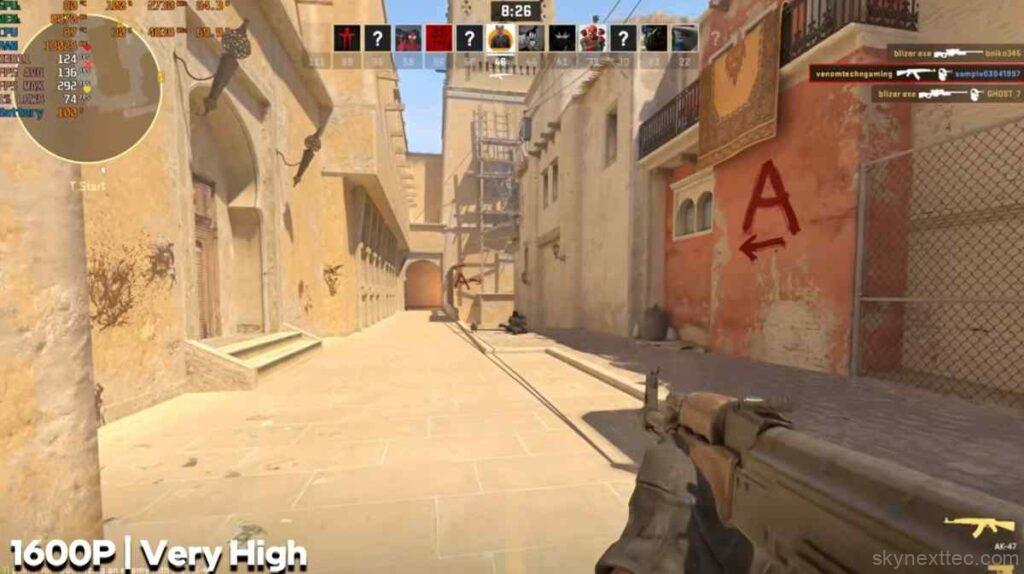
At very high settings and 1600p resolution, CS2 delivers around 120–130 FPS. CPU temperatures mostly stay below 90°C, occasionally reaching 90–92°C during heavier scenes. Power consumption averages around 70W, which is quite stable for sustained gameplay.
Elden Ring
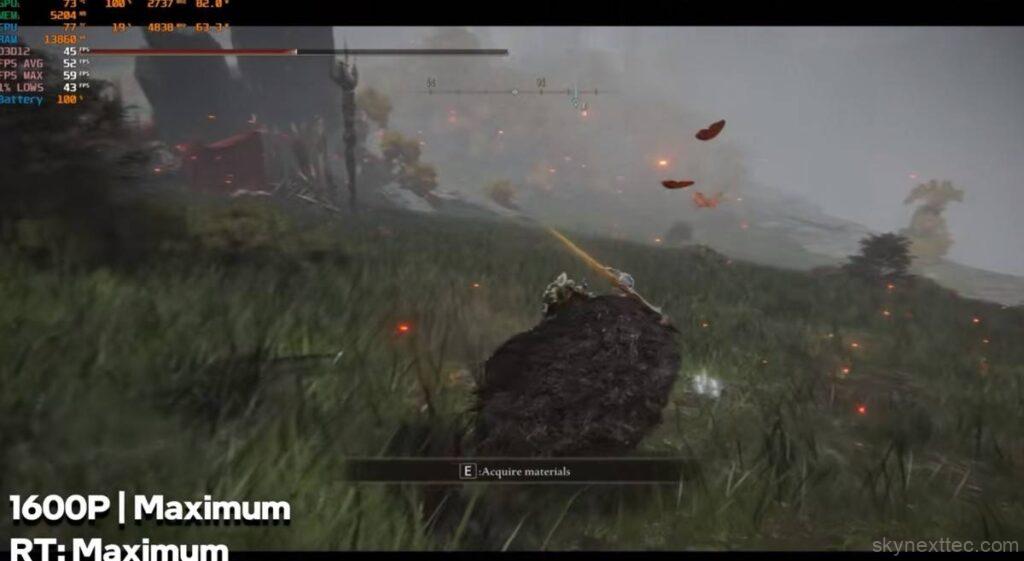
At maximum settings with ray tracing enabled, Elden Ring averages around 50–55 FPS. Since the game is capped at 60 FPS, slightly lowering settings can help achieve a more stable and consistent frame rate.
Call of Duty: Warzone
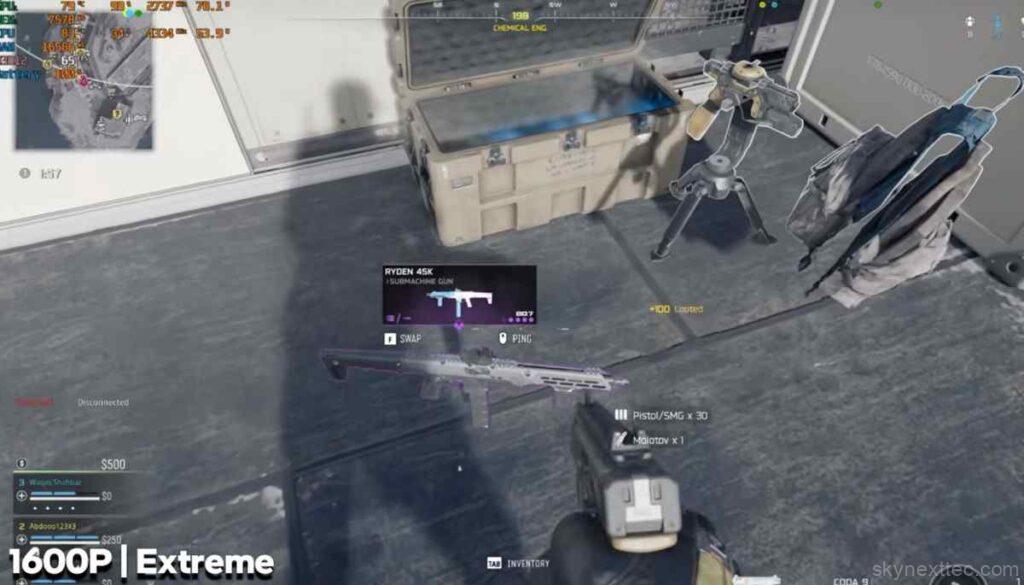
At extreme settings and 1600p resolution, Warzone averages around 50–55 FPS, with occasional dips below 50 FPS in intense combat scenarios. For better performance, lowering either the resolution or graphics settings is recommended.
GTA 5 Enhanced Edition
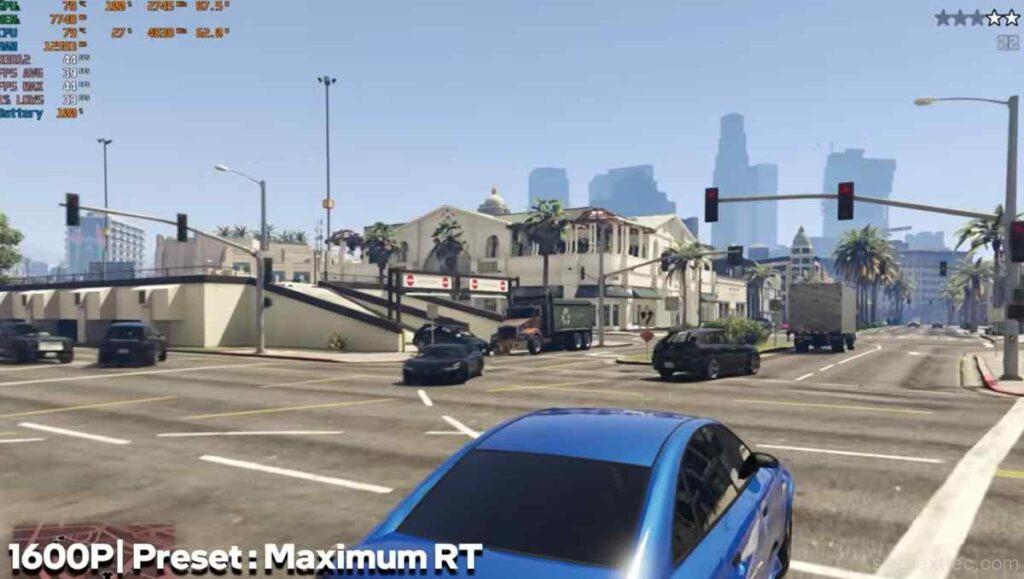
The Enhanced Edition is noticeably more demanding than the original GTA 5. With maximum settings and ray tracing enabled, the laptop delivers around 40 FPS at native resolution. Despite this, gameplay remains playable, and lowering settings can significantly improve smoothness.
Red Dead Redemption 2
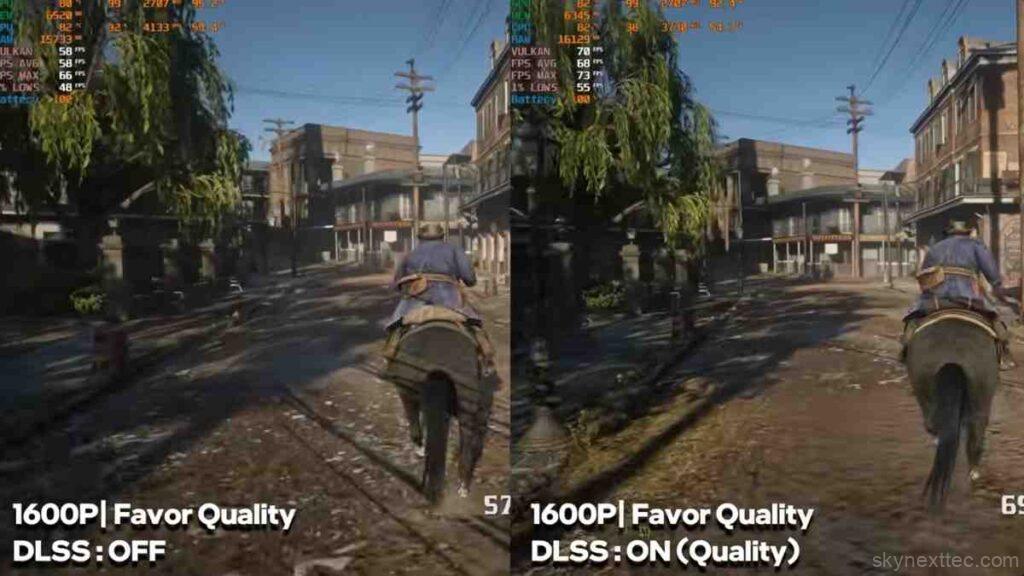
RDR2 was tested at high settings with DLSS enabled. Turning on DLSS Quality mode improves performance by around 10 FPS while maintaining strong visual quality at 1600p, making it a well-balanced experience.
Cyberpunk 2077
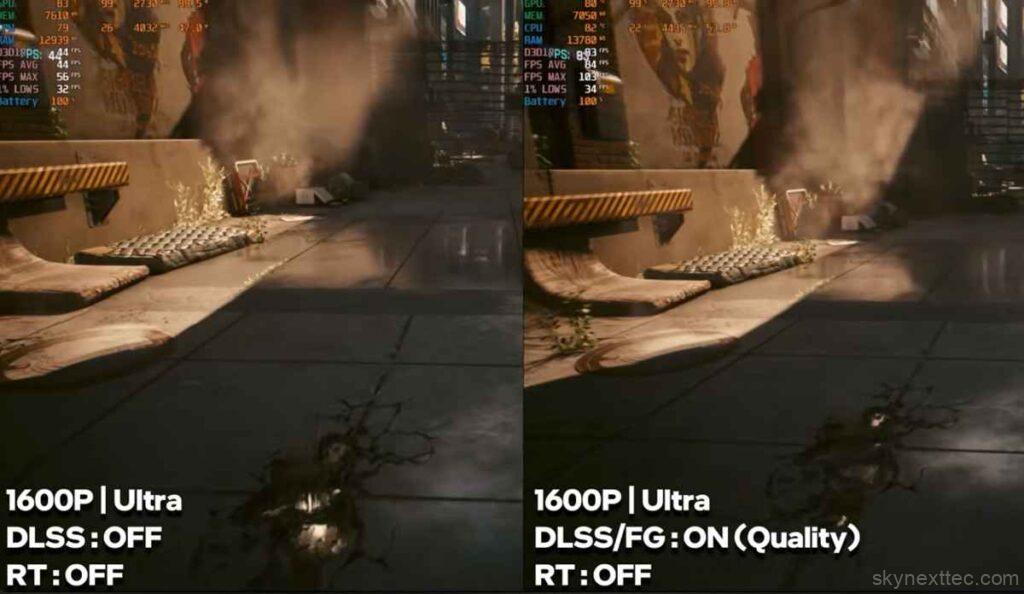
At Ultra settings without Frame Generation, Cyberpunk 2077 runs at around 40 FPS. Enabling DLSS Frame Generation boosts performance to nearly 80 FPS.
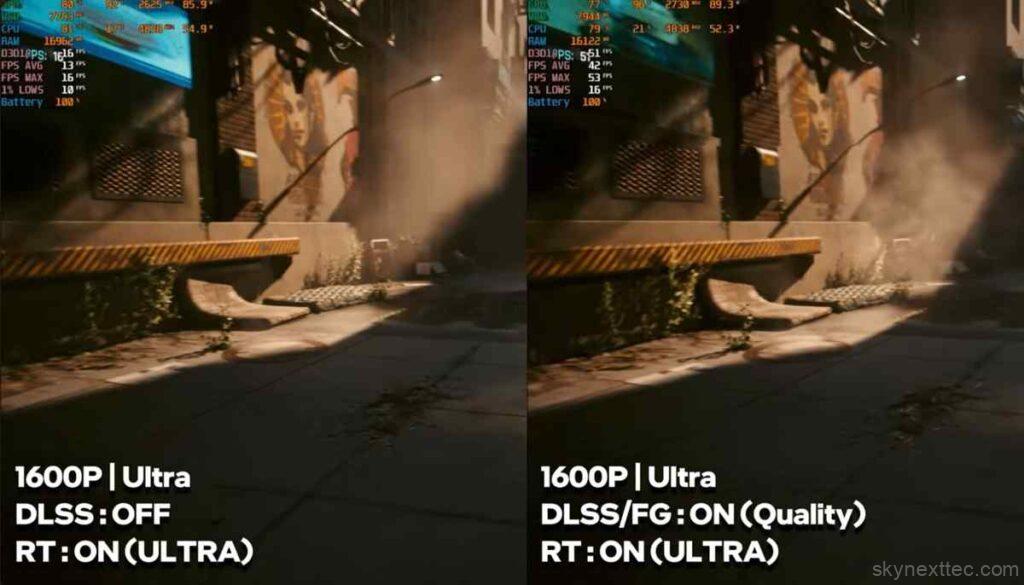
With ray tracing enabled, native performance drops significantly. However, DLSS combined with Frame Generation improves gameplay to around 50–55 FPS depending on settings.
Since this is an RTX 50-series GPU, multi-frame generation was also tested. With 3X and 4X modes, performance reaches around 70–90 FPS, even with ultra settings and ray tracing enabled. However, higher frame generation modes may introduce noticeable input latency.
Hogwarts Legacy
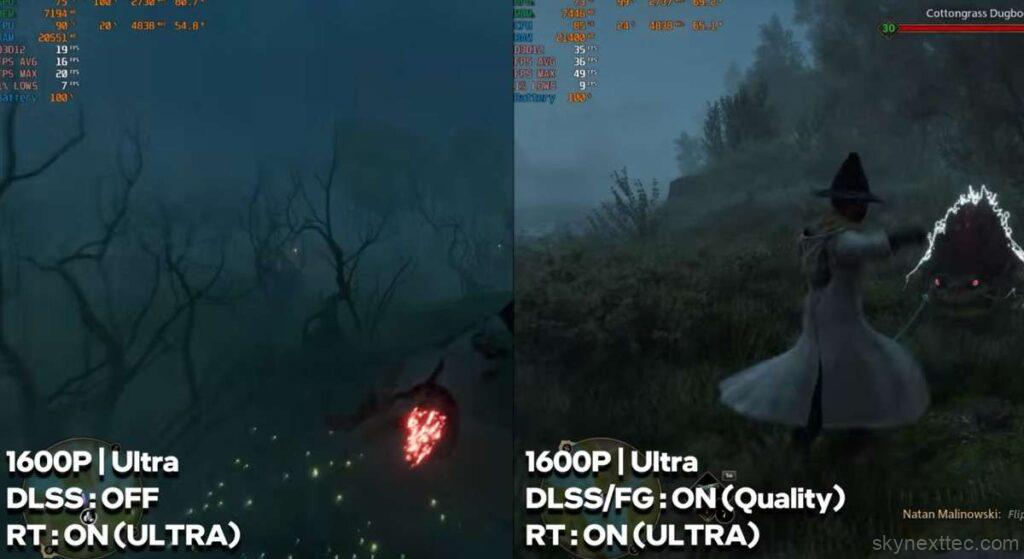
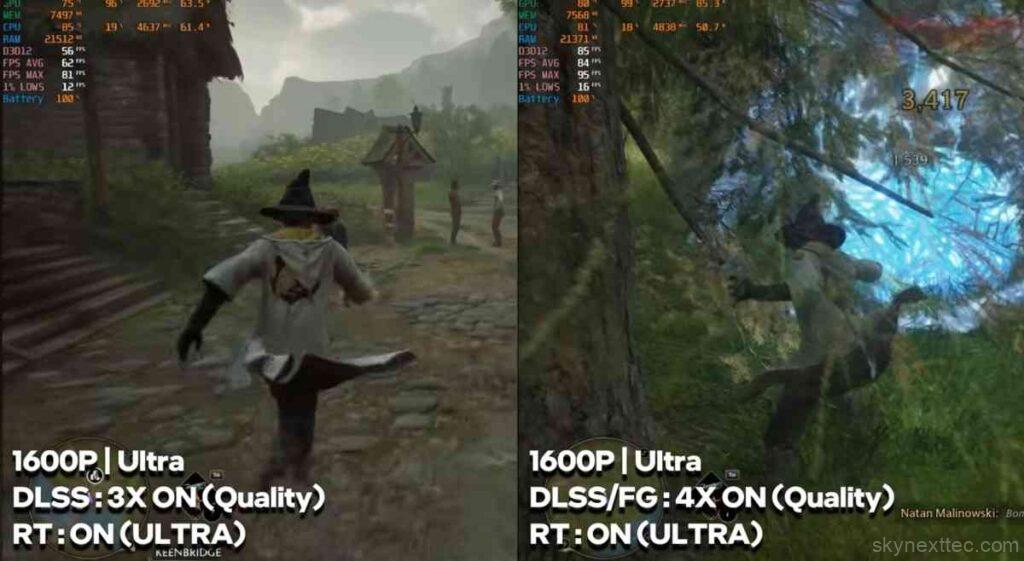
At ultra settings with ray tracing enabled, native performance is moderate. Enabling Frame Generation improves gameplay to around 40–45 FPS. With multi-frame generation (3X–4X), performance increases further to around 60–80 FPS, offering a much smoother experience.
Assassin’s Creed Shadows
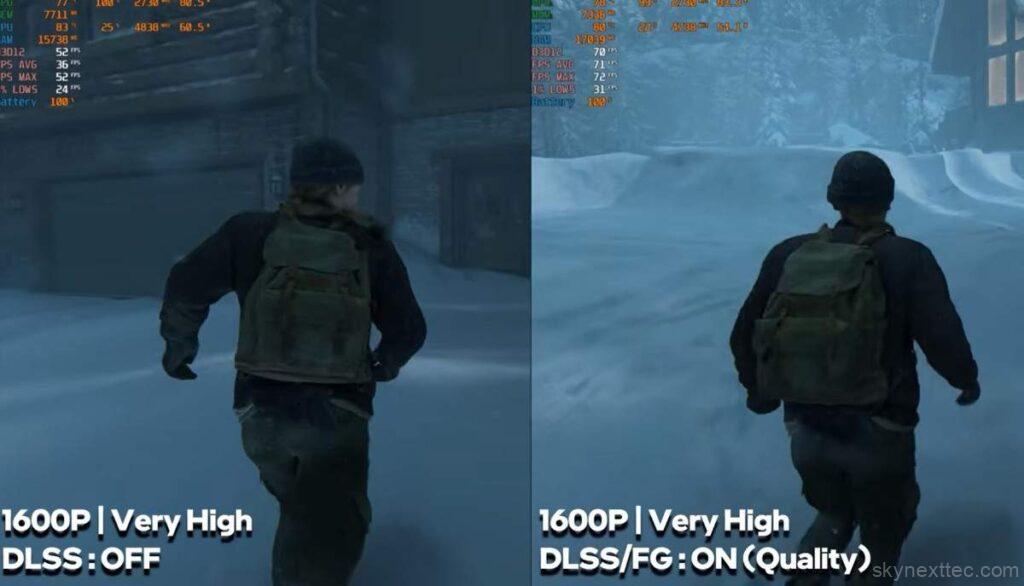
This is one of the most demanding titles tested. At very high settings with ray tracing enabled, native performance is quite low. Even with DLSS Frame Generation, the game struggles and averages around 30 FPS, depending on the scene.
The Last of Us Part II
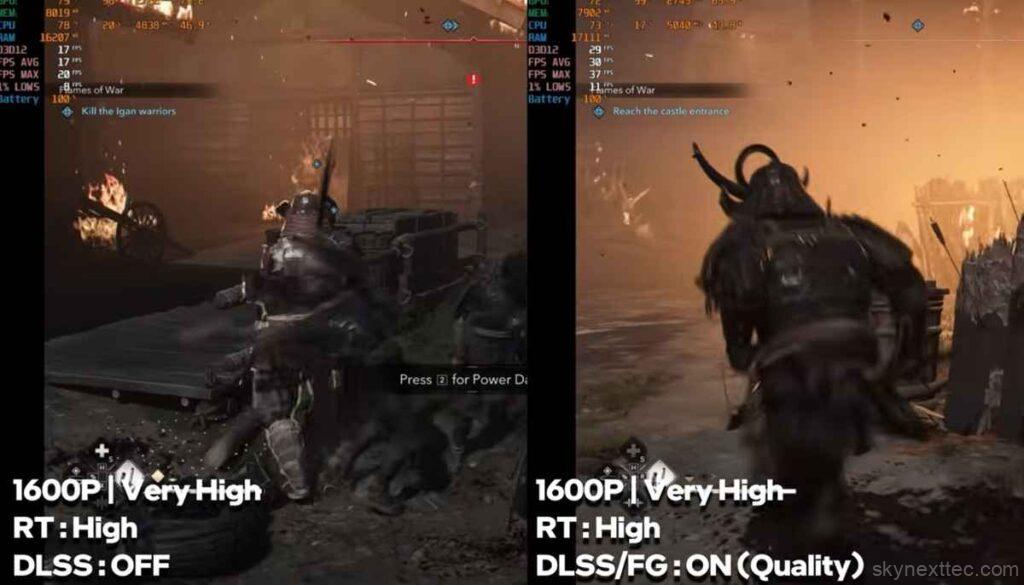
At very high settings, native performance is around 40 FPS. With Frame Generation enabled, performance improves significantly, reaching around 75–80 FPS, making gameplay much smoother.
Horizon Forbidden West
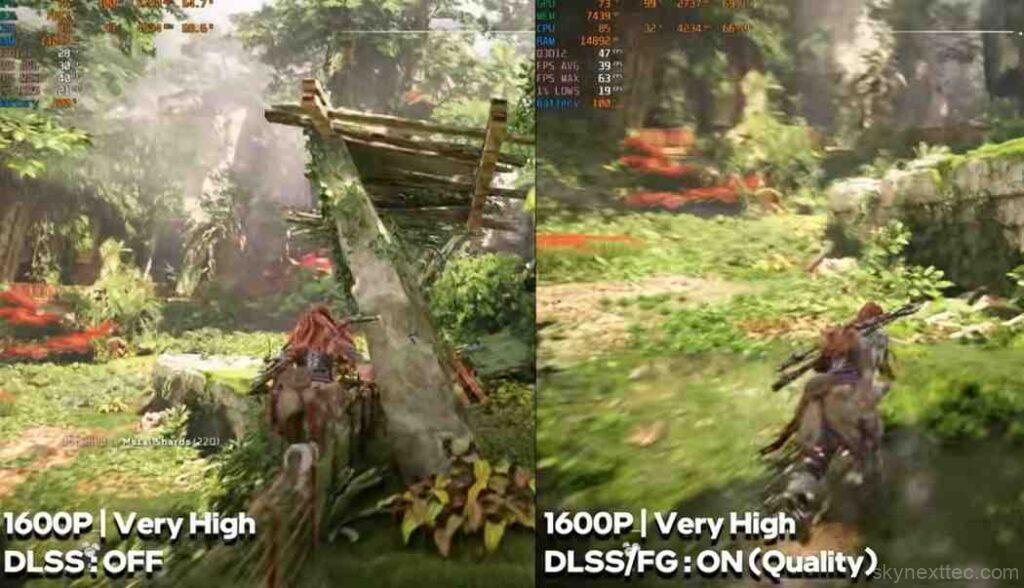
At very high settings, native performance is close to 30 FPS. With Frame Generation, the game becomes much more playable, reaching around 60 FPS.
Ghost of Tsushima
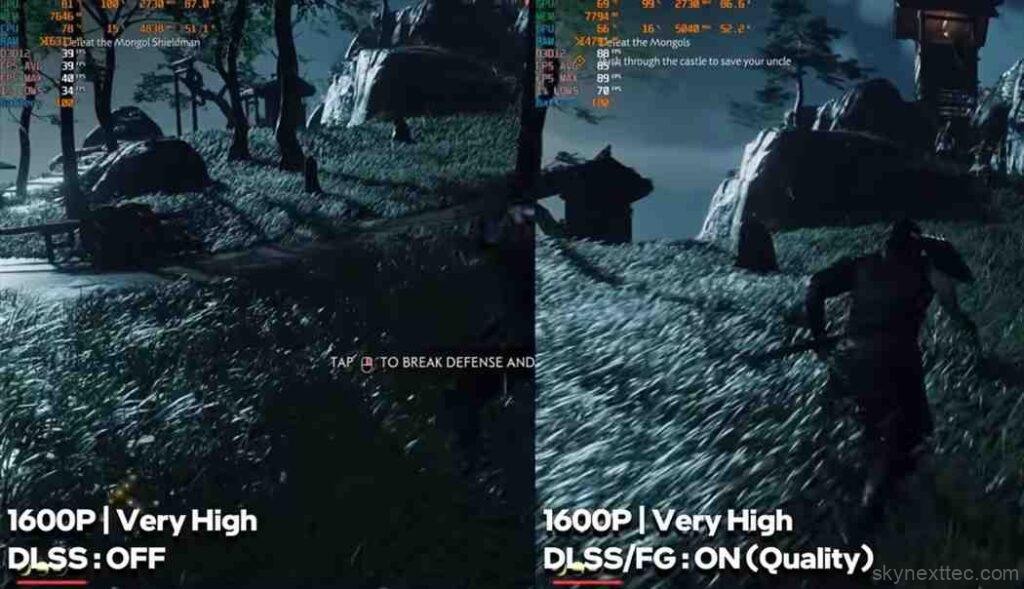
Ghost of Tsushima performs well overall. Depending on settings and Frame Generation usage, FPS ranges between 40 and 80 FPS, delivering a stable and smooth experience.
Black Myth: Wukong
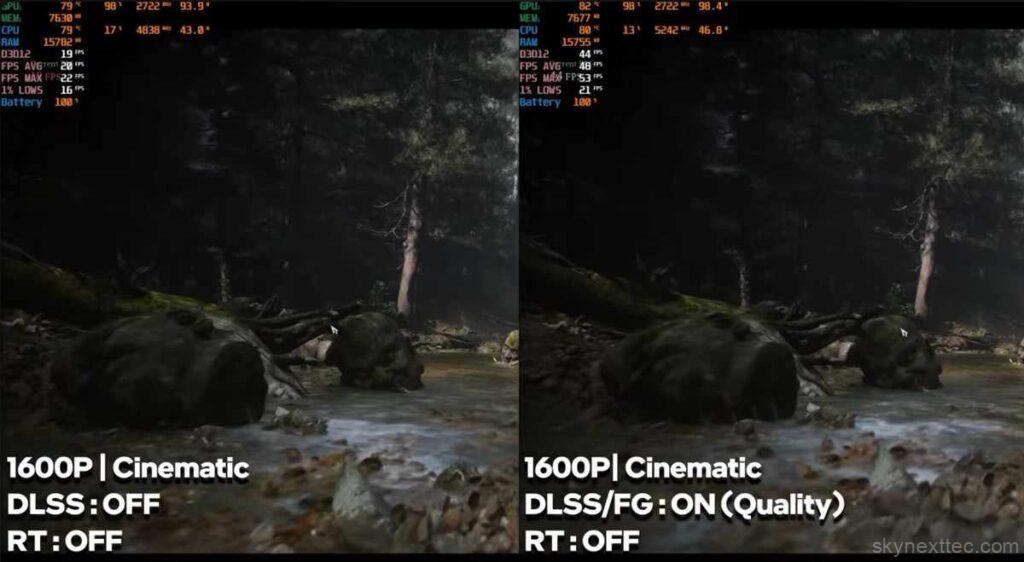
This is one of the most demanding games in this test. At cinematic settings and 1600p resolution, native performance drops to around 18–20 FPS. With Frame Generation enabled, performance improves to around 40 FPS, and with 4X multi-frame generation, it can reach close to 50 FPS.
However, higher frame generation levels introduce noticeable input lag, which can affect reaction-based combat gameplay.
Alan Wake 2
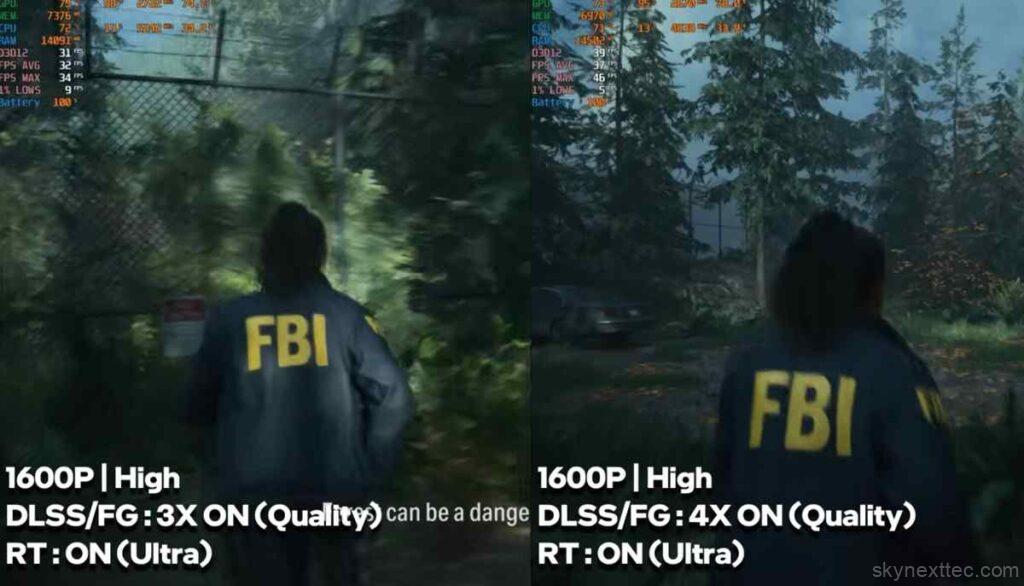
At high settings, native performance is around 25 FPS. With Frame Generation enabled, performance improves to around 60–65 FPS. However, ray tracing at ultra settings remains extremely demanding, even with Frame Generation, so lowering settings or resolution is recommended for sHP Omen 16 RTX 50Gaming on the Helios Neo 16s: Pros, Cons, and VerdictGaming on the Helios Neo 16s: Pros, Cons, and Verdict60 Review 2026: Real FPS Test & Impressive Thermal Performancemoother gameplay.
Gaming Thermals
After 3–4 hours of continuous gaming, the laptop maintains stable temperatures:
- Keyboard surface temperature: ~35–37°C
- Right side chassis: ~36°C
- Chipset area: ~39°C
Even during extended gaming sessions, the laptop only feels warm and never uncomfortably hot. Overall thermal performance is well controlled, with no major signs of overheating or thermal throttling.
Final Note on Performance
Across all titles, the RTX 5050 shows strong performance in esports games and solid results in modern AAA titles when DLSS and Frame Generation are used. However, at native 1600p with ultra settings and ray tracing, some demanding games still require reduced settings for a smoother experience.
| Pros | Cons |
|---|---|
|
|
| Should You Buy the HP HyperX OMEN 15? | Verdict |
|---|---|
| Want excellent esports gaming performance | Yes |
| Need smooth AAA gaming at 1600P with DLSS & Frame Generation | Yes |
| Prefer a sharper 1600P display with good color quality | Yes |
| Need strong cooling and stable thermals for long gaming sessions | Yes |
| Want maximum native ray tracing performance without Frame Generation | Not Ideal |
| Play very demanding AAA games only at ultra settings | Consider Higher GPU Options |
| Need more future-proof VRAM for upcoming AAA titles | 8GB VRAM May Feel Limited Later |
| Overall Recommendation | Great gaming laptop for 1600P gaming at its sale price, especially for esports and modern AAA games with DLSS support. |

