

The first laptop powered by Intel’s Core Ultra Series 3 has finally arrived — the Samsung Galaxy Book 6 Pro.
There’s been a lot of anticipation around this release, with many users actively asking about the Book 6 Pro and what it brings to the table. So I decided to get my hands on it and see if it lives up to the hype.
This unit was provided by Samsung as part of a collaboration, but after spending time testing both the processor and overall performance, I’ve formed my own impressions — and there’s definitely a lot to talk about.
Samsung Galaxy Book 6 Pro Build & Design
The Samsung Galaxy Book 6 Pro feels impressively light at just 1.2 kg (2.6 lbs), or around 3.2 lbs with the charger. It’s also ultra-thin at 11.9 mm, making it easy to carry anywhere.
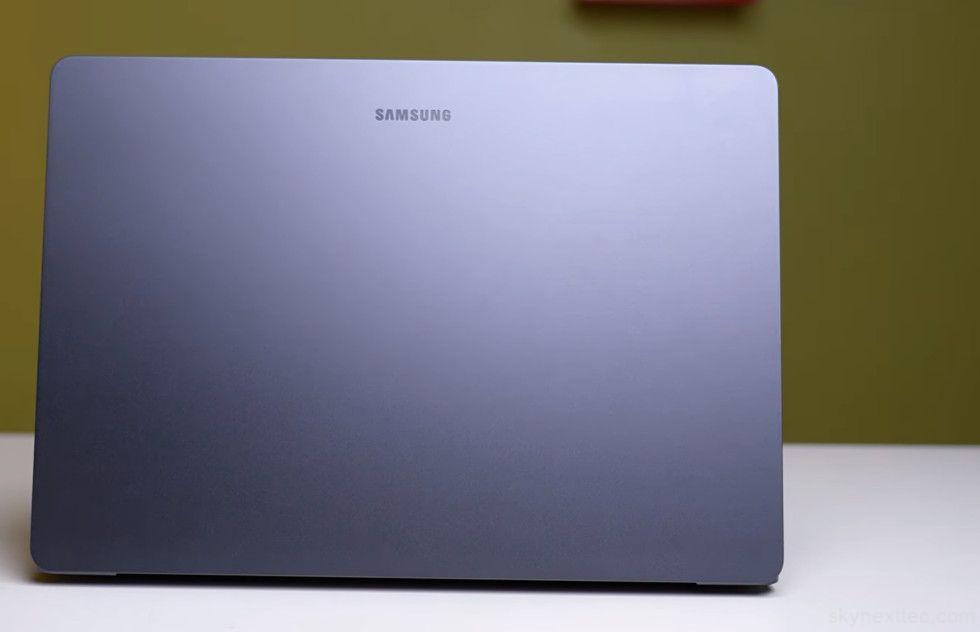
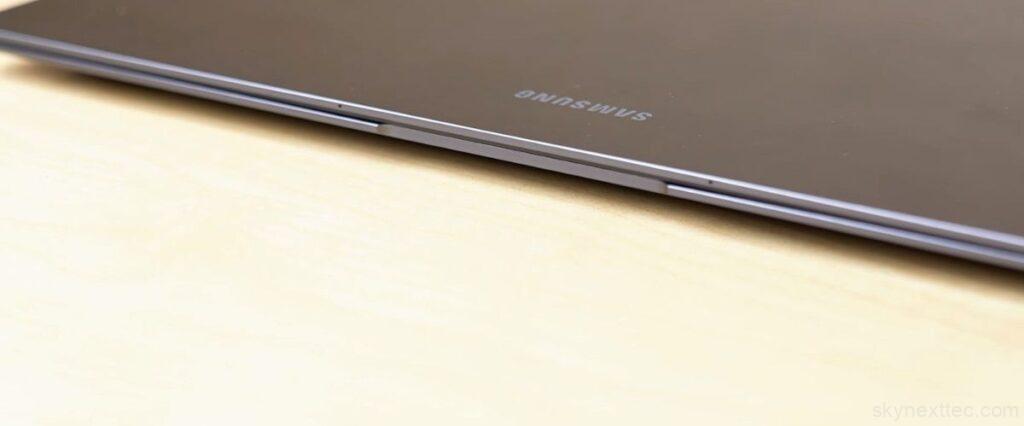
The all-metal build gives it a premium feel, and the curved edges improve comfort compared to the previous generation. Overall, it looks and feels like a high-end laptop.
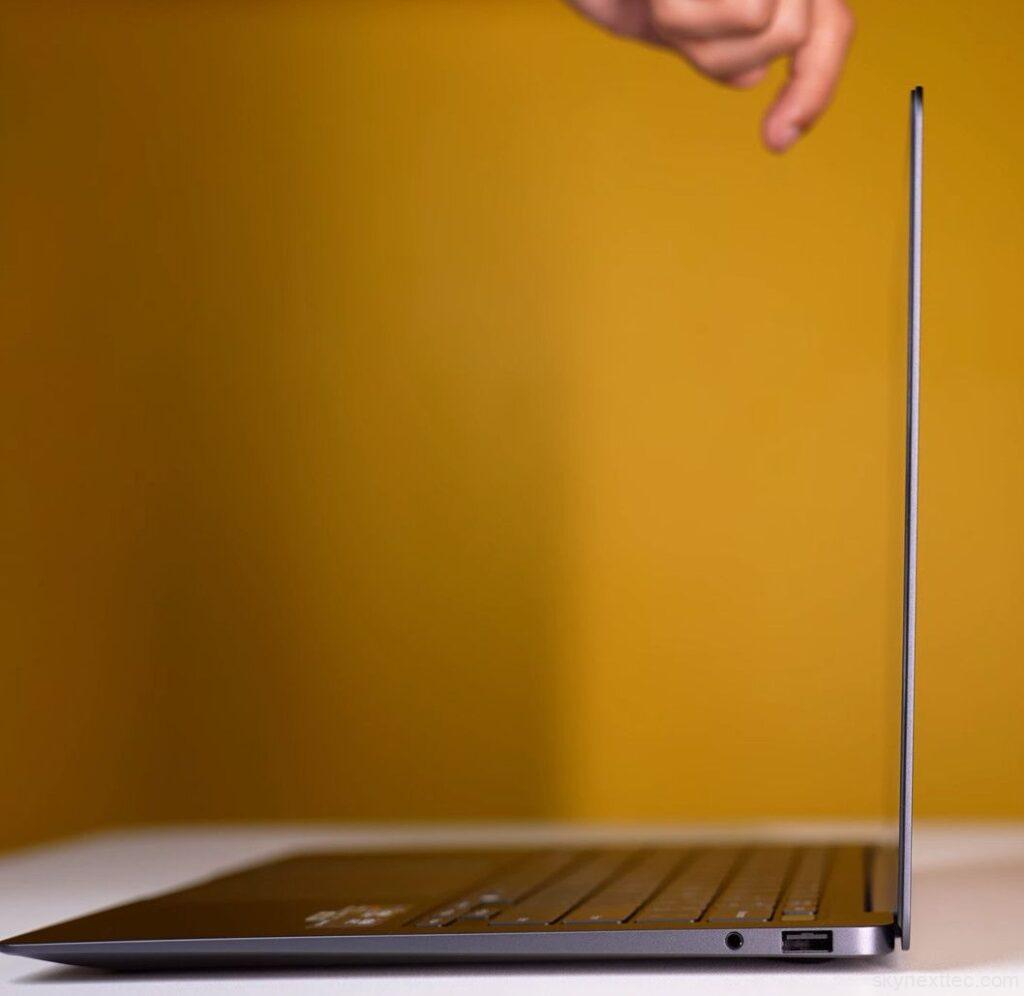
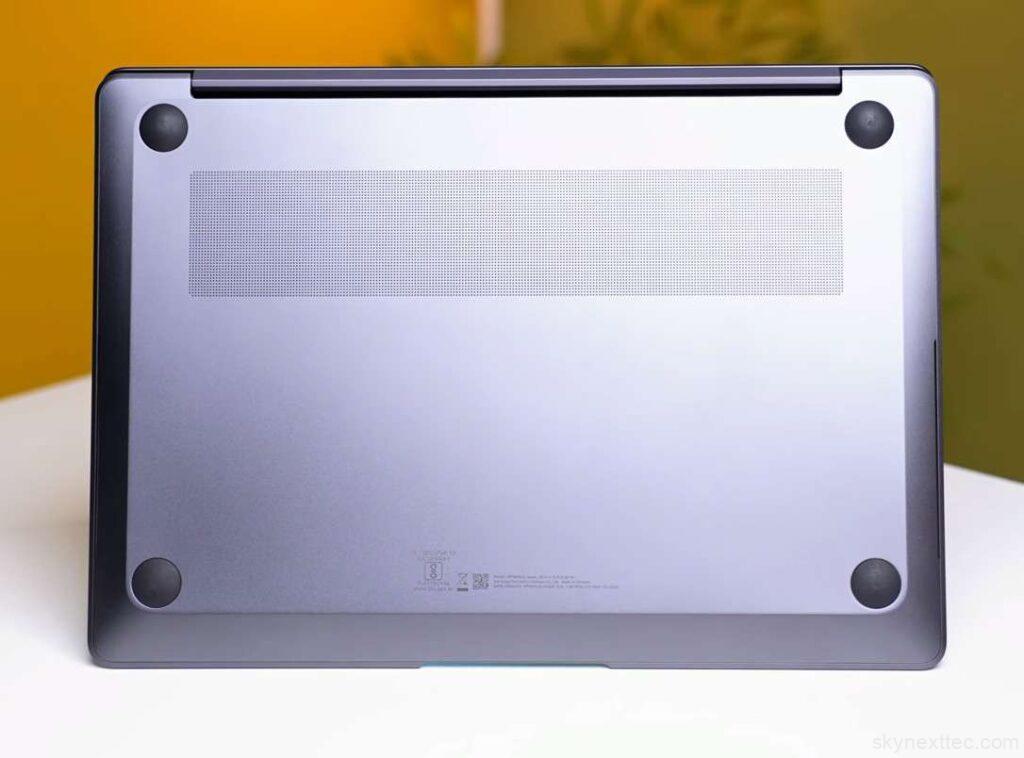
You can open the lid easily with one hand, and the hinge goes up to 120 degrees, which works well for touchscreen use. Build quality is solid, with minimal keyboard flex and controlled screen wobble despite the thin design.
Samsung Galaxy Book 6 Pro Specification
Samsung Galaxy Book 6 Pro Benchmarks & Performance
The Samsung Galaxy Book 6 Pro delivers strong performance for a thin and light laptop, especially given its focus on power efficiency.
Cinebench R23 & R24 Performance
Cinebench R23 Performance: Battery vs Charging
In Cinebench R23, the Samsung Galaxy Book 6 Pro performed surprisingly well on both battery and charging, with slightly better multi-core performance on battery in some runs. Compared to other thin-and-light laptops, it stays competitive in both single-core and multi-core workloads.
Cinebench R24 | Battery vs Charging
Cinebench 2024 shows consistent performance with almost no difference between battery and plugged-in mode.
Geekbench 6 Results
Geekbench AI (DirectML) | Battery vs Charging
Geekbench 6 results show stable performance across battery and charging, with only minor differences (~19–20 points). Single-core performance is particularly strong, which helps in daily tasks like app launching, browsing, and coding.
This makes it suitable for programming, web development, and even music production workloads.
AI Performance & Local Models
AI benchmarks using Geekbench AI show solid NPU performance.
We also tested local AI models using LM Studio, including:
- DeepSeek R1 (8B) → ~1 min 33 sec
- DeepSeek R1 (32B) → ~6 min 10 sec
- Qwen Coder 30B → ~33 sec output time
Performance varies depending on the model size, but overall the laptop can handle light to mid-level local AI workloads. For heavy deep learning or large transformer training, a dedicated NVIDIA GPU is still required.
Blender & 3D Rendering
Geekbench AI (ONNX) | Higher is Better
BMW Render Test (GPU) | Lower is Better
In Blender benchmarks, the laptop scored around 1300, with similar results on battery and charging.
BMW render test results:
- Battery: ~22 seconds
- Charging: ~35 seconds
This shows strong efficiency even under sustained GPU load.
Creative Workloads (Adobe Suite)
Photoshop Overall Score (Higher is Better)
Premiere Pro Overall Score (Higher is Better)
After Effects Overall Score (Higher is Better)
Davinci Resolve Overall Score (Higher is Better)
- Photoshop: Smooth performance even with multi-layer files and filters
- Premiere Pro: Handles 4–5 layer edits and basic effects comfortably
- After Effects: Suitable for intermediate-level editing
Heavy professional-level motion graphics will still benefit from a dedicated GPU, but overall performance is solid for its form factor.
GPU & Synthetic Benchmarks
VRMark Orange Room
Geekbench 6 OpenCL
3DMark Time Spy
PCMark 10 Workloads
The Intel Arc iGPU performs close to entry-level dedicated GPUs in some workloads.
Samsung Galaxy Book 6 Pro Thermal & Power Behavior
Thermal & Power Profile
Sustained Prime95 Stress Test Metrics
Thermal & Power Behavior Analysis
Tested under 60-minute sustained Prime95 Workload
| Profile Mode | TDP Limit | Characteristics |
|---|---|---|
| Performance | 27W+ | Maximum compute power, active cooling. |
| Optimized | ~20W | Best for balanced daily productivity. |
| Quiet | ~15W | Reduced fan curves for office environments. |
| Silent | ~11W | Ultra-efficient, focus on battery endurance. |
*All metrics captured at an ambient temperature of 25°C.
Performance on battery (DC) may vary based on Windows Power Plan settings.
Samsung Galaxy Book 6 Pro Gaming Performance
Samsung Galaxy Book 6 Pro Ports
Despite being very thin, the Samsung Galaxy Book 6 Pro still offers a practical set of ports.
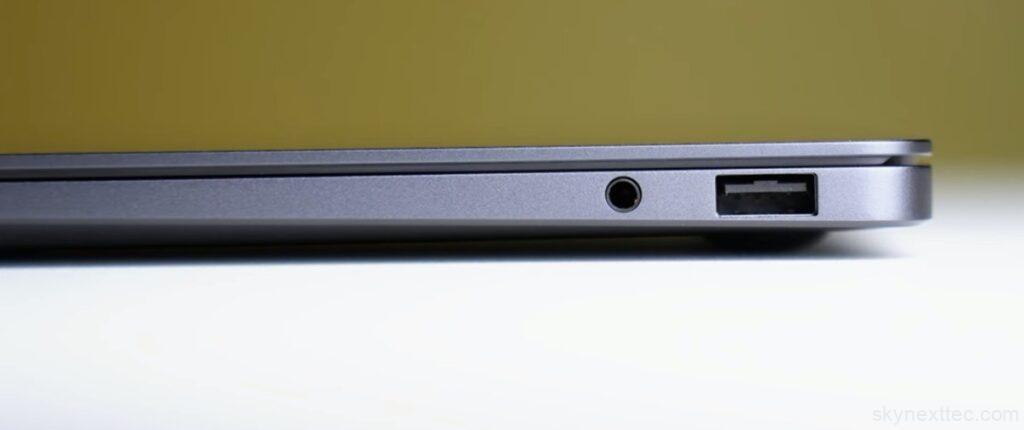
On the right side, you get a USB 3.2 Gen 1 Type-A port and a 3.5mm headphone/mic combo jack. On the left side, there’s a full-size HDMI 2.1 port, which supports up to 4K at 240Hz output. You also get 2× Thunderbolt 4 ports, which handle fast data transfer, 4K display output, and up to 65W charging.
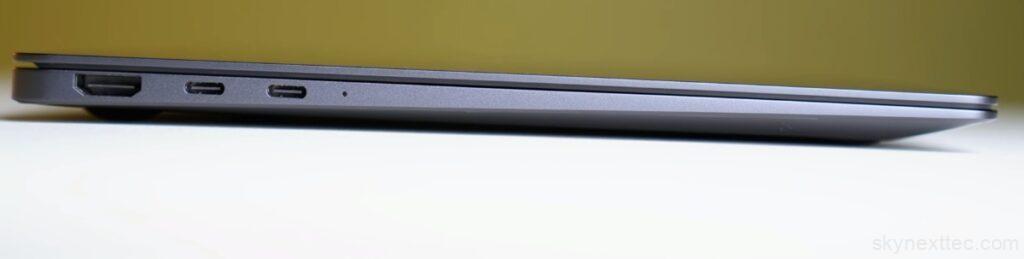
Overall, the port selection is decent for most users, especially for a thin-and-light laptop. But if you need more flexibility, you’ll likely need an external dock for things like LAN, SD card, or additional USB ports.
Since this is aimed at creators, adding an SD card slot or RJ45 LAN port would have made it more complete.
Samsung Galaxy Book 6 Pro Keyboard & Track-pad
The Samsung Galaxy Book 6 Pro comes with a well-designed 14-inch keyboard layout that feels comfortable and premium for daily use.
The typing experience is solid, with good key feedback and a clean layout. It also features white backlighting, and the brightness can be adjusted manually or set to auto mode, where it adapts to surrounding lighting conditions. Key travel is around 1.2mm, which makes typing smooth and responsive.
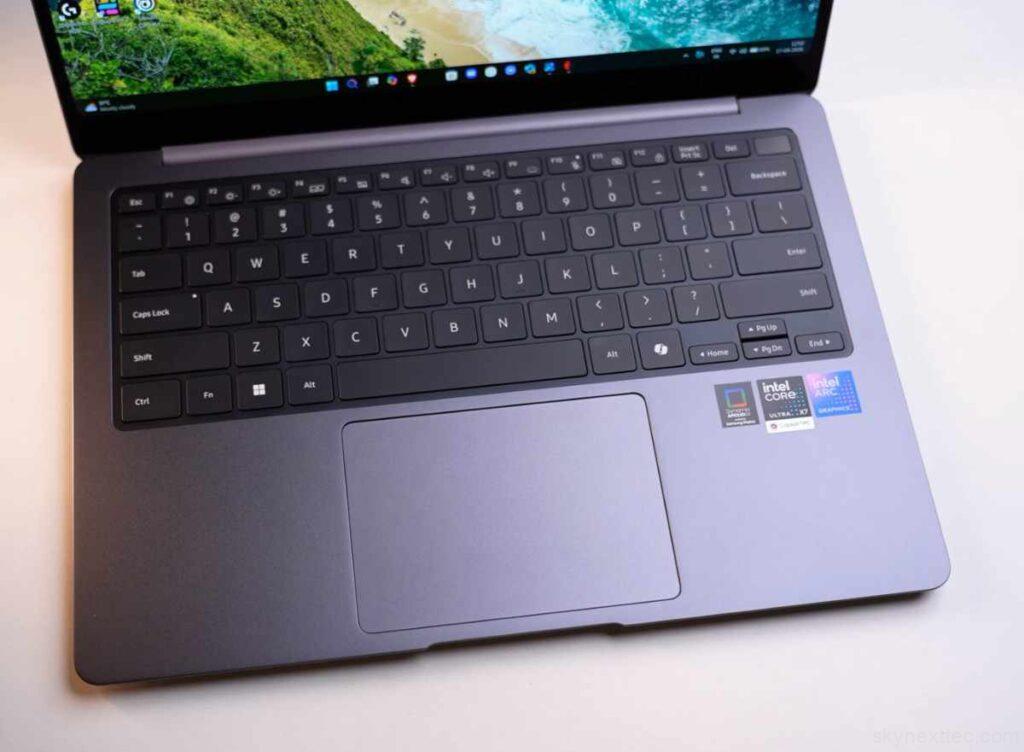
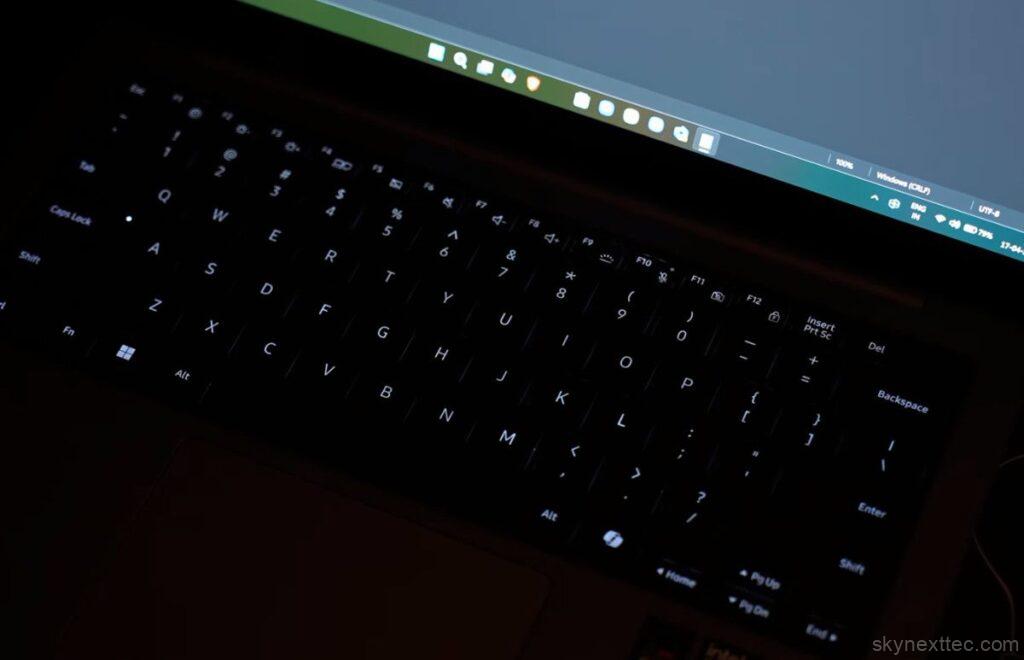
At the top right, you get a power button with an integrated fingerprint sensor, which supports Windows Hello for fast and secure login. You also get dedicated shortcut keys and a Copilot key for quick AI access.
The trackpad is also a highlight. Even though the laptop is compact, the size is comfortable for everyday use and supports multi-gesture controls.
Instead of a traditional click mechanism, it uses a haptic feedback track-pad. This means there’s no physical movement, but a haptic motor provides realistic click feedback. It feels premium, works anywhere on the surface, and helps avoid accidental clicks.
Overall, the keyboard and track-pad experience feels modern, responsive, and well-optimized for productivity.
Samsung Galaxy Book 6 Pro Display
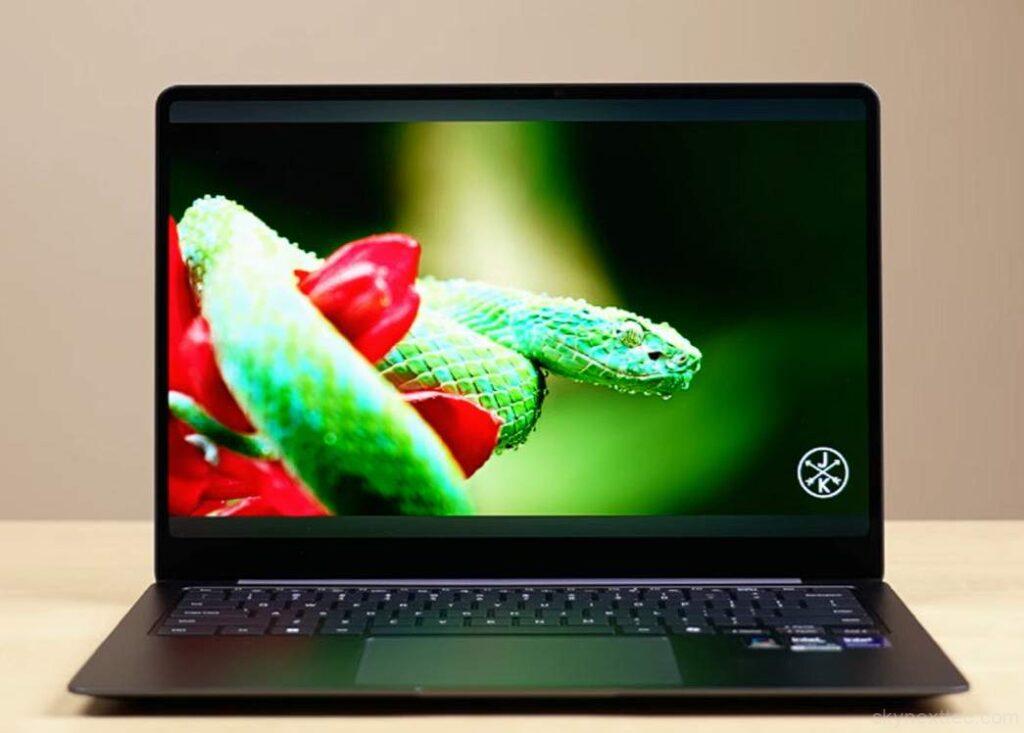
The Samsung Galaxy Book 6 Pro features a 14-inch Dynamic AMOLED 2X display with a WQXGA+ (1800p) resolution and a 120Hz refresh rate. It also supports a dynamic refresh rate (30Hz–120Hz) to improve battery efficiency.
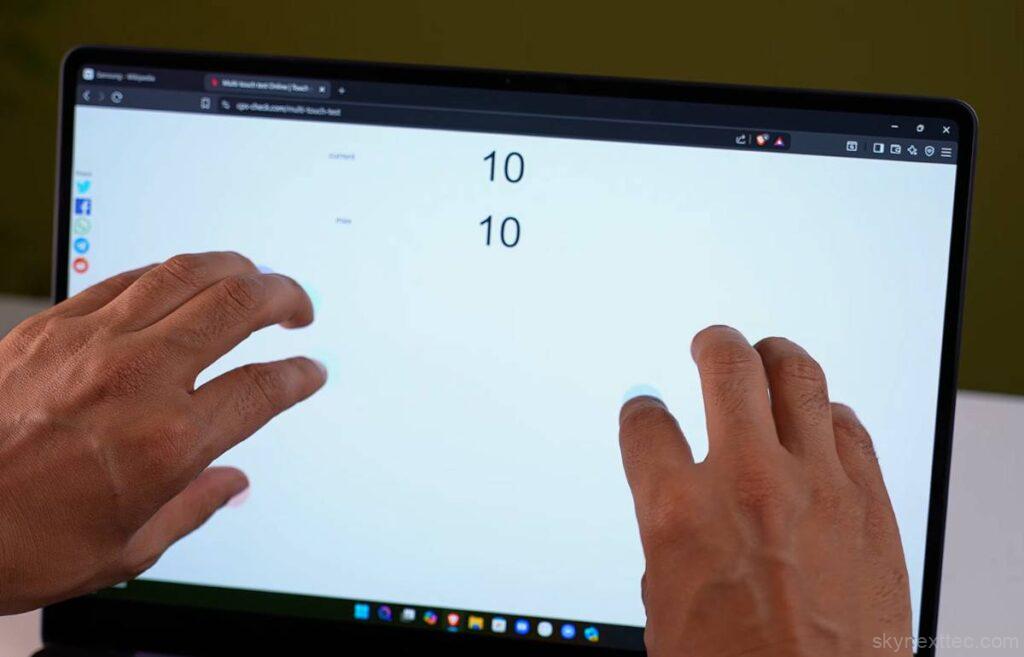
The Samsung Galaxy Book 6 Pro has a display that really stands out in daily use. It feels smooth thanks to the 120Hz refresh rate, and touch response makes simple tasks like scrolling and navigation feel more natural than expected.
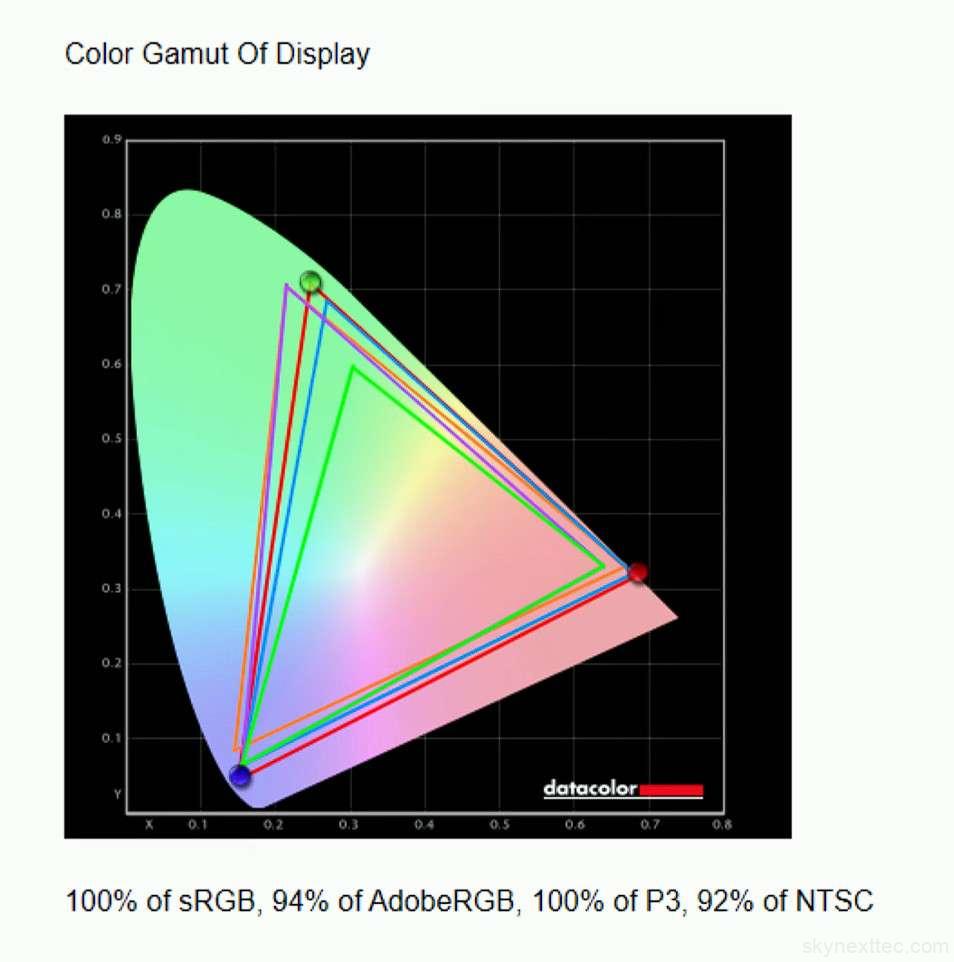
Colors look rich and balanced, which makes both movies and everyday browsing enjoyable. HDR content also looks impressive with good contrast and brightness. Overall, it’s a premium, easy-to-use display that quickly feels natural in day-to-day use, especially for media and casual productivity.
Samsung Galaxy Book 6 Pro Webcam & Microphone
The webcam on the Samsung Galaxy Book 6 Pro is a 1080p 30FPS unit, and honestly, it’s decent for everyday video calls. It’s a bit grainy in some lighting conditions, but your face still comes through clearly enough for meetings. What makes it better is the extra software features. You get auto framing, eye contact correction, and background blur, which help make video calls look more professional without much effort.
There’s also a presence detection feature, which can automatically lock the laptop when you step away and wake it up when you return. That’s actually quite useful for daily use. On the audio side, the microphone does a good job with noise reduction and directional recording modes, making it suitable for work calls even in slightly noisy environments.
Overall, it’s a functional and work-friendly setup, not the best in class, but reliable for meetings and remote work.
Samsung Galaxy Book 6 Pro Speaker
The audio on the Samsung Galaxy Book 6 Pro is actually quite impressive for a thin-and-light laptop. The 14-inch variant comes with stereo down-firing speakers, while the 16-inch model upgrades to a quad-speaker setup with tweeters and subwoofers.
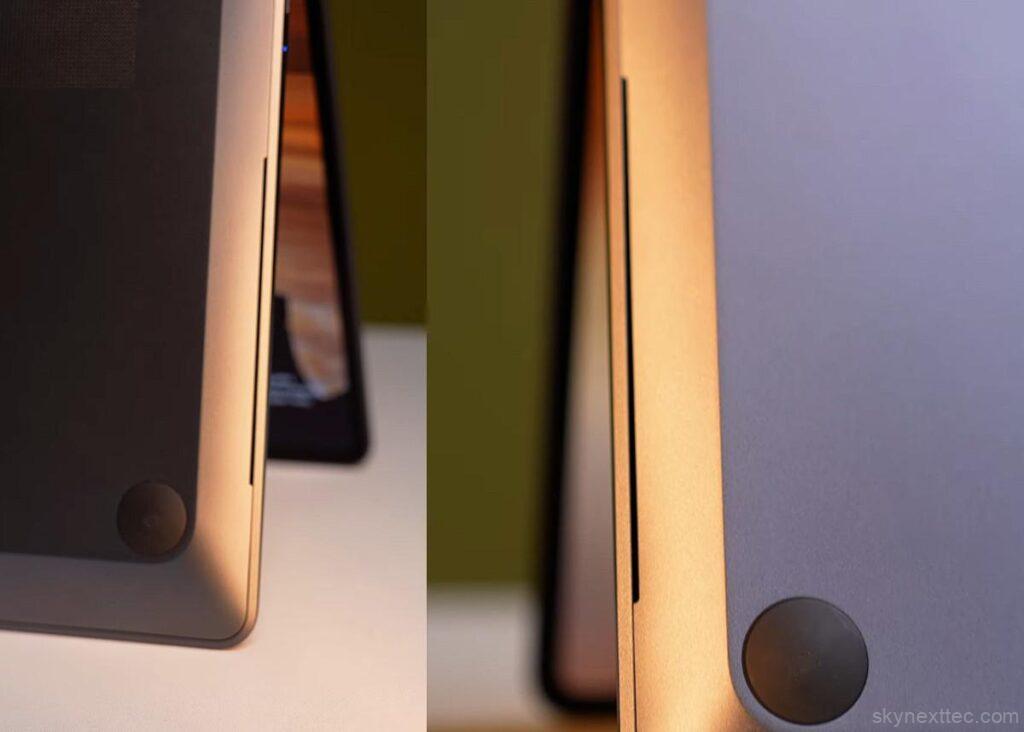
In daily use, the sound is loudand clear, with a noticeable amount of bass, especially when theSamsung Galaxy Book 6 Pro is placed on a flat surface. Watching movies or Netflix feels enjoyable in a quiet room.
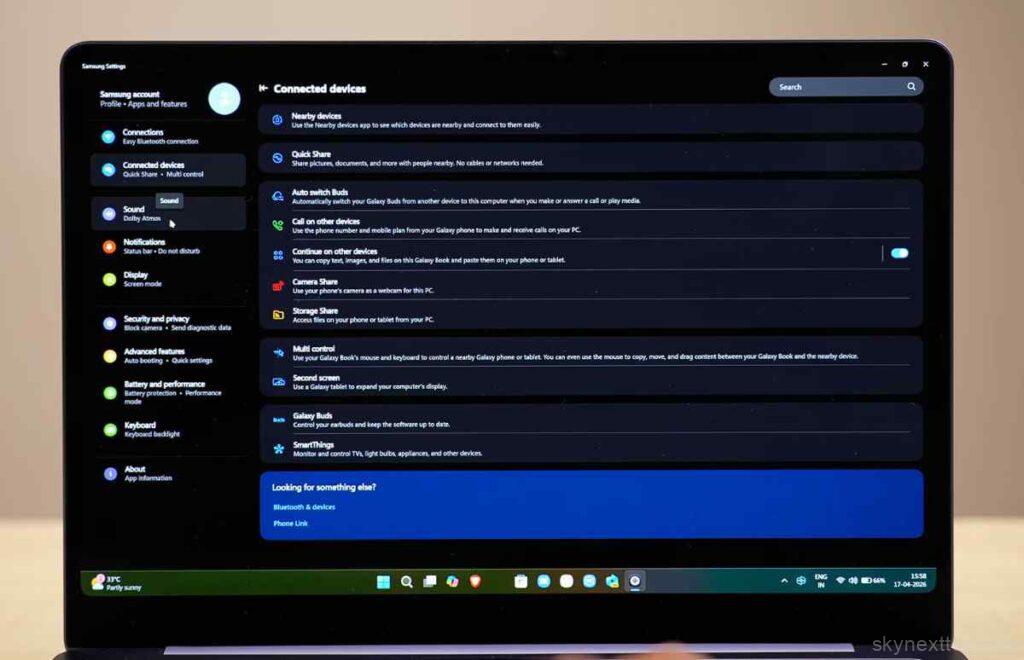
It also supports Dolby Atmos, which improves spatial audio and makes the sound feel more immersive.
Overall, it delivers a solid multimedia experience, especially for entertainment and casual listening.
Samsung Galaxy Book 6 Pro Battery
Display Analysis
Brightness, Contrast and White Point Measurements
| Setting | Brightness (Nits) | Black | Contrast | White Point |
|---|---|---|---|---|
| 0% | 3.6 | 0.01 | 250 : 1 | 7200 (0.305, 0.313) |
| 25% | 31.6 | 0.01 | 2210 : 1 | 7000 (0.307, 0.315) |
| 50% | 102.8 | 0.01 | 7190 : 1 | 7000 (0.306, 0.314) |
| 75% | 249.6 | 0.01 | 17830 : 1 | 7000 (0.307, 0.315) |
| 100% | 494.4 | 0.01 | 35310 : 1 | 6900 (0.308, 0.314) |
The Samsung Galaxy Book 6 Pro comes with a 67.18Wh battery, and the real-world backup is honestly impressive for a Windows ultrabook.
In our test (50% brightness, keyboard backlight off, Wi-Fi on, multitasking with music and apps running), it delivered around 10–12 hours of usage. That’s a strong result for a thin-and-light laptop.

Fast charging is also a highlight. With the 65W USB-C charger, it reaches about 55% in 40 minutes and a full charge in around 1 hour 25 minutes.
Overall, the battery experience feels reliable and travel-friendly, especially with USB-C charging that works across devices.
Samsung Galaxy Book 6 Pro AI & Ecosystem
The Samsung Galaxy Book 6 Pro brings a strong set of built-in AI and ecosystem features that make daily tasks easier.
You get tools like Smart Select, which lets you quickly select text or numbers from the screen and take actions like copy, translate, or even call directly. It feels very practical for everyday use.
There’s also an AI Cutout feature that lets you circle objects in images and instantly extract or share them, which is useful for content work.
On top of that, Samsung’s ecosystem integration is a big advantage. You can:
- Use your Samsung phone as a webcam
- Sync clipboard between devices
- Control multiple devices with Multi Control
Overall, the AI features are more about real productivity convenience rather than hype, and they fit well into Samsung’s ecosystem experience.
Samsung Galaxy Book 6 Pro Pricing
Samsung Galaxy Book 6 Pro: Price Breakdown 💻
*Estimated global launch pricing. Final prices may vary based on region and taxes.
| Model Variant | Specifications | Est. Price (USD) | Action |
|---|---|---|---|
| Galaxy Book 6 Pro (14″) | 16GB / 512GB | $1,449 – $1,599 | Check Price |
| Galaxy Book 6 Pro (16″) | 16GB / 1TB | $1,649 – $1,799 | Check Price |
| Galaxy Book 6 Pro 360 | 32GB / 1TB | $1,899 – $2,049 | Check Price |
Samsung Galaxy Book 6 Pro Conclusion
The Samsung Galaxy Book 6 Pro is clearly a premium ultrabook built for professionals, not budget buyers. It focuses on a thin design, strong performance, and deep AI + ecosystem integration.
In real-world use, it feels fast, polished, and very “MacBook-style” in experience, but on Windows. The AMOLED display, long battery life, and strong Intel Core Ultra Series 3 performance are the main highlights that stand out for productivity and media work.
However, this is not a value laptop. Pricing in the US premium segment is expected to be around $1,900+ depending on configuration, which puts it directly in competition with high-end MacBook and Dell XPS models.
Who it’s for:
- Business professionals
- Students in premium/luxury segment
- Creators doing light to mid-level editing
- Users already in Samsung ecosystem
Final take:
If you want a lightweight Windows laptop with premium build, great display, and strong battery life, this is a solid option. But if your focus is maximum performance per dollar, there are better value alternatives.
Does it actually hit the 20-hour battery life mark?
In real-world US office conditions (Slack, Zoom, 15+ Chrome tabs, 50% brightness), the Snapdragon model typically lasts 14–16 hours, while the Intel model averages 10–12 hours. While short of the “20-hour” marketing claim, it still beats almost every Windows laptop from 2026 and rivals the MacBook Air M3.
Is the 3K AMOLED screen too glossy for office lighting?
The Dynamic AMOLED 2X is widely considered the best display in its class, featuring a 120Hz refresh rate and incredible color accuracy. However, it is glossy. While it features an anti-reflective coating, users in bright American “open-office” plans may still notice some glare compared to matte business laptops.
How are the thermals? Does it get “lap-burn” hot?
For daily tasks, it stays nearly silent. During intensive sustained loads (like a 1-hour Prime95 stress test), the chassis can reach peak internal temperatures of ~95°C, but the average settles around 80°C. The fans are tuned to be quiet rather than aggressive, so the bottom panel will feel warm, but not uncomfortable for casual use.
Can I actually use the AI “Copilot+” features for work?
Features like Live Captions (great for international Zoom calls) and Cocreator are fun, but the real benefit is the NPU (Neural Processing Unit). It offloads background tasks like “Studio Effects” (background blur/eye contact) from the CPU to the NPU, saving battery life during your workday.

